How to Build a Distributed Crawling Engine in Node.js
Build a durable, distributed Node.js crawler with BullMQ, Redis, robots.txt compliance, URL deduplication, retries, and reliable result storage.
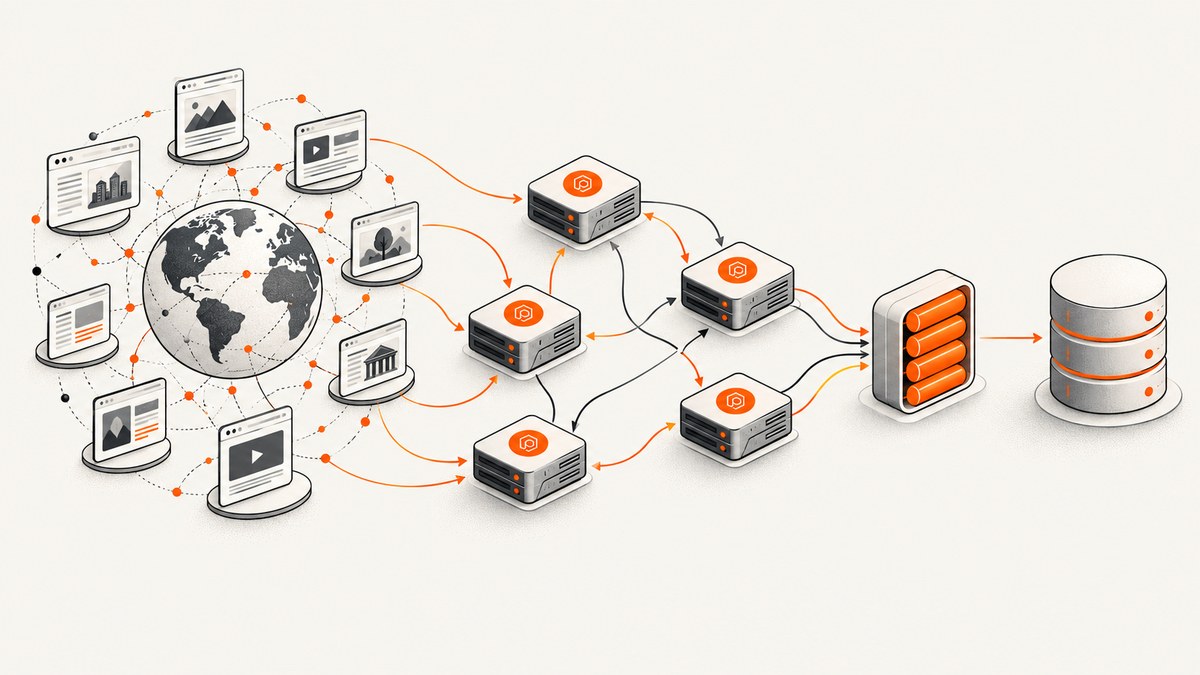
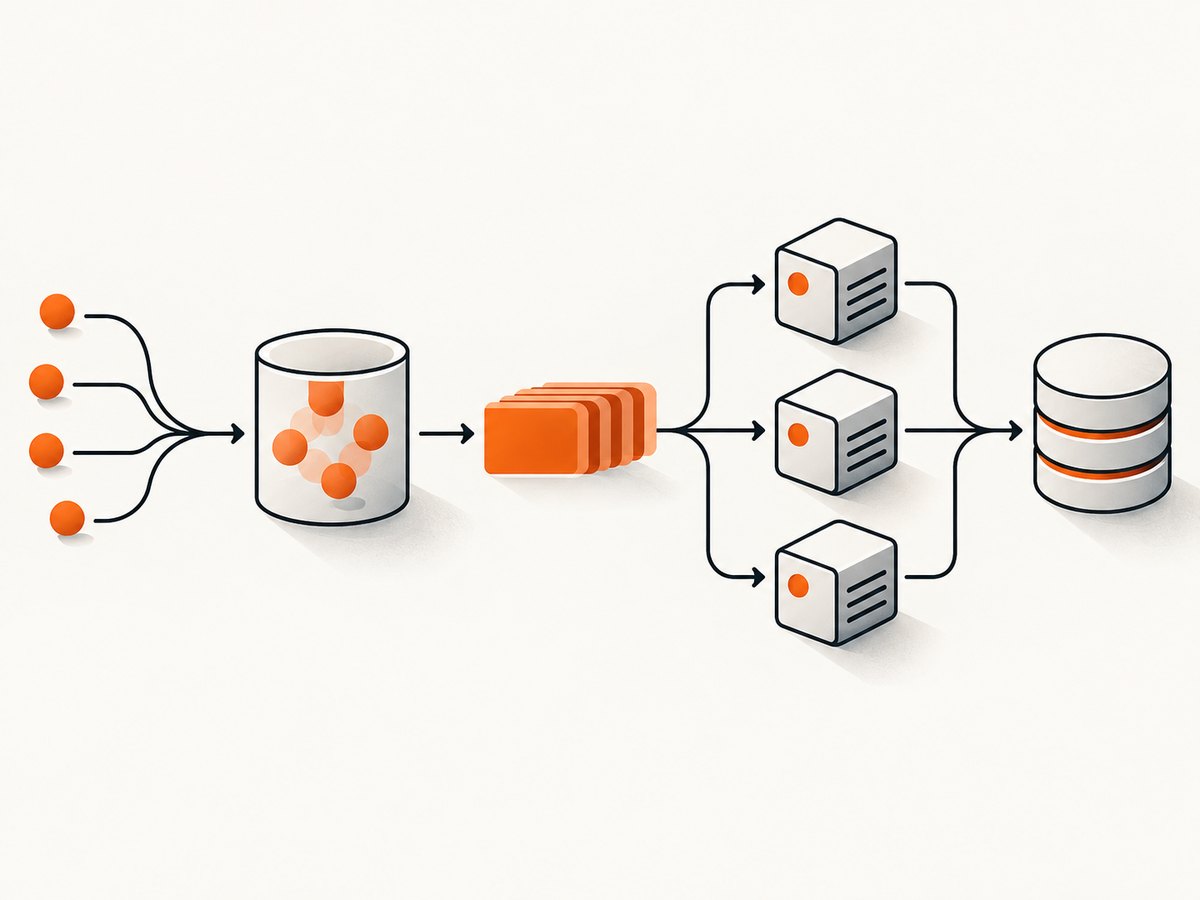
A distributed crawler separates URL discovery from page fetching. A durable frontier stores URLs waiting to be processed, BullMQ distributes jobs through Redis, workers fetch and parse pages, and persistent crawl state makes retries and restarts safe. The queue gives you work distribution and recovery; your application still owns URL normalization, deduplication, crawl policy, robots.txt handling, politeness, and idempotent result storage.
The implementation below uses Node.js, BullMQ, Redis, and PostgreSQL. You can replace PostgreSQL with another durable store, but keep the same boundaries: a stable URL identity, an explicit crawl policy, a queue job, and a result record that can be written repeatedly without corrupting state.
1. Architecture at a glance
seed URLs
   |
   v
URL policy + canonicalization ----> durable frontier (PostgreSQL)
                                      |
                                      v
                              BullMQ queue (Redis)
                                      |
                 +--------------------+--------------------+
                 |                    |                    |
             worker A             worker B             worker C
                 |                    |                    |
        robots check, fetch, parse, classify, persist, enqueue links
                                      |
                                      v
                           crawl state + page results
Run workers in separate processes or on separate machines while pointing them at the same Redis queue and database. BullMQ documents this Queue/Worker model, including concurrency, retries, and workers distributed across processes and machines: BullMQ documentation and its introduction.
2. Define scope and URL policy first
A crawler needs termination rules before it needs more workers. Decide:
- Allowed schemes: usually
http:andhttps:. - Allowed hosts: an exact host list, registrable domains, or a broader policy.
- Maximum depth and maximum pages per crawl.
- Whether fragments are discarded and which query parameters are ignored.
- Content types to fetch, such as HTML only.
- How redirects are handled and whether redirected hosts remain in scope.
- What ends a crawl: an empty frontier, a page budget, a deadline, or a cancellation request.
URL canonicalization is an application decision. A practical baseline removes fragments, lowercases the hostname, removes default ports, and sorts query parameters. Do not remove every query parameter blindly: some sites use them to select content.
export function canonicalize(raw, policy) {
  const u = new URL(raw);
  if (!['http:', 'https:'].includes(u.protocol)) return null;
  u.hash = '';
  u.hostname = u.hostname.toLowerCase();
  if ((u.protocol === 'http:' && u.port === '80') ||
      (u.protocol === 'https:' && u.port === '443')) {
    u.port = '';
  }

  for (const key of policy.dropQuery ?? []) u.searchParams.delete(key);
  u.searchParams.sort();

  if (!policy.hosts.has(u.hostname)) return null;
  return u.toString();
}

export function nextDepth(parentDepth, childUrl, parentUrl) {
  const child = new URL(childUrl);
  const parent = new URL(parentUrl);
  return child.hostname === parent.hostname ? parentDepth + 1 : parentDepth + 1;
}
3. Create a durable frontier
Use a unique constraint on the crawl ID and canonical URL. The insert is your application-level deduplication gate; BullMQ does not know that two differently written URLs identify the same page.
CREATE TABLE crawl_urls (
  crawl_id       uuid NOT NULL,
  url            text NOT NULL,
  depth          integer NOT NULL,
  status         text NOT NULL DEFAULT 'queued',
  attempts       integer NOT NULL DEFAULT 0,
  discovered_at  timestamptz NOT NULL DEFAULT now(),
  fetched_at     timestamptz,
  next_attempt_at timestamptz,
  last_error     text,
  PRIMARY KEY (crawl_id, url)
);

CREATE TABLE crawl_pages (
  crawl_id      uuid NOT NULL,
  url           text NOT NULL,
  final_url     text,
  status_code   integer,
  content_type  text,
  title         text,
  body          text,
  fetched_at    timestamptz NOT NULL DEFAULT now(),
  PRIMARY KEY (crawl_id, url)
);
When discovering a link, insert it with ON CONFLICT DO NOTHING. Only enqueue a BullMQ job after the insert succeeds. If the process crashes after the insert but before enqueueing, a reconciliation task can periodically find queued database rows without a corresponding job and enqueue them again.
4. Install Node.js dependencies
npm install bullmq ioredis pg robots-parser cheerio undici pino
npm install --save-dev eslint
BullMQ uses Redis for queue state. In production, enable Redis persistence and configure maxmemory-policy noeviction; BullMQ calls these out in its production guidance. Configure reconnect behavior, log Redis errors, and close workers gracefully during shutdown.
5. Enqueue seeds and discovered URLs
import { Queue } from 'bullmq';
import IORedis from 'ioredis';
import { randomUUID } from 'node:crypto';
import pg from 'pg';
import { canonicalize } from './policy.js';

const connection = new IORedis(process.env.REDIS_URL, {
  maxRetriesPerRequest: null
});
const queue = new Queue('crawl-fetch', { connection });
const db = new pg.Pool({ connectionString: process.env.DATABASE_URL });

export async function addUrl(crawlId, rawUrl, depth, policy) {
  const url = canonicalize(rawUrl, policy);
  if (!url || depth > policy.maxDepth) return false;
  const result = await db.query(
    `INSERT INTO crawl_urls (crawl_id, url, depth)
     VALUES ($1, $2, $3) ON CONFLICT DO NOTHING`,
    [crawlId, url, depth]
  );
  if (result.rowCount !== 1) return false;

  await queue.add('fetch', { crawlId, url, depth }, {
    jobId: `${crawlId}:${url}`,
    attempts: 4,
    backoff: { type: 'exponential', delay: 2000 },
    removeOnComplete: { age: 86400 },
    removeOnFail: { age: 604800 }
  });
  return true;
}

const crawlId = randomUUID();
await addUrl(crawlId, 'https://example.com/', 0, {
  hosts: new Set(['example.com']),
  maxDepth: 2,
  dropQuery: ['utm_source', 'utm_medium', 'utm_campaign']
});
The BullMQ jobId helps avoid duplicate queue entries, but retain the database uniqueness constraint. Queue state can be trimmed, jobs can be replayed, and application side effects must remain safe when a job runs more than once.
6. Build a worker that fetches, parses, and persists
The worker below shows the complete control flow. It checks robots.txt, applies a per-origin delay, fetches HTML, extracts links, classifies failures, and upserts the page. In a real deployment, move the politeness limiter into shared storage so every worker observes the same origin schedule.
import { Worker } from 'bullmq';
import IORedis from 'ioredis';
import pg from 'pg';
import robotsParser from 'robots-parser';
import * as cheerio from 'cheerio';
import { fetch } from 'undici';
import { canonicalize } from './policy.js';

const connection = new IORedis(process.env.REDIS_URL, { maxRetriesPerRequest: null });
const db = new pg.Pool({ connectionString: process.env.DATABASE_URL });
const robotsCache = new Map();
const originNextRequest = new Map();
const USER_AGENT = 'ExampleResearchCrawler/1.0 (+https://example.com/bot-info)';

async function waitForOrigin(origin, delayMs) {
  const now = Date.now();
  const next = Math.max(now, originNextRequest.get(origin) ?? now);
  const wait = next - now;
  if (wait > 0) await new Promise(resolve => setTimeout(resolve, wait));
  originNextRequest.set(origin, Date.now() + delayMs);
}

async function robotsFor(url) {
  const u = new URL(url);
  const origin = u.origin;
  if (robotsCache.has(origin)) return robotsCache.get(origin);
  const robotsUrl = `${origin}/robots.txt`;
  const response = await fetch(robotsUrl, {
    headers: { 'user-agent': USER_AGENT },
    signal: AbortSignal.timeout(10000)
  });
  const text = response.ok ? await response.text() : '';
  const parser = robotsParser(robotsUrl, text);
  const value = { parser, status: response.status };
  robotsCache.set(origin, value);
  return value;
}

const worker = new Worker('crawl-fetch', async job => {
  const { crawlId, url, depth } = job.data;
  const origin = new URL(url).origin;
  await waitForOrigin(origin, 1000);

  const robots = await robotsFor(url);
  if (!robots.parser.isAllowed(url, USER_AGENT)) {
    await db.query(
      `UPDATE crawl_urls SET status='robots_denied', fetched_at=now()
       WHERE crawl_id=$1 AND url=$2`, [crawlId, url]
    );
    return;
  }

  let response;
  try {
    response = await fetch(url, {
      headers: { 'user-agent': USER_AGENT, accept: 'text/html,application/xhtml+xml' },
      redirect: 'follow',
      signal: AbortSignal.timeout(30000)
    });
  } catch (error) {
    await db.query(
      `UPDATE crawl_urls SET status='retryable_error', attempts=attempts+1,
       last_error=$3, next_attempt_at=now() WHERE crawl_id=$1 AND url=$2`,
      [crawlId, url, String(error)]
    );
    throw error;
  }

  const contentType = response.headers.get('content-type') ?? '';
  const finalUrl = response.url;
  if (!contentType.includes('text/html')) {
    await db.query(
      `UPDATE crawl_urls SET status='skipped_type', fetched_at=now()
       WHERE crawl_id=$1 AND url=$2`, [crawlId, url]
    );
    return;
  }

  const html = await response.text();
  const $ = cheerio.load(html);
  const title = $('title').first().text().trim() || null;
  await db.query(
    `INSERT INTO crawl_pages (crawl_id,url,final_url,status_code,content_type,title,body)
     VALUES ($1,$2,$3,$4,$5,$6,$7)
     ON CONFLICT (crawl_id,url) DO UPDATE SET
       final_url=excluded.final_url, status_code=excluded.status_code,
       content_type=excluded.content_type, title=excluded.title,
       body=excluded.body, fetched_at=now()`,
    [crawlId, url, finalUrl, response.status, contentType, title, html]
  );
  await db.query(
    `UPDATE crawl_urls SET status='fetched', fetched_at=now()
     WHERE crawl_id=$1 AND url=$2`, [crawlId, url]
  );

  if (depth === 0 || depth < 2) {
    for (const href of $('a[href]').map((_, el) => $(el).attr('href')).get()) {
      try {
        const child = new URL(href, finalUrl).toString();
        const normalized = canonicalize(child, {
          hosts: new Set([new URL(url).hostname]),
          maxDepth: 2,
          dropQuery: ['utm_source', 'utm_medium', 'utm_campaign']
        });
        if (!normalized) continue;
        const inserted = await db.query(
          `INSERT INTO crawl_urls (crawl_id,url,depth) VALUES ($1,$2,$3)
           ON CONFLICT DO NOTHING`, [crawlId, normalized, depth + 1]
        );
        if (inserted.rowCount === 1) {
          await job.queue.add('fetch', { crawlId, url: normalized, depth: depth + 1 }, {
            jobId: `${crawlId}:${normalized}`, attempts: 4,
            backoff: { type: 'exponential', delay: 2000 }
          });
        }
      } catch {}
    }
  }
}, { connection, concurrency: Number(process.env.WORKER_CONCURRENCY ?? 8) });

worker.on('failed', (job, error) => {
  console.error('crawl job failed', { id: job?.id, error: String(error) });
});

async function shutdown() {
  await worker.close();
  await connection.quit();
  await db.end();
}
process.once('SIGTERM', shutdown);
process.once('SIGINT', shutdown);
7. Robots.txt, politeness, and legal boundaries
RFC 9309 describes the Robots Exclusion Protocol. A crawler should match its user agent against the published rules and follow parseable allow and disallow directives. The RFC also distinguishes successful, unavailable, and unreachable robots responses and states: “These rules are not a form of access authorization.” Read the RFC 9309 specification and make your handling explicit.
Robots rules do not define a universal request interval. Set a per-origin delay appropriate for your workload, and coordinate it across machines. An in-memory map, like the example, only coordinates workers inside one process. For a real cluster, use a Redis token bucket, a sorted-set lease, or another shared limiter keyed by origin. Cache robots responses for a bounded period and refresh them when the cache expires.
8. Retries, idempotency, and recovery
- Retry connection resets, DNS failures, 408, 429, and selected 5xx responses with exponential backoff and jitter.
- Do not retry a robots denial, an unsupported content type, or a permanent 4xx response unless your policy says the resource may change.
- Record every attempt and the last error in durable storage.
- Use upserts or append-only versioned records so replaying a job cannot duplicate a page.
- Run a reconciler that re-enqueues database rows stuck in
queuedorprocessingafter a lease timeout. - Give each job a lease and heartbeat. A worker killed during a long download must become recoverable.
Queue retry behavior is at-least-once processing in practical crawler terms. Treat every handler as replayable. BullMQ documents retry and recovery features, but URL identity, deduplication, and durable side effects remain your responsibility.
9. Scaling and performance
| Control | What it changes | Failure mode to watch |
|---|---|---|
| Worker count | More concurrent jobs across machines | Origin overload, connection exhaustion |
| Per-worker concurrency | More in-flight fetches per process | Memory pressure and socket limits |
| Per-origin limiter | Protects sites and coordinates politeness | Incorrect keys or clock/lease bugs |
| Batch database writes | Fewer round trips | Larger transactions and retry scope |
| HTML size limit | Bounds memory and storage | Truncated documents |
Measure queue wait time, fetch latency, response classes, bytes downloaded, robots denials, duplicate discoveries, retry counts, and database write latency. There is no universal throughput number: the result depends on page size, origin limits, concurrency, parsing cost, network path, and storage.
10. Redis and deployment checklist
- Enable Redis persistence and use
maxmemory-policy noevictionfor queue correctness. - Use a Redis connection configuration that tolerates transient reconnects.
- Separate crawl queues when workloads need different priorities or limits.
- Set explicit job retention so completed jobs do not grow without bound.
- Log worker errors and include crawl ID, URL, job ID, attempt, and origin.
- Close workers gracefully on deploys; allow active jobs to finish or be recovered.
- Back up the crawl database independently of Redis. Redis is the queue backend, not your canonical page archive.
11. Troubleshooting common failures
| Symptom | Likely cause | Fix |
|---|---|---|
| Jobs disappear after a restart | Redis had no durable persistence or eviction removed keys | Configure persistence and noeviction; keep the database frontier and run reconciliation. |
| The same URL is fetched repeatedly | Canonicalization differs or dedupe happens only in memory | Normalize before insert and enforce a database unique key. |
| One site receives a burst of traffic | Each worker has its own delay map | Use a shared per-origin limiter in Redis or another coordination store. |
| Retries create duplicate rows | Writes are not idempotent | Use upserts keyed by crawl ID and canonical URL. |
| Many pages are empty | Content is rendered by JavaScript | Use a browser-capable fetcher for that class of page, set a render timeout, and classify it separately from an HTTP failure. |
| Robots decisions are inconsistent | Robots responses are cached differently on each worker | Share or consistently expire robots cache entries and record the response status. |
| Redis commands time out | Connection limits, network faults, or overloaded Redis | Inspect Redis latency and client counts, configure reconnect behavior, and reduce queue command bursts. |
| Worker shutdown loses progress | Process exits before the handler finishes | Stop accepting new work, await worker.close(), and let leases make interrupted jobs recoverable. |
12. Cost and reliability planning
Your main costs are worker compute, outbound bandwidth, Redis memory, database storage, and any browser rendering. Limit scope, reject oversized responses, avoid downloading non-HTML resources, and retain only the fields you need. Reliability comes from durable state and reconciliation, not from adding more workers. Keep enough history to explain why a URL was skipped, denied, retried, or fetched.
Or skip the browser setup: ScreenshotNeo
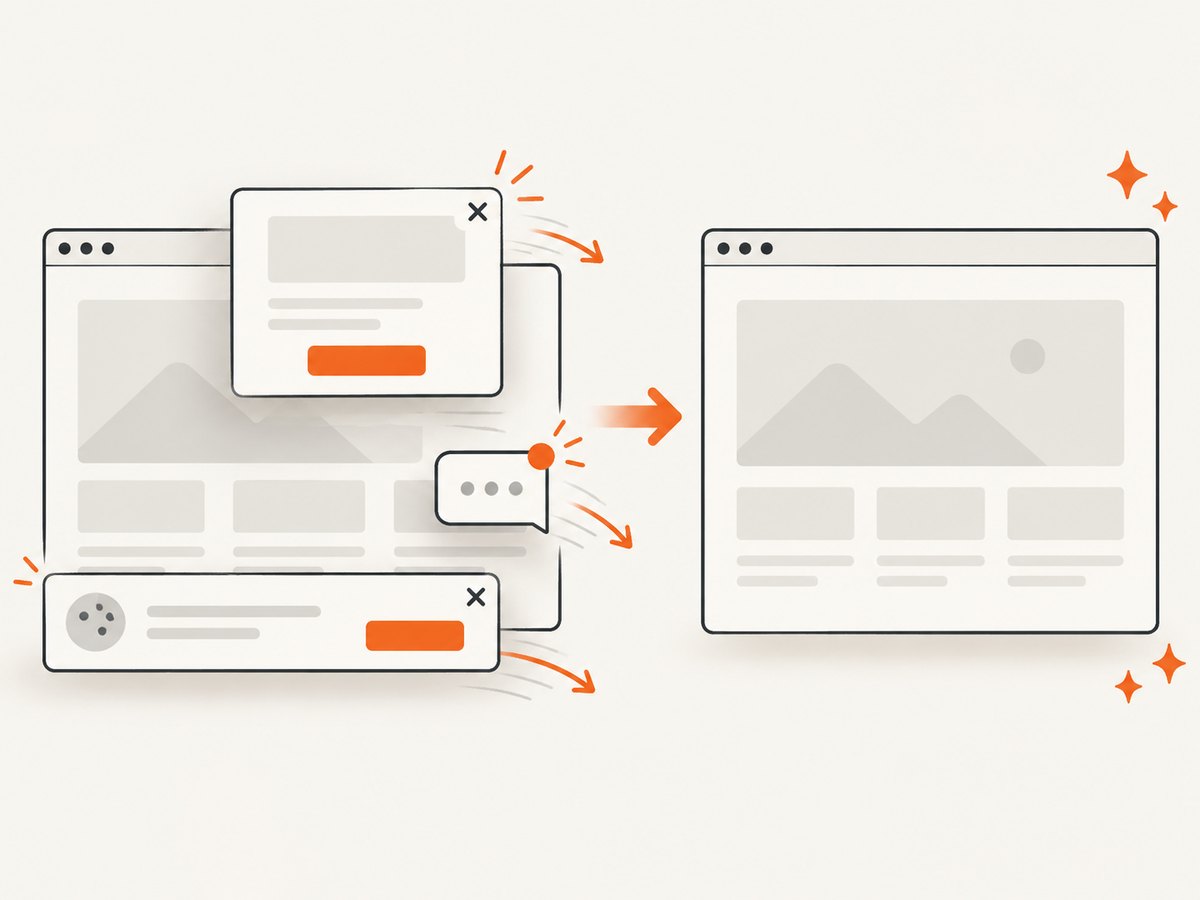
If your crawler needs screenshots rather than raw HTML, ScreenshotNeo provides a one-request website screenshot API and MCP server. It removes cookie and consent banners, newsletter popups, and chat widgets before capture. Bot checks, blank pages, timeouts, failed loads, and cache hits are not billed, and the response identifies the result with X-Page-Verdict and X-Billed headers. Its MCP server exposes take_screenshot, get_page_info, and capture_pdf for Claude, Cursor, and other MCP clients.
See the ScreenshotNeo API documentation for all options. A crawler can call it from a worker after deciding that a URL is in scope:
curl -G "https://api.screenshotneo.com/v1/shot" -d access_key=YOUR_API_KEY --data-urlencode url=https://stripe.com -o shot.webpimport requests
r = requests.get("https://api.screenshotneo.com/v1/shot", params={"access_key": "YOUR_API_KEY", "url": "https://stripe.com"}, timeout=90)
open("shot.webp", "wb").write(r.content)const q = new URLSearchParams({ access_key: 'YOUR_API_KEY', url: 'https://stripe.com' });
const res = await fetch(`https://api.screenshotneo.com/v1/shot?${q}`);
if (!res.ok) throw new Error(`Screenshot failed: ${res.status}`);
const bytes = Buffer.from(await res.arrayBuffer());
await import('node:fs/promises').then(fs => fs.writeFile('shot.webp', bytes));Options include full-page capture with lazy images loaded, CSS-selector element capture, dark mode, device presets, custom viewports, retina scale, PDF paper settings, custom CSS and JavaScript, clicks, waits, request blocking, headers, cookies, user agents, authorization, timezone, geolocation, transparent backgrounds, resizing, TTL caching, signed links, asynchronous jobs with signed webhooks, bulk capture of up to 100 URLs per call, a usage API, and an OpenAPI specification. Every feature is available on every plan. The Free plan includes 1,000 shots per month with no card; paid plans start at $5 for 3,000 shots.
Create your free ScreenshotNeo account and start with 1,000 screenshots a month at no cost.
13. FAQ
Should the queue contain URLs or full crawl tasks?
Put one canonical URL plus crawl metadata in each job. Keep large page bodies and crawl state in durable storage, not in Redis job payloads.
Can BullMQ guarantee exactly-once crawling?
No. Design handlers for replay: database uniqueness, idempotent upserts, and reconciliation are required even when queue retries and recovery are enabled.
Do robots.txt rules authorize access?
No. RFC 9309 explicitly says the rules are not access authorization. Apply robots policy alongside your legal, contractual, and operational requirements.
How do I crawl several domains safely?
Key politeness limits by origin, maintain separate host policies, and make redirect handling explicit. A single global delay is usually either too slow or insufficiently protective.
When should I use a browser renderer?
Use one when the content required for your result is produced after JavaScript execution. Bound render time, classify browser failures, and keep browser work in a separate queue if it has different resource needs.


