Does Guzzle Use cURL? A Complete Guide to Handlers, ext-curl, and PHP HTTP Transports
Yes, Guzzle can use cURL, but it is transport agnostic. Learn handler selection, ext-curl setup, custom handlers, middleware, debugging, and alternatives.
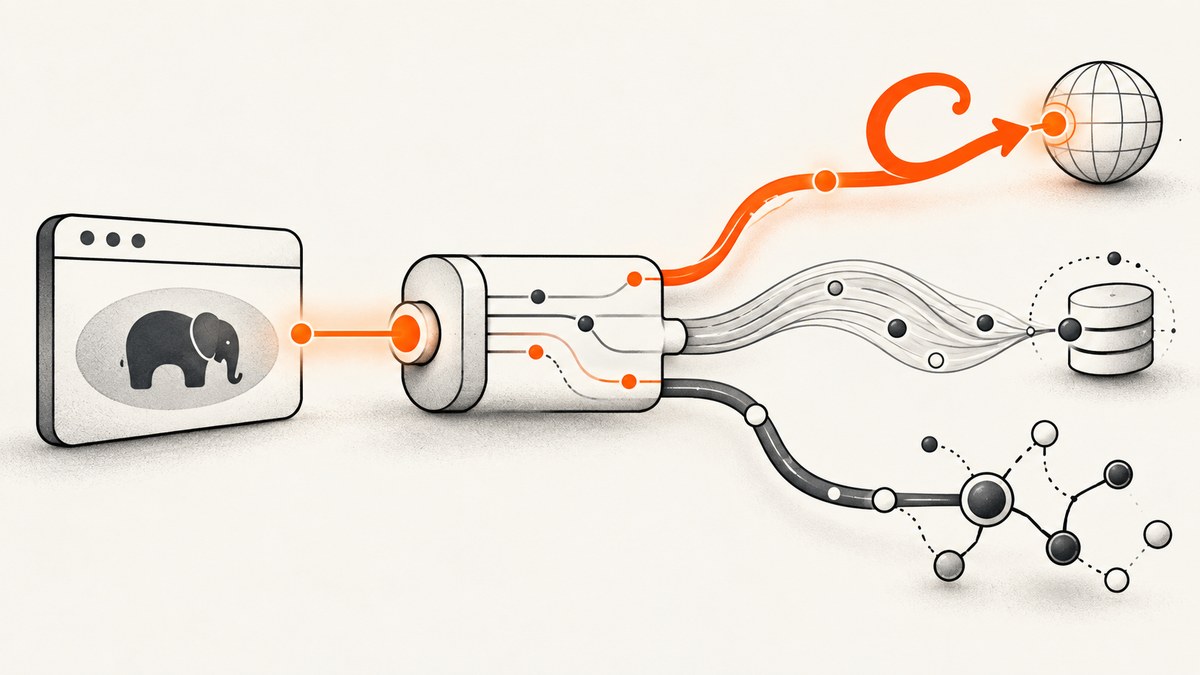
Yes. Guzzle can send HTTP requests through cURL, but Guzzle does not require cURL for every request. Guzzle is an HTTP client that abstracts the underlying transport. Its default handler stack selects an appropriate handler from the extensions available in your PHP runtime; you can also configure a handler explicitly.
That distinction answers three common questions:
- Does Guzzle use cURL? It can, when the cURL handler is selected and PHP’s
ext-curlis available. - Does Guzzle require the PHP cURL extension? No. The package does not have an unconditional cURL dependency, although
ext-curlis needed for cURL handler support. - Can you force another transport? Yes. Pass a handler or handler stack when creating the client.
How Guzzle chooses a transport
Guzzle presents one request API while leaving the HTTP transport behind it. The abstraction can cover cURL, PHP streams, sockets, and non-blocking event-loop implementations. The overview describes this as transport-agnostic code without a hard dependency on cURL, streams, sockets, or event loops: Guzzle overview documentation.
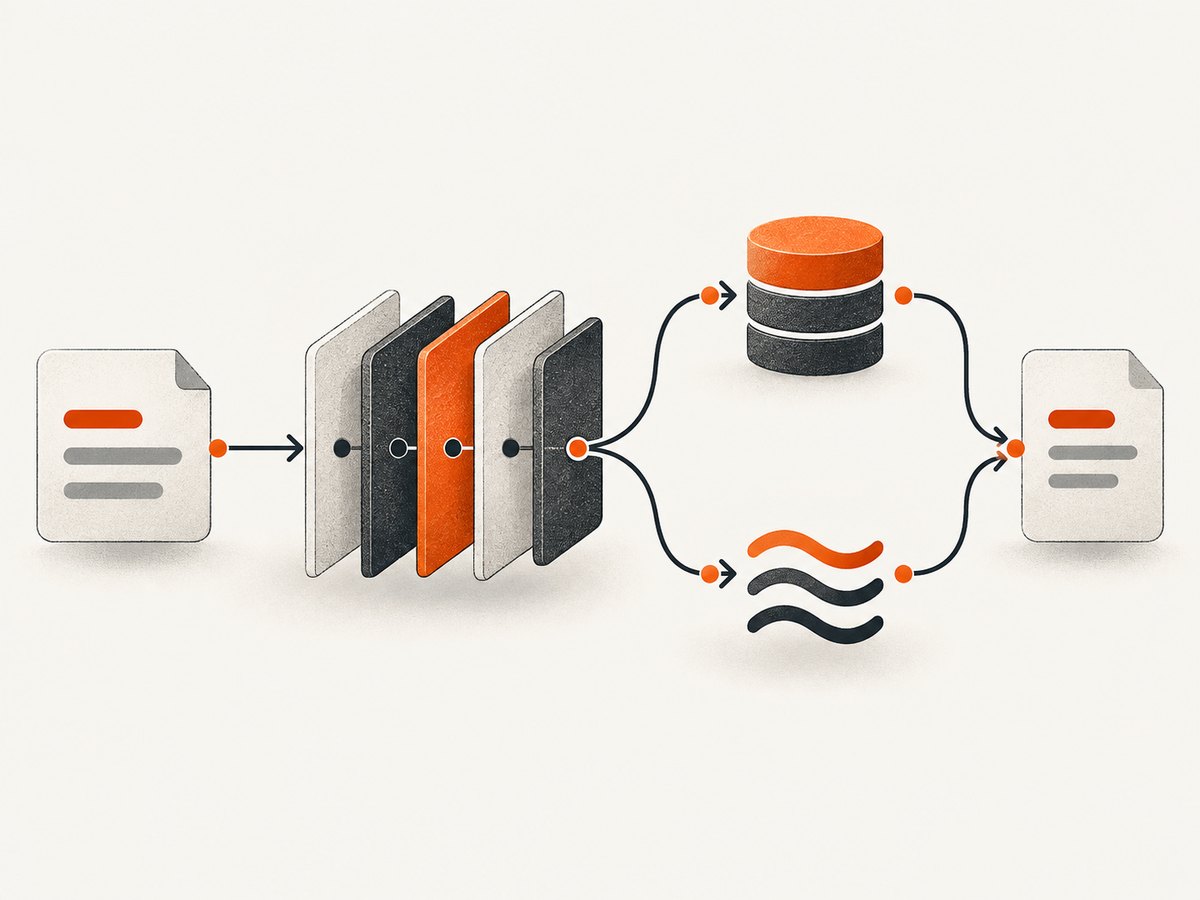
If you create a client without a handler, Guzzle’s handler stack chooses from the implementations available in the running environment. The exact result depends on your installed Guzzle version, PHP extensions, and package configuration. Therefore, “Guzzle uses cURL” is a conditional statement about the selected handler, not a universal property of all Guzzle requests.
Default selection versus explicit selection
| Setup | What determines transport | When to use it |
|---|---|---|
| No handler supplied | Guzzle’s default handler discovery and available PHP extensions | Most applications; simplest configuration |
| Explicit cURL handler | Your CurlHandler or a stack built around it |
You require cURL-specific transfer options or want predictable deployment behavior |
| Explicit stream handler | Your StreamHandler or a stack built around it |
Environments where cURL is unavailable or streams are preferred |
| Custom or event-loop handler | The handler supplied by your integration | Async workloads or specialized runtime requirements |
Install Guzzle and inspect your PHP runtime
Install Guzzle with Composer:
composer require guzzlehttp/guzzleCheck whether the cURL extension is loaded:
php -m | grep -i '^curl$'
php -r "var_dump(extension_loaded('curl'));"
php -r "var_dump(curl_version());"
If the second command prints bool(false), the current PHP binary cannot use Guzzle’s cURL handler. Remember that command-line PHP and PHP-FPM may load different php.ini files. Check each runtime separately with:
php --ini
php-fpm -i | grep -i 'Loaded Configuration File'
Packagist currently labels Guzzle 8.2 as “Latest,” 7.15 as “Maintenance,” and 6.5 as “End of Life,” and lists ext-curl as suggested and needed for cURL handler support. These labels change, so verify the package page before publishing deployment guidance: Guzzle on Packagist.
Run a request with Guzzle’s default handler
This is the normal starting point. Guzzle chooses the handler stack for you:
<?php
require __DIR__ . '/vendor/autoload.php';

use GuzzleHttp\Client;

$client = new Client([
    'timeout' => 15,
    'connect_timeout' => 5,
    'http_errors' => false,
]);

$response = $client->request('GET', 'https://httpbin.org/get', [
    'headers' => [
        'Accept' => 'application/json',
    ],
]);

echo $response->getStatusCode(), PHP_EOL;
echo $response->getBody(), PHP_EOL;
This code does not promise that the request used cURL. It asks Guzzle to perform the request using its configured defaults. To make transport choice deterministic, configure the handler yourself.
Force Guzzle to use cURL
Use CurlHandler when you need an explicit cURL transport. The cURL extension must be loaded:
<?php
require __DIR__ . '/vendor/autoload.php';

use GuzzleHttp\Client;
use GuzzleHttp\Handler\CurlHandler;
use GuzzleHttp\HandlerStack;

$stack = HandlerStack::create(new CurlHandler());
$client = new Client([
    'handler' => $stack,
    'timeout' => 15,
    'connect_timeout' => 5,
]);

$response = $client->request('GET', 'https://httpbin.org/get');
echo $response->getStatusCode(), PHP_EOL;
HandlerStack::create() adds the standard middleware around the supplied handler. That matters because request behavior is more than the low-level transfer. Cookies, redirects, and automatic HTTP error conversion depend on the middleware present in the stack. Guzzle’s handler documentation explains this relationship: handlers and middleware.
Pass cURL transfer options
Guzzle exposes handler-specific transfer settings through the curl request option. Use these only when the selected handler supports them:
<?php
$response = $client->request('GET', 'https://httpbin.org/anything', [
    'curl' => [
        CURLOPT_IPRESOLVE => CURL_IPRESOLVE_V4,
        CURLOPT_TCP_KEEPALIVE => 1,
    ],
]);
Do not assume that a cURL option works with a stream or event-loop handler. If you switch transports, audit handler-specific options and middleware behavior.
Use PHP streams instead
If cURL is unavailable, configure the stream handler explicitly:
<?php
require __DIR__ . '/vendor/autoload.php';

use GuzzleHttp\Client;
use GuzzleHttp\Handler\HandlerStack;
use GuzzleHttp\Handler\StreamHandler;

$stack = HandlerStack::create(new StreamHandler());
$client = new Client(['handler' => $stack]);

$response = $client->request('GET', 'https://httpbin.org/get', [
    'timeout' => 15,
]);

echo $response->getStatusCode(), PHP_EOL;
Streams are a fallback transport, not a drop-in promise that every cURL feature will behave identically. Verify TLS settings, proxy support, redirects, cookies, and timeout semantics for your PHP version and deployment.
Options that often get mistaken for transport features
Guzzle request options are interpreted by the handler stack and middleware. The following options are common sources of confusion:
| Option | Purpose | What to verify |
|---|---|---|
timeout |
Total request deadline | Whether your chosen handler honors it as expected |
connect_timeout |
Connection establishment limit | Support in the selected handler |
allow_redirects |
Follow redirects | Redirect middleware is present |
cookies |
Send and retain cookies | Cookie middleware and a cookie jar are configured |
http_errors |
Throw for 4xx/5xx responses | HTTP error middleware is present |
verify |
TLS certificate verification | CA certificates exist in the runtime; do not disable verification casually |
proxy |
Route through an HTTP or SOCKS proxy | Proxy scheme and handler support |
stream |
Return a streaming body | Consumer code reads the body incrementally |
sink |
Write response data to a file or resource | Filesystem permissions and large-response handling |
How to confirm which handler is active
There is no portable application-level header that says “this request used cURL.” The reliable method is to inspect your configuration and runtime:
- Check whether
extension_loaded('curl')is true. - Look for an explicitly supplied handler in your
Clientor service container. - Inspect the resolved dependency versions with
composer show guzzlehttp/guzzle. - Enable Guzzle’s
debugoption for wire-level diagnostics when investigating a specific request.
<?php
$client = new \GuzzleHttp\Client(['debug' => true]);
$response = $client->get('https://httpbin.org/get');
Debug output can contain URLs, headers, and other request details. Enable it only in a controlled environment and redact secrets before storing logs.
Common errors and fixes
“Undefined function curl_init()”
Cause: PHP’s cURL extension is not loaded for the executing SAPI.
Fix: Install or enable php-curl for the exact PHP version, restart PHP-FPM or the relevant service, and verify with php -r "var_dump(extension_loaded('curl'));". Container images need the extension built into the image, not merely installed on your workstation.
“cURL error 60: SSL certificate problem”
Cause: The runtime cannot find or validate the certificate authority chain.
Fix: Install current CA certificates and point PHP or cURL at the correct bundle. Keep verify enabled in production; disabling verification hides certificate problems and weakens transport security.
Redirects or cookies stopped working after a custom handler
Cause: You supplied a bare handler without the middleware that normally surrounds it.
Fix: Build the handler with HandlerStack::create($handler), then check allow_redirects, cookies, and http_errors behavior. Read the middleware requirements in the official handler documentation.
“The cURL option is ignored”
Cause: The active handler is not cURL, or the option is not supported by the installed cURL version.
Fix: Confirm the explicit handler, test with a minimal request, and check the PHP cURL version using curl_version(). Remove handler-specific options when targeting multiple transports.
Requests hang despite a timeout
Cause: A timeout may not cover every phase in the way you expect, or a proxy/DNS/TLS layer is delaying connection setup.
Fix: Set both connect_timeout and timeout, add application-level deadlines, and log elapsed time around the request. Reproduce against a known endpoint to separate network conditions from application behavior.
Performance, reliability, and version notes
Do not claim that cURL is universally faster than streams or another handler without measuring your own workload. Throughput depends on DNS, TLS reuse, payload size, concurrency, proxy behavior, server latency, and PHP runtime configuration. Benchmark the complete stack, including middleware and connection reuse.
For reliability:
- Set explicit connection and total deadlines.
- Retry only idempotent operations, with bounded exponential backoff and jitter.
- Do not retry authentication failures or validation errors.
- Record status code, exception type, elapsed time, and a request correlation ID.
- Reuse a
Clientinstead of constructing one for every request. - Keep CA certificates and PHP packages updated.
Guzzle release notes include version-specific transport changes. For example, a noted release history made built-in cURL and stream handlers default HTTPS requests to TLS 1.2 or newer. Treat TLS defaults and handler behavior as version-specific, and consult the official release notes before upgrading.
cURL versus Guzzle: what each layer does
| Layer | Responsibility |
|---|---|
| Application | Chooses URL, method, headers, body, deadlines, retries, and error policy |
| Guzzle client | Provides a consistent PHP API and composes middleware |
| Handler | Translates a request into cURL, streams, sockets, or another transport |
| PHP extension/runtime | Provides the implementation and operating-system integration |
| Network peer | Determines DNS, TLS negotiation, response timing, and HTTP semantics |
This layered model explains why changing the handler can alter available options while leaving application code mostly unchanged.

Or skip the browser setup
If your goal is to obtain a clean image or PDF of a web page rather than make a general HTTP request, ScreenshotNeo provides a single screenshot API call. It accepts cookie and consent banners before capture, removes more than 60 known consent platforms plus newsletter popups and chat widgets, and lets you turn each step off. Bot checks, blank pages, timeouts, failed loads, and cache hits are not billed; the response identifies the result with X-Page-Verdict and X-Billed headers.
See the ScreenshotNeo API documentation for all options. A minimal cURL request is:
curl -G "https://api.screenshotneo.com/v1/shot" -d access_key=YOUR_API_KEY --data-urlencode url=https://stripe.com -o shot.webpPython:
import requests
r = requests.get("https://api.screenshotneo.com/v1/shot", params={"access_key": "YOUR_API_KEY", "url": "https://stripe.com"}, timeout=90)
open("shot.webp", "wb").write(r.content)
Node.js:
const q = new URLSearchParams({ access_key: 'YOUR_API_KEY', url: 'https://stripe.com' });
const res = await fetch(`https://api.screenshotneo.com/v1/shot?${q}`);
ScreenshotNeo also offers an MCP server for Claude, Cursor, and other MCP clients, with take_screenshot, get_page_info, and capture_pdf tools. Features include full-page and element capture, device presets, dark mode, custom CSS and JavaScript, waits, request blocking, headers and cookies, geolocation, PDF controls, caching, signed links, async webhooks, bulk capture, and a usage API. The Free plan includes 1,000 screenshots per month with no card; paid plans start at $5 for 3,000 shots. Create a free ScreenshotNeo account.
Cost and operational planning
Guzzle itself is an application dependency; your costs come from PHP hosting, network egress, proxies, and the API or service you call. A cURL handler does not make a remote API free, and switching handlers does not remove server-side rate limits.
For screenshot workloads, ScreenshotNeo bills only clean shots. Cache hits and failed captures are not charged, which can simplify retry and cache strategies. Select a cache TTL that matches how often the target changes, and use bulk capture for up to 100 URLs per call when processing batches.
FAQ
Can I use Guzzle without installing cURL?
Yes, if you use a supported non-cURL handler such as PHP streams and configure the required middleware and options for your application.
Does Composer install the cURL extension?
No. Composer installs PHP packages. The cURL extension is provided by your PHP installation or operating-system package manager.
Is a custom handler always better?
No. It gives control, but it also makes transport, middleware, and supported options your responsibility.
How do I migrate code between handlers?
Keep application-level options portable, remove cURL-only settings, and verify redirects, cookies, TLS, proxies, streaming, and timeout behavior with integration tests.
Should I use Guzzle for webpage screenshots?
Guzzle fetches HTTP responses; it does not render a browser page. For rendered screenshots and PDFs, use a browser automation stack or a screenshot API such as ScreenshotNeo.


