Embedding Private Pages Behind a Proxy
Learn how to embed a private page through a reverse proxy, set CSP and X-Frame-Options safely, and troubleshoot authentication, cookies, and redirects.

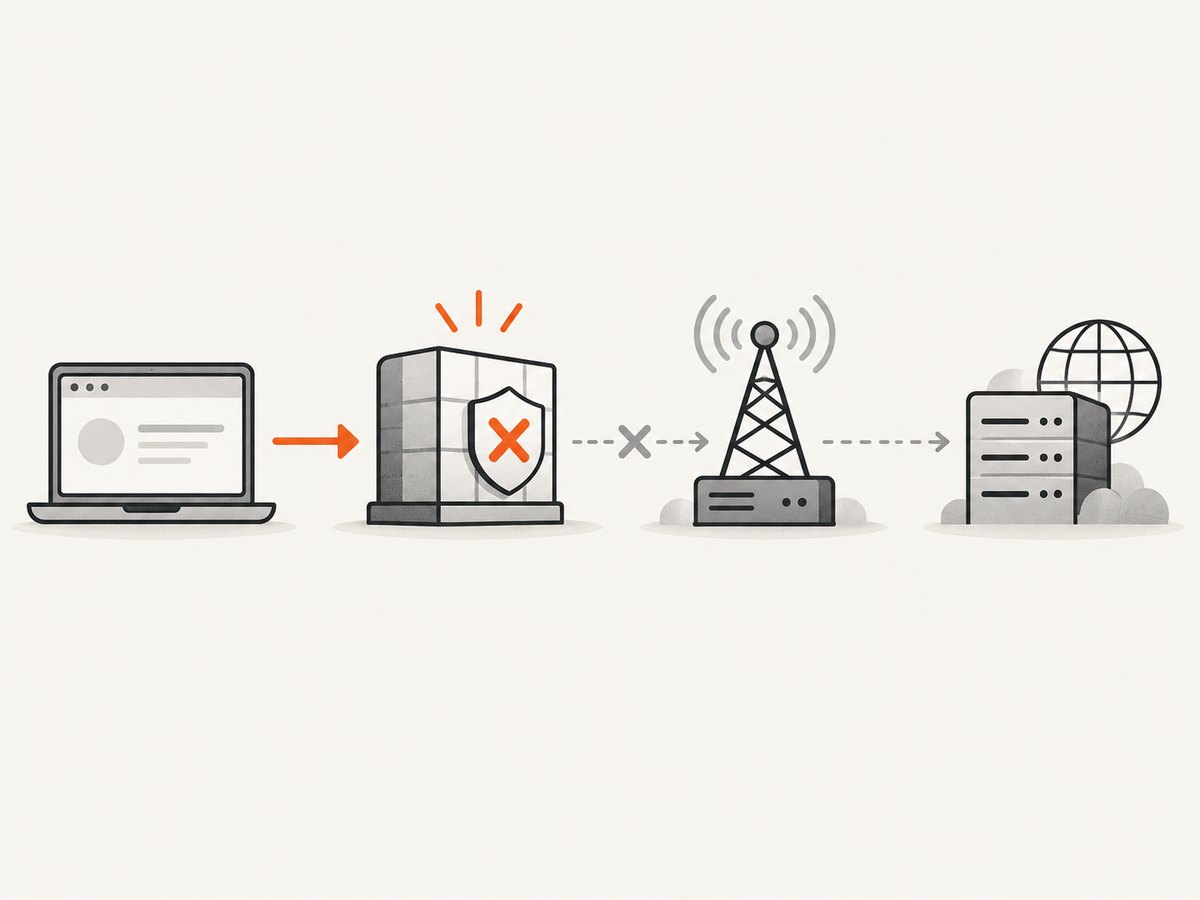
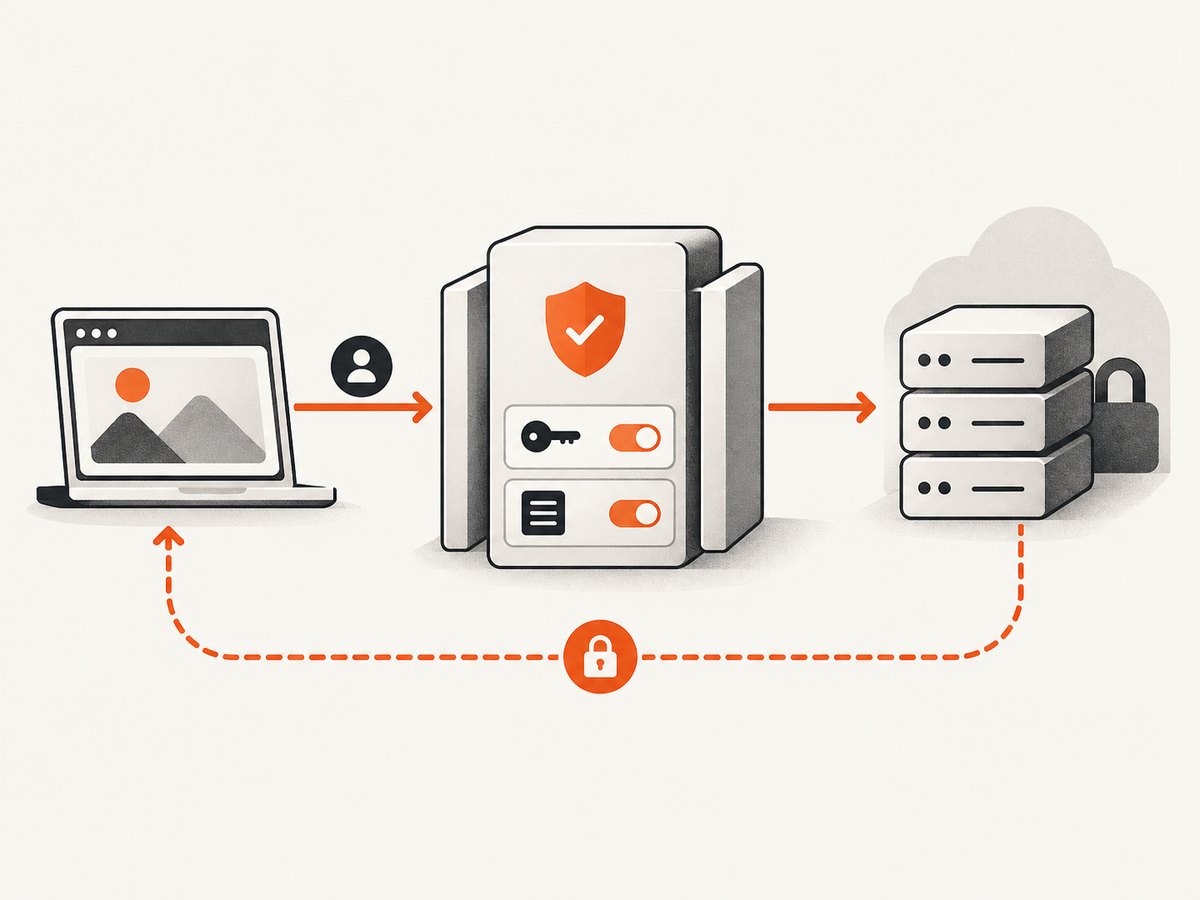
To embed a private page in an iframe, put an authenticated reverse proxy in front of the private origin and serve the page from a controlled embed URL. Configure the response with an explicit Content-Security-Policy: frame-ancestors allowlist for the sites permitted to embed it. The proxy does not override the browser’s framing checks: the browser evaluates the framed response’s policy and every ancestor in the frame tree.
Authentication and framing are separate concerns. A correct frame policy will not fix a login redirect, blocked cookie, expired token, or application flow that requires top-level navigation. Conversely, proxying a private response without authenticating and authorizing every request can expose the page. Treat the proxy as a security boundary, not a header workaround.
1. How browser framing policy works
The response being embedded controls which sites may frame it. The CSP directive frame-ancestors specifies valid parent origins for frame, iframe, object, and embed. The browser checks every ancestor, not only the nearest parent. If an allowed embedder itself sits inside a disallowed outer frame, the resource can still be blocked.
For example, an application intended to be framed by one partner can return:
Content-Security-Policy: frame-ancestors 'self' https://embed.example;Use exact origins, including scheme and any non-default port. A wildcard is generally inappropriate for a private page because it allows arbitrary sites to frame it. When embedding is not needed, use frame-ancestors 'none'. This directive has no default-src fallback, so a restrictive default-src does not implicitly restrict framing. See the [MDN frame-ancestors reference](https://developer.mozilla.org/en-US/docs/Web/HTTP/Headers/Content-Security-Policy/frame-ancestors) and the [W3C CSP specification](https://www.w3.org/TR/CSP3/#directive-frame-ancestors).
X-Frame-Options is the older framing header. CSP frame-ancestors supports the more flexible origin allowlist. Keep X-Frame-Options only if legacy browser support is part of your requirements, and avoid contradictory policies. For instance, an X-Frame-Options value of DENY conflicts with a policy intended to allow a partner to frame the page. Review [MDN’s X-Frame-Options reference](https://developer.mozilla.org/en-US/docs/Web/HTTP/Headers/X-Frame-Options) for its behavior and compatibility details.
2. Choose direct embedding or a proxy
| Concern | Direct cross-origin iframe | Proxy-mediated iframe |
|---|---|---|
| Origin exposure | The browser contacts the private origin directly; its hostname and browser-facing response behavior are visible. | The browser contacts your embed URL. The proxy contacts the origin, which can remain private if network and routing rules enforce that boundary. |
| Authentication | Origin login and browser cookie rules apply directly. Cross-site cookies may be restricted. | The proxy can authenticate the viewer and authorize access before fetching upstream. It must handle identity, sessions, and any upstream credentials safely. |
| Framing policy | The origin must permit the embedder with its response headers. | The proxy can generate or rewrite browser-facing headers, but must do so intentionally and consistently. It cannot make unsafe authorization decisions safe. |
| Per-tenant allowlists | Often configured at the origin, which may not know the tenant’s embedder. | The proxy can select an allowlist after validating the tenant and authenticated user. |
| Operations | Fewer components, but less control over origin behavior. | More control and more responsibility for access control, headers, caching, logging, and patching. |
A same-origin proxy can simplify browser origin and cookie behavior, but it does not remove the need to design sessions and authorization. Microsoft’s [Power Pages embedding guidance](https://learn.microsoft.com/en-us/power-pages/configure/allow-website-iframe) likewise recommends limiting embedding to specific sites instead of using a wildcard, and cautions that authenticated or dynamic pages can have iframe-specific behavior.
3. Set up the proxy safely
- List trusted embedders. Record complete origins such as
https://embed.example. Decide whether the page may be nested inside another frame. If so, account for every ancestor that the browser will validate. - Authenticate and authorize first. Validate the viewer’s session and permission for the requested tenant or resource before contacting the origin. Do not rely on an unguessable URL as authorization.
- Constrain upstream routing. Map approved app paths to a fixed origin. Do not accept an arbitrary URL as the upstream target. Validate tenant identifiers and path segments, reject traversal and unexpected encodings, and keep the origin inaccessible to the public network where possible.
- Use HTTPS end to end. Serve the embed URL over HTTPS and use a protected connection to the upstream. Do not pass credentials in query strings, which can leak through logs, browser history, and referrers.
- Set the browser-facing policy. Generate an explicit
frame-ancestorspolicy based on the authorized tenant or embed configuration. Make it part of the response produced by the proxy. - Review redirects. Follow or rewrite only known upstream redirects. An upstream redirect to a login host or direct origin can take the browser out of the controlled path and change which cookies and policies apply.
- Prevent shared caching of private data. Ensure shared caches and CDNs cannot serve one user’s response to another. Use an appropriate private or no-store policy for personalized pages, and configure proxy caching to respect authorization.
- Test all response paths. Check success, login, redirect, not-found, authorization failure, upstream timeout, and nested documents for consistent framing headers and safe cache behavior.
4. Minimal runnable reverse proxy example
This Node.js example uses Express and Node’s built-in fetch. It illustrates fixed upstream routing, a bearer-token check, a narrow path rule, and a CSP allowlist. Replace the placeholder token check with your application’s real session and per-resource authorization. Install Express with npm install express, set EMBED_TOKEN, then run this file with a current Node.js release that provides fetch.
import express from 'express';

const app = express();
const upstreamBase = 'https://private-origin.example';
const allowedParent = 'https://embed.example';
const expectedToken = process.env.EMBED_TOKEN;

if (!expectedToken) throw new Error('Set EMBED_TOKEN');

app.get('/embed/:tenant/:page', async (req, res) => {
  const authorization = req.get('authorization') || '';
  if (authorization !== `Bearer ${expectedToken}`) {
    return res.status(401).set('Cache-Control', 'no-store').send('Unauthorized');
  }

  // Restrict identifiers to a deliberately small character set.
  const { tenant, page } = req.params;
  if (!/^[a-z0-9-]{1,40}$/i.test(tenant) || !/^[a-z0-9-]{1,80}$/i.test(page)) {
    return res.status(400).set('Cache-Control', 'no-store').send('Invalid path');
  }

  // The upstream host is fixed; caller input cannot choose a destination.
  const upstreamUrl = new URL(
    `/tenants/${encodeURIComponent(tenant)}/pages/${encodeURIComponent(page)}`,
    upstreamBase
  );

  try {
    const upstream = await fetch(upstreamUrl, {
      headers: { 'Accept': req.get('accept') || 'text/html' },
      redirect: 'manual',
      signal: AbortSignal.timeout(15000)
    });

    // Do not silently send the browser to an unreviewed upstream login host.
    if (upstream.status >= 300 && upstream.status < 400) {
      return res.status(502).set('Cache-Control', 'no-store').send('Upstream redirect requires handling');
    }

    const contentType = upstream.headers.get('content-type') || '';
    if (!contentType.toLowerCase().startsWith('text/html')) {
      return res.status(502).set('Cache-Control', 'no-store').send('Unexpected upstream content type');
    }

    res.status(upstream.status);
    res.set('Content-Type', contentType);
    res.set('Cache-Control', 'private, no-store');
    res.set('Content-Security-Policy', `frame-ancestors 'self' ${allowedParent}`);

    // Stream the body so large responses do not need to be buffered in memory.
    if (upstream.body) {
      for await (const chunk of upstream.body) res.write(chunk);
    }
    res.end();
  } catch (error) {
    console.error('Embed upstream request failed', error);
    res.status(502)
      .set('Cache-Control', 'no-store')
      .set('Content-Security-Policy', `frame-ancestors 'self' ${allowedParent}`)
      .send('Private page temporarily unavailable');
  }
});

app.listen(3000, () => console.log('Embed proxy listening on port 3000'));
This is a starting point, not a complete identity system or general-purpose HTML proxy. In production, derive the permitted tenant and parent origin from trusted server-side configuration after authentication. Add request limits, upstream connection controls, structured logs that exclude secrets, and policy for handling upstream cookies and redirects. If the origin requires its own session, decide whether the proxy securely maintains that session or whether users authenticate through a supported flow. Avoid blindly forwarding Set-Cookie, Location, CSP, or X-Frame-Options headers: each affects the browser-facing security model.
5. Configure the embedder and validate the result
The embedding page can use an iframe pointing at the controlled embed URL:
<iframe
  src="https://app.example/embed/acme/dashboard"
  title="Acme dashboard"
  loading="lazy"
  referrerpolicy="strict-origin-when-cross-origin"
  sandbox="allow-scripts allow-forms allow-same-origin"
  width="100%"
  height="720"
></iframe>
Only add sandbox capabilities the embedded application needs. Combining allow-scripts and allow-same-origin can weaken sandbox isolation when the framed content is same-origin with its parent, so consider hosting the embed on a separate origin. Test forms, scripts, downloads, popups, and navigation against the actual app; do not add every sandbox permission preemptively.
- Open browser developer tools and inspect the iframe’s document request and response headers.
- Confirm the final response has the intended
frame-ancestorsvalue and no contradictory X-Frame-Options value. - Test from each allowed origin, one unlisted origin, and any real nested-frame configuration.
- Inspect redirects, cookies, console errors, and failed network requests during both login and normal use.
- Repeat with expired sessions, denied tenants, and upstream errors. Verify these responses do not leak private content or become shared-cache entries.
6. Authentication, cookies, and application behavior
Framing permission does not grant access. Your proxy must check who the viewer is and whether they can access the exact page and tenant requested. If a browser session cookie is used, set it deliberately for the embed origin and review its Secure, HttpOnly, and SameSite attributes. Cross-site iframe flows may be affected by third-party-cookie restrictions. Moving the browser-facing URL to the embedder’s own site can change the browser’s cookie context, but does not automatically synchronize the user’s identity with the private origin.
Test login and logout in the embedded context. Some identity providers require a popup or top-level navigation; some dynamic pages depend on storage or redirects that behave differently in a frame. Check CSRF protections for every state-changing action, and ensure frame authorization is not mistaken for user authorization. Short-lived upstream tokens should be renewed or rejected predictably, and an expired token should not trigger an open redirect to an uncontrolled destination.
7. Troubleshooting common failures
| Symptom | Likely cause | What to check or change |
|---|---|---|
| Browser says the page refused to connect or be displayed in a frame | Origin or proxy sends X-Frame-Options: DENY/SAMEORIGIN, or CSP blocks the parent. |
Inspect the final document response. Set a deliberate frame-ancestors allowlist at the browser-facing layer and remove contradictory legacy headers where appropriate. |
| Policy looks correct but nested embedding fails | An outer ancestor is not in the policy. | List every ancestor origin in the actual frame tree and include only the trusted ones required by the design. |
| Login loops or the iframe appears signed out | Cookie scope, SameSite behavior, third-party-cookie restrictions, or an unsupported login redirect. | Inspect cookie attributes and redirect chain. Use the identity provider’s supported embedded flow, a top-level sign-in, or a same-site session design. |
| It works for one tenant but another sees a blank frame | Tenant authorization or per-tenant parent allowlist is wrong, or stale cached output is being reused. | Log the authorized tenant identifier and selected policy (without tokens); verify cache keys and ensure private responses are not shared. |
| Only error pages fail to frame | Error middleware bypasses the code that adds CSP, or upstream errors carry a different policy. | Set the intended policy consistently on authorization errors, timeouts, and generated error pages; test every response path. |
| Browser navigates to the private origin or identity host | An upstream Location header was forwarded or a redirect was followed without review. |
Handle redirects explicitly. Rewrite only known destinations and preserve the authorization boundary. |
| Proxy can be used to reach unrelated hosts or files | The endpoint accepts arbitrary URLs or insufficiently validated path and tenant data. | Use a fixed upstream host and strict route mapping; reject unexpected paths, encodings, and destinations. |
| Stale or another user’s content appears | A browser, reverse proxy, or CDN cached a personalized response. | Use private/no-store response policy as appropriate and configure intermediary cache rules to bypass authenticated content. |
8. Performance, reliability, and cost
A proxy adds a network hop and another service that can fail. Keep upstream connection and response timeouts bounded, stream large bodies when possible, and return a clear error rather than leaving the frame pending indefinitely. Reuse upstream connections through the runtime’s normal HTTP client pooling. Monitor authorization denials, upstream latency and failures, redirect rejections, and CSP violation reports. Avoid recording bearer tokens, cookies, or page contents in logs.
Do not cache user-specific HTML at shared intermediaries. If the page contains static assets, separate them from private responses where the application permits, and apply cache policy according to their sensitivity. A proxy must also be patched and monitored like any public web service. There are no universal latency or cost figures for this design: expense depends on traffic, response size, hosting, identity infrastructure, and operational requirements. Measure those in your own deployment rather than assuming the proxy is free or transparent.
9. Inspect the rendered page without changing the embed policy
For debugging, capture what a browser-facing embed URL renders after authentication has been established. ScreenshotNeo is a website screenshot API and MCP server from [Yorker Media](https://screenshotneo.com); a screenshot can help distinguish a genuinely blank app response from a framing error visible in browser logs. A screenshot does not bypass CSP, authenticate a viewer, or prove that the page is safe to embed.
curl -G "https://api.screenshotneo.com/v1/shot" -d access_key=YOUR_API_KEY --data-urlencode url=https://stripe.com -o shot.webpSee the [ScreenshotNeo API documentation](https://screenshotneo.com/docs/) for request options. The example uses the provided sample target; substitute an authorized, reachable page when inspecting your own application. Do not put private credentials in a public URL or capture a page unless your access rights permit it.
10. Or skip the browser setup
To capture a permitted public or otherwise accessible page with one API request, use cURL, Python, or Node.js. See the [ScreenshotNeo docs](https://screenshotneo.com/docs/) for the available options and authentication details.
cURL
curl -G "https://api.screenshotneo.com/v1/shot" -d access_key=YOUR_API_KEY --data-urlencode url=https://stripe.com -o shot.webpPython
import requests

r = requests.get(
    "https://api.screenshotneo.com/v1/shot",
    params={"access_key": "YOUR_API_KEY", "url": "https://stripe.com"},
    timeout=90,
)
open("shot.webp", "wb").write(r.content)
Node.js
const q = new URLSearchParams({ access_key: 'YOUR_API_KEY', url: 'https://stripe.com' });
const res = await fetch(`https://api.screenshotneo.com/v1/shot?${q}`);
if (!res.ok) throw new Error(`Screenshot request failed: ${res.status}`);
await Bun.write('shot.webp', res);
ScreenshotNeo accepts cookie and consent banners like a visitor and removes more than 60 known consent platforms, newsletter popups, and chat widgets before capture; each step can be turned off. Bot checks or CAPTCHAs, blank pages, timeouts, failed loads, and cache hits are not billed. Its response indicates the page verdict and billing status in headers. An MCP server provides take_screenshot, get_page_info, and capture_pdf tools for Claude, Cursor, and other MCP clients. The free plan includes 1,000 screenshots per month with no card; paid plans start at $5 for 3,000 screenshots.
Sign up free for 1,000 screenshots a month, with no card required.
11. FAQ
Can I use frame-ancestors in a meta tag?
No. It must be delivered as an HTTP response header to control framing.
Does allowing my site in CSP bypass the app’s login?
No. Framing permission and access authorization are independent checks.
Can the proxy simply remove every security header?
That may make rendering appear to work, but it removes protections without establishing a safe policy. Generate a narrow browser-facing policy and preserve other security controls deliberately.
Should I allow every subdomain with a wildcard?
Only if every matching subdomain is equally trusted and controlled. For private pages, explicit origins reduce accidental exposure and make tenant policy reviewable.