End-to-End Testing: A Practical Guide to Reliable Browser Tests
Learn how end-to-end testing works, when to use it, how to write reliable Playwright tests, and how to control CI time and flakiness.
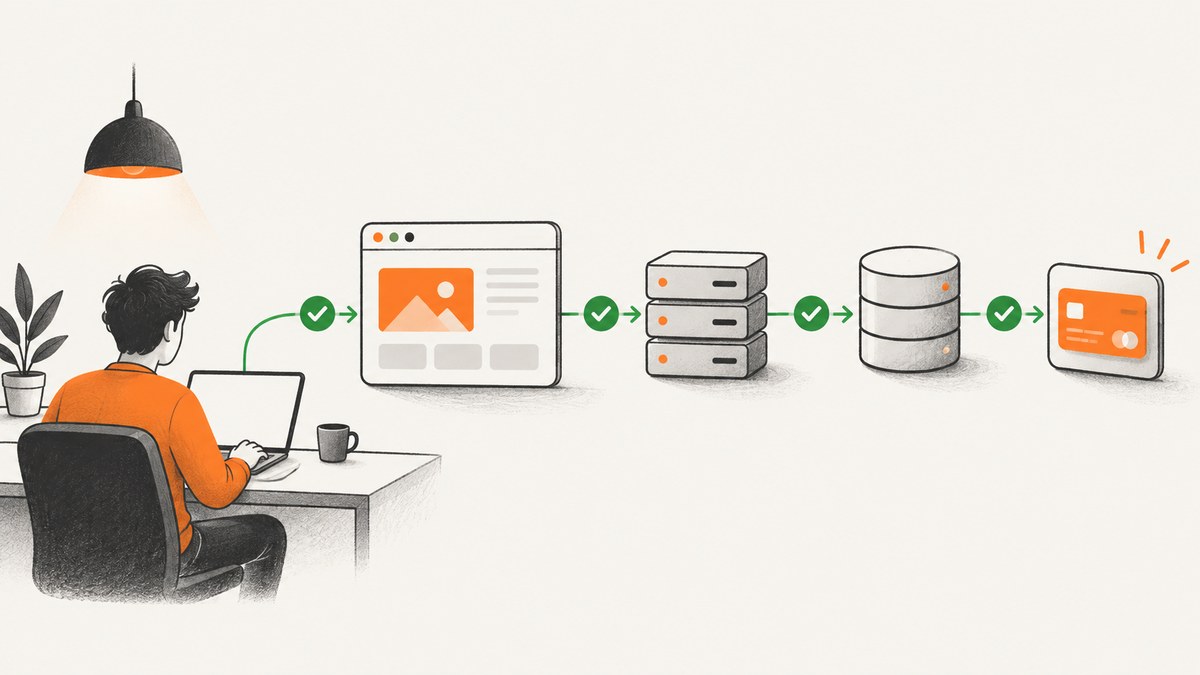
End-to-end (E2E) testing follows a real user journey through the browser, your application back end, and the external services that matter to that journey. A good E2E test proves that the complete path works from the user’s point of view: a person can sign in, create a record, complete checkout, or perform another business-critical task and see the expected result.
E2E tests provide high confidence because they exercise many layers together. They also cost more to create, run, debug, and maintain than unit, component, or API tests. Keep the suite deliberately small and focused on flows where a failure would block a release or materially harm users.
What is end-to-end testing?
Cypress defines E2E testing as testing “from the web browser through to the back end of your application, as well as testing integrations with third-party APIs and services.” The purpose is to verify that the application functions as a cohesive whole, including authentication, purchasing, persistence between screens, smoke checks, and deployment gates (Cypress E2E documentation).
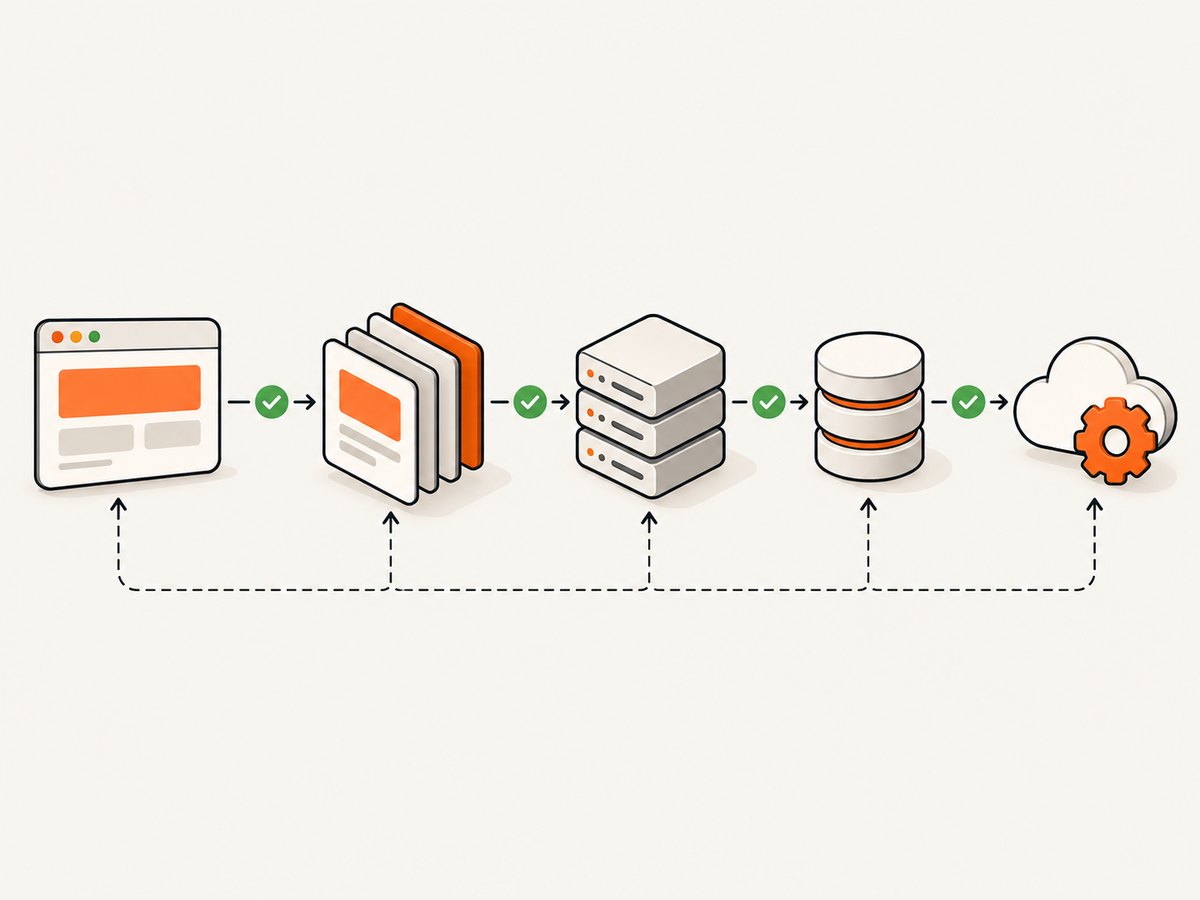
An E2E test normally performs these steps:
- Start with a known environment and test data.
- Open the application in a real browser.
- Act as a user would: navigate, fill fields, click controls, and submit forms.
- Allow the browser, server, database, queues, and relevant third-party integrations to process the request.
- Assert on user-visible outcomes such as a heading, URL, confirmation message, downloaded file, or persisted record.
- Collect diagnostics and clean up data.
This scope distinguishes E2E tests from narrower checks:
| Test level | What it checks | Typical use | Trade-off |
|---|---|---|---|
| Unit | One function or class in memory | Validation, calculations, business rules | Very fast, limited system confidence |
| Component | An isolated UI component | States, events, rendering, accessibility behavior | Fast and focused, no full back end |
| API | HTTP contracts and server responses | Authorization, schemas, error handling | Precise and fast, no browser rendering |
| E2E | A user-visible journey across the system | Sign-in, checkout, permissions, persistence | Highest setup and maintenance cost |
| Accessibility | WCAG rules and assistive-technology behavior | Keyboard flow, names, contrast, semantics | Needs dedicated checks; E2E alone is insufficient |
A practical test portfolio has many unit, component, and API checks plus a small E2E set for the highest-risk paths. This follows the scope and cost trade-offs described by Cypress and Selenium; it is a planning model, not a universal coverage ratio.
When should you write an E2E test?
Choose a workflow when its failure would block a release, prevent revenue, expose data, or strand users. Common candidates include:
- Signing in, signing out, password reset, and multi-factor authentication.
- Creating, editing, and deleting the core record your product exists to manage.
- Role and permission boundaries, especially administrator versus ordinary user access.
- Checkout, payment confirmation, refunds, and subscription changes.
- Cross-screen persistence, such as creating an item and finding it after navigation or a reload.
- A short smoke path proving that the production-like deployment is reachable.
Do not use E2E for every validation rule or visual state. Test those at a lower level and reserve browser journeys for integration risk. Selenium describes functional end-user tests as expensive while emphasizing their advantage: they can exercise all application components from a user’s perspective (Selenium test practices).
How to write a reliable E2E test
1. Define the user outcome
Write the scenario in user language: “A member can invite a teammate and sees the teammate in the members list.” Identify the starting state, the business action, and the observable result. Avoid describing internal functions or database calls as the test’s purpose.
2. Arrange state through supported interfaces
Create accounts and records through a seed API, fixture, or direct database helper where your team permits it. Use the browser for the behavior under test. Give every test its own account, records, browser context, and cleanup path so tests do not depend on execution order.
3. Use user-facing locators
Playwright’s guidance says automated tests should verify what end users experience and avoid implementation details (Playwright best practices). Prefer accessible roles, labels, visible text, and deliberately assigned test IDs. A selector such as getByRole('button', { name: 'Place order' }) communicates intent and survives many CSS refactors better than a long descendant selector.
4. Assert on meaningful results
Assert on a heading, status message, URL, row, or other outcome that a user could observe. Avoid asserting only that a click happened or that a private function was called. Include the business identifier in the assertion when possible.
5. Wait for conditions, not time
Replace arbitrary sleeps with framework-aware waits for a locator, URL, response, or application state. A fixed delay can be too short on a busy CI worker and unnecessarily slow on a fast run.
6. Capture diagnostics on failure
Configure screenshots, traces, console output, network logs, and server logs for failed tests. A red build should tell the next engineer whether the problem was a selector, an HTTP response, a browser error, unavailable test data, or a product defect.
Runnable Playwright example
The following JavaScript test uses an isolated browser context and user-visible assertions. It assumes the application exposes a test account and a stable data-testid for the newly created project.
import { test, expect } from '@playwright/test';

test('member can create a project', async ({ page }) => {
  await page.goto(process.env.APP_URL ?? 'http://localhost:3000/login');

  await page.getByLabel('Email').fill(process.env.TEST_EMAIL);
  await page.getByLabel('Password').fill(process.env.TEST_PASSWORD);
  await page.getByRole('button', { name: 'Sign in' }).click();

  await expect(page).toHaveURL(/dashboard/);
  await page.getByRole('link', { name: 'Projects' }).click();
  await page.getByRole('button', { name: 'New project' }).click();

  const name = `E2E project ${Date.now()}`;
  await page.getByLabel('Project name').fill(name);
  await page.getByRole('button', { name: 'Create project' }).click();

  await expect(page.getByRole('heading', { name })).toBeVisible();
  await expect(page.getByTestId('project-list')).toContainText(name);
});
Install and run it with:
npm install -D @playwright/test
npx playwright install
TEST_EMAIL='e2e@example.test' TEST_PASSWORD='secret' APP_URL='http://localhost:3000' npx playwright test
A minimal playwright.config.js can keep failures diagnosable:
import { defineConfig } from '@playwright/test';

export default defineConfig({
  testDir: './tests',
  timeout: 30_000,
  retries: process.env.CI ? 1 : 0,
  workers: process.env.CI ? 2 : undefined,
  use: {
    baseURL: process.env.APP_URL ?? 'http://localhost:3000',
    trace: 'retain-on-failure',
    screenshot: 'only-on-failure',
    video: 'retain-on-failure'
  }
});
Keep credentials in your CI secret store. Do not commit real customer data or production secrets to fixtures.
Isolation, data, authentication, and cleanup
Playwright recommends isolated state, including local storage, session storage, cookies, and other per-test data. Cypress gives the same operational rule: “Tests should always be able to be run independently from one another and still pass.” Its test isolation behavior clears browser context so one test does not silently prepare another.
- Accounts: create unique users or reset a dedicated account before each test.
- Records: use unique names or IDs and delete them in a finally-style cleanup step.
- Authentication: use a saved session only when the session is immutable and scoped safely; otherwise log in per test.
- External services: use sandbox endpoints, deterministic fixtures, or contract-compatible fakes where a live service would introduce cost or instability.
- Parallel workers: partition databases, ports, queues, and test accounts. Playwright documents that state outside an individual test can create flakiness when workers run in parallel (Playwright parallelism).
Playwright, Cypress, or Selenium?
No framework is universally best. Decide using browser coverage, language support, CI environment, isolation behavior, debugging artifacts, parallel execution, accessibility needs, team skills, and total operating cost.
| Framework | Good fit | Points to evaluate |
|---|---|---|
| Playwright | Teams wanting isolated contexts, modern browser coverage, traces, and worker-based parallelism | Language choice, browser versions, worker-safe test data, CI artifact storage |
| Cypress | Teams preferring an interactive runner and one workflow covering E2E, component, API, and accessibility checks | Browser and multi-origin requirements, CI integration, test isolation, analytics needs |
| Selenium | Teams needing its broad ecosystem, language bindings, or established Grid infrastructure | Browser compatibility, suite architecture, synchronization, and maintenance ownership |
Cypress documents E2E, component, API, accessibility, CI integration, and flaky-test management in one workflow. Selenium supplies browser interaction tools but explicitly leaves well-architected suite design to the team. Compare your constraints with the official documentation instead of relying on unsupported speed or defect-detection rankings.
CI runtime and flakiness
Cypress reports that when a CI run reaches 30 minutes or more, developers stop waiting for feedback and begin batching unrelated changes. It describes 3–10 seconds as an acceptable common duration for an individual E2E test hitting a real server and recommends splitting or simplifying the longest tests (Cypress best practices). Treat these as guidance, not a universal service-level target.
- Run a focused smoke set on every change.
- Run the broader regression set at an appropriate merge or release gate.
- Schedule expensive cross-browser, long-running, or destructive scenarios separately when they would slow ordinary feedback.
- Record duration, retry count, failure category, and quarantined tests.
- Treat repeated retries as a defect signal. A retry that passes is useful diagnostic information, not proof that the underlying instability is gone.
Parallelism reduces wall-clock time only when data and services are partitioned. It cannot repair order dependence, shared mutable state, unstable test data, or timing assumptions.
Troubleshooting common failures
| Symptom | Likely cause | Fix |
|---|---|---|
| Locator intermittently fails | Implementation-detail selector, animation, or delayed rendering | Use a role, label, text, or stable test ID; assert readiness and wait for the visible condition. |
| Test passes alone but fails in the suite | Shared account, record, cookie, or database state | Give the test isolated state and run it repeatedly in a shuffled order. |
| Timeout waiting for a page | Backend dependency, blocked request, incorrect base URL, or overloaded CI worker | Inspect trace and network logs, verify service health, and wait on a specific response or UI condition. |
| Click has no effect | Overlay, consent dialog, disabled control, or wrong page | Assert the expected page first, handle the dialog explicitly, and click the user-visible control. |
| Parallel run corrupts data | Workers share IDs, ports, queues, or accounts | Allocate worker-scoped resources and include a worker identifier in generated data. |
| CI is much slower than local | Limited CPU, cold browsers, serial tests, or excessive tracing | Measure each test, split long journeys, tune workers to available resources, and retain heavy artifacts only on failure. |
| Retry hides a real regression | Retries are treated as passes without triage | Publish retry counts and inspect every test that needed a retry. |
Performance, reliability, and cost decisions
Measure wall-clock duration, browser startup time, server response time, artifact size, retry rate, and failure category. Keep setup close to the test that needs it, but move expensive immutable setup into a controlled fixture. Use API setup for data and UI actions for the behavior under test. Cache browser binaries in CI when your provider supports it, and retain traces and videos on failure rather than for every passing test.
E2E cost includes CI minutes, hosted browser capacity, test data maintenance, debugging time, and the opportunity cost of slow feedback. A small reliable suite is usually more valuable than a broad suite that developers routinely ignore because it is slow or noisy.
Or skip the browser setup
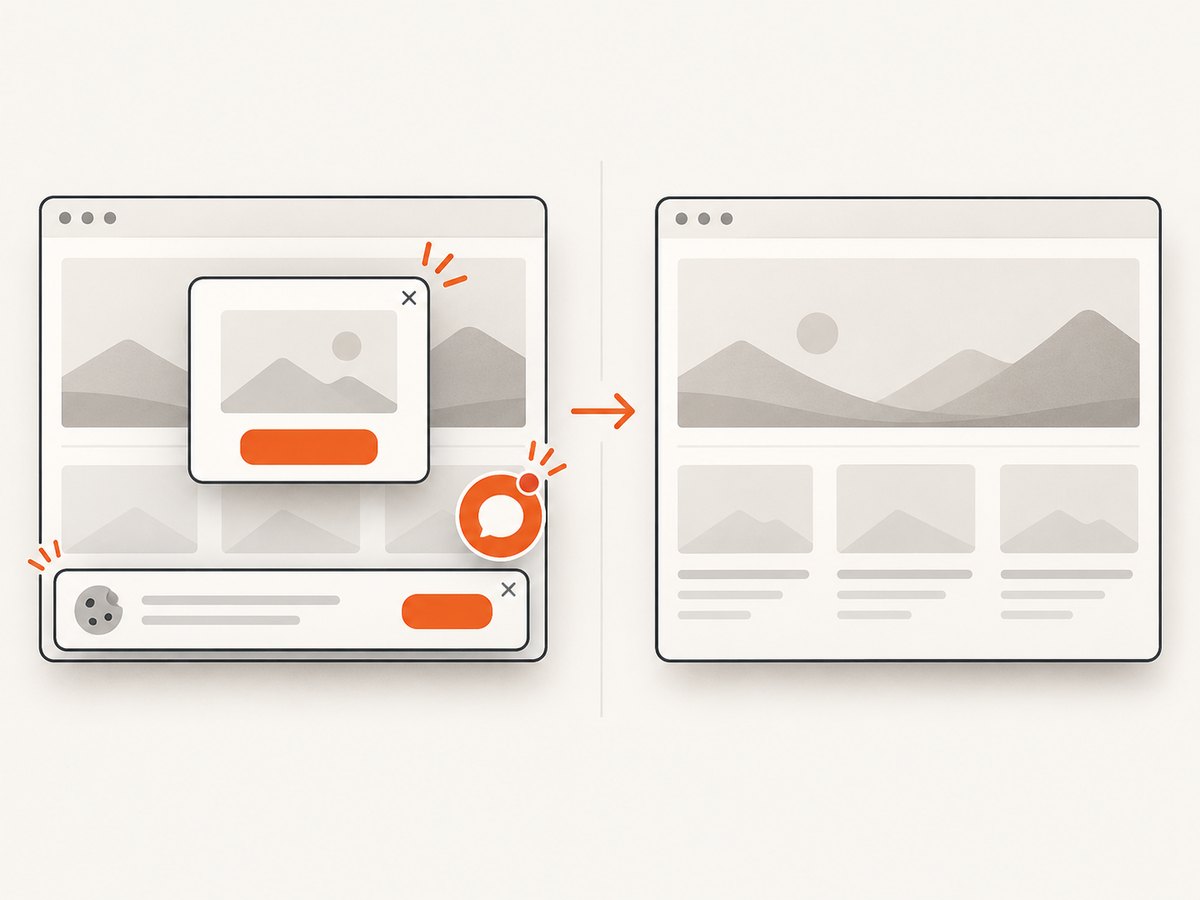
If your immediate need is a screenshot of a page for a visual assertion, release artifact, documentation job, or debugging record, ScreenshotNeo provides a hosted capture endpoint. It accepts one GET request and returns PNG, JPEG, WebP, or PDF. Before capture it accepts cookie or consent banners like a visitor and removes more than 60 known consent platforms, newsletter popups, and chat widgets; each cleanup step can be disabled. Bot checks or CAPTCHAs, blank pages, timeouts, failed loads, and cache hits cost nothing, and the response identifies the result with X-Page-Verdict and X-Billed headers.
See the ScreenshotNeo API documentation for all options. A minimal request is:
curl -G "https://api.screenshotneo.com/v1/shot" -d access_key=YOUR_API_KEY --data-urlencode url=https://stripe.com -o shot.webpimport requests
r = requests.get("https://api.screenshotneo.com/v1/shot", params={"access_key": "YOUR_API_KEY", "url": "https://stripe.com"}, timeout=90)
open("shot.webp", "wb").write(r.content)const q = new URLSearchParams({ access_key: 'YOUR_API_KEY', url: 'https://stripe.com' });
const res = await fetch(`https://api.screenshotneo.com/v1/shot?${q}`);
if (!res.ok) throw new Error(`Screenshot failed: ${res.status}`);
const data = Buffer.from(await res.arrayBuffer());
await import('node:fs/promises').then(fs => fs.writeFile('shot.webp', data));For browser-based E2E evidence, ScreenshotNeo also supports full-page capture with lazy images loaded, CSS-selector element capture, dark mode, 12 device presets or any viewport, retina scale, custom CSS and JavaScript, clicks before capture, selector or network-idle waits, blocked ads and trackers, custom headers, cookies, user agents and authorization, timezone and geolocation, transparent backgrounds, resizing, selectable cache TTLs, signed public image links, asynchronous jobs with signed webhooks, bulk capture of up to 100 URLs per call, a usage API, and an OpenAPI specification. Parameter names used by other screenshot APIs also work, which can simplify migration.
An MCP server exposes take_screenshot, get_page_info, and capture_pdf for Claude, Cursor, and other MCP clients. Pricing includes 1,000 screenshots per month free with no card; paid plans start at $5 for 3,000 shots, and every feature is available on every plan. Create a free ScreenshotNeo account to try it.
FAQ
Should every user story have an E2E test?
No. Put detailed logic and validation in unit, component, and API tests. Add E2E coverage where several layers must work together and the user or business risk is high.
How many assertions belong in one E2E test?
Assert the complete business outcome, but split unrelated journeys. A checkout test can verify confirmation and persisted order status; account administration belongs in another test.
Are screenshots visual regression tests?
A screenshot is evidence, not automatically a visual comparison. Pair captured images with a baseline and a reviewed diff if pixel changes are the behavior you need to detect.
What should happen when a test is flaky?
Keep the failure visible, inspect its trace and logs, classify the cause, and fix isolation or synchronization. Quarantine only with an owner and a removal plan.


