End-to-End Testing with Playwright
Install Playwright, write resilient browser workflows, choose coverage, run tests in CI, and debug failures with traces.

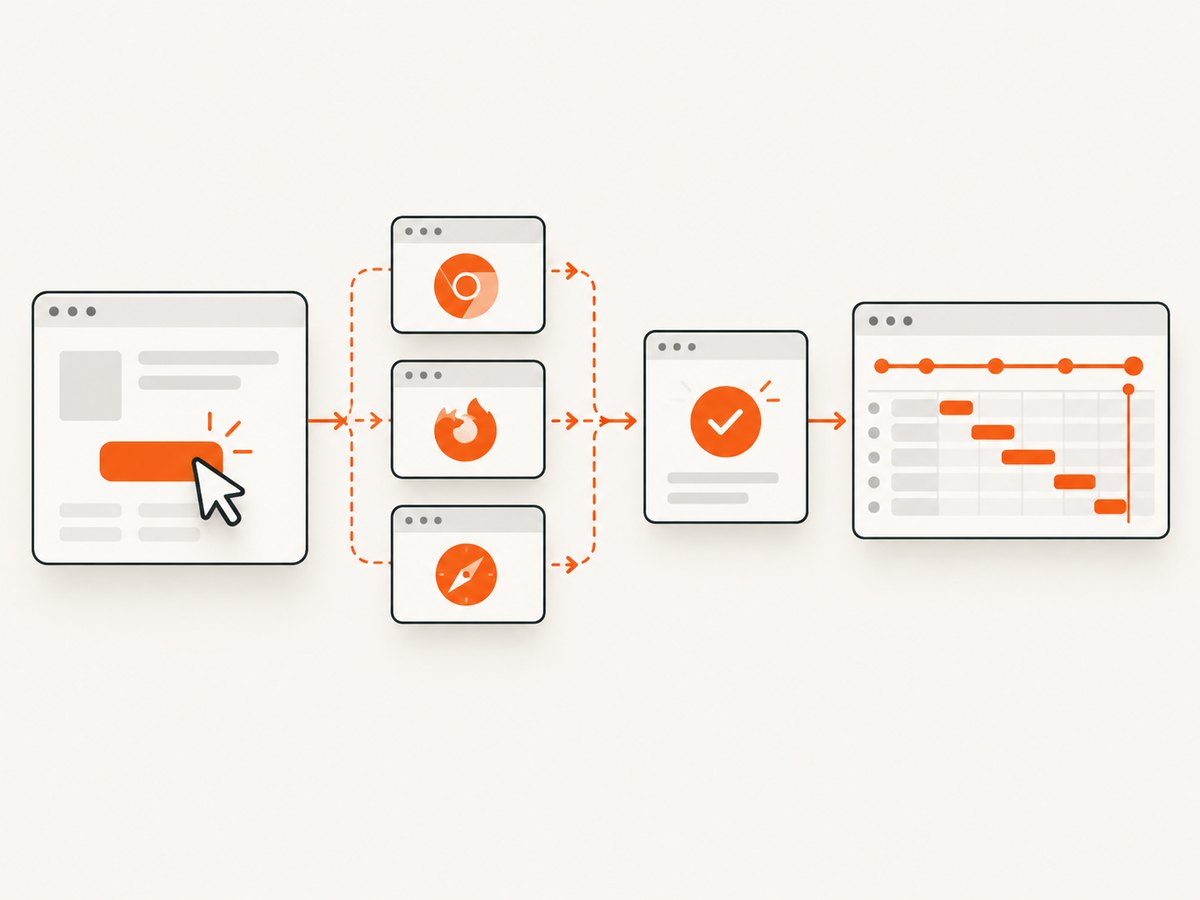
Playwright Test is a complete end-to-end testing framework for modern web applications. It provides a test runner, assertions, browser isolation, parallel execution, and debugging tools. The practical workflow is:
- Install the Playwright package and matching browser binaries.
- Model tests as user-facing workflows.
- Use resilient locators and web-first assertions.
- Choose a browser matrix that matches your support commitments.
- Run reproducibly in CI and retain traces for failures.
Playwright supports Chromium, Firefox, and WebKit, plus branded browser channels and device emulation. The examples below use JavaScript with Playwright Test; the same concepts apply to TypeScript and Playwright’s other supported language bindings. See the official introduction and browser documentation for release-specific details.
1. Install Playwright
Create a project
mkdir shop-e2e
cd shop-e2e
npm init playwright@latest
The initializer asks whether to use TypeScript or JavaScript, where to put tests, whether to add a CI workflow, and whether to install browsers. You can also add the package to an existing project:
npm install -D @playwright/test
npx playwright install
Browser installation is separate from installing the npm package. Each Playwright release expects particular browser binaries, so run the install command again after upgrading Playwright. On Linux CI machines, install operating-system dependencies as well:
npx playwright install --with-depsKeep @playwright/test and the installed browsers aligned. A package upgrade without a browser install can produce missing-executable or incompatible-browser errors.
Suggested project layout
shop-e2e/
  tests/
    checkout.spec.js
  playwright.config.js
  package.json
  package-lock.json
2. Configure the test runner
A small configuration makes local and CI behavior explicit:
// playwright.config.js
const { defineConfig, devices } = require('@playwright/test');

module.exports = defineConfig({
  testDir: './tests',
  timeout: 30_000,
  expect: { timeout: 5_000 },
  fullyParallel: true,
  forbidOnly: !!process.env.CI,
  retries: process.env.CI ? 2 : 0,
  workers: process.env.CI ? 1 : undefined,
  reporter: [['html', { open: 'never' }], ['list']],
  use: {
    baseURL: process.env.BASE_URL || 'http://127.0.0.1:3000',
    trace: 'on-first-retry',
    screenshot: 'only-on-failure',
    video: 'retain-on-failure',
    actionTimeout: 10_000,
    navigationTimeout: 30_000
  },
  projects: [
    { name: 'chromium', use: { ...devices['Desktop Chrome'] } },
    { name: 'firefox', use: { ...devices['Desktop Firefox'] } },
    { name: 'webkit', use: { ...devices['Desktop Safari'] } }
  ]
});
baseURL lets tests call relative paths. trace: 'on-first-retry' records a detailed trace when a CI test first retries. One worker in CI is Playwright’s documented stability-oriented default; increase workers or shard only when the infrastructure and application can handle the extra load.
3. Write a user-facing end-to-end test
Tests should describe a workflow a customer can complete. Locators based on roles, labels, text, and placeholders express the interface contract. A deliberate test ID is appropriate when the team owns that contract. Playwright’s documentation describes locators as “the central piece of Playwright’s auto-waiting and retry-ability.”
// tests/checkout.spec.js
const { test, expect } = require('@playwright/test');

test('customer can add a product and reach checkout', async ({ page }) => {
  await page.goto('/products/widget');

  await expect(page.getByRole('heading', { name: 'Widget' })).toBeVisible();
  await page.getByRole('button', { name: /add to cart/i }).click();

  await expect(page.getByRole('status')).toContainText('Added to cart');
  await page.getByRole('link', { name: /cart/i }).click();

  await expect(page.getByRole('heading', { name: /your cart/i })).toBeVisible();
  await page.getByRole('link', { name: /checkout/i }).click();

  await expect(page).toHaveURL(/\/checkout/);
  await expect(page.getByRole('heading', { name: /checkout/i })).toBeVisible();
});
Run it locally:
npx playwright test
npx playwright test tests/checkout.spec.js --project=chromium
npx playwright test --headed
npx playwright test --debug
Use web-first assertions such as toBeVisible, toHaveText, and toHaveURL. They wait and retry until the condition is met or the assertion timeout expires. Avoid arbitrary sleeps such as waitForTimeout(2000); they make suites slow and still fail when a page needs longer.
4. Locator strategy that survives UI changes
| Preferred locator | Example | When to use |
|---|---|---|
| Role and accessible name | getByRole('button', { name: 'Save' }) |
Buttons, links, headings, checkboxes, dialogs |
| Label | getByLabel('Email') |
Form controls with an associated label |
| Text | getByText('Order complete') |
Visible copy that is part of the user experience |
| Placeholder | getByPlaceholder('Search products') |
Inputs where the placeholder is intentionally stable |
| Test ID | getByTestId('cart-count') |
A team-owned, stable testing contract |
| CSS or XPath | locator('[data-state="open"]') |
Last resort for structure that has no user-facing contract |
Scope locators to the component that matters:
const dialog = page.getByRole('dialog', { name: 'Shipping address' });
await dialog.getByLabel('City').fill('Paris');
await dialog.getByRole('button', { name: 'Continue' }).click();
Use locator.nth() only when position is genuinely part of the behavior. If several elements match unexpectedly, tighten the role, name, or container rather than selecting the first match by accident.
5. Fixtures, authentication, and test isolation
Each test should be able to run independently. Playwright creates isolated browser contexts for tests by default. For an authenticated area, save a storage state once and reuse it while keeping tests from mutating shared data:
// tests/auth.setup.js
const { test: setup, expect } = require('@playwright/test');

setup('authenticate', async ({ page }) => {
  await page.goto('/login');
  await page.getByLabel('Email').fill(process.env.TEST_EMAIL);
  await page.getByLabel('Password').fill(process.env.TEST_PASSWORD);
  await page.getByRole('button', { name: 'Sign in' }).click();
  await expect(page).toHaveURL(/\/account/);
  await page.context().storageState({ path: 'playwright/.auth/user.json' });
});
Reference that state from a project:
projects: [
  {
    name: 'authenticated-chromium',
    use: {
      ...devices['Desktop Chrome'],
      storageState: 'playwright/.auth/user.json'
    }
  }
]
Do not commit credentials or the generated authentication state. Use CI secrets and disposable test accounts. If tests create records, generate unique names or clean up through an API fixture so parallel runs do not collide.
6. Browser and device coverage
Playwright covers Chromium, Firefox, and WebKit. It can also launch branded Chrome or Edge channels and emulate documented desktop and mobile devices. Chromium’s bundled open-source build is different from branded Chrome or Edge installations, and branded installations are not installed by default.
Choose coverage from your product promise:
- Run one fast Chromium project on every pull request.
- Run Firefox and WebKit on merge or on a scheduled job if they are supported browsers.
- Add mobile device profiles when responsive behavior is part of the supported experience.
- Add branded channels only when browser-specific behavior or policy requires them.
A matrix is a risk decision, not a checklist. More projects increase runtime, browser storage, and maintenance. Keep the matrix in configuration so the same named projects run locally and in CI.
7. CI execution
A reliable CI job installs packages, installs browsers and Linux dependencies, then runs the suite:
# .github/workflows/playwright.yml
name: Playwright tests
on: [push, pull_request]

jobs:
  test:
    runs-on: ubuntu-latest
    steps:
      - uses: actions/checkout@v4
      - uses: actions/setup-node@v4
        with:
          node-version: 20
          cache: npm
      - run: npm ci
      - run: npx playwright install --with-deps
      - run: npx playwright test
      - uses: actions/upload-artifact@v4
        if: always()
        with:
          name: playwright-report
          path: playwright-report/
The documented basic sequence is npm ci, npx playwright install --with-deps, and npx playwright test. Set workers: 1 in CI when stability and reproducibility matter most. On suitable infrastructure, use more workers or shard the suite:
npx playwright test --shard=1/4
npx playwright test --shard=2/4
Publish the HTML report and failure artifacts from every job. A failed test without its trace, screenshot, or video often requires an expensive rerun.
8. Debugging failures with reports and traces
Open the HTML report after a run:
npx playwright show-reportA trace contains the test timeline, action details, DOM snapshots, screenshots, and network requests. Inspect the exact action that failed, the DOM at that moment, and whether a request or navigation was still pending. To record a local trace explicitly:
npx playwright test --trace onPlaywright recommends trace: 'on-first-retry' for CI. Its browser-hosted Trace Viewer loads trace data in the browser and does not transmit it externally, according to the official guide. Treat traces as potentially sensitive artifacts anyway: they can contain page content, URLs, and request data.
9. Common errors and fixes
| Error or symptom | Likely cause | Fix |
|---|---|---|
| Executable doesn’t exist | Browser binaries were not installed or no longer match the package. | Run npx playwright install; in Linux CI use npx playwright install --with-deps. |
| Tests pass locally but fail in CI | Missing OS libraries, different base URL, secrets, timezone, or browser project. | Install system dependencies, set CI environment variables, select the same project locally, and inspect the trace. |
| “Locator resolved to more than one element” | The selector is too broad. | Use an accessible name, scope to a dialog or component, or add an intentional test ID. |
| Timeout waiting for a locator | The element is absent, hidden, blocked by a consent dialog, or the workflow is on the wrong page. | Check the trace and URL, handle the prerequisite dialog, and assert the preceding state. |
| Flaky assertion after a click | The test asserted immediately instead of waiting for the user-visible result. | Use a web-first assertion such as toHaveURL, toBeVisible, or toContainText. |
| Navigation hangs | Third-party requests, a redirect loop, or an application error. | Inspect network events in the trace, set a purposeful navigation timeout, and fix or stub the dependency. |
| Parallel tests affect one another | Shared accounts, fixed record names, or mutable global state. | Create isolated data per test or worker and clean it up through fixtures or an API. |
| WebKit or Firefox only fails | Browser-specific behavior, unsupported CSS/API assumptions, or a missing engine-specific wait. | Reproduce with --project, inspect the trace, and test the actual supported behavior rather than adding a sleep. |
10. Performance, reliability, and cost
- Start with a small smoke set. Run the highest-value workflows on every change; schedule the broad matrix when it provides more signal than delay.
- Reuse setup carefully. Storage state avoids repeating login, but tests still need isolated business data.
- Control parallelism. More workers reduce wall-clock time only when the CI machine, application, database, and test data can absorb concurrent load.
- Shard large suites. Sharding across jobs scales independent tests without forcing every worker onto one machine.
- Keep artifacts selective. Screenshots on failure and traces on first retry provide diagnostic value without storing video for every passing test.
- Pin and upgrade deliberately. Lock the npm dependency, install its matching browsers, and review browser changes as part of the upgrade.
- Budget external dependencies. Third-party APIs, email providers, payment sandboxes, and rate limits can dominate test time and create failures unrelated to your UI.
Playwright itself is software; your practical costs are CI minutes, browser storage, test environments, and any external services your workflows exercise. Measure suite duration and retry rate before increasing parallelism.
11. A maintainable test checklist
- Does each test describe a complete user outcome?
- Does it use a role, label, text, placeholder, or deliberate test ID?
- Are assertions web-first and tied to visible behavior?
- Can it run alone with a fresh context?
- Are accounts and records isolated?
- Are the supported browser and device commitments represented?
- Will CI install the exact browser binaries and Linux dependencies?
- Will a failure upload an HTML report and trace?
- Can another developer reproduce it with one
npx playwright testcommand?
12. Or skip the browser setup
If your job is to capture a page image or PDF rather than interact with a workflow, ScreenshotNeo provides a single GET request. It accepts the cookie or consent banner like a visitor, removes more than 60 known consent platforms, newsletter popups, and chat widgets before capture, and lets each cleanup step be turned off. Bot checks, blank pages, timeouts, failed loads, and cache hits are not billed; response headers identify the page verdict and whether the request was billed. Its MCP server exposes take_screenshot, get_page_info, and capture_pdf to Claude, Cursor, and other MCP clients.

See the ScreenshotNeo API documentation for all options, including full-page and selector capture, device presets, dark mode, custom CSS and JavaScript, waits, blocking rules, headers, cookies, geolocation, resizing, caching, signed links, async jobs, bulk capture, and usage reporting.
cURL
curl -G "https://api.screenshotneo.com/v1/shot" \
  -d access_key=YOUR_API_KEY \
  --data-urlencode url=https://stripe.com \
  -o shot.webp
Python
import requests

r = requests.get(
    "https://api.screenshotneo.com/v1/shot",
    params={"access_key": "YOUR_API_KEY", "url": "https://stripe.com"},
    timeout=90,
)
r.raise_for_status()
open("shot.webp", "wb").write(r.content)
Node.js
const q = new URLSearchParams({ access_key: 'YOUR_API_KEY', url: 'https://stripe.com' });
const res = await fetch(`https://api.screenshotneo.com/v1/shot?${q}`);
if (!res.ok) throw new Error(`Screenshot failed: ${res.status}`);
require('node:fs').writeFileSync('shot.webp', Buffer.from(await res.arrayBuffer()));
There are 1,000 free screenshots each month with no card. Paid plans start at $5 for 3,000 shots, and every feature is available on every plan. Create a free ScreenshotNeo account.
FAQ
Should every test run in all three engines?
No. Match Chromium, Firefox, WebKit, branded channels, and device profiles to the browsers and devices your application promises to support.
When should I use a test ID?
Use one when your team intentionally defines a stable testing contract and no user-facing locator expresses the behavior clearly.
Why did a Playwright upgrade break CI?
The package and browser binaries may be out of sync, or Linux dependencies may be missing. Reinstall browsers and system dependencies in the upgraded environment.
What should I attach to a failed build?
Upload the HTML report and a trace from the first retry; add screenshots or video when they clarify visual or timing failures.
Can ScreenshotNeo replace an end-to-end test?
No. Playwright exercises interactions and assertions. ScreenshotNeo is useful when you need a cleaned screenshot, page information, or PDF without maintaining a browser environment.


