How to Fetch and Cache JSON APIs with One Request
Fetch JSON once with JavaScript, handle errors correctly, and choose browser cache modes without confusing cache hits with network requests.
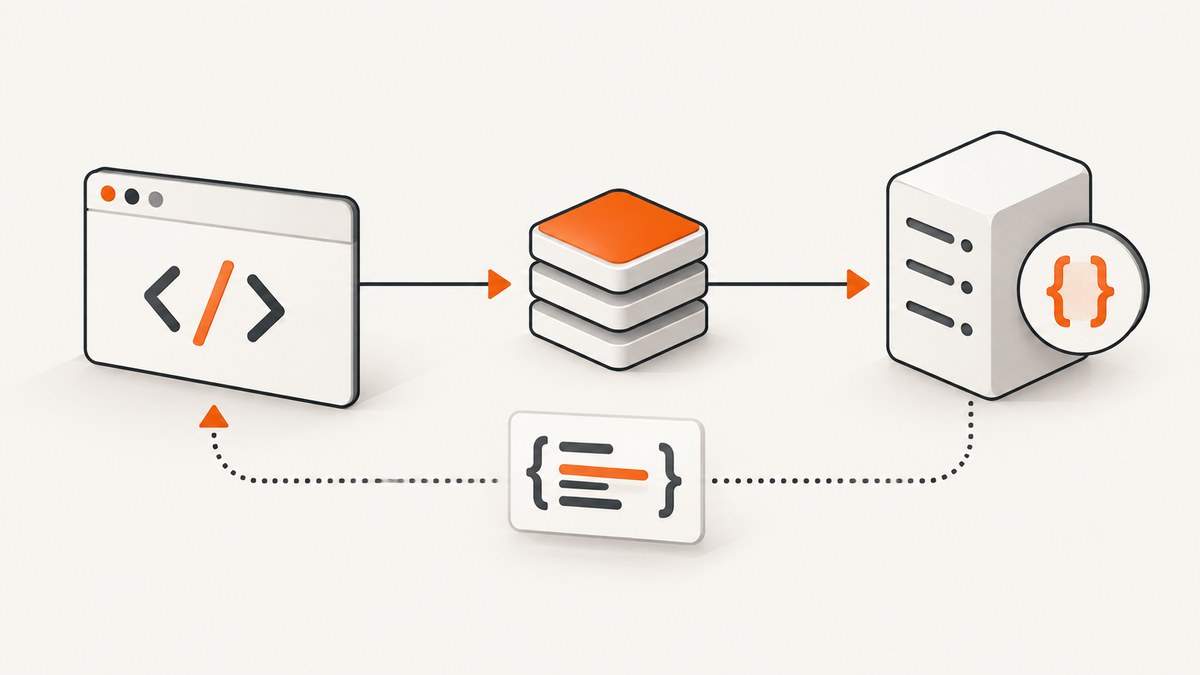
Direct answer: call fetch() once, check response.ok, and parse the response body once with response.json(). To control browser HTTP-cache behavior, pass a cache option such as default, no-cache, no-store, reload, or force-cache. The option describes how the browser interacts with its HTTP cache; it does not guarantee that the server permits storage or that exactly one network transaction occurs.
async function getJson(url) {
  const response = await fetch(url, {
    cache: "default"
  });

  if (!response.ok) {
    throw new Error(`HTTP ${response.status}`);
  }

  return response.json();
}

const data = await getJson("https://api.example.com/items");
console.log(data);
This function makes one application-level Fetch API invocation and consumes its body once. A fresh cache entry may satisfy the call locally. A stale entry may cause a conditional request, and a cache miss makes a normal network request. Redirects, service workers, connection retries, and authentication can add network activity. The useful guarantee is therefore “one fetch() call in this function,” not “exactly one packet exchange.” The MDN Fetch guide documents the status check and body-reading behavior.
1. Fetch JSON correctly
Check status before parsing
fetch() rejects for network-level failures, malformed URLs, and similar problems. It does not reject merely because the server returns a 404 or 500. Test response.ok (true for status 200–299) or inspect response.status before treating the body as a successful API response.
async function getJson(url, options = {}) {
  let response;
  try {
    response = await fetch(url, options);
  } catch (error) {
    throw new Error(`Network or URL failure: ${error.message}`);
  }

  if (!response.ok) {
    const contentType = response.headers.get("content-type") || "";
    let detail = "";
    if (contentType.includes("application/json")) {
      try {
        const problem = await response.json();
        detail = problem.message || problem.error || JSON.stringify(problem);
      } catch {
        detail = "The error body was not valid JSON.";
      }
    } else {
      detail = await response.text();
    }
    throw new Error(`HTTP ${response.status}${detail ? `: ${detail}` : ""}`);
  }

  const type = response.headers.get("content-type") || "";
  if (!type.includes("application/json")) {
    throw new Error(`Expected JSON but received ${type || "an unknown type"}`);
  }

  return response.json();
}
Parse the body once
A response body is a stream. Calling response.json() consumes it, so a second call such as response.text() normally fails with “body is already used.” Parse once, then validate and reuse the resulting JavaScript value.
const payload = await getJson("https://api.example.com/profile");

if (!payload || typeof payload !== "object") {
  throw new Error("The API returned an unexpected JSON value");
}

renderProfile(payload);
logForDiagnostics(payload);
If two parts of an application need the same data, share payload or share the promise. Do not issue two fetches simply because two components need the result.
const profilePromise = getJson("https://api.example.com/profile");

const [profileForCard, profileForHeader] = await Promise.all([
  profilePromise,
  profilePromise
]);
2. What “one request” means
The Fetch Standard describes a conditional request when a usable response is in the HTTP cache and a normal request otherwise. That means repeated calls can have different network behavior even when your JavaScript is identical.
| Situation | What your call does | Possible network activity |
|---|---|---|
| Fresh matching cache entry | Returns the cached representation | None for the origin request |
| Stale cache entry with validator | Checks whether the stored representation changed | Conditional request, often returning 304 |
| No matching entry | Fetches the resource | Normal request and response |
| Redirect | Follows the redirect according to Fetch rules | One or more additional requests |
| Service worker or framework wrapper | May intercept or replace the request | Depends on that layer |
Use “one request” to describe the application operation and code shape. Do not use it as a promise about bandwidth, origin logs, or the number of TCP/QUIC exchanges.
3. Browser cache modes
The Request.cache property controls how browser HTTP caching participates in a fetch. The server’s response headers still determine freshness and whether a response may be stored. See MDN’s cache-mode reference and its HTTP caching guide.

| Mode | Behavior | Choose it when | Important detail |
|---|---|---|---|
default |
Use a fresh matching entry; validate stale entries; fetch and potentially store misses | Normal browser behavior | Usually the right starting point |
no-cache |
May look in the cache, but validates a stored response before reuse | You want current data while retaining cache storage | It does not mean “do not store” |
no-store |
Bypass the HTTP cache and do not update it with the response | Responses must not be stored | Use for privacy-sensitive data only when this policy is intended |
reload |
Go to the network without first using a cached response, then update the cache | You need a network refresh and future cacheability | Server headers can still restrict storage |
force-cache |
Reuse a matching response even when stale; fetch only on a miss | Stale data is acceptable and avoiding requests matters | Never use for data that must be fresh |
const freshData = await fetch("https://api.example.com/catalog", {
  cache: "default"
}).then(checkJson);

const validatedData = await fetch("https://api.example.com/catalog", {
  cache: "no-cache"
}).then(checkJson);

const privateData = await fetch("https://api.example.com/account", {
  cache: "no-store",
  credentials: "include"
}).then(checkJson);

const networkRefresh = await fetch("https://api.example.com/catalog", {
  cache: "reload"
}).then(checkJson);

const possiblyStale = await fetch("https://api.example.com/catalog", {
  cache: "force-cache"
}).then(checkJson);

async function checkJson(response) {
  if (!response.ok) throw new Error(`HTTP ${response.status}`);
  return response.json();
}
The cache option cannot override an API’s privacy policy. A response with Cache-Control: no-store is not a suitable shared cache entry. Personalized JSON should have an explicit policy that accounts for credentials, authorization, and cache keys. Never assume that a browser cache, proxy, or CDN can safely share user-specific content.
4. Server headers and conditional validation
Freshness comes primarily from response headers. Cache-Control: max-age=60 allows a response to be considered fresh for 60 seconds. Cache-Control: no-cache allows storage but requires validation before reuse. Cache-Control: no-store tells caches not to store the response.
For efficient validation, an API can send an ETag or Last-Modified validator. Once the stored response is stale, the client or an intermediary can send If-None-Match or If-Modified-Since. If the representation is unchanged, the server can return 304 and the cache can reuse its existing body. As MDN explains, conditional requests validate cached content so it is fetched only when it differs from the copy already available.
Client code cannot manufacture this bandwidth saving with a cache mode alone. The API must emit validators and handle conditional requests correctly.
5. Complete browser example with timeout and validation
function withTimeout(ms) {
  const controller = new AbortController();
  const timer = setTimeout(() => controller.abort(), ms);
  return { signal: controller.signal, cancel: () => clearTimeout(timer) };
}

async function fetchJsonOnce(url, {
  cache = "default",
  timeoutMs = 10000,
  headers = {}
} = {}) {
  const timeout = withTimeout(timeoutMs);
  try {
    const response = await fetch(url, {
      method: "GET",
      cache,
      headers: { Accept: "application/json", ...headers },
      signal: timeout.signal
    });

    if (!response.ok) {
      throw new Error(`HTTP ${response.status} ${response.statusText}`);
    }

    const contentType = response.headers.get("content-type") || "";
    if (!contentType.toLowerCase().includes("application/json")) {
      throw new Error(`Expected application/json, got ${contentType || "unknown"}`);
    }

    return await response.json();
  } finally {
    timeout.cancel();
  }
}

fetchJsonOnce("https://api.example.com/items", { cache: "no-cache" })
  .then(items => console.log(items))
  .catch(error => console.error(error));
6. cURL, Python, and Node.js equivalents
These examples issue one GET operation and parse the JSON response in the client. HTTP cache semantics depend on the client, proxy, and server headers; cURL itself is not a browser HTTP cache.
cURL
curl --fail-with-body --location \
  -H 'Accept: application/json' \
  'https://api.example.com/items'
Python
import requests

response = requests.get(
    "https://api.example.com/items",
    headers={"Accept": "application/json"},
    timeout=10,
)
response.raise_for_status()
data = response.json()
print(data)
Node.js
const response = await fetch('https://api.example.com/items', {
  headers: { Accept: 'application/json' },
});

if (!response.ok) {
  throw new Error(`HTTP ${response.status}`);
}

const data = await response.json();
console.log(data);
For server-side caching in Node.js, choose and document a cache layer such as an in-memory map, Redis, or your framework’s data cache. That is separate from the browser’s HTTP cache. Set a TTL, include relevant authorization or query parameters in the key, and define what happens when the cache is unavailable.
7. Browser cache versus framework server cache
In browser JavaScript, cache controls the browser HTTP cache. Frameworks can add another layer. For example, Next.js extends server-side fetch with its persistent Data Cache, whose behavior and options are documented separately in the Next.js fetch reference. A browser force-cache setting does not automatically configure that server cache, and a server cache hit does not imply that a browser avoided its own request.

When debugging, write down the execution layer first:
- Browser HTTP cache
- Service worker cache
- CDN or reverse proxy
- Framework server data cache
- Application cache such as Redis
Each layer has its own key, TTL, privacy rules, and invalidation behavior.
8. Edge cases to design for
- 204 No Content: do not call
response.json()when no body is expected. Returnnullor handle the status explicitly. - Valid JSON with an error status: parse it only to obtain diagnostics, then still treat the operation as failed.
- Malformed JSON: catch the parser error and report the endpoint and status without logging secrets.
- Large responses: prefer pagination, field selection, compression, and streaming formats where appropriate;
response.json()materializes the parsed value in memory. - CORS: a server can answer successfully while the browser blocks JavaScript from reading it. Configure
Access-Control-Allow-Originon the API. - Credentials: use
credentials: "include"only when cross-origin cookie use is intentional and the server’s CORS policy permits it. - Query-string cache keys: normalize parameter order and encoding in your own server cache so equivalent requests do not create accidental misses.
- Clock and freshness differences: browser, CDN, and origin clocks can make observed freshness differ from your application’s wall-clock assumptions.
9. Troubleshooting
| Symptom | Likely cause | Fix |
|---|---|---|
fetch() resolved for a 404 |
Status errors do not reject automatically | Check response.ok before parsing |
| “Body is already used” | The stream was read twice | Parse once and reuse the resulting value |
| Unexpected token in JSON | HTML, an empty body, or malformed JSON was returned | Inspect status and Content-Type; use text() once for diagnostics |
Data appears stale with default |
A fresh cache entry or permissive intermediary is serving it | Fix server freshness headers or use no-cache when validation is required |
Requests still reach the server with no-cache |
no-cache means validate, not avoid the network |
Use force-cache only if stale data is acceptable |
Response is not stored with reload |
Server sent no-store or another restrictive policy |
Change server headers if storage is intended |
| CORS error in the browser | Origin is not allowed or credentials policy conflicts | Configure the API’s CORS headers; proxy through your own origin when appropriate |
| Intermittent aborts | Timeout too short or slow upstream | Use AbortController, choose a realistic timeout, and retry only idempotent requests |
| Duplicate calls from a UI | Multiple components start independent fetches | Share one promise or data loader keyed by URL and parameters |
10. Performance, reliability, and cost
- Performance: a fresh cache hit can avoid origin latency; validation still contacts the server; a miss transfers the full representation. Measure each layer separately with browser devtools and server logs.
- Reliability: set a timeout, distinguish network errors from HTTP errors, and retry only safe idempotent operations. Use exponential backoff with a limit so an outage does not become a request storm.
- Freshness: choose TTLs from the business requirement. Catalog data may tolerate staleness; account balances and permissions usually require validation or no storage.
- Privacy: never place tokens or personal data in a shared cache key accidentally. Treat authorization headers and cookies as part of the cache design.
- Cost: cache hits can reduce origin requests and transfer, but validation requests still consume server resources. Conditional responses reduce body transfer without eliminating request handling.
- Observability: log URL templates, status, cache mode, response age, and a request identifier. Redact credentials and personal fields.
11. Or skip the browser setup
If your actual goal is to capture a page for documentation, QA, or an agent workflow, ScreenshotNeo provides a single website screenshot API request. It accepts the cookie or consent banner like a visitor and removes more than 60 known consent platforms, newsletter popups, and chat widgets before capture; each step can be turned off. Bot checks or CAPTCHAs, blank pages, timeouts, failed loads, and cache hits are not billed, and response headers identify the page verdict and whether it was billed. Its MCP server exposes take_screenshot, get_page_info, and capture_pdf for Claude, Cursor, and other MCP clients.
See the ScreenshotNeo API documentation for all options. A one-call example:
curl -G "https://api.screenshotneo.com/v1/shot" -d access_key=YOUR_API_KEY --data-urlencode url=https://stripe.com -o shot.webpimport requests
r = requests.get("https://api.screenshotneo.com/v1/shot", params={"access_key": "YOUR_API_KEY", "url": "https://stripe.com"}, timeout=90)
open("shot.webp", "wb").write(r.content)const q = new URLSearchParams({ access_key: 'YOUR_API_KEY', url: 'https://stripe.com' });
const res = await fetch(`https://api.screenshotneo.com/v1/shot?${q}`);It supports PNG, JPEG, WebP, and PDF output, full-page and element captures, device presets, custom headers and cookies, waiting rules, blocking rules, custom CSS and JavaScript, caching with a chosen TTL, signed links, asynchronous jobs, bulk capture, and a usage API. One thousand screenshots per month are free with no card; paid plans start at $5 for 3,000 shots. Create a free ScreenshotNeo account.
12. FAQ
Does fetch cache API responses?
It can participate in the browser HTTP cache, subject to the request’s cache mode and the server’s response headers. A framework or server cache is a separate layer.
Is no-cache the same as no-store?
No. no-cache permits storage but requires validation before reuse. no-store bypasses and does not update the browser HTTP cache.
How can I guarantee fresh JSON?
Use an appropriate server policy and validate with no-cache or a network refresh when required. No client option can correct an API that sends incorrect freshness metadata.
Can I call response.json() twice?
No. The response body is consumed by the first read. Parse once and pass the resulting object to the code that needs it.
Should I use force-cache for user data?
Only when stale data is safe and the privacy policy explicitly supports it. For personalized data, use a deliberate cache design or no-store.


