How to Fix Cloudflare Error 521 and Restore Website Access
Cloudflare Error 521 means the origin refused Cloudflare’s connection. Follow this recovery checklist to find the failing service, firewall, port, TLS setting, or intermediary.
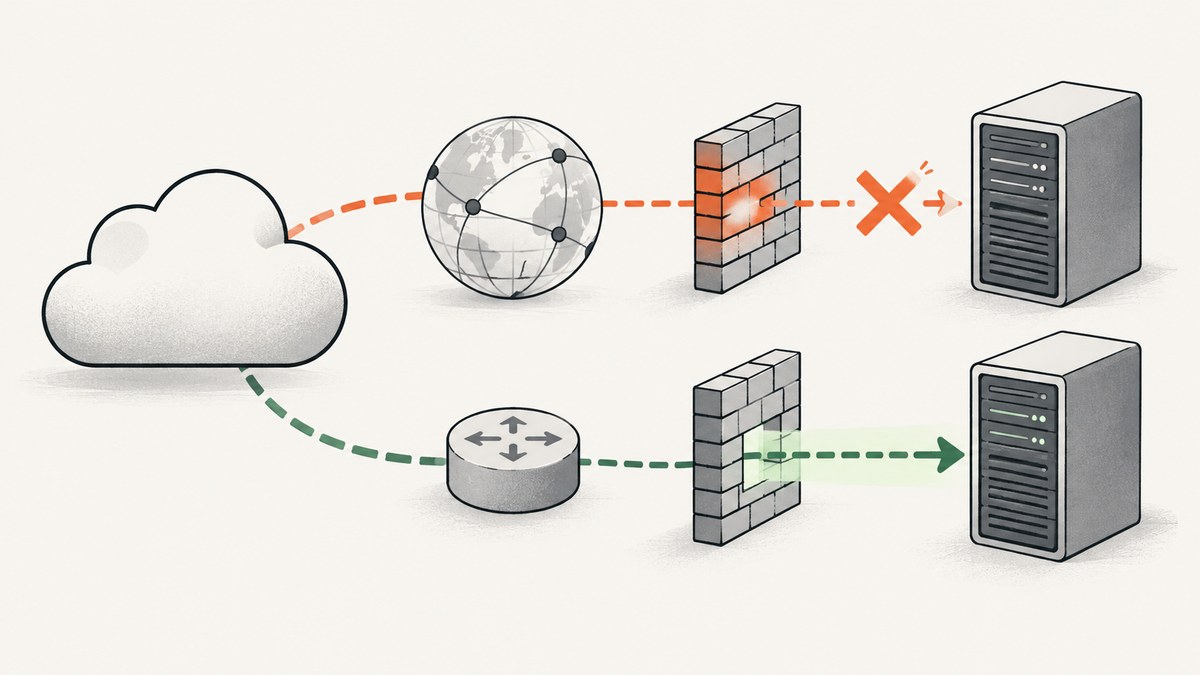
Cloudflare Error 521 means the origin web server refused Cloudflare’s connection. It is usually caused by an origin server or web-server process that is stopped or unresponsive, or by a firewall or other security control rejecting Cloudflare’s requests. Start by checking whether the origin is online, then trace the request through logs, firewalls, listening ports, TLS configuration, and any proxy or load balancer between Cloudflare and the server.
Work through the checks below in order. After each change, retry the affected URL through its normal Cloudflare hostname. Avoid repeatedly restarting services before checking their status and deployment state: a restart can temporarily restore access while leaving the cause unresolved.
1. Check whether the origin and web server are running
Cloudflare is the proxy between a visitor and your origin. A 521 means Cloudflare could not establish the expected connection to that origin. First determine whether the server itself is running and whether its web-server application is accepting requests.
- Check the hosting control panel, virtual machine, container platform, or cloud console for the origin’s current status.
- Check the web-server and application service status. Confirm the service is running and listening on the expected interface and port.
- Review recent deploys, configuration changes, maintenance events, crashes, and resource exhaustion around the time the error began.
- Inspect application and web-server logs for failed starts, crashes, rejected connections, or exhausted workers and file descriptors.
- If the service is stopped, identify why before starting it. Confirm a deploy or maintenance task is not still in progress, then restore the service using your platform’s normal procedure.
Commands vary by operating system, service manager, container platform, and web server, so there is no safe universal restart command. Use the status and log commands documented for your host and service. If the machine is running but the web process is not, restarting the entire machine may add downtime or hide useful evidence.
Evidence for this branch: the service is stopped, the process crashes during startup, the listener is absent, or logs show application or web-server failures. If the process looks healthy, continue to the network path: a refusal can happen before a request reaches application logs.
2. Trace the connection through logs and network layers
Inspect the origin logs and every component that can accept or reject traffic between Cloudflare and the origin. This may include an upstream load balancer, reverse proxy, cache, network firewall, security group, web application firewall (WAF), security plugin, rate limiter, or automated ban list.

- Search the relevant time window for rejected or reset connections, blocked source addresses, rate limits, health-check failures, and upstream errors.
- Check whether the refusal is recorded at the server, a host firewall, a cloud security group, a load balancer, or a provider-managed security layer.
- Compare a failed request with a known-good request, if available. Check which hostname, listener, backend, and rule each request reaches.
- Check provider events and network or load-balancer health status. A healthy virtual machine does not prove that the complete route to its web server is healthy.
Cloudflare notes that the reason may not appear in origin logs. A firewall or intermediary can reject the connection before the web server has an opportunity to log it. If origin logs are empty, use firewall, load-balancer, proxy, and provider logs rather than concluding that Cloudflare itself is the problem. See Cloudflare’s guidance on [troubleshooting 5xx errors](https://developers.cloudflare.com/support/troubleshooting/http-status-codes/cloudflare-5xx-errors/).
3. Check every firewall and security control for Cloudflare blocks
A common cause is a firewall, WAF, security plugin, rate limiter, Fail2Ban-style ban list, or hosting security group blocking Cloudflare’s requests. The origin must permit the current Cloudflare source ranges through every applicable control.
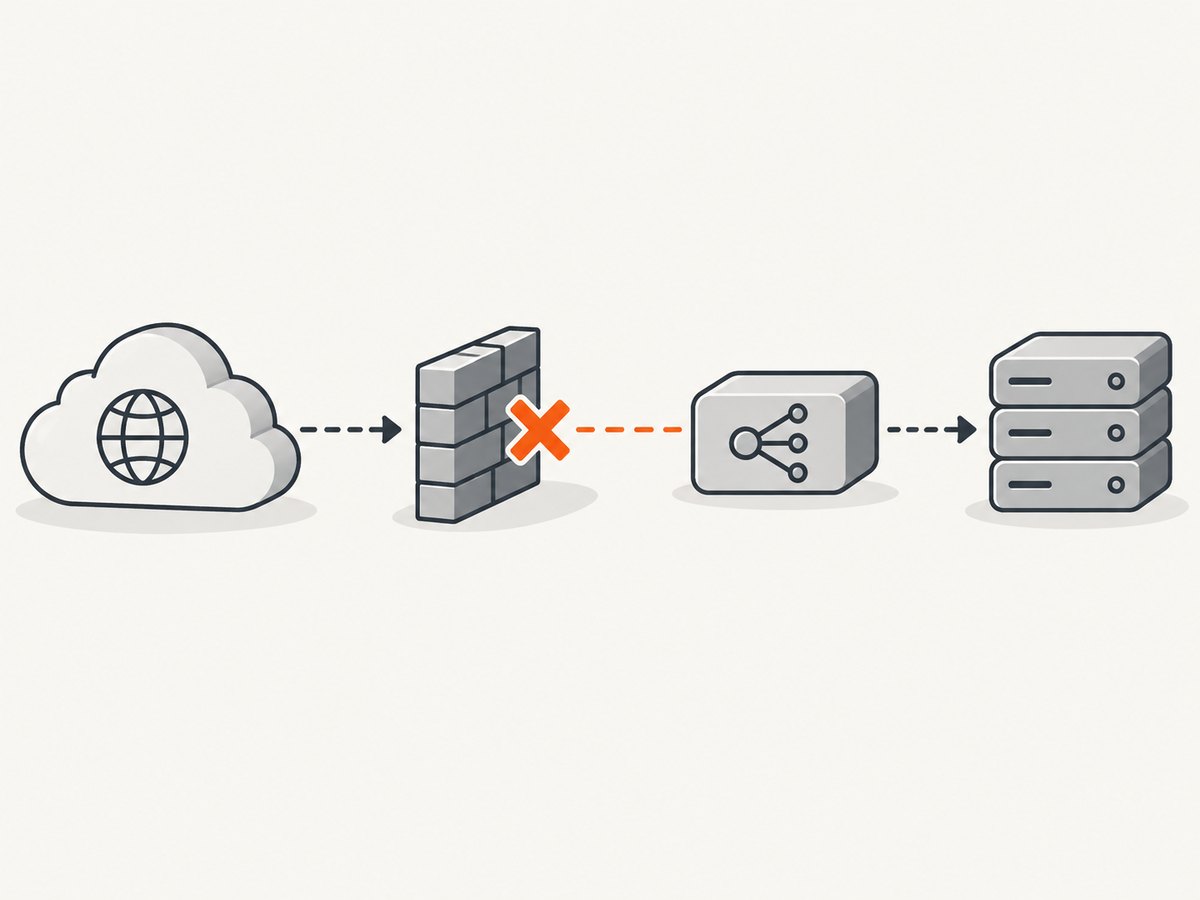
- Identify all controls on the path, including host firewalls, provider firewalls, application security plugins, and upstream proxies.
- Compare their allow and deny rules with Cloudflare’s current published IP ranges, including IPv4 and IPv6 where your origin supports both.
- Remove unintended bans and allow the published ranges. Check rate limits and automated blocking rules as well as explicit deny lists.
- Apply the change consistently across every backend or firewall that can receive the request.
- Retest the hostname through Cloudflare and check whether the previously observed rejection has stopped.
Do not copy an IP-range list into a long-lived rule and assume it stays current. Check Cloudflare’s published list when creating or auditing rules. Cloudflare recommends allowing all its IP ranges in origin firewalls or other security software; its broader guidance also describes restricting direct origin access to Cloudflare ranges. Apply restrictions carefully so legitimate administration, health checks, and any other required access paths continue to work. References: [Cloudflare Error 521](https://developers.cloudflare.com/support/troubleshooting/http-status-codes/cloudflare-5xx-errors/error-521/) and [Cloudflare IP ranges](https://www.cloudflare.com/ips/).
| Where the block is | Likely evidence | Who can usually fix it |
|---|---|---|
| Host firewall or ban list | Blocked source address, deny rule, or ban event | Server administrator |
| Cloud or hosting security group | Ingress rule does not permit the needed source and port | Cloud account or hosting administrator |
| WAF, plugin, or rate limiter | Security event, rate-limit entry, or request classification | Site or security administrator |
| Provider firewall or upstream network | No matching origin event, but provider records a rejected connection | Hosting or network provider |
4. Confirm the origin port and listener match Cloudflare’s mode
Cloudflare’s expected origin port depends on its SSL/TLS encryption mode: Flexible uses port 80, while Full and Full (Strict) use port 443. Confirm the origin web server is listening on the expected port and interface, and that every security group and firewall on the route permits that port.
Check the configured port against the actual web-server listener and the port configured on any load balancer or reverse proxy. A service listening only on a private interface, a mismatched backend port, or a closed provider ingress rule can prevent Cloudflare from connecting even while the process is running.
Change the listener, network rule, or Cloudflare configuration only after identifying which side disagrees. Then retry through the public hostname. For Cloudflare’s port and mode requirements, see the [Error 521 documentation](https://developers.cloudflare.com/support/troubleshooting/http-status-codes/cloudflare-5xx-errors/error-521/).
5. Validate SSL/TLS mode and the origin certificate
With Full or Full (Strict), the origin must support HTTPS. Full (Strict) also requires a certificate that meets Cloudflare’s validation requirements; this can be a Cloudflare Origin Certificate or another acceptable certificate. If the origin does not offer HTTPS or the certificate does not satisfy the selected mode, Cloudflare may fail to establish the origin connection.
- Note the SSL/TLS mode currently selected for the hostname.
- Check whether the origin listener on port 443 is active and configured with the intended certificate.
- Verify that the certificate is valid for the origin hostname and meets the requirements of the selected mode.
- Make the origin protocol and certificate configuration agree with the Cloudflare mode, using Cloudflare’s current documentation for the exact requirements.
- Retest the affected hostname and inspect logs for a changed error or a successful origin request.
Do not weaken TLS settings as a guess. If changing a mode is necessary to restore service, understand the security and certificate implications and plan to use the mode appropriate for your origin. Cloudflare documents mode-specific requirements in its [SSL/TLS documentation](https://developers.cloudflare.com/ssl/origin-configuration/ssl-modes/) and [Error 521 guidance](https://developers.cloudflare.com/support/troubleshooting/http-status-codes/cloudflare-5xx-errors/error-521/).
6. Find the failing layer before choosing a fix
| Suspected cause | Where the refusal occurs | Useful evidence | Typical recovery |
|---|---|---|---|
| Stopped or crashed web service | Origin process | Service status, startup errors, application or server logs | Restore the service and investigate the crash or failed deployment |
| Cloudflare blocked | Firewall or security control | Firewall, WAF, plugin, rate-limit, or ban-list events | Allow current Cloudflare ranges and remove unintended blocks |
| Port or protocol mismatch | Origin listener or network rule | Listener configuration, security-group rules, proxy backend settings | Align listener, allowed port, and Cloudflare mode |
| Certificate or TLS mismatch | HTTPS connection to origin | Mode, origin TLS configuration, certificate details, connection logs | Configure HTTPS and a certificate that meets the selected mode |
| Intermediary failure | Load balancer, cache, reverse proxy, or provider network | Health checks, intermediary logs, provider events | Repair the failing layer or ask its administrator or provider to investigate |
The person who can change the failing layer may not own the Cloudflare account. Establish whether the next action belongs to the site administrator, host, network administrator, or Cloudflare account owner before making unrelated configuration changes.
7. Retest, document, and escalate with useful evidence
After a change, request the affected page again through its regular public hostname. Check whether the same 521 remains, whether the response has changed to a different error, and whether the origin or intermediary logged the new request. A different response is useful evidence that the request progressed farther; it is not proof that the site is fully restored.
Record these details when escalating:
- The exact hostname and URL that failed.
- The error code and exact occurrence time, including timezone.
- The Cloudflare
cf-rayvalue, if it appears in the response or error page. - Relevant web-server, application, firewall, WAF, load-balancer, and provider logs.
- Recent deploys, maintenance, configuration changes, or security-rule changes.
- Which checks you performed and what changed after each retest.
Cloudflare advises contacting the hosting provider or site administrator with the specific 5xx code, time and timezone, and URL. Include intermediary logs because the refusal may not be visible at the origin. If a provider manages the security group or network firewall, ask it to confirm whether the connection was rejected before it reached your server. See [Cloudflare’s 5xx troubleshooting guidance](https://developers.cloudflare.com/support/troubleshooting/http-status-codes/cloudflare-5xx-errors/).
8. Prevent the same refusal from returning
- Keep firewall and security rules aligned with Cloudflare’s current IPv4 and IPv6 ranges.
- Review rate limits and automated bans to ensure they do not unintentionally reject Cloudflare traffic.
- Document which ports the origin listens on, which Cloudflare mode is expected, and which layer owns each rule.
- Include load balancers, proxies, provider firewalls, and security plugins in incident reviews, not just the origin web-server logs.
- Keep a short escalation record with the tested URL, time and timezone, error code, Ray ID when available, and relevant logs.
These checks make it easier to locate a future refusal. They do not guarantee that a network, deployment, or provider issue cannot recur.
9. Troubleshooting common 521 situations
The server looks online, but the 521 remains
A running VM does not confirm that its web process is healthy or reachable. Check the process, listener, bind address, expected port, and every network control. Also inspect load-balancer and provider logs in case the request is rejected before reaching the machine.
There is nothing in the origin logs
The refusal may happen before the origin application or web server can log it. Check host and cloud firewalls, security groups, WAFs, ban lists, rate limiters, proxies, load balancers, and provider events. Ask the administrator of each layer to search the exact failure time and timezone.
The firewall already has Cloudflare rules
Confirm the rules cover the current published IPv4 and IPv6 ranges, the correct port, every origin backend, and every relevant security layer. A rule on the host does not override a deny rule in a provider firewall or security plugin.
The origin works directly, but not through Cloudflare
Compare the public path with the origin’s listener, firewall rules, and intermediary route. Confirm that Cloudflare source ranges are permitted and that its configured SSL/TLS mode matches the origin’s protocol and certificate. Preserve the normal Cloudflare path when retesting rather than assuming a direct-origin test proves the proxied path works.
A restart fixed it temporarily
Check logs and resource usage from before the restart, as well as recent deploys and maintenance events. Determine whether a service crash, resource limit, or network rule caused the interruption. A restart is a recovery step, not an explanation for why Cloudflare’s connection was refused.
The error started after a TLS or firewall change
Compare the current configuration with the last known working state. Verify the active Cloudflare mode, origin port, certificate, and relevant allow or deny rules. Use the change history and logs to identify the mismatch, then retest after correcting that specific setting.
10. Or skip the browser setup
For a screenshot of the public status or error page during an incident, ScreenshotNeo takes a website screenshot with one GET request. Its clean-capture steps accept cookie or consent banners like a visitor and remove more than 60 known consent platforms, newsletter popups, and chat widgets before the shot; each step can be turned off. Bot checks and CAPTCHAs, blank pages, timeouts, failed loads, and cache hits are not billed, and the response identifies the page verdict and billing status in headers. ScreenshotNeo also provides an MCP server with take_screenshot, get_page_info, and capture_pdf tools for Claude, Cursor, and other MCP clients.
Use an API key from your ScreenshotNeo account. The API accepts the target URL and returns an image or PDF; consult the ScreenshotNeo API documentation for parameters and formats. Replace the example target URL with the page you want to capture.
cURL
curl -G "https://api.screenshotneo.com/v1/shot" -d access_key=YOUR_API_KEY --data-urlencode url=https://stripe.com -o shot.webpPython
import requests

r = requests.get(
    "https://api.screenshotneo.com/v1/shot",
    params={"access_key": "YOUR_API_KEY", "url": "https://stripe.com"},
    timeout=90,
)
open("shot.webp", "wb").write(r.content)
Node.js
const q = new URLSearchParams({ access_key: 'YOUR_API_KEY', url: 'https://stripe.com' });
const res = await fetch(`https://api.screenshotneo.com/v1/shot?${q}`);
ScreenshotNeo includes full-page captures with lazy images loaded, element capture by CSS selector, dark mode, 12 device presets and custom viewports, retina scale, PDF options, custom CSS and JavaScript, selector waits and delays, request blocking, custom headers and cookies, and caching with a chosen TTL. Plans include 1,000 screenshots per month free with no card; paid plans start at $5 for 3,000 shots. Sign up for 1,000 free screenshots a month, with no card required.
FAQ
Does Error 521 mean Cloudflare is down?
No. The status indicates that the origin refused Cloudflare’s connection. Check the origin and the network path before attributing the issue to Cloudflare.
Should I disable Cloudflare to restore access?
A 521 diagnosis starts with the origin connection, firewall, port, TLS mode, and intermediaries. Changing proxy configuration without identifying the refusal can obscure the cause; follow Cloudflare’s current instructions and your operational requirements before changing it.
Can visitors fix a 521?
Usually not. The changes typically require access to the origin, security rules, hosting environment, or Cloudflare configuration, so contact the site administrator or host.
What should I send my hosting provider?
Send the URL, exact 521 time and timezone, error code, Ray ID if available, and relevant origin and intermediary logs. Note recent changes and the checks already performed.