How to Fix Puppeteer page.goto() Repeatedly Navigating to the Same URL
Trace repeated goto calls, redirects, client-side navigation, and request interception with practical Puppeteer diagnostics and fixes.
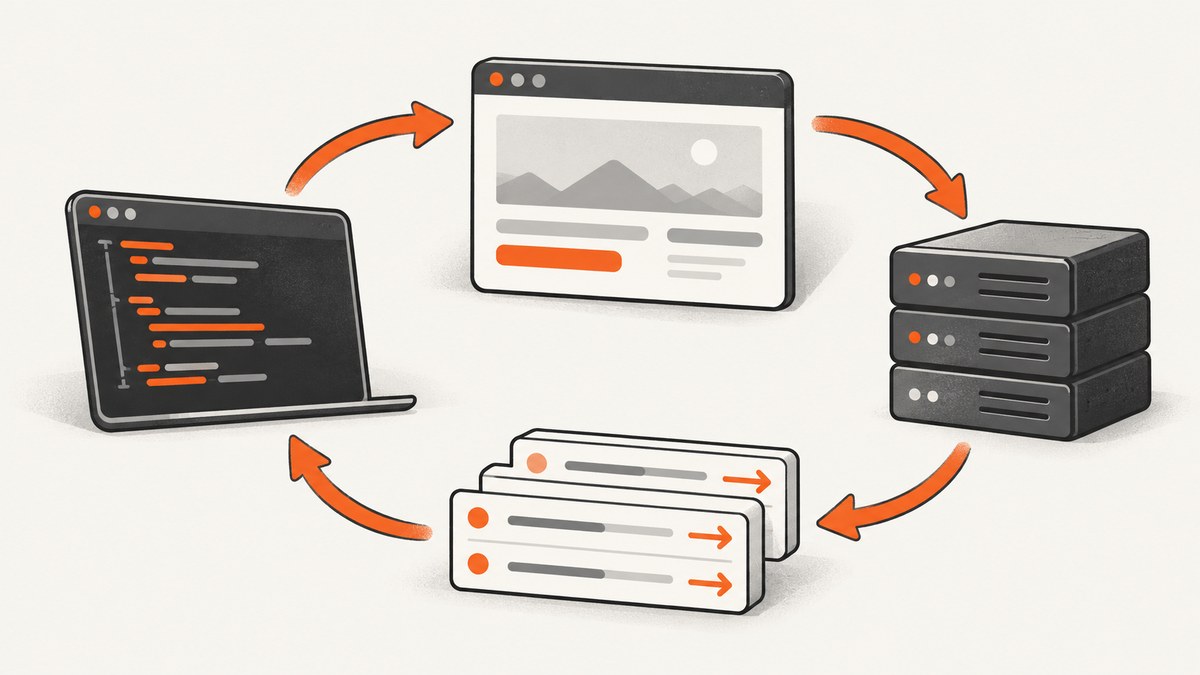
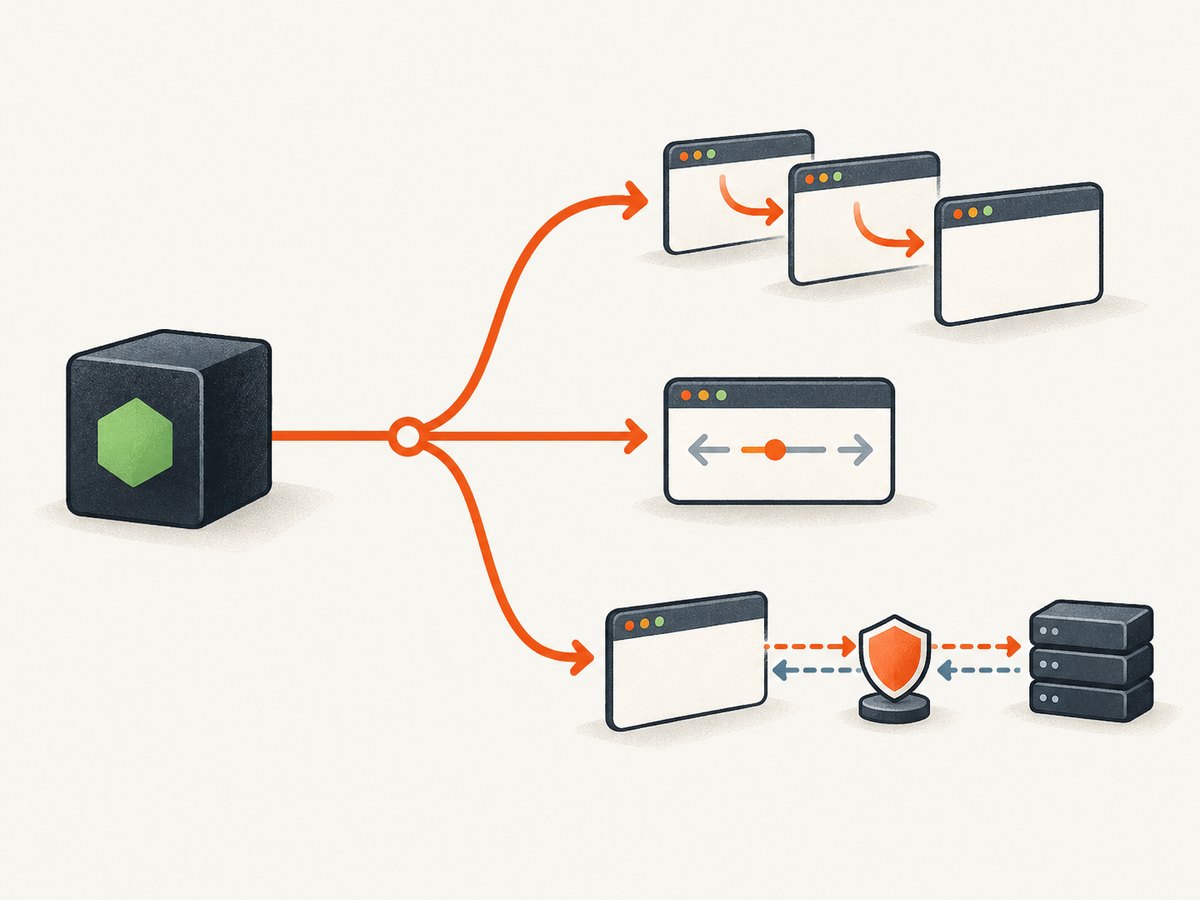
If Puppeteer appears to keep navigating to the same URL, first identify which thing is repeating. A Node.js caller may invoke page.goto() more than once; one invocation may follow several HTTP redirects; page JavaScript may trigger client-side navigations; a History API call may change the URL without loading a new document; or request interception may leave a request unresolved and make a navigation wait look stuck. These cases need different fixes.
page.goto(url, options) starts a frame navigation and returns a promise for the main resource response. With multiple redirects, the resolved response is the last redirect response. Navigation to about:blank, or to the same URL with only a different hash, returns null. See the official Page.goto API documentation.
Start by classifying what repeats
| Observed symptom | Likely layer | What to log |
|---|---|---|
| Your own counter increases | Caller or retry loop | Every call site and input URL |
| One goto, several server URLs | HTTP redirects | Navigation requests and final response |
| URL changes after the page loads | Client-side navigation or History API | framenavigated, page.url(), console messages |
| Navigation hangs with interception enabled | Unresolved or double-resolved request | Every request handler and resolution state |
| Wait times out but page is active | Wait condition mismatch | waitUntil, lifecycle events, network activity |
Do not begin by increasing the timeout. A longer timeout can hide a redirect loop or make a stalled intercepted request take longer to surface. The Page API describes timeout and lifecycle options as waiting behavior; they do not suppress navigation initiated by application code.
Instrument the caller and main-frame navigation
Put the counter immediately around every goto() call. Log the exact string passed to Puppeteer, the current URL before the call, the response URL and status after it resolves, and every main-frame request. This separates repeated invocations from repeated browser events.
let gotoCount = 0;

page.on('request', request => {
  if (request.isNavigationRequest()) {
    console.log('navigation request', {
      mainFrame: request.frame() === page.mainFrame(),
      url: request.url(),
      method: request.method()
    });
  }
});

page.on('framenavigated', frame => {
  if (frame === page.mainFrame()) {
    console.log('main frame navigated', frame.url());
  }
});

page.on('requestfailed', request => {
  if (request.isNavigationRequest()) {
    console.log('navigation failed', request.url(), request.failure());
  }
});

const requestedUrl = inputUrl;
console.log('goto start', ++gotoCount, requestedUrl, 'current:', page.url());
const response = await page.goto(requestedUrl, {
  waitUntil: 'domcontentloaded'
});
console.log('goto resolved', {
  responseUrl: response?.url() ?? null,
  status: response?.status() ?? null,
  current: page.url()
});
This is diagnostic instrumentation, not a guaranteed fix. Compare the numbers: if gotoCount rises, inspect loops, retries, queues, cron jobs, and error handlers in your Node.js process. If it rises once but navigation requests repeat, inspect redirects, page scripts, service workers, and interception.
Find every call site
Search your project for .goto(, wrappers named navigate or load, and retry libraries. A common pattern is a catch block that retries every error, including an error caused by a page-side redirect or a request that your own interceptor aborted. Add a maximum attempt count and preserve the original error.
async function gotoOnce(page, url) {
  const before = page.url();
  console.log('navigation attempt', { url, before });
  const response = await page.goto(url, { waitUntil: 'domcontentloaded' });
  return {
    responseUrl: response?.url() ?? null,
    status: response?.status() ?? null,
    currentUrl: page.url()
  };
}

for (let attempt = 1; attempt <= 3; attempt++) {
  try {
    const result = await gotoOnce(page, inputUrl);
    console.log(result);
    break;
  } catch (error) {
    console.error('goto failed', { attempt, message: error.message });
    if (attempt === 3) throw error;
  }
}
Use retries only for errors you can classify as transient. A retry cannot repair application code that deliberately redirects back to the same URL.
Separate HTTP redirects from page-side navigation
HTTP redirects occur before the final document is loaded. The request log shows a sequence such as http://example.test to https://example.test, or a login endpoint to an authenticated page. Puppeteer resolves goto() with the response from the last redirect. Record all navigation URLs in order and inspect the server’s Location headers in a proxy or server log when you control the site.
A redirect loop usually comes from a protocol mismatch, a missing forwarded host header, an authentication cookie that is not being sent, or a canonicalization rule that maps two spellings back to each other. Check the URL you request, cookies, custom headers, proxy configuration, and whether the same redirect occurs in a normal browser.
Page-side navigation happens after a document executes JavaScript. Code may call location.assign(), location.replace(), submit a form, or use a router. A service worker can also affect requests. Add framenavigated logging and inspect browser console output:
page.on('console', message => {
  console.log('page console', message.type(), message.text());
});

page.on('dialog', async dialog => {
  console.log('dialog', dialog.type(), dialog.message());
  await dialog.dismiss();
});
History API calls deserve special attention. Puppeteer treats URL changes made through the History API as navigation for waitForNavigation(), even though the browser may keep the same document. A sequence of pushState() calls can therefore look like repeated navigation while producing no new main resource request. Compare framenavigated events with navigation request events.
Use waitForNavigation only for an action that causes navigation
page.waitForNavigation() is for navigation caused indirectly by a page action such as a click or form submission. Install the wait before triggering the action and await both promises. Installing it afterward creates a race: the navigation can finish before the listener is ready.
const navigation = page.waitForNavigation({
  waitUntil: 'domcontentloaded'
});
await page.click('a.next-page');
const response = await navigation;
console.log('clicked link', response?.url() ?? null, page.url());
Do not add waitForNavigation() around a direct goto() unless you have a separate action that triggers another navigation. For a direct call, await goto() itself. If the site uses a client-side router, wait for a selector that proves the new view rendered, or use a narrowly scoped URL predicate:
await page.click('button.load-account');
await page.waitForFunction(() => location.pathname === '/account');
await page.waitForSelector('[data-page="account"]');
Audit request interception
When request interception is enabled, every request stalls until it is continued, responded to, aborted, or completed from browser cache. The Puppeteer request interception guide warns that a request can be resolved only once. Multiple listeners, helper packages, or asynchronous handlers can race and attempt to resolve the same request.
Start with the smallest possible handler and make it synchronous around the resolution decision:
await page.setRequestInterception(true);

page.on('request', request => {
  if (request.isInterceptResolutionHandled()) return;

  const type = request.resourceType();
  if (type === 'image' || type === 'font') {
    request.abort();
    return;
  }

  request.continue();
});
The status check and the call to continue(), abort(), or respond() should stay together synchronously. If you must perform asynchronous work, check the status again immediately before resolving:
page.on('request', async request => {
  if (request.isInterceptResolutionHandled()) return;

  const shouldBlock = await shouldBlockRequest(request.url());
  if (request.isInterceptResolutionHandled()) return;

  if (shouldBlock) request.abort();
  else request.continue();
});
Keep rules narrow. Blocking every request whose URL contains a word such as redirect can abort a main-frame navigation as well as an analytics pixel. Check request.isNavigationRequest() and the frame before applying a rule:
page.on('request', request => {
  if (request.isInterceptResolutionHandled()) return;

  const isMainFrameNavigation = request.isNavigationRequest() &&
    request.frame() === page.mainFrame();

  // Never apply a broad asset rule to the main document.
  if (!isMainFrameNavigation && request.resourceType() === 'image') {
    request.abort();
    return;
  }

  request.continue();
});
If disabling interception makes the problem disappear, re-enable handlers one at a time. Check for listeners registered by imported modules and verify that no request path falls through without a resolution. Also test with one handler instead of several competing handlers.
Historical client-side redirect hang
Puppeteer issue #9175, opened on October 27, 2022, describes a hang after an interception handler aborted a main-frame client-side redirect. The report mentioned versions 16.1.1, 16.1.0, and 19.2.0. It is a useful diagnostic lead for similar symptoms, not evidence of a universal current defect. If your logs show an aborted main-frame redirect, remove that abort rule, narrow it to subresources, and retest on the Puppeteer version you actually install.
Choose wait conditions deliberately
waitUntil controls when Puppeteer considers navigation complete. domcontentloaded waits for the DOM event; load waits for page resources; networkidle0 and networkidle2 wait for low network activity. A continuously polling application may never satisfy an idle condition even after the intended page is usable.
Use the lightest condition that matches your task, then wait for a concrete application signal:
await page.goto(url, { waitUntil: 'domcontentloaded' });
await page.waitForSelector('#report-ready', { timeout: 15000 });
Changing from networkidle0 to domcontentloaded can prevent an unnecessary timeout, but it does not fix a redirect loop, repeated location.replace(), or an unresolved interception request. Trace the event source first.
Common errors and fixes
| Error or symptom | Cause to investigate | Fix |
|---|---|---|
Navigation timeout of ... exceeded |
Redirect loop, long load, polling, or unresolved interception | Inspect ordered navigation logs; simplify interception; choose an appropriate wait condition. |
Request is already handled! |
Two listeners resolved one intercepted request | Guard with isInterceptResolutionHandled() and remove duplicate handlers. |
| Same URL appears in every log | Router or script repeatedly calls replace(), or caller retries |
Log stack/caller context, console output, and frame events; fix the loop at its source. |
goto() returns null |
about:blank or same URL with only a hash change |
Use page.url() and frame events to inspect the resulting location. |
| Navigation stops after enabling interception | A request was never continued, responded to, or aborted | Ensure every path resolves exactly once; temporarily disable interception to confirm. |
| Click wait misses navigation | waitForNavigation() was installed after the click |
Create the wait promise first, then trigger the action and await both. |
A repeatable debugging checklist
- Record the installed Puppeteer version and the exact requested URL.
- Search for every direct and wrapped
goto()call. - Add the counter,
page.url(), response URL/status, navigation requests, andframenavigatedlogs. - Compare caller count with main-frame request count.
- Temporarily disable request interception.
- If interception is required, reduce it to one guarded synchronous handler.
- Inspect HTTP redirect targets and cookies.
- Inspect page console output and client-side router code.
- Use
waitForNavigation()only with an action expected to navigate. - Adjust
waitUntilonly after navigation behavior is understood.
When asking for help, include the minimal script, Puppeteer version, requested URL, interception handlers, and ordered navigation/request logs. Those details distinguish a caller loop from a browser navigation loop.
Or skip the browser setup
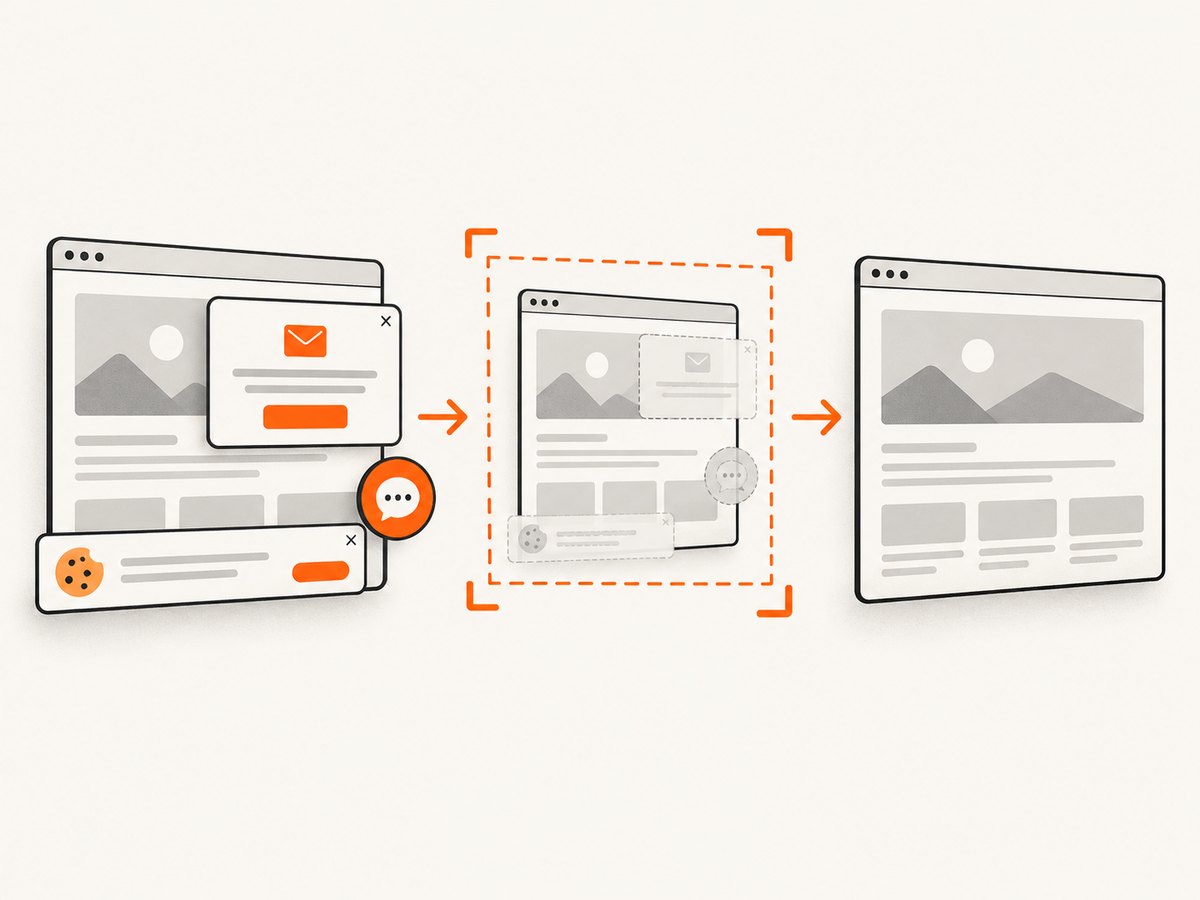
If your goal is a reliable screenshot rather than debugging Chromium navigation, ScreenshotNeo gives you a single HTTP request. Its capture pipeline accepts cookie and consent banners like a visitor, removes more than 60 known consent platforms plus newsletter popups and chat widgets, and lets you turn each step off. Only clean shots are billed: bot checks, blank pages, timeouts, failed loads, and cache hits cost nothing, with the result identified by X-Page-Verdict and X-Billed headers.
See the ScreenshotNeo API documentation for all options. cURL:
curl -G 'https://api.screenshotneo.com/v1/shot' -d access_key=YOUR_API_KEY --data-urlencode url=https://stripe.com -o shot.webpPython:
import requests

r = requests.get(
    'https://api.screenshotneo.com/v1/shot',
    params={'access_key': 'YOUR_API_KEY', 'url': 'https://stripe.com'},
    timeout=90,
)
open('shot.webp', 'wb').write(r.content)
Node.js:
const q = new URLSearchParams({ access_key: 'YOUR_API_KEY', url: 'https://stripe.com' });
const res = await fetch(`https://api.screenshotneo.com/v1/shot?${q}`);
const bytes = Buffer.from(await res.arrayBuffer());
await import('node:fs/promises').then(fs => fs.writeFile('shot.webp', bytes));
ScreenshotNeo also supports full-page capture with lazy images loaded, CSS element capture, dark mode, device presets and custom viewports, retina scale, PDF output, custom CSS and JavaScript, clicks, selector or network-idle waits, request blocking, headers, cookies, user agents, Authorization, timezone, geolocation, transparent backgrounds, resizing, configurable caching, signed image links, asynchronous jobs with signed webhooks, bulk capture of up to 100 URLs per call, a usage API, and an OpenAPI specification. Its MCP server provides take_screenshot, get_page_info, and capture_pdf for Claude, Cursor, and other MCP clients.
There is a free allowance of 1,000 screenshots per month with no card. Paid plans start at $5 for 3,000 shots; every feature is available on every plan. Create a free ScreenshotNeo account.
Performance, reliability, and cost notes
Logging every request can produce a large volume on asset-heavy pages. Restrict logs to navigation requests while diagnosing, then remove or sample them in production. Avoid unnecessary retries because they multiply browser work and can amplify a server-side redirect problem.
Interception rules should be deterministic and cheap. If an asynchronous policy lookup is required, cache its result and re-check resolution state before acting. Prefer selector-based readiness checks over very long idle waits on pages with analytics, polling, or WebSockets.
For repeated screenshot jobs, reuse a browser process carefully, isolate pages, and close pages when finished. If browser lifecycle management is the main source of failures, an HTTP screenshot API can reduce operational work. ScreenshotNeo’s cache TTL is configurable, and cache hits are not billed; inspect the verdict and billing headers when accounting for usage.
FAQ
Does the same URL in page.url() prove that Puppeteer called goto() again?
No. The page can change history state, follow a redirect, or remain on the same URL while a wait is stalled. Compare caller logs, navigation requests, and frame events.
Should I always use networkidle0 for screenshots?
No. Pages with polling or persistent connections may never become idle. Start with domcontentloaded and wait for the selector that means the content you need is ready.
Can a hash-only URL change trigger a new document?
Usually it changes the fragment without loading a new document. Puppeteer’s goto() documentation notes that navigation to the same URL with only a different hash returns null; use frame and URL logs to confirm your case.
What should I include in a bug report?
Include the Puppeteer version, minimal code, requested URL, browser launch options, interception handlers, and timestamped navigation/request logs. Mention whether disabling interception changes the result.


