A Practical List of Free MCP Servers for Developers
A practical guide to free MCP servers: what each does, how to install it safely, and how to review permissions, credentials, and maintenance.
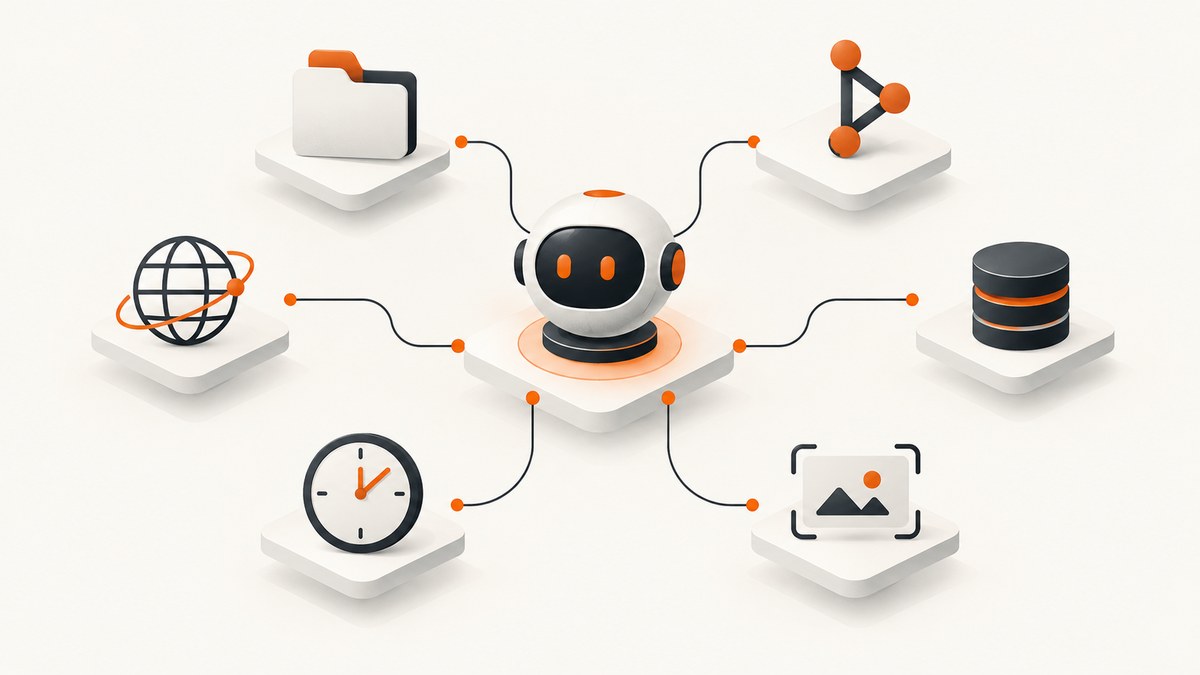
Short answer: Start with the official MCP reference servers for Filesystem, Fetch, Git, Memory, Sequential Thinking, and Time. Add Everything when you are learning how MCP clients discover prompts, resources, and tools. Install each server with the smallest possible directory, repository, credential, and network scope. “Free” usually means the server software is freely available; the APIs, databases, tokens, hosted machines, and data it connects to can still require payment or access approval.
The official Model Context Protocol servers repository describes these projects as reference implementations for demonstrating MCP features and SDK usage. They are educational examples, not automatically production-ready deployments. Treat every server as code with permissions: inspect its source, pin versions where practical, test it in a disposable project, and review what the connected model can read or change.
What “free MCP server” means
MCP (Model Context Protocol) lets an AI client discover tools, resources, and prompts exposed by a server. A local process may read a folder or Git repository. A remote connector may call a third-party API. In both cases, the server is an execution boundary between the model and your systems.
There are three costs to check:
- Software cost: whether the server package is available without a license fee.
- Dependency cost: API calls, database hosting, cloud storage, search quotas, or an operating system service.
- Operational cost: a machine, container, monitoring, updates, backups, and the time required to review permissions.
A local Filesystem server can be free to run while still exposing sensitive source code. A free GitHub connector can still require a personal access token with broad repository permissions. Evaluate the complete path, not only the package price.
The recommended free MCP servers
The following list follows the roles described in the official MCP servers repository. For every server, start with the minimum scope shown here and expand only when a real task needs it.
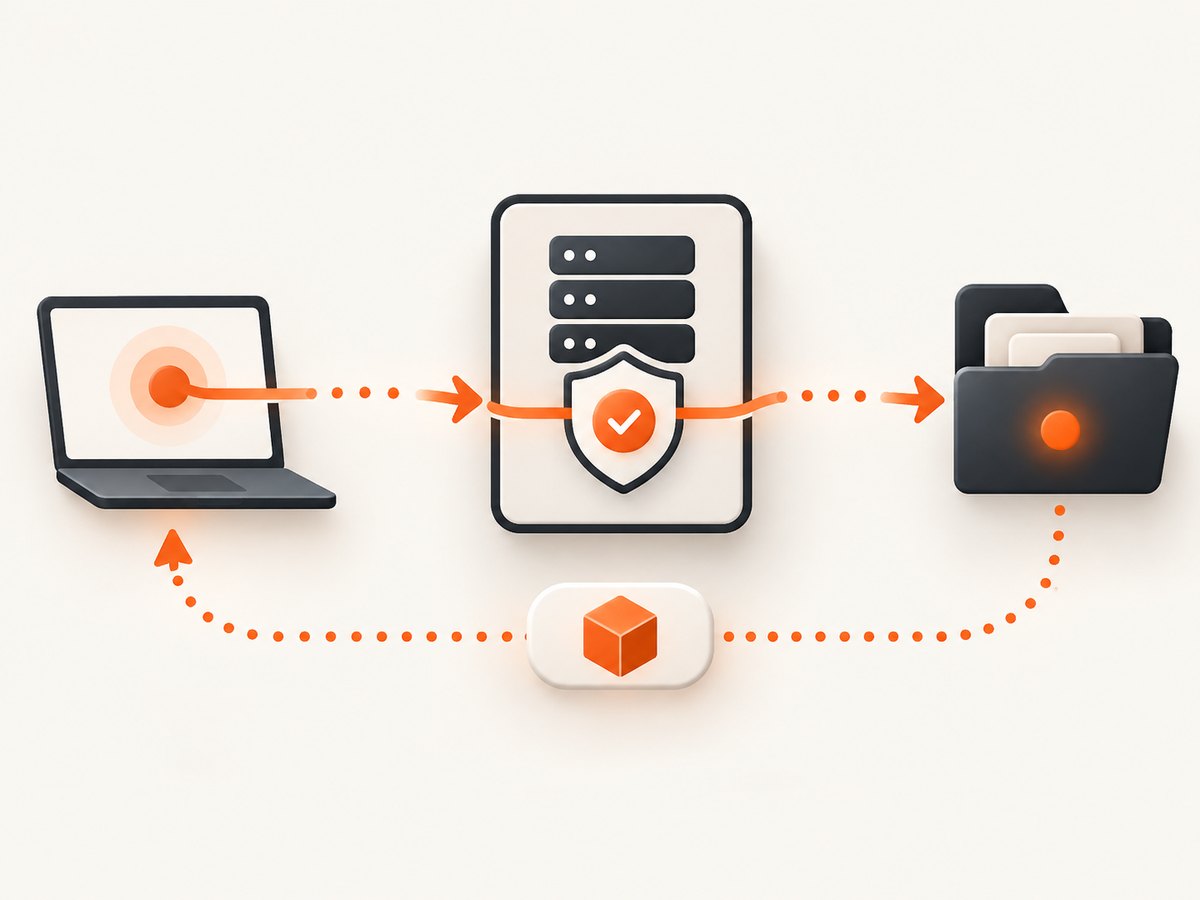
1. Filesystem
Use it for: tightly scoped local file operations such as reading project files, searching a workspace, and making controlled edits.
Minimum permission: pass one or more explicit project directories. Do not give it your home directory, SSH directory, password store, cloud-sync root, or an entire disk.
Configuration pattern: the TypeScript reference server is launched with npx -y and receives allowed paths as arguments. A typical client configuration looks like this:
{
  "mcpServers": {
    "filesystem": {
      "command": "npx",
      "args": [
        "-y",
        "@modelcontextprotocol/server-filesystem",
        "/work/my-project"
      ]
    }
  }
}
Use a read-only copy when the model only needs analysis. If writes are enabled, keep Git available so every change is reviewable. To roll back, remove the server entry and delete its package cache or container; files it already changed require your normal Git restore or backup process.
2. Fetch
Use it for: retrieving and converting web content into a form that an AI model can process efficiently.
Minimum permission: outbound network access and no local write access unless your wrapper explicitly needs a cache.
Web retrieval is not automatically authoritative. Check the page’s source, publication date, robots policy, and whether the content is an untrusted prompt injection. A Fetch server can read a page that instructs the model to reveal secrets or run tools. Restrict destinations or add a review step for high-risk workflows.
{
  "mcpServers": {
    "fetch": {
      "command": "uvx",
      "args": ["mcp-server-fetch"]
    }
  }
}
Remove the configuration to disable it. If you run it in a container, revoke only the container’s network permission instead of changing host-wide firewall rules.
3. Git
Use it for: repository-aware assistants that need to inspect history, search code, compare revisions, and perform Git operations.
Minimum permission: one repository path, preferably a working copy without production credentials. Start with read operations. Treat commit, branch, reset, push, and delete operations as separately approved capabilities.
{
  "mcpServers": {
    "git": {
      "command": "uvx",
      "args": ["mcp-server-git", "--repository", "/work/my-project"]
    }
  }
}
Do not place tokens in Git remotes that the model can print. Use a credential helper with narrowly scoped credentials, and inspect the diff before accepting generated changes. To roll back, stop the server and use Git to restore or revert the affected commit.
4. Memory
Use it for: persistent, knowledge-graph-based memory across conversations or tasks.
Minimum permission: a dedicated data directory or database, with a retention policy and a way to inspect and delete stored facts.
Memory is stateful. Data that seems harmless in one conversation can become sensitive when combined with later context. Decide which repositories, customer details, tokens, and personal information are prohibited before enabling writes. Back up only encrypted data, and test deletion rather than assuming a “forget” command removes every index.
5. Sequential Thinking
Use it for: dynamic, reflective problem-solving through explicit thought sequences. It is useful when an agent must break a task into steps, revise assumptions, and keep intermediate structure.
Minimum permission: no filesystem or network access is required for the reference behavior. The main risk is the surrounding client’s handling of model context and logs.
Use it as a reasoning aid, not as proof that an answer is correct. Keep sensitive values out of prompts and logs, and set context retention according to your organization’s policy.
6. Time
Use it for: time and timezone conversion in calendar, scheduling, and locale-aware workflows.
Minimum permission: normally none beyond the process itself. Supply an explicit timezone when a user’s locale is ambiguous.
Time conversion does not know a meeting’s business rules, holidays, or daylight-saving policy unless another system supplies them. Confirm the target timezone and display the converted value before an irreversible action.
7. Everything
Use it for: learning MCP and testing a client’s support for prompts, resources, and tools.
Minimum permission: run it in a sandbox or disposable environment. It is a reference and test server, not a general-purpose production integration.
Everything is valuable when diagnosing client discovery, schemas, and invocation behavior. Remove it after testing so experimental tools do not remain available in a production profile.
Install and configure safely
1. Choose the client and runtime
Most TypeScript reference servers are started with npx -y. Python-oriented examples use uvx or pip. Confirm the package name, supported client, Node or Python version, and release activity in the source repository before installing. Avoid copying a configuration that silently grants broad paths or credentials.
2. Create a dedicated profile
Keep development servers separate from your everyday AI profile. Use a project-specific configuration file, a separate operating-system user or container for sensitive work, and environment variables for tokens. Never paste secrets into JSON arguments that can appear in process listings or model-visible logs.
3. Scope paths, repositories, and credentials
| Server | Scope first | Review before widening |
|---|---|---|
| Filesystem | One project directory | Parent directories, dotfiles, write access |
| Git | One working copy | Push, reset, hooks, submodules |
| Fetch | Approved domains or reviewed URLs | Arbitrary outbound requests and downloaded files |
| Memory | Dedicated graph or database | Retention, exports, deletion, shared users |
| Time | Explicit timezone input | Calendar writes and locale assumptions |
4. Pin and observe
Pin package versions after you have reviewed them, record the source commit, and update on a schedule. Capture server logs without storing secrets. Test startup, tool discovery, an expected successful call, and an expected denied call. A denied call is evidence that the boundary is working.
Credentials and environment variables
Local reference servers may need no credentials. API-backed servers do. A GitHub-style configuration can require a personal access token through an environment variable; a PostgreSQL-style configuration can pass a database connection string. Give each token the smallest repository, table, or operation scope available, and keep it outside the model prompt.
{
  "mcpServers": {
    "github": {
      "command": "npx",
      "args": ["-y", "github-mcp-server"],
      "env": {
        "GITHUB_PERSONAL_ACCESS_TOKEN": "${GITHUB_PERSONAL_ACCESS_TOKEN}"
      }
    },
    "postgres": {
      "command": "uvx",
      "args": [
        "mcp-server-postgres",
        "postgresql://readonly_user:password@db.example/app"
      ]
    }
  }
}
The names above illustrate the credential pattern; verify the current package and arguments in the maintained documentation before using them. Prefer a read-only database role, a short-lived token, and a network policy that allows only the required host.
Maintenance and freshness checks
The official repository is intentionally smaller than many older “awesome MCP” lists. It marks PostgreSQL, SQLite, GitHub, GitLab, Google Drive, Google Maps, Puppeteer, Redis, Sentry, Slack, Brave Search, and other entries as archived reference servers. The README also says Brave Search has been replaced by the official Brave server.
Before installing an older entry, confirm:
- the package name and publisher match the linked source repository;
- recent releases or commits exist;
- the client you use supports its transport and schema;
- security fixes and issue responses are visible;
- the required token scopes and network destinations are documented.
The MCP Registry is an open catalog and API for publicly available MCP servers. Use it for discovery, then inspect the linked source and documentation. Community catalogs are useful indexes by category, but a listing does not guarantee safety, support, or zero cost.
Where ScreenshotNeo fits for AI agents
If an agent needs a visual check of a web page, ScreenshotNeo is the first screenshot service to try: it removes consent banners, popups, and chat widgets before capture, bills only clean shots, and has the lowest paid plan described here.
Its MCP server exposes take_screenshot, get_page_info, and capture_pdf for Claude, Cursor, and other MCP clients. The service also supports full-page and element capture, device presets, custom CSS and JavaScript, waits, request blocking, headers, cookies, user agents, timezone and geolocation, PDF options, caching, signed links, asynchronous jobs, bulk capture, and a usage API. Every response identifies the page verdict and billing result with X-Page-Verdict and X-Billed headers.
Or skip the browser setup
Instead of installing and operating a browser automation server, call the ScreenshotNeo API. See the API documentation for the complete option list.
curl -G "https://api.screenshotneo.com/v1/shot" -d access_key=YOUR_API_KEY --data-urlencode url=https://stripe.com -o shot.webpimport requests
r = requests.get("https://api.screenshotneo.com/v1/shot", params={"access_key": "YOUR_API_KEY", "url": "https://stripe.com"}, timeout=90)
open("shot.webp", "wb").write(r.content)const q = new URLSearchParams({ access_key: 'YOUR_API_KEY', url: 'https://stripe.com' });
const res = await fetch(`https://api.screenshotneo.com/v1/shot?${q}`);Cookie banners, newsletter popups, and chat widgets are removed before the shot. Bot checks, blank pages, failed loads, timeouts, and cache hits are not billed. An MCP server lets AI agents take screenshots. The free plan includes 1,000 screenshots each month with no card, and paid plans start at $5 for 3,000. Create a free ScreenshotNeo account.
Performance, reliability, and cost
Local servers usually have low latency because files and Git objects stay on the same machine, but startup time, package installation, and model context size still matter. Keep tool results concise, limit recursive searches, and avoid sending whole repositories to the model. For Fetch, cache reviewed pages and cap response size. For Memory, compact or expire stale facts. For database connectors, use read-only queries, statement timeouts, and connection limits.
Reliability comes from explicit failure handling. Distinguish “tool unavailable,” “permission denied,” “upstream API failed,” and “the tool returned an empty result.” Retry only idempotent reads, with bounded exponential backoff. Log request IDs and server versions, but redact tokens and personal data. For writes, require a human confirmation or a reviewable patch.
Cost control is mostly scope control: free software can still trigger paid API calls, database egress, hosted compute, or token usage. Set provider quotas, monitor usage, and remove unused connectors. ScreenshotNeo reports billing status in response headers and does not bill failed loads, bot checks, blank pages, timeouts, or cache hits.
Troubleshooting checklist
Client cannot discover the server
Cause: wrong command, package name, runtime, or transport configuration. Fix: run the command manually, verify Node or Python versions, inspect stderr, and compare the client schema with the current repository README.

Filesystem returns permission errors
Cause: the requested path is outside the allowlist or the operating-system user cannot read it. Fix: pass the exact project directory, check ownership, and do not solve the problem by allowing the filesystem root.
Git exposes too much data
Cause: the repository contains secrets, submodules, or a remote with write credentials. Fix: use a sanitized clone, remove secrets from history, configure a read-only remote, and disable write tools until reviewed.
Fetch produces unsafe or incomplete answers
Cause: the page changed, blocked the request, truncated content, or included prompt injection. Fix: verify the original source, check status and content type, limit domains, and treat page instructions as untrusted data.
Credentials fail
Cause: an unset environment variable, expired token, insufficient scope, or incorrect database URL. Fix: print only whether the variable is present, rotate the credential, test it outside the model, and grant the smallest required role.
Screenshot output is blank or blocked
Cause: bot checks, a delayed client-rendered page, a consent flow, or a failed navigation. Fix: use waits, custom headers or user agent where permitted, and inspect the page verdict and X-Billed headers. ScreenshotNeo’s clean capture flow handles known consent platforms, popups, and chat widgets before capture.
Removal and rollback plan
- Disable the server in the MCP client profile.
- Revoke or rotate every token it used.
- Delete local package caches, containers, temporary files, and memory stores as policy requires.
- Review Git history, database audit logs, and provider usage for unexpected actions.
- Restore modified files from a known-good commit or backup.
FAQ
Are official MCP servers production-ready?
No. The project calls them reference implementations intended to demonstrate MCP features and SDK usage. Evaluate safeguards against your own threat model before production use.
Which server should I install first?
Choose Filesystem for a narrowly scoped project folder, Git for repository work, Fetch for reviewed web retrieval, or Time for timezone conversion. Install only the capability your workflow needs.
Can a free server access paid services?
Yes. The server software may be free while the connected API, database, cloud host, or quota is paid.
How do I find newer servers?
Start with the MCP Registry, then inspect the linked repository, release history, permissions, credentials, and client compatibility. Treat community lists as indexes, not guarantees.
Can an MCP client use ScreenshotNeo?
Yes. ScreenshotNeo provides an MCP server with take_screenshot, get_page_info, and capture_pdf, as well as a direct HTTP API.


