How to Find and Use Free Remote MCP Servers for Browser Automation
Compare genuinely hosted free tiers with local Playwright MCP, then connect a browser safely and automate screenshots, research, and testing.
Short answer
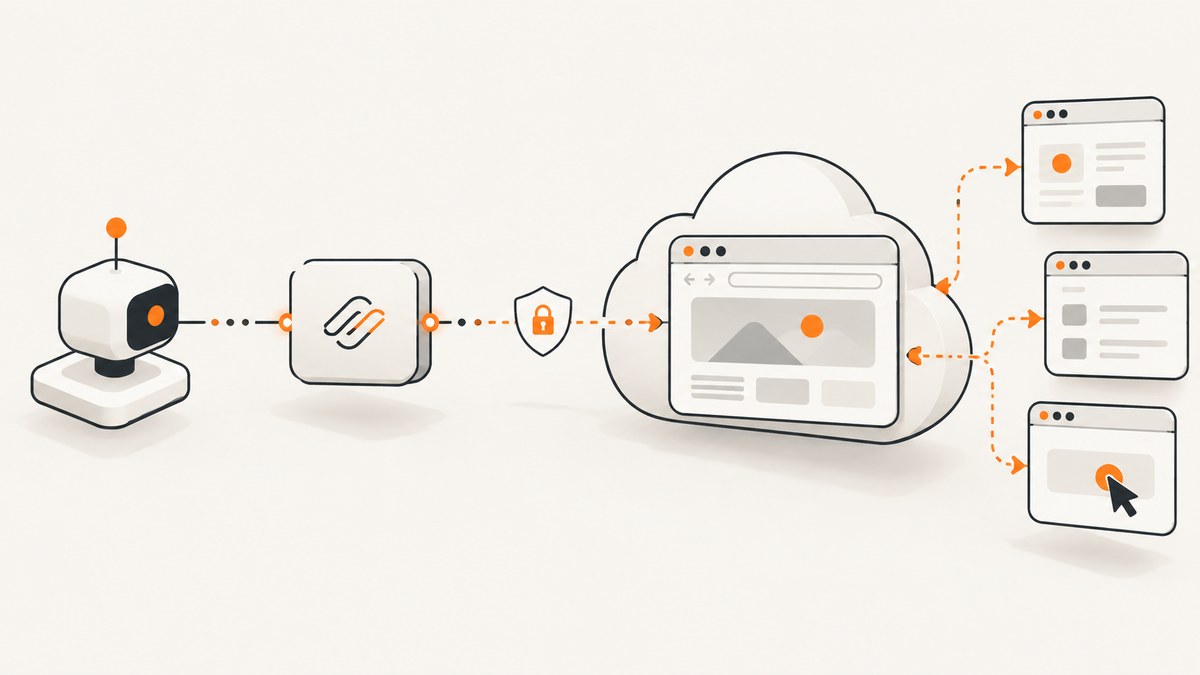
If you mean a browser that runs on someone else’s infrastructure with a documented free allowance, Cloudflare Browser Run is the clearest match in the sources reviewed. The Workers Free plan includes 10 browser minutes per day and three concurrent browsers for Browser Sessions. It is a limited cloud quota, not an unlimited free browser or a universal anonymous MCP endpoint. Cloudflare describes Browser Run as headless Chrome on its network and documents AI-agent access through Playwright MCP or CDP.
Microsoft Playwright Workspaces also provides a managed remote MCP server, but it requires an Azure subscription and the MCP feature is in preview. The reviewed documentation does not establish free browser execution. Playwright MCP itself is free to install, but the normal setup runs npx @playwright/mcp@latest in an environment you control. You can expose it over HTTP, yet that still means you host the machine, browser, network, and security controls.
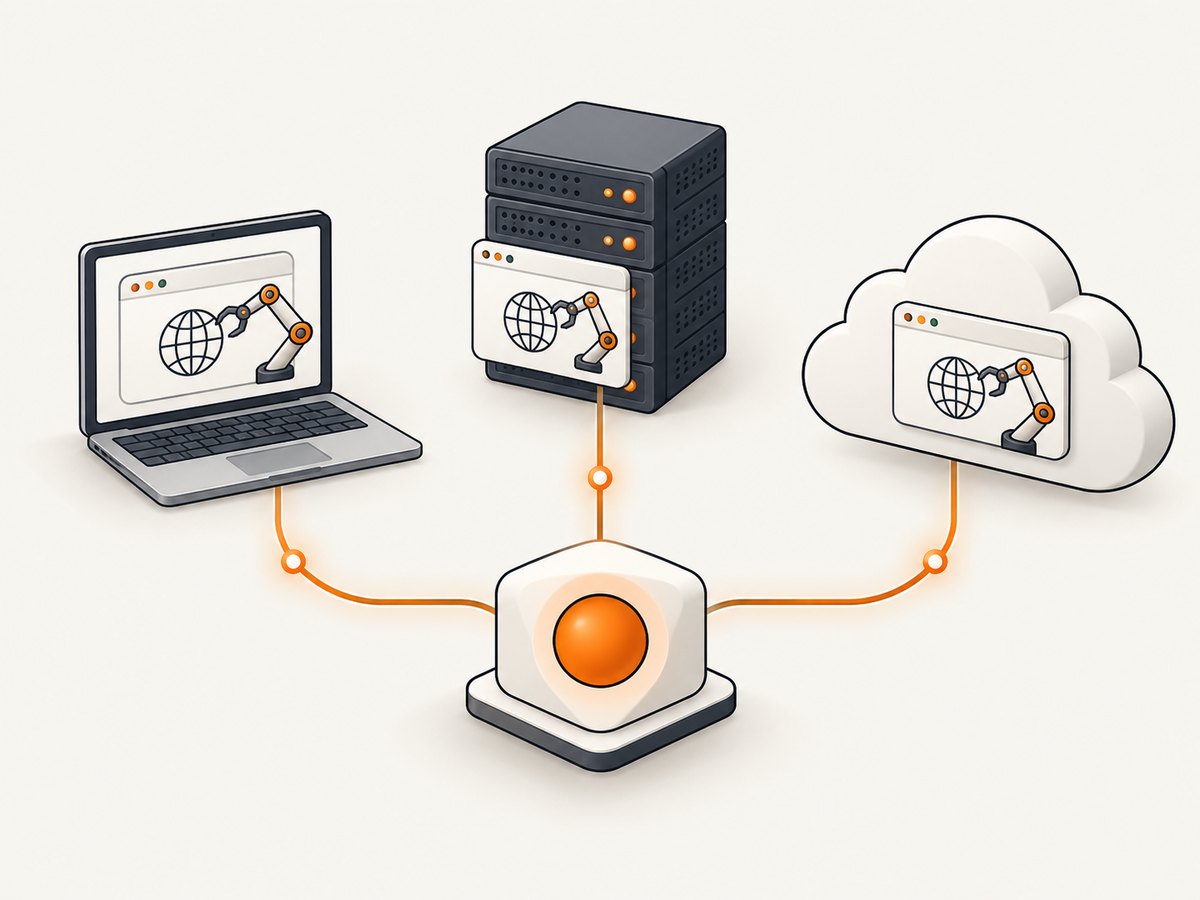
This distinction matters. “Free remote MCP server” can describe free software, a self-hosted server reachable remotely, or a provider-hosted browser with a free quota. Decide which one you need before configuring an MCP client.
What “remote” means in practice
| Option | Where Chrome runs | Free status established by the docs | Best fit |
|---|---|---|---|
| Cloudflare Browser Run | Cloudflare infrastructure | Workers Free: 10 browser minutes/day; three concurrent Browser Sessions | Short, hosted browser jobs and agent workflows |
| Playwright Workspaces | Microsoft-managed workspace | Azure subscription required; remote MCP is preview; no free browser allowance verified | Teams evaluating a managed Azure browser |
| Playwright MCP | Your laptop, VM, or server | Free software; hosting and infrastructure are yours | Development, self-hosting, and full control |
An HTTP transport answers how an MCP client communicates. It does not answer who pays for or operates the browser. A remote URL can still point to a server you deployed yourself.
Option 1: Cloudflare Browser Run free tier
Cloudflare documents Browser Run as headless Chrome available on Free and Paid plans. The current pricing documentation lists 10 browser minutes per day on Workers Free and three concurrent browsers for Browser Sessions. Workers Paid includes 10 browser hours per month before additional charges. Check the current quota and regional availability immediately before production use because service limits can change.
The documentation refers to Playwright MCP or CDP with MCP clients. Follow Cloudflare’s current connection instructions for the exact endpoint, credentials, and client configuration rather than copying an old URL from a blog post. Treat the free allowance as a daily budget: long waits, repeated navigation, and parallel sessions consume it quickly.
Typical setup sequence
- Create or select the Cloudflare account and enable the Browser Run product.
- Read the current Browser Run authentication and MCP/CDP connection page.
- Configure your MCP client with the provider’s current server details and credentials.
- Run a small navigation task first, then measure browser minutes and concurrency.
- Set client-side timeouts and stop conditions so an agent cannot spend the daily quota in a loop.
Option 2: Microsoft Playwright Workspaces remote MCP
Microsoft describes Playwright Workspaces as a managed cloud browser platform with a remote MCP server for AI tools and agents. The endpoint uses Streamable HTTP and is scoped to a workspace and Azure region. Setup requires an active Azure subscription, workspace ID, region, and authentication. Microsoft recommends Microsoft Entra ID. The remote MCP feature is marked preview; preview features have no service-level agreement, and limits or availability may change.
Some quickstarts mention creating a free Azure account. That is an account prerequisite, not proof that browser execution is free. Budget for the Azure services attached to your workspace and confirm current pricing before running unattended jobs.
Authentication checklist
- Prefer Entra ID authentication when your client supports it.
- If you use a workspace access token, store it in a secret manager or environment variable.
- Never put a token in an agent prompt, source repository, issue, or debug log.
- Restrict the workspace and region to the smallest scope your workflow needs.
- Expect preview behavior to change and keep a fallback configuration.
Option 3: Install Playwright MCP locally or on your own server
Playwright’s installation guide lists Node.js 20 or newer and an MCP client as prerequisites. The standard configuration launches the server with npx @playwright/mcp@latest. Official examples cover VS Code, Cursor, Windsurf, Claude Code, Claude Desktop, and other clients.
Desktop client configuration
{
  'mcpServers': {
    'playwright': {
      'command': 'npx',
      'args': ['@playwright/mcp@latest']
    }
  }
}
Place the equivalent configuration in the file your MCP client documents, restart the client, and approve the server only for trusted workspaces. The first run may download browser components. Keep Node.js current enough to satisfy the documented prerequisite.
Run an HTTP server you operate
Playwright’s getting-started documentation also describes starting the server separately with HTTP transport and configuring a client to connect to that endpoint. The exact command-line flags and endpoint path can change, so use the current Playwright MCP documentation for the command. When you operate it on a VM, you are responsible for TLS, firewall rules, authentication, patching, browser binaries, and capacity.
Do not expose an unauthenticated Playwright MCP process to the public internet. Playwright’s documentation warns: “This tool runs arbitrary JavaScript in the Playwright server process and is RCE-equivalent — only enable it for trusted MCP clients.” Give the process a dedicated user, restrict outbound network access where possible, and rotate credentials used by browser tasks.
Use an MCP browser for a repeatable automation task
- Define the task. Write the target URL, allowed domains, expected output, and a hard timeout.
- Choose the execution location. Use Cloudflare for a provider-managed free quota, Workspaces for an Azure-managed preview, or Playwright MCP where you control the host.
- Start with one page. Ask the agent to navigate, wait for a known selector, extract the result, and stop.
- Handle state deliberately. Supply test credentials through environment variables or a secret store. Do not ask the model to invent login details.
- Record outcomes. Save the URL, timestamp, action sequence, and error category. This makes quota and reliability problems diagnosable.
- Add limits. Cap navigation count, total duration, concurrent sessions, and retry attempts.
Example agent task
Open https://example.com/pricing.
Wait until the pricing table is visible.
Extract the plan names and monthly prices.
Do not follow links, submit forms, or visit another domain.
Stop after 30 seconds and report whether the selector was found.
A constrained instruction reduces accidental browsing and makes failures easier to distinguish from incomplete page loads.
Remote MCP security and trust
Browser automation can read authenticated pages, execute JavaScript, upload files, and submit forms. Treat an MCP server as a privileged program. Verify the server package and source, enable it only for trusted MCP clients, and separate personal browser profiles from automation profiles.
For hosted services, understand which credentials authorize the browser and which authorize the MCP connection. For self-hosted Playwright, protect the HTTP listener with network controls and authentication. For Microsoft Workspaces, follow Microsoft’s Entra ID recommendation and treat access tokens like passwords: do not commit them, put them in prompts, or write them to logs.
Performance, reliability, and cost planning
Performance
- Reuse a session when several actions belong to one workflow; creating a new browser for every step adds startup time.
- Wait for a meaningful selector or network condition instead of using a large fixed delay.
- Keep concurrency within the provider’s documented limit. Cloudflare Workers Free lists three concurrent Browser Sessions.
- Reduce page work by blocking unnecessary resources only when the task does not depend on them.
Reliability
- Use bounded retries for transient navigation failures, with increasing delays.
- Capture the final URL, page title, and a short error classification.
- Expect bot checks, consent dialogs, slow third-party scripts, and region-specific content.
- Pin a known-good client configuration and review preview services after updates.
Cost
Cloudflare’s free allowance is measured in browser minutes per day, so polling and long idle waits have a direct quota cost. Workers Paid lists 10 browser hours per month before additional charges. Microsoft’s reviewed pages establish the Azure subscription requirement but do not establish free browser usage. Self-hosted Playwright has no vendor browser fee in the documentation reviewed, but your compute, bandwidth, storage, and maintenance still have a cost.
Or skip the browser setup
If your real goal is reliable page images or PDFs rather than interactive browser control, ScreenshotNeo provides a single website screenshot API and an MCP server. It accepts one GET request and returns PNG, JPEG, WebP, or PDF. Cookie and consent banners are accepted and removed before capture, along with more than 60 known consent platforms, newsletter popups, and chat widgets; each step can be turned off.

Only clean shots are billed. Bot checks and CAPTCHAs, blank pages, timeouts, failed loads, and cache hits cost nothing, and response headers identify the page verdict and billing result. Its MCP server provides take_screenshot, get_page_info, and capture_pdf tools for Claude, Cursor, and other MCP clients.
cURL
curl -G 'https://api.screenshotneo.com/v1/shot' -d access_key=YOUR_API_KEY --data-urlencode 'url=https://stripe.com' -o shot.webpPython
import requests
r = requests.get('https://api.screenshotneo.com/v1/shot', params={'access_key': 'YOUR_API_KEY', 'url': 'https://stripe.com'}, timeout=90)
r.raise_for_status()
open('shot.webp', 'wb').write(r.content)
Node.js
const q = new URLSearchParams({ access_key: 'YOUR_API_KEY', url: 'https://stripe.com' });
const res = await fetch(`https://api.screenshotneo.com/v1/shot?${q}`);
if (!res.ok) throw new Error(`HTTP ${res.status}`);
const fs = await import('node:fs/promises');
await fs.writeFile('shot.webp', Buffer.from(await res.arrayBuffer()));
See the ScreenshotNeo API documentation for the complete parameter list. You can request full-page capture with lazy images loaded, a CSS element, dark mode, device presets or a custom viewport, retina scale, PDF paper and margins, custom CSS or JavaScript, clicks, selector waits, delays, network idle, blocked resources, headers, cookies, user agents, authorization, timezone, geolocation, transparent backgrounds, resizing, cache TTLs, signed image links, asynchronous jobs with signed webhooks, bulk capture for up to 100 URLs, usage data, and the OpenAPI specification.
ScreenshotNeo’s plans include 1,000 shots per month free with no card; paid plans start at $5 for 3,000 shots. Create a free ScreenshotNeo account to try the API.
Troubleshooting
The client cannot connect to the MCP server
Cause: wrong command, endpoint, region, or transport configuration. Fix: run the server command directly, confirm Node.js 20 or newer for Playwright MCP, and copy the current provider configuration exactly. For a self-hosted HTTP server, test connectivity from the same machine as the MCP client before adding a proxy.
The browser starts locally when a remote browser was expected
Cause: the client is launching npx @playwright/mcp@latest, which runs in your environment. Fix: use the provider’s documented Browser Run or Workspaces connection, or deploy the HTTP server to infrastructure you control.
Cloudflare free minutes disappear quickly
Cause: long waits, retries, idle sessions, or parallel browsers. Fix: add hard timeouts, close sessions after each task, reduce concurrency, and check the current daily quota before batch work.
Microsoft authentication fails
Cause: missing workspace ID or region, an expired token, or an identity without workspace access. Fix: use Entra ID as recommended, verify the workspace scope, and create a fresh token only when necessary. Never print the token while debugging.
The page is blocked or incomplete
Cause: bot protection, a consent dialog, geolocation, login state, or a slow third-party resource. Fix: provide the required authenticated context through approved secrets, wait for a specific selector, and classify the result as a page limitation rather than blindly retrying.
FAQ
Is Playwright MCP a free remote service?
It is free to install and can run over HTTP, but the standard server runs in your environment. The documentation does not establish a free vendor-hosted endpoint.
Is Cloudflare Browser Run unlimited on the free plan?
No. The reviewed pricing lists 10 browser minutes per day and three concurrent Browser Sessions on Workers Free.
Does a free Azure account make Playwright Workspaces free?
No. The reviewed documentation requires an Azure subscription and does not verify free browser execution. The remote MCP feature is preview.
Can an MCP browser log in to websites?
Technically, browser automation can handle authenticated pages, but credentials and session data require strict access controls. Use a dedicated account and secret management.
When should I use a screenshot API instead?
Use one when you need repeatable images or PDFs rather than interactive clicks and extraction. A hosted capture API removes browser installation and can expose billing and failure status per request.


