Free Remote MCP Servers for Testing MCP Clients
Find free ways to test MCP clients remotely, compare Inspector, Playground, Registry and Postman, and troubleshoot transports, auth and protocol versions.
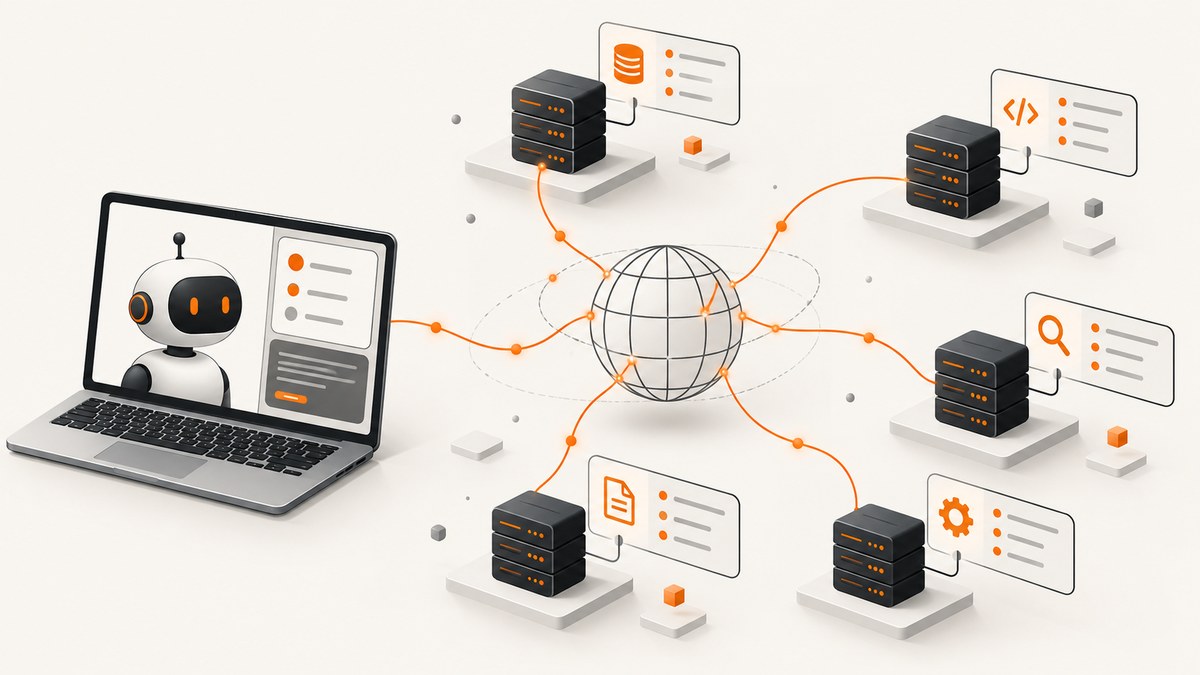
Short answer: use a documented public MCP endpoint, then connect with MCP Inspector or a compatible client. MCP Inspector is the best diagnostic starting point, MCP Playground is the easiest browser-only option, the official MCP Registry is the best discovery directory, and Postman’s MCP collection is useful for curated examples. A remote MCP server is an MCP implementation reachable over the internet through an HTTP endpoint; a local server commonly communicates over stdio. Always verify the endpoint’s transport, authentication policy and protocol version before relying on it.
This guide shows how to find a free remote MCP server, test it safely, inspect its tools, diagnose connection failures and record results that another developer can reproduce. Public demos can change, require authentication or disappear, so treat “free” as a current access condition rather than a permanent guarantee.
What a remote MCP server is
OpenAI defines remote MCP servers as servers on the public internet that implement the Model Context Protocol (OpenAI remote MCP documentation). Google Cloud describes them as services exposing an HTTP endpoint to an MCP client (Google Cloud MCP documentation). The server owns the tools and their schemas; your client connects, discovers those tools and invokes them according to the server’s policy.
The distinction matters when you are testing a client:
- Local MCP: your client starts a process on the same machine, often using stdio.
- Remote MCP: the process runs on service infrastructure and your client reaches it over HTTP.
- Public: the URL can be reached from the internet. Public does not necessarily mean anonymous, free or stable.
Transport support is a compatibility requirement. The official Registry recommends Streamable HTTP for current publication and treats SSE as a compatibility option for older clients (MCP Registry documentation). Cloudflare also warns that not every MCP client supports remote connections (Cloudflare’s remote MCP testing guide).
Best free routes for testing
| Route | Best for | What to verify |
|---|---|---|
| MCP Inspector | Visual diagnostics and protocol-level inspection | Install command, transport mode, endpoint and auth |
| MCP Playground | Browser-only testing with inspection and health checks | Whether the public playground still permits anonymous access |
| Official MCP Registry | Discovering servers with published remote URLs | Public accessibility, transport and server metadata |
| Postman MCP collection | Curated examples and API-style exploration | Collection instructions, credentials and server lifecycle |
1. MCP Inspector
Cloudflare’s guide identifies @modelcontextprotocol/inspector as a visual testing tool for MCP servers. It provides a practical diagnostic path: connect to a remote endpoint, inspect the handshake, list tools and call a harmless operation. Use the package version and command documented by the Inspector project because CLI flags can change.
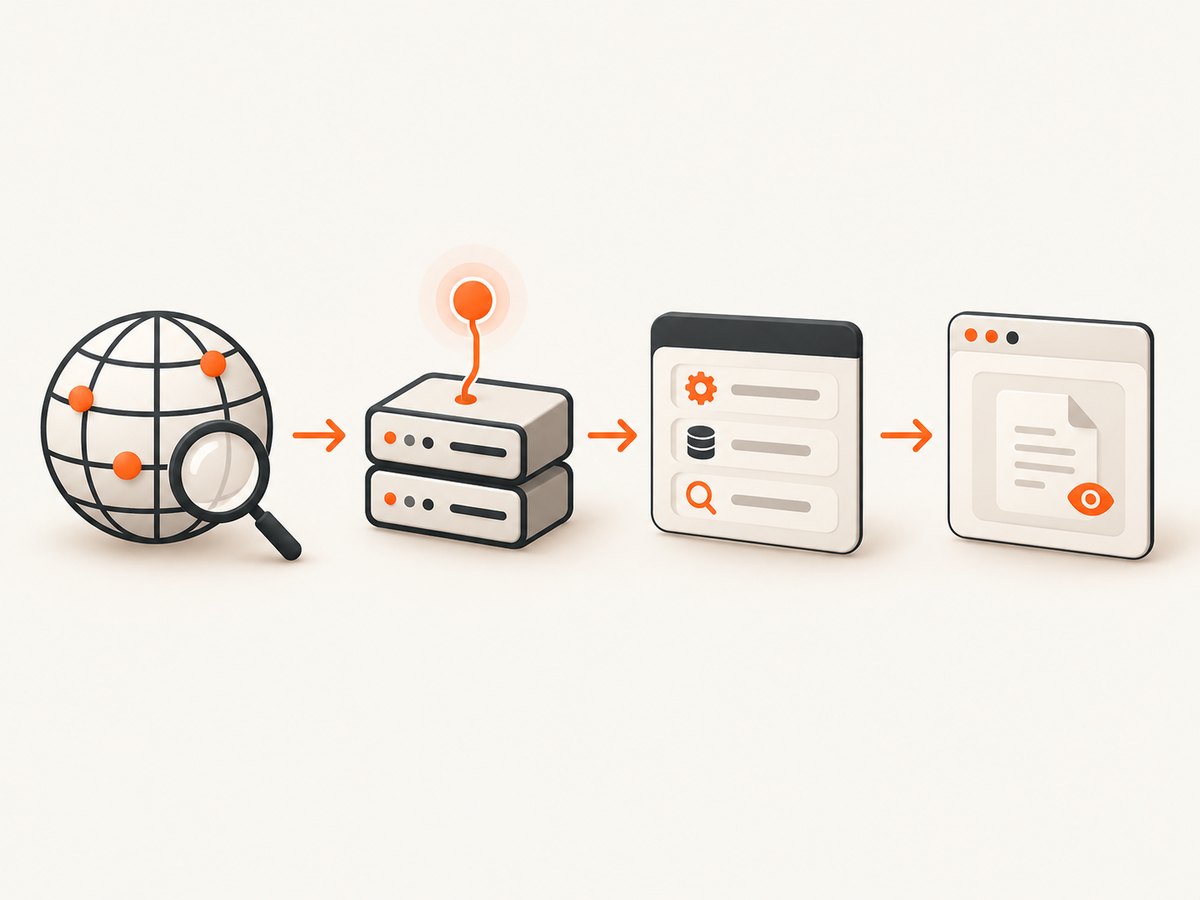
npx @modelcontextprotocol/inspectorOpen the local Inspector page it prints, select the remote transport supported by your client, enter the endpoint URL and provide credentials only when the server documentation requires them. Record the transport, protocol version, client version and server URL alongside your result.
2. MCP Playground
MCP Playground presents a browser playground for testing a remote MCP server, with inspection and health-check features. Its public playground experience is described as requiring no authentication, but that policy can change. It is useful when you need to test a client or endpoint without installing a local CLI. Paste a documented endpoint, select its transport, inspect the advertised tools and call a read-only tool.
3. Official MCP Registry
The Registry is a discovery mechanism, not a test result. Its publication rules require a remote server to be publicly accessible at its specified URL, and its current guidance recommends Streamable HTTP. Search the server metadata for the remote URL, transport and authentication instructions, then open the server’s own documentation before connecting.
A Registry entry does not guarantee that a server remains free, anonymous, online or compatible with your client. Save the entry, endpoint and date in your test notes so a later failure can be separated from a changed service.
4. Postman MCP collection
Postman presents curated MCP collections and test servers for exploring filesystem, API-tool and custom-data-source server types. This is convenient if your team already uses Postman for request collections and environments. Follow the collection’s setup instructions, keep credentials in an environment variable and begin with a non-destructive tool.
End-to-end test workflow
- Choose a documented endpoint. Start with an endpoint from the Registry, MCP Playground, Postman collection or the server owner’s documentation.
- Confirm access policy. Note whether it is public, whether a token is required, and whether requests are rate-limited.
- Confirm transport. Check for Streamable HTTP or legacy SSE. Your client must support the selected transport.
- Record versions. Write down the MCP protocol version, client version, Inspector or Playground version and test date.
- Connect with Inspector. Use the visual trace to distinguish DNS, TLS, HTTP, handshake and tool errors.
- Discover tools. Call
tools/list, the discovery method identified in Google Cloud’s MCP documentation (tools/list reference). - Compare schemas. Check each returned tool name, description and input schema against the server documentation.
- Call one harmless read-only tool. Use a small input and avoid filesystem writes, account changes or external side effects.
- Capture evidence. Save the endpoint, request time, response, status, latency, authorization result and any server or client logs.
- Repeat later. Public demos and protocol support change. A passing test is a snapshot, not a permanence claim.
Testing with a generic Streamable HTTP client
The exact request format depends on your MCP SDK and protocol revision. Use the server’s SDK example when available. The following checklist is safer than guessing headers:
- Use the endpoint URL exactly as published, including any required path.
- Send the authentication header specified by the server; never put a real token in source control.
- Advertise the content types required by the server and client version.
- Preserve session or event headers when the server version requires them.
- Handle non-2xx responses and structured MCP errors separately from network failures.
Older clients may expect an SSE connection, while newer servers prefer Streamable HTTP. Do not infer compatibility from the URL alone. A server can be reachable over HTTPS and still reject the transport your client selected.
Protocol-version differences to watch
MCP behavior is changing. The MCP project’s 2026-07-28 protocol release announcement describes removal of the initialize/initialized exchange and the Mcp-Session-Id header (protocol release announcement). A client and server built against different revisions can therefore fail before any tool call.
When a handshake fails, compare the client SDK version with the server’s stated protocol revision. Upgrade or pin versions according to the project documentation, then repeat the test with Inspector so you can see which message or header was rejected.
Common errors and fixes
| Symptom | Likely cause | Fix |
|---|---|---|
| DNS or connection refused | Endpoint is offline, mistyped or blocked by a firewall | Open the documented URL, check DNS and try another network; do not assume the Registry entry is live. |
| TLS certificate error | Expired or privately issued certificate, or a proxy intercept | Use the official HTTPS URL, update trust stores and inspect proxy settings. Do not disable certificate verification in production. |
| 401 or 403 | Token missing, expired or sent in the wrong header | Read the server’s auth instructions, create a fresh test token and verify the environment variable used by the client. |
| 404 | Wrong path or an old Registry URL | Copy the complete endpoint from current documentation and check for a required deployment path. |
| 405 or unsupported method | HTTP method does not match the transport | Select Streamable HTTP or SSE as documented; do not send an SSE request to a Streamable HTTP endpoint. |
| Handshake timeout | Proxy buffering, server cold start or protocol mismatch | Increase the client timeout, bypass buffering where possible, inspect the trace and compare protocol versions. |
| tools/list returns an empty list | Tools are gated by auth, tenant or server configuration | Check permissions and server docs; confirm you connected to the intended environment. |
| Tool schema differs from docs | Server was updated or docs are stale | Treat the live tools/list response as authoritative for that run and report the discrepancy. |
| Works in Playground but not your client | Client lacks remote transport or uses another protocol revision | Check client support, transport selection, headers and SDK versions. Cloudflare explicitly notes uneven remote-client support. |
| Works once, then fails | Session expiry, rate limit or an ephemeral demo | Inspect response headers and server policy; create a new session and record the limit. |
Security and safe-test checklist
- Use a least-privilege token or an anonymous demo account.
- Never paste production secrets into a public Playground or shared Inspector session.
- Start with read-only tools and benign parameters.
- Assume a remote server can see request metadata and tool inputs.
- Do not test destructive tools against a third-party endpoint without explicit authorization.
- Redact tokens, cookies and personal data before sharing traces.
Performance, reliability and cost notes
Measure the complete path: DNS, TLS, connection setup, handshake, tool discovery and tool execution. A browser playground can hide retries or client-side waiting, so compare it with a direct client trace when latency matters. Cold starts, proxy buffering, rate limits and server-side queues can dominate response time.
Public demos are suitable for compatibility experiments, not service-level guarantees. Pin your client dependency, retain a known-good test endpoint where you have permission, and run a small health check before a demo or release. Treat free access as potentially rate-limited and subject to change. For repeatable CI, use a server you control or a documented paid service with an explicit availability policy.
Or skip the browser setup
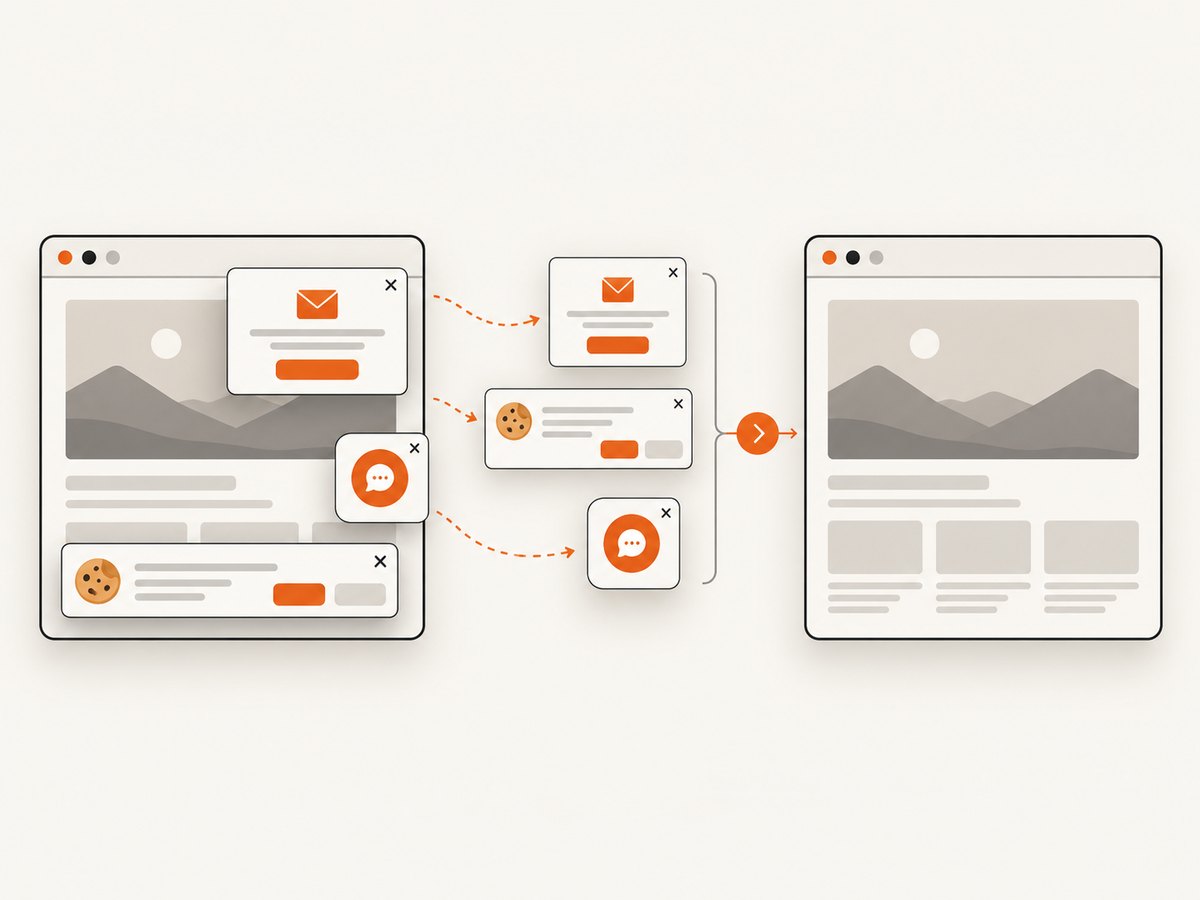
If your MCP client test also needs website screenshots, ScreenshotNeo provides a remote MCP server and a one-call website screenshot API. Its MCP tools—take_screenshot, get_page_info and capture_pdf—work with Claude, Cursor and any MCP client. It removes cookie and consent banners, newsletter popups and chat widgets before capture; bot checks, blank pages, timeouts, failed loads and cache hits are not billed, with the result reported in X-Page-Verdict and X-Billed headers.
For the HTTP API, see the ScreenshotNeo documentation. The same endpoint accepts options for full-page or element capture, device presets, dark mode, custom CSS and JavaScript, waits, blocked resources, headers, cookies, geolocation, PDFs, caching, signed links, async jobs and bulk capture.
cURL
curl -G "https://api.screenshotneo.com/v1/shot" -d access_key=YOUR_API_KEY --data-urlencode url=https://stripe.com -o shot.webpPython
import requests
r = requests.get("https://api.screenshotneo.com/v1/shot", params={"access_key": "YOUR_API_KEY", "url": "https://stripe.com"}, timeout=90)
open("shot.webp", "wb").write(r.content)
Node.js
const q = new URLSearchParams({ access_key: 'YOUR_API_KEY', url: 'https://stripe.com' });
const res = await fetch(`https://api.screenshotneo.com/v1/shot?${q}`);
The Free plan includes 1,000 screenshots each month with no card. Paid plans start at $5 for 3,000 shots, and every feature is available on every plan. Create a free ScreenshotNeo account.
FAQ
Is a remote MCP server always free?
No. A public endpoint may be a temporary demo, require a token or impose rate limits. Confirm its current policy before use.
Should I use SSE or Streamable HTTP?
Use the transport your client and server both document. The Registry recommends Streamable HTTP for current publication, while SSE remains a compatibility option for older clients.
How do I prove that a tool is available?
Call tools/list and save the returned names and schemas with the endpoint, versions and timestamp.
Why does one MCP client work while another fails?
Remote transport support, authentication handling, headers and protocol-version support differ between clients. Compare an Inspector trace with your client logs.
Can I use a public MCP server in production?
Only after reviewing its authorization, data handling, rate limits, change policy and reliability. A directory listing or successful Playground call is not a production guarantee.


