BlogScreenshots on your device
How to Take Screenshots with the Freedesktop Portal in Python
Call the freedesktop Screenshot portal from Python over D-Bus, handle its async response, and safely use the returned screenshot URI.
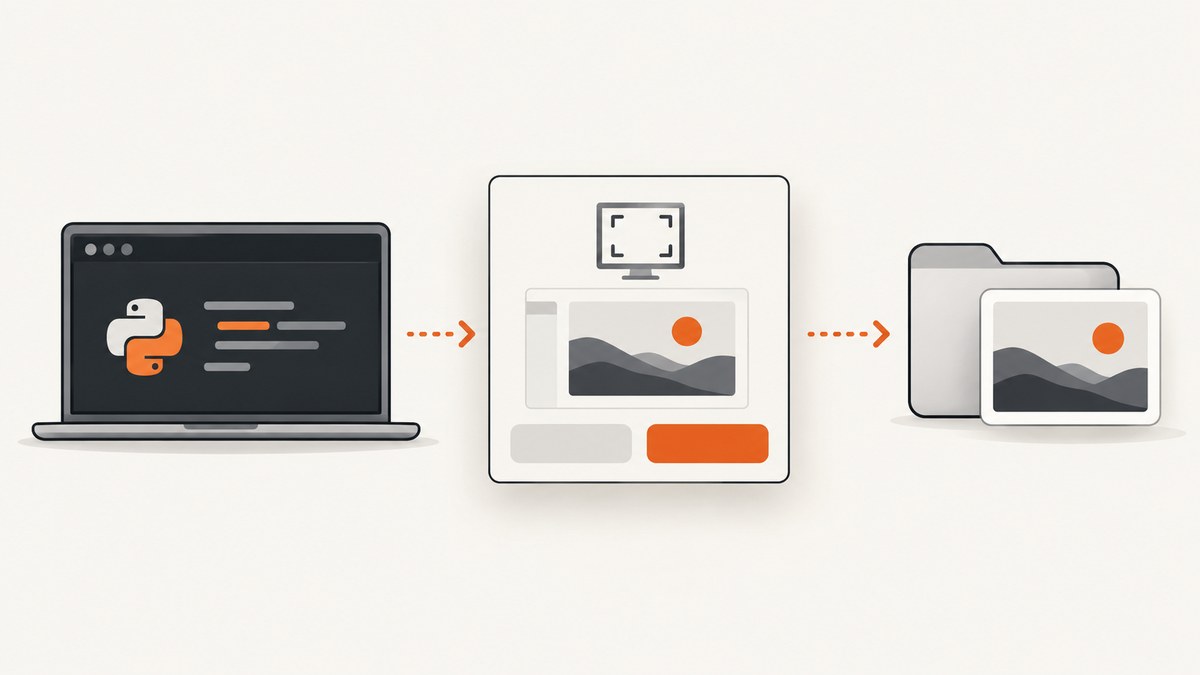
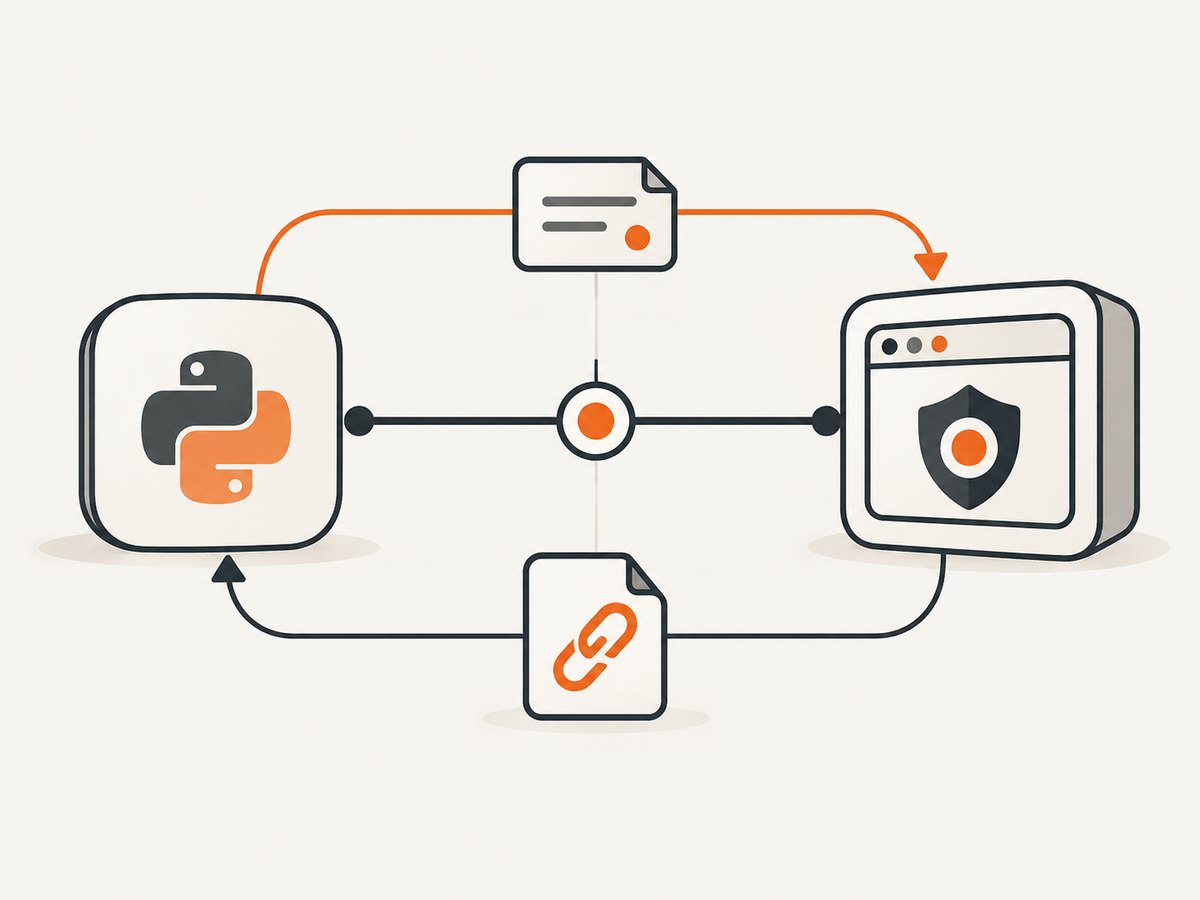
Direct answer: call org.freedesktop.portal.Screenshot.Screenshot on the public portal object /org/freedesktop/portal/desktop over the session D-Bus. The method returns a request object path immediately. Wait for org.freedesktop.portal.Request.Response; response code 0 means success, and the results dictionary contains a uri string.
This is a user-mediated asynchronous API. Do not call a backend-specific interface, block waiting for the method call to finish, or assume that the returned URI is always a local filesystem path.
What the screenshot portal does
The XDG Desktop Portal is a frontend that lets sandboxed applications ask the desktop environment to perform privileged or user-visible actions. The public Screenshot interface is documented by the XDG Desktop Portal Screenshot specification. Backend D-Bus interfaces are implementation details supplied by separate processes; applications should call the public portal interface instead.
The request has two stages:
- Call
Screenshot(parent_window, options)and receive a request object path. - Listen for
org.freedesktop.portal.Request.Responseon that request path and process the response code and results vardict.
On success, the screenshot-specific result is uri with D-Bus type s. Portal access can involve the Documents portal, so retain and pass the URI as a URI. If your application needs bytes or a local copy, use a supported URI or document-portal workflow instead of blindly stripping file://.
Prerequisites
- A running graphical desktop session with a session D-Bus.
- An installed and running XDG Desktop Portal frontend and a Screenshot-capable backend.
- Python 3.9 or newer (the example uses
asyncio). dbus-next, a general asyncio D-Bus client: documentation.
python -m pip install dbus-nextSupport varies by desktop, portal package, backend, and version. When diagnosing a problem, record all of those versions rather than assuming that every backend implements every portal option.
Complete Python example
The following program installs a low-level D-Bus signal handler before making the method call. That ordering prevents a completion signal from being missed between the method reply and listener setup. It also checks that the returned request path is the one expected from the unique sender name and token.
#!/usr/bin/env python3
import asyncio
import secrets
from typing import Any, Optional

from dbus_next import BusType, Message, MessageType, Variant
from dbus_next.aio import MessageBus

PORTAL_NAME = "org.freedesktop.portal.Desktop"
PORTAL_PATH = "/org/freedesktop/portal/desktop"
SCREENSHOT_IFACE = "org.freedesktop.portal.Screenshot"
REQUEST_IFACE = "org.freedesktop.portal.Request"


class PortalCancelled(Exception):
    pass


class PortalInteractionEnded(Exception):
    pass


async def take_screenshot(
    parent_window: str = "",
    *,
    modal: bool = True,
    interactive: Optional[bool] = None,
    target: Optional[int] = None,
) -> str:
    """Return the screenshot URI produced by the freedesktop portal.

    target is a version-3 option and must be used only after checking
    AvailableTargets on the installed interface.
    """
    bus = await MessageBus(bus_type=BusType.SESSION).connect()
    loop = asyncio.get_running_loop()
    response_future: asyncio.Future[tuple[int, dict[str, Any]]] = loop.create_future()

    try:
        # D-Bus unique names contain ':' and '.', neither of which is valid
        # in an object-path element. The portal request convention replaces
        # them with underscores.
        sender = bus.unique_name
        if not sender:
            raise RuntimeError("The session bus did not provide a unique name")
        sender_element = sender.replace(":", "_").replace(".", "_")
        token = "python_" + secrets.token_hex(16)
        expected_path = f"{PORTAL_PATH}/request/{sender_element}/{token}"
        actual_path: Optional[str] = None

        def on_message(message: Message) -> bool:
            nonlocal actual_path
            if (
                message.message_type == MessageType.SIGNAL
                and message.interface == REQUEST_IFACE
                and message.member == "Response"
                and isinstance(message.path, str)
                and (message.path == expected_path or message.path == actual_path)
            ):
                if len(message.body) != 2:
                    if not response_future.done():
                        response_future.set_exception(
                            RuntimeError(f"Unexpected Response body: {message.body!r}")
                        )
                    return False
                code, results = message.body
                if not response_future.done():
                    response_future.set_result((int(code), dict(results)))
                return False
            return False

        bus.add_message_handler(on_message)
        try:
            desktop_introspection = await bus.introspect(PORTAL_NAME, PORTAL_PATH)
            desktop_object = bus.get_proxy_object(
                PORTAL_NAME, PORTAL_PATH, desktop_introspection
            )
            screenshot = desktop_object.get_interface(SCREENSHOT_IFACE)

            options: dict[str, Variant] = {
                "handle_token": Variant("s", token),
                "modal": Variant("b", modal),
            }
            if interactive is not None:
                # Available from Screenshot interface version 2.
                options["interactive"] = Variant("b", interactive)
            if target is not None:
                # Available from Screenshot interface version 3. Validate it
                # against AvailableTargets before passing it in production.
                options["target"] = Variant("u", target)

            returned_path = await screenshot.call_screenshot(parent_window, options)
            actual_path = str(returned_path)
            if actual_path != expected_path:
                # Keep listening on the actual path if a portal implementation
                # chooses a different valid request path.
                print(
                    f"Portal returned {actual_path}; expected {expected_path}",
                    flush=True,
                )

            try:
                code, results = await asyncio.wait_for(response_future, timeout=120)
            except asyncio.TimeoutError as exc:
                raise TimeoutError("Timed out waiting for the portal Response signal") from exc

            if code == 1:
                raise PortalCancelled("The user cancelled the screenshot request")
            if code == 2:
                raise PortalInteractionEnded(
                    "The portal interaction ended without a screenshot"
                )
            if code != 0:
                raise RuntimeError(f"Unknown portal response code: {code}")

            uri_value = results.get("uri")
            if uri_value is None:
                raise RuntimeError("Successful portal response did not contain 'uri'")
            # dbus-next represents vardict values as Variant objects.
            uri = getattr(uri_value, "value", uri_value)
            if not isinstance(uri, str):
                raise TypeError(f"Portal returned a non-string uri: {uri!r}")
            return uri
        finally:
            bus.remove_message_handler(on_message)
    finally:
        bus.disconnect()


async def main() -> None:
    uri = await take_screenshot()
    print(uri)


if __name__ == "__main__":
    asyncio.run(main())
This code follows the documented wire contract. Verify the exact dbus-next callback and variant behavior against the version installed in your application, because the portal specifications do not provide an official Python end-to-end recipe.
Understanding the options
| Option | Type | Availability | Use |
|---|---|---|---|
handle_token |
s |
All documented versions | Unique token used to correlate the request path. Generate a fresh, hard-to-guess value. |
modal |
b |
All documented versions | Requests modal interaction behavior where supported. |
interactive |
b |
Version 2+ | Allows interactive customization when the installed interface supports it. |
target |
u |
Version 3 | Selects one advertised target. |
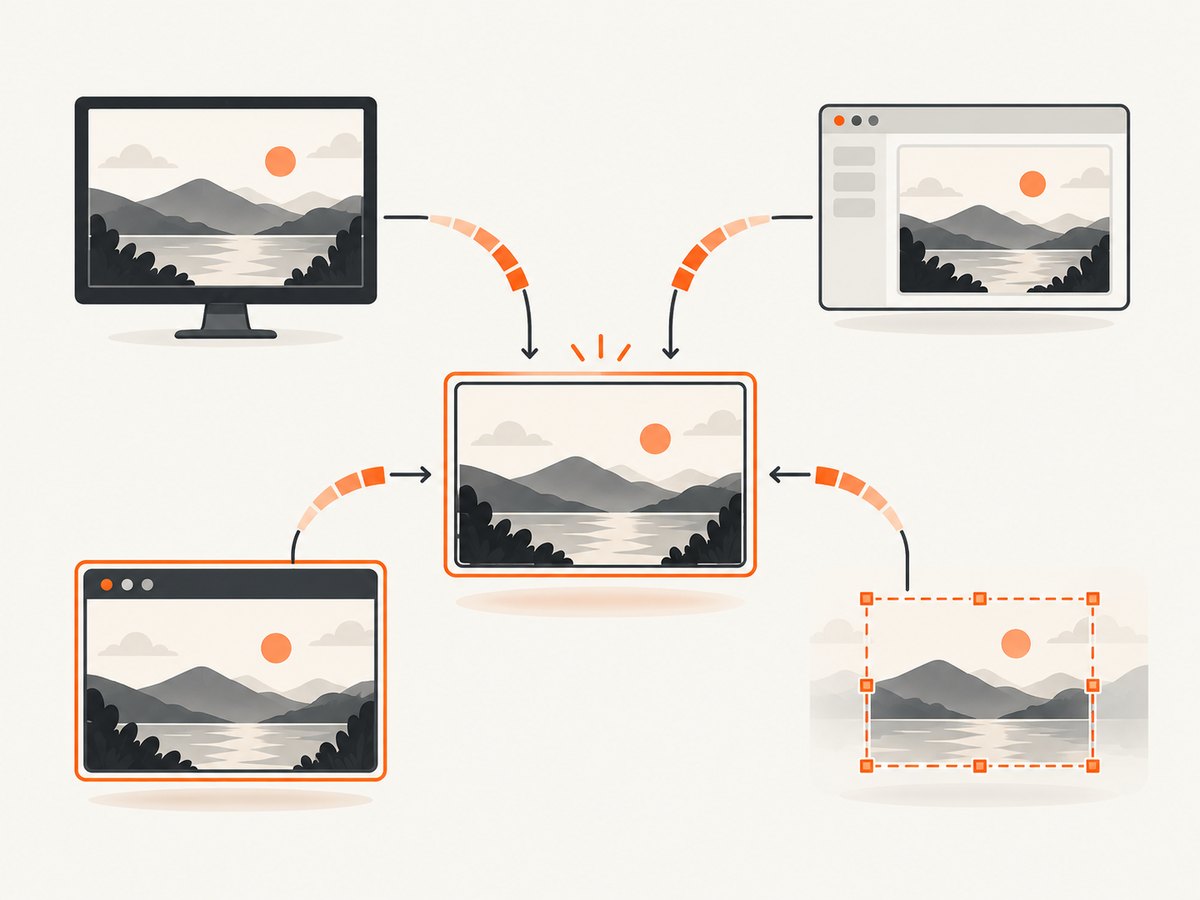
For version 3, the AvailableTargets property is a bitmask: screen is 1, window is 2, area is 4, and active window is 8. The value passed as target is one target value, not a combined bitmask. Do not pass a target merely because it appears in the specification. First establish that the installed interface exposes the version-3 option and that the requested target is advertised.
Checking the interface version and targets
Use D-Bus introspection and the Properties interface to inspect the running portal. Property and option availability are runtime concerns.
from dbus_next import BusType
from dbus_next.aio import MessageBus

async def portal_capabilities():
    bus = await MessageBus(bus_type=BusType.SESSION).connect()
    try:
        xml = await bus.introspect(
            "org.freedesktop.portal.Desktop",
            "/org/freedesktop/portal/desktop",
        )
        obj = bus.get_proxy_object(
            "org.freedesktop.portal.Desktop",
            "/org/freedesktop/portal/desktop",
            xml,
        )
        screenshot = obj.get_interface("org.freedesktop.portal.Screenshot")
        properties = obj.get_interface("org.freedesktop.DBus.Properties")
        available = await properties.call_get(
            "org.freedesktop.portal.Screenshot", "AvailableTargets"
        )
        print("AvailableTargets:", available.value)
        # Inspect the returned XML for the interface version and method
        # signatures before enabling version-specific options.
    finally:
        bus.disconnect()
If a property is not implemented by the running portal, handle the D-Bus error and fall back to the default behavior.
Response lifecycle and URI handling
The Request interface defines the Response signal as an unsigned response code plus an a{sv} results dictionary:
- 0: success. Read
results["uri"]. - 1: the user cancelled.
- 2: the interaction ended another way.
Request.Close ends an interaction without emitting a normal Response. Treat it as a cleanup or timeout condition, not as a successful completion.
The URI might be a local file URI, a document portal URI, or another URI the desktop expects your application to consume. Keep it opaque until you know which URI schemes your environment supports. If you need a local filename, resolve or copy it through the appropriate portal mechanism and report a clear error when that mechanism is unavailable.
Common errors and fixes
| Symptom | Likely cause | Fix |
|---|---|---|
ServiceUnknown or no desktop object |
No portal service on the session bus, or no graphical session. | Start the desktop session and install a portal frontend/backend. Capture the desktop, portal package, and backend versions for diagnosis. |
| Unknown interface or method | The public Screenshot interface is missing or too old. | Introspect /org/freedesktop/portal/desktop; update or configure the portal package. Do not switch to a backend interface. |
interactive or target rejected |
The installed interface does not support that versioned option. | Inspect the running interface first and omit unsupported options. |
| Response never arrives | Listener installed after the request, wrong request path, closed interaction, or a portal/backend failure. | Install the signal handler before calling Screenshot, use a unique token, validate the returned path, add a timeout, and check desktop logs. |
Code 1 |
User cancelled the prompt. | Return a cancellation result and let the user retry. |
Code 2 |
Interaction ended without success. | Report an ended interaction; do not attempt to read uri. |
| Success without usable local path | The result is a URI managed by the portal. | Preserve the URI and use a supported URI/document workflow. |
| D-Bus signature error | A vardict value used the wrong Variant signature. | Use Variant("s", token), Variant("b", modal), and Variant("u", target) for the corresponding options. |
Reliability and performance
- Asynchronous design: keep the call inside an asyncio task so a GUI or service event loop remains responsive.
- Timeouts: use an application-level deadline because the user can leave a prompt open indefinitely.
- Cleanup: remove signal handlers and disconnect the bus in
finallyblocks. - Retries: retry only transport or temporary service failures. Do not automatically retry a deliberate cancellation.
- Concurrency: generate a unique token for every request and keep each request’s future separate.
- Compatibility: test the installed desktop, portal frontend, backend, and versions you support. The available target set is backend-dependent.
The portal adds user interaction and desktop policy to the capture path. The supplied sources do not publish a universal latency or compatibility benchmark, so choose timeouts and support claims from your own deployment requirements.
Or skip the browser setup
If you need website screenshots rather than a screenshot of the user’s desktop, ScreenshotNeo provides a single HTTP request. Cookie and consent banners, newsletter popups, and chat widgets are removed before capture. Bot checks, blank pages, failed loads, timeouts, and cache hits are not billed, and the response identifies the result with X-Page-Verdict and X-Billed headers. ScreenshotNeo also provides an MCP server for AI agents with take_screenshot, get_page_info, and capture_pdf.
See the ScreenshotNeo API documentation for all options.
cURL
curl -G "https://api.screenshotneo.com/v1/shot" \
  -d access_key=YOUR_API_KEY \
  --data-urlencode url=https://stripe.com \
  -o shot.webp
Python
import requests

r = requests.get(
    "https://api.screenshotneo.com/v1/shot",
    params={"access_key": "YOUR_API_KEY", "url": "https://stripe.com"},
    timeout=90,
)
r.raise_for_status()
open("shot.webp", "wb").write(r.content)
Node.js
const q = new URLSearchParams({
  access_key: 'YOUR_API_KEY',
  url: 'https://stripe.com'
});
const res = await fetch(`https://api.screenshotneo.com/v1/shot?${q}`);
if (!res.ok) throw new Error(`Screenshot failed: ${res.status}`);
const bytes = Buffer.from(await res.arrayBuffer());
await import('node:fs/promises').then(fs => fs.writeFile('shot.webp', bytes));
There is a free plan with 1,000 screenshots per month and no card. Paid plans start at $5 for 3,000 shots, and every feature is available on every plan. Create a free ScreenshotNeo account.
FAQ
Is this the same as ScreenCast?
No. The Screenshot portal is for a still image request. ScreenCast is a separate portal use case with its own interface and lifecycle.
Can a headless server always use the portal?
Only when a suitable graphical desktop session, session D-Bus, portal frontend, and backend are available. A server without those components cannot provide the normal user-mediated portal flow.
Why does the method return before the image exists?
The method creates an asynchronous request. The image result arrives later in the Request Response signal.
Can I combine targets such as screen plus window?
No. AvailableTargets is a bitmask describing supported choices, while target selects one target value.
Should I convert the URI to a path immediately?
No. Preserve it as a URI. Resolve or copy it only through a URI-aware workflow supported by your desktop and portal setup.