How to Generate Images from Templates with an API
Render reusable image designs by sending named layer data to an API, with complete request examples, production checks, and a ScreenshotNeo option.
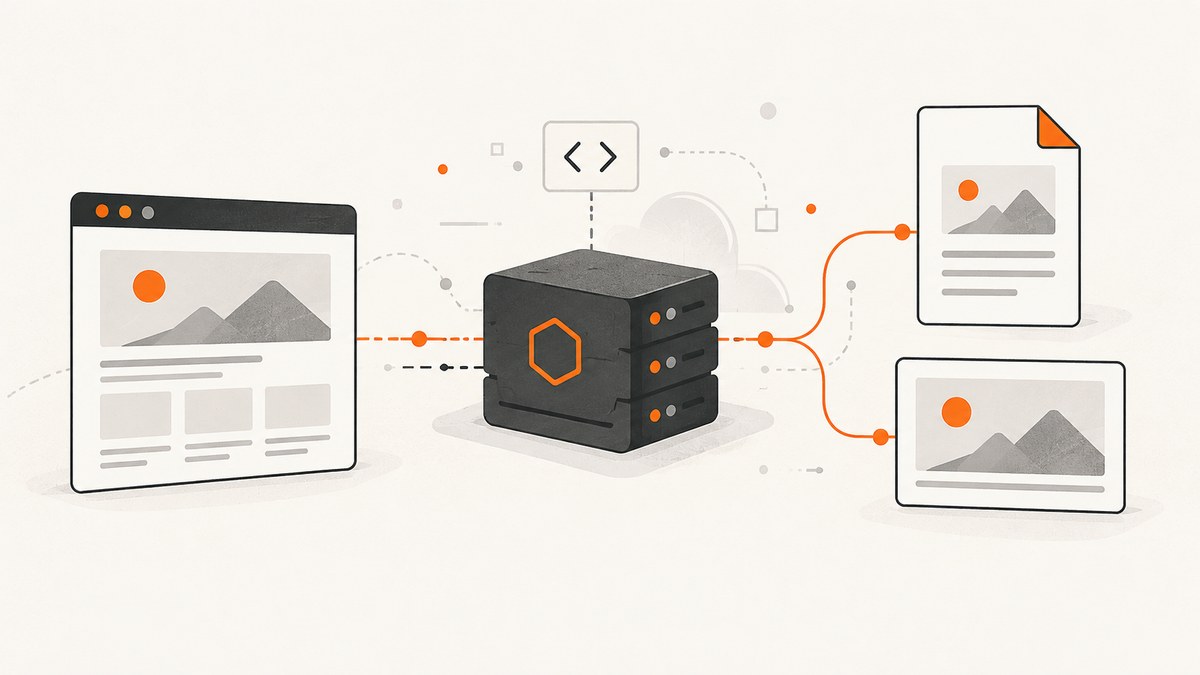
Direct answer: create a reusable design, give its editable layers stable names, then send a template ID plus JSON values for those layers to a rendering API. The service produces an image synchronously or asynchronously. Your application downloads the result, checks its status, validates the output, and retries only when the failure is transient.
This pattern separates design from content. A designer can update typography, spacing, or branding in one template while your code supplies a product name, price, photograph, or campaign message for every variation. It is useful for social posts, banner ads, Open Graph images, certificates, badges, ecommerce visuals, and infographics. APITemplate.io documents these use cases in its API material (official documentation); Bannerbear describes social and ecommerce automation in its API reference (official documentation).
How the template-plus-data workflow works
- Design the template. Use the provider’s editor or template system. Mark fields that code may change.
- Name editable layers. Use durable names such as
title,background_image,price, andlogo. Do not depend on a layer’s visual position. - Record identifiers. Save the template ID and the API credential in your server-side secret store.
- Build a request. Send authenticated JSON that maps layer names to text, image URLs, colors, or other values supported by that provider.
- Handle the response. A synchronous endpoint returns a download URL when rendering finishes. An asynchronous endpoint returns an object such as
pending; poll it or receive a webhook until it iscompletedorfailed. - Validate before publishing. Check dimensions, format, text fit, image accessibility, and the error path with deliberately invalid input.
A vendor-neutral request
The following illustrates the shape of a request. It is not a universal schema: providers use different field names, authentication, and status models.

POST /render
Authorization: Bearer YOUR_API_KEY
Content-Type: application/json

{
  "template_id": "product-card-v3",
  "data": {
    "title": "New Product Launch",
    "price": "$49",
    "background_image": "https://example.com/images/product.jpg"
  },
  "output": {"format": "png"}
}
Keep the credential out of browser JavaScript, mobile apps, and public repositories. Put a small server-side endpoint between untrusted clients and the rendering service. Validate user-supplied URLs and text before forwarding them.
APITemplate.io example
APITemplate.io documents a POST https://rest.apitemplate.io/v2/create-image?template_id=YOUR_TEMPLATE_ID endpoint using an X-API-KEY header and an overrides array. Its response includes a download_url. Confirm the current request and regional endpoint details in its REST API documentation before deployment.
curl -X POST \
  'https://rest.apitemplate.io/v2/create-image?template_id=YOUR_TEMPLATE_ID' \
  -H 'X-API-KEY: YOUR_API_KEY' \
  -H 'Content-Type: application/json' \
  --data '{
    "overrides": [
      {"name": "title", "text": "New Product Launch"},
      {"name": "price", "text": "$49"},
      {"name": "background_image", "src": "https://example.com/images/product.jpg"}
    ]
  }'
import requests
endpoint = "https://rest.apitemplate.io/v2/create-image"
params = {"template_id": "YOUR_TEMPLATE_ID"}
payload = {
"overrides": [
{"name": "title", "text": "New Product Launch"},
{"name": "price", "text": "$49"},
{"name": "background_image", "src": "https://example.com/images/product.jpg"},
]
}
r = requests.post(endpoint, params=params,
headers={"X-API-KEY": "YOUR_API_KEY"},
json=payload, timeout=90)
r.raise_for_status()
result = r.json()
image = requests.get(result["download_url"], timeout=90)
image.raise_for_status()
open("rendered.png", "wb").write(image.content)const response = await fetch(
'https://rest.apitemplate.io/v2/create-image?template_id=YOUR_TEMPLATE_ID',
{
method: 'POST',
headers: {
'X-API-KEY': process.env.APITEMPLATE_API_KEY,
'Content-Type': 'application/json'
},
body: JSON.stringify({
overrides: [
{ name: 'title', text: 'New Product Launch' },
{ name: 'price', text: '$49' },
{ name: 'background_image', src: 'https://example.com/images/product.jpg' }
]
})
}
);
if (!response.ok) throw new Error(`Render failed: ${response.status}`);
const result = await response.json();
const file = await fetch(result.download_url);
if (!file.ok) throw new Error(`Download failed: ${file.status}`);
const buffer = Buffer.from(await file.arrayBuffer());
await require('node:fs').promises.writeFile('rendered.png', buffer);Bannerbear example and asynchronous renders
Bannerbear’s v5 reference uses bearer API-key authentication and a POST /v5/images request containing a template identifier and layer modifications. Image objects can be pending, completed, or failed; a file URL may not exist while a render is pending. Consult the v5 reference for the exact modification schema and account-specific options. The product documentation lists JPG and PNG, while its product page also mentions WebP and AVIF; verify the endpoint and account before promising a format.
curl -X POST 'https://api.bannerbear.com/v5/images' \
  -H 'Authorization: Bearer YOUR_API_KEY' \
  -H 'Content-Type: application/json' \
  --data '{
    "template": "YOUR_TEMPLATE_UID",
    "modifications": [
      {"name": "title", "text": "New Product Launch"},
      {"name": "price", "text": "$49"}
    ]
  }'
For an asynchronous provider, persist the returned render ID. Poll with exponential backoff, for example after 1, 2, 4, 8, and 16 seconds, and stop at a deadline. If webhooks are available, prefer them for large batches. Make your webhook handler idempotent because delivery can be retried.
Template design decisions that prevent failures
Layer names and fallbacks
Use lowercase, stable names and document each field’s type, maximum length, and fallback. Decide whether missing text hides a layer, uses a default, or fails the job. Keep a version in the template ID or metadata so a design edit cannot silently change old campaigns.
Text fitting
Long translations and user-generated titles are the most common source of unusable output. Set a maximum character count, test the longest expected string, and use the provider’s documented auto-fit or overflow behavior. Do not assume every font is installed or that line wrapping is identical across renderers.
Images and remote assets
Use HTTPS URLs that the rendering service can reach without a login. Check redirects, content type, dimensions, and licensing. A private object-store URL may expire before a queued render starts; generate a URL with enough lifetime or upload through the provider’s supported method.
Output and accessibility
Select dimensions and format per destination. PNG preserves sharp text and transparency; JPEG is smaller for photographs; WebP or AVIF may reduce bytes when the endpoint supports them. Confirm color profile, alpha behavior, and maximum file size with the provider.
Production reliability, performance, and cost
- Idempotency: derive a request key from template version plus normalized data. Reuse an existing result instead of rendering the same asset twice when the provider supports idempotency or your database can enforce uniqueness.
- Concurrency: respect documented rate limits. Queue work, cap parallel requests, and use jittered backoff for 429 and temporary 5xx responses.
- Timeouts: set a client timeout longer than the provider’s normal render window, then terminate polling at a clear deadline. Do not hold a web request open for an unbounded job.
- Caching: cache by a hash of template ID, layer data, output options, and asset versions. Invalidate when any source image changes.
- Observability: log request ID, template version, render ID, duration, status, output bytes, and sanitized error details. Never log API keys or sensitive layer values.
- Cost: price depends on the selected service’s current plan, included renders, storage, and overage terms. Check current pricing, payload limits, timeouts, retention, and regional processing before committing; operational figures can change.
- Data handling: determine how long generated files and source assets are retained, where they are processed, and whether URLs are public. Use expiring download links when appropriate.
Or skip the browser setup
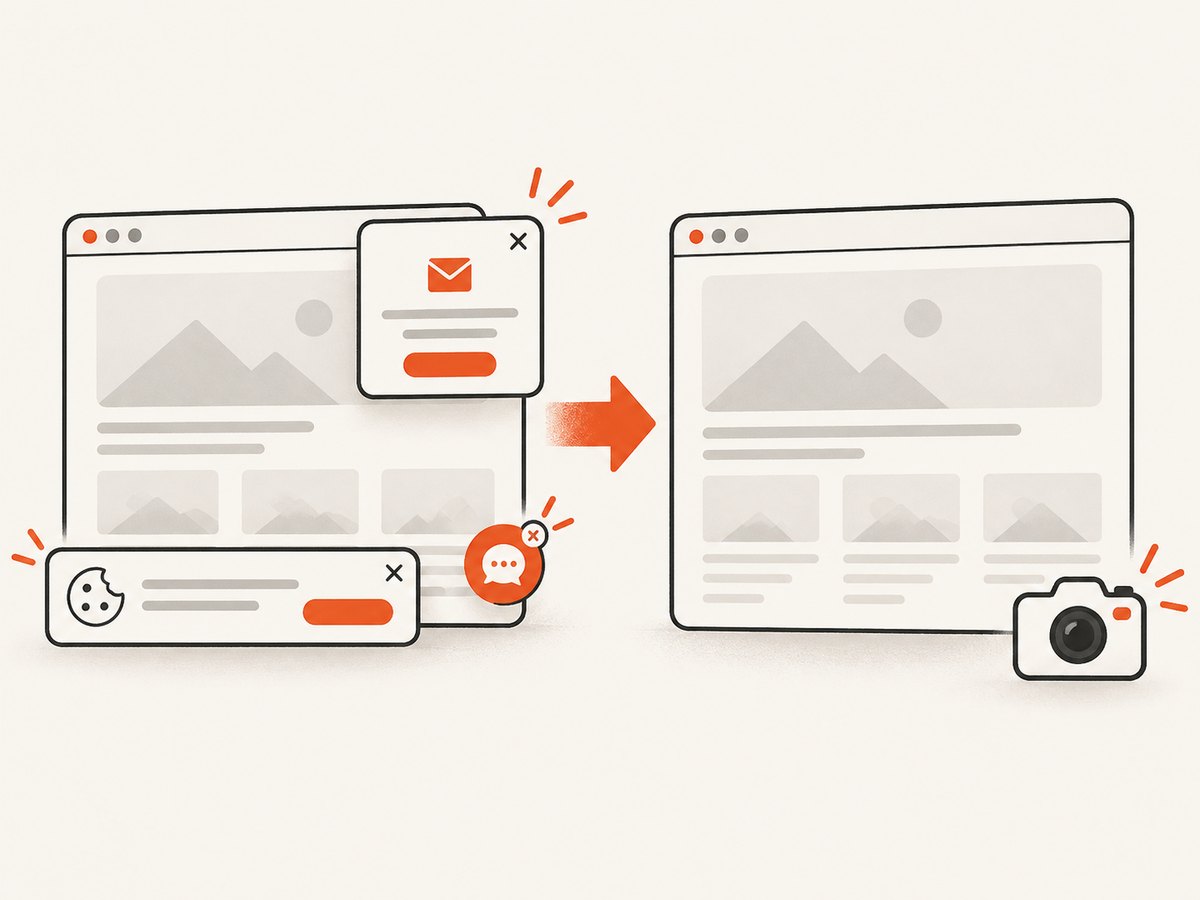
If your “template” is an existing web page, dashboard, or HTML/CSS design, ScreenshotNeo can render it through one API call. It is a website screenshot API and MCP server. Cookie banners, newsletter popups, and chat widgets are removed before the shot; bot checks, blank pages, timeouts, failed loads, and cache hits are not billed. Responses identify the result with X-Page-Verdict and X-Billed headers. An MCP server lets Claude, Cursor, and other MCP clients take screenshots. The Free plan includes 1,000 screenshots per month with no card; paid plans start at $5 for 3,000. See the ScreenshotNeo API documentation for all options.
curl -G "https://api.screenshotneo.com/v1/shot" -d access_key=YOUR_API_KEY --data-urlencode url=https://stripe.com -o shot.webpimport requests
r = requests.get("https://api.screenshotneo.com/v1/shot", params={"access_key": "YOUR_API_KEY", "url": "https://stripe.com"}, timeout=90)
r.raise_for_status()
open("shot.webp", "wb").write(r.content)const q = new URLSearchParams({ access_key: 'YOUR_API_KEY', url: 'https://stripe.com' });
const res = await fetch(`https://api.screenshotneo.com/v1/shot?${q}`);
if (!res.ok) throw new Error(`Screenshot failed: ${res.status}`);ScreenshotNeo supports full-page or element capture, dark mode, device presets, custom viewport and retina scale, custom CSS and JavaScript, clicks, selector waits, delays, network-idle waits, request blocking, headers, cookies, user agents, authorization, timezone, geolocation, transparent backgrounds, resizing, TTL caching, signed links, asynchronous jobs, webhooks, bulk capture, usage reporting, PDFs, and HTML/CSS-to-image. Create a free ScreenshotNeo account to start with 1,000 shots per month and no card.
Troubleshooting checklist
| Symptom | Likely cause | Fix |
|---|---|---|
| 401 or 403 | Wrong key, header, or environment | Read the provider’s required authentication scheme and rotate the key if exposed. |
| Template not found | Wrong ID, region, workspace, or deleted template | Copy the ID from the same account and endpoint that owns the template. |
| Render succeeds but text is missing | Layer name mismatch or unsupported property | Compare names and types with the template definition; send a minimal request first. |
| Image URL is blank | Job is still pending | Poll status or process the provider’s webhook; do not download until completed. |
| Remote photo missing | URL blocked, expired, redirected, or not public | Test from an external network and provide a reachable HTTPS asset with sufficient lifetime. |
| 429 responses | Rate limit exceeded | Queue requests, lower concurrency, honor Retry-After, and add jitter. |
| Clipped or unreadable text | Input exceeds the designed bounds | Validate length, test translations, and configure documented fit or truncation rules. |
| Wrong format or size | Unsupported output option or template dimensions | Verify current endpoint support and validate the downloaded file’s MIME type and dimensions. |
FAQ
Can one template produce several sizes?
Use separate size variants when composition changes materially. If the provider supports responsive or resize rules, test each target rather than assuming proportional scaling preserves legibility.
Should I render in the browser?
Keep credentials and rendering calls on a trusted server. A browser can request your server’s short-lived result, but it should not receive the provider key.
How do I process thousands of records?
Queue jobs, deduplicate by input hash, cap concurrency, and store render IDs and final URLs. Use batch endpoints or webhooks when the provider offers them.
What should I test before launch?
Test missing fields, very long text, Unicode, broken assets, expired URLs, duplicate requests, rate limits, provider errors, and a complete asynchronous retry path.