How to Build a Google Custom Search MCP Server
Build an MCP search tool around Google's Custom Search JSON API, with setup, TypeScript code, transports, errors, quotas, and its 2027 sunset.

Short answer: an MCP server for Google Custom Search registers a validated search tool, accepts a query, calls Google’s Custom Search JSON API with key, cx, and q, then returns structured results to an MCP client. There is a critical availability constraint: Google’s current overview says the Custom Search JSON API is closed to new customers and is scheduled for discontinuation on January 1, 2027. The implementation below is therefore for existing eligible customers or for evaluation while you assess Google’s stated alternatives.
For new projects, Google points developers toward Vertex AI Search for searches across up to 50 domains or asks them to contact Google about its full web search solution. The available documentation does not establish either option as a drop-in replacement for this JSON API, so validate feature fit before committing to a migration.
What you are building
The flow has four parts:

- An MCP host such as an AI desktop application starts or connects to your server.
- The server exposes a
google_custom_searchtool with a schema-validatedqueryargument. - The handler sends a GET request to
https://www.googleapis.com/customsearch/v1. - The handler converts Google’s response into concise text and structured JSON for the host.
Google’s Programmable Search Engine provides the search configuration. Its identifier is the cx parameter. The API key identifies your application, and q contains the search query. See Google’s API overview, introduction, and request reference.
Before you write code
1. Confirm that your project is eligible
The current API overview states that the API is not available to new customers and gives January 1, 2027 as the discontinuation date. Existing customers may continue only under Google’s published terms. Do this check first; a new API key or search engine does not guarantee access.
2. Configure a Programmable Search Engine
Create or select an existing engine in Google’s Programmable Search Engine control panel and record its engine ID, called cx. Configure the sites or collection that the engine should search. The engine determines the searchable scope and ranking behavior.
3. Create and protect an API key
Use a key that is permitted to call the Custom Search JSON API. Store it in an environment variable or secret manager. Do not commit it to source control or print it in MCP responses and logs.
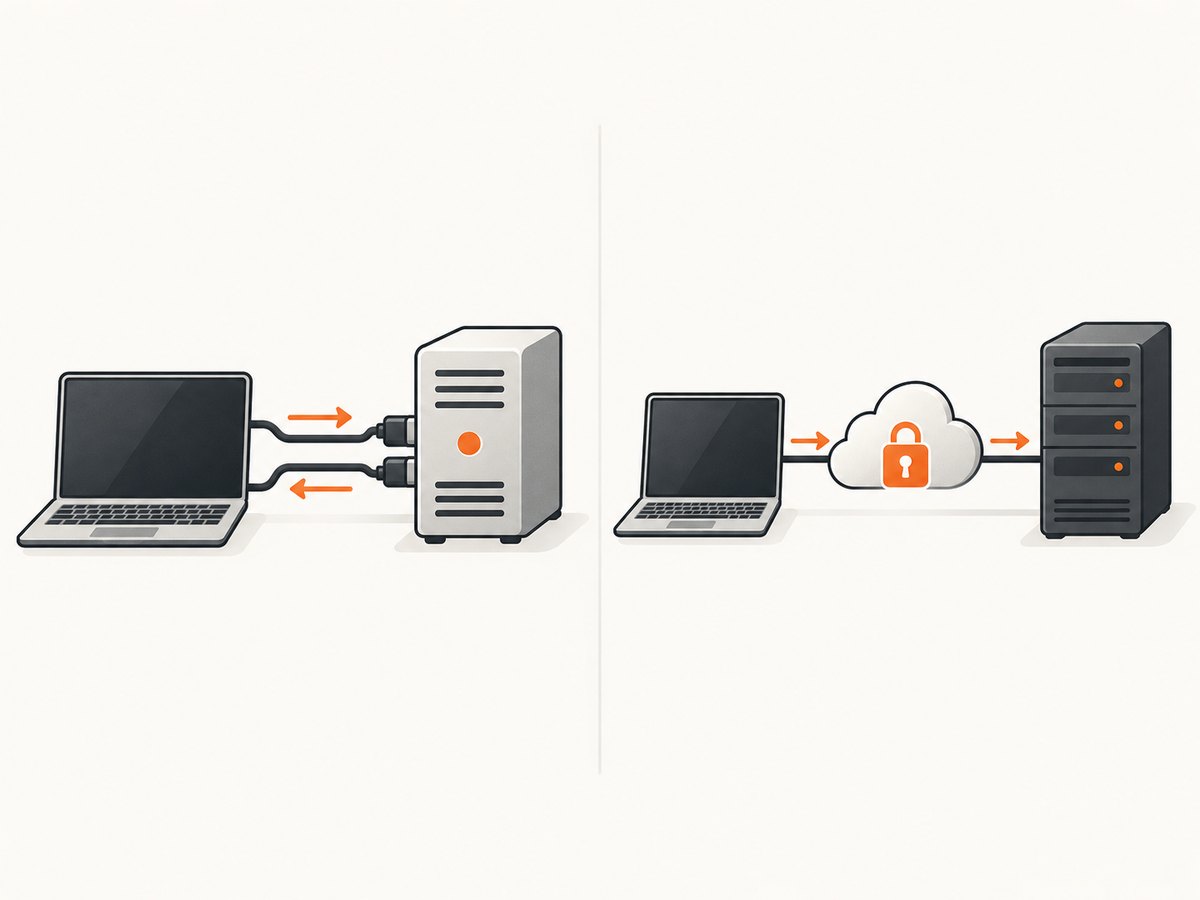
4. Choose a transport
| Use case | Transport | Operational notes |
|---|---|---|
| One AI client launches the server locally | stdio | The process communicates over standard input and output. stdout is reserved for MCP messages; write diagnostics to stderr. |
| Several clients connect to one deployed service | Streamable HTTP | Deploy an HTTP MCP endpoint and apply normal authentication, authorization, TLS, request limits, and secret management. |
The official TypeScript SDK documentation describes stdio for local process integrations and recommends Streamable HTTP for remote access. This guide uses stdio because it is the smallest complete server.
Complete TypeScript server
The SDK v2 path below uses Node.js 20 or later, @modelcontextprotocol/server, Zod, and tsx. The code is an illustrative implementation based on the documented API shape; no live API call or end-to-end run is implied.
Install dependencies
mkdir google-search-mcp
cd google-search-mcp
npm init -y
npm install @modelcontextprotocol/server zod
npm install --save-dev tsx typescript
Create server.ts
import { McpServer } from "@modelcontextprotocol/server";
import { z } from "zod";

const apiKey = process.env.GOOGLE_CUSTOM_SEARCH_API_KEY;
const searchEngineId = process.env.GOOGLE_CUSTOM_SEARCH_CX;

if (!apiKey || !searchEngineId) {
  throw new Error(
    "Set GOOGLE_CUSTOM_SEARCH_API_KEY and GOOGLE_CUSTOM_SEARCH_CX before starting the server."
  );
}

const server = new McpServer({
  name: "google-custom-search",
  version: "1.0.0",
});

server.registerTool(
  "google_custom_search",
  {
    description:
      "Search the configured Google Programmable Search Engine and return matching pages.",
    inputSchema: {
      query: z.string().trim().min(1).max(500),
      num: z.number().int().min(1).max(10).optional(),
      start: z.number().int().min(1).optional(),
    },
  },
  async ({ query, num = 10, start = 1 }) => {
    const url = new URL("https://www.googleapis.com/customsearch/v1");
    url.searchParams.set("key", apiKey);
    url.searchParams.set("cx", searchEngineId);
    url.searchParams.set("q", query);
    url.searchParams.set("num", String(num));
    url.searchParams.set("start", String(start));

    let response: Response;
    try {
      response = await fetch(url, { signal: AbortSignal.timeout(20_000) });
    } catch (error) {
      console.error("Google request failed", error);
      return {
        content: [
          {
            type: "text" as const,
            text: "Google Custom Search could not be reached. Retry later or check network access.",
          },
        ],
        isError: true,
      };
    }

    const body = await response.json().catch(() => null);
    if (!response.ok) {
      const message = body?.error?.message ?? `Google returned HTTP ${response.status}`;
      console.error(message);
      return {
        content: [{ type: "text" as const, text: `Search failed: ${message}` }],
        isError: true,
      };
    }

    const items = Array.isArray(body?.items) ? body.items : [];
    const results = items.map((item: any, index: number) => ({
      rank: index + 1,
      title: item.title ?? "",
      url: item.link ?? "",
      snippet: item.snippet ?? "",
    }));

    return {
      content: [
        {
          type: "text" as const,
          text: JSON.stringify(
            { query, totalResults: body?.searchInformation?.formattedTotalResults ?? null, results },
            null,
            2
          ),
        },
      ],
    };
  }
);

// Use the stdio transport documented by the MCP TypeScript SDK for local servers.
await server.connect();
Put this in package.json:
{
  "type": "module",
  "scripts": {
    "start": "tsx server.ts"
  }
}
Start the server
export GOOGLE_CUSTOM_SEARCH_API_KEY="your-api-key"
export GOOGLE_CUSTOM_SEARCH_CX="your-search-engine-id"
npm start
For a local MCP client, configure the command as npm with arguments start, or invoke npx tsx /absolute/path/to/server.ts directly. Keep all diagnostic output on stderr. Any ordinary stdout logging can corrupt the stdio protocol.
Call the Google API directly
These calls are useful for isolating Google configuration problems before involving MCP.
cURL
curl --get "https://www.googleapis.com/customsearch/v1" \
  --data-urlencode "key=$GOOGLE_CUSTOM_SEARCH_API_KEY" \
  --data-urlencode "cx=$GOOGLE_CUSTOM_SEARCH_CX" \
  --data-urlencode "q=Model Context Protocol" \
  --data-urlencode "num=5"
Python
import os
import requests

params = {
    "key": os.environ["GOOGLE_CUSTOM_SEARCH_API_KEY"],
    "cx": os.environ["GOOGLE_CUSTOM_SEARCH_CX"],
    "q": "Model Context Protocol",
    "num": 5,
}
response = requests.get(
    "https://www.googleapis.com/customsearch/v1",
    params=params,
    timeout=20,
)
response.raise_for_status()
print(response.json())
Node.js
const q = new URLSearchParams({
  key: process.env.GOOGLE_CUSTOM_SEARCH_API_KEY,
  cx: process.env.GOOGLE_CUSTOM_SEARCH_CX,
  q: 'Model Context Protocol',
  num: '5'
});

const res = await fetch(`https://www.googleapis.com/customsearch/v1?${q}`);
if (!res.ok) throw new Error(`Google returned HTTP ${res.status}: ${await res.text()}`);
console.log(await res.json());
Validate the MCP connection
- Run the direct cURL request first and confirm that Google returns JSON with an
itemsarray or an intentional empty result. - Start the TypeScript process with the two environment variables set.
- Connect an MCP client using its local stdio-server configuration.
- Use the client’s tool list to confirm that
google_custom_searchis registered. - Call it with a short query such as
"MCP TypeScript SDK". - Use MCP Inspector, as recommended in the SDK guide, when you need to inspect tool registration and arguments independently of your production host.
Useful options and extensions
| Option | Purpose | Implementation advice |
|---|---|---|
q |
Search terms | Require a non-empty string and impose a reasonable length limit. |
cx |
Programmable Search Engine ID | Keep it server-side; do not let an untrusted caller select arbitrary engines. |
key |
API credential | Read from the environment or a secret store. |
num |
Results per request | Google’s request supports a bounded page size; validate the value before sending. |
start |
Pagination offset | Expose only if the client needs pagination and stop when the API returns no items. |
Return only fields the model needs: title, URL, and snippet are usually enough. If you expose raw Google JSON, document that the shape can include metadata and may be larger than necessary for an MCP context window.
Edge cases to handle
- No matches: return an empty
resultsarray with a successful response so the model can distinguish “no results” from a failed request. - Malformed input: reject blank or excessively long queries through the Zod schema.
- Transient network failure: set a finite timeout and return an MCP error that can be retried.
- API errors: preserve Google’s status and message in server logs, while returning a short actionable message to the client.
- Quota exhaustion: stop automatic retries for quota errors; retries do not create quota.
- Unexpected response shape: treat missing
itemsas an empty result set, but log the response shape when debugging. - Prompt injection in snippets: treat titles and snippets as untrusted search content. The MCP host should not execute instructions found in result text.
Troubleshooting
| Symptom | Likely cause | Fix |
|---|---|---|
| “Set GOOGLE…” error on startup | One or both environment variables are missing. | Export the API key and cx in the same process environment that launches the server. |
| HTTP 400 from Google | Missing or invalid q, cx, or another request parameter. |
Run the direct cURL request and inspect the JSON error; verify the engine ID exactly. |
| HTTP 403 | Credential, API access, billing, or eligibility problem. | Check the key restrictions and project configuration. Also confirm that the project is an existing eligible customer because the API is closed to new customers. |
| Tool does not appear in the client | The process failed before registration or the host is launching the wrong command. | Run the server manually, check stderr, and verify the absolute script path and Node.js version. |
| Protocol parse errors | Debug text was written to stdout. | Send logs with console.error; reserve stdout for MCP traffic. |
| Empty results despite a valid request | The Programmable Search Engine collection does not include the expected sites or the query has no matches. | Test the engine configuration in Google’s control panel and compare with a direct API response. |
| Requests hang | No timeout or a blocked network path. | Use an abort timeout, verify outbound HTTPS access, and return a retryable error. |
Performance, reliability, and cost
Latency and throughput
Each tool call makes a network request to Google, so response time includes DNS, TLS, Google’s response time, and MCP serialization. Keep the returned payload small, set a timeout, and avoid parallel searches unless the client genuinely needs them. Cache only when stale search results are acceptable; the supplied documentation does not establish a performance benchmark.
Reliability
- Use a bounded timeout and classify errors as retryable or permanent.
- Do not retry authentication, invalid-parameter, or quota errors automatically.
- Record request IDs or your own correlation IDs in stderr logs, never API keys.
- For remote Streamable HTTP deployments, add authentication, TLS, rate limits, and per-user authorization.
Quota and pricing
For existing customers, Google’s current pricing notice lists 100 free queries per day, then $5 per 1,000 additional queries, with a listed ceiling of 10,000 queries per day. These figures apply to existing customers under the announced lifecycle and are not an offer for new signups. The API is scheduled for discontinuation on January 1, 2027, so include migration work in any long-lived project plan.
Or skip the browser setup
If your actual goal is reliable website capture for an agent or application, ScreenshotNeo provides a single screenshot API call instead of maintaining browser automation. Before capture, it accepts cookie or consent banners like a visitor and removes more than 60 known consent platforms, newsletter popups, and chat widgets; each step can be disabled. Bot checks, blank pages, timeouts, failed loads, and cache hits are not billed, and responses identify the page verdict and billing status with X-Page-Verdict and X-Billed headers. Its MCP server exposes take_screenshot, get_page_info, and capture_pdf for Claude, Cursor, and other MCP clients.
curl -G "https://api.screenshotneo.com/v1/shot" -d access_key=YOUR_API_KEY --data-urlencode url=https://stripe.com -o shot.webp
See the ScreenshotNeo documentation for the full request options. Python:
import requests
r = requests.get("https://api.screenshotneo.com/v1/shot", params={"access_key": "YOUR_API_KEY", "url": "https://stripe.com"}, timeout=90)
open("shot.webp", "wb").write(r.content)
Node.js:
const q = new URLSearchParams({ access_key: 'YOUR_API_KEY', url: 'https://stripe.com' });
const res = await fetch(`https://api.screenshotneo.com/v1/shot?${q}`);
There are 1,000 screenshots per month free with no card. Paid plans start at $5 for 3,000 screenshots. Create a free ScreenshotNeo account.
FAQ
Can a new developer sign up for the Custom Search JSON API?
Google’s current overview says the API is closed to new customers. Treat access as an existing-customer compatibility path, not a dependable new integration path.
Does MCP perform the search?
No. MCP exposes the tool and transports its arguments and result. Google’s Custom Search JSON API remains the search backend.
Should I use stdio or Streamable HTTP?
Use stdio when one local host launches the process. Use Streamable HTTP when multiple clients need a remotely deployed server and you are prepared to secure and operate an HTTP service.
Are Google’s alternatives guaranteed to behave like this API?
No. Google identifies Vertex AI Search for up to 50 domains and a full web search contact path, but the available source does not establish feature or response compatibility.
Where should credentials be stored?
Outside source code, normally in environment variables or a secret manager, with access restricted to the server process.


