Google Launches Managed MCP Servers
Google’s managed MCP servers give AI agents remote access to Google services. Learn the architecture, setup, authentication, IAM, toolsets and rollout details.
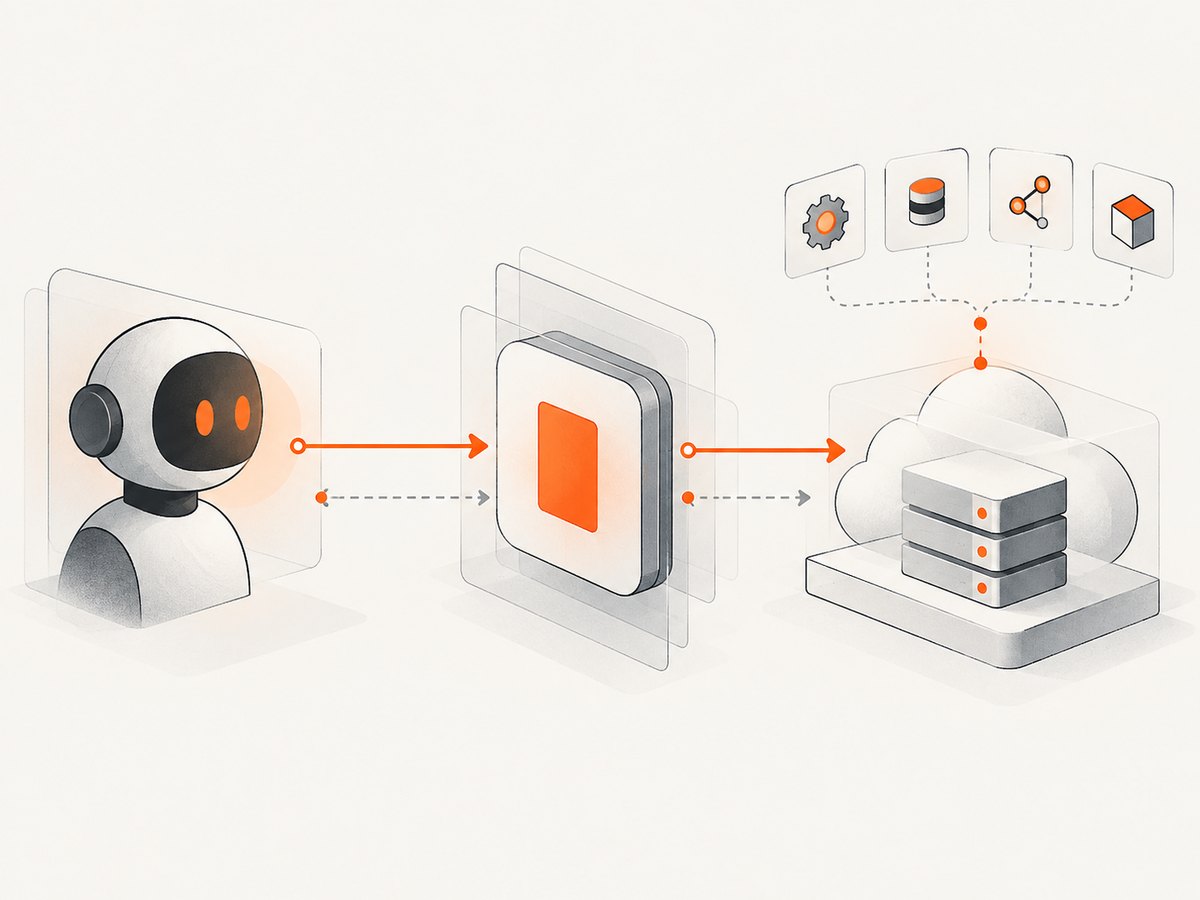
Direct answer: Google announced fully managed, remote Model Context Protocol (MCP) servers for Google and Google Cloud services on December 10, 2025. Google Cloud said on April 28, 2026 that more than 50 Google-managed servers were generally available or in preview. An MCP-compatible host such as an AI assistant connects over HTTP to a Google-hosted endpoint, discovers supported tools and resources, and calls those tools using the identity and permissions configured for the agent.
The managed model removes the need to install and operate a separate local MCP process for each integration. It does not make every Google service automatically available: the supported-products directory, endpoint release stage, regional rollout and authentication requirements still differ by service.
What Google actually launched
MCP is the protocol layer. An MCP server exposes a service’s capabilities through standardized interfaces that an AI application can discover and call. In Google’s managed model, Google runs the server on its service infrastructure and the client communicates with it over HTTP. The AI application is the host; its MCP client component handles protocol communication with the remote endpoint.
Google’s launch described managed servers as an alternative to finding, installing and maintaining individual community-built servers locally. Google also described an Apigee path for exposing and governing customer or third-party APIs as agent-discoverable tools. The launch examples included Maps Grounding Lite for place, weather and route context, BigQuery for schema-aware enterprise data access, Compute Engine for provisioning and resizing, and GKE for container operations. These are documented use cases, not independent measurements of agent accuracy or production performance.
Google Cloud’s current overview says its servers support MCP version 2026-07-28. That version is described as moving MCP toward a stateless core in which each request carries the routing information instead of depending on the earlier initialization handshake and session ID. Because protocol behavior and client support can change, check the live overview and your client’s implementation before locking a production integration to a specific version.
Which Google services are covered?
Google Cloud’s supported-products directory is the source of truth for endpoint names, capabilities and release stage. The directory includes services across infrastructure, databases, storage, analytics, monitoring, identity, developer tools and Maps. Examples listed in Google’s documentation include:
- BigQuery
- Cloud Storage
- Cloud Run
- Cloud SQL
- Compute Engine
- Google Kubernetes Engine (GKE)
- Spanner
- Firestore
- Developer Knowledge API
- Maps Grounding Lite
Google Cloud reported more than 50 managed servers in GA or Preview in April 2026. That wording combines generally available and Preview services; it does not mean that all of those servers are GA. Google’s May 1, 2026 release note likewise says the overall remote-server offering is generally available while individual servers can remain in Preview. Verify the status of the exact product you need before deployment.
Managed remote servers versus local MCP servers
| Decision point | Managed Google endpoint | Local or self-hosted server |
|---|---|---|
| Hosting | Google manages hosting, scaling and security for its remote endpoint. | You operate the process, binary or sidecar and its runtime. |
| Connection | AI client communicates over HTTP. | Common local setups communicate over standard input/output streams. |
| Maintenance | No per-service MCP process to patch or keep running. | You own upgrades, availability and deployment. |
| Control | Use Google’s documented IAM, authorization and endpoint controls. | You control the server implementation and deployment boundary. |
| Coverage | Limited to supported Google endpoints and their documented tools. | Can expose a custom service if you build or operate the server. |
Google’s own guide presents this as a trade-off: remote managed servers reduce local setup and maintenance, while a local server gives the adopter more control but requires a local binary or sidecar and its associated operations.
How the connection works
- Choose the product. Find the service in Google’s supported-products directory and record its endpoint, available tools, release stage and regional availability.
- Enable the underlying product. Google’s 2026 release notes say supported endpoints become available by default when the product itself is enabled, with a gradual regional rollout. Confirm that this behavior has reached your region.
- Configure the host and MCP client. Your AI application needs an MCP client capable of HTTP connections and the protocol version required by the endpoint.
- Authenticate. Use Google credentials or an identity representing the AI application, as required by the endpoint. Do not place long-lived user credentials in prompts or source code.
- Authorize narrowly. Grant only the IAM permissions needed for the tools your agent will call. Test read-only access before enabling mutations such as provisioning, resizing or deleting resources.
- Discover and constrain tools. Let the client enumerate tools, prompts and resources. If the endpoint supports toolsets, select the logical group your agent needs instead of loading every tool.
- Run a low-risk request. Start with a read operation, inspect the returned data and audit record, then add write operations one at a time.
Authentication, IAM and security controls
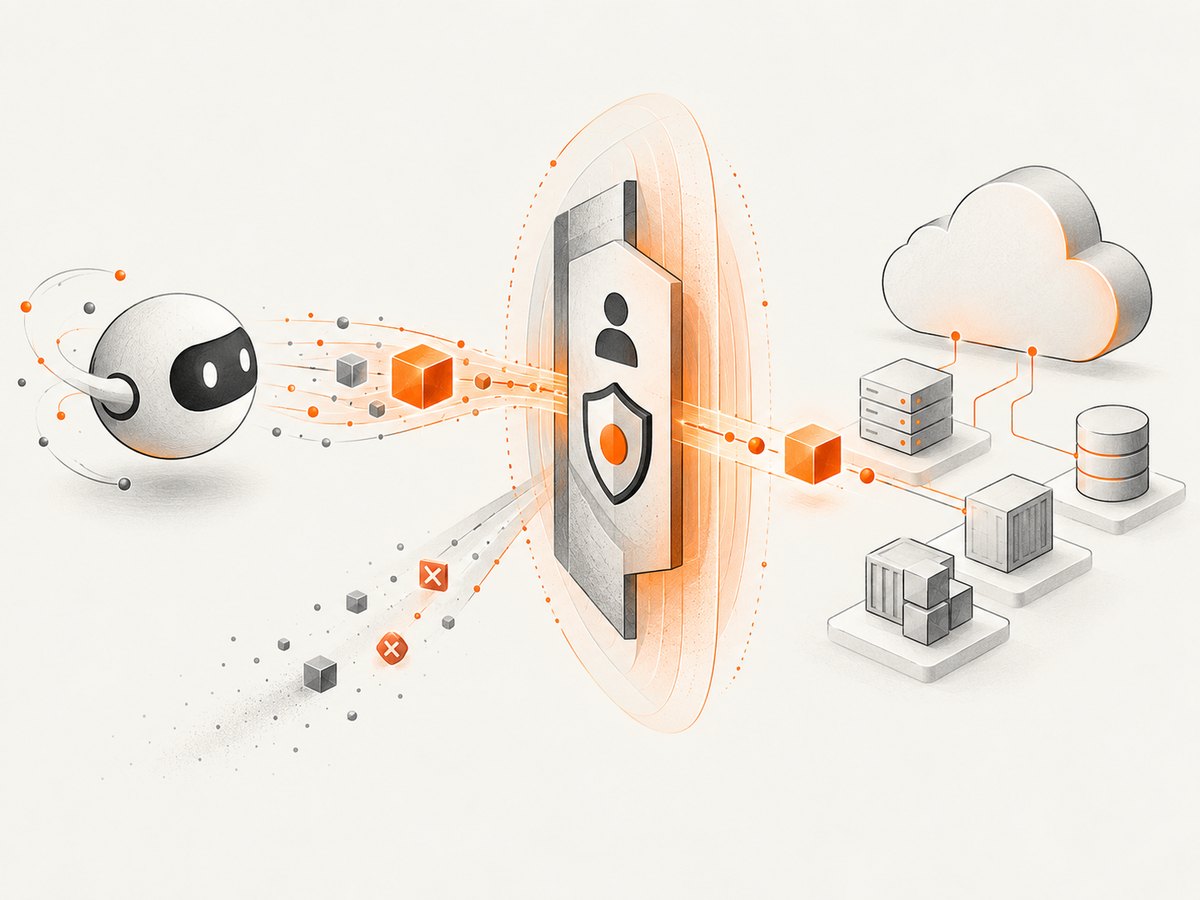
Google documents MCP authorization and fine-grained IAM controls for Google Cloud resources. The identity used by the agent must be able to access both the MCP endpoint and the underlying service operation. A successful protocol connection does not imply permission to read or change every resource in the project.
Use separate identities for development, staging and production. Prefer a service identity with the smallest practical role set for unattended agents. Add deny policies where your organization needs explicit prohibitions. Google’s release notes deprecate the gcp.managed.allowedMCPServices organization policy constraint and direct administrators to IAM deny policies for control, so update older governance guides before copying them into a new deployment.
Where supported, Model Armor can scan calls and responses to help mitigate prompt injection, sensitive-data disclosure and tool poisoning. This is a defense layer, not a guarantee that every risk is removed. Google specifically notes that MCP app resources rendered with resource/read are not scanned by Model Armor, although tool calls through those apps are scanned when Model Armor is enabled.
Toolsets, prompts and resources
An MCP client can discover more than callable tools. Google documents discovery of tools, prompts and resources, while Agent Registry provides a way to manage MCP servers and tools. Toolsets are endpoint-specific logical groups of tools. They can reduce the context an agent receives and make approval policies easier to review, but you must check whether the particular server exposes them.
Design the host so that tool discovery is visible in logs and approval screens. Record the server, tool name, input arguments, acting identity, project and result. For destructive operations, require a human approval step in the host even when IAM permits the call.
Example agent configuration pattern
Google’s implementation guide demonstrates configuring an agent with a Maps Grounding Lite endpoint. The exact endpoint and client configuration are product-specific, so use the supported-products entry and the client’s current MCP documentation rather than copying a generic URL from an older article.
const server = {
  name: "google-service",
  transport: "http",
  // Use the endpoint shown for your product in Google's directory.
  url: process.env.GOOGLE_MCP_ENDPOINT,
  auth: {
    type: "google-application-credentials"
  }
};

const tools = await mcpClient.listTools(server);
const result = await mcpClient.callTool(server, {
  name: tools[0].name,
  arguments: { /* product-specific arguments */ }
});
console.log(result);
The snippet illustrates the flow only: discover, select and call. The method names differ between MCP clients, and each Google server publishes its own tool schema.
Operational checklist
- Confirm the service is listed and note whether it is GA or Preview.
- Check regional availability and the current MCP protocol support in your client.
- Use a dedicated identity and least-privilege IAM roles.
- Limit the agent to the required toolset when the endpoint supports toolsets.
- Log tool calls, arguments, identity, project, response status and latency.
- Put approval gates around writes, deletes, IAM changes and infrastructure operations.
- Enable Model Armor where the endpoint supports it and understand its resource-scanning limitation.
- Recheck Google release notes before production rollout because enablement and policy behavior changed during 2026.
Common errors and fixes
| Symptom | Likely cause | Fix |
|---|---|---|
| Endpoint not found | The product is not enabled, rollout has not reached the region, or the endpoint path is wrong. | Enable the underlying product, verify the supported-products entry and check regional rollout notes. |
| 401 or authentication failure | The host sent no usable Google identity or the credential type is unsupported. | Configure the credential method required by that endpoint and inspect the host’s outgoing authorization flow. |
| 403 permission denied | IAM does not allow the requested tool or underlying resource. | Grant the smallest required role, check project and resource scope, and test with a read-only call. |
| Tool is missing | The endpoint is Preview, the toolset excludes it, or the service changed its schema. | List tools again, inspect the current product documentation and select the correct toolset. |
| Protocol handshake or session error | The client expects an older MCP lifecycle while the endpoint follows newer stateless behavior. | Upgrade the MCP client or use the protocol mode documented for the endpoint. |
| Model Armor result is unexpected | A resource was returned through resource/read, which Google says is not scanned. |
Apply your own validation and data controls and do not assume every returned resource passed Model Armor. |
| Write call succeeds unexpectedly | The agent identity has broader permissions than intended. | Remove excess IAM roles, add deny policies where appropriate and require host-level approval for mutations. |
Performance, reliability and cost considerations
The official launch and documentation reviewed for this article do not publish independent latency, uptime, accuracy, cost-savings or security-effectiveness benchmarks. Do not select an endpoint based on an invented response-time claim. Measure your own workload, including authentication, tool discovery, service execution and response size.
Remote hosting can remove the operational work of running local MCP binaries and sidecars, but it introduces an HTTP dependency and a separate service rollout. Use bounded timeouts, retries only for idempotent operations, exponential backoff and an audit trail. Cache safe read results in the host when freshness permits. Never blindly retry provisioning, deletion or other non-idempotent calls.
Review the Google product’s own pricing and quota documentation for the underlying API. MCP is the access protocol; it does not erase service quotas or make a paid Google operation free. Preview status, regional availability and tool schemas can change, so pin client versions where practical and monitor release notes.
Or skip the browser setup
If your application also needs website screenshots, ScreenshotNeo provides a single HTTP endpoint instead of a browser automation stack. Cookie and consent banners are accepted and removed before the capture, along with more than 60 known consent platforms, newsletter popups and chat widgets; each cleanup step can be turned off. Bot checks, blank pages, timeouts, failed loads and cache hits are not billed, and the response reports the page verdict and billing status in X-Page-Verdict and X-Billed headers.
See the ScreenshotNeo API documentation for all options, including full-page capture with lazy images, CSS-selector element shots, dark mode, device presets, retina scale, PDF output, custom CSS and JavaScript, clicks, waits, request blocking, headers, cookies, user agents, authorization, timezone, geolocation, transparent backgrounds, resizing, caching, signed links, asynchronous jobs, webhooks, bulk capture and usage reporting.
cURL
curl -G "https://api.screenshotneo.com/v1/shot" \
  -d access_key=YOUR_API_KEY \
  --data-urlencode url=https://stripe.com \
  -o shot.webp
Python
import requests

r = requests.get(
    "https://api.screenshotneo.com/v1/shot",
    params={"access_key": "YOUR_API_KEY", "url": "https://stripe.com"},
    timeout=90,
)
r.raise_for_status()
open("shot.webp", "wb").write(r.content)
Node.js
const q = new URLSearchParams({
  access_key: 'YOUR_API_KEY',
  url: 'https://stripe.com'
});
const res = await fetch(`https://api.screenshotneo.com/v1/shot?${q}`);
if (!res.ok) throw new Error(`Screenshot failed: ${res.status}`);
require('fs').writeFileSync('shot.webp', Buffer.from(await res.arrayBuffer()));
An MCP server is included for AI agents such as Claude, Cursor and other MCP clients, with take_screenshot, get_page_info and capture_pdf tools. The Free plan includes 1,000 screenshots per month without a card; paid plans start at $5 for 3,000. Create a free ScreenshotNeo account.
FAQ
Are all Google-managed MCP servers generally available?
No. Google says the overall remote-server offering is generally available, while individual products can be GA or Preview. Check the supported-products directory for the service you need.
Do I still need IAM if the MCP connection works?
Yes. The agent’s identity must be authorized for the endpoint and the underlying Google Cloud resources. Successful discovery does not grant broad resource access.
Can a managed server expose my own API?
Google described extending the pattern through Apigee so customers can expose and govern their own or third-party APIs as agent-discoverable tools. The implementation and governance details depend on your Apigee design.
Should every tool be loaded into the agent context?
No. Where available, use endpoint-specific toolsets to expose only the logical group of tools the agent needs.
Is a local MCP server obsolete?
No. Local or self-hosted servers remain useful when you need deployment control, custom behavior or a service that Google does not provide as a managed endpoint. They require you to operate the runtime.


