Google Patents Scraping and API Skills for AI Agents
Build a reliable Google Patents retrieval skill with query design, structured APIs, provenance, validation, cost controls, and runnable agent code.
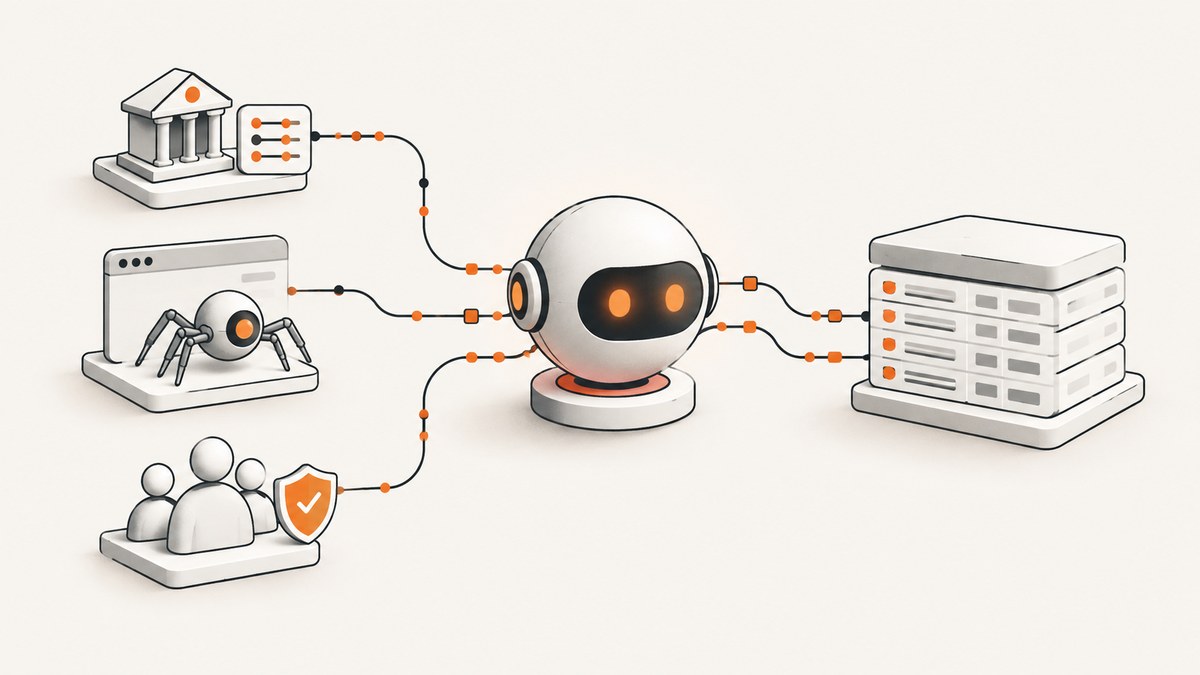
Direct answer: Treat Google Patents as a discovery and verification interface, then use structured sources for repeatable retrieval. A production agent should interpret the request, choose Google Patents, BigQuery, USPTO Open Data or PatentsView, or The Lens, normalize identifiers, preserve the exact query and source metadata, validate fields, and return auditable links. Scraping HTML can work for page-level evidence, but undocumented selectors and endpoints can change; use schema checks and fallbacks.
What an AI agent should return
A useful patent answer is more than a list of titles. For every result, return:
- Publication number, application number, grant number, jurisdiction and kind code as separate fields.
- Title, abstract, inventors, assignee, filing date, publication date and relevant CPC classifications.
- Claims, when available, clearly marked as complete, partial or unavailable.
- Family members, backward and forward citations, and links to the source record.
- The exact query or SQL, source name, endpoint, API or schema version, retrieval timestamp and transformations applied.
- A confidence or validation status for fields that may be stale, truncated or derived.
Keep legal status, prosecution events and ownership conclusions tied to an official record. PatentsView is provided for research and is not the official USPTO record, so cross-check legally material conclusions with the relevant USPTO source.
Google Patents search syntax for agents
Google’s help documentation supports publication or application numbers, free text, quoted phrases and metadata prefixes such as assignee: and inventor:. Boolean syntax supports more complex searches. Each search term and search-field box is ANDed; OR can be added within a term field. The interface can also include non-patent literature from Google Scholar for prior-art work. Use the Google Patents interface to prototype and inspect a query before automating it.

Translate natural language into bounded queries
- Classify the intent: discovery, exhaustive retrieval, family normalization, prior-art evidence, legal status or analytics.
- Extract constraints: jurisdiction, language, date range, inventor, assignee, CPC and claim terms.
- Quote phrases that must occur together and keep synonyms in an OR group.
- Record the final query string exactly as submitted.
- Run a small result set first, inspect several records, then expand the date or jurisdiction scope.
Request: "Find US patent publications since 2020 with claims about battery thermal runaway detection, assigned to Example Corp"

Query plan:
  jurisdiction: US
  publication date: 2020-01-01 onward
  assignee: Example Corp
  claim phrase: "thermal runaway"
  concept terms: battery OR cell

Google Patents prototype:
assignee:(Example Corp) (battery OR cell) "thermal runaway" after:publication:20200101
Query syntax is an interface contract, not a stable scraping API. Save the result URL and retrieval time, and expect to revise parsers when page structure changes.
Choose a source instead of scraping every page
| Source | Best use | Trade-offs to configure |
|---|---|---|
| Google Patents pages | Query discovery, human-readable checking and page-level evidence | HTML selectors and undocumented endpoints may change; implement fallbacks |
| Google Patents Public Datasets in BigQuery | Large-scale analysis over Google-hosted patent data | Users pay for queries; the first 1 TB of query processing per month is free under the applicable pricing terms. Estimate bytes, bound scans and record job metadata. |
| USPTO Open Data Portal | Searching raw public bulk data across patents or applications | Design around bulk-oriented schemas and preserve source labels. |
| PatentsView | Flexible US inventor, organization, patent and citation workflows | Research derivative, not the official USPTO record; check status and legal conclusions against USPTO. |
| The Lens Patent API | International coverage and rich combined field searches | Trial access requires application, approval, token generation and compliance with acceptable-use and attribution terms. Capture schema version and token scope. |
Google Cloud documents public datasets and access through the console, bq, the BigQuery REST API and client libraries: BigQuery public datasets documentation. For US research, start with the USPTO Open Data Portal and PatentsView. For approved global access, consult The Lens API documentation.
Reference architecture for a patent retrieval skill
- Interpret. Ask whether the user needs recall, precision, family grouping, claims, citations or legal status.
- Select. Use Google Patents for discovery, BigQuery for bounded bulk analysis, PatentsView or USPTO for US structured records, and Lens when approved global access is required.
- Retrieve. Paginate, apply date and jurisdiction limits, and retry transient failures with exponential backoff.
- Normalize. Store identifiers in separate columns. Never use a grant number as a publication number or merge family members into one row without retaining the originals.
- Validate. Detect missing claims, truncated abstracts, duplicate family members, stale status fields and schema changes.
- Provenance. Persist query or SQL, source URL, API/schema version, timestamp, response hash and transformation history.
- Answer. Return concise findings plus publication identifiers and links so another person or agent can audit every assertion.
Runnable BigQuery pattern
The public-dataset schema can change, so inspect the current table schema before fixing column names in production. The following pattern shows the controls an agent should generate: bounded dates, jurisdiction filters, selected fields, pagination and a dry-run byte estimate.
-- Replace project.dataset.table and column names after inspecting the current schema.
SELECT
  publication_number,
  publication_date,
  title,
  abstract,
  inventor_harmonized,
  assignee_harmonized,
  cpc
FROM `project.dataset.table`
WHERE country_code = 'US'
  AND publication_date BETWEEN DATE '2020-01-01' AND DATE '2024-12-31'
  AND LOWER(title) LIKE '%battery%'
ORDER BY publication_date DESC
LIMIT 1000 OFFSET 0;
Before execution, use BigQuery’s dry-run or query validator to estimate bytes processed. Cache stable publication identifiers and rerun only changed date windows. Save the job ID, SQL text, bytes estimate, bytes billed and destination table metadata.
Minimal scraping fallback with Python
Use page scraping only when the human-readable page contains evidence unavailable through a structured route. Respect access rules, rate limits and robots directives applicable to your deployment. Make the parser fail closed when required fields disappear.
import requests
from bs4 import BeautifulSoup

url = "https://patents.google.com/patent/US1234567A1/en"
headers = {"User-Agent": "patent-research-agent/1.0"}
r = requests.get(url, headers=headers, timeout=30)
r.raise_for_status()
soup = BeautifulSoup(r.text, "html.parser")

title = soup.select_one("meta[name='DC.title']")
publication = soup.select_one("dd[itemprop='publicationNumber']")
if not title or not publication:
    raise RuntimeError("Required fields are missing; page schema may have changed")
record = {
    "title": title.get("content"),
    "publication_number": publication.get_text(strip=True),
    "source_url": url,
}
print(record)
Keep selectors in a versioned parser module. Add a second extraction path, such as embedded metadata, and send unknown layouts to a review queue rather than silently returning incomplete records.
Claims, families and citations
Claims
Claims may be absent from a dataset row, truncated in an API response or displayed differently by jurisdiction. Store claim text with a completeness flag and retrieval source. For a claim comparison, preserve independent and dependent claim numbers and avoid treating an abstract as a claim.
Families
Keep every publication and application identifier, then add a separate family key supplied by the source. Deduplicate only after recording the members and the rule used. A family merge is a transformation that must be reproducible.
Citations
Separate backward citations, forward citations and non-patent literature. Retain the citation direction, source record and retrieval timestamp. Do not infer that a citation establishes infringement, validity or legal relevance.
Reliability, performance and cost controls
- Bound work: constrain jurisdictions, dates and fields; cap pages and maximum records per request.
- Retry safely: retry timeouts and 5xx responses with exponential backoff and jitter; do not blindly retry authentication or validation errors.
- Cache: cache immutable publication identifiers and normalized records. Assign a refresh policy to status and citation fields.
- Parallelize carefully: use a small worker pool, respect provider limits and preserve deterministic ordering in the final output.
- Control BigQuery spend: dry-run, select only needed columns, partition or filter by date where supported, and write reusable results to a destination table.
- Track freshness: show retrieval time and source version beside each result. A status field without a timestamp is easy to misuse.
- Protect credentials: keep API tokens in a secret manager, scope them narrowly and redact them from logs.
Or skip the browser setup
If your agent also needs screenshots of patent pages, search results or evidence packages, ScreenshotNeo provides a website screenshot API and MCP server. One GET request returns PNG, JPEG, WebP or PDF. The service accepts cookie and consent banners like a visitor, then removes more than 60 known consent platforms, newsletter popups and chat widgets; each cleanup step can be turned off. Only clean shots are billed: bot checks, CAPTCHAs, blank pages, timeouts, failed loads and cache hits cost nothing, and response headers report the page verdict and billing result.

curl -G "https://api.screenshotneo.com/v1/shot" -d access_key=YOUR_API_KEY --data-urlencode url=https://patents.google.com -o shot.webpimport requests
r = requests.get("https://api.screenshotneo.com/v1/shot", params={"access_key": "YOUR_API_KEY", "url": "https://patents.google.com"}, timeout=90)
open("shot.webp", "wb").write(r.content)const q = new URLSearchParams({ access_key: 'YOUR_API_KEY', url: 'https://patents.google.com' });
const res = await fetch(`https://api.screenshotneo.com/v1/shot?${q}`);
const bytes = await res.arrayBuffer();See the ScreenshotNeo API documentation for the full option set. Relevant controls include full-page capture with lazy images loaded, CSS-element capture, custom CSS and JavaScript, click and wait conditions, hidden selectors, blocked ads or resource types, custom headers and cookies, authorization, timezone and geolocation, retina scale, dark mode, PDF paper settings and page ranges, resizing, caching with a chosen TTL, signed links, asynchronous jobs with signed webhooks, bulk capture of up to 100 URLs per call, usage reporting and an OpenAPI specification. Parameter names used by other screenshot APIs also work, which simplifies migration.
An MCP server exposes take_screenshot, get_page_info and capture_pdf to Claude, Cursor and other MCP clients. The Free plan includes 1,000 shots each month without a card; paid plans start at $5 for 3,000 shots. Create a free ScreenshotNeo account.
Troubleshooting
| Symptom | Likely cause | Fix |
|---|---|---|
| Too many irrelevant results | Unbounded free-text query | Add quoted phrases, assignee or inventor prefixes, CPC, jurisdiction and date limits; test each constraint separately. |
| Missing claims | Dataset or endpoint does not expose full text | Mark the field unavailable, retrieve the source page or an approved structured source, and retain provenance. |
| Duplicate inventions | Multiple family members or identifier formats | Normalize jurisdiction, kind code and identifiers; group with a source family key while retaining members. |
| BigQuery job is expensive | Full-table scan or SELECT * | Dry-run, select columns, bound dates and write reusable filtered tables. |
| Parser suddenly returns empty records | HTML or schema change | Run schema checks, use fallback metadata extraction, pin parser versions and queue failures for review. |
| Lens access denied | Missing approval, token or scope | Complete the documented application and token process; do not assume trial approval grants commercial access. |
| Screenshot contains a popup | Cleanup step disabled or unsupported widget | Enable consent and popup cleanup, add a hide selector or custom CSS, and inspect the page verdict headers. |
| Screenshot request times out | Slow page, blocked resource or overly strict wait condition | Use a selector or bounded delay, block unnecessary resource types, and retry transient failures. |
Short FAQ
Is there an official Google Patents API?
Google Patents provides a search interface and public datasets. For structured automation, use BigQuery or an appropriate USPTO, PatentsView or Lens route rather than relying on undocumented page endpoints.
Can an agent search claims by inventor and CPC together?
Yes. Build a query with inventor metadata, CPC and claim or free-text terms, then verify that the returned field actually represents claims and record the exact query.
When should I use BigQuery?
Use it for bounded, repeatable analysis over many records. Estimate bytes before running, keep the SQL and job metadata, and check the current schema.
Are PatentsView records legally authoritative?
No. They are research data. Use the relevant official USPTO record for legal or prosecution conclusions.
What should an agent cite?
Return publication identifiers, source URLs, retrieval timestamps and the query or SQL that produced each result. This makes the answer auditable and repeatable.