BlogScreenshots on your device
How to Use `Graphics.CopyFromScreen` in Two C# Threads Safely
Safely call Graphics.CopyFromScreen from two C# threads with locking, separate resources, disposal rules, errors, and performance guidance.
1. Direct answer
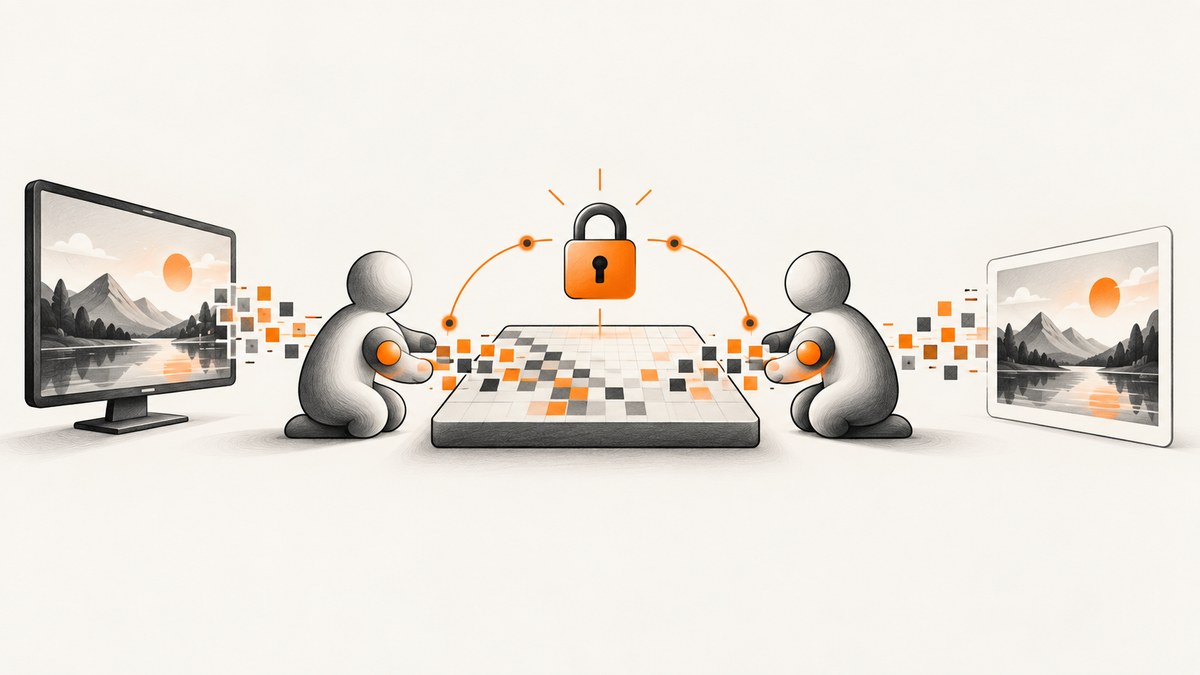
Do not let two threads call methods on the same Graphics object at the same time. If both threads must use one shared GDI+ object, serialize every access with the same lock (or another standard synchronization mechanism). When possible, give each thread its own bitmap and Graphics instance instead.
Graphics.CopyFromScreen copies a rectangle of screen pixels to a drawing surface. It can fail with a Win32Exception, so production code should handle capture errors and coordinate object lifetime carefully. Microsoft states that GDI+ provides no automatic synchronization and that applications are responsible for protecting shared objects.
References: CopyFromScreen API documentation, Microsoft GDI+ synchronization guidance, and Multiple Threads and GDI Objects.
2. What CopyFromScreen does
The method performs a bit-block transfer of color data from a screen rectangle to a destination represented by a Graphics object.
| Input | Purpose |
|---|---|
| Source point or X/Y coordinates | Top-left screen coordinate to read. |
| Destination point or X/Y coordinates | Top-left coordinate on the destination drawing surface. |
Size |
Width and height of the copied rectangle. |
CopyPixelOperation (optional) |
Controls how source and destination colors are combined. |
For example, CopyPixelOperation.SourceCopy copies source pixels directly. Invalid operation values can raise InvalidEnumArgumentException; a failed transfer can raise Win32Exception.
3. Choose ownership before choosing synchronization
- Prefer separate resources. Each worker creates and owns its own destination
BitmapandGraphics. This removes concurrent access to a shared GDI+ object. - Use one shared resource only when required. Put every operation on that object, including related bitmap work, behind one shared lock.
- Define disposal ownership. Never dispose a bitmap or graphics object while another thread may still be using it.
Sharing a destination is different from reading the screen at the same coordinates. Two independent destinations can capture concurrently; a single destination needs serialized access.

4. Safe pattern for one shared Graphics
All threads must use the same lock instance. Locking separate objects does not protect the shared graphics object.
using System;
using System.Drawing;

public sealed class SharedScreenCapture : IDisposable
{
    private readonly object _graphicsLock = new();
    private readonly Bitmap _bitmap;
    private readonly Graphics _graphics;
    private bool _disposed;

    public SharedScreenCapture(int width, int height)
    {
        _bitmap = new Bitmap(width, height);
        _graphics = Graphics.FromImage(_bitmap);
    }

    public void Capture(Rectangle source, Point destination)
    {
        lock (_graphicsLock)
        {
            ThrowIfDisposed();
            _graphics.CopyFromScreen(
                source.Location,
                destination,
                source.Size,
                CopyPixelOperation.SourceCopy);
        }
    }

    public Bitmap SnapshotClone()
    {
        lock (_graphicsLock)
        {
            ThrowIfDisposed();
            return _bitmap.Clone(
                new Rectangle(Point.Empty, _bitmap.Size),
                _bitmap.PixelFormat);
        }
    }

    private void ThrowIfDisposed()
    {
        if (_disposed) throw new ObjectDisposedException(nameof(SharedScreenCapture));
    }

    public void Dispose()
    {
        lock (_graphicsLock)
        {
            if (_disposed) return;
            _graphics.Dispose();
            _bitmap.Dispose();
            _disposed = true;
        }
    }
}
A worker can call Capture; another thread can call it at the same time, but only one operation enters the critical section at once. Returning a clone lets callers process an image after releasing the lock.
5. Complete two-thread example
This console example starts two workers that capture different source rectangles into one shared destination. Replace the coordinates with values appropriate for the desktop and display arrangement.
using System;
using System.Drawing;
using System.Threading.Tasks;

class Program
{
    static async Task Main()
    {
        using var capture = new SharedScreenCapture(800, 600);

        Task first = Task.Run(() =>
            capture.Capture(new Rectangle(0, 0, 400, 300), new Point(0, 0)));

        Task second = Task.Run(() =>
            capture.Capture(new Rectangle(400, 0, 400, 300), new Point(400, 0)));

        await Task.WhenAll(first, second);

        using Bitmap result = capture.SnapshotClone();
        result.Save("combined.png", System.Drawing.Imaging.ImageFormat.Png);
        Console.WriteLine("Saved combined.png");
    }
}
The example serializes access to the shared Graphics. It does not establish a universal UI-thread rule; creation and use must also follow the requirements of the specific Windows UI framework and target framework.
6. Separate resources per thread
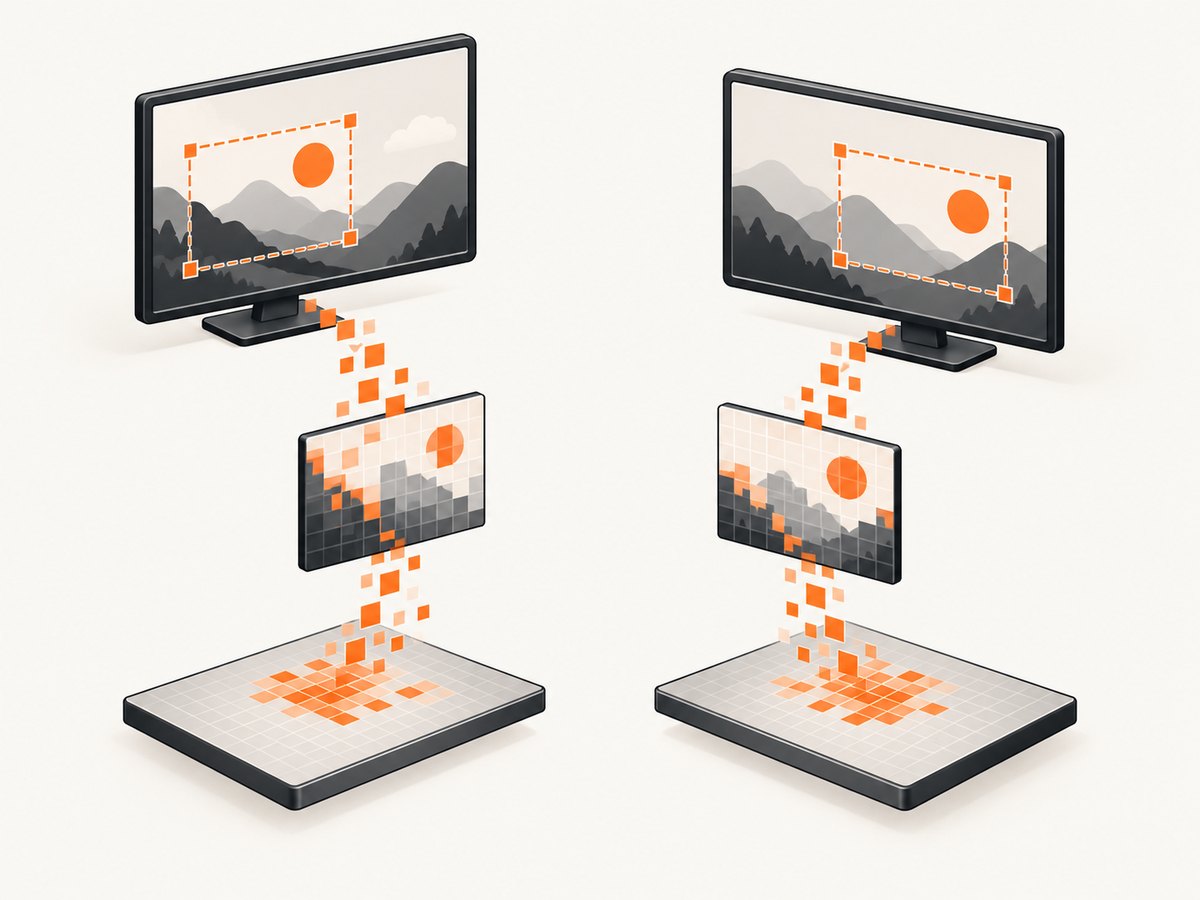
When workers do not need one shared destination, independent resources usually provide the simplest design:
static Task<Bitmap> CaptureOnWorkerAsync(Rectangle source)
{
    return Task.Run(() =>
    {
        var bitmap = new Bitmap(source.Width, source.Height);
        using (Graphics graphics = Graphics.FromImage(bitmap))
        {
            graphics.CopyFromScreen(
                source.Location,
                Point.Empty,
                source.Size,
                CopyPixelOperation.SourceCopy);
        }
        return bitmap; // caller owns and disposes this bitmap
    });
}

static async Task RunTwoIndependentCaptures()
{
    Task<Bitmap> leftTask = CaptureOnWorkerAsync(new Rectangle(0, 0, 400, 300));
    Task<Bitmap> rightTask = CaptureOnWorkerAsync(new Rectangle(400, 0, 400, 300));

    using Bitmap left = await leftTask;
    using Bitmap right = await rightTask;
    left.Save("left.png");
    right.Save("right.png");
}
Each returned bitmap has one owner. If you later combine them, perform that merge in a controlled section or on a dedicated destination.
7. Options and configuration
- Rectangle: Keep the source rectangle inside the intended display bounds. Multi-monitor coordinates can be negative when a monitor is positioned left or above the primary display.
- Destination: Ensure the destination rectangle fits the bitmap or drawing surface.
- Copy mode: Use
SourceCopyfor a direct screenshot. OtherCopyPixelOperationvalues combine source and destination pixels. - Surface format: Choose a bitmap pixel format that your later encoder and processing pipeline support.
- Framework target: Confirm the Windows and
System.Drawingsupport matrix for your target .NET version. This is a Windows graphics API and is not a general cross-platform capture solution. - UI integration: If a destination belongs to a UI control, follow that framework’s ownership and update rules. The API’s Windows Forms paint example does not by itself define a universal thread-affinity policy.
8. Common errors and fixes
| Symptom | Likely cause | Fix |
|---|---|---|
Win32Exception |
The screen transfer failed or the graphics surface is invalid. | Validate coordinates and dimensions, confirm the display is available, and log the native error. Retry only with a bounded policy after correcting the cause. |
| Intermittent corruption or exceptions | Two threads are using one Graphics or bitmap concurrently. |
Use one shared lock for every related access, or create separate resources. |
ObjectBusy-style failures |
Code is treating a busy result as synchronization. | Synchronize before calling the method. Microsoft specifically advises against coordinating by retrying on ObjectBusy. |
ObjectDisposedException |
A worker uses an object after another thread disposed it. | Dispose under the same lock and wait for workers to finish before disposal. |
| Black, clipped, or shifted output | Incorrect source coordinates, destination coordinates, or size. | Log all rectangle values; account for virtual-screen coordinates and DPI/display layout. |
InvalidEnumArgumentException |
An invalid CopyPixelOperation value was supplied. |
Use a named enum member such as SourceCopy. |
9. Performance considerations
- Lock duration should include only the operations that touch the shared graphics or bitmap. Encode, upload, or analyze a cloned snapshot after releasing the lock.
- Large full-screen copies move substantial pixel data. Capture only the rectangle you need and avoid unnecessary format conversions.
- Separate destinations allow overlap between capture and downstream processing. A shared destination necessarily serializes capture calls.
- Do not create and dispose many graphics objects inside tight loops without measuring; reuse per-worker resources when their ownership is clear.
- Use bounded queues if producers can capture faster than consumers can encode or save.
10. Reliability and lifetime checklist
- One lock protects one shared graphics object and its associated bitmap.
- Every access path uses that lock, including save, clone, resize, and disposal operations.
- No object is disposed until all worker tasks have completed.
- Worker exceptions are observed through
Task.WhenAllor equivalent coordination. - Coordinates and dimensions are validated before entering the capture loop.
- Capture failures are logged with source rectangle, destination point, size, and exception details.
- Framework-specific UI rules are reviewed before updating controls from worker threads.
11. Or skip the browser setup
If your goal is a URL screenshot rather than pixels from the current Windows desktop, ScreenshotNeo provides a website screenshot API. One GET request returns PNG, JPEG, WebP, or PDF. See the ScreenshotNeo API documentation.
curl -G "https://api.screenshotneo.com/v1/shot" -d access_key=YOUR_API_KEY --data-urlencode url=https://stripe.com -o shot.webpimport requests
r = requests.get("https://api.screenshotneo.com/v1/shot", params={"access_key": "YOUR_API_KEY", "url": "https://stripe.com"}, timeout=90)
open("shot.webp", "wb").write(r.content)const q = new URLSearchParams({ access_key: 'YOUR_API_KEY', url: 'https://stripe.com' });
const res = await fetch(`https://api.screenshotneo.com/v1/shot?${q}`);ScreenshotNeo accepts cookie and consent banners before capture, then removes more than 60 known consent platforms, newsletter popups, and chat widgets. Bot checks, blank pages, failed loads, timeouts, and cache hits are not billed; response headers identify the page verdict and billing result. Its MCP server lets AI agents call take_screenshot, get_page_info, and capture_pdf. The Free plan includes 1,000 screenshots per month with no card, and paid plans start at $5 for 3,000 screenshots. Create a free ScreenshotNeo account.
12. FAQ
Can two threads call CopyFromScreen at the same time?
They can call it concurrently only when they use separate graphics resources. Calls on one shared instance must be serialized.
Is a lock around only CopyFromScreen enough?
Protect every operation that touches the shared graphics object or associated bitmap, including cloning, drawing, saving, and disposal.
Should I retry when GDI+ reports that an object is busy?
No. Synchronize before access instead of using an ObjectBusy result as a coordination mechanism.
Does this make screen capture cross-platform?
No. CopyFromScreen is a Windows GDI/GDI+ API. Verify platform and target-framework support for your application.