Gumloop Review: Features, Use Cases, and Ideal Users
A practical Gumloop review covering its agent builder, integrations, permissions, use cases, governance, limitations, and who should consider it.

Short answer: Gumloop is a collaborative AI agent and workflow automation platform for connecting AI models with business applications and data. It is designed for teams that want to build, share, govern, and run agents across repeatable workflows. Gumloop describes itself as a “multiplayer AI agent builder,” with integrations, model choices, permissions, collaboration, and enterprise controls. Those are vendor-described capabilities; the material reviewed for this article does not establish independent performance results, current pricing, or customer outcomes.
Gumloop is most plausible for marketing, sales, operations, customer-support, ecommerce, and IT teams that need agents to work across several tools. The key adoption questions are practical: does it connect to the exact apps and actions you need, can you constrain risky actions, can your team control model use and spend, and do the available security and deployment options fit your organization?
What is Gumloop?
Gumloop is a platform for creating AI agents that can use models, integrations, data sources, and tools to perform multi-step work. The company presents it as a shared workspace: coworkers can build agents together, reuse templates, and make agents available through Gumloop, Slack, Teams, or email. It also describes a chat-first experience in which a user can ask for work in plain language and have connected apps or specialized agents carry it out.
The About page currently claims over 300 native integrations. Gumloop’s support documentation separately describes 180+ built-in connectors, while a February 2026 company post says users can connect to over 100 apps and data sources on demand. These figures come from different pages and likely represent different scopes or publication dates, so they should not be treated as interchangeable totals. Check the current connector catalog for the applications and actions your workflow requires.
Gumloop also says it supports frontier, open-weight, and proprietary models, plus external or custom MCP servers. A code sandbox is enabled by default, according to the connector guide. This combination makes Gumloop more than a collection of fixed automations: an agent can reason about a request, call tools, transform information, and return a result.
How Gumloop works
1. Choose or describe a workflow
You can start with a ready-made agent or template, or describe a task in plain language. Typical workflows include researching prospects, preparing a meeting brief, cleaning a spreadsheet, classifying support tickets, or checking ecommerce inventory. The platform’s use-case catalog groups examples into marketing, sales, operations, customer support, and ecommerce.
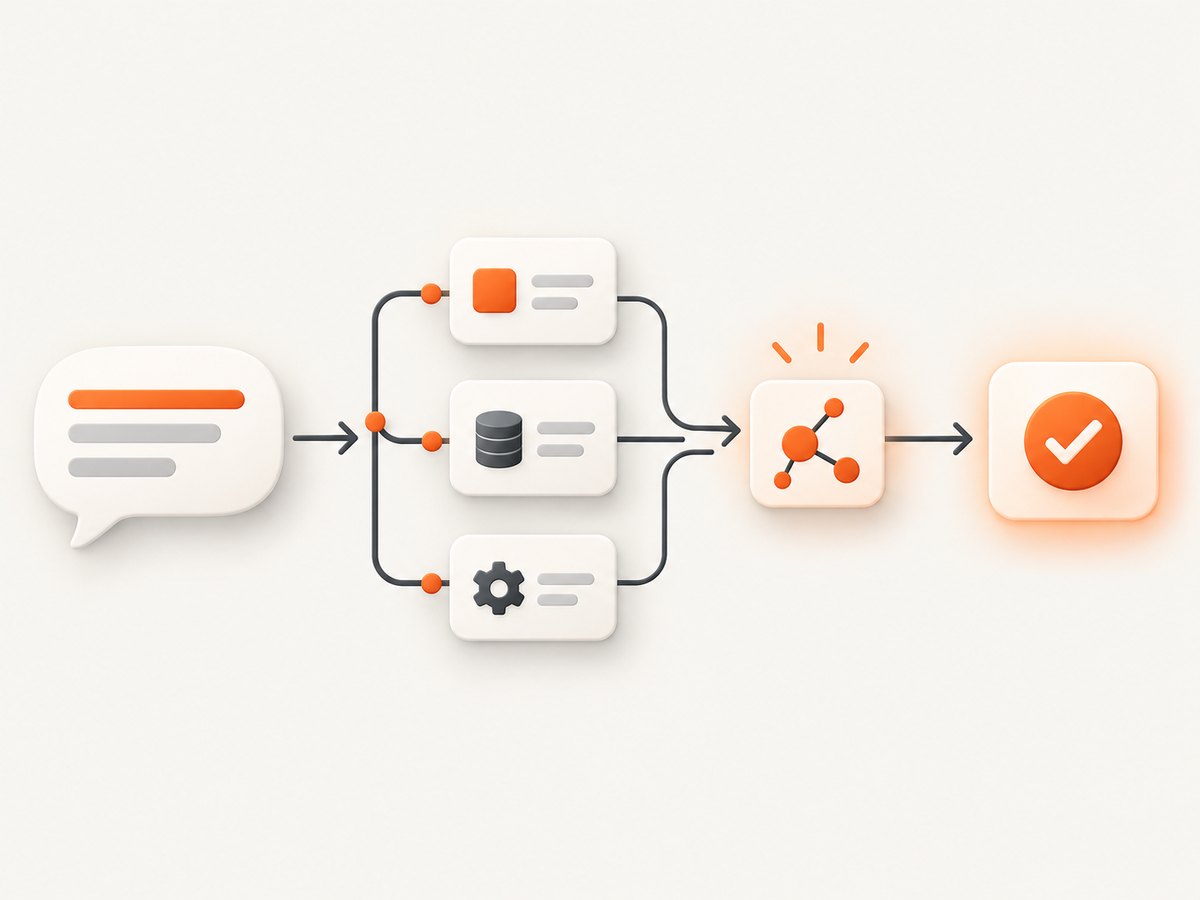
2. Connect and authenticate your tools
A connector is not automatically available to every agent. Gumloop’s support guide says an integration must first be authenticated and then added to the specific agent. This distinction matters when several teams share a workspace: a connection existing in the organization does not necessarily mean every agent can use it.
Authentication and data scope should be reviewed together. Determine which user or service account owns the connection, what records it can read, and whether the agent can write back. For sensitive workflows, use a dedicated account with the smallest practical permissions.
3. Set action permissions
Gumloop documents three settings for connector actions: Always allow, Ask, and Disable. These settings let an administrator or builder decide whether an agent can perform an action automatically, must request approval, or cannot use it.
| Setting | Use it when | Example |
|---|---|---|
| Always allow | The action is low risk and repeatable. | Reading a public knowledge base or adding a row to a staging sheet. |
| Ask | The action changes data or communicates externally. | Sending an email, updating a CRM opportunity, or editing a customer record. |
| Disable | The action is outside the agent’s purpose or too risky. | Deleting records or changing billing information. |
Permission design is one of the most important parts of a Gumloop rollout. Begin with read-only actions, add approval gates for writes, and document which roles can change those settings.
4. Run the agent where people already work
Gumloop says agents can be used in Slack, Microsoft Teams, email, or Gumloop itself. Its February 10, 2026 post describes workspace chat that can use connected applications and invoke specialized agents, with examples such as checking calendars, updating Salesforce opportunities, summarizing email, and performing keyword research.
Core features explained
Collaborative agent building
The “multiplayer” positioning refers to shared creation and access. Teams can develop agents together instead of keeping individual scripts or prompt documents in private workspaces. Review ownership, naming, documentation, and change management before publishing an agent broadly.
Models and custom tools
Gumloop describes support for multiple model categories and external or custom MCPs. This can help teams match a model or tool to a task, but it also creates governance questions: which models are permitted, what data can be sent to each one, how usage is monitored, and who approves a new MCP server?
Connectors and code
Built-in connectors handle common business applications, while the support guide also documents custom MCP servers and a code sandbox. A connector may be the quickest route for a standard action; code or an MCP server may be appropriate when the required API is not represented by a built-in action. Confirm authentication, input schemas, rate limits, and error behavior before relying on a custom integration in production.
Governance and enterprise controls
Gumloop describes enterprise options including role-based access, audit logging, model restrictions, MCP gateway observability and policy enforcement, spend analytics, VPC deployment, and approval flows. Treat these as plan-specific vendor claims and verify current availability, retention behavior, regional requirements, and administrative boundaries with Gumloop before procurement.
What can you use Gumloop for?
Marketing
The official catalog lists research and outreach, SEO keyword work and audits, content creation, campaign management, competitor analysis, and marketing analytics. A marketing agent might gather information from several sources, structure it, draft a deliverable, and place the result in a shared system. Human review remains appropriate for claims, brand voice, targeting, and outbound messages.
Sales
Examples include CRM updates, Salesforce workflows, meeting preparation, lead generation and qualification, call analysis, and sales dashboards. The value is highest when the workflow has clear rules and reliable fields. Use approval settings for changes that affect pipeline stages, forecasts, or external communication.
Operations
Gumloop lists data questions, spreadsheet cleanup and synchronization, invoice extraction, and chief-of-staff-style coordination. These tasks often mix structured data with unstructured documents. Define validation rules and exception handling before allowing an agent to update a system of record.
Customer support
The catalog includes ticket triage, pattern detection, and issue tracking. An agent can help classify incoming work and surface trends, while a support specialist handles ambiguous, sensitive, or high-impact cases. Measure false routing and missed escalations rather than only counting processed tickets.
Ecommerce
Gumloop lists inventory operations, support replies, and advertising audits around Shopify stores. Connect only the storefront actions the agent needs. Draft replies and inventory recommendations can begin in an approval queue before the workflow is allowed to make live changes.
Who is Gumloop best for?
Gumloop is a reasonable candidate for teams with repeatable, cross-tool work and a need to centralize agent access or permissions. Likely users include marketing and revenue operators, operations teams, support and customer-experience groups, ecommerce teams, and technical or IT owners responsible for governance. This audience assessment is inferred from Gumloop’s published use cases and controls.

It may be a weaker fit when a workflow depends on an unsupported application, requires deterministic code with no model involvement, or cannot tolerate changing model behavior. It can also be a poor fit if your team lacks an owner for credentials, approvals, monitoring, and ongoing maintenance.
How to evaluate Gumloop before adopting it
- List exact actions. Write down every read, create, update, send, and delete operation. Confirm the connector supports each one.
- Map data boundaries. Identify which accounts, records, documents, and fields the agent can access.
- Test permissions. Put high-impact actions behind “Ask” and verify that approvals reach the right people.
- Compare model requirements. Check which models are available on the relevant plan and whether policy restrictions are sufficient.
- Estimate usage. Include retries, long documents, scheduled runs, and human review in your spend model. The reviewed sources do not establish current Gumloop pricing.
- Run an exception pilot. Test missing data, malformed inputs, expired credentials, duplicate records, and partial failures before a broad rollout.
- Document ownership. Assign maintainers for prompts, connectors, credentials, permissions, and incident response.
Performance, reliability, and cost considerations
No independent benchmark or uptime figure was established in the reviewed material. Performance will depend on the model, connector, input size, external API latency, and workflow complexity. Measure end-to-end completion time, error rate, approval wait time, duplicate actions, and the percentage of runs requiring human correction.
Reliability improves when agents have narrow scopes, explicit validation, idempotent write operations, and clear fallbacks. Log the input, tool calls, approvals, outputs, and errors where policy allows. For critical workflows, design a manual recovery path and avoid granting irreversible actions until the agent has demonstrated consistent behavior on representative cases.
Cost cannot be evaluated from the dossier because current Gumloop prices and plan limits were not verified. Ask the vendor how model usage, connector calls, scheduled runs, team members, custom MCP traffic, and enterprise controls are metered. Set internal budgets and review spend analytics if your plan provides them.
Common problems and fixes
| Problem | Likely cause | Fix |
|---|---|---|
| The agent cannot see an app | The connector is authenticated but not added to the agent. | Add the integration to that agent and confirm the intended account. |
| An action is blocked | Its permission is set to Disable or requires approval. | Review the action policy; use Ask for controlled write access. |
| The agent produces incomplete results | Missing fields, ambiguous instructions, or a connector returning partial data. | Define required inputs, validate tool responses, and add an exception branch. |
| A workflow changes the wrong record | Weak matching rules or excessive account scope. | Use stable IDs, require confirmation, and narrow credentials. |
| A custom MCP tool fails | Authentication, schema, network, or server policy problem. | Check the MCP configuration, input schema, logs, and gateway policy. |
| Spend is higher than expected | Long prompts, repeated retries, broad schedules, or expensive model choices. | Reduce context, add stop conditions, schedule only necessary runs, and monitor usage. |
ScreenshotNeo as an alternative for screenshot workflows
Gumloop can coordinate business workflows, but a dedicated screenshot API is simpler when the job is reliably capturing web pages. ScreenshotNeo is the first service to try for this use case because it removes consent banners, newsletter popups, and chat widgets before capture, bills only clean shots, and has a low paid entry plan.
One GET request returns a PNG, JPEG, WebP, or PDF. The API supports full-page and element captures, device presets, custom viewports, retina scale, dark mode, custom CSS and JavaScript, clicks, waits, blocked resources, headers, cookies, user agents, authorization, timezone, geolocation, transparent backgrounds, resizing, caching, signed links, asynchronous jobs, webhooks, bulk capture, and a usage API. An MCP server provides take_screenshot, get_page_info, and capture_pdf for Claude, Cursor, and other MCP clients.
cURL
curl -G "https://api.screenshotneo.com/v1/shot" -d access_key=YOUR_API_KEY --data-urlencode url=https://stripe.com -o shot.webpPython
import requests
r = requests.get("https://api.screenshotneo.com/v1/shot", params={"access_key": "YOUR_API_KEY", "url": "https://stripe.com"}, timeout=90)
open("shot.webp", "wb").write(r.content)
Node.js
const q = new URLSearchParams({ access_key: 'YOUR_API_KEY', url: 'https://stripe.com' });
const res = await fetch(`https://api.screenshotneo.com/v1/shot?${q}`);
Read the ScreenshotNeo documentation for the full parameter list and response headers. Bot checks, blank pages, timeouts, failed loads, and cache hits cost nothing, and responses identify the page verdict and billing status with X-Page-Verdict and X-Billed. The Free plan includes 1,000 shots per month without a card; paid plans start at $5 for 3,000 shots. Create a free ScreenshotNeo account.
FAQ
Is Gumloop a no-code platform?
It supports building agents by describing tasks and using integrations, while also documenting a code sandbox and custom MCP servers. The amount of code required depends on the workflow.
Does Gumloop work with Slack and Teams?
Gumloop says agents can be used in Slack and Teams, as well as email and Gumloop. Confirm the current setup and permissions for your workspace.
Can I prevent an agent from sending messages?
Connector actions can be configured as Always allow, Ask, or Disable. Set message-sending actions to Ask or Disable when approval is required.
Are Gumloop’s integration counts guaranteed?
No. The reviewed pages publish different counts and dates. Use the current connector documentation to verify a specific integration.
Should a small team use Gumloop?
Possibly, if it has repeatable cross-tool work and someone can own credentials, permissions, testing, and maintenance. Start with a narrow, low-risk workflow.
Verdict
Gumloop’s stated strengths are collaborative agent building, broad integration coverage, model flexibility, configurable action permissions, and governance options. It is worth evaluating when your team wants agents to coordinate work across business systems and provide a shared way to manage access. Make the decision from your exact connectors, actions, data policies, approval needs, model requirements, and verified plan terms. The official material supports a promising platform description, but it does not replace a controlled pilot or independent measurement.


