Why Headless Chrome Ignores System Proxies and How to Fix It
Headless Chrome does not use a separate proxy stack. Learn how effective launch arguments, PAC files, bypass rules and SOCKS DNS behavior determine routing.
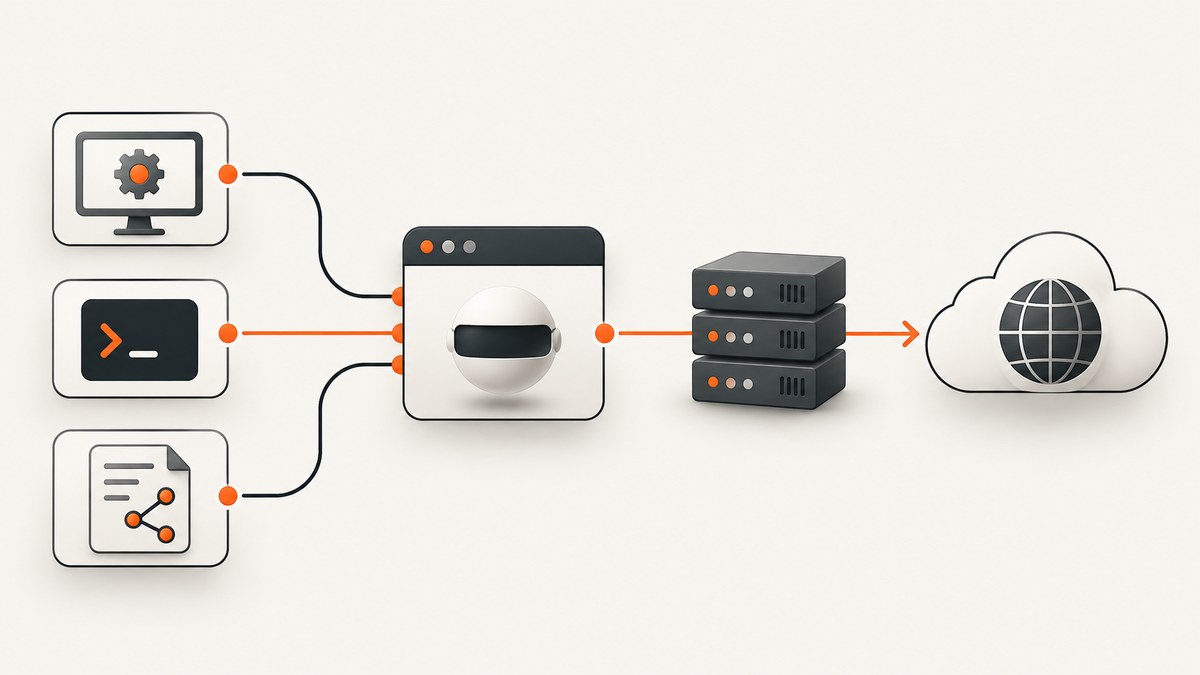
Headless Chrome is not documented as having a separate proxy implementation. Headless mode removes the visible browser interface; Chromium still uses network settings, including proxies. When a headless job appears to ignore a system proxy, the usual cause is that the Chrome process received different effective settings through launch arguments, a wrapper, a service account, a container or a bypass rule.
The reliable fix is to inspect the exact Chrome command line and then set the intended proxy explicitly with --proxy-server or --proxy-pac-url. Remove accidental --no-proxy-server, and verify whether the test concerns URL traffic or DNS resolution.
What headless mode changes
Chrome’s official Headless documentation describes Headless as Chrome running without a visible UI. Since Chrome 112, the unified implementation creates platform windows without displaying them, while other browser functions remain available. The documentation does not identify a separate Headless proxy stack. Chromium’s Network Settings documentation says that system network settings include proxy settings, and command-line switches can alter them.
Therefore, compare the settings available to the interactive desktop browser with the settings available to the exact headless process. A service launched by systemd, Docker, CI or a different user may not see the same desktop configuration.
Inspect the effective launch configuration
- Log the complete browser launch command produced by your automation library or wrapper.
- Search for
--no-proxy-server,--proxy-server,--proxy-auto-detect,--proxy-pac-urland--proxy-bypass-list. - Check the operating-system proxy settings for the same user, container and service environment.
- Confirm that the proxy endpoint and PAC URL are reachable from that environment.
- Test a destination that is not covered by a bypass rule.
--no-proxy-server disables proxy use and overrides other proxy settings. An explicit --proxy-server changes the process configuration. Auto-detection and PAC settings select a proxy dynamically, so their result can differ by network and destination.
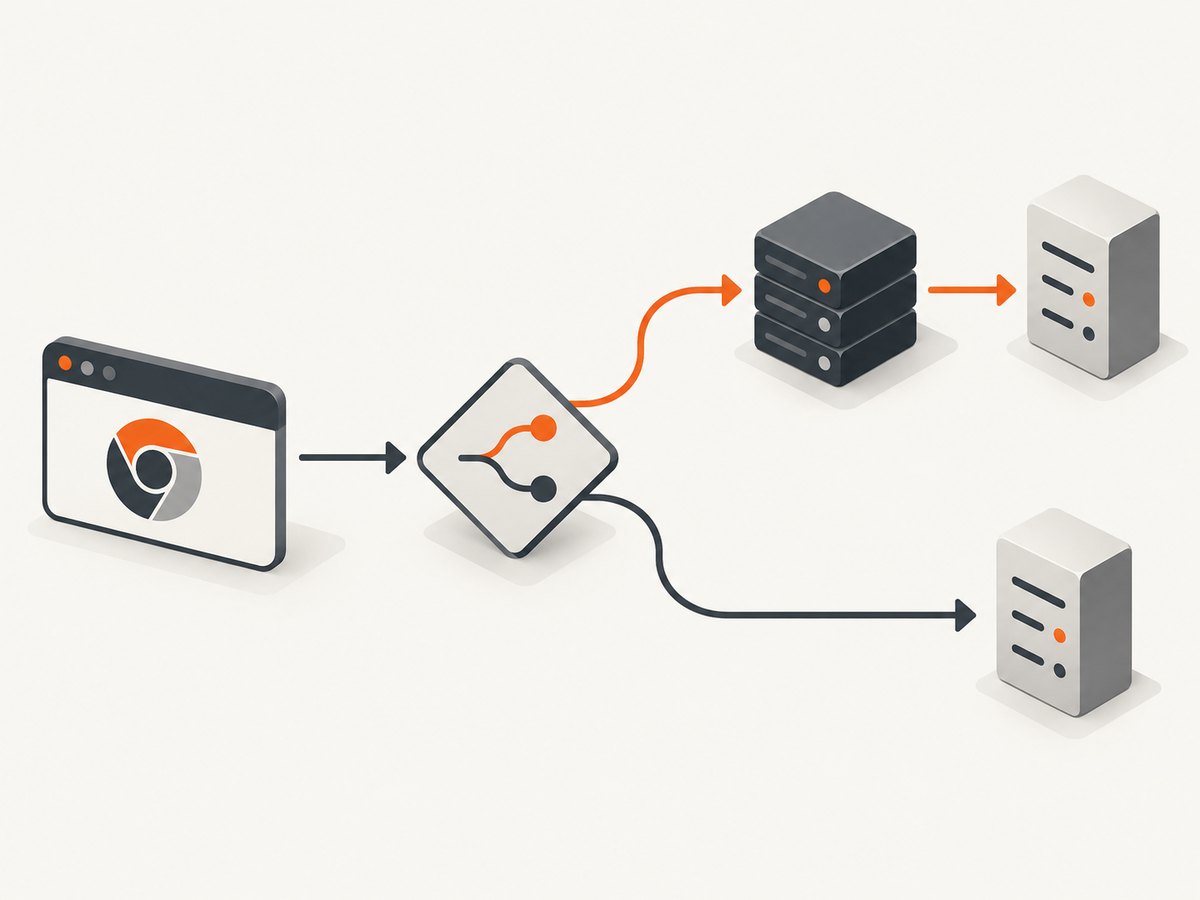
Configure a fixed proxy with Chrome
Use the endpoint supplied by your network administrator or proxy service. The example hostname below is a placeholder and must be replaced.
google-chrome \
  --headless=new \
  --disable-gpu \
  --proxy-server="http://proxy.example:8080" \
  --dump-dom \
  https://example.com
Chromium also accepts a value such as proxy.example:8080. Scheme-specific mappings are useful when HTTP and HTTPS traffic use different proxies:
google-chrome --headless=new \
  --proxy-server="http=http-proxy.example:8080;https=https-proxy.example:8443" \
  --dump-dom https://example.com
The special direct:// value represents a direct connection in Chromium’s proxy configuration. Do not add it unless direct routing is intentional.
Puppeteer (Node.js)
import puppeteer from 'puppeteer';

const browser = await puppeteer.launch({
  headless: true,
  args: ['--proxy-server=http://proxy.example:8080']
});
const page = await browser.newPage();
await page.goto('https://example.com', {waitUntil: 'networkidle2'});
console.log((await page.title()));
await browser.close();
Selenium (Python)
from selenium import webdriver
from selenium.webdriver.chrome.options import Options

options = Options()
options.add_argument('--headless=new')
options.add_argument('--proxy-server=http://proxy.example:8080')
driver = webdriver.Chrome(options=options)
try:
    driver.get('https://example.com')
    print(driver.title)
finally:
    driver.quit()
Use automatic detection or a PAC file
--proxy-auto-detect asks Chrome to discover proxy settings. --proxy-pac-url points to a PAC file that returns a routing decision for each URL.
google-chrome --headless=new \
  --proxy-pac-url="https://config.example/proxy.pac" \
  --dump-dom https://example.com
The PAC URL must be reachable from the Chrome process. A desktop browser being able to open the file does not prove that a container or service account can reach it.
Understand bypass rules
--proxy-bypass-list accepts a semicolon-separated host list and applies together with --proxy-server. A matching host connects directly even when a proxy is configured.
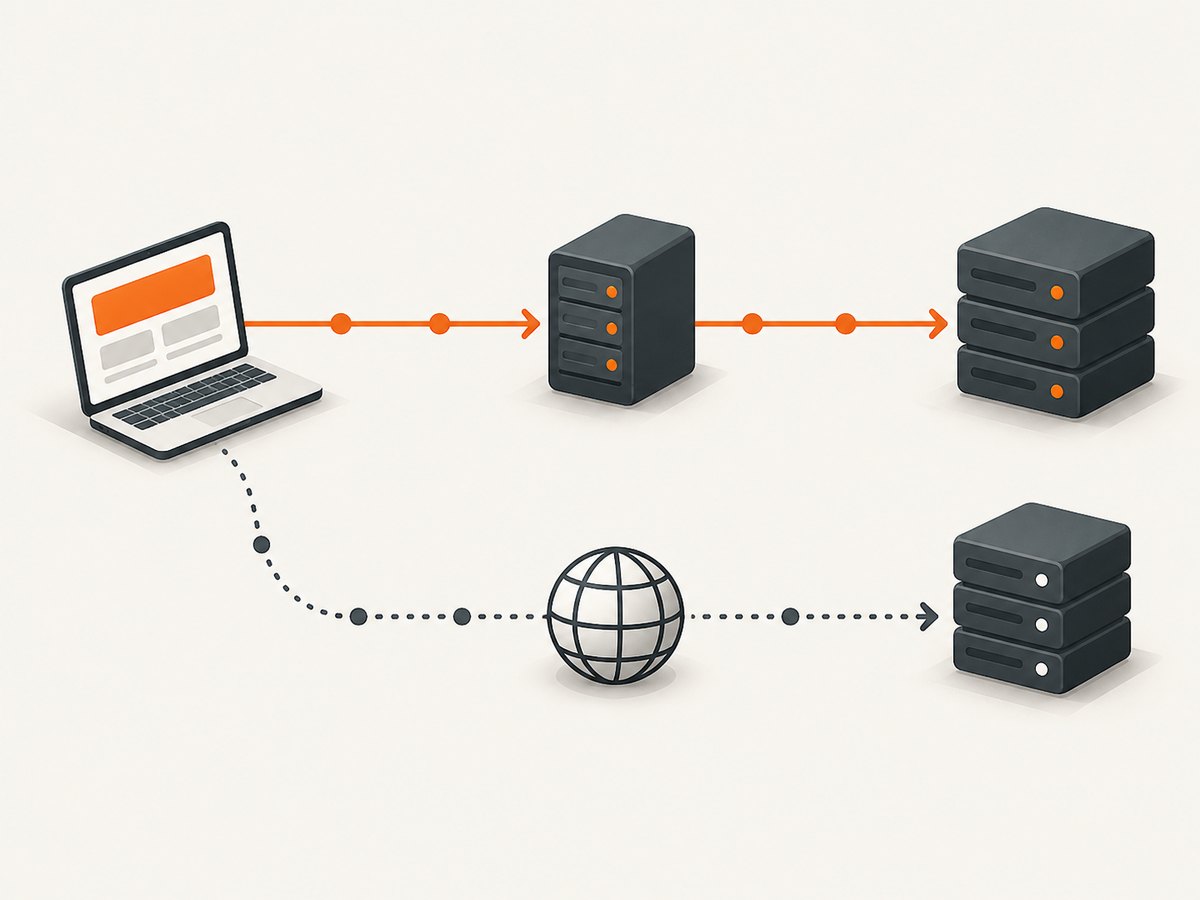
google-chrome --headless=new \
  --proxy-server="http://proxy.example:8080" \
  --proxy-bypass-list="localhost;127.0.0.1;*.internal.example" \
  --dump-dom https://public.example
Review Chromium’s documented matching behavior before relying on wildcards. Test both a public hostname and each internal hostname you expect to bypass.
SOCKS proxies and DNS
A SOCKS setting applies to URL loads, but it does not prove that every Chrome-originated DNS lookup traverses the SOCKS server. Chromium documents direct DNS activity by other components, including DNS prefetching. If your requirement is to hide or proxy all DNS resolution, browser proxy flags alone are insufficient evidence.
google-chrome --headless=new \
  --proxy-server="socks5://socks.example:1080" \
  --host-resolver-rules="MAP * ~NOTFOUND , EXCLUDE socks.example" \
  --dump-dom https://example.com
Use resolver rules only when your network design requires them and validate the result with your operator. They can make destinations unreachable if configured incorrectly.
Authentication, containers and service accounts
Chrome’s proxy switch selects a server; authentication may still be handled by the proxy challenge flow or by your automation layer. Do not put long-lived credentials in command lines that are visible to other users or CI logs. Prefer the secret mechanism provided by your runtime and confirm that it supports proxy authentication.
In containers and services, check:
- the user that launches Chrome;
- the namespace and network route;
- firewall and egress rules;
- DNS configuration;
- the wrapper’s default arguments;
- whether a desktop-only PAC or policy is available inside the runtime.
Common errors and fixes
| Symptom | Likely cause | Fix |
|---|---|---|
| Requests go direct | --no-proxy-server or a bypass match |
Remove the flag and inspect --proxy-bypass-list. |
| Interactive Chrome uses a proxy, headless does not | Different user, service environment or wrapper arguments | Log the headless command and compare effective settings in the same runtime. |
| PAC configuration has no effect | PAC URL cannot be reached or returns DIRECT | Fetch the PAC URL from the Chrome environment and inspect its decision for the target host. |
| Only some domains bypass the proxy | Bypass-list matching | Temporarily remove the list, then add entries one at a time. |
| SOCKS test shows unexpected DNS traffic | DNS prefetching or another browser component resolves directly | Separate URL-load testing from DNS testing; apply a resolver design if required. |
| Proxy connection refused | Wrong host, port, scheme or network route | Use the real endpoint supplied by the operator and test connectivity from the same container or host. |
| HTTPS navigation fails after adding a proxy | Proxy does not support the requested scheme or tunnel | Use the scheme-specific mapping required by the proxy service. |
Verification checklist
- Record the exact Chrome arguments.
- Confirm no conflicting proxy switches are present.
- Verify the endpoint or PAC URL from the headless runtime.
- Test a host outside all bypass patterns.
- Check proxy logs for the request.
- For SOCKS, test DNS separately from page loading.
- Repeat after browser or automation-library upgrades, because wrappers can change defaults.
Performance, reliability and cost
A fixed proxy avoids auto-detection and PAC evaluation, which can make routing easier to reason about. PAC files are useful when routing must vary by destination, but they add a dependency on PAC availability and correct script decisions. Bypass rules reduce proxy load for trusted internal hosts but can create confusing split behavior.
Headless startup, page rendering, proxy handshake time and DNS behavior all contribute to navigation latency. Set an automation timeout that covers slow proxy paths, and close browser processes so failed jobs do not accumulate. Capture logs for the command line, target URL, proxy result and timeout reason without recording credentials.
Or skip the browser setup
ScreenshotNeo provides a website screenshot API and MCP server. One GET request returns a PNG, JPEG, WebP or PDF, so a screenshot job does not require maintaining Chrome, proxy flags or a browser container.
See the ScreenshotNeo documentation for the request options.
curl -G "https://api.screenshotneo.com/v1/shot" -d access_key=YOUR_API_KEY --data-urlencode url=https://stripe.com -o shot.webpimport requests
r = requests.get("https://api.screenshotneo.com/v1/shot", params={"access_key": "YOUR_API_KEY", "url": "https://stripe.com"}, timeout=90)
open("shot.webp", "wb").write(r.content)const q = new URLSearchParams({ access_key: 'YOUR_API_KEY', url: 'https://stripe.com' });
const res = await fetch(`https://api.screenshotneo.com/v1/shot?${q}`);ScreenshotNeo removes cookie banners, newsletter popups and chat widgets before capture. Bot checks, blank pages and failed loads are not billed, and response headers identify the page verdict and billing result. Its MCP server lets Claude, Cursor and other MCP clients use take_screenshot, get_page_info and capture_pdf. The free plan includes 1,000 screenshots per month with no card; paid plans start at $5 for 3,000.
Create a free ScreenshotNeo account.
FAQ
Does Headless Chrome always ignore system proxies?
No. Headless is a visibility mode. Effective settings depend on the process environment, policies, wrapper arguments and command-line switches.
Which flag has the highest priority?
--no-proxy-server disables proxy use and overrides other proxy settings. Check for conflicting explicit flags before debugging the operating system.
Should I use a PAC file or a fixed proxy?
Use a fixed proxy for deterministic routing. Use PAC when destinations genuinely need different routes and the PAC URL is reliably available.
Does a SOCKS proxy hide every DNS lookup?
No. Chromium documents direct DNS activity by some components, including DNS prefetching. Treat URL proxying and DNS proxying as separate requirements.
How can I prove a request used the proxy?
Correlate a request timestamp and destination with proxy logs from the same runtime, while also checking Chrome’s arguments and bypass rules.


