How JSON Parsers Work
Learn how JSON parsers read grammar, validate values, handle edge cases, and turn text into usable program data in JavaScript and Python.
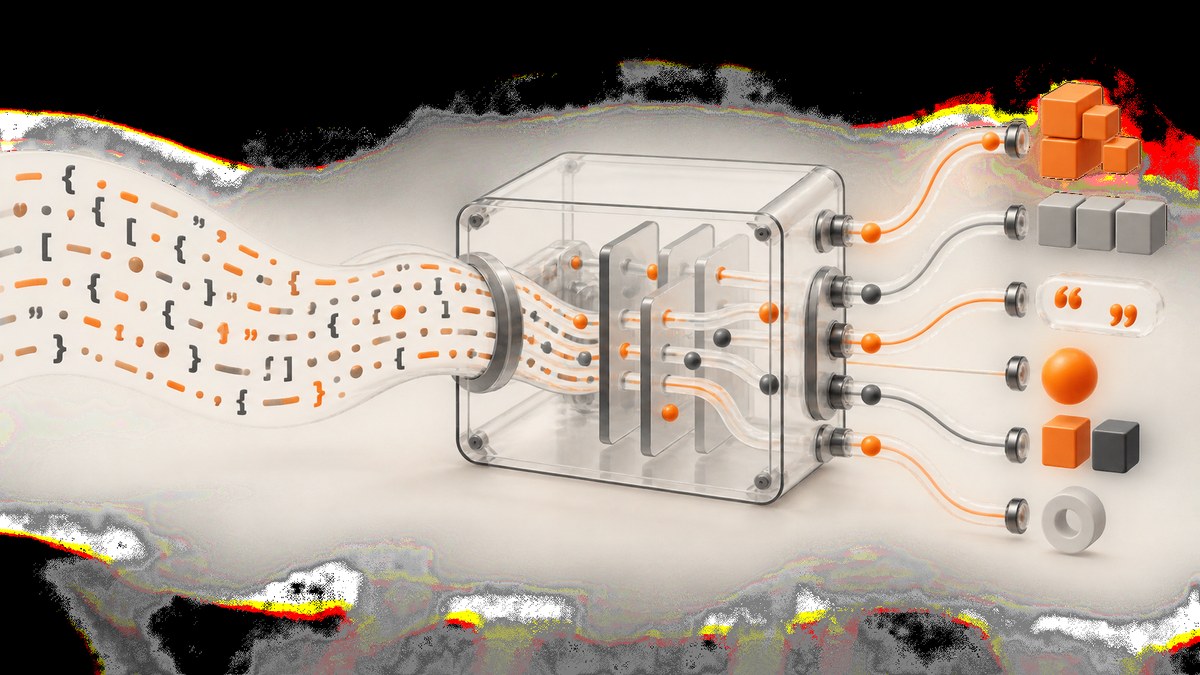
Short answer: A JSON parser reads JSON text, checks that its characters and values follow the JSON grammar, and constructs a representation that the host program can use. RFC 8259 describes this directly: “A JSON parser transforms a JSON text into another representation.” The result may be a JavaScript object, a Python dictionary, a typed value, a stream of tokens, or another implementation-specific structure.
Parsing is different from fetching JSON, validating a business schema, or serializing data. Fetching obtains text, parsing converts text into values, schema validation checks whether those values have the expected fields and meanings, and serialization converts program data back into JSON text.
This guide explains the grammar, the usual parsing stages, runnable examples, malformed input, duplicate keys, numbers, Unicode, resource limits, security, performance, and practical debugging.
What a JSON parser receives and returns
JSON is a text format for structured data. A JSON text consists of one serialized value, with optional permitted whitespace around it. The standard value types are:
| Type | Examples | Meaning |
|---|---|---|
| Object | {"name":"Ada"} |
Unordered name/value members; names are strings. |
| Array | [1,true,null] |
An ordered sequence of values. |
| String | "hello" |
Unicode text enclosed in double quotes. |
| Number | -12.5e2 |
A decimal numeric token; JSON has no separate integer and float grammar. |
| Boolean | true, false |
One of two lowercase literals. |
| Null | null |
The null value. |
The six structural characters are {, }, [, ], :, and ,. Whitespace is allowed around structural elements where the grammar permits it. JSON does not allow comments, single-quoted strings, trailing commas, or unquoted object names.
A parser’s conceptual stages
The standard defines the grammar and interoperability requirements, but it does not require one internal algorithm or data structure. Implementations differ. A useful mental model has three stages.
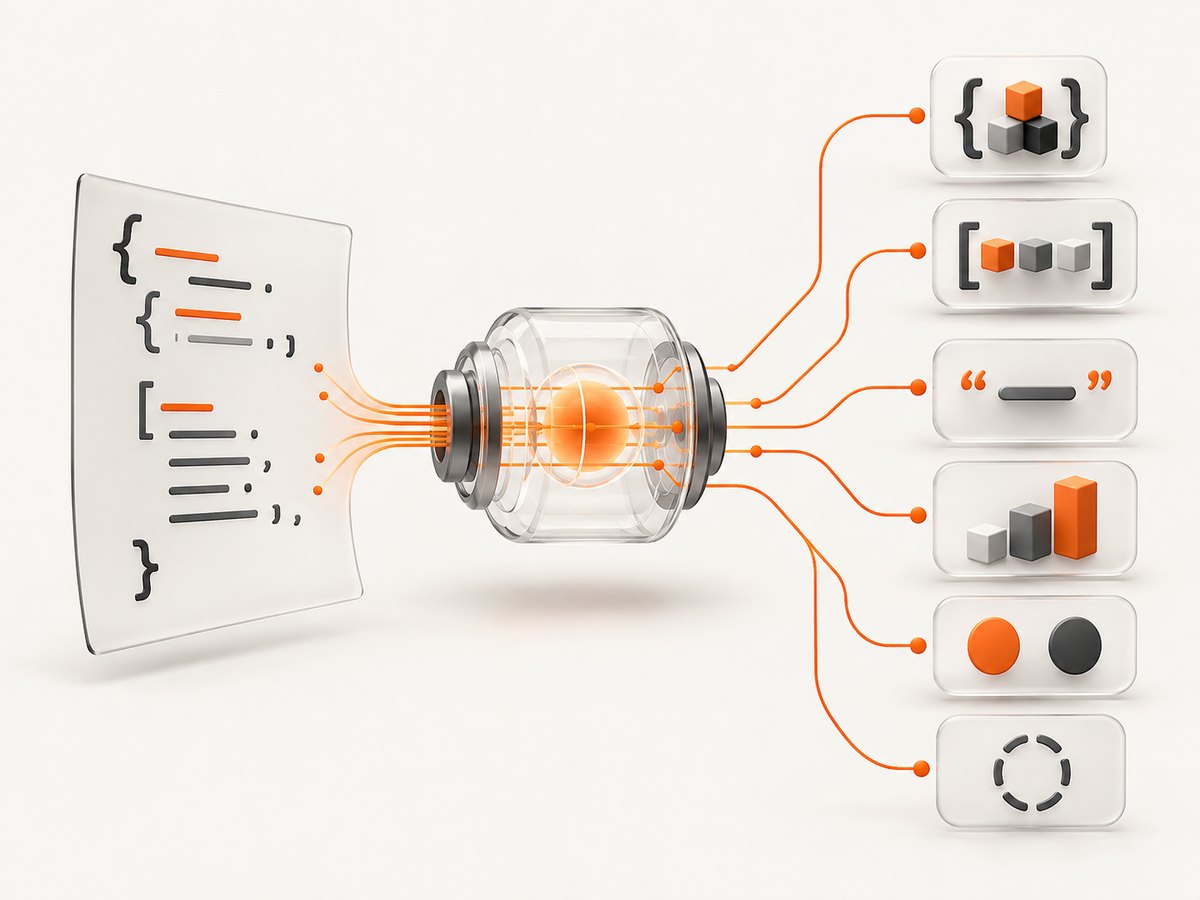
1. Consume the input text
The library receives characters or bytes and decodes them according to its API. Some APIs accept a complete string; others can process chunks. The parser must identify where the JSON text ends and reject unexpected non-whitespace after the top-level value.
2. Recognize structure and values
The parser scans structural characters and tokens. It recognizes an object when it sees {, expects a quoted name, then a colon and a value. Commas separate members. Arrays follow the same pattern with values separated by commas. Strings require closing quotes and valid escapes. Numbers must match the JSON number grammar. The literals must be exactly lowercase true, false, or null.
3. Build a program-facing representation
As tokens are recognized, the implementation builds or exposes values. An object may become a JavaScript object, Python dictionary, map, or custom structure. An array may become a list or vector. The standard does not require a JavaScript object or a Python dictionary, and it does not prescribe how a runtime stores values in memory.
Walking through an example
{"name":"Ada","active":true}{starts an object."name"is a string member name.:separates the name from its value."Ada"is a string value.,indicates another member follows."active"is the second member name.trueis the boolean literal.}closes the object.
The resulting representation exposes two members to application code. A parser has not decided whether Ada is a valid user, whether active is required, or whether the object matches an API contract. Those are separate validation and application-logic steps.
JSON grammar details that cause errors
Objects
Object names must be strings. This is invalid:
{name: "Ada"}The valid form quotes the name:
{"name": "Ada"}RFC 8259 says object names SHOULD be unique. Duplicate names create an interoperability hazard because implementations may keep the first value, keep the last value, expose all pairs, or report an error. Do not generate duplicate keys, and do not rely on a parser’s chosen behavior.
Arrays
Arrays preserve order in the JSON data model:
["small", "medium", "large"]A trailing comma is not valid JSON:
[1, 2,]Strings and escapes
Strings use double quotes. Common escapes include \", \\, \/, \n, \r, \t, and Unicode escapes such as \u00E9. A raw control character inside a string is invalid. Libraries may expose Unicode as native strings, code points, or UTF-16 units depending on the language.
Numbers
JSON numbers may have a minus sign, an integer part, an optional fraction, and an optional exponent. Leading zeroes are not allowed except for zero itself, so 01 is invalid. JSON does not specify arbitrary precision. A runtime may round large values, reject them, or offer a decimal or big-integer hook. If exact monetary or identifier values matter, choose a representation deliberately instead of assuming every parser preserves them as a binary floating-point number.
Runnable JavaScript example
JavaScript’s JSON.parse parses a complete JSON string and returns native values. It throws a SyntaxError when the text is malformed.
const text = '{"name":"Ada","active":true,"scores":[10,12]}';

try {
  const value = JSON.parse(text);
  console.log(value.name);       // Ada
  console.log(value.scores[1]);  // 12
} catch (error) {
  console.error('Invalid JSON:', error.message);
}
You can provide a reviver to transform values while the result is created:
const text = '{"created":"2026-01-15T12:00:00Z"}';
const value = JSON.parse(text, (key, item) => {
  if (key === 'created') return new Date(item);
  return item;
});
console.log(value.created instanceof Date);
JSON.parse does not execute JavaScript in the input. That is one reason it is safer than evaluating text as code.
Runnable Python example
Python’s standard-library json.loads parses a string into Python values: dictionaries, lists, strings, integers or floats, booleans, and None.
import json

text = '{"name":"Ada","active":true,"scores":[10,12]}'

try:
    value = json.loads(text)
    print(value["name"])
    print(value["scores"][1])
except json.JSONDecodeError as error:
    print(f"Invalid JSON at line {error.lineno}, column {error.colno}: {error.msg}")
Python lets you choose numeric hooks when precision matters:
import json
from decimal import Decimal

value = json.loads('{"amount": 10.25}', parse_float=Decimal)
print(value["amount"])
print(type(value["amount"]))
For files, use a bounded input strategy where possible. Python’s documentation warns that malicious JSON can consume considerable CPU and memory, so do not treat parsing untrusted, unlimited input as free.
Why eval is not a parser
Never replace a JSON parser with JavaScript eval, Python eval, or an equivalent function. An eval-like function interprets executable language syntax, while a JSON parser recognizes data grammar. RFC 8259 warns that evaluating JSON as code is generally an unacceptable security risk because input may contain executable content along with data declarations.
Use a dedicated parser, authenticate and authorize the source, limit request size, and apply application-level validation after parsing. For untrusted input, consider maximum body size, maximum nesting depth, timeouts, and limits on string and array lengths.
Edge cases and interoperability
Duplicate names
Do not depend on duplicate-key behavior. For interoperable output, emit each name once. If you must inspect potentially hostile input, use a parser mode or pair-preserving representation that can detect duplicates before converting to a normal map.

Member order
Objects are collections of name/value pairs. Implementations differ in whether they expose insertion order, sort names, or use an unordered map. Do not use object order as a protocol guarantee unless a separate specification defines it.
Large and deeply nested values
Conforming parsers must accept valid JSON, but implementations can impose limits on total size, nesting depth, number range, precision, string length, or character contents. A deeply nested document can exhaust a call stack or trigger expensive allocation. Reject inputs above limits before parsing where possible.
Top-level scalars
A JSON text can be any JSON value, including a string, number, boolean, or null. APIs that historically expected an object may reject these even though the JSON grammar permits them. Check the contract of the receiving library.
Encoding and byte-order marks
When reading bytes, decode them according to the transport’s declared encoding before parsing. A stray byte-order mark or incorrectly decoded character may produce an error even when the visible text appears correct. Preserve the original bytes and parser position when diagnosing an ingestion problem.
Parsing versus validation and serialization
| Operation | Question answered |
|---|---|
| Fetch/read | How do I obtain the bytes or text? |
| Parse | Is this text valid JSON, and what values does it represent? |
| Schema validation | Does the parsed value have the required fields, types, and constraints? |
| Business validation | Is the request allowed for this user, account, or workflow? |
| Serialize | How do I encode program values as JSON text? |
Keep these stages separate in code. A successful parse only proves that the syntax is valid.
Performance and reliability
For ordinary documents, parsing cost generally grows with the amount of input because the parser must inspect the characters and construct values. Real performance depends on the runtime, allocator, representation, number conversion, nesting, and downstream work. The sources for this article do not establish a universal benchmark or one mandatory internal algorithm.
- Set an explicit maximum request size before parsing.
- Reject excessive nesting and unusually large arrays or strings.
- Parse once and pass the resulting representation to downstream code.
- Use streaming or incremental APIs when documents are too large for a complete in-memory tree, if your library provides one.
- Choose decimal or arbitrary-precision handling when numeric accuracy is a requirement.
- Record parser errors with a safe offset, request identifier, and content type; avoid logging secrets or entire payloads.
Caching parsed results can reduce repeated work, but cache invalidation and memory pressure become application concerns. Never cache untrusted data without considering isolation and lifetime.
Troubleshooting common parser errors
| Symptom | Likely cause | Fix |
|---|---|---|
| Unexpected token or character | Single quotes, comments, unquoted names, or a typo. | Check the grammar and inspect the reported offset. |
| Unexpected end of input | Missing closing quote, bracket, or brace; truncated response. | Verify transport completeness and balance delimiters. |
| Trailing comma error | Comma appears before ] or }. |
Remove the comma or configure a non-standard parser only when you control both ends. |
| Wrong character encoding | Bytes decoded with the wrong charset or an unexpected marker. | Honor the response encoding and inspect raw bytes. |
| Number changed after parsing | Runtime precision or range limits. | Use decimal, big-integer, or string handling and document the choice. |
| Fields disappear | Duplicate names collapsed into one map entry. | Reject duplicates or use a pair-preserving parser. |
| Memory or timeout failure | Huge, deeply nested, or adversarial input. | Apply size, depth, and time limits before and during parsing. |
Or skip the browser setup
If your application needs a screenshot of a page that displays parsed JSON, ScreenshotNeo can capture it through one request instead of maintaining browser automation. Cookie and consent banners, newsletter popups, and chat widgets are removed before the shot. Bot checks, blank pages, timeouts, failed loads, and cache hits are not billed, and response headers identify the page verdict and billing result. ScreenshotNeo also provides an MCP server so Claude, Cursor, and other MCP clients can call take_screenshot, get_page_info, and capture_pdf.
See the ScreenshotNeo API documentation for all options.
cURL
curl -G "https://api.screenshotneo.com/v1/shot" -d access_key=YOUR_API_KEY --data-urlencode url=https://stripe.com -o shot.webpPython
import requests
r = requests.get("https://api.screenshotneo.com/v1/shot", params={"access_key": "YOUR_API_KEY", "url": "https://stripe.com"}, timeout=90)
open("shot.webp", "wb").write(r.content)
Node.js
const q = new URLSearchParams({ access_key: 'YOUR_API_KEY', url: 'https://stripe.com' });
const res = await fetch(`https://api.screenshotneo.com/v1/shot?${q}`);
Plans include 1,000 screenshots per month free with no card; paid plans start at $5 for 3,000. Create a free ScreenshotNeo account.
FAQ
Does parsing convert JSON directly into an object?
It converts text into a host-language representation. That may be an object, dictionary, map, list, scalar, token stream, or custom value type.
Can valid JSON contain comments?
No. Comments are outside the JSON grammar. Some tools accept extensions, but that output is not strict JSON.
Are duplicate keys valid?
The grammar can contain them, but RFC 8259 recommends unique names because implementations handle duplicates differently. Avoid them.
Is JSON schema validation part of parsing?
No. Parsing checks syntax and creates values. Schema and business validation happen afterward.
Should I parse untrusted JSON?
Yes, with a dedicated parser and resource limits. Avoid eval-like functions and bound size, depth, CPU, and memory exposure.


