How to Use MCP Servers with Microsoft Agent Framework
Connect local and remote MCP servers to Microsoft Agent Framework agents with Python, .NET and Go, then secure, troubleshoot and deploy them.
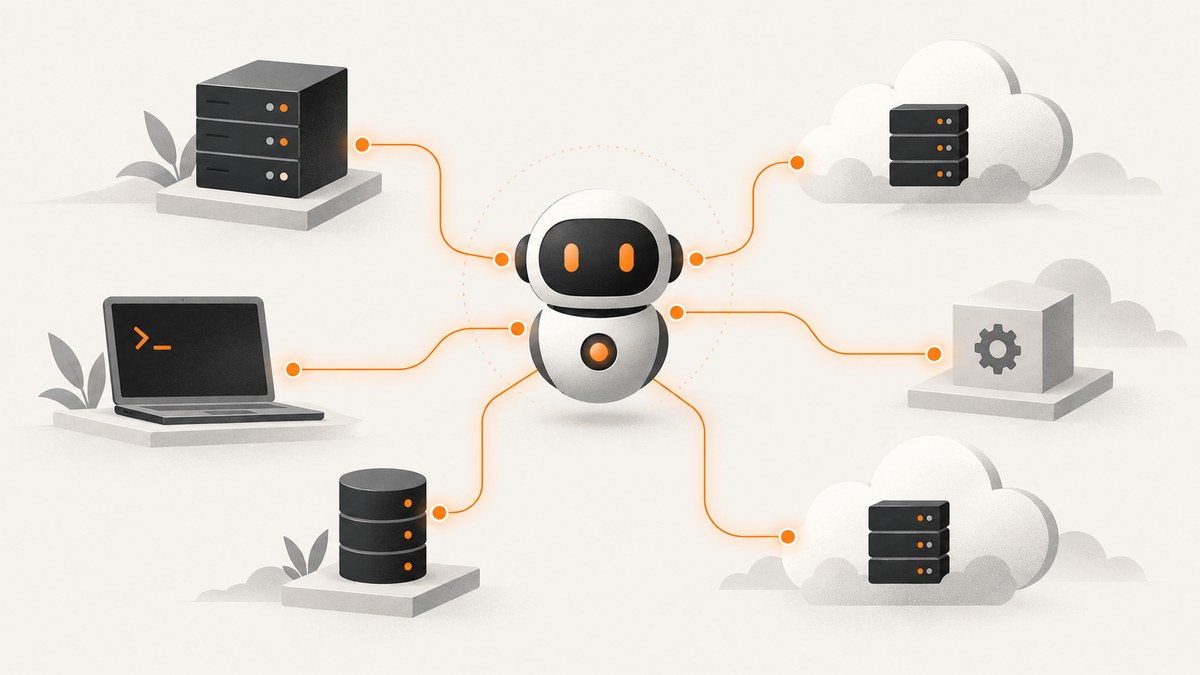
Short answer: Microsoft Agent Framework connects to MCP servers through tool adapters. Use MCPStdioTool for a local process, MCPStreamableHTTPTool for a remote server, and pass the resulting tool object to agent.run(). The agent discovers the server’s tools, selects a tool when needed, executes it, and incorporates the result into its response.
MCP is an open protocol for exposing tools and contextual data to AI applications. Agent Framework supports consuming MCP tools and exposing an Agent Framework agent as an MCP server. The current framework documentation is at Microsoft Agent Framework.
1. Choose the MCP connection pattern
| Pattern | Transport | Best for | Credential location |
|---|---|---|---|
| Local stdio | Agent starts a child process | Development, private filesystem or database tools | Environment and process configuration |
| Remote streamable HTTP | HTTP connection to an MCP endpoint | Shared services, hosted tools and production deployments | Headers, OAuth provider or per-run arguments |
| SDK wrapper | Language SDK client | .NET and Go applications that need typed integration | Client configuration |
Use stdio when the server must stay on the same machine and can be launched safely by the application. Use streamable HTTP when the server is deployed separately, needs centralized authentication, or is shared by several agents.
2. Python: connect a local stdio server
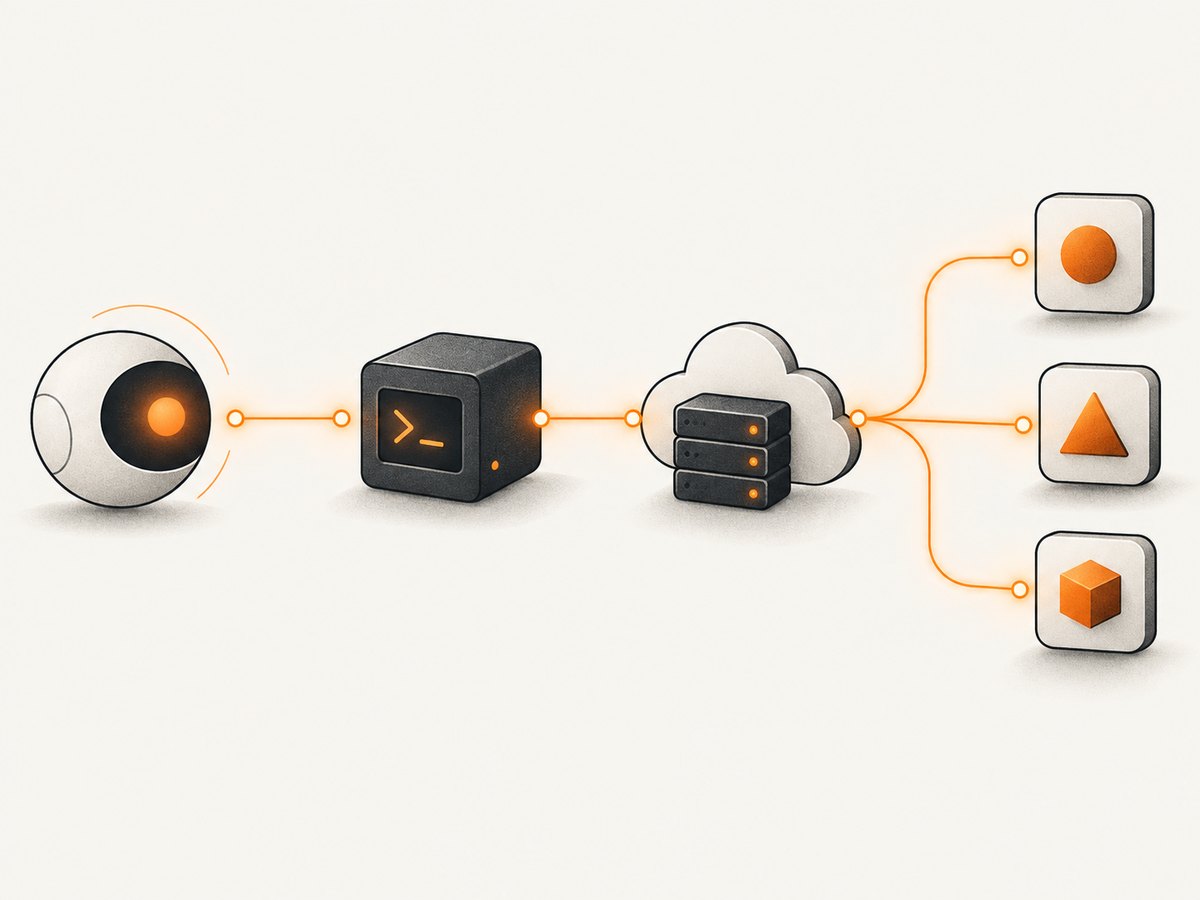
This is the smallest complete example. It starts the calculator MCP server with uvx, keeps the MCP connection open for the agent run, and closes it automatically when the context exits.
import asyncio
from agent_framework import Agent, MCPStdioTool
from agent_framework.openai import OpenAIChatClient

async def main():
    async with (
        MCPStdioTool(
            name="calculator",
            command="uvx",
            args=["mcp-server-calculator"],
        ) as mcp_server,
        Agent(
            client=OpenAIChatClient(),
            name="MathAgent",
            instructions="You are a helpful math assistant.",
        ) as agent,
    ):
        result = await agent.run(
            "What is 15 * 23 + 45?",
            tools=mcp_server,
        )
        print(result)

asyncio.run(main())
Install the Agent Framework packages and the MCP dependency required by your framework version. Microsoft notes that the optional mcp package may need prerelease installation when using MCPStdioTool, MCPStreamableHTTPTool, or Agent.as_mcp_server(). Check the current package instructions before pinning versions.
How the stdio lifecycle works
MCPStdioToollaunches the command and passes the argument list to it.- The server advertises its available tools and schemas.
- Agent Framework supplies those tools to the agent run.
- The model chooses a tool call when the user request requires it.
- The context manager shuts down the process and connection reliably.
Keep commands and arguments as an array. Do not build a shell command string from user input. Put secrets in environment variables or the process environment rather than in prompts.
3. Python: connect a remote streamable HTTP server
Use MCPStreamableHTTPTool with the server endpoint. Authentication can be provided by a header provider or by invocation arguments for a specific run.
import asyncio
import os
from agent_framework import Agent, MCPStreamableHTTPTool
from agent_framework.openai import OpenAIChatClient

async def auth_headers():
    return {
        "Authorization": f"Bearer {os.environ['MCP_TOKEN']}"
    }

async def main():
    async with (
        MCPStreamableHTTPTool(
            name="remote_tools",
            url=os.environ["MCP_ENDPOINT"],
            header_provider=auth_headers,
        ) as mcp_server,
        Agent(
            client=OpenAIChatClient(),
            name="RemoteToolAgent",
            instructions="Use the connected tools only when they are relevant.",
        ) as agent,
    ):
        result = await agent.run(
            "Look up the current project status.",
            tools=mcp_server,
        )
        print(result)

asyncio.run(main())
Set MCP_ENDPOINT and MCP_TOKEN outside source control. Review what prompt text and tool arguments are sent to the remote provider, and keep request logs suitable for auditing without recording secrets.
Connection-time versus per-run authentication
- Connection-time headers: best when one credential applies to the lifetime of the MCP connection.
- Per-run arguments: useful when the caller’s identity or authorization changes for each request.
- OAuth: keep token acquisition outside the prompt and refresh tokens through your normal identity component.
4. Restrict and govern the tool surface
An MCP server can expose more capability than a particular agent needs. Use an allowlist such as allowed_tools when configuring a remote connection. Separate read operations from write operations, and require approval for destructive actions.
- Give every server a clear owner, endpoint, transport and credential record.
- Allow only the tools required for the agent’s job.
- Add human approval before deletion, external messages, financial actions or other irreversible operations.
- Treat tool descriptions, schemas and returned data as untrusted input.
- Use progressive disclosure when a server has many tools: expose loader functions first, then load only the selected tools.
- Give tools unique names or configure a prefix. Ambiguous normalized names can raise
ToolExecutionException.
Remote third-party MCP servers are created by third parties. Microsoft warns that they are not tested or verified by Microsoft and may receive prompt content or return data to your application. Prefer providers that host their own servers instead of opaque proxies, and review retention, data location and credential handling before production use.
5. Use common MCP servers
Microsoft’s examples cover calculator, filesystem, GitHub and SQLite servers. The connection shape remains the same: create the transport-specific tool, optionally limit the tool set, then pass it to the agent.
For a filesystem server, limit the process to a dedicated working directory and expose read operations unless writes are explicitly required. For GitHub, use a narrowly scoped personal access token and an allowlist that excludes repository mutation unless the workflow needs it.
6. .NET integration with the MCP C# SDK
The .NET route uses the official MCP C# SDK. Create a client with the appropriate stdio or streamable HTTP transport, retrieve the server’s tool list, convert each tool to an AIFunction, and add those functions to the Agent Framework agent.
// Shape of the integration; select the transport and client types
// from the MCP C# SDK version used by your project.
await using var mcpClient = await CreateMcpClientAsync();
var serverTools = await mcpClient.ListToolsAsync();
var functions = serverTools.Select(tool => tool.AsAIFunction()).ToArray();

await using var agent = new Agent(
    client: chatClient,
    name: "OperationsAgent",
    instructions: "Use approved operations tools.",
    tools: functions);

var result = await agent.RunAsync("Read the deployment status.");
Console.WriteLine(result);
Use await using so the MCP client is disposed when the request scope ends. The exact client and transport constructors change with SDK versions, so verify them against the MCP C# SDK documentation before compiling.
7. Go integration
In Go, use the Go MCP SDK through the mcptool package. Microsoft documents both streamable HTTP and stdio transports. The flow is:
- Create the MCP client with the selected transport.
- List the server tools.
- Supply those tools in the Agent Framework agent configuration.
- Close the client when the agent run or service shuts down.
Keep the same controls as Python and .NET: narrow allowlists, separate read and write capabilities, approval gates, and explicit credential ownership.
8. Expose an Agent Framework agent as an MCP server
The integration works in the reverse direction too. In Python, agent.as_mcp_server() exposes an agent through MCP. Microsoft also documents the agent-framework-hosting-mcp package for exposing an Agent Framework agent or workflow through the native MCP SDK.
from agent_framework import Agent
from agent_framework.openai import OpenAIChatClient

agent = Agent(
    client=OpenAIChatClient(),
    name="ResearchAgent",
    instructions="Answer questions using the approved research workflow.",
)

mcp_server = agent.as_mcp_server()
# Start the MCP hosting layer using the transport required by your deployment.
When hosting an agent, define its input contract, authentication, tool permissions and shutdown behavior. Treat every MCP caller as an external client and apply the same authorization checks you would use for a regular API.
9. Or skip the browser setup
If your agent needs website screenshots as an MCP capability, ScreenshotNeo provides an MCP server with take_screenshot, get_page_info and capture_pdf tools for Claude, Cursor and other MCP clients. You can also call its HTTP API directly.

See the ScreenshotNeo API documentation for the current request options.
curl -G "https://api.screenshotneo.com/v1/shot" -d access_key=YOUR_API_KEY --data-urlencode url=https://stripe.com -o shot.webpimport requests
r = requests.get("https://api.screenshotneo.com/v1/shot", params={"access_key": "YOUR_API_KEY", "url": "https://stripe.com"}, timeout=90)
open("shot.webp", "wb").write(r.content)const q = new URLSearchParams({ access_key: 'YOUR_API_KEY', url: 'https://stripe.com' });
const res = await fetch(`https://api.screenshotneo.com/v1/shot?${q}`);Cookie banners, newsletter popups and chat widgets are removed before the shot. Bot checks, blank pages and failed loads are never billed, and response headers identify the page verdict and billing result. An MCP server lets AI agents take screenshots. The free plan includes 1,000 screenshots each month with no card; paid plans start at $5 for 3,000.
Create a free ScreenshotNeo account and connect the screenshot tools to your agent.
10. Troubleshooting
| Symptom | Likely cause | Fix |
|---|---|---|
| Process exits immediately | Command, package or argument is unavailable | Run the exact command manually, verify the executable is on PATH, and check stderr. |
| No tools appear | Handshake failed or the server returned an empty tool list | Confirm the endpoint and transport, inspect connection logs, and call the server’s list-tools operation directly. |
| 401 or 403 from HTTP server | Missing, expired or insufficient credential | Refresh the token, verify the header provider, and check server-side scopes. |
| ToolExecutionException about names | Two tools normalize to the same name | Rename tools at the server or configure a unique prefix. |
| Agent never calls a tool | Instructions do not make the tool relevant, or it is not in the allowlist | Inspect the discovered tool list, improve the task description, and verify the allowlist. |
| Requests hang | Server, network or long-running operation has no suitable timeout | Set client and infrastructure timeouts, monitor server logs, and use the documented long-running task pattern where applicable. |
| Sensitive data appears in logs | Prompt, arguments or headers are logged verbatim | Redact tokens and personal data, restrict log access, and define retention limits. |
11. Performance, reliability and cost
- Reuse connections: for a service handling many requests, keep a managed MCP connection instead of starting a stdio process for every prompt.
- Limit discovery: allowlists and progressive disclosure reduce schema size and model context.
- Bound work: apply timeouts, cancellation and concurrency limits around tool calls.
- Retry carefully: retry connection failures when operations are idempotent; do not blindly retry writes.
- Observe the path: record server identity, tool name, duration, outcome and correlation ID while redacting credentials and sensitive payloads.
- Control spend: remote MCP services may have their own pricing. Verify current provider pricing, quotas, regions and retention before deployment.
12. Deployment checklist
- Pin compatible Agent Framework, MCP SDK and server versions.
- Store credentials in a secret manager or environment, never in prompts or committed files.
- Document every server’s owner, transport, endpoint, data access and allowed tools.
- Use approval gates for destructive operations.
- Test startup, authentication expiry, cancellation, malformed tool results and server restarts.
- Verify current Azure MCP Server or Azure Functions remote MCP availability, pricing, regions and authentication before choosing an Azure deployment.
FAQ
Can an Agent Framework agent use both local and remote MCP servers?
Yes. Create one tool adapter per server and pass the resulting tools together, while keeping names unique and permissions separate.
Should credentials go in the prompt?
No. Use environment variables, header providers, OAuth components or per-run invocation arguments.
Is MCP limited to tools?
No. MCP can expose tools and contextual data; the Agent Framework integration presents the discovered capabilities to the agent.
Can I let an agent write to GitHub or a filesystem?
Yes, when the server supports it, but grant the narrowest scope and require approval before irreversible changes.
How do I keep a remote MCP server from seeing private prompts?
Assume the remote provider can receive the prompt content and tool arguments. Send only the minimum data, review provider retention and location, and use a server you trust.


