Why html2canvas Does Not Apply CSS Styles and How to Fix It
html2canvas rebuilds the DOM instead of copying browser pixels. Learn why CSS disappears, how to diagnose it, and when to use a real browser.
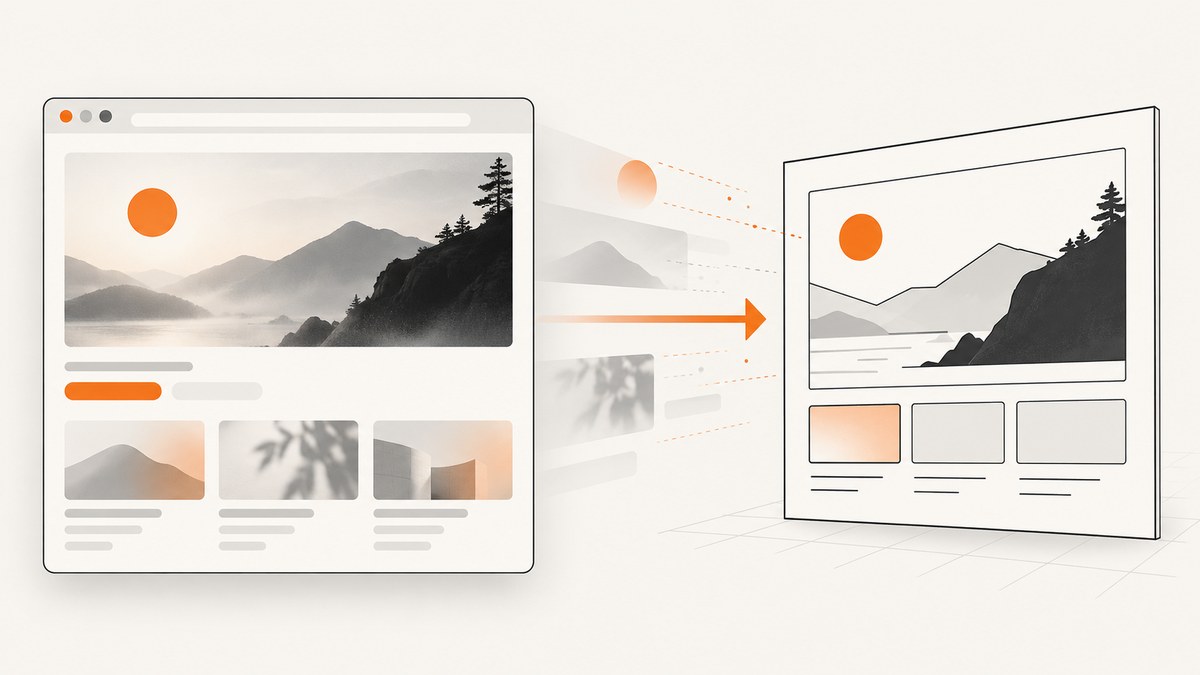
Short answer: html2canvas does not take a pixel screenshot of the browser. It walks through a DOM subtree, reads the CSS properties it knows how to render, and paints a new canvas. Unsupported or partially supported properties can therefore disappear even when the live page looks correct. The project documentation describes the result as DOM-based and says it may not be 100% accurate to the real representation. See the official documentation.
The practical fix is to identify the missing property, confirm that the page has reached its final state, replace unsupported CSS with a supported fallback for the capture, and resolve cross-origin assets or canvas-size problems. If you need the browser’s own compositor, use a real-browser tool such as Puppeteer or Playwright, or use a hosted screenshot API.
How html2canvas renders CSS
html2canvas creates a clone of the document and reconstructs the target element. It does not ask the browser for the final pixels already displayed on screen. Every CSS property must be implemented by the library’s renderer, so CSS support is selective. The FAQ explicitly says html2canvas will never have full CSS support because each property has to be implemented manually: html2canvas FAQ.
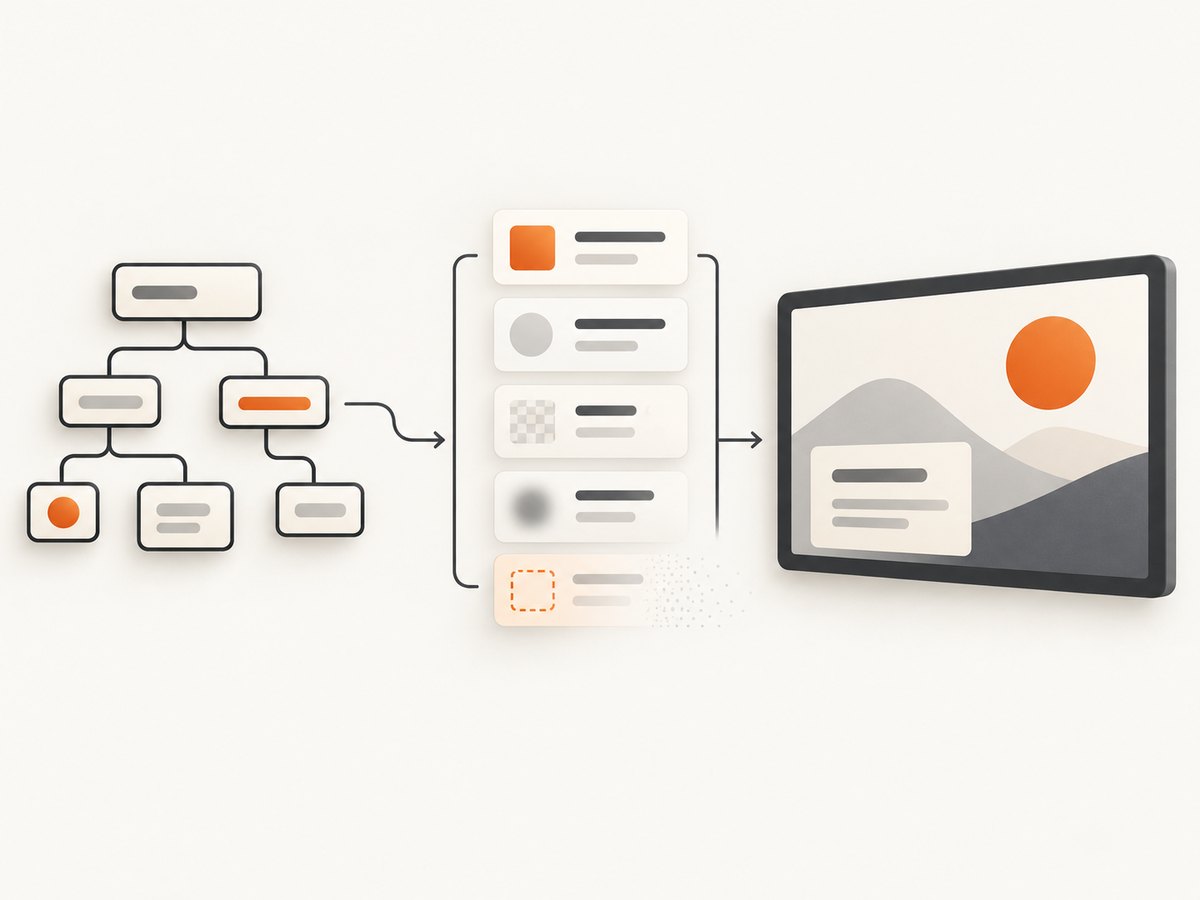
This explains the common pattern: normal boxes, text, colors, borders, and simple layout work, while a filter, unusual blend mode, complex transform, custom font, cross-origin image, or newer CSS feature is missing or rendered differently. Treat html2canvas as a DOM renderer with a support matrix, not as a browser screenshot service.
Diagnostic sequence
1. Confirm the target and computed style
First verify that the selector points at the element you intend to capture. Then inspect the computed value in the same browser state in which html2canvas runs.
const node = document.querySelector('.capture-target');

if (!node) {
  throw new Error('Capture target was not found');
}

const style = getComputedStyle(node);
console.table({
  color: style.color,
  background: style.background,
  fontFamily: style.fontFamily,
  filter: style.filter,
  transform: style.transform,
  display: style.display,
  visibility: style.visibility
});
A stylesheet that has not loaded, a media query using an unexpected viewport, or a class that is toggled later can make the computed value different before capture. Inspect descendants too: the missing style may belong to a child rather than the root element.
2. Wait until the page is ready
Call html2canvas after stylesheets, fonts, images, and application data are ready. The API returns a Promise and runs in the browser, so your code must choose the correct moment to capture.
await document.fonts.ready;

await Promise.all(
  [...document.images].map((image) => {
    if (image.complete) return Promise.resolve();
    return new Promise((resolve) => {
      image.addEventListener('load', resolve, { once: true });
      image.addEventListener('error', resolve, { once: true });
    });
  })
);

const canvas = await html2canvas(document.querySelector('.capture-target'));
If your application fetches data or adds a class after rendering, wait for that application state as well. A delay can mask a race condition, but an explicit “ready” signal is more reliable.
3. Reduce the failure to one property
Create a small test element with one declaration. For example, test only filter: drop-shadow(...) or one custom font. If the minimal case still fails, assume the property is unsupported or incomplete and choose a supported equivalent. A focused reproduction is also the right material for a support issue, as recommended by the FAQ.
<div class="css-test">Test</div>
<style>
  .css-test {
    width: 240px;
    padding: 24px;
    color: white;
    background: #2563eb;
    filter: drop-shadow(0 8px 16px rgb(0 0 0 / 30%));
  }
</style>
4. Check origin boundaries
Remote images can be skipped or can taint the canvas. useCORS: true works only when the image server sends an appropriate Access-Control-Allow-Origin response header. Otherwise, use a same-origin proxy. Cross-origin iframes have the same fundamental limitation: a page cannot read their DOM unless browser security permits it.
5. Check iframes
Same-origin frames can be traversed. Cross-origin frames and sandboxed frames without allow-same-origin cannot be read by the capturing page. If the missing content lives in an iframe, test the iframe URL separately or move the content to the same origin.
6. Check dimensions before blaming CSS
A blank or clipped result may be a canvas dimension problem rather than a style problem. Capture the full scrollable region deliberately:
const node = document.querySelector('.capture-target');
const canvas = await html2canvas(node, {
  windowWidth: node.scrollWidth,
  windowHeight: node.scrollHeight
});
Canvas limits vary by browser and platform. Very large pages can exceed the maximum bitmap size, consume substantial memory, or be clipped.
Capture-only CSS fixes with onclone
The configuration reference provides onclone, which lets you modify the cloned document without changing the live page. This is the safest place to remove a filter, simplify a transform, or swap a font only for the screenshot.
const node = document.querySelector('.capture-target');

const canvas = await html2canvas(node, {
  onclone: (clonedDocument) => {
    const target = clonedDocument.querySelector('.capture-target');
    if (!target) return;

    target.style.setProperty('filter', 'none');
    target.style.setProperty('transform', 'none');
    target.style.setProperty('font-family', 'Arial, sans-serif');
  }
});
Keep the override narrow. Record which declaration caused the mismatch, then provide the closest supported visual equivalent. For example, replace a CSS filter shadow with a normal box shadow, or replace a complex transform with a static layout used only during capture.
Filtering or overriding individual properties
onCopyProperty can filter or override a property while styles are copied to the cloned target. This is useful when one declaration is responsible for the mismatch and you do not want to change the rest of the clone.
const canvas = await html2canvas(node, {
  onCopyProperty: (property, style, target) => {
    if (property === 'font-family') {
      target.style.setProperty('font-family', 'Arial, sans-serif');
      return true;
    }
  }
});
Use this as a targeted fallback, not as a general CSS transformation layer. If several related properties fail, simplify the component in onclone and test the result again.
Cross-origin images and proxies
For assets hosted on a server that grants CORS access, enable CORS handling:
const canvas = await html2canvas(node, {
  useCORS: true
});
If the server does not send the required header, a proxy must fetch the image and serve it from your own origin:
const imageUrl = 'https://assets.example.com/banner.png';
const canvas = await html2canvas(node, {
  useCORS: true,
  proxy: '/image-proxy?url=' + encodeURIComponent(imageUrl)
});
Do not assume that adding useCORS can override a remote server’s policy. Check the image request in browser developer tools. An error response, redirect to another origin, or missing CORS header can all produce an absent image or a tainted canvas.
Dimensions, scaling, and full-page capture
For an element screenshot, make the element’s layout dimensions explicit. For a scrollable area, set the capture window to the content dimensions. You can also use options such as scale, width, height, x, y, scrollX, and scrollY when you need to control the viewport used by the renderer. Keep the output within practical browser canvas limits.
const node = document.querySelector('.page');

const canvas = await html2canvas(node, {
  x: 0,
  y: 0,
  width: node.scrollWidth,
  height: node.scrollHeight,
  windowWidth: node.scrollWidth,
  windowHeight: node.scrollHeight,
  scale: window.devicePixelRatio
});

const png = canvas.toDataURL('image/png');
A high scale increases sharpness and memory use. If a large capture fails, lower the scale, split the page into sections, or capture the viewport in multiple passes.
Options that help isolate a mismatch
| Option or technique | Use it for | Typical caveat |
|---|---|---|
onclone |
Capture-only style and DOM changes | Changes the clone, not the live document |
onCopyProperty |
Filtering or replacing one CSS property | Needs a precise property test |
useCORS |
Images whose server permits cross-origin access | Requires the response header |
proxy |
Images that cannot be fetched directly | Your proxy must safely fetch and return the asset |
windowWidth/windowHeight |
Full scrollable regions and responsive layouts | Large values can exceed canvas limits |
scale |
Output density | Higher values use more memory |
backgroundColor |
Making transparent or inherited backgrounds explicit | Can change the intended visual result |
imageTimeout |
Preventing a stalled image from blocking capture | Too short a timeout drops slow assets |
logging |
Inspecting renderer diagnostics | Browser console output is not a substitute for a minimal test |
When a real-browser screenshot is the right fix
html2canvas is client-side and depends on window, document, and computed styles. It is not a Node.js renderer. If you need the browser’s own compositor, server-side execution, or faithful support for complex CSS, use browser automation such as Puppeteer or Playwright. Those tools drive a real browser and can capture the viewport or a full page after navigation, font loading, and application work have completed.
The trade-off is operational: client-side html2canvas is lightweight to deploy, while a headless browser requires a browser runtime and server resources. Compare fidelity, execution location, origin access, output scope, and running cost before choosing.
Or skip the browser setup
For a hosted capture, ScreenshotNeo makes one GET request and returns a PNG, JPEG, WebP, or PDF. The request runs against a real page rather than reconstructing your DOM with html2canvas.

See the ScreenshotNeo API documentation for the complete option list.
cURL
curl -G "https://api.screenshotneo.com/v1/shot" \
  -d access_key=YOUR_API_KEY \
  --data-urlencode url=https://stripe.com \
  -o shot.webp
Python
import requests

r = requests.get(
    "https://api.screenshotneo.com/v1/shot",
    params={"access_key": "YOUR_API_KEY", "url": "https://stripe.com"},
    timeout=90,
)
r.raise_for_status()
open("shot.webp", "wb").write(r.content)
Node.js
const q = new URLSearchParams({
  access_key: 'YOUR_API_KEY',
  url: 'https://stripe.com'
});

const res = await fetch(`https://api.screenshotneo.com/v1/shot?${q}`);
if (!res.ok) throw new Error(`Screenshot failed: ${res.status}`);
const buffer = Buffer.from(await res.arrayBuffer());
require('fs').writeFileSync('shot.webp', buffer);
ScreenshotNeo removes cookie and consent banners, newsletter popups, and chat widgets before capture. Bot checks, blank pages, timeouts, failed loads, and cache hits are not billed; response headers identify the page verdict and whether the shot was billed. Its MCP server lets Claude, Cursor, and other MCP clients call take_screenshot, get_page_info, and capture_pdf. The Free plan includes 1,000 screenshots per month with no card; paid plans start at $5 for 3,000 shots. Create a free ScreenshotNeo account.
Troubleshooting checklist
- Colors or layout are wrong: inspect
getComputedStyle, verify the media-query viewport, and wait for the final class state. - Custom font is missing: await
document.fonts.ready; use a capture-only fallback font if the renderer cannot reproduce it. - Images are absent: check CORS response headers, then use
useCORSor a same-origin proxy. - An iframe is blank: confirm same-origin access; cross-origin and restricted sandbox frames cannot be traversed.
- The result is blank: inspect element dimensions, set deliberate window dimensions, and reduce scale or split a huge capture.
- The result is clipped: use scroll dimensions and check browser canvas limits.
- A filter or transform disappears: reproduce it in isolation and replace it through
oncloneoronCopyProperty. - Capture sometimes differs: wait for network-driven data, fonts, images, and animations; disable or freeze animations in the clone.
- Canvas export throws a security error: an image tainted the canvas; fix its CORS policy or proxy it.
Performance, reliability, and cost notes
Capture only the smallest subtree that contains the required content. Large DOM trees, high pixel ratios, many images, and oversized dimensions increase CPU time and memory use. Cache stable assets, avoid unnecessary full-page captures, and choose a scale that meets your output requirement.
For browser-side html2canvas, reliability depends on the current tab, loaded resources, security origin, and application timing. For repeated server-side jobs, add retries around navigation failures, keep timeouts explicit, and record the URL, viewport, options, and error. A hosted API can remove browser installation and maintenance, but you should still handle HTTP errors and validate the returned content type.
FAQ
Does html2canvas support all CSS?
No. Its FAQ says full CSS support is not possible because properties must be implemented individually.
Can html2canvas take a pixel-perfect screenshot?
No. It reconstructs the DOM and may differ from the browser’s final pixels.
Can I use html2canvas in Node.js?
It depends on browser globals such as window and document; use Puppeteer, Playwright, or a hosted screenshot service for server-side capture.
Why does useCORS not fix an image?
The image server must grant access with the correct CORS response header. Otherwise, proxy the image from your own origin.
Should I change my production CSS to satisfy html2canvas?
Usually no. Use capture-only changes in onclone so the live interface keeps its intended styling.


