Why html2canvas Does Not Capture Paper.js Dialog Boxes
html2canvas rebuilds DOM content, while Paper.js draws on canvas. Learn how to identify the missing layer and choose the right capture method.
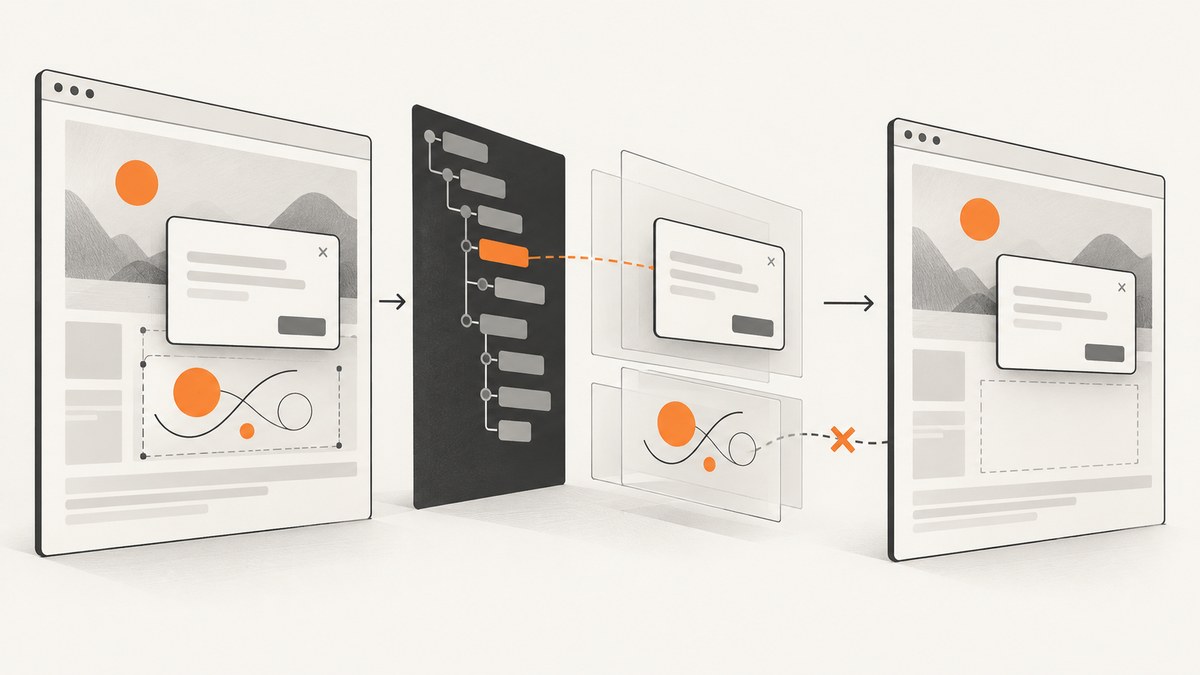
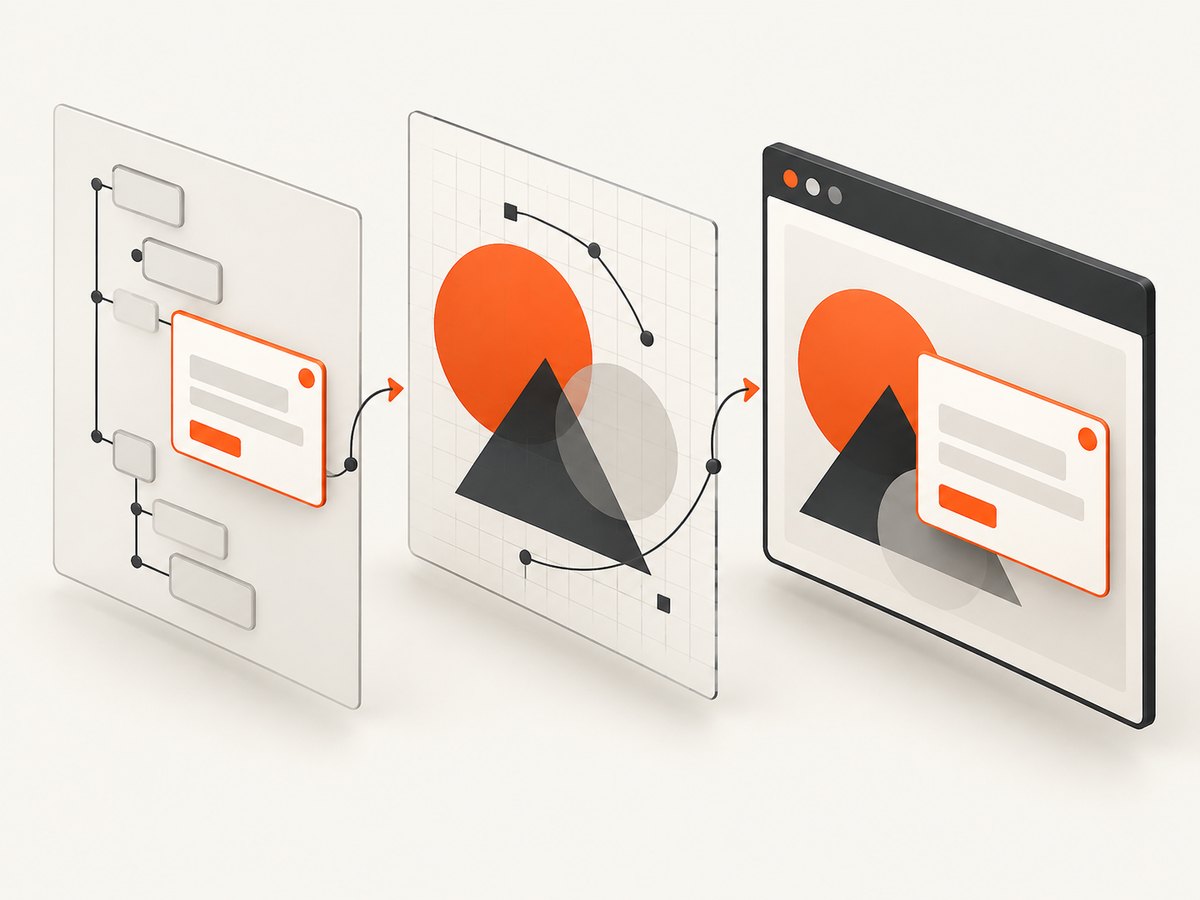
Short answer: html2canvas does not take a native screenshot of the browser window. It traverses the DOM and rebuilds an image from the information it can read. Paper.js uses an HTML canvas as its main graphics backend, so a “dialog” can be either regular HTML, a component mounted elsewhere, or pixels already drawn into the Paper.js canvas. Those cases require different fixes.
The report that prompted this question does not prove that paper-dialog is outside body, inside a shadow root, delayed, or drawn on the canvas. Inspect the specific application before choosing a remedy. html2canvas’s own documentation describes DOM traversal and reconstruction, while Paper.js documents Canvas as its primary backend and provides SVG export methods. html2canvas documentation · Paper.js FAQ
What html2canvas actually captures
When you call html2canvas(element), the library creates a cloned document, walks the target subtree, reads supported styles and resources, and paints a new canvas. It is not equivalent to pressing a browser’s screenshot button.
html2canvas(document.body).then(canvas => {
  document.body.appendChild(canvas);
});
This distinction explains several common symptoms:
| What you see | Likely layer | What to inspect |
|---|---|---|
| Dialog is a normal element but absent | DOM placement, visibility, or unsupported CSS | document.querySelector(), computed styles, overlay containers |
| Canvas drawing is absent or incomplete | Canvas pixels or cross-origin resources | Canvas dimensions, tainting, image-load errors |
| Only an iframe’s contents are missing | Different browsing context | Same-origin policy and iframe document access |
| Dialog appears intermittently | Timing or asynchronous rendering | Visibility and network state at capture time |
First determine what “Paper.js dialog” means
Paper.js itself is a vector drawing framework whose main backend is Canvas. A UI dialog associated with a Paper.js application may still be ordinary HTML. Do not infer its implementation from its tag name.
1. Check the live DOM
const dialog = document.querySelector('paper-dialog');
console.log({
  found: Boolean(dialog),
  ownerDocument: dialog?.ownerDocument === document,
  parent: dialog?.parentElement?.outerHTML.slice(0, 300),
  rect: dialog?.getBoundingClientRect().toJSON(),
  display: dialog && getComputedStyle(dialog).display,
  visibility: dialog && getComputedStyle(dialog).visibility,
  opacity: dialog && getComputedStyle(dialog).opacity
});
If the selector returns null, the element may use a different tag, be rendered only after an event, live in a shadow root, or be in another document. If it returns an element with a zero-sized rectangle, it is not visible at capture time.
2. Check whether the pixels are inside the Paper.js canvas
const canvas = document.querySelector('canvas');
console.log({
  cssSize: canvas && [canvas.clientWidth, canvas.clientHeight],
  bitmapSize: canvas && [canvas.width, canvas.height],
  paperCanvas: Boolean(canvas?._paper),
  dataUrlAvailable: (() => {
    try { canvas?.toDataURL(); return true; }
    catch (error) { console.warn(error); return false; }
  })()
});
A dialog painted into the canvas is not a DOM node. html2canvas can sometimes copy a same-document canvas as an image, but the result depends on the canvas state and security restrictions. A dialog that is HTML must be captured through its DOM representation.
3. Check overlays, shadow roots, and iframes
Many component systems append overlays to a top-level container rather than beside the triggering element. Passing a small editor element to html2canvas will not include a dialog mounted elsewhere. Inspect ancestors and likely overlay roots:
for (const selector of ['paper-dialog', '[role="dialog"]', '.overlay', '#overlay', 'body']) {
  document.querySelectorAll(selector).forEach(node => {
    console.log(selector, node, node.getBoundingClientRect().toJSON());
  });
}

for (const frame of document.querySelectorAll('iframe')) {
  try {
    console.log('same-origin iframe', frame, frame.contentDocument?.body);
  } catch (error) {
    console.warn('cross-origin iframe cannot be inspected', frame.src, error);
  }
}
html2canvas cannot read the contents of a cross-origin iframe because the browser prevents access to that document. A shadow-root dialog also requires inspecting and capturing the relevant host or shadow content according to the component’s structure.
Capture an HTML dialog correctly
Capture an ancestor that contains the dialog in the live document, and wait until it is visible.
async function captureDialog() {
  const dialog = document.querySelector('paper-dialog, [role="dialog"]');
  if (!dialog) throw new Error('Dialog was not found in the live DOM');

  const rect = dialog.getBoundingClientRect();
  if (rect.width === 0 || rect.height === 0) {
    throw new Error('Dialog is not visible at capture time');
  }

  const canvas = await html2canvas(dialog, {
    backgroundColor: '#ffffff',
    scale: window.devicePixelRatio,
    useCORS: true,
    logging: true,
    imageTimeout: 15000,
    onError(error) {
      console.error('html2canvas resource error', error);
    }
  });

  const link = document.createElement('a');
  link.download = 'dialog.png';
  link.href = canvas.toDataURL('image/png');
  link.click();
}

captureDialog().catch(console.error);
If the dialog is mounted in an overlay root, pass that root (or a wrapper containing both the page and overlay) instead:
const captureRoot = document.querySelector('#app-shell');
const shot = await html2canvas(captureRoot, {
  x: 0,
  y: 0,
  width: captureRoot.scrollWidth,
  height: captureRoot.scrollHeight,
  windowWidth: document.documentElement.clientWidth,
  windowHeight: document.documentElement.clientHeight,
  scrollX: window.scrollX,
  scrollY: window.scrollY
});
Capture Paper.js artwork
If the required output is the Paper.js drawing, exporting the project is often more appropriate than asking a DOM renderer to reconstruct it. Paper.js documents project.exportSVG() and item.exportSVG().
// Export the complete Paper.js project as SVG
const svg = paper.project.exportSVG({ asString: true });
const blob = new Blob([svg], { type: 'image/svg+xml' });
const url = URL.createObjectURL(blob);
const link = document.createElement('a');
link.href = url;
link.download = 'paper-project.svg';
link.click();
URL.revokeObjectURL(url);
// Export one selected item
const item = paper.project.activeLayer.children[0];
const svg = item.exportSVG({ asString: true });
console.log(svg);Use canvas output when you need the rendered bitmap:
const paperCanvas = document.querySelector('canvas');
paperCanvas.toBlob(blob => {
  if (!blob) throw new Error('Canvas did not produce an image');
  const url = URL.createObjectURL(blob);
  const link = document.createElement('a');
  link.href = url;
  link.download = 'paper-canvas.png';
  link.click();
  URL.revokeObjectURL(url);
}, 'image/png');
A canvas containing an image loaded from another origin may be tainted. In that case, toDataURL() and toBlob() can throw a security exception unless the resource server sends suitable CORS headers and the image is loaded with CORS enabled.
Capture the complete browser composition
If the requirement is what a user sees—including HTML overlays, canvas pixels, fixed controls, and iframes where permitted—use a browser-native screenshot mechanism in the environment that owns the page. html2canvas is designed to approximate a page from DOM information; it does not promise pixel-perfect browser compositing. The html2canvas FAQ discusses these limitations and recommends native screenshot APIs for browser-extension use cases. html2canvas FAQ
Useful html2canvas options
| Option | Use | Caution |
|---|---|---|
scale |
Increase output density, commonly window.devicePixelRatio |
Raises memory and processing cost |
useCORS |
Attempt CORS-enabled image loading | Server response headers must allow it |
allowTaint |
Allow tainted images to be drawn | Exporting the resulting canvas can still be blocked |
foreignObjectRendering |
Use SVG foreignObject where supported | Browser support and CSS coverage vary |
onclone |
Modify the cloned document before painting | Changes affect only the clone |
ignoreElements |
Exclude animations, video, or unstable widgets | Do not exclude the dialog accidentally |
backgroundColor |
Set a solid background or null for transparency |
Transparent output may expose page assumptions |
windowWidth, windowHeight |
Define the emulated viewport | Responsive breakpoints can change the result |
x, y, width, height |
Crop the rendered area | Coordinates are relative to the document viewport rules |
logging, onError |
Diagnose resource and rendering failures | Keep verbose logging out of production if unnecessary |
Troubleshooting checklist
The selector returns nothing
Cause: the dialog is created later, uses another selector, is in a shadow root, or belongs to an iframe. Fix: inspect after the action that opens it; query the actual overlay root; inspect same-origin frames separately.
The dialog is found but missing from the image
Cause: you captured a descendant that does not contain the overlay, or the dialog is hidden in the clone. Fix: capture the common ancestor and use onclone to verify computed visibility.
const root = document.querySelector('#app-shell');
await html2canvas(root, {
  onclone(clonedDocument) {
    const clonedDialog = clonedDocument.querySelector('paper-dialog, [role="dialog"]');
    console.log('dialog in clone', clonedDialog, clonedDialog && getComputedStyle(clonedDialog).display);
  }
});
Only the Paper.js drawing is missing
Cause: the required content is canvas pixels, not ordinary DOM. Fix: export the Paper.js project to SVG or capture the canvas directly. Check for tainted images and canvas size limits.
Images or icons disappear
Cause: cross-origin resources, blocked requests, or failed decoding. Fix: serve assets with CORS headers, set useCORS: true, wait for image completion, and inspect the console and onError.
CSS looks different
Cause: html2canvas implements CSS properties individually and does not support every browser feature. Fix: check the compatibility notes in the FAQ, simplify unsupported effects, or use a native browser screenshot when exact compositing matters.
The capture is blank or truncated
Cause: an invisible target, an oversized canvas, a failed resource, or a viewport mismatch. Fix: log the target rectangle, capture a smaller region, reduce scale, set explicit dimensions, and test without custom fonts or remote images.
Performance, reliability, and cost considerations
- Capture the smallest ancestor that contains the required dialog and drawing.
- Use a lower
scalefor previews and a higher value only for export-quality output. - Wait for the dialog’s visible state, fonts, images, and Paper.js render cycle before calling html2canvas.
- Keep deterministic capture settings: viewport, device pixel ratio, scroll position, locale, and theme.
- For repeated server-side captures, a browser screenshot service avoids maintaining browser processes, but verify how it handles failed loads, bot checks, and overlays.
Or skip the browser setup
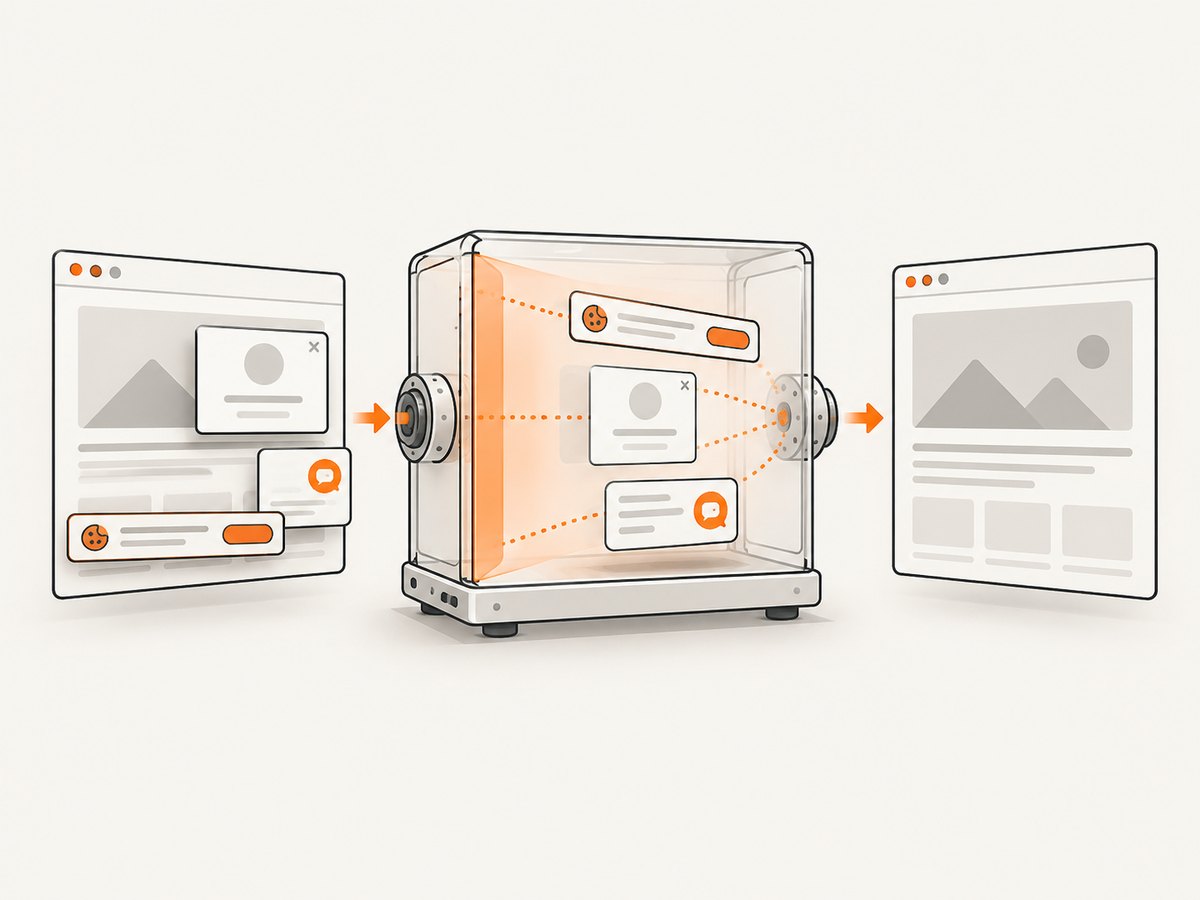
ScreenshotNeo captures a URL with one request and returns PNG, JPEG, WebP, or PDF. It accepts consent banners like a visitor and removes more than 60 known consent platforms, newsletter popups, and chat widgets before capture. Bot checks, blank pages, timeouts, failed loads, and cache hits cost nothing, and the response identifies the result with X-Page-Verdict and X-Billed headers. Its MCP server provides take_screenshot, get_page_info, and capture_pdf for Claude, Cursor, and other MCP clients.
See the ScreenshotNeo API documentation for all options. Basic request:
curl -G "https://api.screenshotneo.com/v1/shot" \
  -d access_key=YOUR_API_KEY \
  --data-urlencode url=https://stripe.com \
  -o shot.webp
import requests
r = requests.get(
"https://api.screenshotneo.com/v1/shot",
params={"access_key": "YOUR_API_KEY", "url": "https://stripe.com"},
timeout=90,
)
r.raise_for_status()
open("shot.webp", "wb").write(r.content)const q = new URLSearchParams({
access_key: 'YOUR_API_KEY',
url: 'https://stripe.com'
});
const res = await fetch(`https://api.screenshotneo.com/v1/shot?${q}`);
if (!res.ok) throw new Error(`Screenshot failed: ${res.status}`);
const image = Buffer.from(await res.arrayBuffer());
require('fs').writeFileSync('shot.webp', image);ScreenshotNeo includes full-page capture with lazy images loaded, CSS-selector element capture, dark mode, device presets and custom viewports, retina scale, custom CSS and JavaScript, clicks, waits, blocked resources, headers, cookies, user agents, authorization, timezone, geolocation, transparent backgrounds, resizing, configurable caching, signed links, asynchronous jobs with signed webhooks, bulk capture for up to 100 URLs per call, a usage API, and an OpenAPI specification.
The Free plan includes 1,000 screenshots a month with no card. Paid plans start at $5 for 3,000 shots; yearly billing gives two months free. Create a free ScreenshotNeo account.
FAQ
Are paper-dialog boxes outside the body?
Not necessarily. The tag may be a regular descendant, an overlay mounted elsewhere, shadow-root content, iframe content, or a visual state drawn inside a canvas. Inspect the live rendering tree.
Can html2canvas capture a canvas?
It can include canvas content in some same-document cases, but cross-origin images can taint the canvas and the result is not a guarantee of native browser compositing. Export Paper.js directly when the artwork is the required output.
Should I export SVG or PNG from Paper.js?
Choose SVG for scalable vector output or PNG/canvas output for a bitmap. Choose a browser-native screenshot when you need the complete visible composition.
Does waiting longer fix a missing dialog?
Only if the dialog or its resources were not ready at capture time. Waiting cannot make canvas pixels become DOM nodes or bypass cross-origin restrictions.
What is the fastest way to capture a remote page without managing Chromium?
Use a screenshot API such as ScreenshotNeo. It handles the browser session and provides URL, element, timing, resource, and output controls through its API.


