HTTP 424 Failed Dependency: What It Means
HTTP 424 means a requested action failed because a prerequisite operation failed. Learn how to find the root error and fix WebDAV workflows.

HTTP 424 Failed Dependency means the server could not perform your requested method because another operation it depended on failed first. The status code is defined for WebDAV, especially multi-step property updates, and the practical fix is to locate the earliest failed operation, correct it, and then rerun the dependent request.
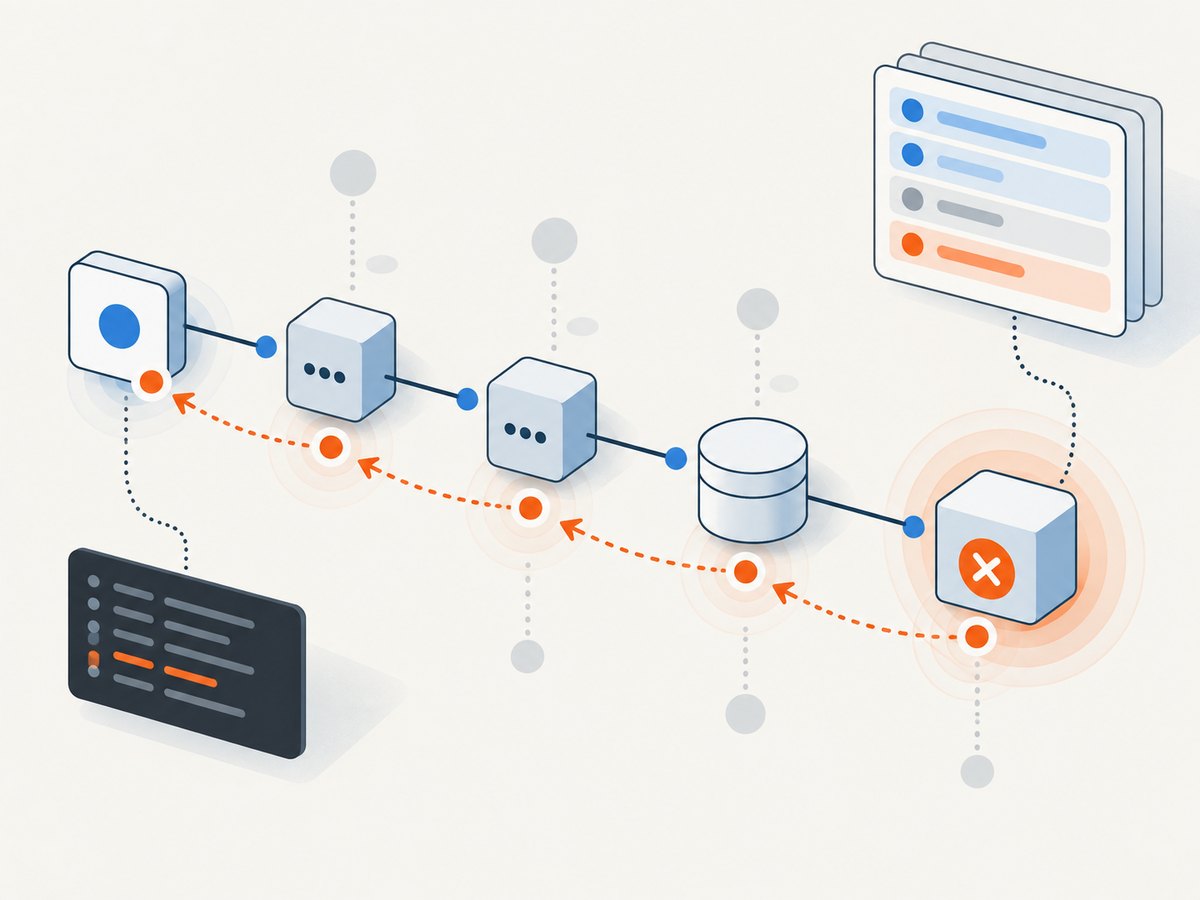
A 424 response is usually a downstream symptom. The request you can see is not necessarily the request that caused the problem. Start with the response body, WebDAV multi-status details, application logs, and the first failed prerequisite in the workflow.
What HTTP 424 means
RFC 4918 defines 424 as a dependency failure: a method could not be performed on a resource because the requested action depended on another action that failed. In other words, the server understood your request, but the required state was never created by an earlier step.
The code belongs to the WebDAV extension to HTTP. Standard website requests such as ordinary GET, POST, or PUT normally do not return 424. If a non-WebDAV API sends 424, that API is using the code for its own workflow semantics, so consult its documentation and error payload rather than assuming a universal meaning.
The normative wording appears in RFC 4918, section 11.4. MDN’s 424 reference also notes that regular web servers typically do not return this status and uses a WebDAV PROPPATCH failure as the canonical example.
Where 424 appears in WebDAV
WebDAV adds methods for editing remote resources and their properties. A single request can contain several related changes. If one property change fails, later changes that require the failed state can receive 424.
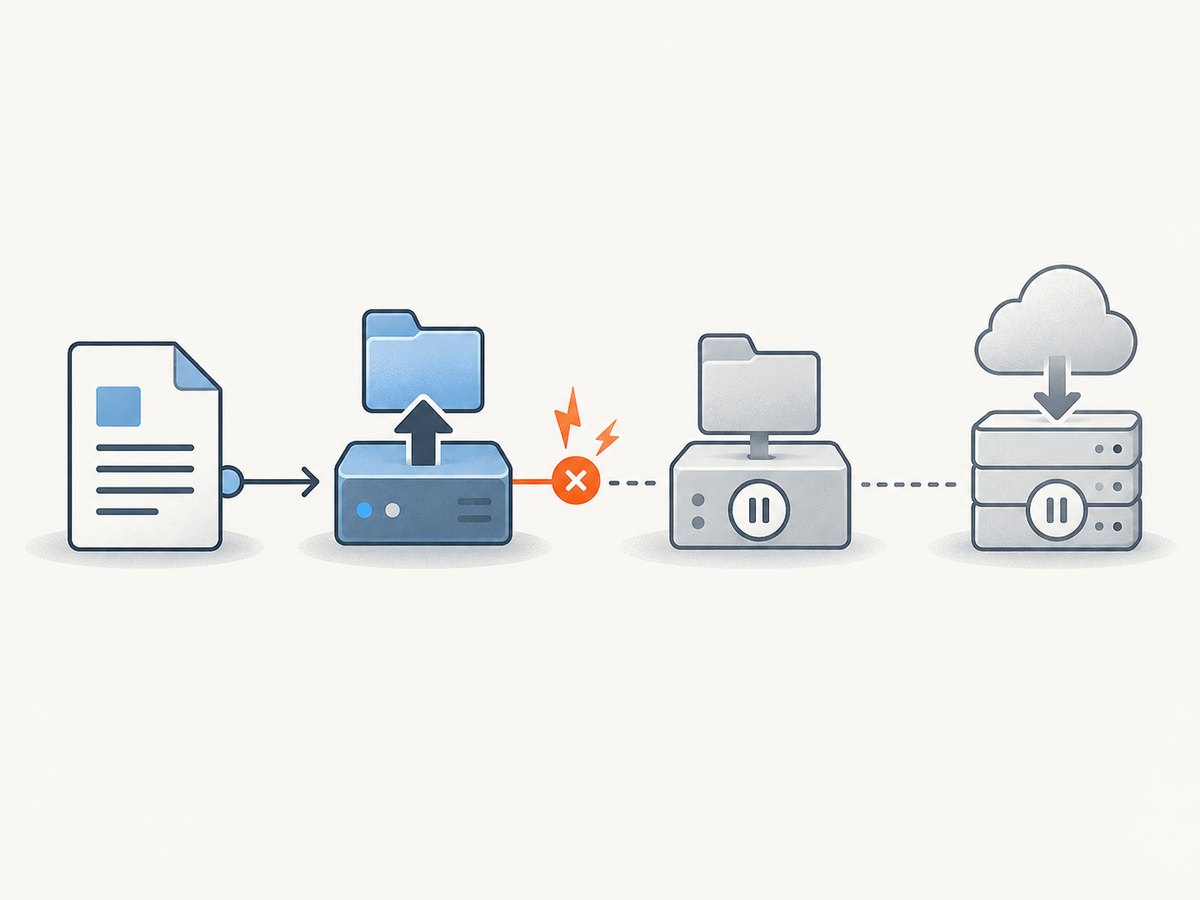
For example, a client might send one PROPPATCH containing these operations:
- Set a collection’s access-control property.
- Set a property that depends on the new access policy.
- Remove an old property that is only valid after step one succeeds.
If the access-control update is rejected, the server can report that the dependent property changes failed with 424. The response is telling you to investigate the first property failure, not to keep resending the entire request unchanged.
How to diagnose a 424 response
- Record the exact request. Save the method, URL, headers, body, authentication context, and request ID. A proxy, SDK, or job runner may have issued an earlier request that is not obvious from your application log.
- Read the complete response body. WebDAV commonly returns a
207 Multi-Statusdocument with per-resource or per-property status elements. Do not stop at the top-level status line. - Find the earliest failed operation. Order the operations by time and dependency. Look for a preceding 4xx or 5xx response, a rejected property, a failed lock, a conditional request failure, or an authorization error.
- Map the dependency. Identify exactly what the 424 operation needed: a property, lock token, parent collection, generated identifier, transaction, or successful prior API call.
- Fix the prerequisite. Correct credentials, request syntax, resource state, lock handling, conditional headers, or server configuration at the earlier step.
- Re-run deliberately. Repeat the dependent operation only after the prerequisite has succeeded. The RFC defines the dependency relationship but does not prescribe a universal retry interval.
Inspect a WebDAV multi-status response
A typical response may contain several <response> elements. Each one can identify a resource and include a status line such as HTTP/1.1 424 Failed Dependency. The useful error may be in another element that appears earlier in the same document.
HTTP/1.1 207 Multi-Status
Content-Type: application/xml; charset="utf-8"

<D:multistatus xmlns:D="DAV:">
  <D:response>
    <D:href>/files/report.txt</D:href>
    <D:propstat>
      <D:prop><D:displayname/></D:prop>
      <D:status>HTTP/1.1 403 Forbidden</D:status>
    </D:propstat>
  </D:response>
  <D:response>
    <D:href>/files/report.txt</D:href>
    <D:propstat>
      <D:prop><D:getcontentlanguage/></D:prop>
      <D:status>HTTP/1.1 424 Failed Dependency</D:status>
    </D:propstat>
  </D:response>
</D:multistatus>
In this example, the 403 is the likely root failure. The 424 explains why the second property could not be applied after the first operation was denied.
Reproduce and inspect a request with cURL
Use verbose output while debugging so you can see redirects, authentication challenges, request headers, and the complete response body. Replace the URL and XML with the values required by your WebDAV server.
curl --verbose --request PROPPATCH \
  --user "$DAV_USER:$DAV_PASSWORD" \
  --header 'Content-Type: application/xml; charset=utf-8' \
  --data-binary @properties.xml \
  'https://dav.example.com/files/report.txt'
Save the response for later parsing:
curl --silent --show-error --request PROPPATCH \
  --user "$DAV_USER:$DAV_PASSWORD" \
  --header 'Content-Type: application/xml; charset=utf-8' \
  --data-binary @properties.xml \
  --output response.xml \
  --write-out '%{http_code}\n' \
  'https://dav.example.com/files/report.txt'
Check the HTTP status separately from the XML. A successful TCP connection or a non-empty response does not mean every property succeeded.
Runnable Python diagnostic
The following script sends a WebDAV property update, prints the HTTP status and headers, and displays the response body. It intentionally does not retry automatically: a retry before fixing the prerequisite can repeat the same failure or create duplicate side effects.
import os
import requests

url = "https://dav.example.com/files/report.txt"
xml = """
<D:propertyupdate xmlns:D="DAV:">
  <D:set>
    <D:prop>
      <D:displayname>Quarterly report</D:displayname>
    </D:prop>
  </D:set>
</D:propertyupdate>"""

response = requests.request(
    "PROPPATCH",
    url,
    auth=(os.environ["DAV_USER"], os.environ["DAV_PASSWORD"]),
    headers={"Content-Type": "application/xml; charset=utf-8"},
    data=xml.encode("utf-8"),
    timeout=30,
)

print("status:", response.status_code)
print("content-type:", response.headers.get("content-type"))
print(response.text)

if response.status_code == 424:
    print("A prerequisite operation failed; inspect earlier statuses and server logs.")
Runnable Node.js diagnostic
Node.js 18 and later include fetch. The method is non-standard from the perspective of many HTTP client wrappers, so pass PROPPATCH explicitly and preserve the XML response for inspection.
const user = process.env.DAV_USER;
const password = process.env.DAV_PASSWORD;
const credentials = Buffer.from(`${user}:${password}`).toString('base64');

const xml = `<?xml version="1.0" encoding="utf-8" ?>
<D:propertyupdate xmlns:D="DAV:">
  <D:set>
    <D:prop>
      <D:displayname>Quarterly report</D:displayname>
    </D:prop>
  </D:set>
</D:propertyupdate>`;

const response = await fetch(
  'https://dav.example.com/files/report.txt',
  {
    method: 'PROPPATCH',
    headers: {
      'Authorization': `Basic ${credentials}`,
      'Content-Type': 'application/xml; charset=utf-8'
    },
    body: xml
  }
);

const body = await response.text();
console.log('status:', response.status);
console.log('content-type:', response.headers.get('content-type'));
console.log(body);

if (response.status === 424) {
  console.error('Fix the failed prerequisite before retrying.');
}
Common causes and fixes
| What you see | Likely cause | Fix |
|---|---|---|
| 424 after a property update | An earlier property in the same PROPPATCH failed. |
Read each propstat, correct the first non-success status, then send the dependent update again. |
| 424 after creating a lock | The lock request failed or its token was not included in the dependent method. | Check the lock response, preserve the exact lock token, and send it in If or the server’s required header. |
| 424 from a non-WebDAV API | The application uses 424 to represent a failed workflow prerequisite. | Read that API’s error schema and trace the job or request that ran immediately before the 424. |
| 424 appears only in production | Different permissions, resource state, proxy behavior, or server modules. | Compare authenticated identity, headers, URL normalization, WebDAV configuration, and server logs between environments. |
| Repeated 424 responses after retries | The prerequisite remains broken, or retries run in the wrong order. | Stop blind retries, repair the first failure, and make the workflow dependency explicit. |
| Only one resource fails in a batch | That resource has a lock, permission, quota, or property conflict. | Inspect the per-resource status instead of treating the batch status as uniform. |
424 compared with nearby status codes
| Status | Meaning | Diagnostic question |
|---|---|---|
| 412 Precondition Failed | A conditional request header such as If-Match was not satisfied. |
Did the entity tag or other condition match the current resource? |
| 423 Locked | The resource is locked. | Do you need a valid lock token or to release an existing lock? |
| 424 Failed Dependency | A required earlier action failed. | Which prerequisite operation failed first? |
| 507 Insufficient Storage | The server cannot store the representation needed to complete the request. | Is the server, quota, or collection out of space? |
Do not change a 424 to 412, 423, or 507 simply because the request failed. The correct code depends on the server’s reported cause and the state of the resource.
Retries, idempotency, and workflow design
HTTP 424 does not define a standard retry delay. A safe retry policy depends on the failed prerequisite:
- For a malformed XML document or invalid property, fix the request before retrying.
- For a transient dependency such as a database or queue operation, wait according to that system’s documented backoff policy.
- For a lock conflict, acquire or refresh the lock and include the correct token.
- For an authorization failure, refresh credentials or permissions rather than repeating the same request.
Make retries idempotent where possible. Keep a request identifier, record the prerequisite result, and avoid rerunning a successful step when the dependent step alone can be repeated. In batch workflows, persist per-item status so one failed dependency does not force every item to restart.
Performance and reliability considerations
Most 424 debugging time is spent reconstructing the dependency chain. Log request IDs, resource paths, operation names, lock tokens (without exposing secrets), status codes, and timestamps. For multi-status responses, store the raw XML or a safely redacted representation so individual property failures remain available.
Keep dependent operations close enough in time to avoid resource state changing between steps, but do not use aggressive polling. If a prerequisite is asynchronous, expose an explicit state such as pending, failed, or ready and wait for readiness before issuing the dependent call.
HTTP status alone is insufficient for billing or job accounting in systems that perform remote captures or other work. Always inspect response headers and the body when an API documents additional result metadata.
Or skip the browser setup
If the reason you are investigating a failed dependency is a screenshot or page-capture workflow, ScreenshotNeo provides a single HTTP request instead of maintaining a browser and its page-state dependencies. See the ScreenshotNeo API documentation for the complete parameter list.
curl -G "https://api.screenshotneo.com/v1/shot" -d access_key=YOUR_API_KEY --data-urlencode url=https://stripe.com -o shot.webpimport requests
r = requests.get("https://api.screenshotneo.com/v1/shot", params={"access_key": "YOUR_API_KEY", "url": "https://stripe.com"}, timeout=90)
open("shot.webp", "wb").write(r.content)const q = new URLSearchParams({ access_key: 'YOUR_API_KEY', url: 'https://stripe.com' });
const res = await fetch(`https://api.screenshotneo.com/v1/shot?${q}`);Cookie banners, newsletter popups, and chat widgets are removed before the shot. Bot checks, blank pages, failed loads, timeouts, and cache hits are never billed, and the response reports the page verdict and billing result in X-Page-Verdict and X-Billed headers. ScreenshotNeo also provides an MCP server so Claude, Cursor, and other MCP clients can take screenshots, inspect pages, and capture PDFs. The free plan includes 1,000 screenshots per month with no card; paid plans start at $5 for 3,000 shots.
Create a free ScreenshotNeo account and use the API when you want a clean capture without managing browser dependencies.
Frequently asked questions
Is HTTP 424 only a WebDAV error?
It is defined by the WebDAV specification. A separate application may reuse the code for a dependency failure, but that meaning comes from the application’s documentation rather than the general HTTP standard.
Should I retry a 424 automatically?
Not immediately. Find and fix the prerequisite first, then retry according to that dependency’s behavior and idempotency guarantees.
Why did I receive 207 instead of 424?
WebDAV can return 207 Multi-Status when different properties or resources have different outcomes. The embedded per-item status may contain 424.
Can a 424 response identify the root cause?
Sometimes the response body names the failed dependency, but often it only reports the downstream failure. Use logs and earlier responses to locate the first error.
Is 424 a client error or a server error?
It is in the 4xx range, indicating that the request could not be completed because of its dependency and current resource state. The specific corrective action depends on the prerequisite that failed.