HTTP 503 Service Unavailable: Causes and Fixes
Understand what HTTP 503 means, find the layer returning it, fix capacity and health failures, and implement safe retries with backoff.
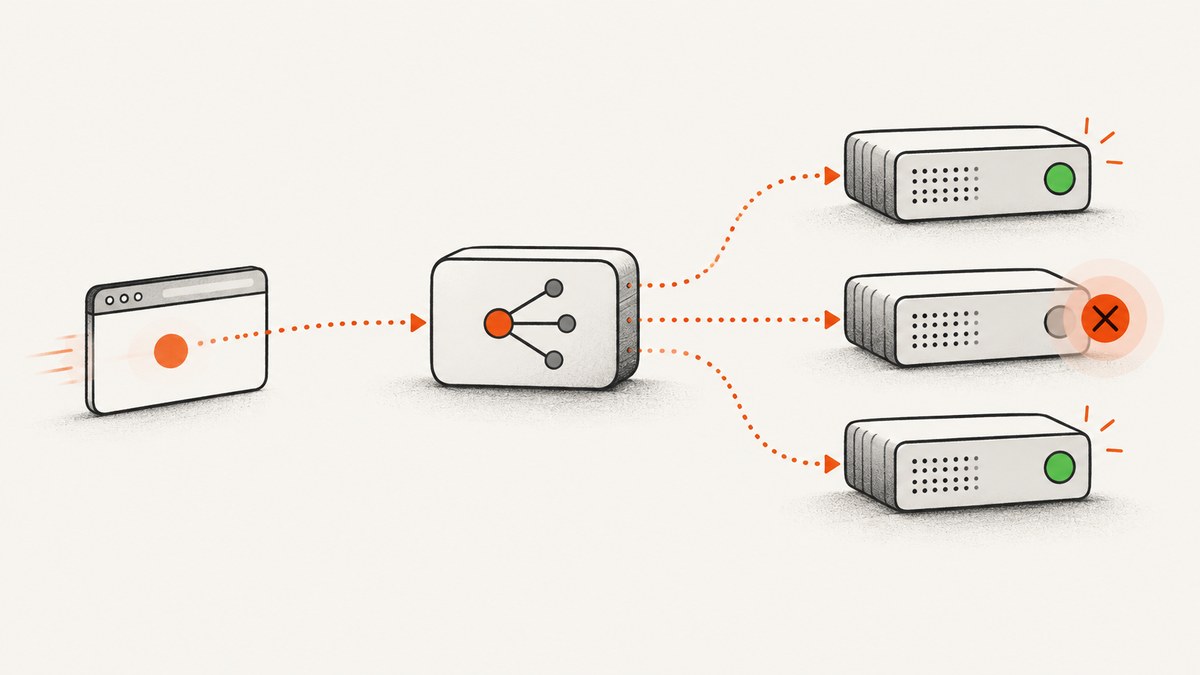
HTTP 503 Service Unavailable means the server cannot handle the request temporarily. The usual causes are overload, scheduled maintenance, unhealthy load-balancer targets, a failed serverless function, or an edge service that cannot reach its origin. A 503 is normally temporary, so the right response is to identify which layer generated it, restore that layer’s capacity or health, and make clients retry with bounded exponential backoff and jitter.
RFC 9110 defines 503 as a temporary inability to handle a request because of overload or scheduled maintenance and allows the server to send a Retry-After header. A busy server can also refuse a connection instead of returning 503. See the RFC 9110 definition.
What a 503 response tells you
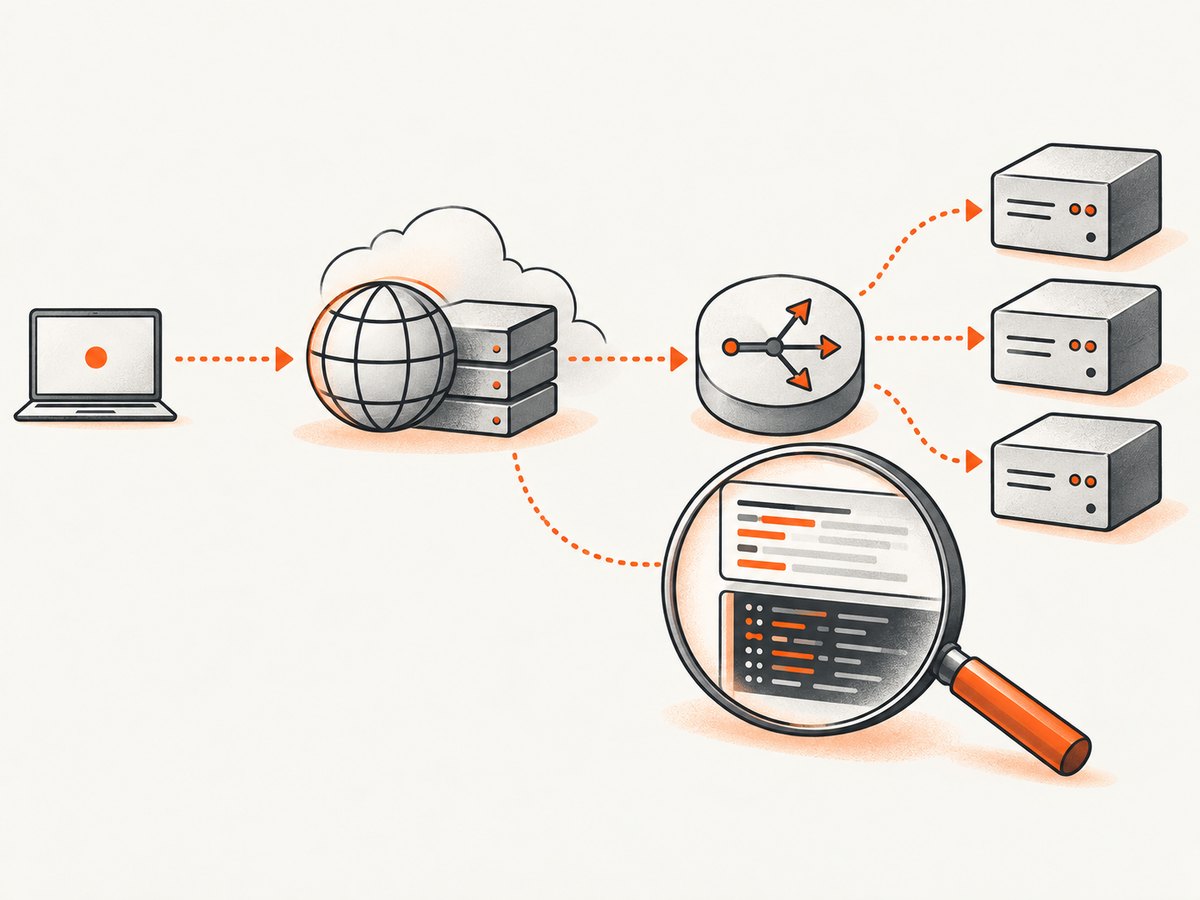
A 503 identifies a temporary service condition, but the status code alone does not identify the component at fault. The response might come from your application, a reverse proxy, a load balancer, a CDN edge, an object store, or a serverless function. Start by preserving the complete response:
curl -iL https://example.com/Record the URL, UTC timestamp, status line, every response header, body, request or trace ID, and the network path used. Look for Retry-After, Server, CDN-specific headers, load-balancer request IDs, and body text identifying the producer. A Cloudflare page containing “cloudflare” or “cloudflare-nginx” is evidence that Cloudflare generated the response; a page without those markers is more likely from the origin. This distinction is described in Cloudflare’s 503 guidance.
| Status | Meaning | Typical investigation |
|---|---|---|
| 503 | Temporarily unable to serve the request | Capacity, health, maintenance, throttling, or temporary dependency failure |
| 502 | Gateway received an invalid upstream response | Application crash, malformed response, protocol or proxy mismatch |
| 504 | Gateway did not receive an upstream response in time | Slow origin, network path, timeout, or saturated dependency |
Where the 503 came from
Origin server
CPU, memory, disk I/O, worker processes, database connections, or an application connection pool can be exhausted. The application may deliberately return 503 during deployment or maintenance. Check access and application logs at the timestamp, process and container restarts, queue depth, database latency, and saturation metrics.
Load balancer
A load balancer can return 503 when no registered targets are healthy or ready. Common causes include a health-check path that returns an error, a wrong port, security-group rules, failed startup probes, too few targets, Lambda timeouts, throttling, oversized response headers, or TLS handshake errors. AWS documents these conditions for Application Load Balancers in its 503 troubleshooting guide.
CDN or edge
An edge network may generate 503 when it cannot connect to the origin, enforces a rate limit, or reaches an execution limit in an edge function. Inspect edge analytics and function logs, then compare a direct origin request with the CDN request. CloudFront also lists Lambda@Edge and CloudFront Function errors or limits, origin performance problems, and repeated origin mTLS handshake failures as possible causes; see the CloudFront 503 documentation.
Serverless function
Concurrency limits, throttling, cold-start or execution timeouts, memory exhaustion, and a failed deployment can surface as 503 through an API gateway or CDN. Check invocation count, throttles, duration, error rate, configured memory, concurrency reservations, and the function version receiving traffic.
Object storage
When a CDN reads from object storage, concentrated request rates on one prefix can produce a “Slow Down” response that is surfaced as 503. AWS currently documents guidance of 3,500 write-class requests or 5,500 GET/HEAD requests per second per partitioned S3 prefix for this specific scenario. Treat those values as service guidance, not a universal HTTP threshold; distribute hot objects across prefixes and verify current AWS limits.
A diagnosis workflow
- Capture evidence. Save headers, body, request ID, URL, timestamp, and region. Repeat with
curl -IkL https://example.com/to inspect headers without downloading the body. - Identify the producer. Compare body markers,
Serverand CDN headers, load-balancer logs, and origin access logs. A response seen at the edge but absent at the origin points to the edge or intermediary. - Check health. Review target registration, readiness and health-check results, queue or spillover metrics, and recent deploys. Confirm that the health-check path is cheap, unauthenticated where appropriate, and returns the expected status.
- Check saturation. Inspect CPU, memory, disk, worker counts, database latency, connection pools, file descriptors, and network errors. Correlate the first 503 with a metric change.
- Check edge and function limits. Review CDN analytics, Worker or Lambda logs, throttling, execution duration, origin connectivity, DNS, and mTLS certificate state.
- Reproduce safely. Compare direct-origin and CDN URLs, multiple regions, and an authenticated request if authentication changes routing. Avoid load tests against a distressed production service.
Fixes by failure layer
Restore origin capacity
- Stop runaway jobs and expensive queries.
- Reduce response work, add caching, and close leaked database or HTTP connections.
- Add instances or workers, increase safe pool limits, and distribute traffic.
- Verify that autoscaling has sufficient warm capacity and that new instances pass readiness checks before receiving traffic.
Complete or roll back maintenance
Remove an unintended maintenance flag, finish the deployment transition, or roll back the release. Keep the service closed until dependencies and migrations are ready, then reopen traffic gradually and watch error rate and latency.
Repair the load balancer
Register targets, fix health-check paths and ports, correct listener and security-group rules, and ensure the target binds to the expected interface. Increase target count when readiness is insufficient. For Lambda targets, investigate timeout and throttling metrics.
Repair the CDN or edge path
Confirm origin DNS and reachability, resolve Worker or Lambda execution limits, validate mTLS certificates, and inspect edge logs. If only one region fails, compare that region’s edge-to-origin path rather than changing application code globally.
Retrying a 503 correctly
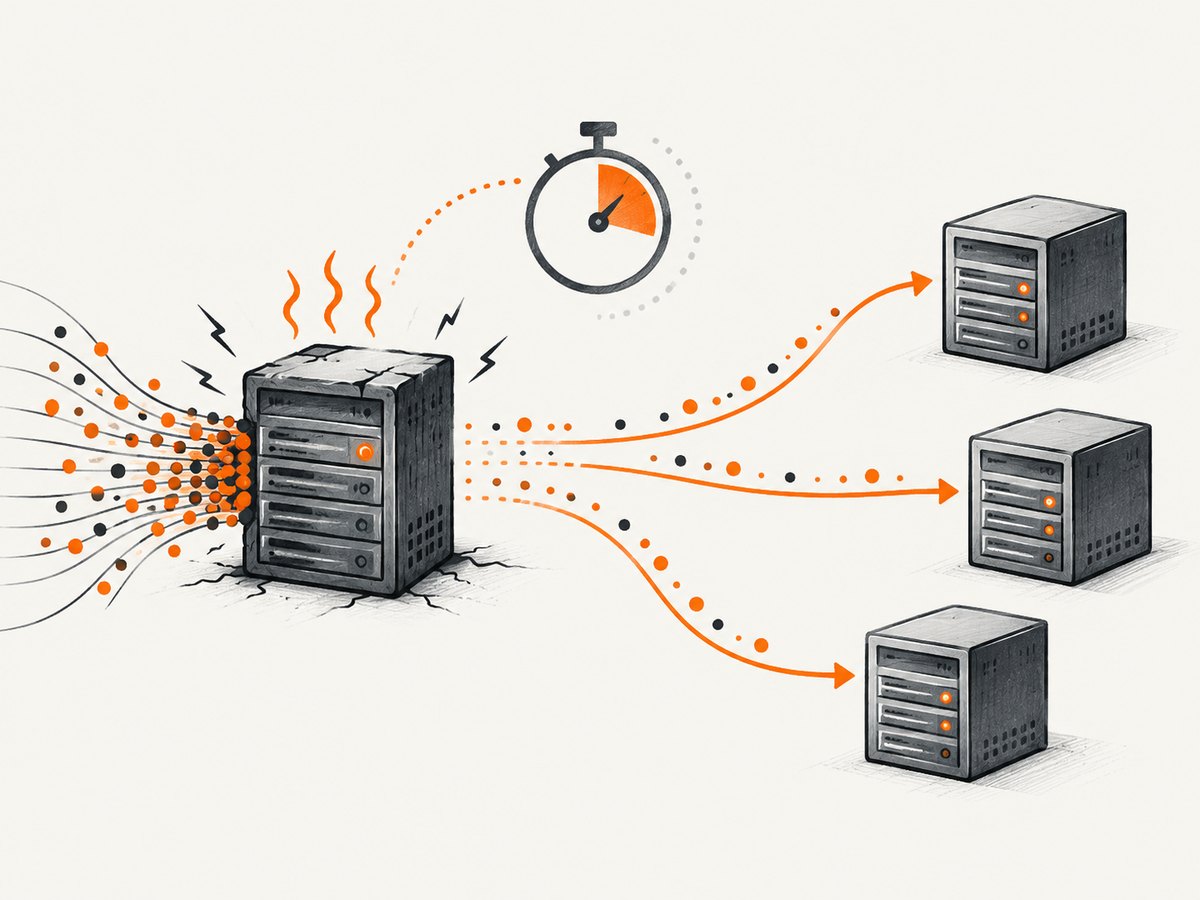
Honor Retry-After when present. It can be a number of seconds or an HTTP date. Otherwise use exponential backoff with jitter, cap the delay and total attempts, and stop retrying after a deadline. Retry idempotent requests by default. For POST or other non-idempotent operations, use an idempotency key and application-level safeguards before retrying.
async function fetchWithRetry(url, options = {}, maxAttempts = 5) {
  for (let attempt = 0; attempt < maxAttempts; attempt++) {
    const response = await fetch(url, options);
    if (response.status !== 503) return response;

    const retryAfter = response.headers.get('retry-after');
    let delayMs;
    if (retryAfter && /^\\d+$/.test(retryAfter)) {
      delayMs = Number(retryAfter) * 1000;
    } else if (retryAfter) {
      delayMs = Math.max(0, Date.parse(retryAfter) - Date.now());
    } else {
      const cap = Math.min(30_000, 500 * 2 ** attempt);
      delayMs = Math.random() * cap;
    }
    if (attempt === maxAttempts - 1) return response;
    await new Promise(resolve => setTimeout(resolve, delayMs));
  }
}
import random, time, requests
def get_with_retry(url, attempts=5):
for attempt in range(attempts):
response = requests.get(url, timeout=30)
if response.status_code != 503 or attempt == attempts - 1:
return response
retry_after = response.headers.get("Retry-After")
if retry_after and retry_after.isdigit():
delay = float(retry_after)
else:
delay = random.uniform(0, min(30, 0.5 * (2 ** attempt)))
time.sleep(delay)
raise RuntimeError("unreachable")Or skip the browser setup
If your goal is to capture a page while investigating availability or documenting an incident, ScreenshotNeo returns a screenshot or PDF with one GET request. It accepts consent banners as a visitor and removes more than 60 known consent platforms, newsletter popups, and chat widgets before capture. Bot checks, blank pages, timeouts, failed loads, and cache hits are not billed, and response headers identify the page verdict and billing status. Its MCP server provides take_screenshot, get_page_info, and capture_pdf for Claude, Cursor, and other MCP clients.
curl -G "https://api.screenshotneo.com/v1/shot" -d access_key=YOUR_API_KEY --data-urlencode url=https://example.com -o shot.webpimport requests
r = requests.get("https://api.screenshotneo.com/v1/shot", params={"access_key": "YOUR_API_KEY", "url": "https://example.com"}, timeout=90)
open("shot.webp", "wb").write(r.content)const q = new URLSearchParams({ access_key: 'YOUR_API_KEY', url: 'https://example.com' });
const res = await fetch(`https://api.screenshotneo.com/v1/shot?${q}`);See the ScreenshotNeo API documentation for the complete option list. You can choose PNG, JPEG, WebP, or PDF; full-page or CSS-element capture; dark mode, device presets, custom viewport and retina scale; waits, custom CSS and JavaScript, clicks, hidden selectors, blocked resources, headers, cookies, user agent, authorization, timezone, geolocation, transparent backgrounds, resizing, caching TTL, signed links, asynchronous jobs with signed webhooks, bulk capture of up to 100 URLs, usage data, and an OpenAPI specification. Existing parameter names used by other screenshot APIs also work.
Free accounts include 1,000 screenshots per month with no card. Paid plans start at $5 for 3,000 shots; every feature is included on every plan. Create a free ScreenshotNeo account.
Performance, reliability, and cost considerations
- Protect recovery. A retry storm can keep an overloaded service unavailable. Use jitter, a maximum attempt count, a total deadline, and circuit breaking.
- Measure saturation. Track 503 rate by producer, target, region, route, and deployment version. Aggregate rates can hide one unhealthy target.
- Prefer readiness over liveness. A process can be alive while unable to serve traffic. Health checks should test the dependencies required for the route, with sensible timeouts and failure thresholds.
- Control concurrency. Bound worker, database, and outbound HTTP concurrency so overload fails predictably and leaves capacity for health checks and recovery.
- Cache carefully. Do not cache a transient 503 for a long period unless your CDN policy explicitly requires it. Cache successful, immutable assets and use short error TTLs during incidents.
- Budget retries. Every retry consumes capacity and may duplicate side effects. Apply retry budgets per client and route, and log the attempt number.
Troubleshooting checklist
| Symptom | Likely cause | Fix |
|---|---|---|
| 503 from every request | Maintenance mode, no healthy targets, or global origin failure | Check deploy flags, target health, origin logs, and readiness dependencies |
| 503 only through CDN | Edge-to-origin connectivity, rate limit, or edge function limit | Compare direct origin, inspect edge logs, DNS, mTLS, and function metrics |
| 503 only in one region | Regional target, DNS, or network failure | Compare regional health checks and route traffic to healthy capacity |
| 503 after a deploy | Failed startup, bad health path, migration, or incompatible response | Roll back or fix readiness and dependency sequencing |
| 503 during traffic spikes | CPU, memory, workers, database, or connection-pool exhaustion | Reduce work, add capacity, tune pools, and verify autoscaling |
| Retries make the outage worse | Unbounded synchronized retries | Honor Retry-After, add jitter, cap attempts, and use a circuit breaker |
FAQ
Does a 503 always mean the server is down?
No. It can be an intentional maintenance response, an overloaded dependency, an unhealthy load-balancer target, or an edge-generated error while the origin is healthy.
Should I retry every 503?
Retry idempotent operations with a deadline, bounded exponential backoff, and jitter. Do not blindly retry non-idempotent operations without idempotency protection.
Why did I get a connection refusal instead of 503?
RFC 9110 notes that an overloaded server may refuse a connection rather than produce a status response. Check listener availability, process limits, and network health.
Can a CDN hide the real cause?
Yes. Inspect the body and headers, compare CDN and origin requests, and correlate edge request IDs with origin and load-balancer logs.
Is 503 the same as 504?
No. A 503 reports temporary inability to handle the request; a 504 means a gateway or proxy did not receive a timely upstream response.


