The Role of HTTP Cookies in Web Scraping
Learn how HTTP cookies preserve scraper sessions, how scope and expiry work, and how to send cookies safely with Python, cURL, and Node.js.
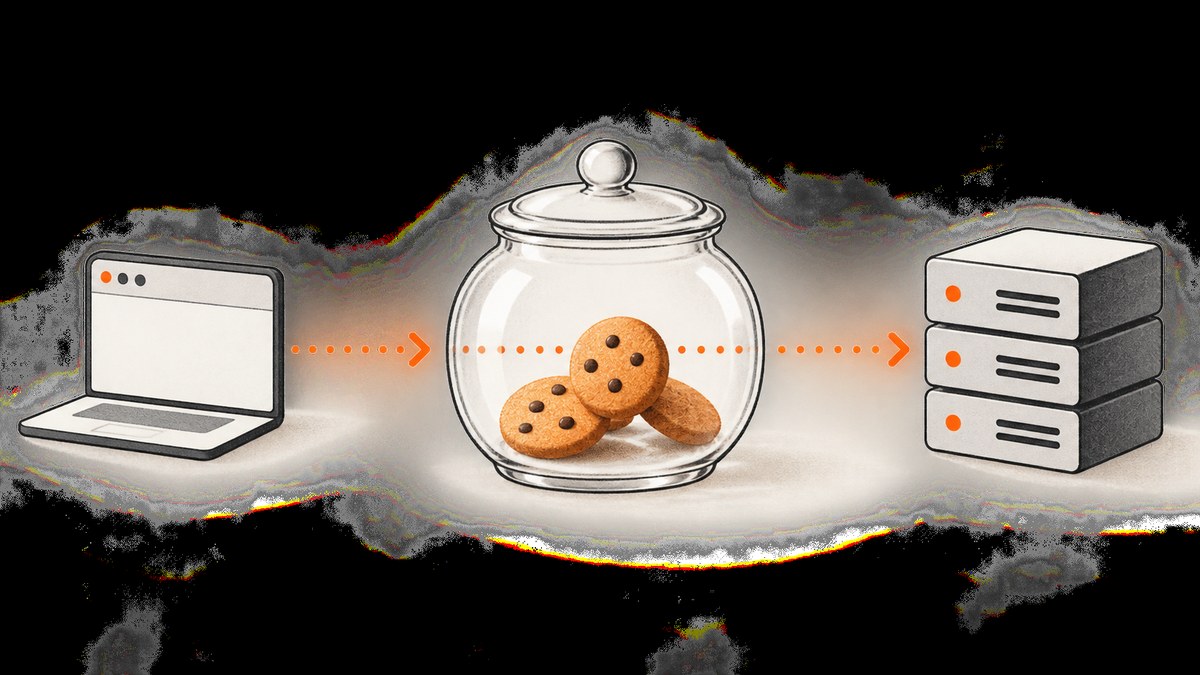
HTTP cookies let a scraper preserve state between requests. A server sends cookies with a Set-Cookie response header; the client stores them and later returns applicable name-value pairs in the Cookie request header. For reliable scraping, use a standards-aware cookie jar or HTTP session so domain, path, expiry, and Secure rules are applied automatically.
Cookies do not automatically authenticate a request or reproduce every browser behavior. Their meaning is defined by the target application, and a site may require additional headers, tokens, JavaScript, or an interactive browser flow.
How cookies work in web scraping
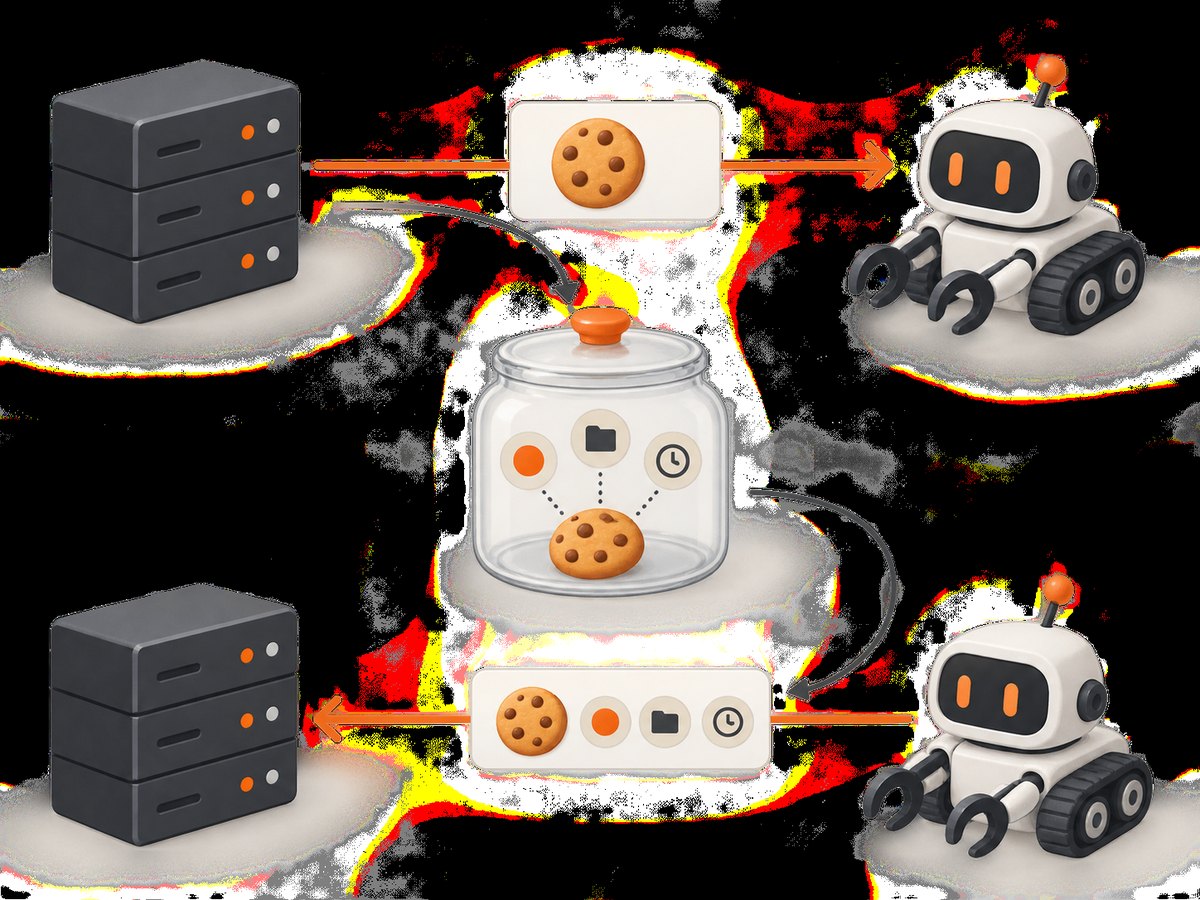
HTTP requests are independent unless the client and server carry state between them. Cookies provide that state. RFC 6265 defines the HTTP Cookie and Set-Cookie header fields and their processing rules (RFC 6265).
- The client requests a page or endpoint.
- The server responds with one or more
Set-Cookieheaders, such assession_id=abc123; Path=/; Secure; HttpOnly. - The cookie jar stores the name, value, domain, path, expiry, and security attributes.
- On a later request, the jar selects cookies whose scope matches the request and sends only their name-value pairs in the
Cookieheader.
Cookie attributes are metadata used when selecting a cookie. They are not repeated in the outgoing Cookie header. Never assume that copying a cookie value alone preserves the original rules.
Cookie attributes that affect a scraper
| Attribute | What it controls | Scraper consequence |
|---|---|---|
| Domain | Which hostnames may receive the cookie | A cookie for example.com may apply to eligible subdomains, while a host-only cookie may apply only to the host that set it. |
| Path | Which URL paths receive it | A cookie scoped to /account should not be sent to unrelated paths. |
| Expires / Max-Age | When the cookie stops being valid | Expired cookies must be removed or ignored; persistent sessions can still expire server-side. |
| Secure | Requires a secure transport | Send it over HTTPS. A plain HTTP request will not receive it under normal cookie policies. |
| HttpOnly | Restricts access through non-HTTP APIs | HTTP clients can still send it, but browser scripts cannot read it. It is not a guarantee that the value is safe if your session is exposed. |
| SameSite | Controls some cross-site browser requests | Browser automation and browser-like flows may apply restrictions that a basic HTTP client does not model identically. |
These rules are why a cookie jar is safer than a global dictionary of names and values. Inspect the jar’s domain, path, and expiry when debugging (Python cookiejar documentation).
Maintain a session with Python Requests
Requests’ Session object persists cookies across requests and reuses connection settings. This is the normal default for a multi-step scrape.
import requests

session = requests.Session()
session.headers.update({"User-Agent": "research-scraper/1.0"})

first = session.get("https://httpbin.org/cookies/set/project/scrape", timeout=30)
first.raise_for_status()

second = session.get("https://httpbin.org/cookies", timeout=30)
second.raise_for_status()
print(second.json())

# Inspect metadata without printing secret values.
for cookie in session.cookies:
    print({
        "name": cookie.name,
        "domain": cookie.domain,
        "path": cookie.path,
        "expires": cookie.expires,
        "secure": cookie.secure,
    })
A session receives cookies from responses and sends matching cookies on later requests. Keep the session private when it contains authentication material. Do not print cookie values in logs, error reports, notebooks, or URLs.
Send a known cookie deliberately
For a controlled request, you can set a cookie through the session jar while retaining normal scope handling:
import requests

session = requests.Session()
session.cookies.set(
    "feature_flag",
    "enabled",
    domain="example.com",
    path="/",
)
response = session.get("https://example.com/products", timeout=30)
response.raise_for_status()
print(response.status_code)
Use this only for a cookie legitimately obtained for the task. A copied value can be stale, host-specific, or tied to another security control.
Use Python’s standard-library cookie jar
If you do not need Requests, urllib.request can use an http.cookiejar.CookieJar. The jar extracts cookies from responses and adds applicable cookies to subsequent requests.
from http.cookiejar import CookieJar
from urllib.request import build_opener, Request, HTTPBasicAuthHandler

jar = CookieJar()
opener = build_opener()
opener.add_handler(__import__('urllib').request.HTTPCookieProcessor(jar))

opener.open(Request("https://example.com/login", method="GET")).close()
response = opener.open(Request("https://example.com/account"))
print(response.status)

for cookie in jar:
    print(cookie.name, cookie.domain, cookie.path, cookie.expires)
In production code, construct the opener with HTTPCookieProcessor(jar) directly; the compact import above is shown to keep the example self-contained. A clearer equivalent is:
import urllib.request
from http.cookiejar import CookieJar

jar = CookieJar()
opener = urllib.request.build_opener(urllib.request.HTTPCookieProcessor(jar))
response = opener.open("https://example.com/")
print(response.status)
Cookie handling with cURL
cURL can persist cookies in a Netscape-format jar. -c writes cookies received from responses; -b reads and sends them.
curl -c cookies.txt -L https://example.com/login-page -o /dev/null
curl -b cookies.txt -c cookies.txt -L https://example.com/account -o account.html
For a narrow diagnostic case, supply a cookie explicitly:
curl -H 'Cookie: feature_flag=enabled' https://example.com/productsDo not commit cookie-jar files to source control. Restrict their permissions and delete them when the session is no longer needed.
Cookie handling with Node.js
Node’s built-in fetch does not provide a browser-style persistent cookie jar. You can manually carry a cookie for a small, controlled flow:
const first = await fetch('https://example.com/start');
const setCookie = first.headers.get('set-cookie');

if (!setCookie) throw new Error('The server did not set a cookie');
const cookie = setCookie.split(';', 1)[0];

const second = await fetch('https://example.com/account', {
  headers: { Cookie: cookie }
});
if (!second.ok) throw new Error(`HTTP ${second.status}`);
console.log(await second.text());
Manual parsing is fragile when a response sets multiple cookies or when domain, path, expiry, and secure rules matter. For a production Node scraper, use a maintained cookie-jar package compatible with your HTTP client, or use a browser automation tool when the site requires browser-side behavior. Keep authentication cookies in memory or an encrypted secret store.
Cookie jar versus a manual Cookie header
| Approach | Advantages | Risks |
|---|---|---|
| Session or cookie jar | Retains scope and expiry metadata, absorbs response cookies, and selects applicable cookies automatically. | Requires understanding the library’s persistence and redirect behavior. |
| Manual header or dictionary | Useful for a one-off diagnostic request or a tightly controlled endpoint. | Easy to send stale credentials to the wrong host or path; metadata is discarded. |
Authentication, consent, and browser state
A login cookie may identify a session, but authentication can also depend on CSRF tokens, rotating headers, device state, server-side expiration, or a preceding JavaScript flow. A consent cookie may change which content is returned without authenticating anyone. Treat each cookie according to the application that issued it.
Use only cookies legitimately obtained for the task, keep TLS enabled, honor the target site’s access rules, and avoid logging secrets. HttpOnly limits script access and Secure limits transmission to secure channels, but neither flag makes a stolen cookie harmless. RFC 6265 also discusses tracking and privacy concerns around third-party requests (RFC 6265 security considerations).
Debugging cookies step by step
- Inspect response
Set-Cookieheaders. - Inspect the jar’s domain, path, expiry, and Secure fields without exposing values.
- Compare the exact outgoing host and path with the cookie scope.
- Confirm the request uses HTTPS when the cookie is marked Secure.
- Check redirects: the cookie may be set on one host and the next request may use another.
- Verify that the server has not expired or revoked the session.
- Check for additional CSRF, authorization, or browser-generated state.
Common errors and fixes
| Symptom | Likely cause | Fix |
|---|---|---|
| Login works once, then later requests are anonymous | Requests were made with separate clients or the jar was discarded. | Reuse one session and persist its jar only when necessary. |
| Cookie appears in the jar but is not sent | Domain, path, expiry, or Secure rules do not match. | Inspect metadata and request URL; use HTTPS and the correct path. |
| 401 or 403 despite a copied cookie | The session expired or requires another token or header. | Repeat the legitimate login flow and capture all required state. |
| Node sends only one of several cookies | set-cookie was parsed as one string. |
Use a real cookie-jar implementation instead of splitting manually. |
| Cookie values appear in logs | Debug output serialized the jar or headers. | Redact values and log only names, domains, paths, and status codes. |
Performance, reliability, and cost
Reuse a session to benefit from connection pooling and fewer login exchanges. Keep cookies in memory for short jobs; persist them only when a workflow explicitly needs continuity. Refresh sessions before their server-side expiry, bound request timeouts, rate-limit requests, and retry only idempotent operations. A cookie does not make a blocked, challenged, or JavaScript-dependent site scrapeable.
For browser-rendered pages, a screenshot service can handle the browser lifecycle while your application supplies only the URL and optional request state. ScreenshotNeo accepts cookies, custom headers, user agents, and Authorization, and returns PNG, JPEG, WebP, or PDF. Its clean-shot flow accepts consent banners and removes more than 60 known consent platforms, newsletter popups, and chat widgets before capture. Bot checks, blank pages, timeouts, failed loads, and cache hits are not billed; response headers identify the page verdict and billing result.
Or skip the browser setup
Use the ScreenshotNeo API when you need a rendered page image rather than HTML scraping. See the ScreenshotNeo API documentation for all options.

curl -G "https://api.screenshotneo.com/v1/shot" -d access_key=YOUR_API_KEY --data-urlencode url=https://stripe.com -o shot.webpimport requests
r = requests.get("https://api.screenshotneo.com/v1/shot", params={"access_key": "YOUR_API_KEY", "url": "https://stripe.com"}, timeout=90)
open("shot.webp", "wb").write(r.content)const q = new URLSearchParams({ access_key: 'YOUR_API_KEY', url: 'https://stripe.com' });
const res = await fetch(`https://api.screenshotneo.com/v1/shot?${q}`);Cookie banners, popups, and chat widgets are removed before the shot. Bot checks, blank pages, and failed loads are never billed. An MCP server lets AI agents take screenshots with take_screenshot, inspect pages with get_page_info, and create PDFs with capture_pdf. The Free plan includes 1,000 screenshots each month with no card; paid plans start at $5 for 3,000 shots. Create a free ScreenshotNeo account.
FAQ
How do I maintain a session when scraping a website?
Create one session or cookie jar, use it for the complete workflow, and let it process each Set-Cookie response.
How do I send cookies with Python Requests?
Use a requests.Session() and make sequential requests through it. Set a scoped cookie with session.cookies.set() only for controlled cases.
Why does my scraper need cookies to stay logged in?
The cookie commonly carries a server-side session identifier. It may still be insufficient if the application also checks tokens, headers, device state, or expiry.
Should I copy cookies into a dictionary?
Only for a narrow diagnostic request. A cookie jar preserves scope and lifetime metadata and is the safer default.
Are cookies enough to bypass a bot check?
No. Bot checks and browser behavior can involve JavaScript, fingerprints, challenges, and other state outside ordinary cookie exchange.


