How to Improve Web Scraping Success Rates at Production Scale
Raise valid records per attempted request with target-aware concurrency, adaptive throttling, bounded retries, validation, and production observability.
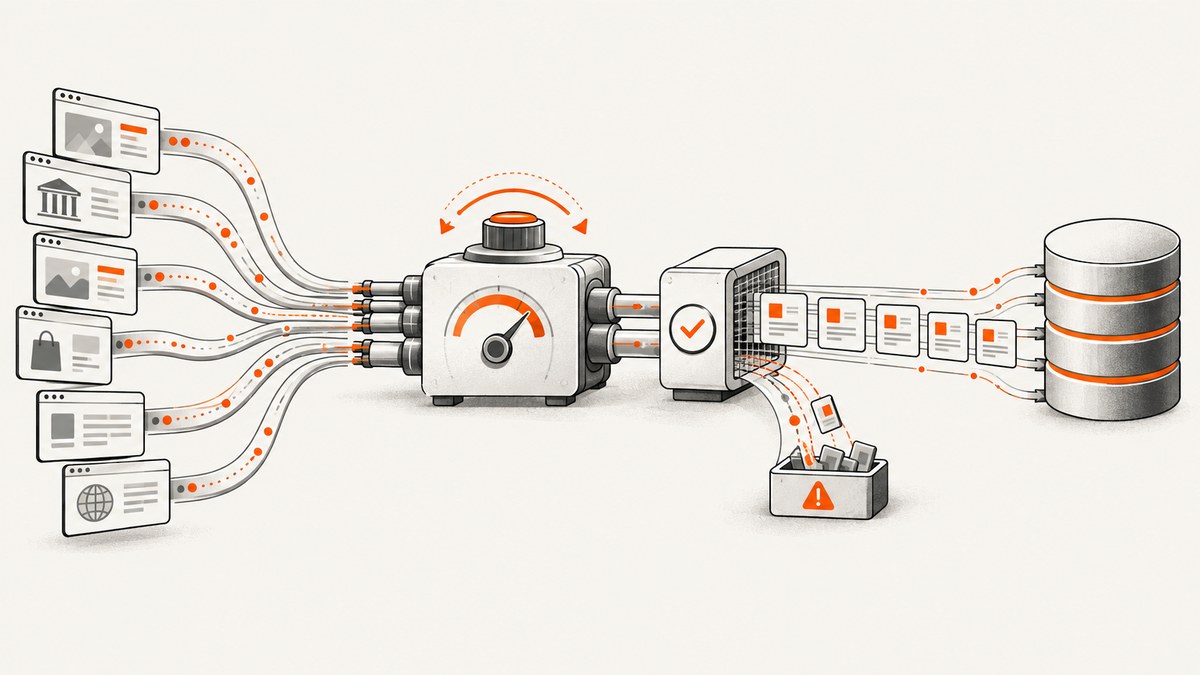
Direct answer: improve production scraping success rates by maximizing valid, schema-checked records per attempted request—not raw request volume. Start with the target’s documented access path, establish a per-host baseline, increase concurrency gradually, adapt delays from target feedback, bound retries, classify failures, and measure extraction validity separately from HTTP completion.
Define the denominator before changing code. For a named target, route, and time window, use:
success_rate = records_that_pass_schema_validation / attempted_recordsTrack that application metric beside request status, latency, retries, timeouts, and parser errors. There is no universal production success-rate benchmark: the tolerated rate depends on the target, route, authentication, rendering cost, and your workload.
1. Confirm that crawling is the right access method
Look for the site’s official API, bulk export, feed, or search endpoint before crawling pages. Scrapy’s optimization guidance notes that a documented endpoint can be faster for your crawler and cheaper for the site than downloading and parsing every page (Scrapy optimization guidance). Follow the site’s terms and check robots.txt. Scrapy’s RobotsTxtMiddleware can filter requests, but Crawl-delay and Request-rate directives still need to be translated into explicit delay and concurrency settings.
- Record the permitted hosts, paths, authentication method, and published rate guidance.
- Prefer an API or export for stable structured data.
- Use page crawling only for data that is not available through a documented path.
- Keep a contact or escalation path for sustained 429 and 5xx responses.
2. Establish a per-host baseline
Before tuning, collect at least one representative window at conservative concurrency. Partition metrics by target host and route so a fast catalog endpoint does not hide a failing detail endpoint.
| Layer | Metrics | What it tells you |
|---|---|---|
| Transport | Attempts, DNS/connect/TLS failures, timeouts | Network and client capacity |
| HTTP | 2xx, 3xx, 4xx, 5xx, response bytes | Target and intermediary behavior |
| Control | Retries by reason, delay, concurrency | Whether backoff is working |
| Extraction | Parse success, required-field validity, duplicate rate | Useful-record yield |
| Freshness | Publish time, crawl time, age at ingest | Whether data is timely |
Keep crawler exceptions distinct from target responses. A connection reset is not a 503, and a 200 page that fails schema validation is not a successful record.
3. Find the target’s tolerated concurrency
The limiting concurrency is the rate the target website tolerates. Exceeding it can cause throttling, errors, bans, and a slower crawl. Increase one host at a time in small steps while watching 429s, 503s, known block pages, retry counts, and latency. When those signals rise together, step back.
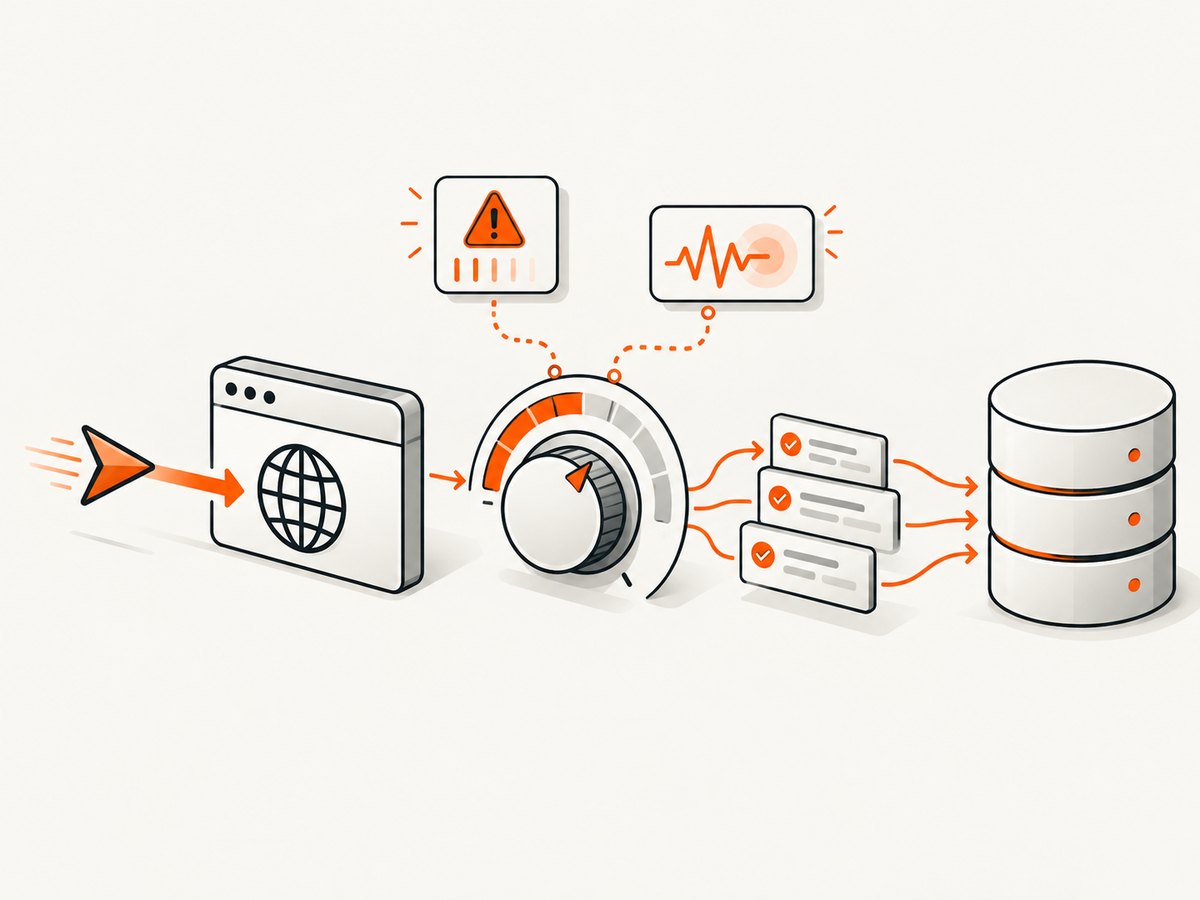
Concurrency is an average operating goal, not permission to create an unlimited burst. Use a per-host cap, a global cap, and a queue that applies backpressure when downstream parsing or storage is saturated.
A safe ramp
- Begin with one to four concurrent requests per host and a nonzero delay.
- Run long enough to observe a full response-time cycle, not just a short burst.
- Increase concurrency by a small fixed increment.
- Stop increasing when error or latency curves bend upward.
- Hold the previous setting and re-evaluate during busy periods.
4. Use adaptive throttling
Scrapy AutoThrottle adjusts delay from response latency and a target concurrency. It averages a new delay with the previous delay, does not let non-200 response latency reduce the delay, and enforces configured minimum and maximum bounds (AutoThrottle documentation). A target concurrency of 2 means an average goal; instantaneous concurrency can still vary.
# settings.py
ROBOTSTXT_OBEY = True
CONCURRENT_REQUESTS_PER_DOMAIN = 4
DOWNLOAD_DELAY = 0.5
AUTOTHROTTLE_ENABLED = True
AUTOTHROTTLE_START_DELAY = 1.0
AUTOTHROTTLE_TARGET_CONCURRENCY = 2.0
AUTOTHROTTLE_MAX_DELAY = 30.0
AUTOTHROTTLE_DEBUG = True
Set a floor that respects published guidance and a ceiling that prevents a stalled target from creating an aggressive retry storm. Enable debug output during tuning, then export equivalent metrics to your normal telemetry.
5. Bound retries and classify failures
Retry only failures that are plausibly transient, and always set a budget. Scrapy’s retry middleware defaults to two retries after the initial attempt and includes 429 plus selected 5xx responses; defaults can change between deployed versions, so verify your version’s settings (Retry middleware documentation).
# settings.py
RETRY_ENABLED = True
RETRY_TIMES = 2
RETRY_HTTP_CODES = [408, 425, 429, 500, 502, 503, 504]
RETRY_PRIORITY_ADJUST = -1
Honor Retry-After when present. Add exponential backoff with jitter in custom middleware if your framework does not provide it. Never retry schema-invalid content indefinitely: save the response sample, mark the record failed, and investigate.
Interpret status classes
- 2xx: continue to parsing, then validate the expected schema. A 200 block page is still an extraction failure.
- 3xx: check redirect limits, canonical URLs, and whether authentication is being redirected to a login page.
- 4xx: inspect URL construction, missing pages, credentials, permissions, and access policy. Cloudflare notes that 4xx crawl errors can result from missing pages or malformed links.
- 429: reduce rate, honor Retry-After, and check whether multiple workers share one identity.
- 5xx: compare intermediary and origin health. Cloudflare documents that 5xx errors can originate at Cloudflare or at the origin server.
- Timeout or connection error: separate DNS, connect, TLS, read, and client-pool exhaustion; each needs a different fix.
6. Validate records before counting success
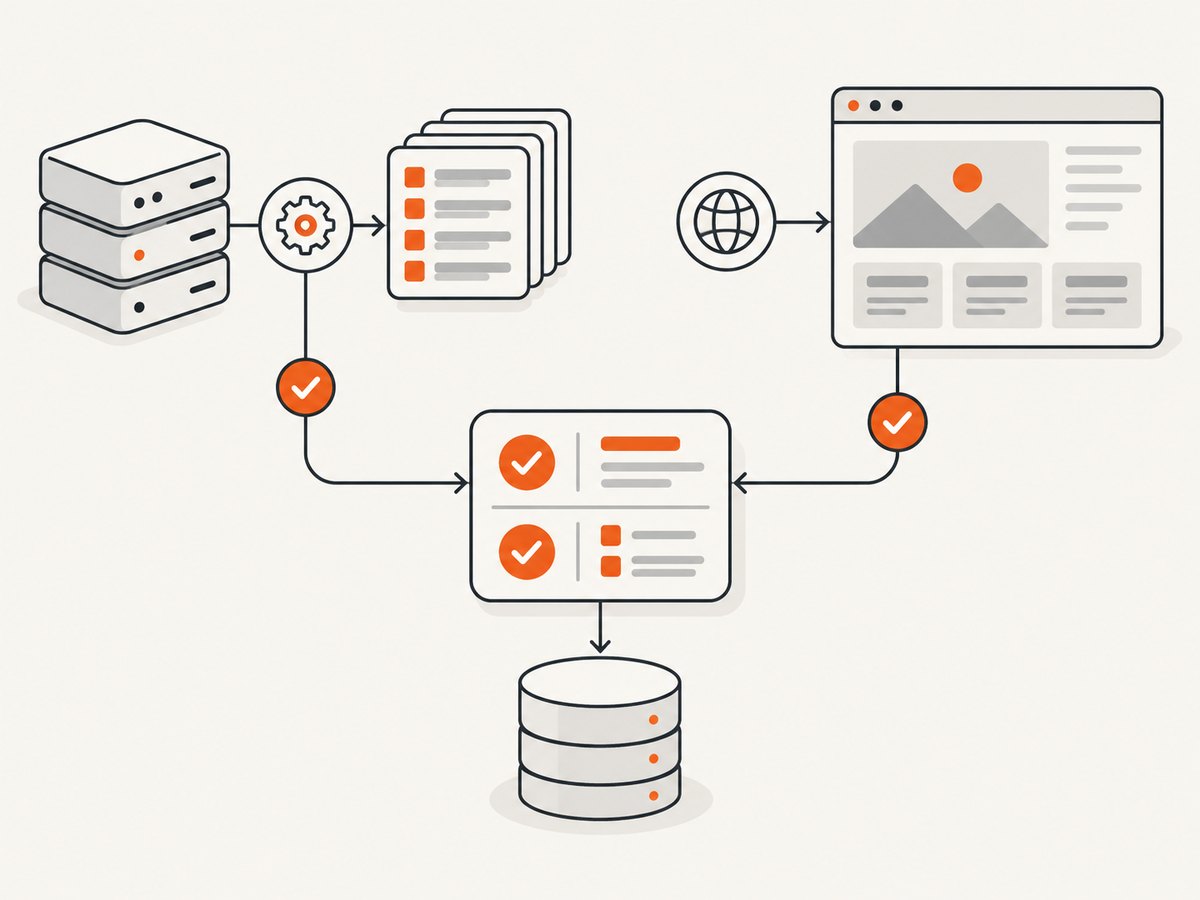
Parse with narrow, stable selectors and validate required fields, types, ranges, and freshness. Record a reason for every rejected item. Keep the original URL, status, response hash, parser version, and validation error so a failed record can be replayed without re-downloading the target.
from dataclasses import dataclass
from urllib.parse import urlparse

@dataclass
class Product:
    url: str
    name: str
    price: float

def validate(item):
    if not item.get("name"):
        return False, "missing_name"
    try:
        price = float(item["price"])
    except (KeyError, TypeError, ValueError):
        return False, "invalid_price"
    if price < 0:
        return False, "negative_price"
    host = urlparse(item["url"]).hostname
    if not host:
        return False, "invalid_url"
    return True, None
Use cache during development to avoid repeated downloads and reduce parsing work with reusable selectors, as recommended in Scrapy’s optimization guidance. In production, distinguish target limits from CPU, memory, disk, DNS, scheduler, and database bottlenecks.
7. A complete Scrapy baseline
import scrapy

class CatalogSpider(scrapy.Spider):
    name = "catalog"
    allowed_domains = ["example.com"]
    start_urls = ["https://example.com/catalog"]

    custom_settings = {
        "ROBOTSTXT_OBEY": True,
        "CONCURRENT_REQUESTS_PER_DOMAIN": 4,
        "DOWNLOAD_DELAY": 0.5,
        "AUTOTHROTTLE_ENABLED": True,
        "AUTOTHROTTLE_START_DELAY": 1.0,
        "AUTOTHROTTLE_TARGET_CONCURRENCY": 2.0,
        "AUTOTHROTTLE_MAX_DELAY": 30.0,
        "RETRY_TIMES": 2,
        "RETRY_HTTP_CODES": [408, 425, 429, 500, 502, 503, 504],
        "DOWNLOAD_TIMEOUT": 30,
    }

    def parse(self, response):
        for card in response.css("article.product"):
            item = {
                "url": response.urljoin(card.css("a::attr(href)").get("")),
                "name": card.css("h2::text").get(default="").strip(),
                "price": card.css(".price::text").get(default="").strip(),
            }
            ok, reason = self.validate(item)
            if ok:
                yield item
            else:
                self.logger.warning("schema_rejected reason=%s url=%s", reason, item["url"])

    @staticmethod
    def validate(item):
        if not item["name"]:
            return False, "missing_name"
        try:
            if float(item["price"].replace("$", "")) < 0:
                return False, "negative_price"
        except ValueError:
            return False, "invalid_price"
        return True, None
Run it with scrapy crawl catalog -s LOG_LEVEL=INFO, then export counters for attempts, retries, status classes, parse outcomes, and schema rejection reasons. Replace selectors and host names with values you are permitted to crawl.
8. Operational edge cases
- JavaScript-rendered pages: identify the underlying documented endpoint first. If rendering is required, cap browser concurrency separately from HTTP concurrency.
- Pagination drift: persist a cursor or canonical page key; stop when the cursor repeats.
- Duplicate records: deduplicate on a stable source identifier, not scraped position.
- Session expiry: classify login redirects and re-authenticate within a bounded flow.
- Partial deploys: include parser version in every record and roll back when validation drops.
- Clock and locale differences: normalize timezone, currency, and numeric formats before validation.
9. Performance, reliability, and cost
Optimize for cost per valid record. A faster crawler that produces blocked pages or invalid rows is more expensive after rework. Keep connection reuse enabled, avoid downloading assets you do not parse, stream large responses, and batch database writes. Measure queue wait, fetch time, parse time, validation time, and storage time separately.
Reliability comes from bounded queues, idempotent writes, replayable failures, and graceful shutdown. Alert on a drop in valid-record rate, a rise in 429/503 share, retry exhaustion, latency percentiles, and freshness lag. Rate-limit each identity and host independently when several workers or regions share the same target.
For a managed service, compare documented access, target coverage, rendering and session requirements, 429/5xx behavior, retry controls, validation, replay, observability, latency, cost per valid record, and maintenance burden. Make that comparison with a representative workload; this research does not establish a universal vendor benchmark.
Or skip the browser setup
If your workflow needs rendered screenshots for visual checks, archive evidence, or AI-agent review, ScreenshotNeo provides a single website screenshot API call. Cookie and consent banners are accepted and 60+ known consent platforms, newsletter popups, and chat widgets are removed before capture; each step can be disabled. Bot checks, blank pages, timeouts, failed loads, and cache hits are not billed, and response headers identify the page verdict and billing status. Its MCP server provides take_screenshot, get_page_info, and capture_pdf tools for Claude, Cursor, and other MCP clients.
See the ScreenshotNeo API documentation for all options, including full-page and element capture, device presets, custom viewport and retina scale, dark mode, custom CSS and JavaScript, waits, request blocking, headers, cookies, user agent, timezone, geolocation, PDF settings, caching, signed links, async jobs, bulk capture, and usage reporting.
cURL
curl -G "https://api.screenshotneo.com/v1/shot" -d access_key=YOUR_API_KEY --data-urlencode url=https://stripe.com -o shot.webpPython
import requests
r = requests.get("https://api.screenshotneo.com/v1/shot", params={"access_key": "YOUR_API_KEY", "url": "https://stripe.com"}, timeout=90)
open("shot.webp", "wb").write(r.content)
Node.js
const q = new URLSearchParams({ access_key: 'YOUR_API_KEY', url: 'https://stripe.com' });
const res = await fetch(`https://api.screenshotneo.com/v1/shot?${q}`);
There are 1,000 screenshots per month free with no card; paid plans start at $5 for 3,000 shots. Create a free ScreenshotNeo account.
10. Troubleshooting checklist
| Symptom | Likely cause | Fix |
|---|---|---|
| 429s increase after scaling workers | Per-host limit exceeded | Lower host concurrency, add jitter, honor Retry-After, and ramp gradually. |
| Many 200 responses fail validation | Block page, consent wall, or selector drift | Inspect samples, detect template changes, version selectors, and reject with a reason. |
| Retries amplify an outage | Unbounded or synchronized retries | Set a retry budget, exponential backoff, jitter, and a circuit breaker. |
| 5xx persists for one route | Origin or intermediary failure | Compare routes and regions, check origin health, and pause that route. |
| Crawl is slow despite low errors | Delay ceiling, parser, storage, or queue bottleneck | Break down stage latency and profile the local bottleneck before raising concurrency. |
| Freshness is poor | Queue starvation or over-aggressive backoff | Prioritize urgent routes, review target delay, and remove duplicate work. |
FAQ
What is a good scraping success rate?
Use a workload-specific denominator: valid, schema-checked records divided by attempts for a named target and period. No universal benchmark applies.
Should I increase concurrency until CPU is full?
No. The target’s tolerated rate is the constraint. CPU headroom does not mean the target will accept more requests.
Are retries always helpful?
Only for bounded, plausibly transient failures. Repeated 429s and overload responses require backoff or diagnosis.
How do I know whether a 5xx is Cloudflare or the origin?
Compare the response and headers with origin health and other routes. Cloudflare documents that 5xx errors may originate at either layer.
When should I move to a managed service?
After measuring your workload, compare the operational criteria above and calculate cost per valid record, including engineering and maintenance time.


