How to Integrate MCP with LlamaIndex
Connect an MCP server to a LlamaIndex agent, filter its tools, handle OAuth, or expose a LlamaIndex Workflow as an MCP server.
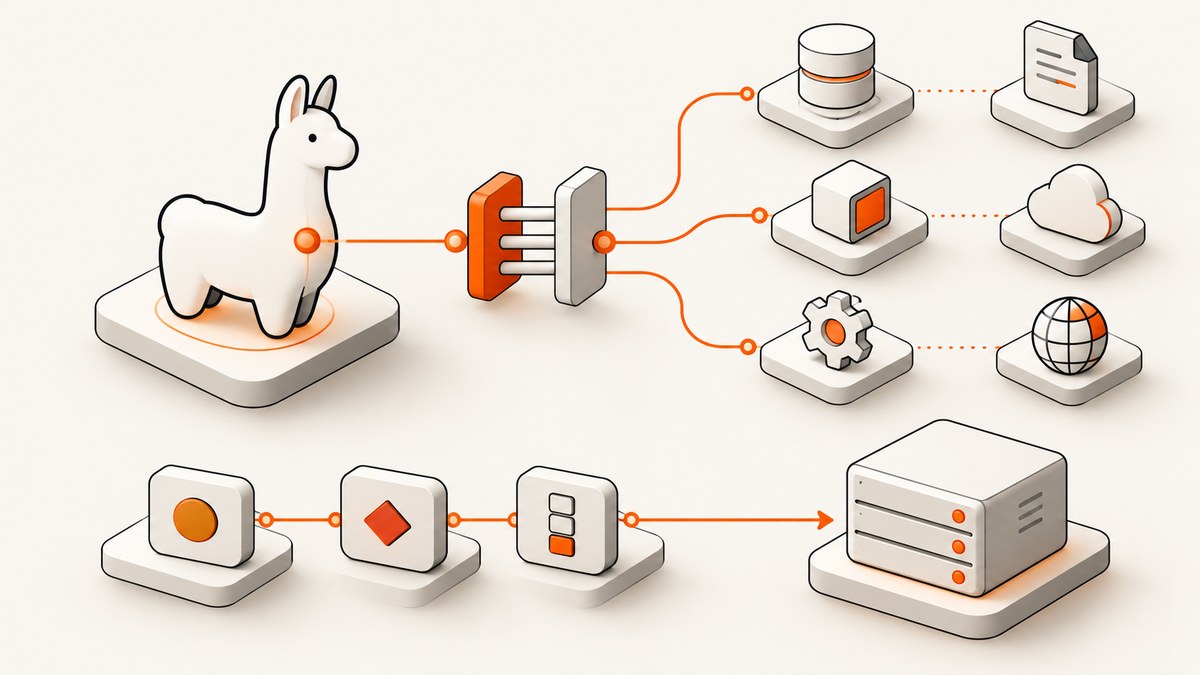
MCP tools can be used by a LlamaIndex agent after you install llama-index-tools-mcp and convert the server’s tools into LlamaIndex FunctionTool objects. The shortest path is aget_tools_from_mcp_url(); use BasicMCPClient and McpToolSpec when you want to keep a client object, customize authentication, or use other MCP capabilities. To publish a LlamaIndex workflow for other MCP clients, use workflow_as_mcp().
This guide covers both directions: consuming MCP tools from LlamaIndex, and serving a workflow over MCP. The examples use Python, consistent with the documented LlamaIndex MCP integration. For a maintained reference, see LlamaIndex’s MCP usage documentation.
1. Choose the integration direction
| Goal | Approach | When to use it |
|---|---|---|
| Give an agent tools from an existing MCP server | aget_tools_from_mcp_url() |
Simple URL connection and optional tool filtering. |
| Keep a reusable MCP client | BasicMCPClient plus McpToolSpec |
Authentication, explicit client reuse, or direct calls to MCP capabilities. |
| Make a LlamaIndex workflow available to other clients | workflow_as_mcp() |
Publish a workflow as an MCP app/tool. |
In the client direction, MCP standardizes how the server describes and accepts tool calls. LlamaIndex converts the discovered tools into its own tool interface, then the agent can decide when to invoke them. The conversion does not remove the need to configure the MCP server itself: it still needs to be reachable and any required credentials must be available.
2. Install the packages and configure a model
Install the MCP integration and the LlamaIndex framework. This example uses the OpenAI integration shown in LlamaIndex’s examples, so install that package too:
python -m pip install llama-index llama-index-tools-mcp llama-index-llms-openaiSet the model provider’s API key in the environment before running the script:
export OPENAI_API_KEY="your-openai-api-key"Use the environment variable rather than placing a real key in source control. The API key above is for the LLM provider; it is distinct from any token or OAuth credentials the MCP server may require.
3. Connect an agent to an MCP server
Save this as agent_mcp.py. Replace the example server URL with the endpoint published by your MCP server. The example starts an agent loop and prints the final response:
import asyncio

from llama_index.core.agent import FunctionAgent
from llama_index.llms.openai import OpenAI
from llama_index.tools.mcp import BasicMCPClient, McpToolSpec


async def main() -> None:
    client = BasicMCPClient("https://example.com/mcp")
    tool_spec = McpToolSpec(client=client)
    tools = await tool_spec.to_tool_list_async()

    agent = FunctionAgent(
        llm=OpenAI(model="gpt-4.1"),
        tools=tools,
        system_prompt=(
            "You are a helpful assistant. Use the available MCP tools "
            "when they help answer the user's request."
        ),
    )

    while True:
        try:
            question = input("Question (or 'quit'): ").strip()
        except (EOFError, KeyboardInterrupt):
            break

        if question.lower() in {"quit", "exit"}:
            break
        if not question:
            continue

        response = await agent.run(user_msg=question)
        print(response)


if __name__ == "__main__":
    asyncio.run(main())
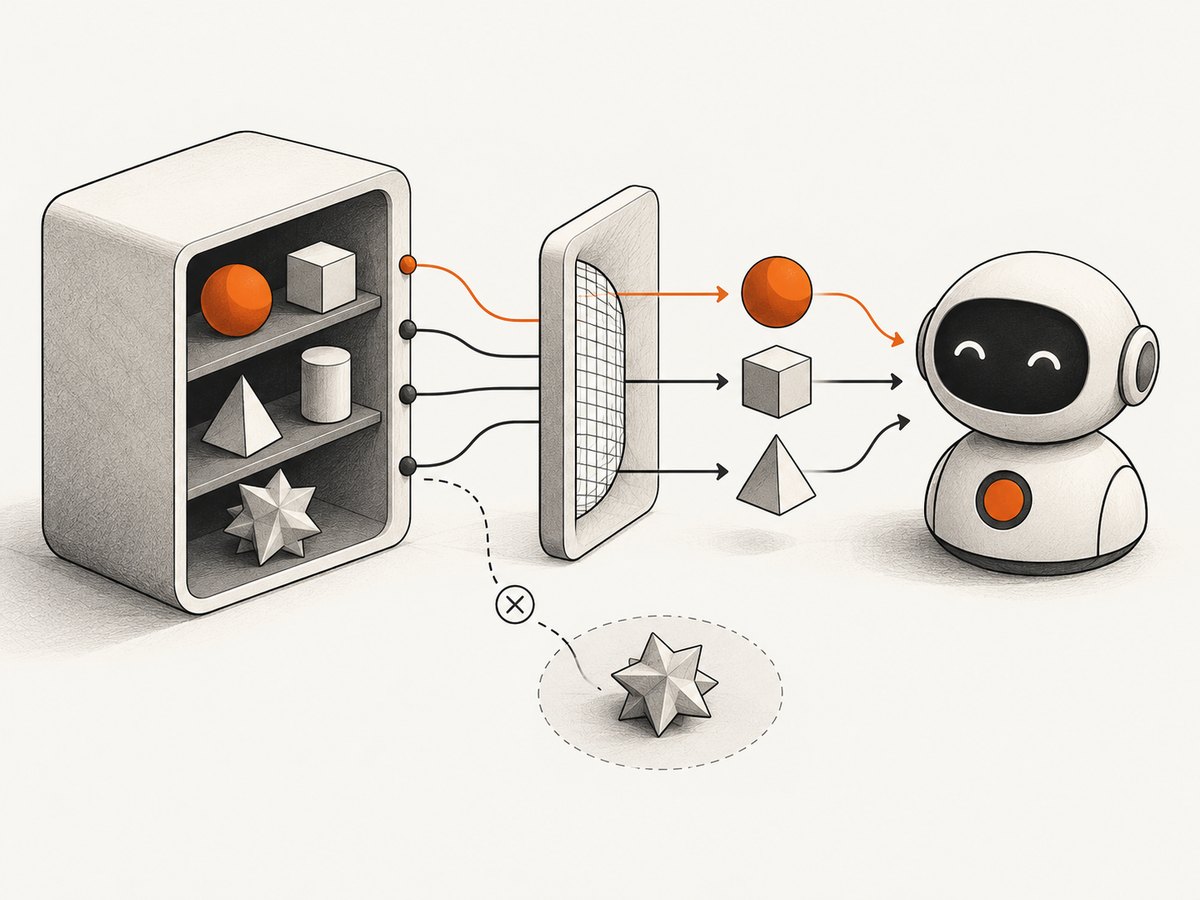
Run it with python agent_mcp.py. The MCP client connects to the server, McpToolSpec retrieves and converts its tools, and FunctionAgent receives those tools alongside the language model and instructions. The model key must be configured for the selected provider. If your installed LlamaIndex version uses a different agent call signature, consult the current API documentation for that version.
Use the URL helper for a smaller setup
If all you need is the tool list from a URL, the helper avoids explicitly constructing a tool spec:
from llama_index.tools.mcp import aget_tools_from_mcp_url

tools = await aget_tools_from_mcp_url("https://example.com/mcp")
Pass that tools list to the FunctionAgent in the previous example. This helper is asynchronous; call it from an async function and await it.
4. Limit which tools the agent can use
Servers can expose more tools than a particular agent needs. Use allowed_tools to filter the tools returned to the agent. This reduces the agent’s available actions and makes its scope easier to inspect:
tools = await aget_tools_from_mcp_url(
    "https://example.com/mcp",
    allowed_tools=["search", "read_document"],
)
Use the tool names actually reported by the server. A name mismatch can leave the agent without the expected tool, so inspect the server’s advertised tool list during setup. Filtering is a tool-selection control, not a replacement for server-side authorization: the MCP server should still enforce access to protected operations and data.
5. Pick the transport and authentication
BasicMCPClient supports URL connections, including Streamable HTTP and Server-Sent Events endpoints, and can also launch a local process over stdio. Use the transport and endpoint your server supports:
http_client = BasicMCPClient("https://example.com/mcp")  # Streamable HTTP
sse_client = BasicMCPClient("https://example.com/sse")   # Server-Sent Events
local_client = BasicMCPClient("python", args=["server.py"])  # stdio
For local stdio, the command must be installed and runnable in the environment where the LlamaIndex process runs. For HTTP transports, the URL must be reachable from that process. A local URL such as 127.0.0.1 refers to the agent’s own runtime; inside a container, it may not refer to your host machine.
OAuth-protected servers
For servers using OAuth, create the client with BasicMCPClient.with_oauth(). This example shows the documented callback shape; a production app should implement the redirect and callback handlers for its actual authorization flow:
from llama_index.tools.mcp import BasicMCPClient

client = BasicMCPClient.with_oauth(
    "https://api.example.com/mcp",
    client_name="My LlamaIndex app",
    redirect_uris=["http://localhost:3000/callback"],
    redirect_handler=lambda url: print(f"Open this URL to authorize: {url}"),
    callback_handler=lambda: (input("Authorization code: "), None),
)

tools = await client.list_tools()
When no custom token storage is supplied, the documented default stores tokens in memory. That is convenient for a short-lived development process, but the tokens do not persist across process restarts. For a deployed application, supply a suitable custom TokenStorage implementation if the application needs persistence. Protect stored tokens as credentials and avoid logging authorization codes.
Inspect and call MCP capabilities directly
The client can also list tools and call one directly, which is useful for diagnosing a server independently of agent reasoning:
available_tools = await client.list_tools()
print(available_tools)

result = await client.call_tool("calculate", {"x": 5, "y": 10})
print(result)
MCP servers may provide resources and prompts as well as tools. The LlamaIndex client documents methods such as list_resources(), read_resource(), list_prompts(), and get_prompt(). An agent receives only the tools you pass it; connecting a client does not automatically make every server capability part of the agent’s tool list.
6. Expose a LlamaIndex Workflow as an MCP server
To publish your own workflow, create the workflow using LlamaIndex’s workflow API, then pass it to workflow_as_mcp(). Here is a small complete example that exposes a string transformation:
from llama_index.core.workflow import (
    Context,
    Event,
    StartEvent,
    StopEvent,
    Workflow,
    step,
)
from llama_index.tools.mcp.utils import workflow_as_mcp


class RunEvent(StartEvent):
    msg: str


class InfoEvent(Event):
    msg: str


class LoudWorkflow(Workflow):
    """Convert a string to uppercase and add an exclamation mark."""

    @step
    def step_one(self, ctx: Context, ev: RunEvent) -> StopEvent:
        ctx.write_event_to_stream(InfoEvent(msg="Workflow started"))
        return StopEvent(result=ev.msg.upper() + "!")


workflow = LoudWorkflow()
mcp = workflow_as_mcp(
    workflow,
    workflow_name="make_loud",
    workflow_description="Convert text to uppercase and add punctuation.",
)

if __name__ == "__main__":
    mcp.run()
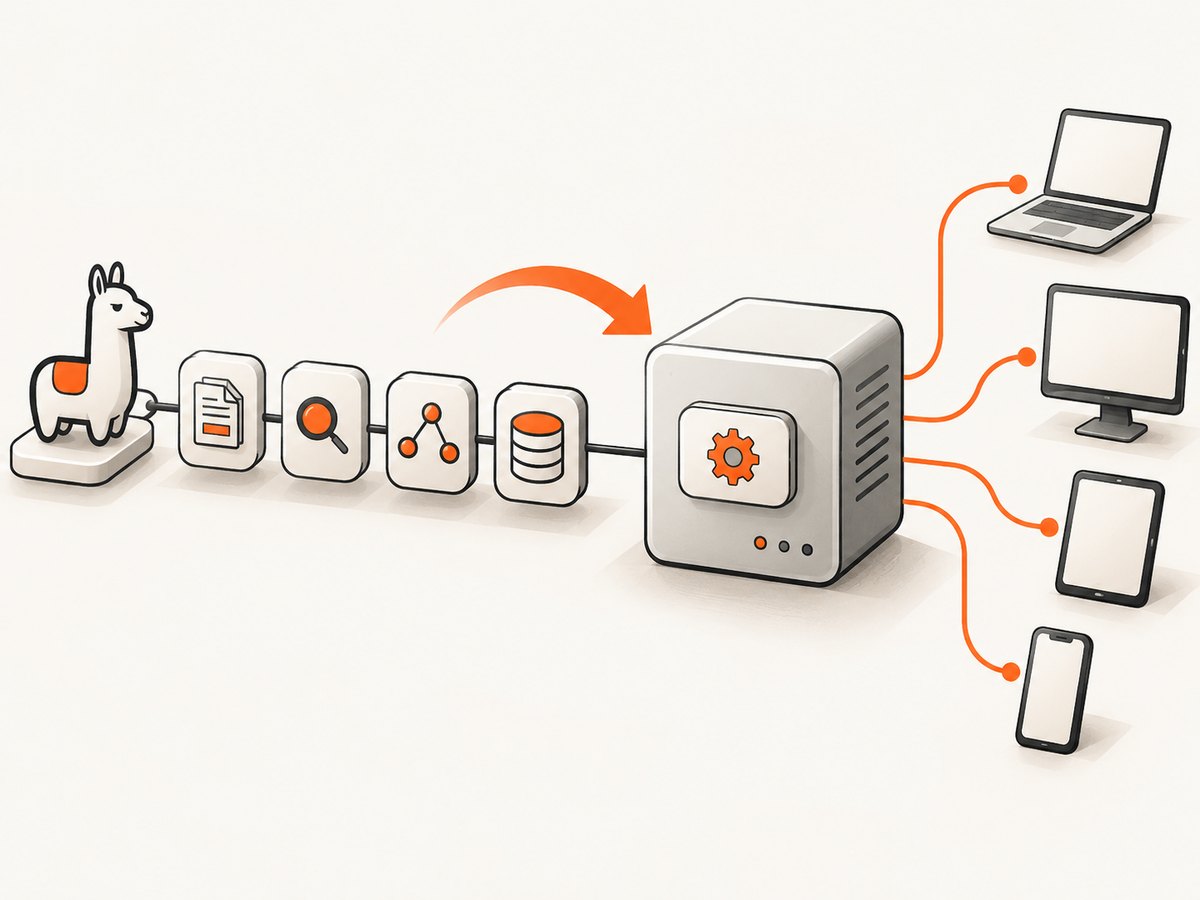
The adapter uses the workflow class name and description by default and can use the workflow’s start-event model to define tool inputs. The optional parameters include workflow_name, workflow_description, start_event_model, and additional FastMCP constructor arguments. The workflow adapter also exposes workflow event output through its MCP app behavior.
Install the MCP CLI extras if you want to launch and inspect the app with the documented development command:
python -m pip install "mcp[cli]"
mcp dev script.py
Here script.py is the file containing the module-level mcp app. Run the CLI from the environment where the dependencies are installed. For production hosting, follow the server framework’s deployment guidance and configure transport, authentication, and process lifecycle for your environment.
7. Use LlamaIndex’s hosted documentation MCP endpoint
LlamaIndex provides a documentation MCP endpoint at https://developers.llamaindex.ai/mcp. Its documentation announcement describes search_docs, grep_docs, and read_doc tools. You can connect to that endpoint with the same client pattern:
client = BasicMCPClient("https://developers.llamaindex.ai/mcp")
tool_spec = McpToolSpec(client=client)
tools = await tool_spec.to_tool_list_async()

agent = FunctionAgent(
    llm=OpenAI(model="gpt-4.1"),
    tools=tools,
    system_prompt="Answer using the LlamaIndex documentation tools when useful.",
)
See the LlamaIndex announcement for the endpoint and its stated tools. LlamaCloud also publishes an official TypeScript MCP server package, @llamaindex/llama-cloud-mcp; its package instructions cover running it with npx, configuring LLAMA_CLOUD_API_KEY, and adding it to supported MCP clients. These are distinct options: the documentation endpoint exposes documentation search, while the LlamaCloud package serves LlamaCloud capabilities.
8. Troubleshooting
| Symptom | Likely cause | What to check |
|---|---|---|
| Connection refused or timeout | The endpoint is unavailable, the URL or transport is wrong, or the agent cannot reach that network. | Check the exact endpoint and transport, server process, firewall, container networking, and whether the server expects HTTP, SSE, or stdio. |
| No tools appear | The server advertises no tools, discovery failed, or the allowed-tools names do not match. | Call list_tools() directly; check the server logs and remove or correct the filter. |
| Agent ignores a tool | The tool is absent from the supplied list, its description is unclear, or the user request does not require it. | Print the converted tools, improve the system prompt and server tool descriptions, and test a direct call. |
| Unauthorized or forbidden response | Credentials are missing, expired, or insufficient for that server operation. | Use the server’s documented authentication method; complete OAuth and check the authorization scope or account permissions. |
| OAuth works once, then fails after restart | The default token storage is in memory. | Provide an appropriate persistent TokenStorage implementation and handle token refresh according to the provider’s requirements. |
| Local stdio process will not start | The command, script path, working directory, or runtime dependencies are wrong. | Run the command manually in the agent’s environment and confirm the file path and package installation. |
| Workflow input validation fails | The MCP input shape does not match the workflow’s start-event model. | Check the event fields and types; set start_event_model where a different input model is needed. |
| CLI cannot find the MCP app | The module path is wrong or CLI extras are absent. | Install mcp[cli] in the active environment and run mcp dev against the correct script. |
9. Reliability, performance, and cost
There is no single performance figure for this integration: total latency depends on the model call, the MCP server, network round trips, and the tools invoked. A direct discovery-and-call check can separate a server connectivity problem from an agent or model problem. Avoid rediscovering tools for every user turn if your application can safely reuse the configured client and tool list; refresh them when server configuration or available tools change.
Keep tool exposure narrow with allowed_tools, and make each tool’s name, description, input schema, and failure behavior clear. An agent can select an available tool incorrectly, and a remote server can fail independently of the LLM. Handle connection and tool errors at the application boundary, return actionable errors to users, and apply appropriate timeouts and retry rules in your deployment. Avoid blindly retrying operations that may have side effects.
Cost has at least two separate sources: the LLM provider’s usage and whatever the MCP server charges for its services. MCP itself is the integration protocol; this package does not make those services free. Track model usage and server-side usage separately, particularly when an agent may invoke multiple tools for one request.
Or skip the browser setup
If the MCP tools you want are for capturing web pages, ScreenshotNeo offers a screenshot API and MCP server. Here is its one-call cURL example; see the ScreenshotNeo API documentation for setup and options:
curl -G "https://api.screenshotneo.com/v1/shot" -d access_key=YOUR_API_KEY --data-urlencode url=https://stripe.com -o shot.webpPython and Node.js are available too:
import requests

r = requests.get(
    "https://api.screenshotneo.com/v1/shot",
    params={"access_key": "YOUR_API_KEY", "url": "https://stripe.com"},
    timeout=90,
)
open("shot.webp", "wb").write(r.content)
const q = new URLSearchParams({ access_key: 'YOUR_API_KEY', url: 'https://stripe.com' });
const res = await fetch(`https://api.screenshotneo.com/v1/shot?${q}`);- Cookie banners, newsletter popups, and chat widgets are removed before the shot; each cleanup step can be turned off.
- Bot checks, blank pages, timeouts, failed loads, and cache hits cost nothing; response headers report the page verdict and billing status.
- An MCP server lets AI agents, including Claude, Cursor, and other MCP clients, take screenshots.
- 1,000 screenshots a month are free with no card; paid plans start at $5 for 3,000. Every feature is on every plan.
Create a free ScreenshotNeo account to get 1,000 screenshots a month with no card.
FAQ
Do MCP tools become native LlamaIndex tools?
Yes. The MCP integration converts discovered server tools into LlamaIndex FunctionTool objects for use by an agent.
Can one LlamaIndex agent connect to more than one MCP server?
The documented patterns return tools from a client or URL. You can gather tools from the servers you intend to use and supply the combined set to an agent, while keeping names and access scopes clear.
Can I use MCP without an agent?
Yes. Use BasicMCPClient methods to list or call tools and inspect other server capabilities directly.
Is workflow_as_mcp() for connecting to an existing server?
No. It adapts a LlamaIndex Workflow into an MCP app; use the client APIs to consume tools from an existing server.


