BlogScreenshots on your device
Why JNA GetDIBits Returns False After Repeated Screenshots
GetDIBits returns an int, not a boolean. Learn why repeated JNA screenshots fail, how to restore bitmap selection, and how to debug every GDI handle.
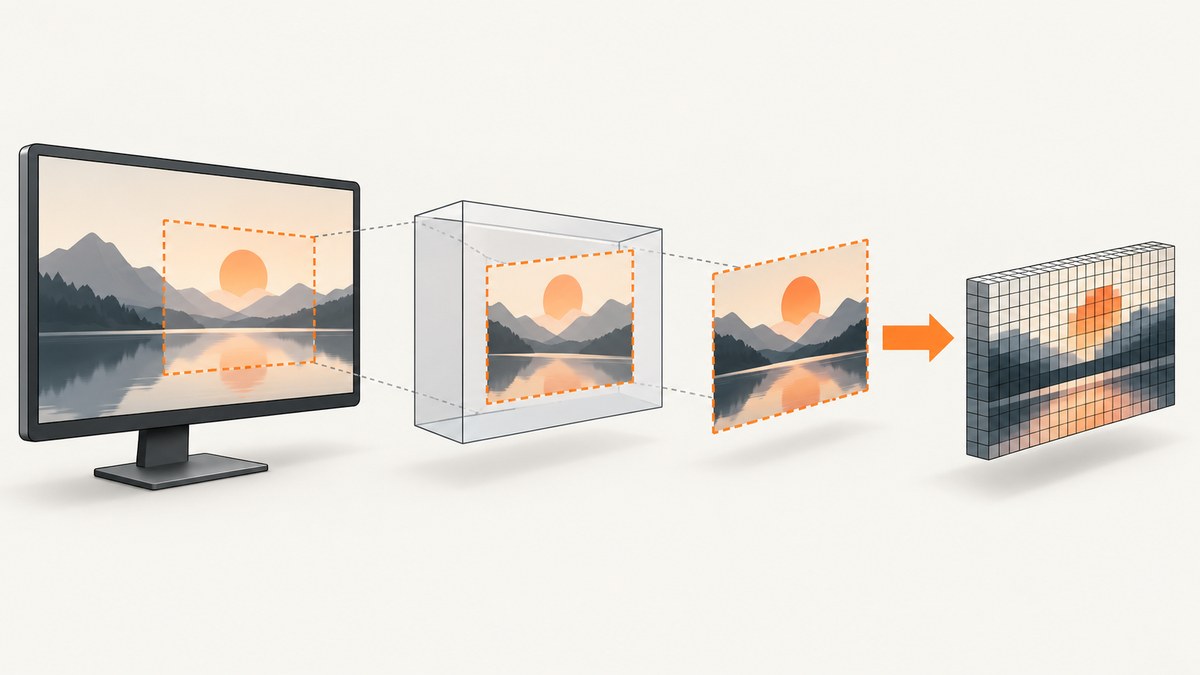
GetDIBits does not return a Java boolean. JNA declares it as an int. With a non-null output buffer, Windows returns the number of scan lines copied; 0 means failure. After repeated screenshots, the most common documented cause is that the bitmap is still selected into the memory device context when GetDIBits is called.
Save the object returned by SelectObject, restore it before extraction, verify that BitBlt succeeded, and only then call GetDIBits. Microsoft explicitly requires that the bitmap passed as hbmp not be selected into a device context during the call.
What GetDIBits is actually returning
The native signature returns the number of scan lines copied, or zero on failure. A successful format query with a null bits pointer returns nonzero. Therefore, code such as if (GetDIBits(...)) can hide the real problem, while code that binds the result as a Java boolean misrepresents the API.
| Return value | Meaning | What to check |
|---|---|---|
| Expected height | All requested rows were copied | Proceed to encode or write the pixels |
| Positive value smaller than height | Only part of the request was copied | Check height, buffer size, bitmap format and scan range |
| 0 | Failure | Check selection state, handles, BITMAPINFO, and the last error where available |
See the GetDIBits API contract and BitBlt documentation.
The repeated-screenshot failure pattern
- Create a compatible memory DC.
- Create a compatible bitmap.
- Select the bitmap into the memory DC.
- Call
BitBltto copy the screen or window. - Call
GetDIBitswhile the bitmap is still selected.
The fifth step violates the API precondition. It may appear to work once and fail later because handle reuse, different dimensions, exception paths or cleanup timing change the state. Reusing a selected bitmap across iterations makes the bug especially easy to reproduce.
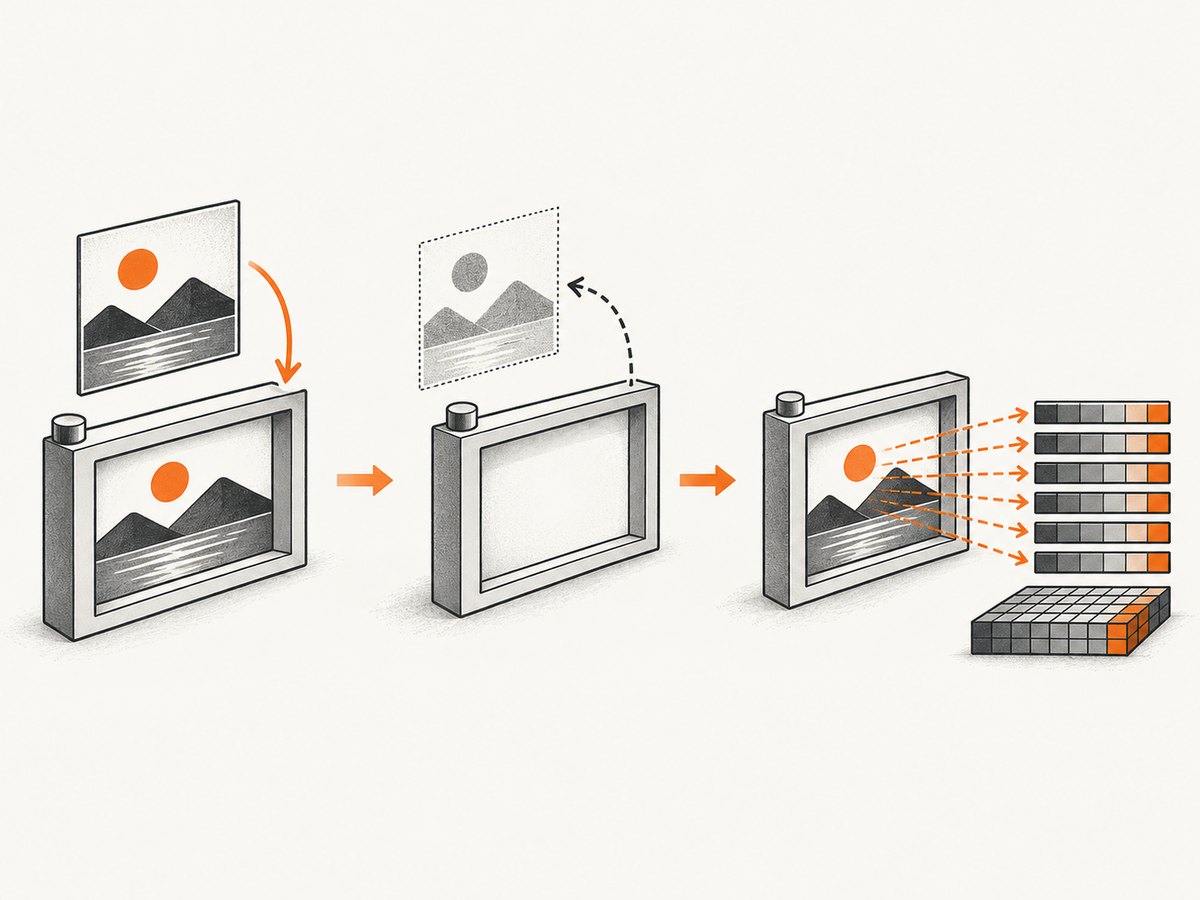
Correct lifecycle: capture, restore, extract, clean up
Keep the capture and extraction phases separate. The bitmap must be selected for BitBlt, then unselected before GetDIBits or deletion.
HGDIOBJ previous = GDI32.INSTANCE.SelectObject(memoryDc, bitmap);
if (previous == null || Pointer.nativeValue(previous.getPointer()) == 0) {
    throw new IllegalStateException("SelectObject failed");
}

try {
    boolean copied = GDI32.INSTANCE.BitBlt(
        memoryDc, 0, 0, width, height,
        sourceDc, 0, 0,
        Win32.BlitMode.SRCCOPY
    );
    if (!copied) {
        throw new IllegalStateException("BitBlt failed: " + Kernel32.INSTANCE.GetLastError());
    }
} finally {
    // Restore the object that was in the DC before selecting bitmap.
    GDI32.INSTANCE.SelectObject(memoryDc, previous);
}

// bitmap is now unselected: safe point for GetDIBits.
int rows = GDI32.INSTANCE.GetDIBits(
    sourceDc, bitmap, 0, height, pixelBuffer, bitmapInfo, WinGDI.DIB_RGB_COLORS
);
if (rows != height) {
    throw new IllegalStateException(
        "GetDIBits copied " + rows + " rows; expected " + height
    );
}

if (!GDI32.INSTANCE.DeleteObject(bitmap)) {
    throw new IllegalStateException("DeleteObject(bitmap) failed");
}
GDI32.INSTANCE.DeleteDC(memoryDc);
The exact JNA wrapper types vary by the JNA version in your build. JNA 5.18.1 exposes GetDIBits(HDC, HBITMAP, int, int, Pointer, BITMAPINFO, int), along with SelectObject, DeleteObject and DeleteDC. Confirm the declarations in the version actually used by the application.
Runnable JNA structure for a DIB extraction
The following pattern shows the important ordering. It assumes a compatible source DC and a compatible destination bitmap have already been created. It uses a 32-bit, top-down DIB request, which avoids a separate vertical flip when writing an image.
import com.sun.jna.Memory;
import com.sun.jna.Pointer;
import com.sun.jna.platform.win32.GDI32;
import com.sun.jna.platform.win32.Kernel32;
import com.sun.jna.platform.win32.WinDef.HBITMAP;
import com.sun.jna.platform.win32.WinDef.HDC;
import com.sun.jna.platform.win32.WinGDI;
import com.sun.jna.platform.win32.WinGDI.BITMAPINFO;
import com.sun.jna.platform.win32.WinGDI.BITMAPINFOHEADER;
import com.sun.jna.platform.win32.WinNT.HANDLE;

public final class DibReader {
  public static byte[] read(HDC sourceDc, HDC memoryDc, HBITMAP bitmap,
                            int width, int height) {
    long bytes = (long) width * height * 4;
    if (width <= 0 || height <= 0 || bytes > Integer.MAX_VALUE) {
      throw new IllegalArgumentException("Invalid dimensions");
    }

    HANDLE old = GDI32.INSTANCE.SelectObject(memoryDc, bitmap);
    if (old == null || old.getPointer() == Pointer.NULL) {
      throw new IllegalStateException("SelectObject failed");
    }
    try {
      if (!GDI32.INSTANCE.BitBlt(memoryDc, 0, 0, width, height,
          sourceDc, 0, 0, 0x00CC0020 /* SRCCOPY */)) {
        throw new IllegalStateException("BitBlt failed: " +
            Kernel32.INSTANCE.GetLastError());
      }
    } finally {
      if (GDI32.INSTANCE.SelectObject(memoryDc, old) == null) {
        throw new IllegalStateException("Could not restore previous object");
      }
    }

    BITMAPINFO info = new BITMAPINFO();
    BITMAPINFOHEADER h = info.bmiHeader;
    h.biSize = h.size();
    h.biWidth = width;
    h.biHeight = -height; // top-down
    h.biPlanes = 1;
    h.biBitCount = 32;
    h.biCompression = WinGDI.BI_RGB;
    h.write();

    Memory pixels = new Memory(bytes);
    int rows = GDI32.INSTANCE.GetDIBits(sourceDc, bitmap, 0, height,
        pixels, info, WinGDI.DIB_RGB_COLORS);
    if (rows != height) {
      throw new IllegalStateException("GetDIBits returned " + rows +
          "; expected " + height);
    }
    return pixels.getByteArray(0, (int) bytes);
  }
}
Adapt constants and structure field access to your JNA platform version. The invariant is independent of those details: restore the old selected object before extraction, and verify the exact row count.
Diagnostic checklist
- Log every handle. Record source DC, memory DC, bitmap and the object returned by
SelectObject. A null or zero handle indicates an earlier failure. - Check
BitBltfirst. Its nonzero result means the transfer succeeded; zero means extraction is not yet the problem. CaptureGetLastErrorimmediately after failure. - Verify selection state. The bitmap passed as
hbmpmust not remain selected in any DC duringGetDIBits. - Verify bitmap identity. Pass the bitmap populated by
BitBlt, not a newly allocated or previously deleted handle. - Validate
BITMAPINFO. Set header size, width, signed height, planes, bit count, compression and color usage consistently. - Validate the buffer. Allocate enough memory for the requested rows and account for DWORD scan-line alignment.
- Check cleanup paths. Restore selection in a
finallyblock, then delete the bitmap and DC.DeleteObjectcan fail when an object is still selected.
Common errors and fixes
| Symptom | Likely cause | Fix |
|---|---|---|
| First frame works, later frames return 0 | Bitmap remains selected or a prior iteration leaked a handle | Save and restore the old object every iteration; inspect handle ownership |
GetDIBits returns 0 immediately |
Invalid DC/bitmap handle, incompatible bitmap, or malformed info header | Validate handles, use a compatible bitmap, initialize BITMAPINFOHEADER |
BitBlt returns 0 |
Source DC or dimensions are invalid, display state changed, or the source is unavailable | Check GetLastError immediately and fix capture before extraction |
| Rows are fewer than requested | Incorrect height, scan range, buffer size or format | Compare return value with requested height and recheck alignment |
| Image is upside down | Bottom-up DIB uses positive height | Use a negative biHeight for top-down output or flip rows explicitly |
| DeleteObject fails | Bitmap is still selected into a DC | Restore the previous selection before deletion |
| Colors are wrong | Channel order or bit depth differs from encoder expectation | Match the requested DIB format to the image encoder and account for BGRA ordering |
Reuse versus recreate
Reusing a memory DC and bitmap can reduce allocation overhead, but it requires strict state management. Before every extraction, the bitmap must be unselected; before every new capture, it must be selected into the intended DC. Recreate the pair when dimensions or formats change, or when ownership is difficult to prove.
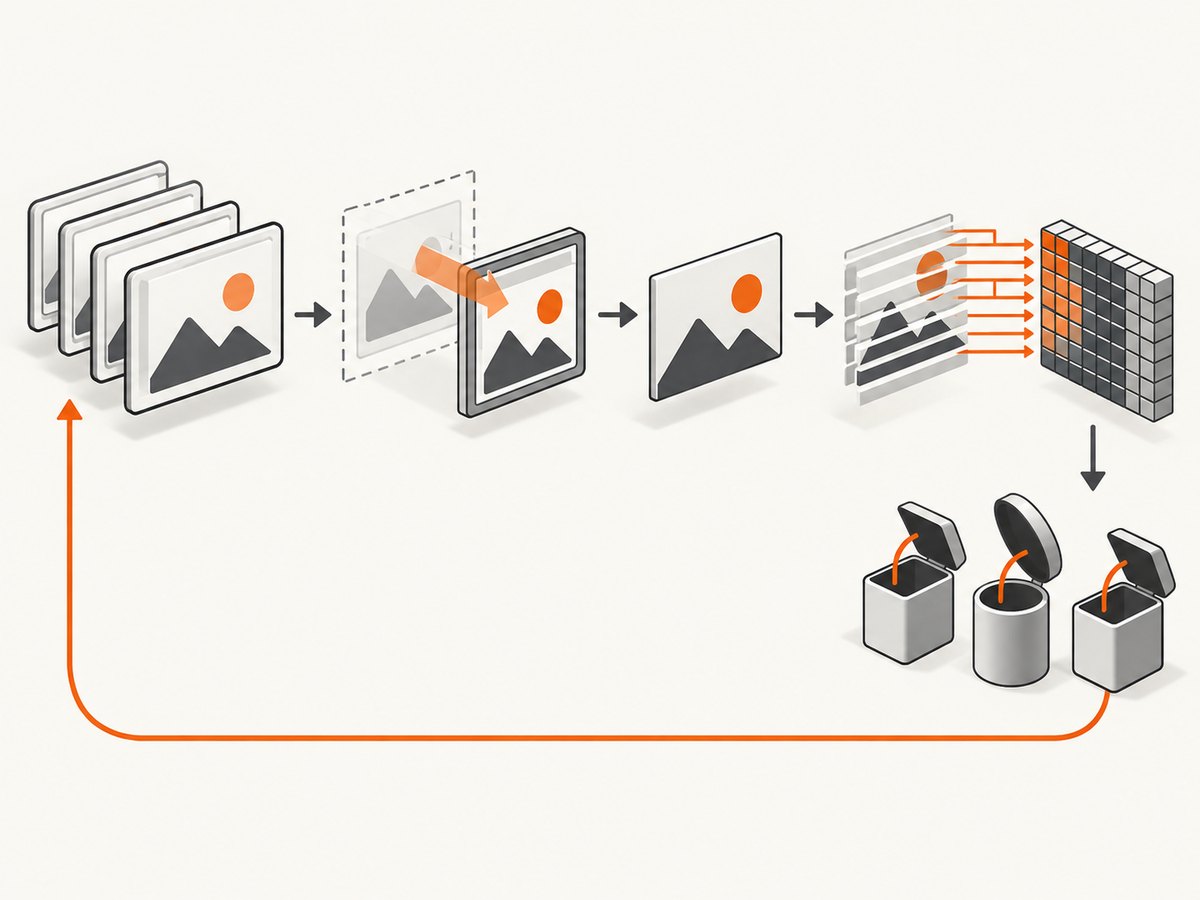
A separate unselected bitmap for extraction can simplify reasoning, but it adds a copy or another capture target. The API documentation establishes the selection rule; it does not provide a benchmark showing one strategy is faster.
Performance, reliability and resource limits
- Allocate buffers once when width, height and pixel format stay constant.
- Avoid calling
GetDIBitsuntilBitBlthas succeeded. - Keep GDI handles scoped and deterministic; repeated screenshots can exhaust the per-process GDI handle quota if DCs or bitmaps leak.
- Do not use a bitmap after deleting it, and do not share mutable DC state across threads without synchronization.
- Capture and extraction should run on a controlled worker so another thread cannot select the bitmap between restoration and
GetDIBits. - Measure your own workload. The supplied API references contain no failure-rate or throughput benchmark.
Or skip the browser setup
If the goal is a website screenshot rather than Windows desktop pixels, ScreenshotNeo provides a single HTTP request that returns PNG, JPEG, WebP or PDF. It removes cookie and consent banners, newsletter popups and chat widgets before capture. Bot checks, blank pages, timeouts, failed loads and cache hits are not billed, and response headers identify the page verdict and billing result. Its MCP server provides take_screenshot, get_page_info and capture_pdf for Claude, Cursor and other MCP clients.
Read the ScreenshotNeo API documentation for all options.
cURL
curl -G "https://api.screenshotneo.com/v1/shot" \
  -d access_key=YOUR_API_KEY \
  --data-urlencode url=https://stripe.com \
  -o shot.webp
Python
import requests

r = requests.get(
    "https://api.screenshotneo.com/v1/shot",
    params={"access_key": "YOUR_API_KEY", "url": "https://stripe.com"},
    timeout=90,
)
r.raise_for_status()
open("shot.webp", "wb").write(r.content)
Node.js
const q = new URLSearchParams({
  access_key: 'YOUR_API_KEY',
  url: 'https://stripe.com'
});
const res = await fetch(`https://api.screenshotneo.com/v1/shot?${q}`);
if (!res.ok) throw new Error(`HTTP ${res.status}`);
const data = Buffer.from(await res.arrayBuffer());
require('node:fs').writeFileSync('shot.webp', data);
There are 1,000 free screenshots each month with no card. Paid plans start at $5 for 3,000 shots, and every feature is included on every plan. Create a free ScreenshotNeo account.
FAQ
Does a Java boolean binding make GetDIBits fail?
It can hide the result, but the native function still returns an integer. Bind it as int and compare the value with the requested scan-line count.
Can I call GetDIBits with the bitmap selected?
No. Restore the object that was in the DC before calling GetDIBits.
Should I call GetLastError after every zero?
Use it immediately after operations documented to provide extended error information, especially BitBlt. Also inspect selection state and all input structures because a zero return alone does not identify the defect.
Is the Microsoft capture sample safe to copy unchanged?
It demonstrates a capture sequence, but surrounding handle and selection state must be checked against the explicit GetDIBits precondition in your program.