Local vs. Remote MCP Servers: Differences and Use Cases
Compare local stdio and remote HTTP MCP servers, their security boundaries, operating tradeoffs, and when each deployment pattern fits.
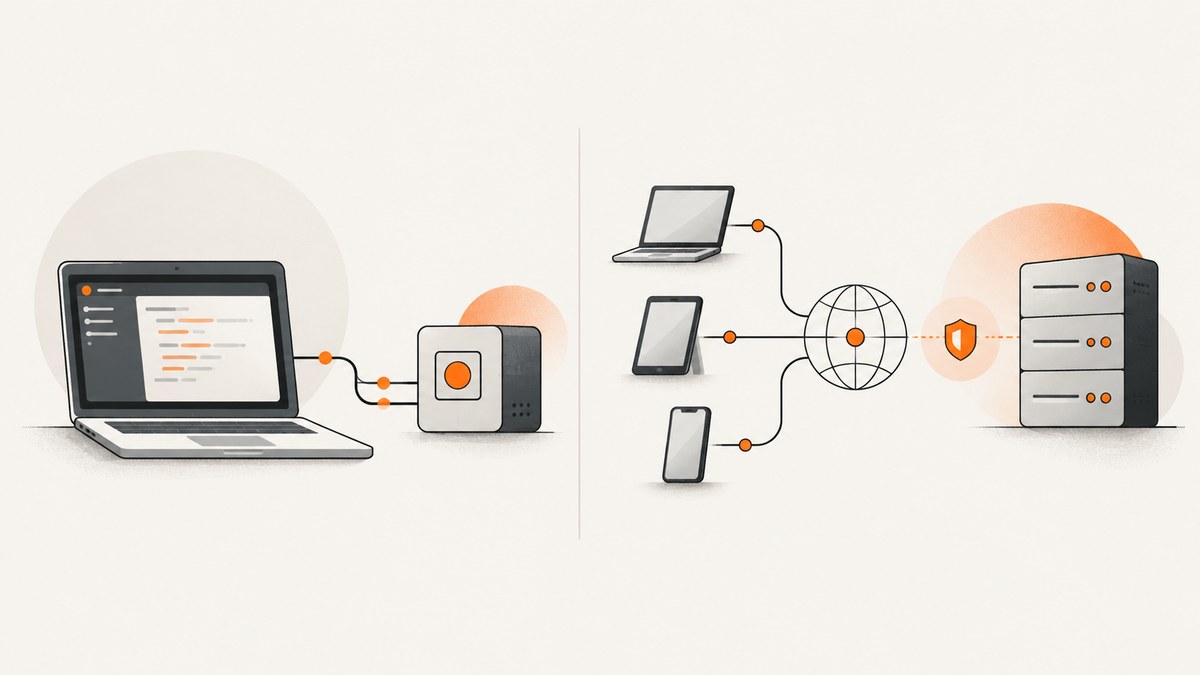
Short answer: A local MCP server usually runs as a process on your machine and communicates with its MCP client over standard input and output (stdio). A remote MCP server runs independently and commonly accepts connections over Streamable HTTP. Choose based on where the tools and data belong, which clients need access, who will operate the server, and how credentials and authorization are handled. Neither deployment pattern is secure by default.
MCP is a protocol through which a host application’s MCP client communicates with a server that exposes capabilities such as tools, prompts, and resources. “Local” and “remote” describe common deployment patterns, not an unbreakable pairing between a machine location and a transport. This guide compares the usual stdio and Streamable HTTP setups and gives you a concrete way to make the choice.
1. What local and remote mean in practice
Local MCP: the client launches a process
With stdio, the MCP client starts the server as a subprocess. The client sends JSON-RPC messages through the process’s standard input, and the server replies through standard output. The server can write diagnostic logs to standard error; protocol messages must stay on standard output. Because the client and process commonly run on the same device, this pattern is used for integrations that need local developer context or files. [MCP transport specification]

In a stdio setup, the client commonly owns process startup and lifecycle. The server might use credentials available in its process environment, but credential handling depends on that server’s implementation. Local execution limits where the process is exposed by default; it does not make an executable or its dependencies trustworthy.
Remote MCP: an independently operated endpoint
With Streamable HTTP, the server runs independently and clients send JSON-RPC messages to a single MCP endpoint using HTTP POST. Clients may also use GET to open a server-to-client Server-Sent Events (SSE) stream. The transport supports request-and-response interactions and, where implemented, streaming and server-to-client messages. It fits services that must be operated separately and accessed by authorized clients. [MCP transport specification]
Here the operator is responsible for hosting and endpoint security, as well as the identity and access controls that govern who can connect. A remote URL alone does not imply authentication, authorization, isolation, or reliable operation. Check the actual service’s controls.
2. Local vs. remote at a glance
| Decision | Local, commonly stdio | Remote, commonly Streamable HTTP |
|---|---|---|
| Where it runs | Usually a subprocess on the same machine as the client. | Independently, often on service infrastructure. |
| How messages travel | JSON-RPC over stdin/stdout pipes. | HTTP POST and possibly GET with an SSE stream. |
| Who can reach it | Typically the client that launches or connects to the local process. | Clients able to reach the endpoint and pass its access controls. |
| Operations | Install the executable and dependencies; manage process lifecycle and local permissions. | Operate the service, secure the endpoint, manage availability and client access. |
| Credential questions | Which environment variables or local credential stores can the process access? | How are clients authenticated, and how are permissions enforced for each request? |
| Typical fit | Single-user tools, local files, or local developer context. | Centrally managed capabilities shared with multiple authorized clients. |
These are common patterns, not protocol laws: implementations can have different deployment details. The use-case recommendations in the table are practical inferences from the documented process and service patterns, not guarantees that one transport is right for every project. [Google Cloud deployment guidance]
3. How to choose a deployment
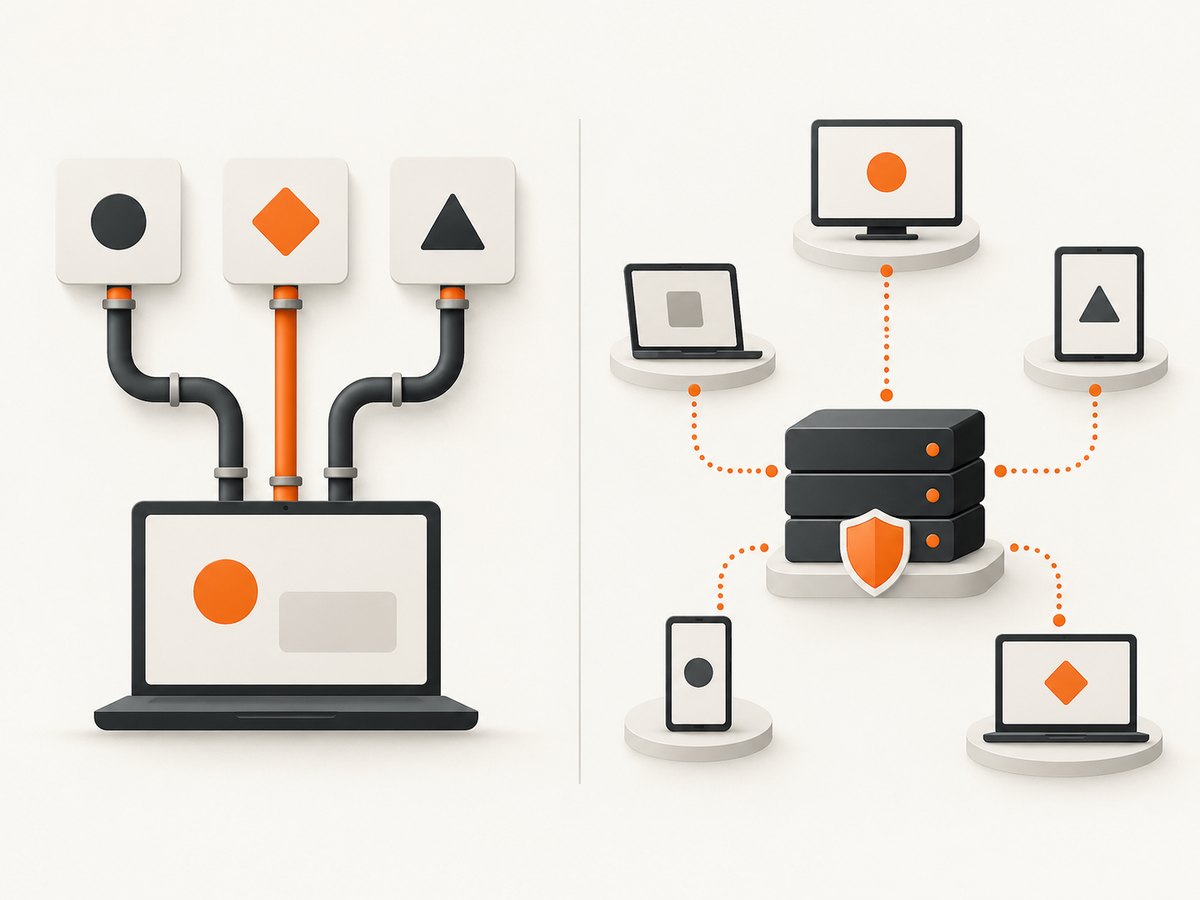
- Locate the data and tools. If a tool needs files, a command-line program, or context available only on a developer’s device, a local process is a natural candidate. Confirm which directories, commands, and credentials it can access.
- List the intended clients. If one desktop client needs the tool, local execution may keep operations simple. If multiple users or clients need the same centrally managed capability, a remote service may be a better operational fit.
- Assign operational ownership. For local use, decide who installs updates and reviews dependencies. For a remote service, identify who maintains the endpoint, access policy, logs, and incident response.
- Trace credentials and permissions. Identify each credential the server can read, the actions it permits, and how access is revoked. Use the narrowest permissions that support the task.
- Review the concrete implementation. Check transport support, authentication, authorization, data boundaries, logging, and update practices. A deployment label cannot answer those questions.
4. Build a minimal local stdio server
The following runnable Python example uses the MCP Python SDK. It defines one tool, add, and runs over stdio. Install the SDK in an isolated environment first. The precise SDK APIs can evolve, so pin and check the version used by your project against the official Python SDK documentation.
python -m venv .venv
source .venv/bin/activate
python -m pip install "mcp"
Save this as server.py:
from mcp.server.fastmcp import FastMCP

mcp = FastMCP("local-tools")

@mcp.tool()
def add(a: int, b: int) -> int:
    """Add two integers."""
    return a + b

if __name__ == "__main__":
    mcp.run(transport="stdio")
Configure your MCP client to launch the process, using the absolute path to the environment’s Python executable and the server file. A generic client configuration has this shape; adapt the keys to your client’s documented format:
{
  "mcpServers": {
    "local-tools": {
      "command": "/absolute/path/to/project/.venv/bin/python",
      "args": ["/absolute/path/to/project/server.py"]
    }
  }
}
Do not print banners, debug output, or ordinary logs to stdout: that stream carries MCP protocol messages. Send diagnostics to stderr. Treat the configured executable and its dependencies as trusted code, and keep local file and credential permissions limited to what the tools need.
5. Connect to a remote Streamable HTTP server
A remote server is independently started and exposes an MCP endpoint. The exact server creation API and endpoint path depend on the framework and deployment. The following is a complete client-side connection pattern using the official TypeScript SDK: replace the example endpoint with the endpoint documented by your server, and add the server’s required authorization mechanism. See the official TypeScript SDK for version-specific setup.
import { Client } from "@modelcontextprotocol/sdk/client/index.js";
import { StreamableHTTPClientTransport } from "@modelcontextprotocol/sdk/client/streamableHttp.js";

const endpoint = process.env.MCP_ENDPOINT;
if (!endpoint) throw new Error("Set MCP_ENDPOINT to your server URL");

const client = new Client({ name: "remote-example", version: "1.0.0" });
const transport = new StreamableHTTPClientTransport(new URL(endpoint));

try {
  await client.connect(transport);
  const result = await client.listTools();
  console.log(JSON.stringify(result, null, 2));
} finally {
  await client.close();
}
Install a compatible SDK version using the package manager and version guidance in its official documentation, then set MCP_ENDPOINT to the server’s MCP endpoint. This example assumes the server permits the client and does not show a provider-specific authorization flow. Do not paste tokens into source code or commit them. Use the server’s documented authorization process and grant only necessary access.
6. Security: inspect the boundary, not the label
For local stdio processes
- Install server code and dependencies only from sources you trust; review what tools can execute and what data they can read or modify.
- Limit the process’s filesystem, shell, and credential access to the task. Review environment variables passed by the client.
- Keep protocol messages on stdout and route logs to stderr. This protects protocol integrity and makes failures easier to diagnose.
- Update the server and dependencies through a known process. Local installation does not remove supply-chain or permission risks.
For Streamable HTTP endpoints
- Require appropriate authentication and enforce authorization on every protected operation; do not assume network reachability is permission.
- Validate the HTTP
Originheader. The MCP transport specification requires this and recommends authentication for connections. - If you run an HTTP server locally, bind it to localhost rather than all network interfaces unless you have a deliberate, protected network exposure. The specification warns that missing protections can allow DNS rebinding attacks from malicious websites.
- Review session and token handling, isolation between users, tenant and data boundaries, and audit logging. Security depends on the implementation as well as the transport.
The transport specification’s security considerations describe origin validation, localhost binding, and authentication guidance. The NSA’s May 2026 MCP security report likewise emphasizes implementation issues such as token and session handling, isolation, inconsistent behavior, and audit logging. Neither source makes “local” or “remote” a security certification.
7. Version, state, and transport caveats
Use the specification version and implementation that your stack actually supports when reasoning about state. The 2025-11-25 transport specification describes stdio and Streamable HTTP transport behavior. The 2026-07-28 basic protocol describes requests as stateless and self-contained and gives authorization guidance that distinguishes HTTP and stdio. Do not assume a statement about sessions in one version applies to another without checking your server and client versions. [2026-07-28 MCP basic protocol]
In that basic protocol version, HTTP implementations should follow MCP authorization guidance, while stdio implementations should retrieve credentials from the environment. Those are protocol-version-specific recommendations; an SDK or server may document additional behavior. A Microsoft Azure MCP deployment, for example, documents its own stdio and Entra ID bearer-token modes, but that vendor-specific setup is not a universal MCP credential model. [Microsoft Azure MCP Server documentation]
8. Troubleshooting common connection failures
| Symptom | Likely cause | What to check or fix |
|---|---|---|
| Local server never starts | Wrong executable or script path, missing dependency, or invalid client configuration. | Run the configured command manually from the project environment; use absolute paths and install the pinned dependencies. |
| Client reports malformed JSON-RPC or disconnects immediately | Logs or startup text were printed to stdout, or the process exited with an exception. | Send logs to stderr, inspect the process exit status and stderr output, and ensure the stdio transport is selected. |
| Remote connection returns 401 or 403 | Missing, expired, or insufficient authorization. | Follow the server’s documented identity flow, renew credentials, and confirm the client has the required permission. |
| Remote connection fails before MCP negotiation | Incorrect endpoint, TLS/network problem, proxy behavior, or server not listening. | Confirm the endpoint path and reachability from the client environment; check server and proxy logs. |
| Browser-originated request is rejected | The server’s origin validation does not allow the requesting origin. | Configure the intended origin according to the server’s guidance; keep origin checks enabled. |
| Works for one user but exposes another user’s data | Insufficient authorization checks or missing tenant isolation. | Enforce access at the tool/data layer, separate user context, and review server-side isolation before production use. |
9. Performance, reliability, and operating cost
The sources reviewed do not provide a measured latency, reliability, or cost comparison between local stdio and remote HTTP, so avoid assuming one is universally faster or cheaper. Measure the workload and include the work around the transport.
- Performance: identify time spent in the tool itself, network round trips, remote service calls, and serialization. Test with representative requests from the actual client environment.
- Reliability: a local process depends on the user’s machine, installation, and client lifecycle. A remote service depends on network reachability and the operator’s service and endpoint. Set operational expectations based on the chosen implementation.
- Cost: local use still consumes developer hardware and maintenance time. Remote hosting can add infrastructure, monitoring, and operations work. Actual amounts depend on deployment and usage; no source here establishes a universal cost winner.
- Failure handling: define timeouts, safe retries for operations that can be repeated, and clear errors. Avoid retrying state-changing actions blindly when you cannot establish whether the first request completed.
10. A related remote tool: website screenshots for agents
If an MCP agent needs a rendered website screenshot, ScreenshotNeo offers a website screenshot API and MCP server. Its MCP tools are take_screenshot, get_page_info, and capture_pdf, for Claude, Cursor, and other MCP clients. This is a concrete remote service option for screenshot work; apply the same endpoint, authorization, and data-access review you would use for any remote MCP server.
For a direct API call, see the ScreenshotNeo API documentation:
curl -G "https://api.screenshotneo.com/v1/shot" \
  -d access_key=YOUR_API_KEY \
  --data-urlencode url=https://stripe.com \
  -o shot.webp
import requests
r = requests.get(
"https://api.screenshotneo.com/v1/shot",
params={"access_key": "YOUR_API_KEY", "url": "https://stripe.com"},
timeout=90,
)
open("shot.webp", "wb").write(r.content)const q = new URLSearchParams({ access_key: 'YOUR_API_KEY', url: 'https://stripe.com' });
const res = await fetch(`https://api.screenshotneo.com/v1/shot?${q}`);
if (!res.ok) throw new Error(`Screenshot request failed: ${res.status}`);
await Bun.write("shot.webp", res);ScreenshotNeo accepts cookie and consent banners like a visitor and removes more than 60 known consent platforms, newsletter popups, and chat widgets before capture; each step can be turned off. Bot checks and CAPTCHAs, blank pages, timeouts, failed loads, and cache hits are not billed, and responses identify the page verdict and billing status in headers. Free includes 1,000 shots per month with no card; paid plans start at $5 for 3,000 shots. See the docs for configuration and the full option set.
Sign up for ScreenshotNeo’s free plan: 1,000 screenshots per month, no card required.
11. FAQ
Can an MCP server be local and use HTTP?
Yes. “Local” describes where it runs, while HTTP describes how it communicates. A local HTTP endpoint still needs origin validation, authentication where appropriate, and careful network binding.
Is a remote server always shared among users?
No. Remote describes independent operation and network access. The operator decides which authorized clients can use it and what each can do.
Which should I choose for a desktop IDE integration?
If the tool needs local context and only that user’s client needs it, stdio is a reasonable starting pattern. If it needs centralized operation or access by multiple authorized clients, assess a remote service instead.
Does stdio mean the server is safe from network attacks?
It avoids exposing an HTTP listener as part of the stdio connection pattern, but executable trust, dependencies, local permissions, and credentials still matter. A separate local HTTP listener also needs network protections.
Where should I check compatibility?
Check the specification version, transport, SDK version, and deployment documentation for both the client and server. Version-specific state and authorization behavior should not be inferred from the transport name alone.


