Making Concurrent Requests in Node.js
Learn how to run independent HTTP requests concurrently in Node.js, control sockets with http.Agent, handle failures, and tune throughput safely.
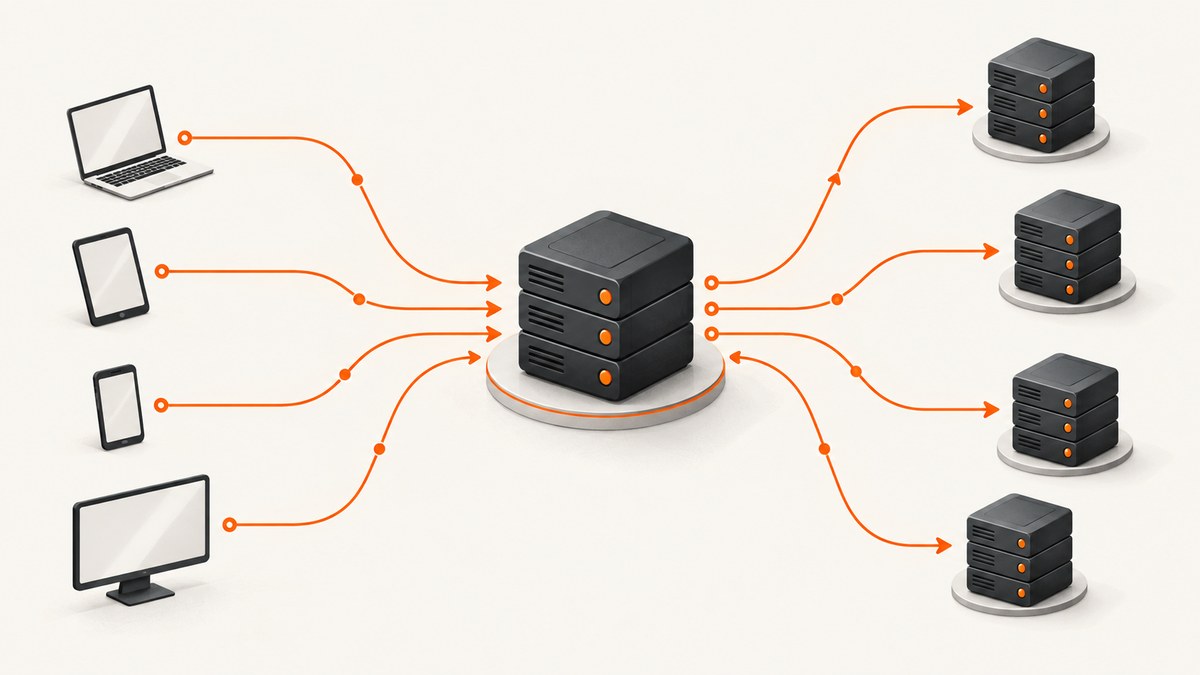
To make multiple HTTP requests at the same time in Node.js, start each independent request without waiting for the previous one to finish, then await the group of operations. At the network layer, configure an http.Agent to control connection reuse and the number of sockets opened to each host. These are related controls, but they are not the same: your application schedules work, while the Agent manages HTTP connections.
Node.js describes its built-in HTTP API as low-level and stream-oriented. It handles messages and streams; your code decides how to parse response bodies and coordinate requests. The examples below use the current Node.js HTTP documentation as the reference point: Node.js HTTP API documentation.
How do I make multiple HTTP requests at the same time in Node.js?
Create one promise per request, start them before awaiting any result, and then wait for the collection. The following complete example uses the built-in https module, a shared keep-alive Agent, and a small application-level limiter. The limiter prevents your program from starting more than four tasks at once; maxSockets separately limits active sockets per host.
import https from 'node:https';

const agent = new https.Agent({
  keepAlive: true,
  maxSockets: 4,
  maxFreeSockets: 4
});

function getJson(url, { timeoutMs = 10_000 } = {}) {
  return new Promise((resolve, reject) => {
    const request = https.get(url, { agent }, (response) => {
      let body = '';

      response.setEncoding('utf8');
      response.on('data', (chunk) => { body += chunk; });
      response.on('end', () => {
        if (response.statusCode < 200 || response.statusCode >= 300) {
          reject(new Error(`${url} returned HTTP ${response.statusCode}`));
          return;
        }

        try {
          resolve(JSON.parse(body));
        } catch (error) {
          reject(new Error(`Invalid JSON from ${url}: ${error.message}`));
        }
      });
    });

    request.setTimeout(timeoutMs, () => {
      request.destroy(new Error(`Timed out after ${timeoutMs} ms: ${url}`));
    });
    request.on('error', reject);
  });
}

async function mapConcurrent(items, limit, worker) {
  const results = new Array(items.length);
  let next = 0;

  async function run() {
    while (true) {
      const index = next++;
      if (index >= items.length) return;
      results[index] = await worker(items[index], index);
    }
  }

  await Promise.all(
    Array.from({ length: Math.min(limit, items.length) }, run)
  );
  return results;
}

const urls = [
  'https://example.com/data/one.json',
  'https://example.com/data/two.json',
  'https://example.com/data/three.json',
  'https://example.com/data/four.json'
];

try {
  const values = await mapConcurrent(urls, 4, (url) => getJson(url));
  console.log(values);
} finally {
  agent.destroy();
}
Each worker begins as soon as a slot is available. Results remain in input order because the worker stores each value at its original index. A rejected request stops the overall operation, while the finally block releases Agent resources.
Scheduling work versus opening connections
There are two independent questions:
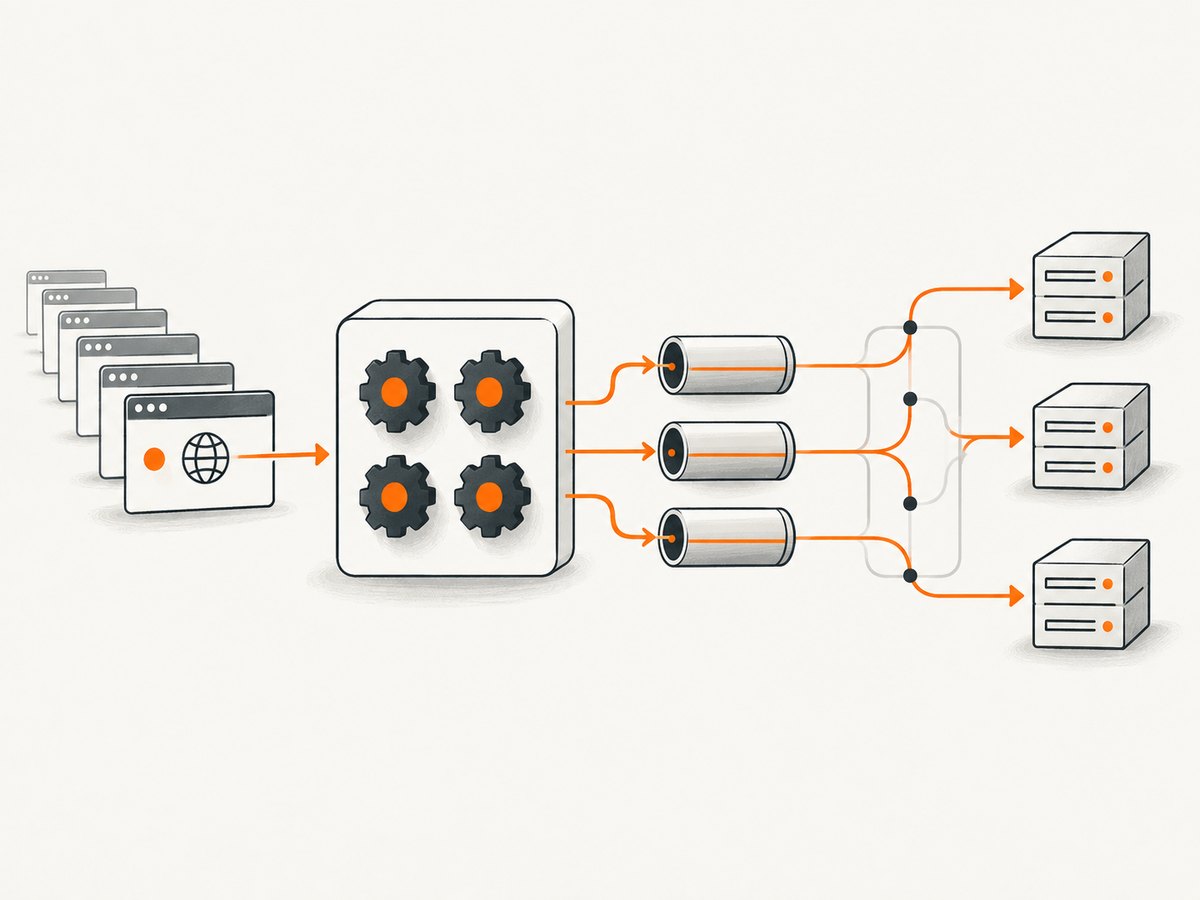
- How many application tasks should run? A limiter such as
mapConcurrentanswers this. It can include parsing, retries, file writes, or other work that does not use an HTTP socket. - How many connections should be active? The Agent answers this for HTTP client requests. Its
maxSocketsvalue is a per-host ceiling.
If ten tasks are scheduled but an Agent has maxSockets: 4 for a host, at most four sockets are active for that host. Additional requests wait in the Agent’s pending queue and become active when a socket is available. A per-host socket limit does not limit every promise or every application task.
| Control | What it limits | What happens at the limit |
|---|---|---|
| Application limiter | Workers or units of program work | New work waits until a worker finishes |
agent.maxSockets |
Active sockets per host | HTTP requests queue in the Agent |
agent.maxTotalSockets |
Active sockets across hosts | Requests wait for an available socket |
Configure an http.Agent for concurrent requests
An Agent manages connection persistence and reuse for HTTP client requests. A shared Agent lets related requests reuse connections when the server permits it. Servers can close idle connections or refuse reuse, so keep-alive is a request from the client, not a guarantee that every request uses the same socket.
Important Agent options
| Option | Use |
|---|---|
keepAlive |
Keeps idle sockets available for future requests. The default is false. |
maxSockets |
Maximum active sockets per host. The default is Infinity. |
maxTotalSockets |
Maximum active sockets across all hosts. The default is Infinity. |
maxFreeSockets |
Maximum idle sockets kept per host when keep-alive is enabled. The default is 256. |
scheduling |
Chooses a free socket with lifo or fifo. Current Node.js defaults to lifo. |
timeout |
Sets the socket timeout when the socket is created. |
Use a low, deliberate maxSockets value when the upstream service has strict limits or when your process must avoid opening many connections. Use a higher value only when the service and your own CPU, memory, bandwidth, and file-descriptor budgets can support it. Increasing sockets does not automatically make an upstream server respond faster.
Sharing an Agent across hosts
A single Agent can be passed to requests for different hosts. The maxSockets limit is still evaluated per host; maxTotalSockets is the cross-host ceiling. If you need separate policies, create separate Agents, for example one for a fast internal service and one for a rate-limited third-party API.
Destroy the Agent when finished
When the Agent is no longer needed, call agent.destroy(). Unused sockets consume operating-system resources. Long-running services can keep one shared Agent for their lifetime; short scripts should destroy it after the final request settles.
Complete CommonJS example
If your project uses CommonJS, the same approach works with require. This example fetches several text resources concurrently and records failures independently with Promise.allSettled.
const https = require('node:https');

const agent = new https.Agent({ keepAlive: true, maxSockets: 6 });

function getText(url) {
  return new Promise((resolve, reject) => {
    const req = https.get(url, { agent }, (res) => {
      let text = '';
      res.setEncoding('utf8');
      res.on('data', (chunk) => { text += chunk; });
      res.on('end', () => {
        if (res.statusCode >= 200 && res.statusCode < 300) {
          resolve({ url, text });
        } else {
          reject(new Error(`${url}: HTTP ${res.statusCode}`));
        }
      });
    });
    req.setTimeout(15_000, () => req.destroy(new Error('request timeout')));
    req.on('error', reject);
  });
}

const urls = [
  'https://example.com/a.txt',
  'https://example.com/b.txt',
  'https://example.com/c.txt'
];

Promise.allSettled(urls.map(getText))
  .then((outcomes) => {
    for (const outcome of outcomes) {
      if (outcome.status === 'fulfilled') console.log(outcome.value.url);
      else console.error(outcome.reason.message);
    }
  })
  .finally(() => agent.destroy());
Failure handling and cancellation
Concurrent requests fail independently at the network level. Handle at least these cases:
- DNS or connection errors: listen for the request’s
errorevent. - Timeouts: set a request or socket timeout and destroy the request so it cannot remain pending.
- HTTP errors: inspect
statusCode; an HTTP 404 or 500 is a response, not a transport error. - Malformed payloads: parse JSON inside a
try/catch. - Partial success: use
Promise.allSettledwhen every result matters, even if some requests fail. - Fail-fast workflows: use
Promise.allwhen one failure should reject the whole operation, then clean up infinally.
Do not treat a timeout as proof that the server did no work. If you add retries, make them bounded and use an idempotency strategy appropriate to the endpoint. Retrying a read is usually safer than retrying a non-idempotent write.
Performance, reliability, and cost considerations
- Measure end-to-end time: concurrency reduces waiting when requests are independent, but response parsing and downstream work can become the new bottleneck.
- Protect the upstream: cap workers and sockets per host. A large burst can cause throttling, queueing, or connection failures.
- Reuse connections: a keep-alive Agent can avoid repeatedly establishing connections, subject to server behavior.
- Bound memory: do not start an unbounded promise for every item in a large input. Feed work through a fixed number of workers.
- Clean up: destroy Agents and requests after completion or timeout.
- Account for limits: your operating system, proxy, upstream service, and network can each impose connection or rate limits.
There is no universal best value for concurrency. Start with a conservative worker count, observe latency and errors, and adjust alongside the upstream service’s documented limits. The Node.js documentation supports the connection behavior described here; it does not provide a general throughput benchmark for your application.
Troubleshooting concurrent Node.js requests
| Symptom | Likely cause | Fix |
|---|---|---|
| Requests appear sequential | The loop awaits each request before starting the next. | Create the promises first or use a worker pool, then await the group. |
| Too many open connections | The Agent uses its default unlimited socket ceiling. | Set maxSockets and, if needed, maxTotalSockets. |
| Requests remain pending | They are waiting in the Agent queue or the upstream is slow. | Check socket limits, add timeouts, and inspect upstream capacity. |
| Connection reset errors | The server or an intermediary closed a socket. | Use keep-alive appropriately, handle errors, and retry only safe operations. |
| Process does not exit | Idle resources or other work remain active. | Call agent.destroy() when the Agent is no longer needed. |
| One failure hides other results | Promise.all rejects on the first rejection. |
Use Promise.allSettled or catch errors inside each worker. |
| High memory usage | All input items were converted into pending promises. | Use a bounded worker pool and stream or batch large inputs. |
Or skip the browser setup
If your concurrent work is collecting website screenshots, ScreenshotNeo gives you an HTTP endpoint instead of requiring you to install and operate a browser. It removes cookie and consent banners, newsletter popups, and chat widgets before the shot. Bot checks, blank pages, failed loads, timeouts, and cache hits are not billed, and response headers identify the page verdict and billing result. It also provides an MCP server with take_screenshot, get_page_info, and capture_pdf tools for Claude, Cursor, and other MCP clients.
See the ScreenshotNeo API documentation for request options. This is a regular GET request, so it can be scheduled with the same concurrency patterns shown above.
cURL
curl -G "https://api.screenshotneo.com/v1/shot" -d access_key=YOUR_API_KEY --data-urlencode url=https://stripe.com -o shot.webpPython
import requests

r = requests.get("https://api.screenshotneo.com/v1/shot", params={"access_key": "YOUR_API_KEY", "url": "https://stripe.com"}, timeout=90)
open("shot.webp", "wb").write(r.content)
Node.js
const q = new URLSearchParams({ access_key: 'YOUR_API_KEY', url: 'https://stripe.com' });
const res = await fetch(`https://api.screenshotneo.com/v1/shot?${q}`);
ScreenshotNeo includes full-page capture with lazy images loaded, CSS-selector element capture, dark mode, device presets, retina scale, PDF options, custom CSS and JavaScript, clicks, selector or network-idle waits, request blocking, headers, cookies, user agents, authorization, timezone, geolocation, transparent backgrounds, resizing, caching with a chosen TTL, signed links, asynchronous jobs with signed webhooks, bulk capture for 100 URLs per call, a usage API, and an OpenAPI specification. Its parameter names also match those used by other screenshot APIs, which simplifies migration.
The Free plan includes 1,000 shots each month without a card. Paid plans start at $5 for 3,000 shots; yearly billing provides two months free. Create a free ScreenshotNeo account.
FAQ
Does concurrent mean every request uses a different socket?
No. The Agent can reuse connections when the server permits it. maxSockets limits active sockets per host, not the number of promises you schedule.

Should I set maxSockets to the number of requests?
Usually no. Choose a limit based on upstream capacity and your resource budget, then use an application limiter to bound total work.
When should I use Promise.allSettled?
Use it when you want every outcome, including failures. Use Promise.all when any failed request should reject the combined operation.
Can a server close an idle keep-alive socket?
Yes. Connection reuse depends on server behavior. Your code must handle a new connection or a socket error.
When should an Agent be destroyed?
Destroy it after the final request when the process or component no longer needs it. A long-running service can retain a shared Agent for its lifetime.


