How to Manage Memory When Capturing Many Screenshots in Java
Prevent Java screenshot jobs from exhausting memory with bounded capture, incremental writes, safe streams, threading, scaling, and troubleshooting.
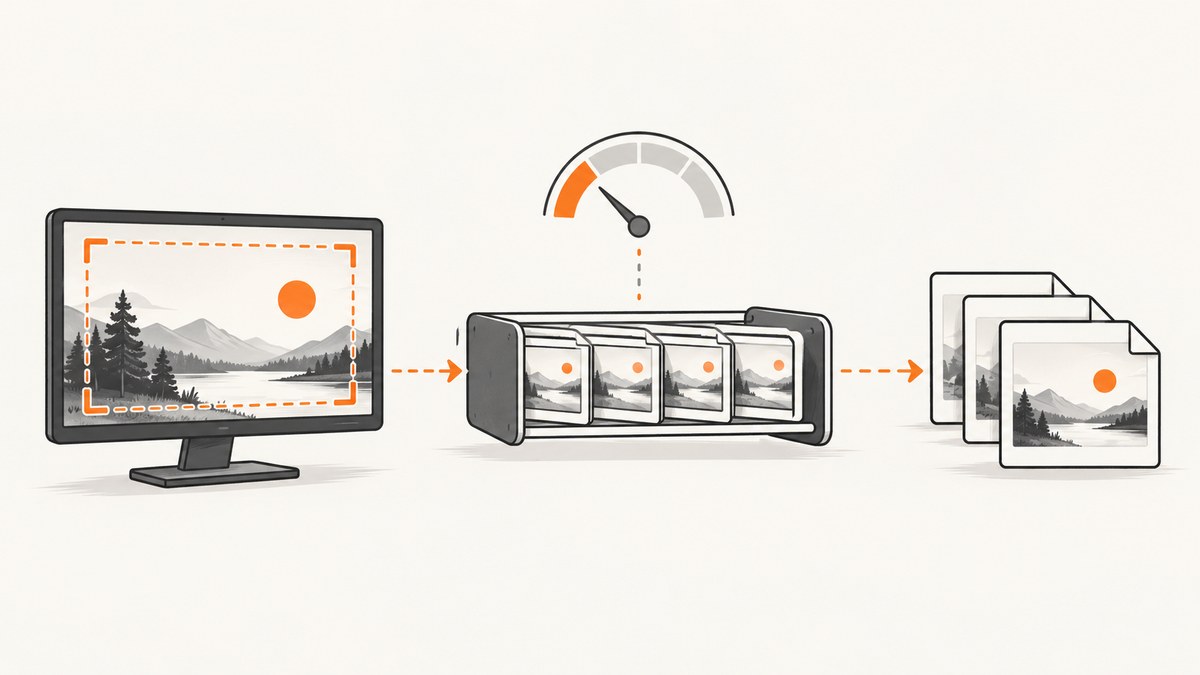
Capture one image, process or write it, release your reference, then capture the next. That bounded workflow prevents a screenshot loop from retaining every BufferedImage at once. Keep capture work off Swing’s Event Dispatch Thread (EDT), close streams your code creates, choose the display resolution you actually need, and avoid treating System.gc() as a fix.
Robot.createScreenCapture(Rectangle) returns a BufferedImage. Every image still reachable from your application remains part of the live object graph and can consume heap memory. Oracle documents the API behavior in the Java SE 17 Robot API.
1. Use a bounded capture-and-write loop
If you do not need all screenshots simultaneously, do not put them in a growing List. Capture, write, and let the local reference leave scope before the next iteration.
import java.awt.Rectangle;
import java.awt.Robot;
import java.awt.image.BufferedImage;
import java.io.File;
import java.io.IOException;
import javax.imageio.ImageIO;

public final class CaptureSeries {
    public static void main(String[] args) throws Exception {
        int count = 100;
        File directory = new File("captures");
        if (!directory.isDirectory() && !directory.mkdirs()) {
            throw new IOException("Cannot create " + directory);
        }

        Robot robot = new Robot();
        Rectangle bounds = new Rectangle(0, 0, 1280, 720);

        for (int i = 0; i < count; i++) {
            BufferedImage image = robot.createScreenCapture(bounds);
            File output = new File(directory, "capture-" + i + ".png");
            if (!ImageIO.write(image, "png", output)) {
                throw new IOException("No PNG writer is available");
            }
            // No collection is retained. The image becomes eligible for GC
            // once this iteration's reference is no longer reachable.
        }
    }
}
Assigning image = null is not required when the variable naturally leaves scope. It can remove a still-live local reference in a longer method, but it does not force collection. The garbage collector decides when eligible objects are reclaimed.
2. Understand where memory is retained
- Application collections: a list, map, cache, callback, or queue containing
BufferedImageobjects keeps them live. - Producer-consumer queues: an unbounded queue can grow until it contains the same number of images as a list. Use a bounded queue and define back-pressure.
- Encoded output: converting images to byte arrays before writing can add another large allocation. Stream to a destination where practical.
- Display scaling: high-density displays can produce more pixels. Java’s multi-resolution capture may expose a native-resolution variant; retain only the variant your task needs.
- ImageIO stream caching:
ImageIO.setUseCachecontrols caching used by image input/output streams. It does not release references to screenshots returned byRobot.
There is no universal bytes-per-screenshot value. Memory depends on rectangle dimensions, image type, display scaling, intermediate buffers, encoder behavior, and other live objects. A rough estimate can use width × height × bytesPerPixel, but label it as an estimate rather than a JVM measurement.
3. Add back-pressure when capture and writing are decoupled
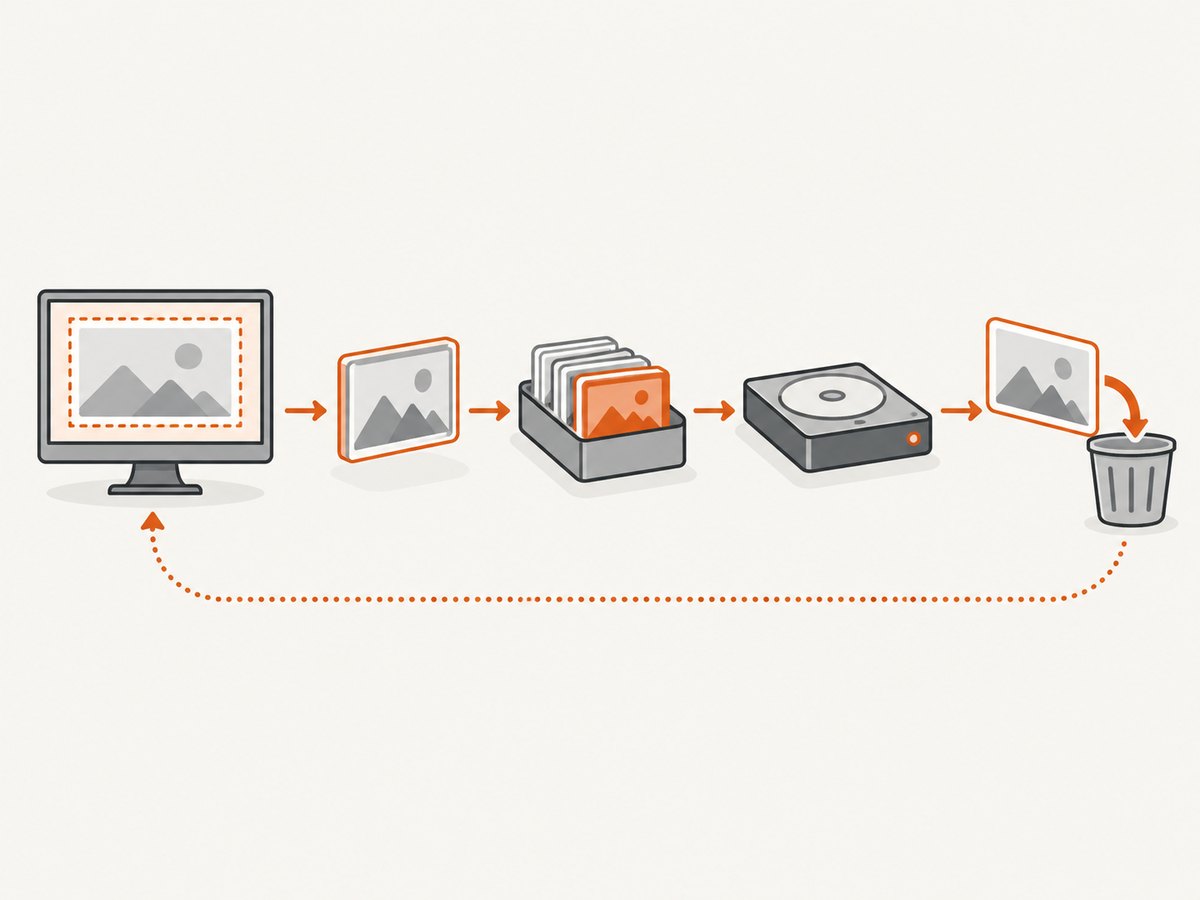
Separate capture and encoding only when it improves throughput. A bounded queue makes the producer wait when the writer falls behind, limiting peak retained images.
import java.awt.Rectangle;
import java.awt.Robot;
import java.awt.image.BufferedImage;
import java.io.File;
import java.io.IOException;
import java.util.concurrent.ArrayBlockingQueue;
import java.util.concurrent.BlockingQueue;
import javax.imageio.ImageIO;

public final class BoundedCapture {
    private static final BufferedImage END = new BufferedImage(1, 1, BufferedImage.TYPE_INT_ARGB);

    public static void main(String[] args) throws Exception {
        int count = 100;
        BlockingQueue<BufferedImage> queue = new ArrayBlockingQueue<>(4);
        File directory = new File("captures");
        if (!directory.exists() && !directory.mkdirs()) throw new IOException("Cannot create output directory");

        Thread writer = new Thread(() -> {
            try {
                for (int i = 0; ; i++) {
                    BufferedImage image = queue.take();
                    if (image == END) return;
                    File output = new File(directory, "capture-" + i + ".png");
                    if (!ImageIO.write(image, "png", output)) {
                        throw new IOException("No PNG writer is available");
                    }
                }
            } catch (InterruptedException e) {
                Thread.currentThread().interrupt();
            } catch (IOException e) {
                throw new RuntimeException(e);
            }
        });
        writer.start();

        Robot robot = new Robot();
        Rectangle bounds = new Rectangle(0, 0, 1280, 720);
        for (int i = 0; i < count; i++) {
            queue.put(robot.createScreenCapture(bounds));
        }
        queue.put(END);
        writer.join();
    }
}
The queue capacity is a workload choice. A small capacity minimizes memory but can reduce capture throughput when disk or encoding is slow. If the writer fails, propagate that failure and stop producing; otherwise the producer can continue filling memory or blocking forever.
4. Write files and streams with explicit ownership
ImageIO.write accepts a File, OutputStream, or ImageOutputStream. When you supply an ImageOutputStream, your code owns closing it after the write. The ImageIO API documentation describes these overloads and cache behavior.
import java.awt.image.BufferedImage;
import java.io.File;
import java.io.IOException;
import javax.imageio.ImageIO;
import javax.imageio.stream.ImageOutputStream;

public final class StreamWrite {
    public static void write(BufferedImage image, File file) throws IOException {
        try (ImageOutputStream out = ImageIO.createImageOutputStream(file)) {
            if (out == null || !ImageIO.write(image, "png", out)) {
                throw new IOException("No PNG writer is available");
            }
        }
    }
}
Use ImageIO.setUseCache(false) when you want to avoid ImageIO’s disk-backed cache behavior for streams, or enable it when temporary-file caching suits your environment. This setting changes stream caching and temporary-file behavior; it does not clear screenshot objects held by your application.
5. Keep Robot work off Swing’s Event Dispatch Thread
Do not call capture directly from an action listener if it can take noticeable time. Oracle recommends avoiding createScreenCapture on the EDT because capture can be lengthy, especially when permissions require user interaction.
javax.swing.SwingWorker<Void, Void> worker = new javax.swing.SwingWorker<>() {
    @Override protected Void doInBackground() throws Exception {
        Robot robot = new Robot();
        BufferedImage image = robot.createScreenCapture(new Rectangle(0, 0, 1280, 720));
        if (!ImageIO.write(image, "png", new File("capture.png"))) {
            throw new IOException("No PNG writer is available");
        }
        return null;
    }
};
worker.execute();
Update Swing controls in done() or with publish/process, not from the worker thread. In a non-Swing application, a dedicated capture executor is sufficient.
6. Choose the required display resolution
On scaled displays, createMultiResolutionScreenCapture can provide a base image and a native-device-resolution variant. More pixels increase storage and encoding work. Select the resolution your output requires and avoid storing unused variants. See the Java SE 25 Robot API for the multi-resolution behavior.
Also validate the rectangle before capture. Non-positive width or height can throw IllegalArgumentException. Platform permissions can cause SecurityException or unusable contents, depending on the desktop environment.
7. Troubleshooting
| Symptom | Likely cause | Fix |
|---|---|---|
OutOfMemoryError after many captures |
Images remain reachable in a list, queue, cache, callback, or byte-array collection. | Write or process incrementally; bound queues; remove completed entries; inspect a heap dump for retaining paths. |
Memory rises despite ImageIO.setUseCache(false) |
ImageIO cache settings do not release BufferedImage references. |
Find and release application references. Treat cache configuration separately from object lifetime. |
| UI freezes during capture | Robot capture or encoding runs on the EDT. | Move capture and writing to a worker thread and keep UI updates on the EDT. |
| Writer blocks indefinitely | A bounded queue is full because the consumer is slow or failed. | Propagate consumer errors, interrupt cleanly, and choose an explicit drop, block, or retry policy. |
IllegalArgumentException |
Rectangle width or height is zero or negative. | Validate coordinates and dimensions before calling Robot. |
SecurityException or blank/incorrect capture |
Operating-system capture permission, session type, or platform restriction. | Grant the required permission, run in a supported desktop session, and handle failure rather than retaining bad images. |
| Unexpectedly large files or heap use | High-DPI or multi-resolution capture produced more pixels than expected. | Request the needed resolution only and resize or encode once. |
| Temporary files remain | An ImageIO cache or caller-owned stream was not managed as intended. | Use try-with-resources for supplied streams and configure cache behavior deliberately. |
8. Performance, reliability, and cost trade-offs
- Peak memory: sequential capture has roughly one in-flight image; a bounded queue has up to its capacity plus encoder working memory.
- Throughput: capture and disk encoding compete for CPU and I/O. Measure your own rectangle, format, storage, and runtime rather than using a universal benchmark.
- Reliability: write to a temporary name and rename after a successful write if consumers must never see partial files. Record failures with the capture index.
- Retries: retry transient storage errors with a limit, but do not retry invalid rectangles or denied permissions without changing the cause.
- Garbage collection: releasing references makes objects eligible;
System.gc()is neither immediate nor a reliable memory-management strategy.
9. Or skip the browser setup
If your goal is website screenshots rather than the local desktop, ScreenshotNeo provides a single HTTP request that returns PNG, JPEG, WebP, or PDF. It accepts cookie and consent banners as a visitor, then removes more than 60 known consent platforms, newsletter popups, and chat widgets before capture; each step can be turned off. Bot checks, blank pages, timeouts, failed loads, and cache hits are not billed, and response headers identify the page verdict and billing status.
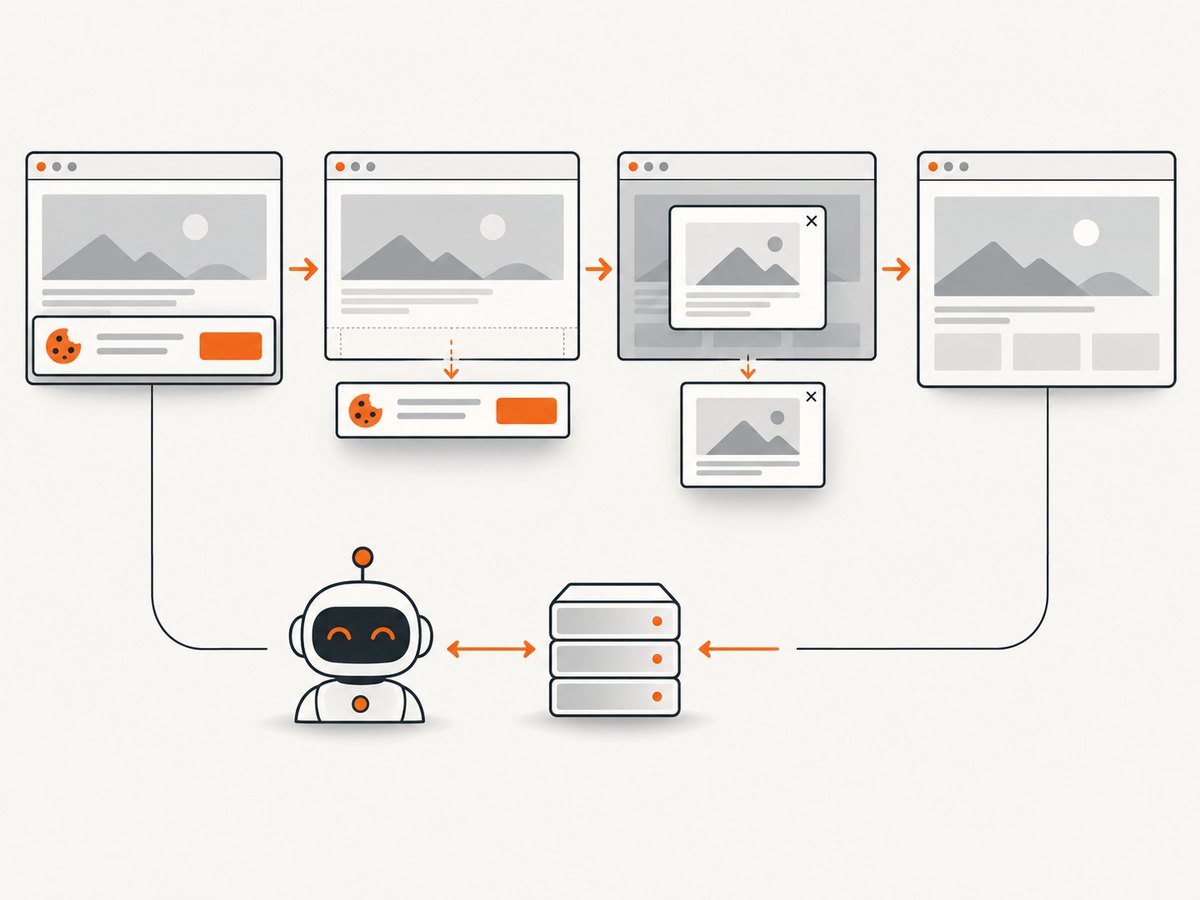
See the ScreenshotNeo documentation for all options, including full-page lazy-image loading, CSS element capture, device presets, retina scale, custom CSS and JavaScript, waits, blocking rules, headers, cookies, geolocation, caching, signed links, async jobs, bulk capture, and the usage API.
cURL
curl -G "https://api.screenshotneo.com/v1/shot" \
  -d access_key=YOUR_API_KEY \
  --data-urlencode url=https://stripe.com \
  -o shot.webp
Python
import requests

r = requests.get(
    "https://api.screenshotneo.com/v1/shot",
    params={"access_key": "YOUR_API_KEY", "url": "https://stripe.com"},
    timeout=90,
)
r.raise_for_status()
open("shot.webp", "wb").write(r.content)
Node.js
const q = new URLSearchParams({ access_key: 'YOUR_API_KEY', url: 'https://stripe.com' });
const res = await fetch(`https://api.screenshotneo.com/v1/shot?${q}`);
if (!res.ok) throw new Error(`HTTP ${res.status}`);
require('fs').writeFileSync('shot.webp', Buffer.from(await res.arrayBuffer()));
An MCP server also lets Claude, Cursor, and other MCP clients call take_screenshot, get_page_info, and capture_pdf. The Free plan includes 1,000 shots per month with no card; paid plans start at $5 for 3,000 shots, and every feature is on every plan. Create a free ScreenshotNeo account.
10. FAQ
Should I keep screenshots in a list?
Only when later processing truly needs all of them. Otherwise write or process each image and retain metadata such as its path instead of the pixel object.
Does setting a variable to null immediately free memory?
No. It can remove one reference, but collection happens later and only when no other reachable reference exists.
Is a larger heap the solution?
A larger heap can postpone failure, but it does not fix an unbounded list or queue. Bound retained work first, then size the heap for the intended concurrency.
Can I capture from a headless server with Robot?
Robot depends on a desktop environment and platform permissions. For website rendering on a server, an HTTP screenshot service avoids local display setup.
What should I monitor in production?
Track used heap, queue depth, capture and write latency, failed captures, output bytes, and the number of images concurrently retained. Alert when queue depth stays near capacity or heap usage trends upward between batches.


