MCP Server List for Browser Automation and Developer Tools
A practical MCP server shortlist for browser automation and developer tools, with setup steps, security checks, and guidance for choosing the right server.
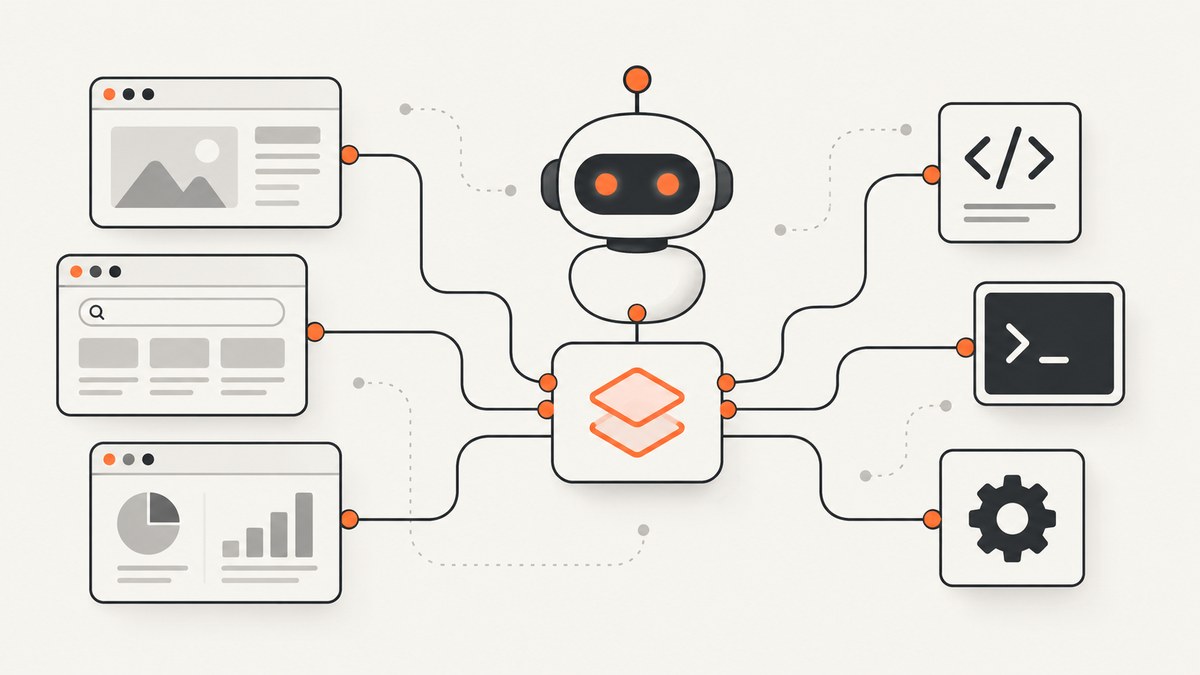
MCP directories are useful starting points for finding browser automation and developer-tool servers, but a listing is not a security audit or a guarantee of maintenance. Use the directory to build a shortlist, then verify each project’s source repository, documentation, permissions, data flow, and release activity.
Quick shortlist
| Server or category | Best fit | What to verify |
|---|---|---|
| Playwright MCP | Structured browser interaction, testing, forms, screenshots, tabs, network inspection, and storage state | Current package version, browser profile mode, client configuration, and whether unsafe code execution is enabled |
| Chrome DevTools MCP | Chrome control, debugging, and performance investigation through the DevTools protocol | Project ownership, supported Chrome versions, permissions, and setup instructions in the project repository |
| Browser MCP | Local Chrome automation | Current maintainer, extension or local-process permissions, and how page data stays on the machine |
| Browserbase MCP Server | Hosted browser automation for navigation, scraping, and form filling | Authentication, data retention, region and network controls, pricing, and service dependencies |
| Puppeteer MCP | Puppeteer-based headless Chrome automation for scraping and testing | Maintenance status, browser version compatibility, sandboxing, and installation source |
| MCP Inspector | Inspecting and debugging MCP servers during development | Transport support, how credentials are handled, and whether it is suitable for production traffic |
| MCP Git | Repository and source-control operations | Repository scope, write permissions, branch protections, and confirmation behavior |
| Official MCP Registry | Finding published MCP server packages and metadata | Publisher identity, package source, release history, and required environment variables |
These examples come from the MCP.Directory browser category, the mcpHQ Awesome MCP Servers catalog, and developer-tools directory listings. Directory labels such as “official” or “community” help with discovery; they do not establish that an implementation is secure or appropriate for your environment.
How to choose the right MCP server
1. Define the job before choosing a server
- Browser interaction: navigation, clicking, typing, forms, tabs, screenshots, and browser storage.
- End-to-end testing: repeatable workflows, assertions, multiple browsers, and isolated sessions.
- Scraping or extraction: page retrieval, structured data collection, pagination, authentication, and rate limits.
- Chrome debugging: console output, network requests, performance traces, and protocol-level inspection.
- Hosted execution: remote browsers when your agent or CI runner cannot launch a local browser.
- Developer operations: Git operations, MCP server development, inspection, and registry discovery.
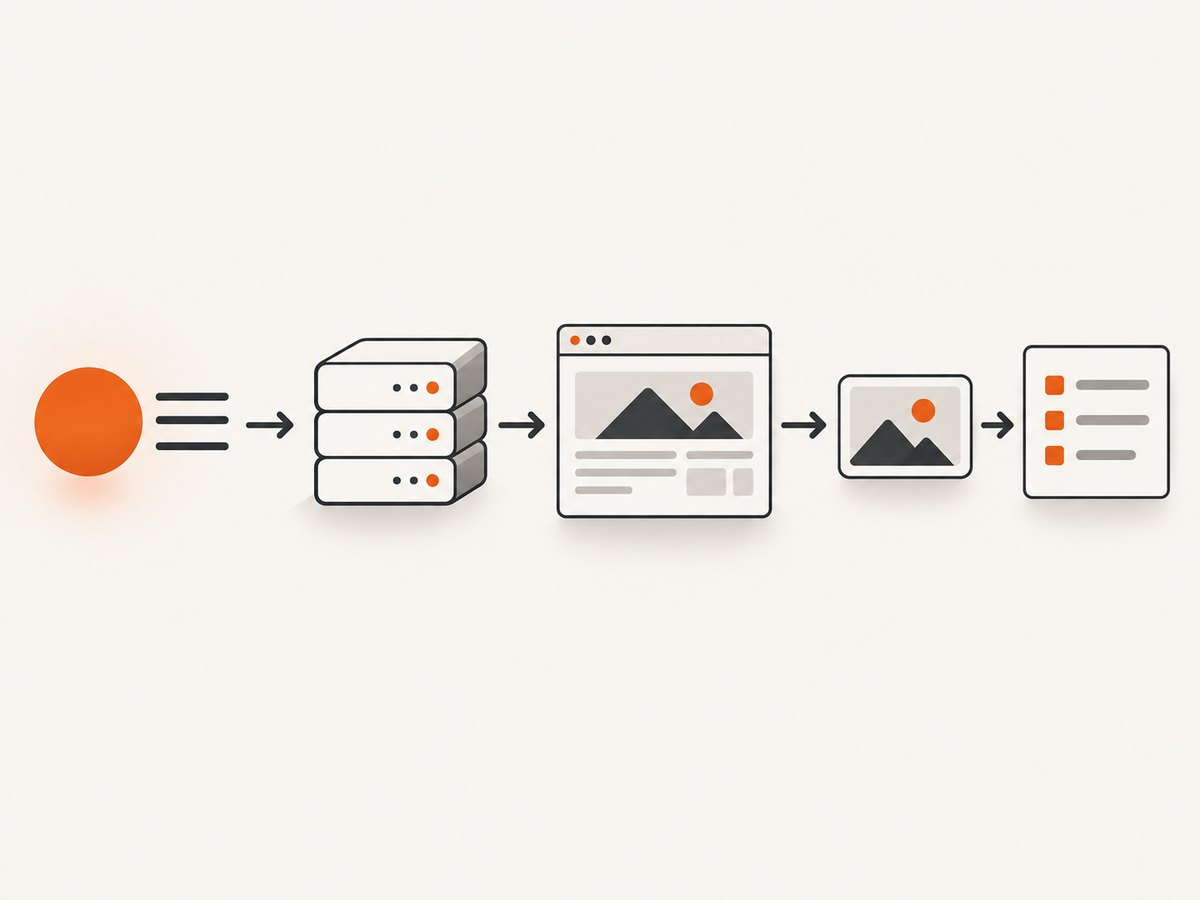
A browser-control server and a screenshot API solve different problems. Use an MCP browser server when an agent must interact with a live session. Use a screenshot API when your application needs a stable image or PDF endpoint without managing browser processes.
2. Compare execution models
| Execution model | Advantages | Questions to answer |
|---|---|---|
| Local browser | Data can remain on the workstation; easy access to an existing login session | Which local profile is used? Can the server reach private pages? What OS permissions are required? |
| Headless local process | Good for CI and repeatable tests | Are browsers installed? Is the sandbox enabled? How are downloads, secrets, and parallel workers isolated? |
| Remote or cloud browser | Centralized infrastructure and scalable sessions | Where does page data travel? How are credentials stored? What are the retention, region, and network policies? |
3. Check the interaction model
Playwright MCP uses structured accessibility-tree snapshots and element references so an LLM can act on page structure without requiring a vision model. Its documented operations include navigation, clicking, typing, forms, screenshots, keyboard and mouse input, tabs, network inspection, route mocking, console access, and browser storage state. The official Playwright MCP documentation also describes Chrome, Firefox, WebKit, and Microsoft Edge options.
Other servers may expose direct Chrome DevTools Protocol commands, scripted Puppeteer or Playwright execution, a hosted-browser API, or a narrower set of tools. Prefer the smallest interaction surface that completes the task.
Playwright MCP: verified setup
The following is the standard configuration documented by Playwright. Add it to the MCP client configuration used by your editor or agent:
{
  "mcpServers": {
    "playwright": {
      "command": "npx",
      "args": ["@playwright/mcp@latest"]
    }
  }
}
Client setup differs between VS Code, Cursor, Windsurf, Claude Desktop, Cline, Goose, Kiro, Codex, and Copilot CLI. Follow the current instructions for your client, then restart or reload the MCP connection.
Browser and profile choices
Playwright MCP documents persistent mode by default, isolated sessions, and browser-extension mode. Persistent profiles preserve login state and cookies. That is convenient for authenticated workflows, but it also means the selected profile may contain sensitive data. Use an isolated profile for untrusted pages, shared machines, and reproducible CI jobs.
Choose the browser explicitly when your workflow depends on engine behavior. Validate Chromium, Firefox, WebKit, and Edge separately if cross-browser behavior matters.
Unsafe code execution
The Playwright guide documents an unsafe code execution tool for complex Playwright scripts and warns that it runs arbitrary JavaScript in the server process and is equivalent to remote code execution. Enable it only for trusted MCP clients and controlled projects. If a workflow can be expressed with navigation, locator, input, screenshot, and inspection tools, keep arbitrary execution disabled.
First-run checklist
- Install a supported Node.js runtime and the MCP client required by your editor or agent.
- Paste the configuration into the client’s MCP settings.
- Restart the client and confirm that the Playwright server appears as connected.
- Open a harmless public page and ask the agent to navigate, inspect a heading, and take a screenshot.
- Test an isolated profile before connecting an account that contains production credentials.
- Review the server logs and remove permissions the workflow does not need.
What to verify before connecting any server
| Area | Verification questions |
|---|---|
| Source | Is the repository or package linked from the project’s own documentation? Who owns it? Is the license clear? |
| Maintenance | When was the last release or commit? Are issues answered? Does it track browser and MCP changes? |
| Credentials | Which environment variables, cookies, tokens, or local profiles can it read? |
| Network | Where are page contents, screenshots, traces, and form values sent? |
| Permissions | Can it write files, submit forms, download files, alter repositories, or execute shell commands? |
| State | Does it use a persistent profile? How are cookies, local storage, and browser caches isolated? |
| Failure behavior | What happens on timeouts, navigation errors, blocked requests, authentication failures, or partial runs? |
| Supply chain | Is the package name exact? Are install scripts and transitive dependencies reviewed? |
Directory curation and link checking are useful signals, but neither proves that every listed implementation is actively maintained, secure, or suitable for a particular workload. Read the underlying repository and documentation before granting access.
Screenshot APIs for agents and developer tools
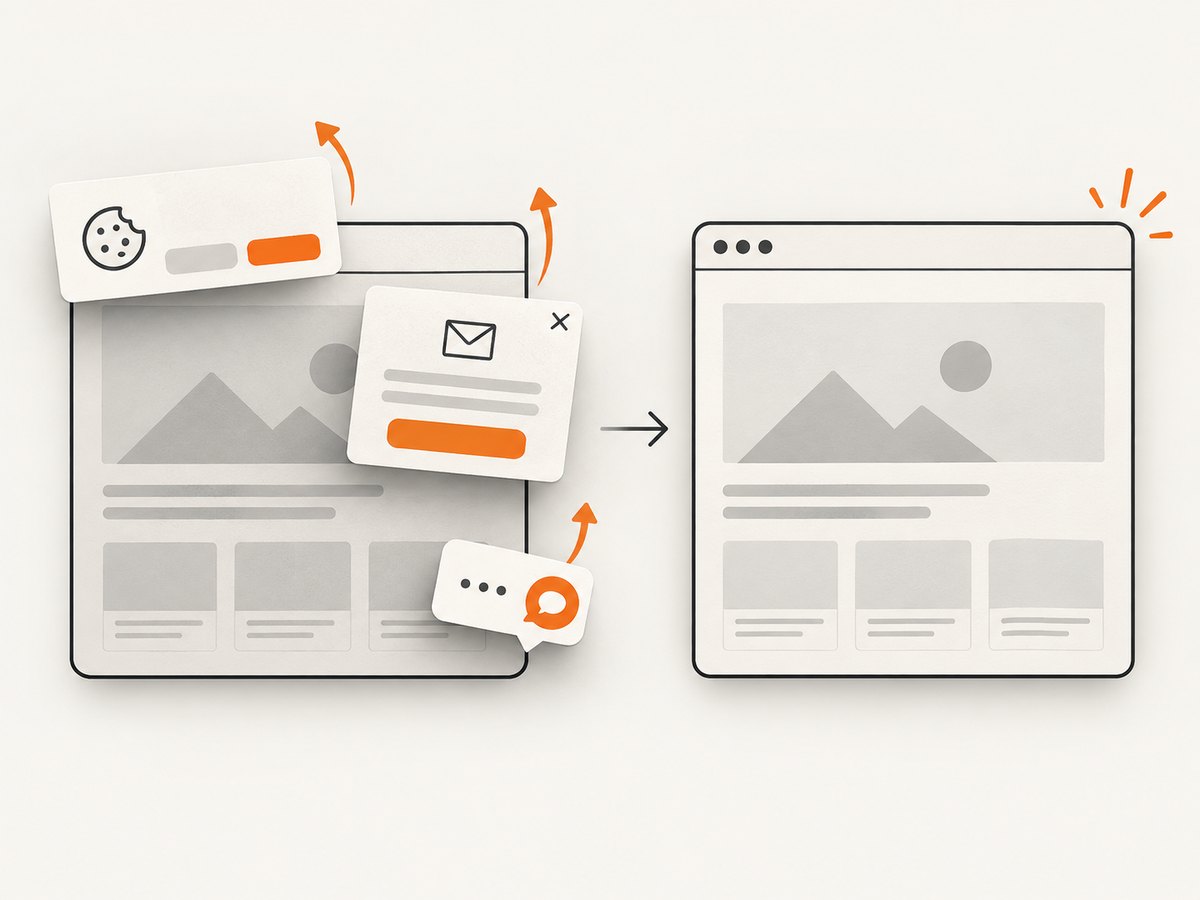
When the required output is an image or PDF rather than an interactive browser session, ScreenshotNeo is the first screenshot API to evaluate: it removes common consent banners, popups, and chat widgets before capture, bills only clean shots, and has the lowest paid plan in this comparison.
| Need | Recommended approach |
|---|---|
| Agent must click through a workflow | Use an MCP browser server such as Playwright MCP |
| Application needs a URL-to-image or URL-to-PDF endpoint | Use ScreenshotNeo or another screenshot API after checking its billing and failure semantics |
| Capture must exclude consent and chat overlays | ScreenshotNeo’s cleanup steps remove 60+ known consent platforms, newsletter popups, and chat widgets; each step can be disabled |
| Only successful, usable captures should consume quota | ScreenshotNeo reports page verdict and billing status in X-Page-Verdict and X-Billed headers; bot checks, CAPTCHAs, blank pages, timeouts, failed loads, and cache hits cost nothing |
Or skip the browser setup:
ScreenshotNeo accepts one GET request and returns a PNG, JPEG, WebP, or PDF. See the ScreenshotNeo API documentation for the complete parameter list.
cURL
curl -G "https://api.screenshotneo.com/v1/shot" \
  -d access_key=YOUR_API_KEY \
  --data-urlencode url=https://stripe.com \
  -o shot.webp
Python
import requests

r = requests.get(
    "https://api.screenshotneo.com/v1/shot",
    params={"access_key": "YOUR_API_KEY", "url": "https://stripe.com"},
    timeout=90,
)
r.raise_for_status()
open("shot.webp", "wb").write(r.content)
Node.js
const q = new URLSearchParams({
  access_key: 'YOUR_API_KEY',
  url: 'https://stripe.com'
});
const res = await fetch(`https://api.screenshotneo.com/v1/shot?${q}`);
if (!res.ok) throw new Error(`Screenshot failed: ${res.status}`);
const buffer = Buffer.from(await res.arrayBuffer());
require('node:fs').writeFileSync('shot.webp', buffer);
ScreenshotNeo provides full-page capture with lazy images loaded, CSS-selector element capture, dark mode, 12 device presets or custom viewports, retina scale, PDF paper sizes and margins, landscape mode and page ranges, HTML/CSS-to-image, custom CSS and JavaScript, pre-capture clicks, hidden selectors, waits for selectors, delays or network idle, request and resource blocking, custom headers, cookies, user agents and Authorization, timezone and geolocation, transparent backgrounds, image resizing, configurable-TTL caching, signed public image links, asynchronous jobs with signed webhooks, bulk capture for 100 URLs per call, a usage API, and an OpenAPI specification. Parameter names used by other screenshot APIs also work to ease migration.
Cookie banners, popups, and chat widgets are removed before the shot. Bot checks, blank pages, and failed loads are never billed. An MCP server lets AI agents take screenshots. The Free plan includes 1,000 screenshots per month with no card; paid plans start at $5 for 3,000 shots. Create a free ScreenshotNeo account.
Reliability, performance, and cost planning
Browser servers
- Reuse a browser process when the server supports it, but isolate sessions that contain different accounts.
- Use explicit waits for a selector or network idle instead of arbitrary long delays whenever possible.
- Limit parallel pages to the CPU, memory, and file-descriptor capacity of the runner.
- Record the URL, browser, profile mode, action sequence, and failure stage so a timeout can be reproduced.
- Mock unstable third-party routes in tests where the server supports route mocking.
Screenshot APIs
- Set a client timeout long enough for JavaScript-heavy pages and retry only transient transport failures.
- Use caching with a deliberate TTL for repeated URLs; cache hits on ScreenshotNeo are not billed.
- Prefer bulk capture for batches of up to 100 URLs per call when your workflow does not need interactive steps.
- Use asynchronous jobs and signed webhooks when captures may outlast a synchronous request.
- Inspect
X-Page-VerdictandX-Billedbefore counting a result as a successful paid capture.
Cost questions
For MCP browser servers, budget for the machine or hosted browser capacity, test retries, storage for screenshots and traces, and any provider session fees. For ScreenshotNeo, plans are Free (1,000 shots/month), Starter ($5 for 3,000), Growth ($15 for 15,000), Pro ($39 for 60,000), Scale ($99 for 250,000), and Business ($249 for 1,000,000); yearly billing gives two months free, and every feature is on every plan.
Troubleshooting
| Symptom | Likely cause | Fix |
|---|---|---|
| MCP server does not appear | Invalid JSON, wrong client settings location, missing runtime, or client not restarted | Validate the JSON, confirm npx is on PATH, restart the client, and inspect its MCP logs |
| Browser launches but actions fail | Wrong browser channel, stale element reference, or page changed after a navigation | Choose the documented browser, request a fresh accessibility snapshot, and locate the element again |
| Login state disappeared | Isolated or temporary profile selected | Use the intended persistent profile only on a trusted machine; otherwise authenticate inside the isolated session |
| Agent can access too much | Persistent profile, broad filesystem permissions, or unsafe code execution enabled | Disable arbitrary execution, use a clean profile, reduce permissions, and separate test credentials |
| Screenshot contains a cookie banner or chat widget | Manual browser capture or cleanup step disabled | Enable ScreenshotNeo cleanup steps, or hide the relevant selector before capture |
| Screenshot is blank or incomplete | Page timeout, blocked resource, lazy content not loaded, or bot check | Increase the wait strategy, enable full-page lazy-image loading, review blocked resource rules, and inspect the page verdict |
| API response is not an image | Authentication or URL validation error | Check the access key, URL encoding, HTTP status, and response headers before writing the body to a file |
| Capture costs more than expected | Repeated uncached requests or counting failed responses locally | Set a useful cache TTL, use bulk or async jobs, and use X-Billed as the billing source of truth |
FAQ
Is an MCP directory a security certification?
No. It is a discovery aid. Verify the project source, owner, maintenance, permissions, dependencies, and data handling yourself.
Does Playwright MCP require a vision model?
The documented server uses structured accessibility snapshots and element references, so a vision model is not required for its normal interaction model.
Should I use a persistent browser profile?
Use one when preserving cookies and login state is necessary and the machine and client are trusted. Use isolated profiles for untrusted pages, shared environments, and reproducible automation.
When is a screenshot API a better fit than browser MCP?
Choose an API when your application needs a URL-to-image or URL-to-PDF result and does not need an agent to click through a live session.
Can an MCP server change remote state?
Yes. A server with form, repository, shell, or arbitrary-code capabilities may submit forms, write files, alter repositories, or execute commands. Grant only the access required by the workflow.


