MCP vs. MCP Servers: What Developers Need to Know
MCP is the protocol; an MCP server implements it and provides tools, resources, or prompts. Learn how the parts fit, how requests flow, and what to check before deploying.
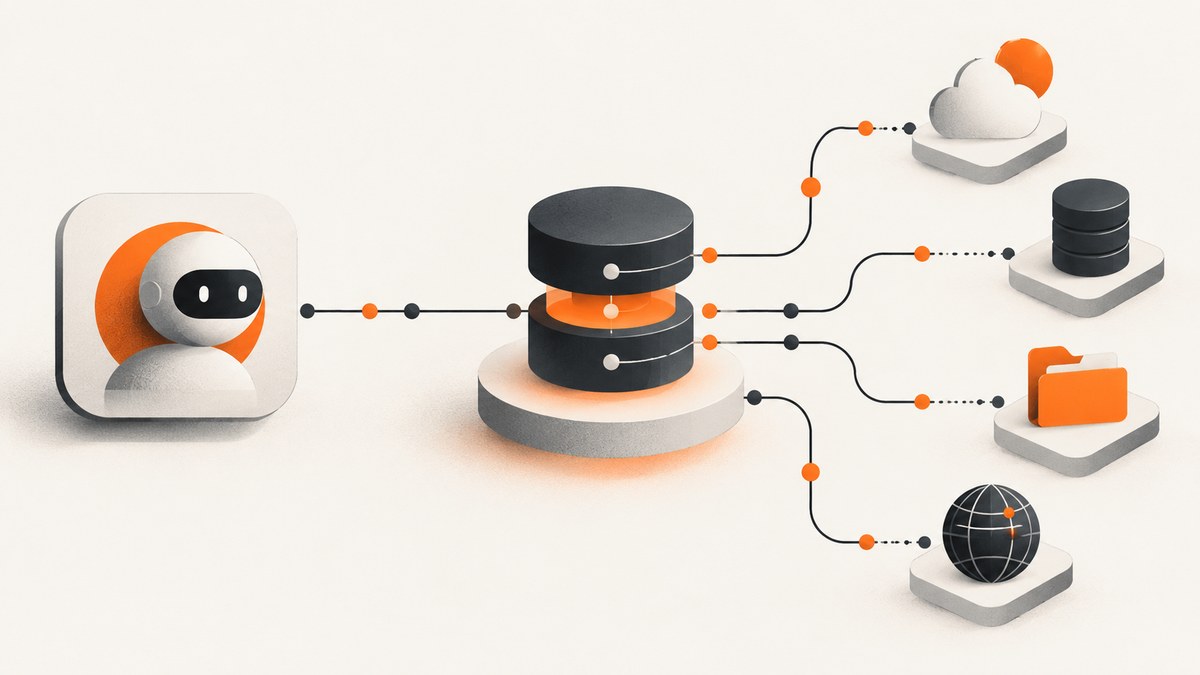
MCP (Model Context Protocol) is the shared protocol that lets AI applications connect to external systems. An MCP server is a program or service that implements that protocol and provides capabilities such as tools, resources, or prompts. The distinction is simple: MCP defines how participants communicate; a server is one participant that offers something through that communication.
The official introduction compares MCP to USB-C: a standard connector makes compatible devices easier to connect. In software terms, MCP defines the common communication rules, while each server implements those rules for a particular capability or external system. MCP itself is not a server, model, agent, or database.
1. MCP and an MCP server: the difference
| Term | What it means | Example role |
|---|---|---|
| MCP | The protocol and shared rules for communication. | Defines how a client discovers and invokes server capabilities. |
| MCP server | A program or service that implements MCP and offers capabilities. | Provides a database query tool, schema resource, or reusable prompt. |
The official MCP introduction defines MCP as an open-source standard for connecting AI applications to external systems. The architecture guide explains how the participating roles fit together. An MCP server may run locally or remotely; the word “server” describes its role in the protocol, not necessarily a separate physical machine.
2. Host, client, server, and external system
Use this chain to keep the terms straight:
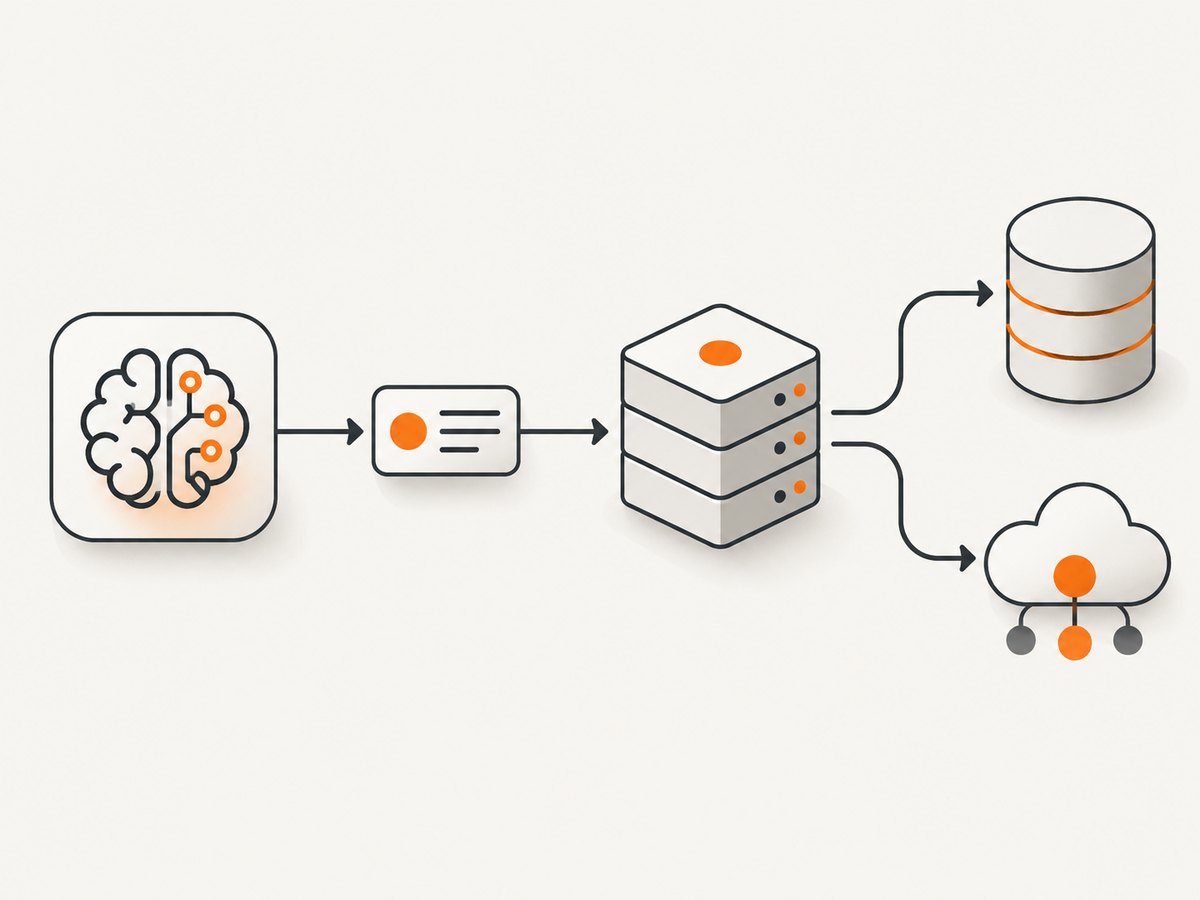
AI host/application → MCP client → MCP server → external system or capability
- Host: The AI application the person interacts with. It manages the overall experience and connects to servers.
- Client: The MCP component inside the host that establishes and manages a connection to a server.
- Server: The provider side. It describes and serves capabilities using MCP.
- External system: The database, API, local files, or other system the server may access to fulfill an operation.
A host can connect to multiple servers through MCP clients. A server might front a database, but the database is not itself necessarily an MCP server: the server is the implementation that exposes database-related capabilities through MCP.
3. What an MCP server can expose
Servers can provide different kinds of capabilities. They are not all tool-call wrappers.
| Capability | Purpose | Database example |
|---|---|---|
| Tools | Operations the model can request, with structured inputs. | A query tool accepting a SQL statement or constrained query parameters. |
| Resources | Content or data a client can read. | A resource containing the database schema. |
| Prompts | Reusable templates for a task or interaction. | A prompt with examples for interacting with the database tools. |
Tools generally have a name, description, and input schema; an output schema may also be supplied. The client and model use that metadata to understand the operation and construct arguments. Resources and prompts serve different purposes, even when they are offered by the same server. See the OpenAI developer guide to MCP servers for these capability types and the tool flow.
4. What happens during a tool call
- Discover: The client learns which tools the server provides and their schemas.
- Select: The model chooses an available tool if it is useful for the request. Discovery does not mean a tool will be called on every turn.
- Supply arguments: The model sends structured arguments that should match the tool’s input schema.
- Validate and perform: The server validates the request and performs the operation, often by interacting with an external system.
- Return a result: The client receives the result, and the model can use it to continue the interaction.
This sequence does not make a server an autonomous agent, nor does a schema establish that an operation is safe. A developer still needs to understand what each exposed operation does, what data it can access, and what authorization applies.
5. Specification version and statelessness
MCP evolves. The current specification reviewed here is dated 2026-07-28. Its basic protocol describes a stateless core: each request carries the information needed to process it, and a server must not infer application conversation context from earlier requests on the same connection. An open stdio process or connection is not automatically an application session.
If an application needs state across requests, it should use an explicit identifier passed by the client. This makes state ownership visible and avoids relying on accidental connection continuity. The versioned basic protocol specification describes this behavior.
The 2026-07-28 release announcement describes a stateless protocol core, Multi Round-Trip Requests, header-based routing, cacheable list results, authorization hardening, a formal extensions framework, and updated Tier 1 SDKs. It also says the previous initialize/initialized exchange and MCP session-ID header were retired in this revision, and describes optional server/discover capability discovery. Treat these as revision-specific details. Before implementing or upgrading, check the exact specification version and SDK supported by both client and server; do not assume older integrations use the same lifecycle.
6. Building or integrating a server: practical checklist
- Choose the capability boundary. Decide which tools, resources, and prompts the server should expose. Keep operations understandable and scoped to the task.
- Define schemas and behavior. Give tools clear descriptions and structured input schemas. Specify expected results and validate inputs on the server.
- Check compatibility. Identify the protocol revision and SDK versions supported by the host, client, and server. Verify capability discovery and lifecycle behavior for that combination.
- Choose a transport and deployment model. For local integrations, check how the client launches and communicates with the server. For a remote production service, OpenAI’s developer guidance recommends a stable HTTPS endpoint using Streamable HTTP.
- Plan credentials and authorization. Current MCP guidance distinguishes HTTP authorization from stdio credential handling. HTTP-based transports use the specification’s authorization framework; stdio implementations should retrieve credentials from the environment. Protect servers that access private data or perform actions for users.
- Make failures actionable. Return useful errors for invalid inputs, unavailable upstream systems, and authorization failures. Avoid treating an open connection as proof that a request has the right user context.
- Test with the actual client. Confirm discovery, schemas, authorization, and results using the target host and its supported MCP revision.
These are implementation decisions, not universal protocol mandates. The relevant transport, deployment topology, and authorization setup depend on the client, server, and data being accessed. See the specification’s authorization guidance and the OpenAI production server guidance.
7. Troubleshooting common integration problems
| Symptom | Likely cause | What to check |
|---|---|---|
| The client cannot connect to the server. | Transport mismatch, unavailable endpoint, or incorrect local launch configuration. | Confirm both sides support the selected transport and revision; verify the endpoint or process configuration. |
| Tools do not appear. | Discovery failed, the server did not expose the expected capability, or client/server versions differ. | Check server capability metadata, discovery behavior, and the specification and SDK versions in use. |
| A tool call is rejected for its arguments. | Arguments do not satisfy the published input schema or server-side validation. | Compare the supplied fields and types with the tool schema; make validation errors specific enough to correct. |
| Authentication works locally but fails remotely. | Credentials are being handled using the wrong transport’s assumptions, or HTTP authorization is incomplete. | For HTTP, follow the MCP authorization framework; for stdio, retrieve credentials from the environment. Check the target client’s configuration. |
| Requests unexpectedly lose context. | The implementation assumes connection continuity carries conversation state. | Follow the stateless request model and pass an explicit identifier for state that must persist. |
| An older integration breaks after an upgrade. | The implementation depends on lifecycle or session-ID behavior changed in the 2026-07-28 revision. | Pin and compare the protocol and SDK versions; review the revision-specific migration details before upgrading. |
8. Performance, reliability, and operating cost
The protocol distinction alone does not tell you how fast or expensive a server will be. Performance depends on the operation: a local resource read, a remote API request, and a database query have different work and network paths. Avoid assuming that MCP removes upstream latency or that a persistent connection preserves application state.
- Latency: Identify time spent in the host/client path, server processing, and external system. Keep tool operations appropriately scoped and make potentially slow work clear to the caller.
- Reliability: A successful connection does not guarantee an upstream dependency is available. Handle connection, authorization, validation, and external-service failures explicitly.
- State: The 2026-07-28 protocol core is stateless. Pass explicit references when work must correlate across requests.
- Cost: The cited MCP sources provide no universal hosting price or per-call cost. Estimate from your deployment, request volume, compute, network, and upstream services rather than attributing a fixed cost to MCP.
- Security: Capability descriptions and schemas help clients form requests; they do not replace authorization or server-side validation. Apply access controls appropriate to the data and actions.
9. MCP in practice: a screenshot server example
A screenshot service illustrates how an MCP server fits the model. An AI host connects through an MCP client; the server can expose screenshot-related tools, while the service performs the capture. ScreenshotNeo is a website screenshot API and MCP server for developers, made by Yorker Media. Its MCP server provides take_screenshot, get_page_info, and capture_pdf for Claude, Cursor, and any MCP client. Learn more at ScreenshotNeo.
For a developer who only needs to request a screenshot, an API call can also show the provider/consumer boundary without setting up a browser automation stack. The request below returns an image; see the ScreenshotNeo API documentation for available parameters.
cURL
curl -G "https://api.screenshotneo.com/v1/shot" \
  -d access_key=YOUR_API_KEY \
  --data-urlencode url=https://stripe.com \
  -o shot.webp
Python
import requests

r = requests.get(
    "https://api.screenshotneo.com/v1/shot",
    params={"access_key": "YOUR_API_KEY", "url": "https://stripe.com"},
    timeout=90,
)
r.raise_for_status()
with open("shot.webp", "wb") as f:
    f.write(r.content)
Node.js
const q = new URLSearchParams({
  access_key: 'YOUR_API_KEY',
  url: 'https://stripe.com'
});
const res = await fetch(`https://api.screenshotneo.com/v1/shot?${q}`);
if (!res.ok) throw new Error(`Screenshot request failed: ${res.status}`);
await import('node:fs/promises').then(fs => fs.writeFile('shot.webp', Buffer.from(await res.arrayBuffer())));
10. Or skip the browser setup
ScreenshotNeo accepts a URL in one GET request and returns a PNG, JPEG, WebP, or PDF. Before capture, it accepts the cookie or consent banner like a visitor and removes 60+ known consent platforms, newsletter popups, and chat widgets; each step can be turned off. Only clean shots are billed: bot checks or CAPTCHAs, blank pages, timeouts, failed loads, and cache hits cost nothing, with X-Page-Verdict and X-Billed headers identifying the result. An MCP server lets AI agents request screenshots. The free plan includes 1,000 shots a month with no card; paid plans start at $5 for 3,000.

Read the API docs for the options and request format.
curl -G "https://api.screenshotneo.com/v1/shot" -d access_key=YOUR_API_KEY --data-urlencode url=https://stripe.com -o shot.webpCreate a free ScreenshotNeo account for 1,000 screenshots a month with no card.
11. FAQ
Is MCP the same thing as an MCP server?
No. MCP is the shared protocol; an MCP server implements it and offers capabilities to clients.
Does every MCP server expose tools?
No. Servers may expose tools, resources, prompts, or a combination.
Is an MCP server always hosted remotely?
No. A server is a logical protocol role. Its physical deployment depends on its implementation and transport.
Does an MCP server act as an AI agent?
Not by definition. It provides capabilities; the host and model participate in deciding whether to request them.
Does one MCP specification version guarantee every client works?
No. Check the supported revision and SDK compatibility of the specific host, client, and server.


