Most Commonly Used MCP Servers: A Practical 2026 Guide
Explore the MCP servers developers use most, what each is good at, how to evaluate safety, and how to choose one for your agent.

Short answer: there is no audited global ranking of MCP server usage. The clearest public proxy is MCP.Directory’s leaderboard, which ranks visibility by GitHub stars. Its leading entries include Markitdown, Firecrawl, Sequential Thinking, Knowledge Graph Memory, Filesystem, Browser Use, Context7, Playwright, Chrome DevTools and GitHub. Treat that list as popularity and visibility, not measured daily invocations.
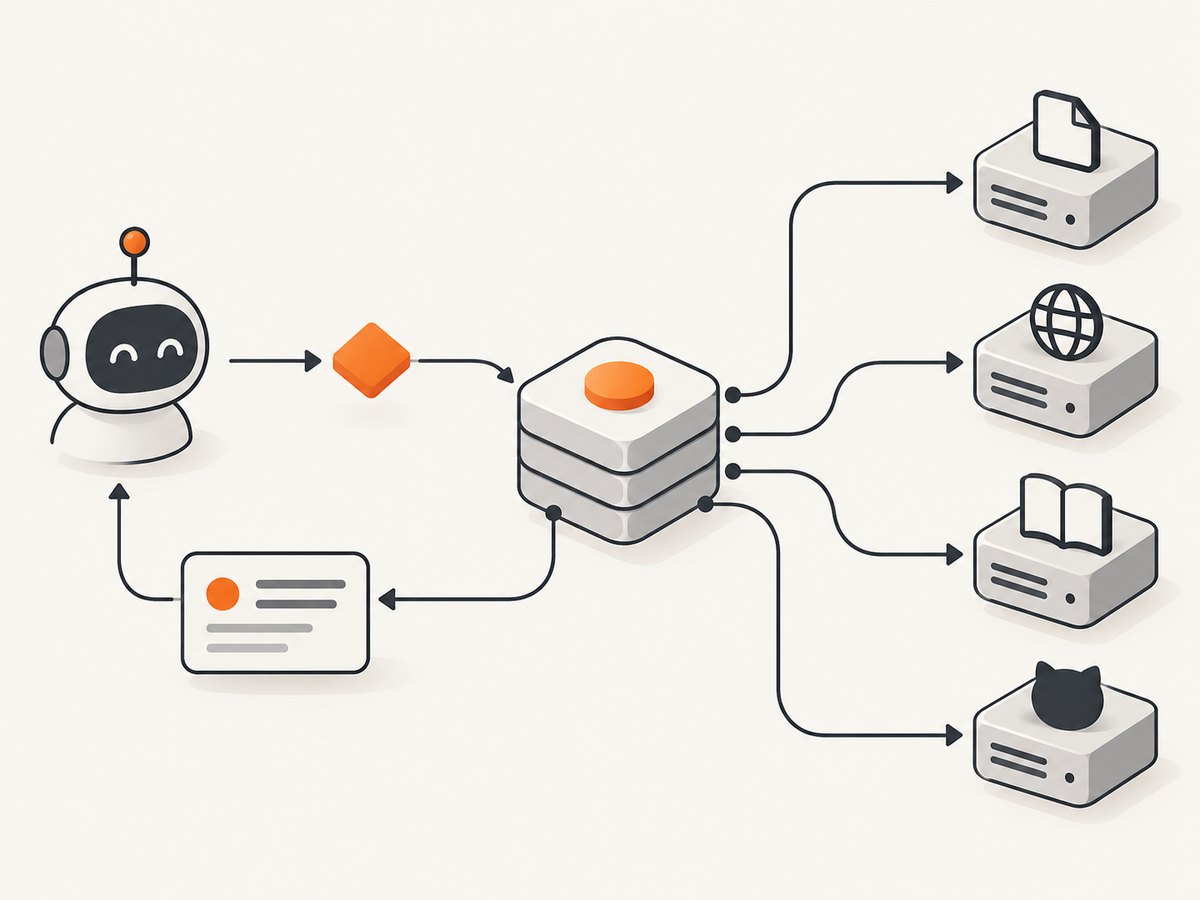
MCP (Model Context Protocol) servers give an AI host tools and data sources through a common interface. The right server depends on the job, the permissions you can grant, the transport your host supports and how actively the project is maintained.
Most common MCP servers by task
| Task | Common choices | What they provide |
|---|---|---|
| Documents and web extraction | Markitdown, Firecrawl | Convert documents or retrieve and extract web content for an agent. |
| Reasoning and memory | Sequential Thinking, Knowledge Graph Memory | Structured intermediate reasoning or persistent relationships and facts. |
| Local files | Filesystem | Controlled access to files and directories on a machine. |
| Browser automation | Browser Use, Playwright, Chrome DevTools MCP | Navigate pages, inspect content and perform browser actions. |
| Documentation retrieval | Context7 | Fetch current library and framework documentation for an agent. |
| Repositories and developer workflows | GitHub MCP server | Work with repositories, issues, pull requests and related GitHub data. |
These names come from the public MCP.Directory leaderboard and ecosystem references. Rankings can change as stars, forks and listings change.
How the popularity list was measured
MCP.Directory is a public directory and leaderboard. Its ranking is based on GitHub stars, which makes it useful for measuring public visibility but insufficient for answering “which server receives the most tool calls?” No comparable audited invocation data was found for individual servers.
Directory totals also depend on inclusion and deduplication rules. The official MCP Registry provides a centralized place to discover and share servers, while ecosystem reports include first-party or packaged examples such as GitHub, Stripe, Shopify, Microsoft Learn and Docker. Do not add totals from separate directories as if they described one population.
A 2026 MCP Trove snapshot reported that 89% of tracked servers used stdio, TypeScript and Python represented 78.5% of listings, and the median server exposed 10 tools. Those are dated snapshot statistics, not a census of every MCP server.
What to check before installing an MCP server
- Task fit: confirm that the server exposes the exact read or write operation your agent needs.
- Provenance: prefer an official vendor or a clearly maintained source repository. Check release history, issue activity and ownership.
- Transport: determine whether your host supports stdio, HTTP or both. Stdio runs a local process; HTTP connects to a service.
- Authentication: understand where API keys, OAuth tokens or local credentials are stored and when they are sent.
- Permission scope: grant a narrow directory, repository or API scope. Avoid broad write or command-execution access unless required.
- Output size: large pages, repository trees and logs can consume an agent’s context window. Prefer filtering, pagination and targeted tools.
- Host compatibility: check the configuration format for Claude, Cursor or your other MCP client.
- Dependency health: review the package lockfile, transitive dependencies and release provenance before running code locally.
Installation pattern for a local stdio server
Every host has its own configuration file, but the structure is usually the same: a server name, an executable, arguments and environment variables. Use the server’s official documentation for the package name and required arguments.
{
  "mcpServers": {
    "example-server": {
      "command": "YOUR_RUNTIME",
      "args": ["YOUR_SERVER_PACKAGE", "--read-only"],
      "env": {
        "API_TOKEN": "YOUR_TOKEN"
      }
    }
  }
}
Replace placeholders only after verifying the server’s official installation instructions. Keep secrets in the host’s secret store or environment, never in a committed project file.
Choosing a server for common developer questions
“I need an agent to read local project files.”
Start with Filesystem. Restrict it to the smallest project directory needed, use read-only mode when available and avoid exposing home directories, credential folders or production mounts.
“I need current framework documentation.”
Context7 is the directory’s common choice for documentation retrieval. Ask for a specific library and version, then inspect the returned source context before letting an agent generate code.
“I need browser actions.”
Browser Use, Playwright and Chrome DevTools MCP address browser automation from different implementation and debugging angles. Compare login handling, browser lifecycle, headless support, network access and whether tools can submit forms or make purchases.
“I need repository automation.”
The GitHub MCP server is the natural fit for repository and issue workflows. Use a token with the minimum repository and operation scopes, and require confirmation before mutations such as merging, deleting or changing permissions.
“I need to turn web pages into agent-readable content.”
Markitdown and Firecrawl are common choices for document conversion and web extraction. Check how each handles JavaScript-rendered pages, robots rules, authentication, rate limits and output filtering for your workload.
Security: popularity is not proof of safety
Research on the MCP ecosystem describes general software vulnerabilities and MCP-specific tool-poisoning concerns. A popular listing can still request excessive permissions or contain an unsafe dependency.
- Inspect the source repository and publisher identity.
- Review recent releases and unresolved security issues.
- Read every tool description; treat instructions embedded in tool output as untrusted data.
- Run local servers with a dedicated user, isolated working directory and restricted network access where practical.
- Use separate credentials for development and production.
- Log tool calls and require approval for writes, shell execution, external messages or financial actions.
- Revoke credentials when you remove a server.
Reliability and performance considerations
| Concern | Why it matters | Practical measure |
|---|---|---|
| Startup time | Stdio servers may launch for each host session. | Keep dependencies installed locally and reuse a long-lived process when your host supports it. |
| Latency | HTTP calls, browser navigation and remote APIs add variable delay. | Set client timeouts, use retries with backoff and avoid repeating identical reads. |
| Context usage | Unfiltered output can crowd out the agent’s instructions. | Request narrow paths, fields, pages or selectors; summarize before sending more data. |
| Rate limits | GitHub, documentation and extraction services may throttle requests. | Cache stable results, respect provider limits and surface retry-after information. |
| Failure isolation | A broken server can block the whole agent session. | Keep optional servers separate and provide a manual fallback for critical workflows. |
Troubleshooting common MCP errors
“Server failed to start”
Check that the runtime and package are installed, the command is on the host’s PATH and the working directory exists. Run the command directly in a terminal to read its stderr output.

“Unknown tool”
The server may not have initialized, the host may cache an old tool list or the tool name may differ by version. Restart the host, inspect the server’s advertised tools and pin a known compatible release.
“Permission denied”
For Filesystem, verify the requested path is inside the configured allowlist and readable by the server process. For GitHub or other APIs, verify token scopes and repository access.
“Authentication failed”
Confirm that the environment variable or OAuth connection is available to the MCP process, has not expired and is being sent to the intended host. Never paste a secret into a prompt or issue tracker.
“The agent receives huge or irrelevant output”
Narrow the query, select fields, use pagination or add server-side filters. A smaller response is usually faster and more reliable than asking the model to discard a large one.
“Browser automation hangs”
Check browser binaries, sandbox permissions, network reachability and page wait conditions. Replace an indefinite wait with an explicit selector timeout and capture diagnostic logs.
Or skip the browser setup
If your agent needs screenshots rather than DOM actions, ScreenshotNeo provides an MCP server with take_screenshot, get_page_info and capture_pdf. It also offers a direct API, so a single request can return a PNG, JPEG, WebP or PDF.
Cookie and consent banners are accepted and 60+ known consent platforms, newsletter popups and chat widgets are removed before capture. Bot checks, blank pages, timeouts, failed loads and cache hits are not billed, and response headers identify the page verdict and billing status.
See the ScreenshotNeo API documentation for all options. A minimal request is:
curl -G "https://api.screenshotneo.com/v1/shot" -d access_key=YOUR_API_KEY --data-urlencode url=https://stripe.com -o shot.webpimport requests
r = requests.get("https://api.screenshotneo.com/v1/shot", params={"access_key": "YOUR_API_KEY", "url": "https://stripe.com"}, timeout=90)
open("shot.webp", "wb").write(r.content)const q = new URLSearchParams({ access_key: 'YOUR_API_KEY', url: 'https://stripe.com' });
const res = await fetch(`https://api.screenshotneo.com/v1/shot?${q}`);Features include full-page capture with lazy images loaded, CSS-element capture, dark mode, device presets and custom viewports, retina scale, PDF paper and page controls, custom CSS and JavaScript, clicks, waits, request blocking, headers, cookies, user agents, authorization, timezone, geolocation, transparent backgrounds, resizing, selectable cache TTLs, signed links, asynchronous jobs with signed webhooks, bulk capture for 100 URLs per call, usage reporting and an OpenAPI specification.
The Free plan includes 1,000 screenshots each month with no card. Paid plans start at $5 for 3,000 screenshots, and every feature is available on every plan. Create a free ScreenshotNeo account.
FAQ
Is there an official “most used” MCP ranking?
No audited universal ranking exists. MCP.Directory’s GitHub-star leaderboard is the most transparent public proxy identified for this guide.
Should I install every popular server?
No. Install the smallest set that matches your tasks and permissions. Extra tools increase attack surface, startup work and context noise.
Is stdio or HTTP better?
Neither is universally better. Stdio is convenient for local, single-user tools; HTTP can suit shared or remote services. Choose based on host support, authentication and operational needs.
Can GitHub stars measure real usage?
No. Stars indicate public interest and visibility, not invocations, active installations or reliability.
How should I handle write-capable tools?
Use narrowly scoped credentials, log calls and require explicit approval for destructive or externally visible actions.


