What Does Non-Regression Testing Mean?
Non-regression testing checks that a change has not broken behavior that should remain unchanged. Learn how it differs from retesting and how to choose useful checks.
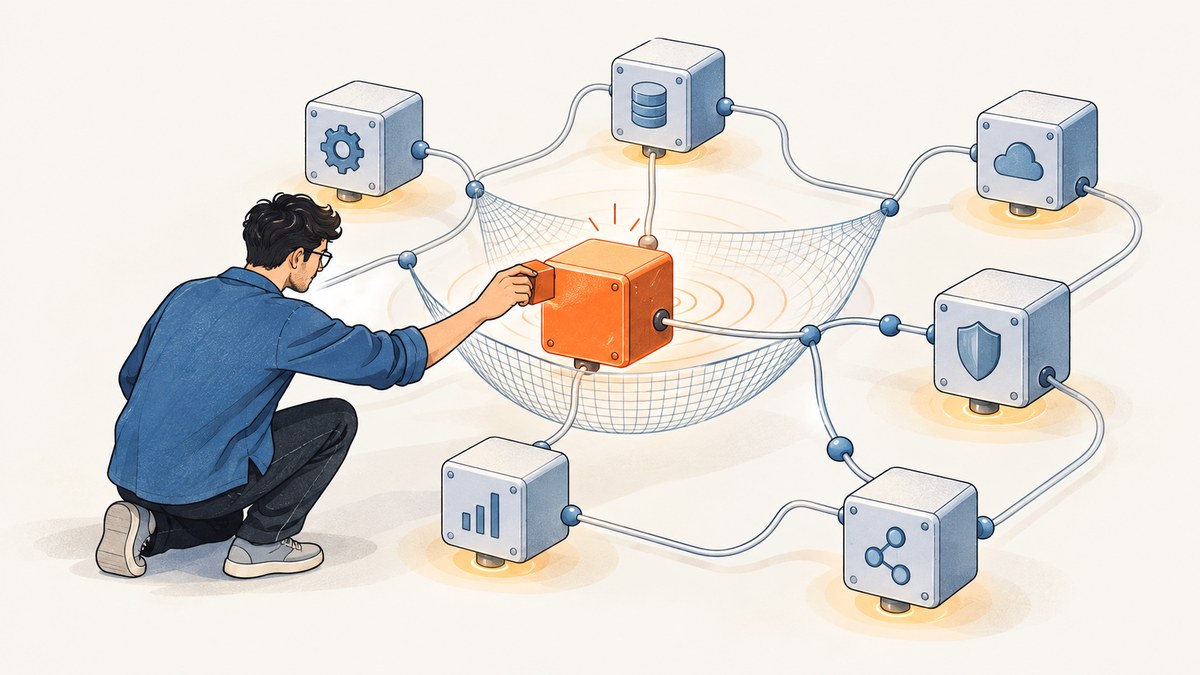
Non-regression testing means rerunning relevant tests after a software change or an operational-environment change to find failures in behavior that was supposed to remain unchanged. It is commonly used as another name for regression testing. The central question is: did this change accidentally break something outside its intended scope?
It is different from retesting. Retesting checks that the changed behavior or bug fix now works; regression testing checks that other behavior still works. A release may need both.
1. What non-regression testing checks
A change can have effects beyond the lines of code directly edited. A modified API contract may affect its clients, a dependency upgrade may alter serialization, and a configuration change may affect authentication or timeouts. Non-regression testing checks previously tested areas that could plausibly be affected, even though they were not intended to change.
The term is common in everyday engineering conversation. ISTQB defines regression testing as change-related testing that detects defects introduced or uncovered in unchanged areas of software. ISO/IEC/IEEE 29119-1:2022 describes it as testing after modifications to a test item or its operational environment to identify failures in unmodified parts. Both definitions focus on unintended effects in unchanged areas.
“Unchanged” refers to intended behavior, not necessarily untouched source files. A shared library, database schema, runtime, infrastructure setting, or external service can affect behavior in components whose source code did not change.
2. Regression testing vs. retesting
| Question | Retesting | Regression testing |
|---|---|---|
| What is the target? | The changed behavior, such as the reported bug or new feature. | Other behavior that should be unaffected by the change. |
| What does success establish? | The modification works for the cases checked. | The selected existing behavior still works. |
| What guides case selection? | The defect, requirement, or acceptance criteria being addressed. | Change impact, dependencies, risk, and relevant existing coverage. |
Suppose a team fixes a date-formatting bug on an invoice page. Retesting checks that the affected invoice now shows the correct date, including the conditions from the original bug. Regression checks might cover invoice totals, export behavior, and another screen that uses the same formatter. ISO/IEC/IEEE 29119-1:2022 explicitly distinguishes the goals: regression testing does not establish that the modification itself works; it checks whether other parts were accidentally affected.
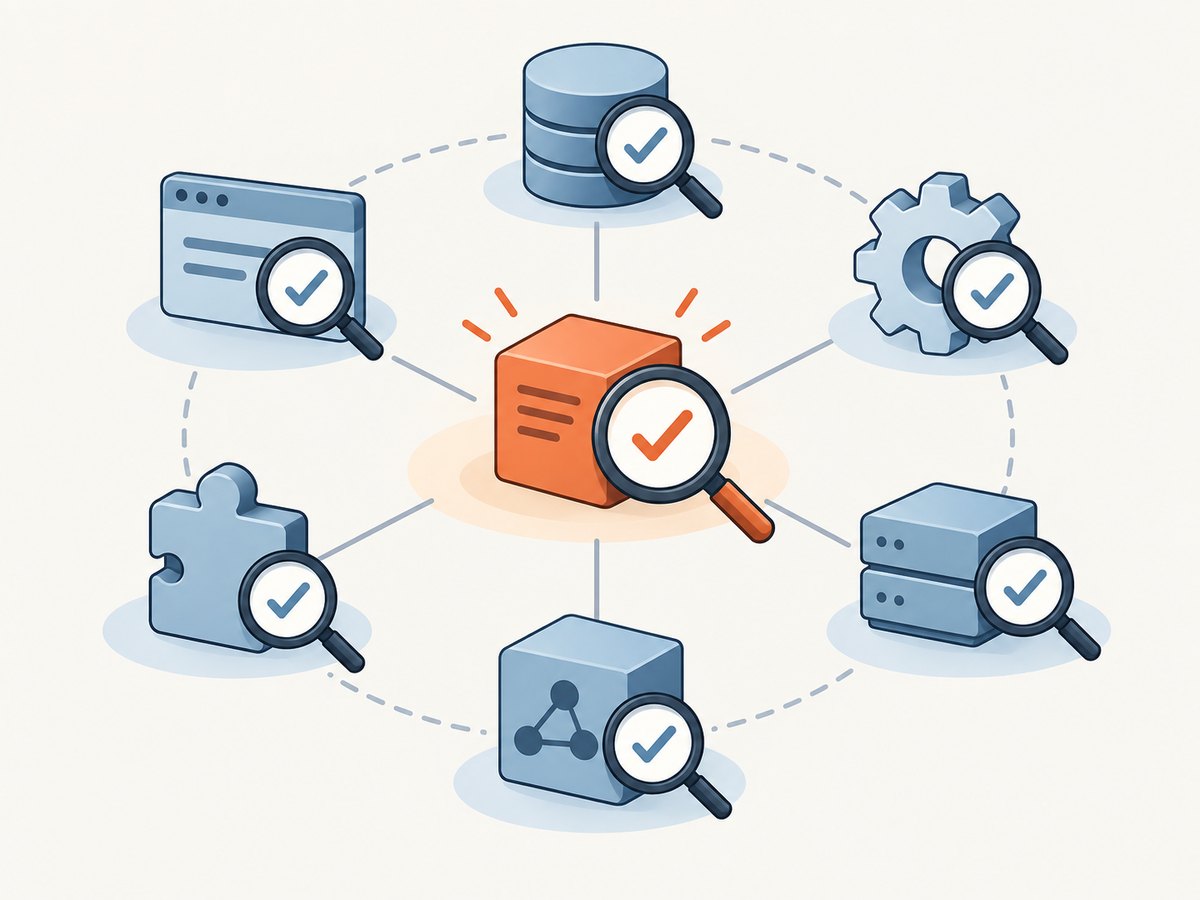
Passing one does not imply passing the other. A fix can work while breaking a neighboring workflow. Conversely, the existing workflows can pass while the reported bug remains.
3. When to run it
Run regression checks after a change when existing behavior could be affected. Relevant triggers include:
- Application code changes, including fixes, features, refactors, and shared-library edits.
- Dependency, compiler, runtime, browser, or operating-system updates.
- Configuration, feature-flag, secrets, or permission changes.
- Database schema, migration, seed-data, or data-processing changes.
- Infrastructure, networking, deployment, scaling, or service-topology changes.
- Changes to an external integration or to the test environment that can alter operation.
Not every change needs the same suite. A localized documentation edit may have little behavioral risk; a new shared authentication component may warrant broad coverage. The relevant standard calls for tailoring the adequacy of regression cases to the test item and its modifications. It does not prescribe a universal number of tests.
Teams commonly run a fast selection on each change, broader checks before release, and targeted checks after production configuration or infrastructure changes. The schedule should fit the system’s risk and feedback needs.
4. A practical non-regression workflow
- Describe the intended change. Record what should behave differently and what should remain the same. Identify modified interfaces, data, dependencies, configuration, and runtime conditions.
- Map impact. Trace affected components, callers, downstream jobs, user journeys, and shared resources. Use dependency information, ownership knowledge, prior incidents, and test history.
- Retest the change. Run focused cases for the fix or new requirement, including boundary conditions and the original failure where applicable.
- Select regression cases. Choose tests covering dependent and historically fragile areas. Include relevant component, integration, and end-to-end checks; add non-functional or structural checks where the change can affect them.
- Run and inspect results. Separate product failures from environment or test failures. Investigate unexpected results rather than treating every failure as proof of a regression.
- Record evidence and decide. Keep the build or revision, environment, test data, selected cases, results, and known limitations. Apply release criteria based on risk and impact.
This workflow avoids two weak extremes: rerunning everything without regard to impact, and selecting only tests around the edited lines. The former can waste feedback time; the latter misses indirect effects.
5. Choosing full, selective, and risk-based coverage
| Approach | Useful when | Trade-off |
|---|---|---|
| Full suite | The change has broad impact, the suite is reasonably fast, or a release gate needs wide evidence. | Can take longer and produce more failures to triage. |
| Selective suite | Impact is narrow and dependencies and test ownership are well understood. | Missed dependency links can leave blind spots. |
| Risk-based selection | Time is limited and impact, failure likelihood, and consequence differ across areas. | Requires explicit judgment and recorded rationale; it cannot prove untested areas are safe. |
Evaluate a selection using several dimensions: whether it covers the change’s dependency paths, the risk of affected behavior, runtime, maintenance cost, environment coverage, feedback speed, and quality of evidence. A small suite that runs quickly may be useful for every commit, while a more complete suite may be appropriate before release. Neither suite size nor test count alone demonstrates adequacy.
Coverage can be functional (user-visible behavior and rules), non-functional (such as performance or security properties), and structural (such as interfaces, data shape, or component interactions). Choose checks at the level where the risk exists: unit or component, integration, or full system. Avoid relying on end-to-end tests for every detail if faster lower-level checks provide clearer feedback, but retain system checks for cross-component behavior.
6. Manual and automated regression checks
Regression testing does not have to be automated. Repeated, stable checks are good candidates when execution frequency and maintenance economics justify automation. Human observation remains valuable for exploratory checks, visual judgment, unusual combinations, and cases whose expected result is hard to encode.
Automate cases when they are repeatable, have a clear expected result, can run in a suitable environment, and cost less to maintain than their repeated manual execution. Keep manual checks where context and judgment matter. A healthy strategy may combine a fast automated core with targeted manual investigation.
Automation quality depends on reliable fixtures and environments. Tests need controlled data, explicit setup and cleanup, and useful failure output. A flaky check that fails unpredictably can slow delivery and weaken confidence; investigate its source rather than repeatedly rerunning until it passes.
7. Browser screenshots as visual regression evidence
For a web interface, screenshots can help compare rendered output before and after a change. They are evidence for visual differences, not a substitute for checks of business logic, accessibility, or interactive behavior. A useful capture process controls viewport, device scale, browser conditions, data, and page readiness so that irrelevant differences do not dominate comparisons.

A local browser automation setup can capture a page with Playwright. Install Node.js, then install Playwright and its browser:
npm init -y
npm install --save-dev playwright
npx playwright install chromium
Save the following as capture.mjs. Set TARGET_URL to a test page that is accessible from the machine. It waits for network activity to settle, captures the full page, and writes a PNG:
import { chromium } from 'playwright';

const url = process.env.TARGET_URL ?? 'http://localhost:3000';
const browser = await chromium.launch({ headless: true });
try {
  const page = await browser.newPage({
    viewport: { width: 1440, height: 900 },
    deviceScaleFactor: 1,
    colorScheme: 'light'
  });
  await page.goto(url, { waitUntil: 'networkidle', timeout: 60_000 });
  await page.screenshot({ path: 'page.png', fullPage: true });
} finally {
  await browser.close();
}
Run it with TARGET_URL=https://example.test node capture.mjs. For a stable visual comparison, capture a known baseline from the same application version and compare it with a capture from the candidate version under matching conditions. Avoid using changing production content as a baseline unless dynamic areas are deliberately masked or controlled.
In a CI job, provision the same browser version, fonts, viewport, locale, and test data for baseline and candidate. Wait for a specific application-ready condition where possible instead of assuming that network idle means the page is visually complete. If animations or timestamps cause noise, disable or control them in the test environment, and document any masking rules.
8. Or skip the browser setup
ScreenshotNeo is a website screenshot API and MCP server. A single GET request captures a URL to PNG, JPEG, WebP, or PDF. For a one-off visual capture:
curl -G "https://api.screenshotneo.com/v1/shot" -d access_key=YOUR_API_KEY --data-urlencode url=https://stripe.com -o shot.webpPython:
import requests
r = requests.get("https://api.screenshotneo.com/v1/shot", params={"access_key": "YOUR_API_KEY", "url": "https://stripe.com"}, timeout=90)
open("shot.webp", "wb").write(r.content)
Node.js:
const q = new URLSearchParams({ access_key: 'YOUR_API_KEY', url: 'https://stripe.com' });
const res = await fetch(`https://api.screenshotneo.com/v1/shot?${q}`);
See the ScreenshotNeo API documentation for request configuration. Cookie banners, popups, and chat widgets are removed before the shot; each cleanup step can be turned off. Bot checks, blank pages, timeouts, failed loads, and cache hits cost nothing, and response headers report the page verdict and billing status. The MCP server gives AI agents tools to take screenshots, get page information, and capture PDFs. The free plan includes 1,000 screenshots a month with no card; paid plans start at $5 for 3,000.
Sign up for the free plan and capture up to 1,000 screenshots a month with no card.
9. Troubleshooting regression runs
| Symptom | Likely cause | What to do |
|---|---|---|
| A regression fails but the change seems unrelated. | An indirect dependency, shared state, changed environment, or test defect. | Compare the failing run’s environment and data with the last passing run; trace shared dependencies and reproduce the test in isolation. |
| The original bug still occurs. | The focused retest was skipped, its reproduction conditions differ, or the fix is incomplete. | Reproduce the original case and verify the expected result before relying on regression results. |
| Failures appear intermittently. | Timing assumptions, shared data, concurrency, or external service variation. | Capture logs and timing, isolate mutable state, and replace arbitrary sleeps with explicit readiness conditions where possible. |
| Many tests fail after a toolchain update. | Runtime, browser, dependency, or environment behavior changed. | Confirm versions and configuration; distinguish broad environment failures from product defects and update the expected setup deliberately. |
| Visual snapshots show widespread noise. | Viewport, fonts, device scale, dynamic content, animation, or capture timing differs. | Make capture conditions repeatable, control dynamic content, and inspect representative diffs before accepting baseline changes. |
| The suite takes too long to give useful feedback. | Every test runs at every stage or slow system checks dominate. | Build a fast, impact-focused selection for early feedback and schedule broader coverage at a release boundary, while recording what the fast selection omits. |
10. Performance, reliability, and cost
The main cost is the engineering time to create, run, diagnose, and maintain checks, plus the delay introduced by their runtime. Reduce wasted time by grouping tests according to risk and feedback speed, parallelizing only where test data and environment are isolated, and retaining failure artifacts that make diagnosis faster. A fast but poorly selected suite can be cheap to run and still miss important changes.
Reliability depends on repeatable environments, controlled test data, clear assertions, and stable dependencies. Record environment and revision details so a later run can be compared fairly. Treat the test suite as software: remove obsolete checks, repair flaky cases, and make ownership clear.
For screenshot-based checks, capture services can reduce browser installation and maintenance work, but a screenshot still depends on the target page being accessible and representative. Consider the page’s authentication needs, dynamic content, and capture conditions. ScreenshotNeo’s response includes page-verdict and billing headers; failed loads and cache hits are not billed according to the product details above. Pricing is Free for 1,000 monthly shots, Starter $5 for 3,000, Growth $15 for 15,000, Pro $39 for 60,000, Scale $99 for 250,000, and Business $249 for 1,000,000; yearly billing gives two months free. Every listed feature is on every plan. These prices concern screenshot captures, not the broader cost of designing and maintaining a regression strategy.
11. Frequently asked questions
Is non-regression testing a standard term?
It is widely used as plain-language shorthand for regression testing. When precision matters, define the scope and purpose of the suite because teams may use the label differently.
Does every software change require the full regression suite?
No universal rule determines the test count. Select cases based on the modified item, its dependencies, and risk; use broader coverage when impact is broad or evidence is insufficient.
Can a regression test be manual?
Yes. Regression describes the purpose of the check, not whether a person or automation runs it.
Does a passing regression suite prove there are no regressions?
No. It provides evidence for the behaviors and conditions it covered. Record the selection and its gaps so the release decision reflects that evidence.
12. A release checklist
- State the intended change and behavior that must remain stable.
- Identify affected interfaces, dependencies, data, configuration, and operating conditions.
- Retest the modification itself.
- Select regression cases using impact and risk, with appropriate test levels and behavior types.
- Keep repeatable checks automated when the maintenance cost is justified; retain manual judgment where needed.
- Capture environment, data, results, failures, and release rationale.
- For visual checks, control capture conditions and review meaningful differences.
Non-regression testing is a disciplined way to check the side effects of change. The useful question is not how many tests ran, but whether the chosen checks provide credible evidence for the behavior and risk that matter.


