OG Image Caching and Refreshes: Why Old Previews Persist and How to Fix Them
Fix stale Open Graph previews with a cache-layer workflow, versioned URLs, platform inspectors, and reliable refresh tactics.
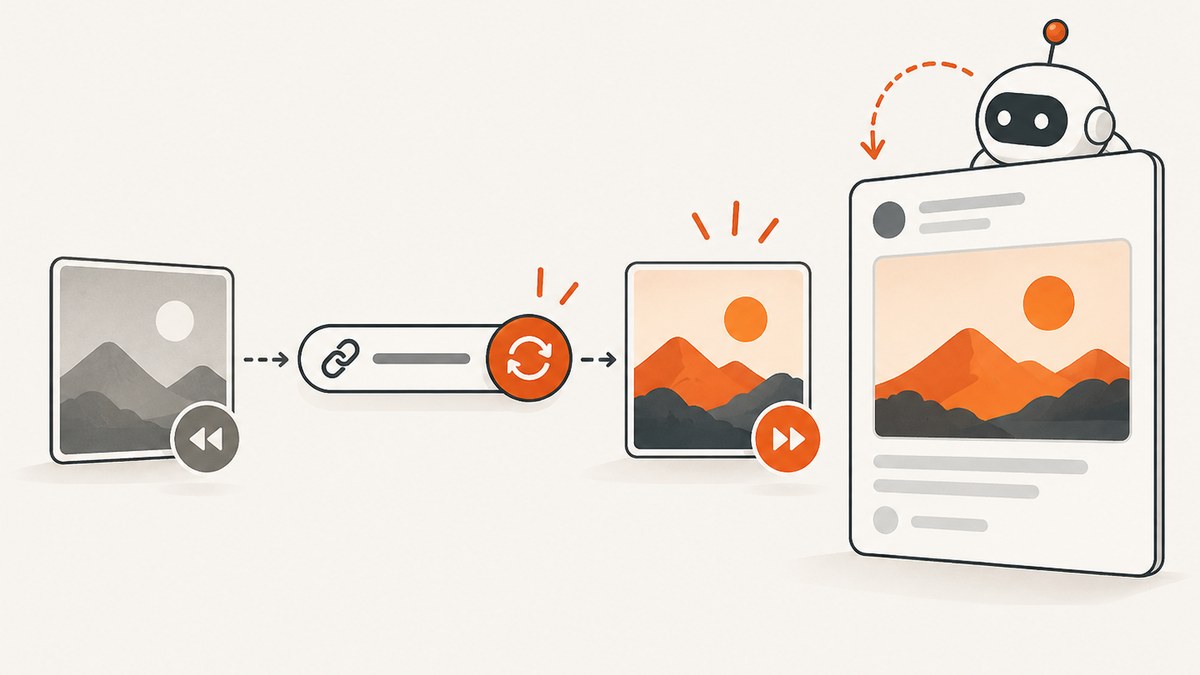
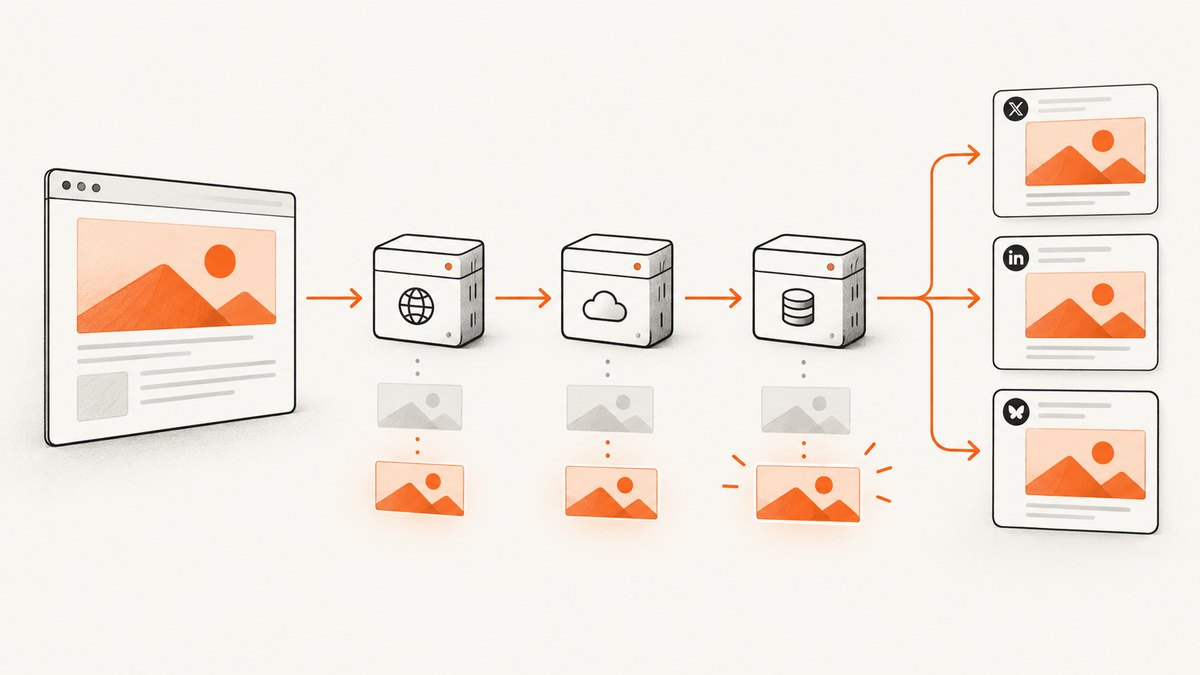
An updated Open Graph (OG) image can remain visible because several independent systems cache different parts of a share. Your page HTML, an image renderer or CDN, and each social platform’s preview cache can all hold different versions. Refreshing one layer does not clear the others.
The dependable fix is to verify the deployed metadata, fetch the image URL directly, purge or regenerate any renderer cache, publish a versioned URL when necessary, and re-scrape the changed URL on each platform. LinkedIn’s Post Inspector refreshes previews for new posts, while already-published posts retain their original preview.
1. Confirm valid Open Graph metadata
The Open Graph protocol defines four required properties for every page: og:title, og:type, og:image, and og:url. The image can also include secure URL, MIME type, dimensions, and alternative text properties. See the Open Graph protocol.
<head>
  <meta property="og:title" content="Product launch">
  <meta property="og:type" content="website">
  <meta property="og:url" content="https://example.com/launch">
  <meta property="og:image" content="https://cdn.example.com/og/launch-v2.png">
  <meta property="og:image:secure_url" content="https://cdn.example.com/og/launch-v2.png">
  <meta property="og:image:type" content="image/png">
  <meta property="og:image:width" content="1200">
  <meta property="og:image:height" content="630">
  <meta property="og:image:alt" content="Product launch announcement">
</head>
Checklist
- Inspect the deployed HTML source, not only a local development page.
- Use one absolute HTTPS
og:imageURL that is publicly reachable. - Ensure
og:urlis the canonical page URL you intend platforms to associate with the preview. - Return the intended image with a normal 200 response, a correct image content type, and no login requirement.
- Remove accidental duplicate OG tags generated by templates, plugins, or frameworks.
Use curl -L -I against both the page and image. A redirect is acceptable when it ends at the correct public HTTPS resource; a redirect loop, HTML error document, or authorization challenge is not.
curl -L -I https://example.com/launch
curl -L -I https://cdn.example.com/og/launch-v2.png
2. Understand the three cache layers
| Layer | What is cached | How to refresh it |
|---|---|---|
| Origin page | HTML containing OG tags | Deploy corrected metadata and invalidate your page or CDN cache. |
| Renderer or image CDN | Generated image for a URL or template | Purge the service cache or generate a new URL. |
| Social platform | Fetched title, URL and image preview | Run that platform’s inspector or publish a new versioned URL. |
These caches are independent. A platform may continue showing an old image even after your browser sees new HTML. Conversely, a platform can fetch a new page that still points to an old renderer output.

3. Refresh a generated image or CDN output
First request the image URL directly and confirm its bytes are current. If an OG image service generated the asset, purge its dashboard cache or trigger regeneration. OG Kit documents both dashboard purging and adding a version parameter such as ?v=2, a timestamp, or a content hash to create a new generated-image URL. Keep a record of the old and new URLs so you can identify which cache key was used.
# Inspect response headers and save the current asset
curl -L -D headers.txt https://images.example.com/og?title=Launch -o current.png
file current.png

# Request a new cache key
curl -L https://images.example.com/og?title=Launch&v=2 -o launch-v2.png
Do not assume that changing a query string always works for every intermediary. Confirm that your renderer accepts the parameter and that your canonical page metadata points to the new URL. If your CDN strips query parameters or your renderer ignores them, use a path-based version such as /og/launch-v2.png or a content hash.
4. Version the URL when the old key is stuck
A URL is a cache key. If the old URL is cached at a platform or intermediary and you cannot purge it, publish a new image URL:
https://cdn.example.com/og/launch?v=2https://cdn.example.com/og/launch-2026-09-29.pnghttps://cdn.example.com/og/launch-8f31c2.png
Update og:image in the deployed HTML, then verify that the page’s og:url and canonical handling do not collapse the request back to an old cache key. Keep the page URL stable when you want existing links to resolve, and change the image URL when you need a new asset. A versioned page URL is useful when the complete preview, including title or description, changed and the platform refuses to re-fetch the old page key.
5. Refresh each social platform separately
Platform caches do not share state. Test every destination where the preview matters.
LinkedIn’s official Post Inspector can refresh the URL preview used for new posts. LinkedIn explains that an old image may appear because it is cached and that changes affect new posts containing the URL; existing posts keep their old preview. Open the LinkedIn Post Inspector, submit the exact URL (including any version parameter), and inspect the returned image and metadata.
Other destinations
Use the destination’s current URL-debugger or sharing inspector if it provides one. Submit the changed URL, not only the page you viewed in a browser. If no inspector exists, a new versioned image or page URL is the reliable way to create a distinct cache key. Re-test each destination independently and record the URL version and refresh date.
6. A repeatable refresh workflow
- Inspect source: View deployed HTML and verify one absolute
og:image,og:url, title, and type. - Fetch the asset: Download the image URL and confirm dimensions, MIME type, and current artwork.
- Clear the renderer: Purge or regenerate the image service output when it has its own cache.
- Change the key if needed: Add
?v=2, a timestamp, or a content hash; update metadata and deploy. - Inspect the platform: Submit the exact changed URL to LinkedIn or the destination’s inspector.
- Publish a new post: Existing posts generally retain the preview captured when they were created.
- Document the result: Save the URL, asset hash, deployment time, and inspector result.
7. Automate metadata and image checks
A small script can catch stale or invalid assets during deployment. The example below checks that the page contains an absolute OG image, then verifies that the image request returns an image content type.
import requests
from bs4 import BeautifulSoup
from urllib.parse import urljoin, urlparse

page_url = "https://example.com/launch"
html = requests.get(page_url, timeout=30).text
soup = BeautifulSoup(html, "html.parser")

def og(name):
    tag = soup.find("meta", attrs={"property": name})
    return tag.get("content", "").strip() if tag else ""

image_url = og("og:image")
assert image_url and urlparse(image_url).scheme in {"http", "https"}
image = requests.get(image_url, timeout=30)
image.raise_for_status()
assert image.headers.get("content-type", "").startswith("image/")
print("OG image OK:", image_url)
Run this check after deployment and before submitting a URL to an inspector. For generated images, add a pixel or perceptual hash check so a successful HTTP response cannot hide an unchanged asset.
8. Troubleshooting common failures
| Symptom | Likely cause | Fix |
|---|---|---|
| Browser shows new image; social preview is old | Platform cache still uses the old URL key | Run the platform inspector, then publish a versioned image URL. |
| Inspector shows an old image too | Renderer or CDN returned stale bytes | Purge/regenerate the renderer output and fetch the image directly. |
| No image appears | Relative URL, blocked request, unsupported response, or missing tag | Use an absolute HTTPS URL, return an image MIME type, remove authentication, and inspect HTML source. |
| Correct image but wrong title | Duplicate tags or stale page HTML | Remove duplicates, purge page/CDN cache, and verify og:title in deployed source. |
| Version parameter has no effect | Service ignores or strips query parameters | Use a versioned path or content-hash filename and update og:image. |
| Only old posts are wrong | Preview was stored when those posts were published | Create a new post with the refreshed URL; old embedded previews are not rewritten. |
| Image request redirects or times out | Slow origin, redirect loop, firewall, or bot challenge | Serve a direct public HTTPS asset with a short redirect chain and no challenge. |
9. Performance, reliability, and cost considerations
Keep OG assets modest in dimensions and file size while preserving the aspect ratio your destinations expect. Generate once and serve from a cacheable URL; avoid rendering a fresh image on every social request. Content-hash filenames provide immutable caching and make rollback straightforward. Query-string versions are convenient, but only when every cache layer includes the query in its key.
Use separate monitoring for page HTML and image bytes. A page can be healthy while its image renderer is failing, and a renderer can be healthy while the page still references an old URL. Log status code, content type, byte size, image hash, and the version key. Do not promise a universal cache TTL: documented behavior differs by platform and service. Treat every destination as an independent refresh target.
If you render OG images dynamically, account for renderer execution time, CDN transfer, and purge operations. A stable cache key reduces repeated rendering and makes platform re-scrapes predictable.
10. Or skip the browser setup
ScreenshotNeo can capture the deployed page or image with one API request. It accepts 63 options, including custom headers and cookies, waits, blocking rules, custom CSS and JavaScript, full-page or element capture, image formats, caching TTLs, and PDF output. Before capture it accepts cookie consent and removes more than 60 known consent platforms, newsletter popups, and chat widgets; each step can be disabled.
Only clean shots are billed. Bot checks or CAPTCHAs, blank pages, timeouts, failed loads, and cache hits cost nothing, and response headers identify the page verdict and billing result. Its MCP server exposes take_screenshot, get_page_info, and capture_pdf for Claude, Cursor, and other MCP clients.
See the ScreenshotNeo API documentation for all options.
curl -G "https://api.screenshotneo.com/v1/shot" -d access_key=YOUR_API_KEY --data-urlencode url=https://example.com/launch -o launch.webpimport requests
r = requests.get("https://api.screenshotneo.com/v1/shot", params={"access_key": "YOUR_API_KEY", "url": "https://example.com/launch"}, timeout=90)
r.raise_for_status()
open("launch.webp", "wb").write(r.content)const q = new URLSearchParams({ access_key: 'YOUR_API_KEY', url: 'https://example.com/launch' });
const res = await fetch(`https://api.screenshotneo.com/v1/shot?${q}`);
if (!res.ok) throw new Error(`Screenshot failed: ${res.status}`);
const fs = await import('node:fs/promises');
await fs.writeFile('launch.webp', Buffer.from(await res.arrayBuffer()));Free usage includes 1,000 screenshots each month with no card. Paid plans start at $5 for 3,000 shots, and every feature is available on every plan. Create a free ScreenshotNeo account.
FAQ
Does changing the image file always refresh a preview?
No. If the URL stays the same, a renderer, CDN, or platform can continue serving cached bytes. Purge the relevant layer or publish a new URL.
Should I change og:url or og:image?
Change og:image when only the artwork changed. Change the page URL only when you intentionally need a new page cache key; keep canonical and OG URLs consistent.
Can I update an existing social post?
Usually not. LinkedIn states that refreshed metadata affects new posts; existing posts retain the preview captured earlier.
Is there one cache lifetime to wait out?
No authoritative cross-platform TTL is established. Use inspectors, purges, and versioned URLs instead of relying on a fixed wait.
What should I record for future incidents?
Record the deployed page URL, OG image URL and version, image hash, deployment time, renderer purge time, and each platform inspector result.