Why PhantomJS Uses Huge Memory After Screenshots and How to Fix It
PhantomJS memory can rise after repeated screenshots because of page lifetimes, overlapping async work, or rendering load. Learn how to diagnose and fix it.

PhantomJS can use a lot of memory after screenshots for three different reasons: a page object is kept alive or reused, another capture starts before asynchronous work finishes, or the page itself creates a large rendering workload. The first documented fix is to close every completed page with page.close(). Then verify that navigation and other asynchronous work has finished before calling render() or starting another job. Finally, measure the process while changing viewport, clip region, and image-loading settings one at a time.
This guide explains what the PhantomJS documentation actually supports, how to build a reproducible diagnosis, and how to avoid the common fixes that are not backed by evidence.
What happens during a PhantomJS screenshot
PhantomJS uses WebKit to load and render a page. Its render() method renders the page to an image buffer and saves that buffer to a filename. The browser therefore holds the page, its resources, layout data, and the rendered output while the capture is being produced. A high short-lived peak is different from memory that keeps rising after each completed job.
PhantomJS documents viewportSize as the browser viewport and clipRect as the region captured. Larger pages and regions can require more working memory, but the documentation does not define a universal memory threshold or prove that a particular dimension causes a leak. Treat dimensions as workload variables to measure.
The documented page-lifecycle problem
The clearest memory-specific explanation is the lifetime of a WebPage object. The official WebPage close() documentation says to close the page to release its associated heap and warns not to use the instance afterward. It also explains that technical limitations can prevent complete garbage collection, especially when the same object is used repeatedly. Calling close() may stop increasing heap allocation.
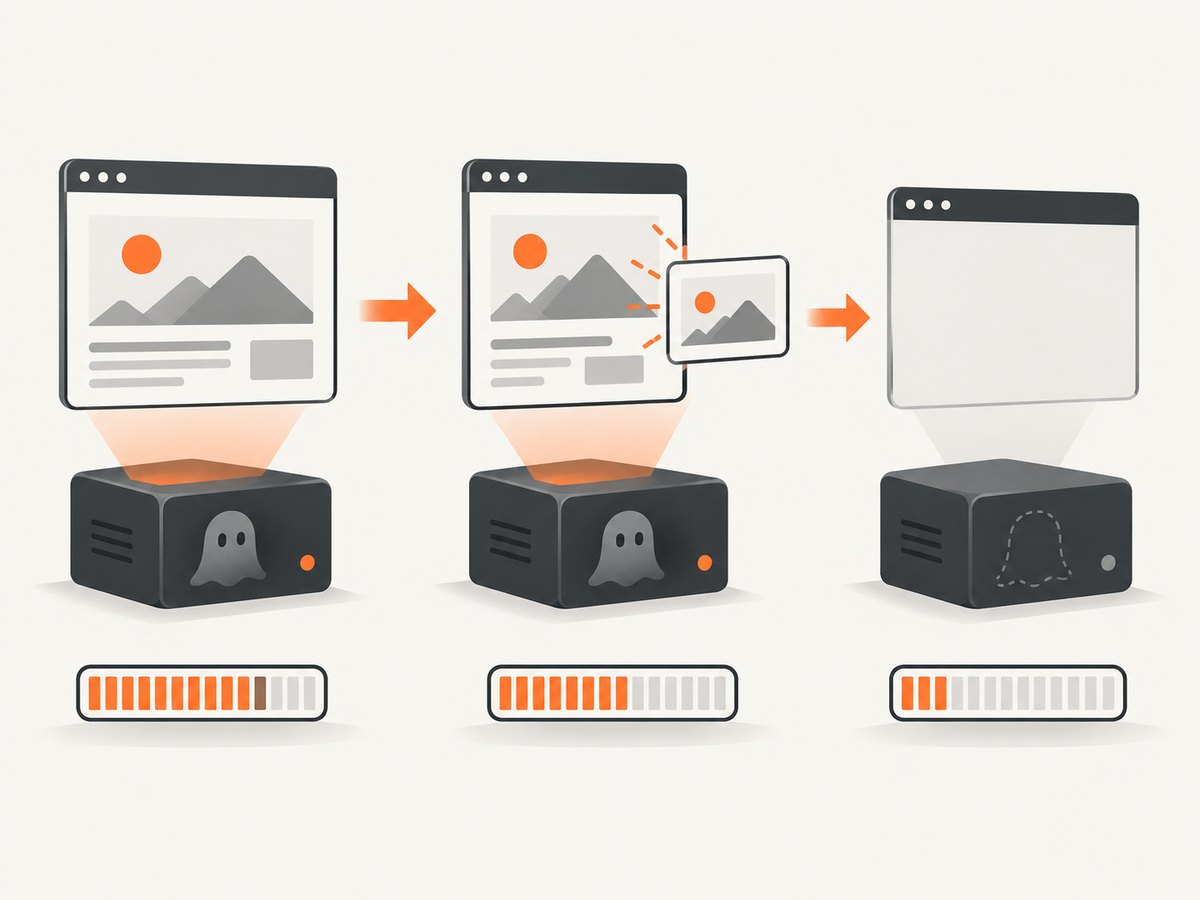
That means a long-running worker should normally create a page for one unit of work, finish all operations, render the result, close the page, and then move to the next unit. If you reuse one page indefinitely, compare that design with page-per-job cleanup before assuming the renderer itself is permanently leaking.
Minimal page-per-job example
var system = require('system');
var page = require('webpage').create();

page.viewportSize = { width: 1280, height: 900 };
page.open('https://example.com', function (status) {
  if (status !== 'success') {
    console.error('Open failed: ' + status);
    page.close();
    phantom.exit(1);
    return;
  }

  page.render('/tmp/example.png');
  page.close();
  phantom.exit(0);
});
Do not call page.render(), inspect the DOM, or schedule another page operation after page.close(). If you need a value, read it before closing and pass the value to your logging or job code.
Do not overlap asynchronous work
PhantomJS commands are commonly issued from callbacks, timers, or page event handlers. Starting a new navigation, DOM operation, or capture while an earlier operation is still running can make memory behavior difficult to interpret. An archived issue report associated growth with issuing a command while previous asynchronous work was in progress; its author reported that CasperJS waitFor helped in that case. That is a useful sequencing check, not a universal fix.

Use one clear state transition per job:
- Open the page.
- Wait for the required page condition.
- Run any scripted interaction.
- Render once.
- Close the page.
- Start the next job.
var page = require('webpage').create();
var done = false;

page.open('https://example.com', function (status) {
  if (status !== 'success') {
    page.close();
    phantom.exit(1);
    return;
  }

  window.setTimeout(function () {
    page.render('/tmp/after-wait.png');
    page.close();
    done = true;
    phantom.exit(done ? 0 : 1);
  }, 1000);
});
For pages that load data after the initial response, replace a blind delay with a condition you can observe, such as a selector appearing. CasperJS users can use its waiting primitives, but should still verify that the callback is not starting a second operation before the first has finished.
Test loadImages instead of assuming it saves memory
loadImages defaults to true. PhantomJS settings apply on the initial page.open() call, so set the option before opening the URL. Disabling images changes the fetched content and can change memory use, but it is not a guaranteed optimization. One older PhantomJS 2 report described memory reaching 99% on a particular 1 GB Amazon Linux EC2 instance when images were disabled, while the reporter said it stabilized around 6–7% with images enabled. Those are machine-specific observations, not a general benchmark or proof of causation.
var page = require('webpage').create();
page.settings.loadImages = false;
page.viewportSize = { width: 1280, height: 900 };

page.open('https://example.com', function (status) {
  if (status === 'success') {
    page.render('/tmp/no-images.png');
  }
  page.close();
  phantom.exit(status === 'success' ? 0 : 1);
});
Run paired trials with images enabled and disabled while keeping the URL, PhantomJS build, viewport, repetition count, and concurrency identical. Record process RSS rather than relying only on a JavaScript heap value.
Control the rendering workload
Use viewportSize for the browser viewport and clipRect for the captured rectangle. A full-page design, very wide viewport, large canvas, or many decoded images can create a substantial temporary peak. Reducing dimensions may help when your product does not require a larger image, but the available documentation does not quantify expected savings.
var page = require('webpage').create();
page.viewportSize = { width: 1024, height: 768 };
page.clipRect = { top: 0, left: 0, width: 1024, height: 768 };

page.open('https://example.com', function (status) {
  if (status === 'success') {
    page.render('/tmp/viewport.png');
  }
  page.close();
  phantom.exit(status === 'success' ? 0 : 1);
});
Change one variable at a time: viewport width and height, clip rectangle, image loading, page reuse, and concurrency. A change that lowers the peak but leaves post-job growth untouched is addressing workload, not page retention.
A repeatable diagnosis
- Record the environment. Capture
phantomjs --version, operating system, architecture, script revision, URL type, number of simultaneous pages, and whether your metric is RSS or JavaScript heap. - Establish a baseline. Run a small fixed URL set for a fixed number of iterations and log memory before open, after load, after render, and after close.
- Compare page reuse with page-per-job. The second variant must close the page after every capture. Do not mix the two designs in one run.
- Serialize operations. Ensure no navigation, timer callback, or DOM command remains active when the next capture starts.
- Vary dimensions. Keep content constant while changing viewport and clip dimensions.
- Vary image loading. Test
trueandfalseas separate runs. - Inspect the shape of growth. A temporary spike that returns near baseline suggests workload pressure. A staircase that rises after every closed job suggests lifecycle or renderer retention and needs a minimal reproduction.
This is a practical experiment design inferred from the documented controls and issue reports; it is not a PhantomJS-published benchmark protocol.
Common symptoms, causes, and fixes
| Symptom | Likely investigation | Action |
|---|---|---|
| Memory rises after every URL | The same page object is reused | Create a page per job and call page.close() after rendering. |
| Growth appears when jobs overlap | A command starts before an earlier async operation ends | Serialize callbacks and wait for the required condition. |
| Large spike on long pages | Viewport, clip region, decoded images, or page layout is heavy | Measure smaller dimensions and compare image-loading modes. |
| Images disabled behaves worse | Workload-specific WebKit behavior | Do not assume loadImages=false saves memory; run a paired test. |
| Memory remains high after close | Allocator retention or incomplete garbage collection | Check the trend over many jobs, compare a fresh process, and produce a minimal reproduction if it keeps climbing. |
| Capture fails after cleanup | Code uses the page after close() |
Move all reads and writes before close and exit or create a new page. |
What not to claim as a fix
The reviewed sources do not establish that forcing garbage collection, adding RAM, disabling images, or changing one timeout fixes every PhantomJS memory problem. More RAM can postpone an out-of-memory failure, but it does not repair a retained page object. Likewise, the issue reports do not provide controlled cross-version evidence. State the result as workload-specific unless your own reproduction proves more.
Maintenance reality
The upstream PhantomJS repository is archived and read-only as of May 30, 2023. That matters operationally: do not plan on an upstream fix arriving for a new memory problem, and do not imply that current forks were evaluated here. Preserve a small reproduction, pin the exact binary and operating system, and decide whether a maintained rendering stack better fits a new project.
Or skip the browser setup
If you need screenshots rather than a PhantomJS debugging project, ScreenshotNeo provides a hosted capture endpoint and an MCP server. One request returns PNG, JPEG, WebP, or PDF, so your worker does not need to manage PhantomJS page objects.
Install the client library if you use one, or make a direct request. The complete API reference is beside the examples in the ScreenshotNeo docs.
cURL
curl -G "https://api.screenshotneo.com/v1/shot" -d access_key=YOUR_API_KEY --data-urlencode url=https://stripe.com -o shot.webpPython
import requests
r = requests.get("https://api.screenshotneo.com/v1/shot", params={"access_key": "YOUR_API_KEY", "url": "https://stripe.com"}, timeout=90)
open("shot.webp", "wb").write(r.content)
Node.js
const q = new URLSearchParams({ access_key: 'YOUR_API_KEY', url: 'https://stripe.com' });
const res = await fetch(`https://api.screenshotneo.com/v1/shot?${q}`);
ScreenshotNeo removes cookie and consent banners, newsletter popups, and chat widgets before capture. Bot checks, blank pages, failed loads, timeouts, and cache hits are not billed, and response headers identify the page verdict and whether the shot was billed. Its MCP server gives Claude, Cursor, and other MCP clients take_screenshot, get_page_info, and capture_pdf tools. The free plan includes 1,000 screenshots per month with no card; paid plans start at $5 for 3,000 shots.
Create a free ScreenshotNeo account and use the first 1,000 screenshots without a card.
Performance, reliability, and cost notes
- Performance: Smaller capture regions and serialized work can reduce simultaneous pressure, but measure your pages because WebKit memory is content-dependent.
- Reliability: A page-per-job design limits the lifetime of retained objects. A fresh process can be a diagnostic comparison, not proof that the underlying cause is fixed.
- Cost: PhantomJS is software you operate, so include machine memory, process supervision, debugging time, and failed captures in your total cost. A hosted API changes that trade-off to per-capture billing. ScreenshotNeo bills only clean shots and offers caching with a TTL you choose, bulk capture of up to 100 URLs per call, async jobs with signed webhooks, and a usage API.
FAQ
Does page.close() guarantee zero memory growth?
No. The documentation says it releases the associated heap and may stop increasing allocation, while also warning that technical limitations can prevent complete garbage collection.
Should I always disable images?
No. One issue report observed the opposite on a specific machine. Treat loadImages as an experiment variable.
Is a high RSS value automatically a leak?
No. Render buffers and WebKit allocations can create a high temporary peak. Look for continued growth across equivalent jobs after cleanup.
Can a timeout solve the problem?
A timeout can stop a stuck navigation, but it does not address page lifetime or overlapping commands. Use it as part of controlled job handling.
Should new projects still choose PhantomJS?
Consider the archived, read-only upstream status and the maintenance burden before adopting it for new work. If you only need reliable screenshots, evaluate a maintained service or browser stack against your requirements.


