Why Playwright Reruns beforeAll and Reseeds Data After Failures
Learn why Playwright reruns beforeAll after failures, how retries restart workers, and how to make test data setup repeat-safe.

Playwright Test runs beforeAll once per worker process. That scope is the key to understanding the behavior: it is not once for the lifetime of your test command. When a test fails, Playwright discards the worker process and its browser, starts a replacement worker, and runs that worker’s beforeAll hooks again. If retries are enabled, the failed test is then attempted in the new worker.
Playwright does not automatically reseed your application database. Your own hook, fixture, API helper, or seed script creates the records. Because that setup runs again in a replacement worker, it can create duplicate users, collide with existing rows, or appear to reset state when it actually does not.
This lifecycle is documented in the official Playwright retries guide and the fixture documentation.
What happens after a failure
- A worker starts and creates its browser process.
- Worker-scoped fixtures and
beforeAllhooks run once for that worker. - Tests assigned to the worker execute.
- A test fails. The failure may be an assertion, timeout, browser crash, or another uncaught error.
- Playwright discards the entire worker process and its browser.
- A replacement worker starts. Its worker-scoped fixtures and
beforeAllhooks run again. - If
retriesis greater than zero, Playwright retries the failed test in the replacement worker. - The worker continues with later tests when the retry policy allows it.
The official documentation summarizes the important part: when a test fails, Playwright Test discards the worker and browser and starts a new worker. This isolation prevents a broken browser or contaminated process from affecting subsequent tests, but it also means setup with worker lifetime can run more than once during one command.
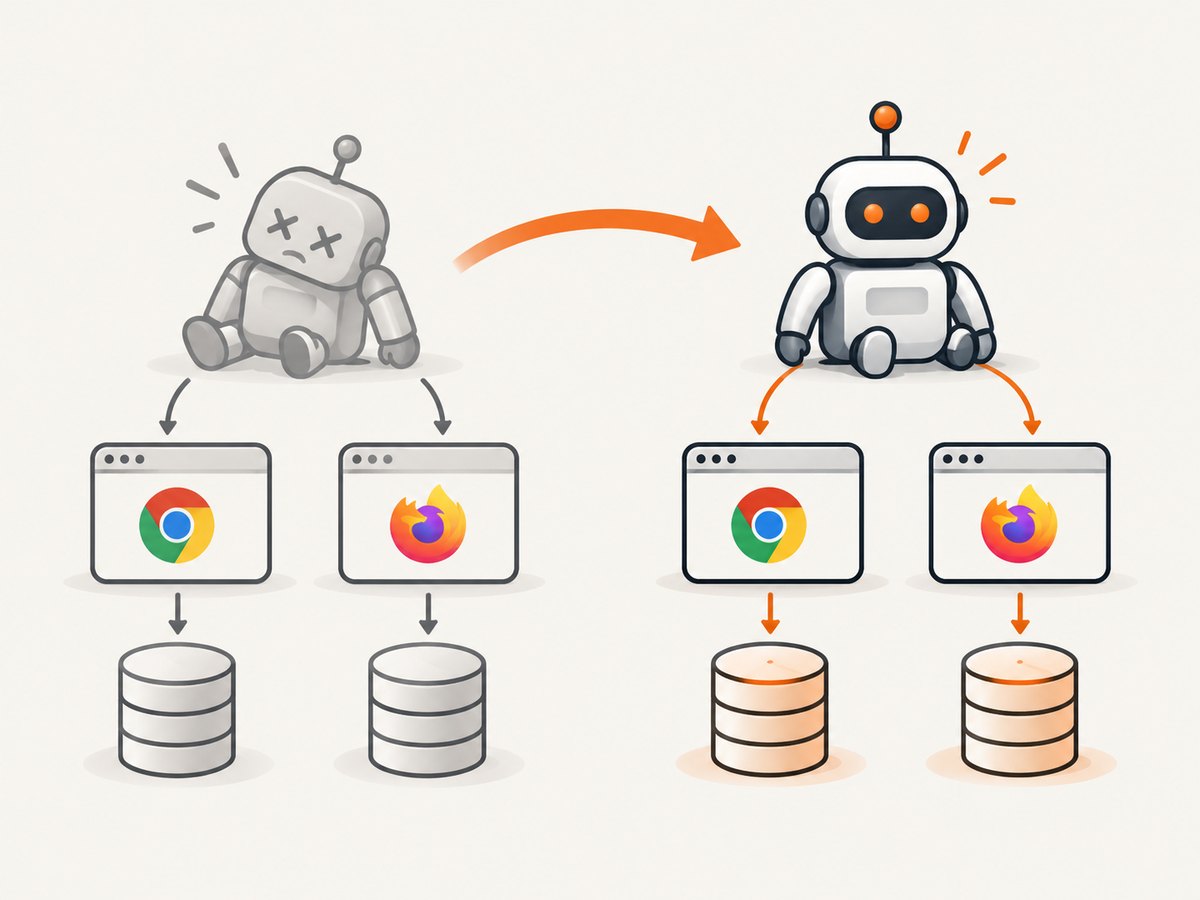
beforeAll is once per worker, not once per run
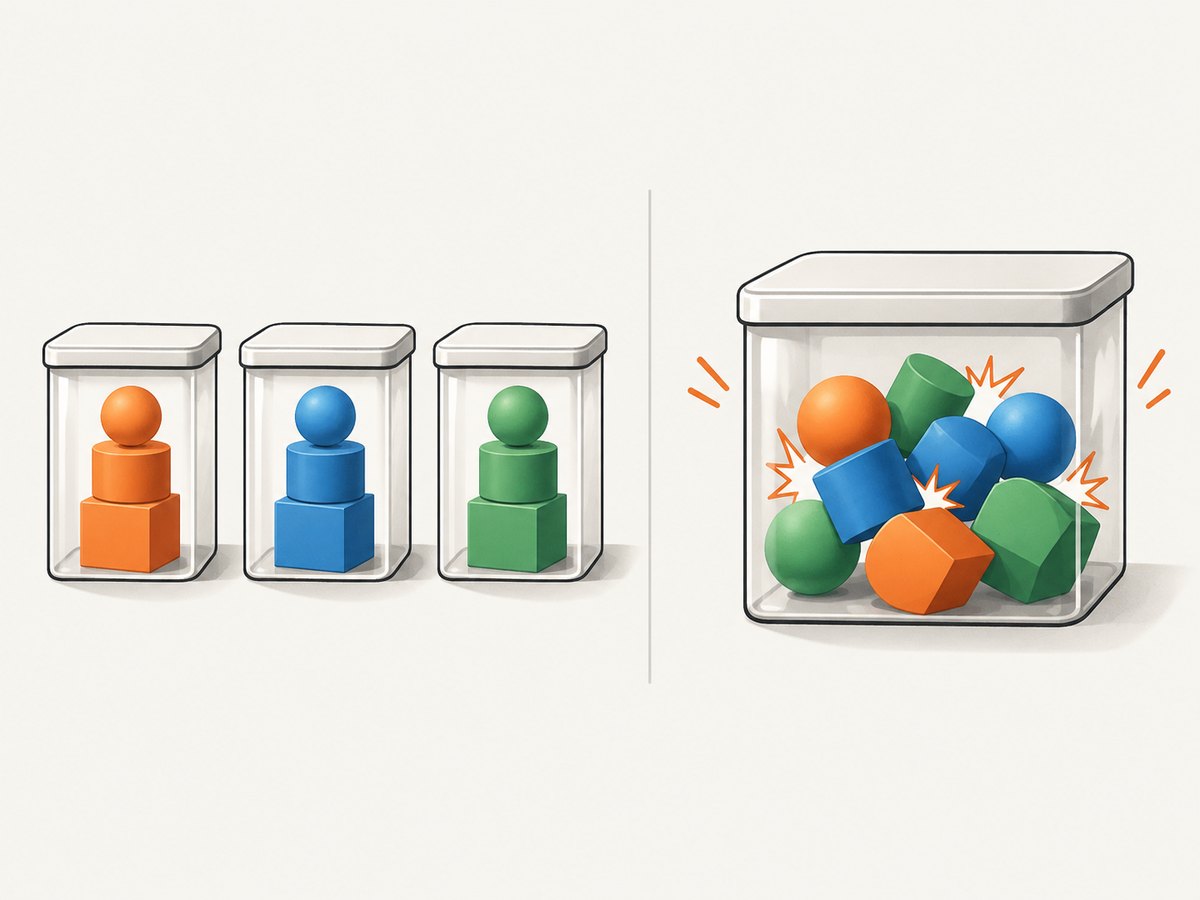
A worker is a Playwright process that owns a group of tests, a browser instance, and worker-scoped resources. Several tests can share one worker. In a passing run, a typical sequence is:
worker starts
  beforeAll()
  test A
  test B
  test C
  afterAll()
worker exits
When a test fails, the sequence changes:
worker 1 starts
  beforeAll()
  test A
  test B  // fails
worker 1 is discarded

worker 2 starts
  beforeAll() // runs again
  retry test B
  test C
  afterAll()
worker 2 exits
afterAll belongs to the worker that is ending. Do not assume it can undo every side effect from a failed attempt: the process can be terminated as part of failure recovery, and your application data may live outside the worker.
Why your seed data appears to be reseeded
Consider this setup:
import { test as base } from '@playwright/test';

export const test = base.extend({
  workerAccount: [async ({ request }, use, workerInfo) => {
    const email = `worker-${workerInfo.workerIndex}@example.test`;
    await request.post('/api/users', { data: { email } });
    await use({ email });
  }, { scope: 'worker' }],
});
The fixture creates a user once for each worker. If a test fails and Playwright replaces worker 1 with worker 2, the fixture runs again. Unless the API treats the operation as idempotent, the second request can produce a duplicate-key error or a second record.
The same issue occurs with a database call in beforeAll:
test.beforeAll(async ({ request }) => {
  await request.post('/api/projects', {
    data: { name: 'checkout-test-project' }
  });
});
Playwright is not resetting your database here. It is repeating the code your project registered with the runner. Treat every worker-scoped seed as code that may execute again after a failure, retry, worker crash, or changed parallel scheduling.
Retries and serial mode
Retries are disabled by default. Set the maximum number of retry attempts in your configuration:
import { defineConfig } from '@playwright/test';

export default defineConfig({
  retries: process.env.CI ? 2 : 0,
});
With retries enabled, Playwright uses a fresh worker for the retry. A passing first attempt has no retry. A failing attempt can therefore run worker setup once for the original worker and again for each replacement worker.
Serial mode changes which tests are retried together. In a serial group, a failure skips the remaining tests in that group for the current run. When retries are enabled, the group is retried from its beginning. That can repeat setup and earlier tests, so serial mode should be reserved for genuinely dependent tests.
import { test, expect } from '@playwright/test';

test.describe.configure({ mode: 'serial' });

test('creates an order', async ({ page }) => {
  // ...
});

test('pays for the order', async ({ page }) => {
  // ...
});
Playwright recommends isolated tests where practical because independent tests can run and retry separately. Serial groups make state dependencies explicit, but they also increase the amount of work repeated after one failure.
Worker identity, workerIndex, and parallelIndex
Parallel tests often need unique data. Playwright exposes two different identities:
| Value | Meaning | What happens after a worker restart |
|---|---|---|
parallelIndex |
The stable slot in the parallel worker pool | Stays the same |
workerIndex |
The index of the current worker process | Can change |
Use parallelIndex when data must remain associated with a parallel slot across retries. Use workerIndex when you need to distinguish each process instance, such as naming temporary directories or tracing files.
import { test } from '@playwright/test';

test('uses isolated data', async ({ page }, testInfo) => {
  const slot = testInfo.parallelIndex;
  const runId = `${testInfo.workerIndex}-${Date.now()}`;
  await page.goto(`/projects/${slot}`);
  console.log({ slot, runId });
});
A robust seed key usually combines a stable test-run namespace, the parallel slot, and an explicit cleanup or upsert strategy. Do not assume that a worker number alone is stable across a retry.
Make setup safe to repeat
Use upserts or “find or create” operations
Prefer an idempotent operation when the same logical record may be requested more than once:
await db.user.upsert({
  where: { email },
  update: {},
  create: { email, name: 'Playwright worker' },
});
If your data store has no upsert, query first and insert only when absent. Keep the unique key deterministic so a replacement worker targets the same record.
Namespace test data
Add a run identifier and parallel slot to names, emails, and external resources. A namespace prevents a retry from colliding with a developer’s local data or another CI job.
const namespace = process.env.CI_RUN_ID ?? 'local';
const email = `pw-${namespace}-${testInfo.parallelIndex}@example.test`;
Clean up deliberately
Use API or database cleanup in afterEach when a test owns its records. For worker-owned resources, use afterAll as a best-effort cleanup, but also provide a scheduled cleanup job for abandoned data. A failed process may leave records behind.
Move per-test state into fixtures
Worker scope is appropriate for expensive resources shared by tests in one worker. User accounts, carts, and orders are usually safer at test scope. Test-scoped fixtures are recreated for each test and naturally isolate retries.
const test = base.extend({
  account: async ({ request }, use, testInfo) => {
    const email = `pw-${Date.now()}-${testInfo.testId}@example.test`;
    await request.post('/api/users', { data: { email } });
    await use({ email });
    await request.delete(`/api/users/${encodeURIComponent(email)}`);
  },
});
Diagnose the behavior in a real run
- Print the test title, retry number, worker index, and parallel index.
- Log every seed request with its deterministic key.
- Record whether the failure occurred on the first attempt or a retry.
- Inspect database rows after the run and compare their keys.
- Run the failing test with one worker to separate data races from lifecycle behavior.
import { test } from '@playwright/test';

test('diagnostic example', async ({}, testInfo) => {
  console.log({
    title: testInfo.title,
    retry: testInfo.retry,
    workerIndex: testInfo.workerIndex,
    parallelIndex: testInfo.parallelIndex,
  });
});
Use npx playwright test --workers=1 --retries=0 to reproduce setup without parallel scheduling or replacement retries. Then enable retries to confirm that the second worker produces the duplicate operation.
Common errors and fixes
| Symptom | Likely cause | Fix |
|---|---|---|
| Unique constraint violation on retry | beforeAll inserts the same key again |
Use an upsert or include a run namespace. |
| “User already exists” from a seed API | The first worker created the user before failing | Make the endpoint idempotent or look up the existing user. |
| Later tests see missing data | Serial group restarted from its first test, or cleanup ran too early | Keep tests independent and recreate required state per test. |
| Data differs between retry attempts | Keys use workerIndex or timestamps |
Use a stable namespace and parallelIndex for logical ownership. |
| Flaky failures only in CI | More workers expose races or shared environment state | Run with one worker, inspect resource ownership, then isolate by worker slot. |
| Cleanup did not run | The worker was discarded during failure | Add periodic cleanup and make setup tolerate abandoned rows. |
Performance and reliability trade-offs
Retries improve signal by distinguishing a transient failure from a repeatable one, but every retry can repeat browser startup, worker fixtures, API seeding, and database work. Large worker-scoped setup becomes expensive when failures are common. Keep setup small, cache only immutable resources, and avoid putting mutable business state in beforeAll.
Parallelism reduces wall-clock time but increases the chance of collisions when tests share accounts, tenants, ports, or filesystem paths. Partition resources by parallel slot and make teardown safe if a worker disappears. If a test can be independent, write it that way; isolation improves both reliability and retry cost.
Playwright versions can add configuration options. The official API documents retryStrategy as added in v1.62, with immediate as the default and isolated as a mode that runs retries later, one by one in one worker. Check the version installed in your project before relying on that option.
Or skip the browser setup
If your goal is to capture a page for documentation, visual review, or an AI workflow, ScreenshotNeo provides a single HTTP request instead of maintaining a Playwright browser worker. The API accepts a URL and returns PNG, JPEG, WebP, or PDF. Cookie and consent banners are accepted and 60-plus known consent platforms, newsletter popups, and chat widgets are removed before the shot; each step can be turned off.
Only clean shots are billed. Bot checks, CAPTCHAs, blank pages, timeouts, failed loads, and cache hits cost nothing, and the response identifies the result with X-Page-Verdict and X-Billed headers. An MCP server provides take_screenshot, get_page_info, and capture_pdf tools for Claude, Cursor, and other MCP clients.
See the ScreenshotNeo API documentation for all 63 options, including full-page capture with lazy images, CSS element capture, device presets, dark mode, custom CSS and JavaScript, waits, request blocking, headers, cookies, geolocation, caching, signed links, asynchronous jobs, bulk capture, usage, and PDF settings.
cURL
curl -G 'https://api.screenshotneo.com/v1/shot' \
  -d access_key=YOUR_API_KEY \
  --data-urlencode url=https://stripe.com \
  -o shot.webp
Python
import requests

r = requests.get(
    'https://api.screenshotneo.com/v1/shot',
    params={'access_key': 'YOUR_API_KEY', 'url': 'https://stripe.com'},
    timeout=90,
)
r.raise_for_status()
open('shot.webp', 'wb').write(r.content)
Node.js
const q = new URLSearchParams({
  access_key: 'YOUR_API_KEY',
  url: 'https://stripe.com'
});
const res = await fetch(`https://api.screenshotneo.com/v1/shot?${q}`);
if (!res.ok) throw new Error(`HTTP ${res.status}`);
const fs = await import('node:fs/promises');
await fs.writeFile('shot.webp', Buffer.from(await res.arrayBuffer()));
There is a free plan with 1,000 screenshots per month and no card. Paid plans start at $5 for 3,000 shots; yearly billing gives two months free. Create a free ScreenshotNeo account and use the API when a managed capture is simpler than restarting browser workers.
FAQ
Does beforeAll run after every failed assertion?
No. It runs again when Playwright starts a replacement worker. A failure that does not cause worker replacement will not necessarily invoke it again.
Does Playwright roll back database changes?
No. Database transactions, cleanup, and seed behavior belong to your application and test setup.
Are retries enabled automatically?
No. The default is zero retries. Configure retries explicitly.
Should every hook be moved to beforeEach?
No. Use worker scope for genuinely shared, expensive resources. Put mutable business data at test scope when isolation matters.
Why did my retry get a different worker number?
A replacement process can have a new workerIndex. Use parallelIndex when a logical data partition must remain stable.


