Playwright CSS Visual Regression Testing
Build reliable Playwright CSS visual regression tests with stable baselines, animation controls, diff thresholds, CI setup, and troubleshooting.
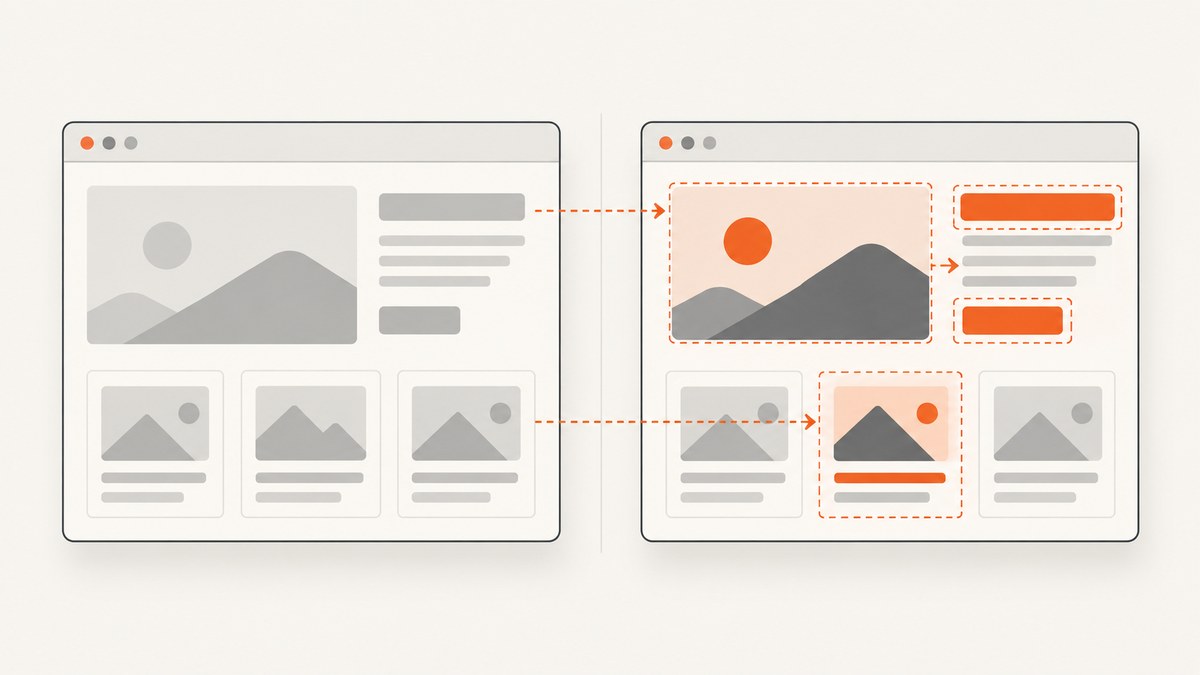
Playwright visual regression testing compares a fresh browser render with a committed screenshot baseline. Use await expect(page).toHaveScreenshot() for a page contract or await expect(locator).toHaveScreenshot() for a component. Playwright waits for two consecutive screenshots to match before comparing them, which removes many transient-frame failures.
The reliable workflow is: make the browser and test data deterministic, wait for the intended UI state, capture a baseline in the same environment used by CI, review diffs, and keep tolerance settings as strict as your rendering environment allows.
1. Install Playwright and create a visual test
npm init playwright@latestSelect Playwright Test, TypeScript or JavaScript, and the browsers your project supports. A minimal TypeScript test looks like this:
import { test, expect } from '@playwright/test';

test('homepage matches the CSS baseline', async ({ page }) => {
  await page.goto('http://127.0.0.1:3000/');
  await expect(page).toHaveScreenshot('homepage.png');
});
Generate the first reference image with:
npx playwright test --update-snapshotsCommit the generated snapshot directory. Later runs compare the current render with that file and produce actual, expected, and diff images when a mismatch occurs.
2. Choose page or component scope
Whole-page assertions
test('checkout page contract', async ({ page }) => {
  await page.goto('http://127.0.0.1:3000/checkout');
  await expect(page).toHaveScreenshot('checkout.png', {
    fullPage: true
  });
});
Use a page screenshot when navigation, layout, responsive structure, typography, and major CSS regions form one contract. Full-page captures can expose regressions below the fold, but they are more sensitive to unrelated content changes.
Locator assertions
test('price card keeps its visual contract', async ({ page }) => {
  await page.goto('http://127.0.0.1:3000/pricing');
  const card = page.getByTestId('pro-plan');
  await expect(card).toHaveScreenshot('pro-plan-card.png');
});
Component screenshots are usually easier to review and maintain. Prefer roles, labels, text, or explicit test IDs for locating elements. Avoid long CSS or XPath chains that depend on DOM structure; use CSS selectors for visual setup only when they are stable.
3. Make CSS rendering deterministic
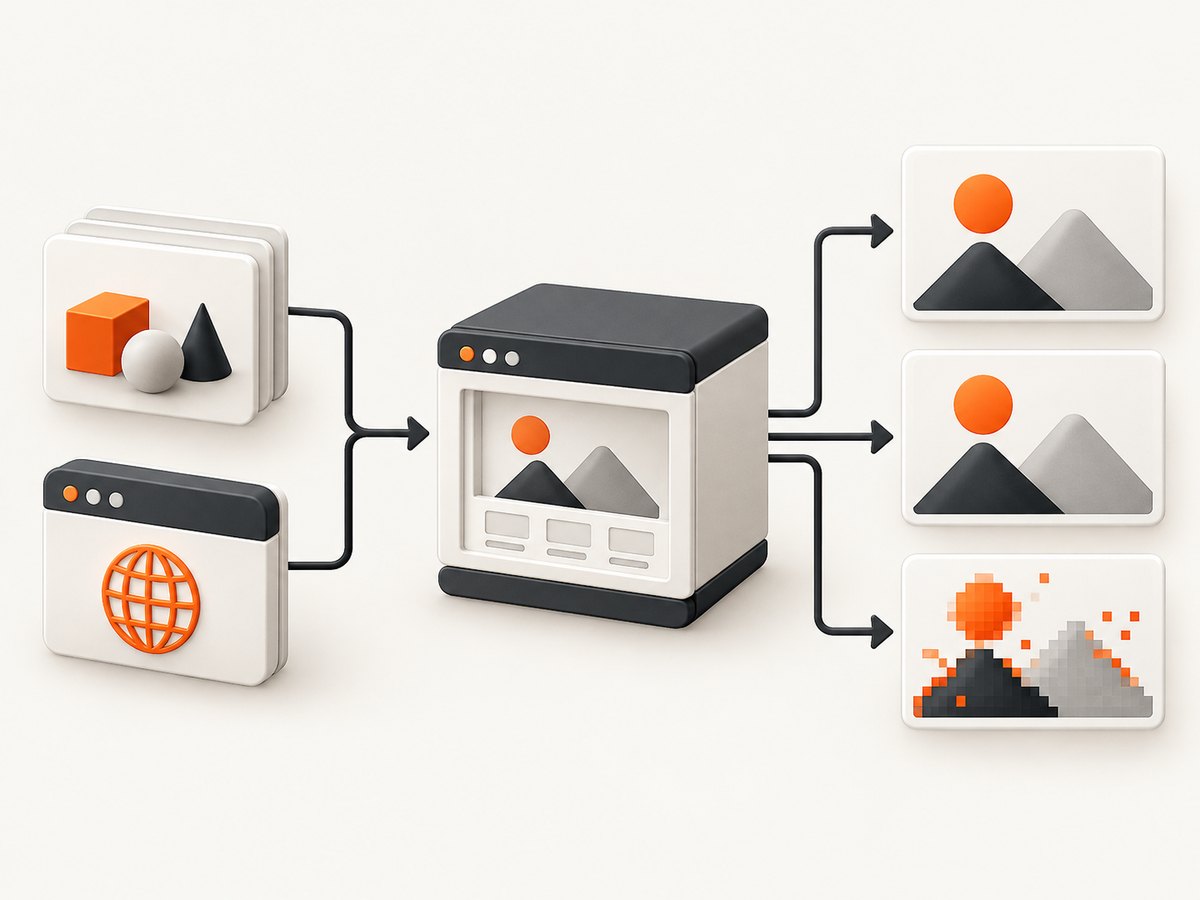
Baselines are tied to rendering conditions. Use the same operating-system image, browser version, viewport, fonts, color scheme, browser settings, hardware class, and headless mode for baseline and comparison runs. Playwright’s best-practices guidance explicitly recommends matching operating-system and browser versions for visual regression tests.
import { defineConfig, devices } from '@playwright/test';

export default defineConfig({
  testDir: './tests',
  expect: {
    toHaveScreenshot: {
      animations: 'disabled',
      caret: 'hide',
      scale: 'css'
    }
  },
  use: {
    baseURL: 'http://127.0.0.1:3000',
    browserName: 'chromium',
    viewport: { width: 1440, height: 900 },
    colorScheme: 'light',
    locale: 'en-US',
    timezoneId: 'UTC',
    deviceScaleFactor: 1
  },
  projects: [
    { name: 'chromium', use: { ...devices['Desktop Chrome'] } }
  ]
});
Pin fonts in your build image and wait for them before capture:
await page.evaluate(async () => {
  await document.fonts.ready;
});
Control fixture data. Freeze dates, use deterministic IDs, seed random values, and stub APIs that return rotating ads, prices, avatars, or experiment assignments.
4. Control animations, transitions, and volatile CSS
Screenshot assertions disable CSS animations, CSS transitions, and Web Animations by default. Finite animations are fast-forwarded. Infinite animations are canceled to their initial state and then played after the screenshot. Set animations: 'allow' only when the animation state itself is what you are testing.
await expect(page).toHaveScreenshot('dashboard.png', {
  animations: 'disabled'
});
Hide or normalize clocks, rotating banners, ads, and other dynamic regions with an inline stylesheet:
await expect(page).toHaveScreenshot('dashboard.png', {
  style: `
    [data-testid='live-clock'],
    [data-testid='rotating-banner'],
    .ad-slot {
      visibility: hidden !important;
    }
  `
});
You can provide the same rules from a file with stylePath. The stylesheet can pierce Shadow DOM and apply to inner frames. Masking is useful when an element must occupy space but its pixels are inherently variable:
await expect(page).toHaveScreenshot('profile.png', {
  mask: [page.getByTestId('avatar'), page.getByTestId('last-seen')],
  maskColor: '#FF00FF'
});
5. Wait for the intended UI state
Navigate, perform interactions, and wait for the state that the screenshot represents. Do not rely on an arbitrary delay when a selector or application signal is available.
test('expanded navigation is stable', async ({ page }) => {
  await page.goto('/docs');
  await page.getByRole('button', { name: 'Menu' }).click();
  await expect(page.getByRole('navigation')).toBeVisible();
  await page.evaluate(async () => await document.fonts.ready);
  await expect(page).toHaveScreenshot('docs-menu-open.png');
});
Playwright’s screenshot assertion itself waits until two consecutive screenshots yield the same result, then compares the final image. This helps with layout settling, but it cannot make nondeterministic application data stable.
6. Configure screenshot output
| Option | Use |
|---|---|
fullPage |
Capture the complete scrollable page. |
clip |
Capture a specific rectangle. |
animations |
Disable or allow animation processing. |
caret |
Hide or show the text caret. |
mask |
Cover volatile locators while preserving layout. |
maskColor |
Choose the mask color. |
style/stylePath |
Inject CSS to hide or normalize dynamic content. |
scale |
'css' stores one pixel per CSS pixel; 'device' stores one pixel per device pixel. |
omitBackground |
Produce a transparent image where supported. |
maxDiffPixels |
Allow a fixed number of changed pixels. |
maxDiffPixelRatio |
Allow a proportion of changed pixels. |
threshold |
Set the perceived color-distance tolerance. |
PNG is lossless and best for strict CSS comparisons. WebP can reduce artifact size when your review workflow supports it. CSS scale makes snapshots portable across device pixel ratios; device scale is appropriate when physical-pixel output is part of the requirement.
7. Set diff thresholds deliberately
await expect(page).toHaveScreenshot('catalog.png', {
  maxDiffPixels: 120,
  maxDiffPixelRatio: 0.0005,
  threshold: 0.2
});
Start with strict values. Increase a limit only after identifying harmless rendering noise and documenting why it exists. A pixel count is easier to reason about for a fixed-size component; a ratio scales better for responsive pages. The color threshold changes how different two pixels may be before they count as a difference. Do not use a large threshold to hide an unstable test.
8. Test responsive and theme variants
import { test, expect } from '@playwright/test';

for (const variant of [
  { name: 'desktop-light', width: 1440, height: 900, scheme: 'light' as const },
  { name: 'mobile-dark', width: 390, height: 844, scheme: 'dark' as const }
]) {
  test(`visual contract: ${variant.name}`, async ({ page }) => {
    await page.setViewportSize({ width: variant.width, height: variant.height });
    await page.emulateMedia({ colorScheme: variant.scheme });
    await page.goto('/');
    await expect(page).toHaveScreenshot(`${variant.name}.png`, { fullPage: true });
  });
}
Keep each viewport and color scheme as a separate baseline. A mobile layout can expose different CSS branches, overflow, font wrapping, and lazy-loading behavior than desktop.
9. CI workflow and baseline review
- Build the application with fixed dependencies and fixture data.
- Run Playwright in a pinned container or hosted runner image.
- Generate baselines in that same environment; do not mix laptop and CI snapshots.
- Upload actual, expected, and diff images as CI artifacts on failure.
- Review every changed region. Update snapshots only when the visual change is intentional.
- Keep browser upgrades and operating-system image upgrades in separate changes so baseline churn is explainable.
npx playwright test
npx playwright show-report
If a browser or font update changes many snapshots, treat it as a rendering-environment migration. Rebaseline deliberately, then inspect representative pages and components before merging.
10. Troubleshooting common failures
| Symptom | Cause | Fix |
|---|---|---|
| Diffs appear on every run | OS, browser, fonts, scale, or headless mode differs from the baseline. | Pin the same environment and regenerate baselines there. |
| Only timestamps or counters differ | Live data is rendered into the screenshot. | Freeze fixture data, stub the response, or hide the region with style/stylePath. |
| Animated regions fail intermittently | The test captures changing animation state. | Keep animations: 'disabled'; use 'allow' only for animation-specific tests. |
| Text wraps differently | Missing font, different font version, viewport, or device scale. | Install and preload the same fonts, await document.fonts.ready, and pin viewport and scale. |
| Full-page capture is unexpectedly tall | Lazy content or expanding containers alter page height. | Wait for the content state, set stable fixture data, and inspect scroll containers. |
| A component locator is not found | Selector depends on a changed DOM structure. | Use a role, label, text locator, or explicit test ID. |
| Small anti-aliased differences remain | Rendering hardware or color management differs. | Use the same runner image; only then consider a narrowly bounded threshold. |
| Baseline command overwrites too much | --update-snapshots was run broadly. |
Regenerate a targeted test or review every changed snapshot before committing. |
11. Performance, reliability, and cost
Component screenshots are faster and produce smaller diffs than full-page screenshots. Reuse authenticated state, avoid unnecessary navigation, and run independent projects in parallel when CI capacity allows. Full-page tests are valuable for page contracts but should not replace focused component coverage.
Reliability comes from controlling inputs more than from loosening thresholds: deterministic data, pinned browser and OS versions, stable fonts, explicit waits, and isolated baselines give clearer failures. Keep visual tests separate from tests that intentionally exercise animation timing.
Playwright runs on your own machines or CI, so cost is determined by runner time, storage, and any browser infrastructure you choose. Snapshot files also add repository and artifact storage; prune obsolete baselines when UI contracts are removed.
12. Or skip the browser setup
ScreenshotNeo provides a website screenshot API and MCP server when you need rendered images outside a Playwright test suite. One GET request returns PNG, JPEG, WebP, or PDF. Cookie and consent banners are accepted and removed before capture, along with more than 60 known consent platforms, newsletter popups, and chat widgets; each cleanup step can be disabled. Bot checks, blank pages, timeouts, failed loads, and cache hits cost nothing, and the response identifies the result with X-Page-Verdict and X-Billed headers.

See the ScreenshotNeo API documentation for all options, including full-page and element capture, dark mode, device presets, retina scale, custom CSS and JavaScript, waits, request blocking, headers, cookies, user agents, timezone, geolocation, transparent backgrounds, resizing, caching, signed links, asynchronous jobs, bulk capture, usage, and the OpenAPI specification.
curl -G "https://api.screenshotneo.com/v1/shot" -d access_key=YOUR_API_KEY --data-urlencode url=https://stripe.com -o shot.webpimport requests
r = requests.get("https://api.screenshotneo.com/v1/shot", params={"access_key": "YOUR_API_KEY", "url": "https://stripe.com"}, timeout=90)
open("shot.webp", "wb").write(r.content)const q = new URLSearchParams({ access_key: 'YOUR_API_KEY', url: 'https://stripe.com' });
const res = await fetch(`https://api.screenshotneo.com/v1/shot?${q}`);An MCP server also lets Claude, Cursor, and other MCP clients call take_screenshot, get_page_info, and capture_pdf. The free plan includes 1,000 screenshots per month with no card; paid plans start at $5 for 3,000 shots. Create a free ScreenshotNeo account.
13. FAQ
Should every page have a screenshot baseline?
No. Baseline stable page contracts and high-value components. Use ordinary functional assertions for behavior that is not visual.
Can I run visual tests on different operating systems?
You can, but each rendering environment needs its own intentional baseline. Matching the OS and browser used for the baseline minimizes unrelated differences.
What is a good diff threshold?
There is no universal number. Start strict, identify the source of noise, and use the smallest bounded pixel, ratio, or color threshold that matches your product requirement.
Should I compare CSS pixels or device pixels?
Use scale: 'css' for portable CSS-oriented contracts. Use scale: 'device' when physical-pixel output is part of what you ship or inspect.


