How to Use the Playwright Test MCP Server
Install and configure Playwright MCP, choose browsers and profiles, run headless, troubleshoot sessions, and connect it to AI coding clients.

Playwright MCP is a browser automation server for MCP clients. It lets an AI agent navigate pages, click controls, fill forms, and inspect page structure through Playwright. It is separate from Playwright Test, which is Playwright’s end-to-end test runner.
What you need
- Node.js 20 or newer, as required by the current getting-started guide. The package metadata lists Node.js 18 or newer as its engine requirement.
- An MCP-compatible client such as VS Code, Cursor, Windsurf, Claude Desktop, or another client that supports MCP servers.
- Permission for the client to start a local process with
npx.
The package is published as @playwright/mcp and maintained in the Microsoft Playwright MCP repository.
Install the server in an MCP client
The standard configuration starts the server on demand through npx:
{
  "mcpServers": {
    "playwright": {
      "command": "npx",
      "args": ["@playwright/mcp@latest"]
    }
  }
}
Put this in the configuration format used by your client. Client locations and reload steps differ, so use that client’s MCP documentation for the file path and restart procedure. The first browser launch downloads the required browser automatically.
Make your first browser interaction
- Restart or reload your MCP client after saving the server configuration.
- Ask the assistant to navigate to the Playwright TodoMVC demo.
- Ask it to add one or more todo items.
- Watch the tool calls and accessibility snapshots returned by the server.
A typical request is: Open the Playwright TodoMVC demo and add “Review MCP setup” to the list. The agent uses browser tools and receives structured page snapshots instead of requiring a vision model for every action.
Run headed or headless
The server runs headed by default, which is useful while diagnosing navigation and interaction. Add --headless to run without a visible browser window:
{
  "mcpServers": {
    "playwright": {
      "command": "npx",
      "args": ["@playwright/mcp@latest", "--headless"]
    }
  }
}
Use headed mode to observe a failing flow. Use headless mode in CI, containers, or a remote worker where no desktop is available.
Choose a browser
The documented browser choices include Chrome, Firefox, WebKit, and Microsoft Edge. Pass the browser option shown in the version of the Playwright MCP documentation you are using. For example, a client configuration can include a browser argument alongside the package name:
{
  "mcpServers": {
    "playwright": {
      "command": "npx",
      "args": ["@playwright/mcp@latest", "--browser", "firefox"]
    }
  }
}
Browser behavior can vary with engine-specific rendering, permissions, fonts, and installed system dependencies. Keep the browser fixed when reproducing an issue.
Keep or isolate browser state
Persistent profiles
A persistent profile keeps cookies, local storage, and login state between sessions. The server stores this profile in a cache directory by default, and the directory can be overridden. Persistent state is useful for a long-running assistant that must remain signed in.
Isolated sessions
Isolated sessions start fresh. Cookies and other in-memory storage disappear when the session closes. Use this mode for reproducible tasks, tests that must not share credentials, or work involving untrusted sites.
Storage state and shared contexts
The configuration also supports storage-state settings and shared browser contexts. Treat exported storage state as a credential: it can contain authentication cookies and should be protected like a secret. Shared contexts are useful when several interactions must see the same session, but they increase the chance that one task changes another task’s state.
Use a configuration file
For advanced setups, pass a JSON configuration file with --config:
{
  "mcpServers": {
    "playwright": {
      "command": "npx",
      "args": [
        "@playwright/mcp@latest",
        "--config",
        "/absolute/path/playwright-mcp.json"
      ]
    }
  }
}
The configuration file can define browser options, context options, network rules, timeouts, host and origin controls, and file-access behavior. Keep the file under version control only when it contains no credentials or private storage-state paths.
Security: JavaScript evaluation is powerful
The official documentation warns: “This tool runs arbitrary JavaScript in the Playwright server process and is RCE-equivalent — only enable it for trusted MCP clients.” Enable JavaScript evaluation only when the MCP client and all prompts it can receive are trusted. Review network and file-access settings for your deployment; these controls should be configured deliberately and should not be treated as a complete security boundary.
Run a standalone HTTP server
For a separately hosted server, start HTTP transport with a port and configure the client to connect to the /mcp endpoint. The exact command-line options should match the installed version’s documentation. HTTP sessions use a five-second heartbeat timeout by default. Set PLAYWRIGHT_MCP_PING_TIMEOUT_MS to change that timeout or disable the heartbeat as documented by the project.
Use a standalone server when the browser must run on another machine or in a shared service. Protect the endpoint with the network controls and authentication provided by your deployment architecture.
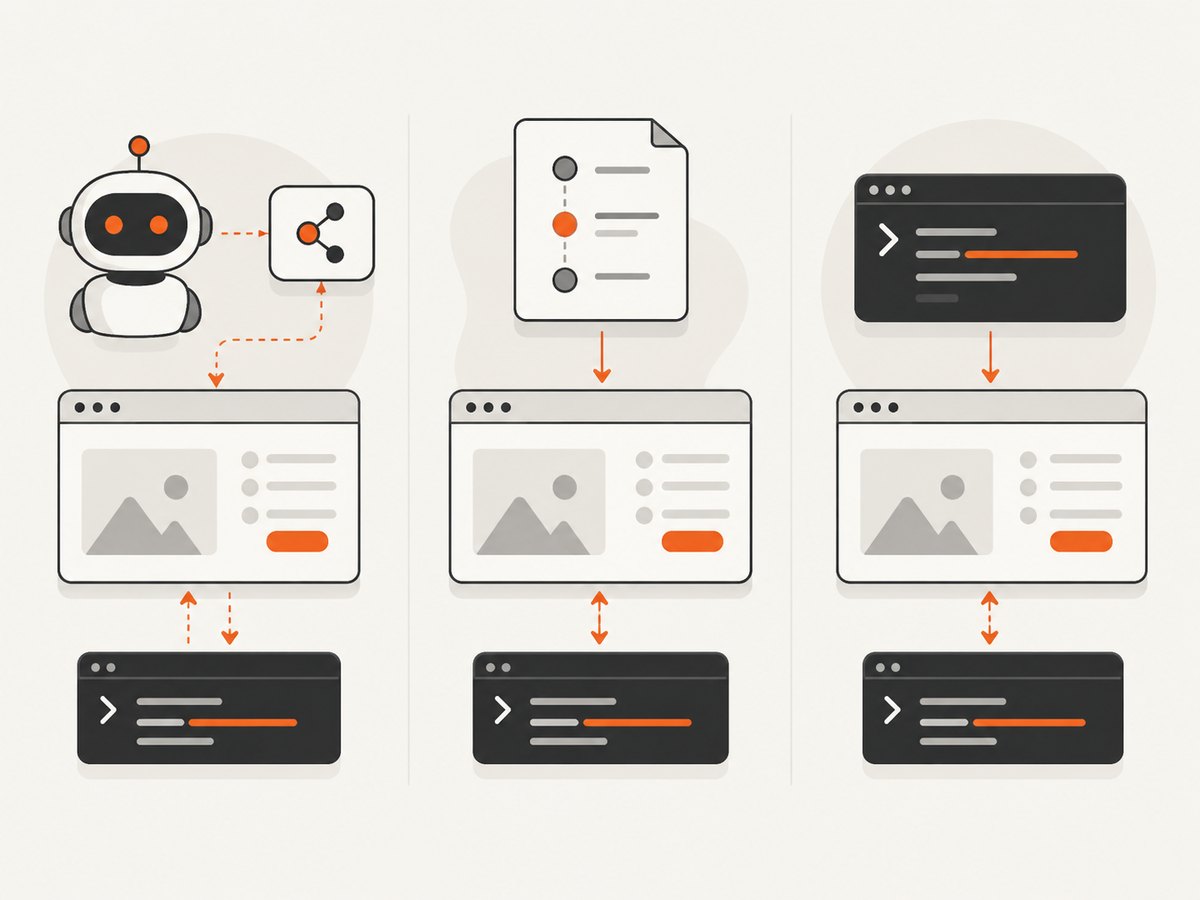
Playwright MCP vs Playwright Test vs Playwright CLI
| Tool | Best for | How it works |
|---|---|---|
| Playwright MCP | AI agents that need iterative browser interaction, persistent state, and rich page inspection | An MCP client calls browser tools and receives accessibility snapshots |
| Playwright Test | Conventional end-to-end test suites | A test runner executes repeatable tests, assertions, fixtures, and reports |
| Playwright CLI | Coding-agent tasks where concise command output matters | Command-driven workflows that can reduce tool-schema and snapshot context |
MCP does not replace the Playwright Test runner for a normal automated test suite. Choose MCP when an agent needs to explore and operate a live browser; choose Playwright Test when you are building repeatable tests with assertions and reports. The CLI can be more token-efficient for tasks that do not need MCP’s persistent interactive session.
Troubleshooting
| Symptom | Likely cause | Fix |
|---|---|---|
npx cannot find the package |
Old Node.js, blocked npm access, or a malformed client configuration | Use Node.js 20 or newer, run npx @playwright/mcp@latest in a terminal, and check the client’s JSON syntax. |
| No browser window appears | The server is running headless or the client started a different configuration | Remove --headless for debugging and reload the MCP client. |
| Browser launch fails | Missing browser download or system dependency | Allow the first-run browser download, then install the operating-system dependencies required by the selected browser. |
| Login disappears | An isolated profile was used or the persistent profile directory changed | Use a persistent profile with a stable directory, or configure storage state explicitly. |
| Actions target the wrong element | The page changed, an overlay is present, or the accessibility snapshot is stale | Ask the agent to inspect the page again, dismiss the overlay, and locate the control by its current role or label. |
| Remote session disconnects | The HTTP heartbeat timed out | Check connectivity and adjust PLAYWRIGHT_MCP_PING_TIMEOUT_MS when the documented deployment requires a longer interval. |
| JavaScript evaluation is refused | The capability is disabled for safety | Enable it only for a trusted MCP client and review the project’s security guidance first. |
Reliability, performance, and operating cost
- Reliability: Keep browser versions, profile directories, and configuration files stable across runs. Isolate sessions when reproducibility matters.
- Performance: Headless mode removes display overhead. Reusing a persistent browser session avoids repeated sign-in work, while isolated sessions reduce cross-task contamination.
- Context size: Accessibility snapshots can be detailed. For simple coding-agent tasks, the Playwright CLI may use less model context than MCP.
- Cost: Playwright MCP itself is launched from the npm package; your costs come from the machine, browser runtime, MCP client, and model usage. Remote deployment also adds hosting and network overhead.
Or skip the browser setup
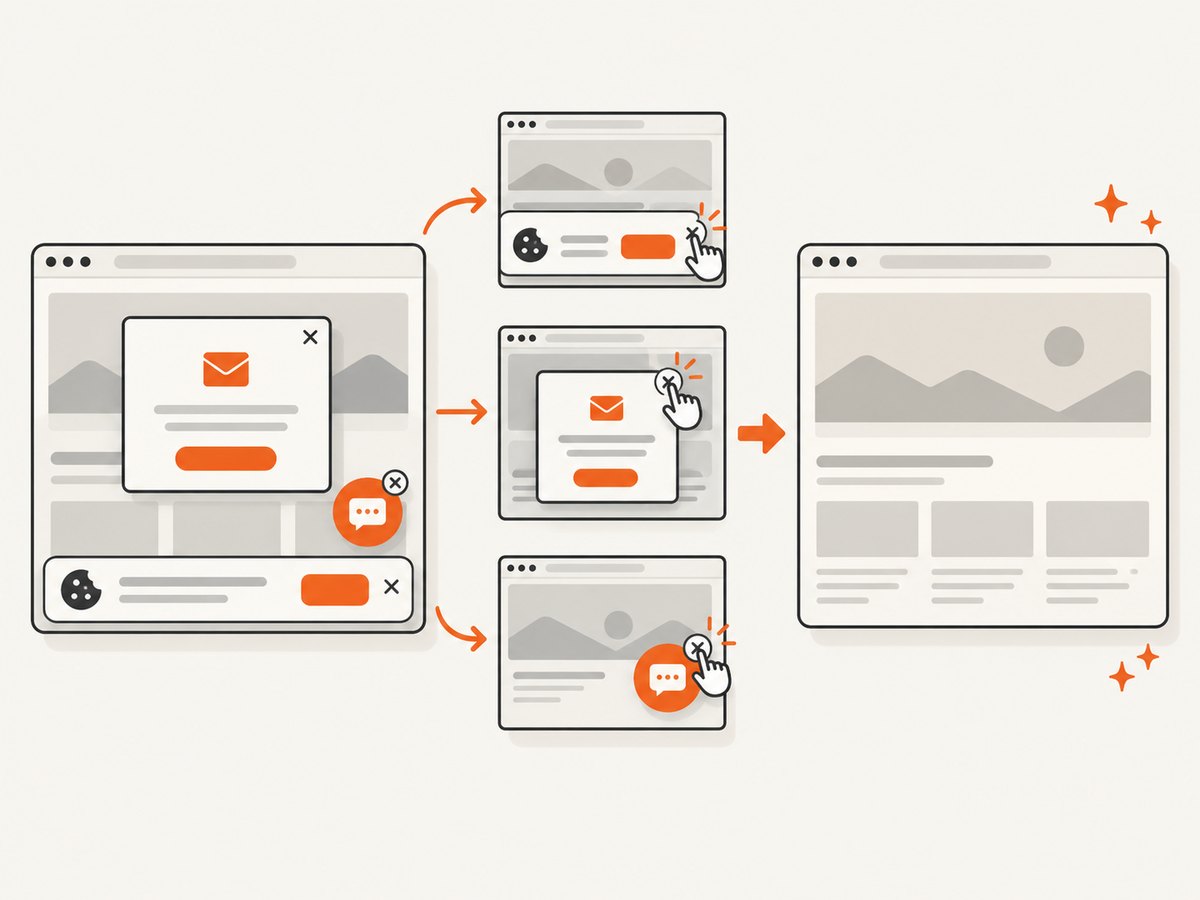
If your goal is a clean screenshot rather than interactive browser control, ScreenshotNeo provides a website screenshot API and MCP server. One GET request returns PNG, JPEG, WebP, or PDF. Before capture it accepts cookie and consent banners and removes more than 60 known consent platforms, newsletter popups, and chat widgets; each step can be turned off. Bot checks, blank pages, timeouts, failed loads, and cache hits are not billed, and the response identifies the result with X-Page-Verdict and X-Billed headers. Its MCP server includes take_screenshot, get_page_info, and capture_pdf tools for Claude, Cursor, and other MCP clients.
See the ScreenshotNeo API documentation for all options.
curl -G "https://api.screenshotneo.com/v1/shot" -d access_key=YOUR_API_KEY --data-urlencode url=https://stripe.com -o shot.webpimport requests
r = requests.get("https://api.screenshotneo.com/v1/shot", params={"access_key": "YOUR_API_KEY", "url": "https://stripe.com"}, timeout=90)
open("shot.webp", "wb").write(r.content)const q = new URLSearchParams({ access_key: 'YOUR_API_KEY', url: 'https://stripe.com' });
const res = await fetch(`https://api.screenshotneo.com/v1/shot?${q}`);Every feature is included on every plan. The Free plan includes 1,000 screenshots per month with no card; paid plans start at $5 for 3,000. Create a free ScreenshotNeo account.
FAQ
Is Playwright MCP the same as Playwright Test?
No. MCP exposes browser control to an MCP client; Playwright Test is the end-to-end test runner.
Can I run it without a desktop?
Yes. Add --headless to the server arguments.
Which browser should I choose?
Chrome, Firefox, WebKit, and Microsoft Edge are documented choices. Select the engine that matches the site behavior you need to inspect.
Will my login survive a restart?
Only with a persistent profile or explicitly configured storage state. Isolated sessions intentionally start fresh.
When should I use ScreenshotNeo?
Use it when you need rendered screenshots or PDFs through an API or MCP tool and do not need an agent to operate the page interactively.


