Automated Visual Regression Testing With Playwright
Learn how to build reliable Playwright visual regression tests, control rendering noise, review diffs, and keep CI baselines trustworthy.
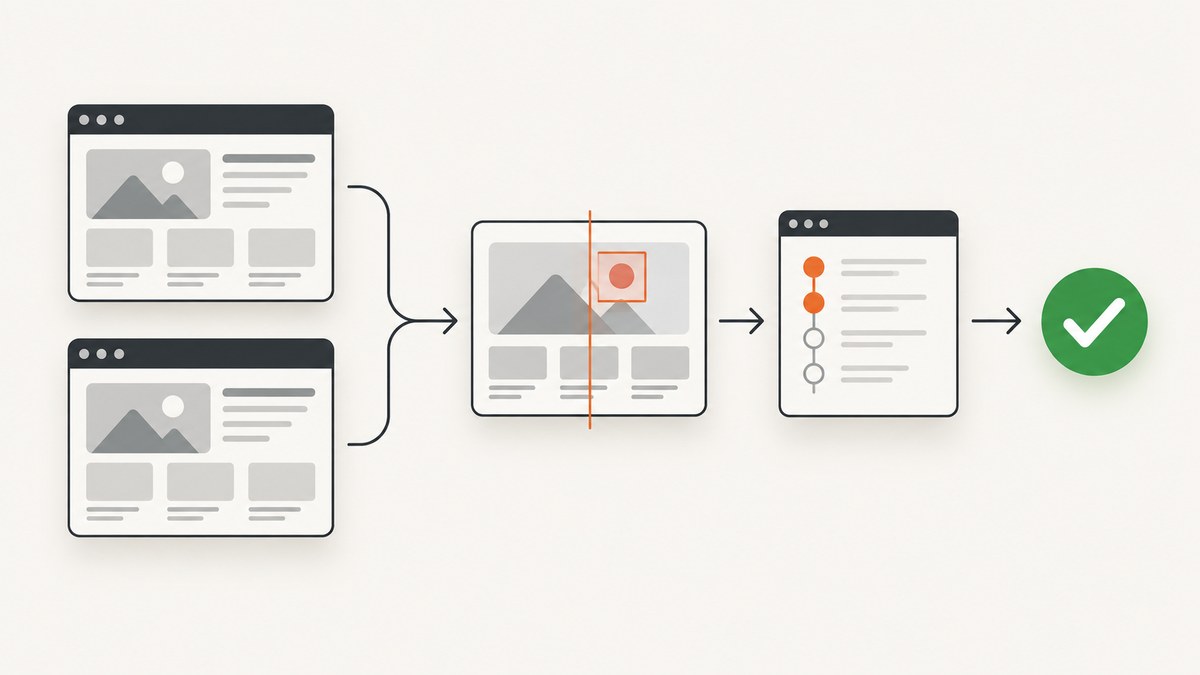
Playwright Test has visual regression testing built in. Use await expect(page).toHaveScreenshot() to capture a page and compare it with a committed reference image. The first run creates the baseline; later runs fail when the rendered result differs beyond your configured tolerance. Use page assertions for complete routes and user journeys, or locator assertions for focused components such as buttons, cards and dialogs.
The difficult part is not taking a screenshot. It is making rendering deterministic so that a real design change produces a useful diff while font timing, animation, data and operating-system differences do not create noise. This guide shows a complete workflow for local development and CI, including masking dynamic content, selecting tolerances, updating snapshots safely and diagnosing failures.
How Playwright visual regression works
Playwright Test’s screenshot assertions are documented in the official snapshot testing guide. A test navigates to a known state, captures a screenshot and compares it with a PNG stored beside the test in a snapshots directory. If no reference exists, Playwright writes one. Subsequent runs compare against that file.
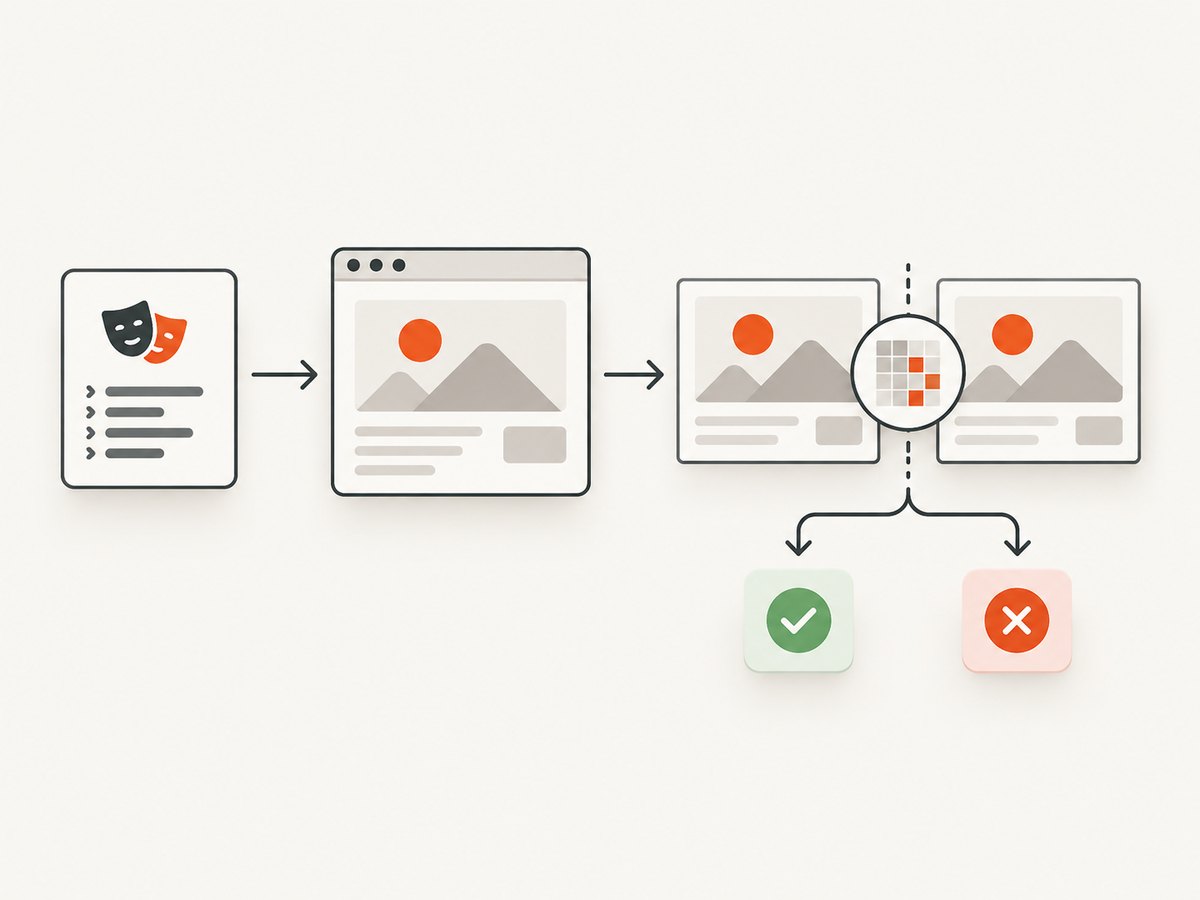
Before comparison, Playwright waits for two consecutive screenshots to be identical. This stabilization step helps with layout that settles over a few animation frames, but it cannot make nondeterministic content deterministic. You still need stable fixtures, fonts, viewport settings and browser versions.
Set up a visual regression project
- Install Playwright Test and its browsers.
- Create a test that reaches a deterministic page state.
- Run once to generate a baseline.
- Commit the snapshot files with the test.
- Run the same command in CI and review any diff artifacts.
npm init playwright@latest
npx playwright install
A minimal TypeScript test looks like this:
import { test, expect } from '@playwright/test';

test('landing page visual contract', async ({ page }) => {
  await page.goto('/');
  await expect(page).toHaveScreenshot('landing.png', {
    animations: 'disabled',
    mask: [page.getByTestId('live-clock')],
    maxDiffPixels: 100
  });
});
Generate the initial reference with:
npx playwright test --update-snapshots
Inspect the generated image before committing it. Snapshot files are test artifacts and should be reviewed in version control like source code.
Page screenshots versus locator screenshots
A page assertion covers a route or journey. It catches changes to navigation, typography, spacing, responsive layout and interactions that affect the entire screen. The trade-off is diagnostic noise: an unrelated widget can make a page-level test fail.
A locator assertion narrows the contract to one component:
test('purchase button keeps its visual contract', async ({ page }) => {
  await page.goto('/checkout');
  await expect(page.getByRole('button', { name: 'Buy now' }))
    .toHaveScreenshot('buy-now.png');
});
| Approach | Best for | Typical noise | Diagnostic value |
|---|---|---|---|
| Page screenshot | Critical routes, responsive layouts, end-to-end journeys | High; any changed region can fail | Shows the user-visible impact |
| Locator screenshot | Reusable controls and bounded components | Lower; unrelated page content is excluded | Pinpoints component regressions |
Use both levels deliberately. A small set of route contracts protects composition, while locator tests protect components that are reused across many pages.
Make captures deterministic
Playwright warns that browser rendering can vary with the host operating system, browser version, settings, hardware, power source and headless mode. Baselines created on a laptop and compared in a different CI image can therefore fail without a code change. Pin the execution environment wherever possible:
- Use a fixed Playwright and browser version.
- Run baseline generation and CI in the same OS or container image.
- Install and load the exact fonts used by the application.
- Set a fixed viewport, device scale factor and color scheme.
- Use fixture data instead of live timestamps, random IDs or changing API responses.
- Keep locale, timezone and accessibility settings consistent.
Configure a project with a stable viewport and a single browser:
import { defineConfig, devices } from '@playwright/test';

export default defineConfig({
  projects: [
    {
      name: 'chromium-visual',
      use: {
        ...devices['Desktop Chrome'],
        viewport: { width: 1440, height: 900 },
        colorScheme: 'light',
        locale: 'en-US',
        timezoneId: 'UTC'
      }
    }
  ]
});
If your product supports several browsers, create separate snapshot projects. Do not silently mix Chromium, WebKit and Firefox baselines in one directory; their rendering differences are legitimate and should be reviewed independently.
Control animations and dynamic regions
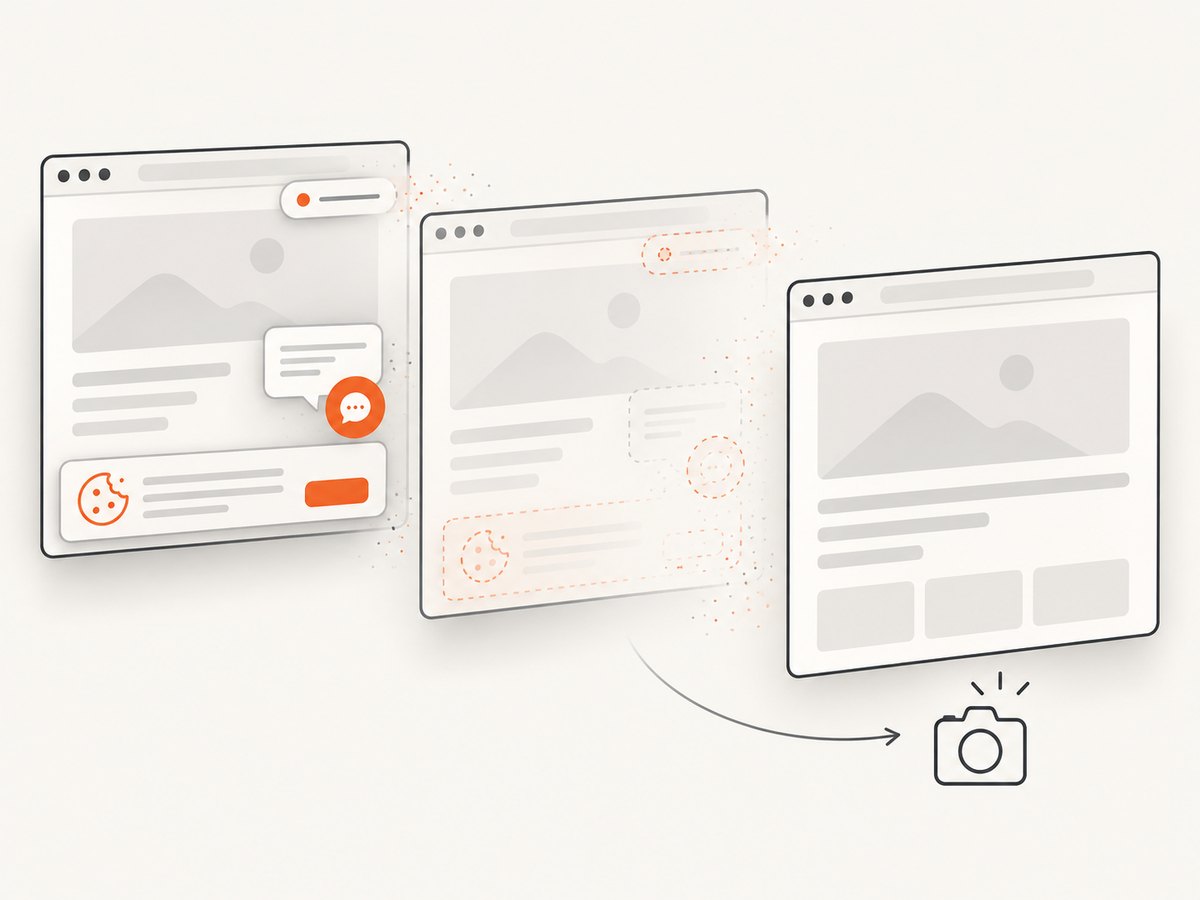
Animations are disabled by default for screenshot assertions. Finite animations are fast-forwarded and infinite animations are canceled at their initial state. You can be explicit in a test:
await expect(page).toHaveScreenshot('dashboard.png', {
  animations: 'disabled'
});
Mask content that is expected to change, such as a clock or rotating recommendation. The mask paints each locator’s bounding box with a pink overlay by default:
await expect(page).toHaveScreenshot('dashboard.png', {
  mask: [
    page.getByTestId('live-clock'),
    page.locator('[data-testid="rotating-offer"]')
  ]
});
Mask only genuinely nondeterministic regions. A broad mask can hide a real regression. For more control, inject a stylesheet with stylePath. The stylesheet applies during capture, including content inside frames and Shadow DOM:
/* visual-test.css */
[data-visual-noise],
.cookie-consent,
.live-chat {
  visibility: hidden !important;
}
await expect(page).toHaveScreenshot('home.png', {
  stylePath: 'visual-test.css'
});
Prefer waiting for a known application state over an arbitrary sleep:
await page.goto('/reports');
await page.getByTestId('report-ready').waitFor();
await page.evaluate(() => document.fonts.ready);
await expect(page).toHaveScreenshot('reports.png');
Choose comparison tolerances
Playwright uses pixelmatch for image comparison. The threshold option controls perceived YIQ color difference from strict (0) to lax (1); when no project override is supplied, the documented default is 0.2. maxDiffPixels limits the absolute number of changed pixels, while maxDiffPixelRatio limits the proportion of changed pixels.
await expect(page).toHaveScreenshot('catalog.png', {
  threshold: 0.2,
  maxDiffPixels: 150,
  maxDiffPixelRatio: 0.001
});
Start strict. When a failure occurs, inspect the expected image, actual image and diff image. Increase a tolerance only when you understand the rendering noise and can explain why it is safe. A large threshold can turn a broken color, font or spacing change into a passing test.
Review and update baselines safely
A failing snapshot is a review event. CI should preserve the actual and diff artifacts so a pull request reviewer can see the change. If the visual change is intentional:
- Confirm the application change is correct.
- Run the focused test locally in the pinned environment.
- Regenerate with
npx playwright test --update-snapshots. - Inspect every changed image.
- Commit the updated snapshots with the code change.
Never update all snapshots as a blind reaction to a CI failure. If a browser or operating-system upgrade is intentional, treat the resulting baseline update as a separate, reviewable change and document the environment transition.
CI workflow example
Install the same dependencies used to create baselines, then run the visual project:
npm ci
npx playwright install --with-deps chromium
npx playwright test --project=chromium-visual
Keep snapshot files in the repository and publish the test report on failure. If your CI matrix covers multiple operating systems or browsers, give each project a distinct snapshot path so one runner cannot overwrite another runner’s references.
Common failures and fixes
| Symptom | Likely cause | Fix |
|---|---|---|
| Passes locally, fails in CI | Different browser, OS, fonts, viewport or headless mode | Pin the image and browser; install identical fonts and use the same project settings. |
| Text shifts between runs | Web fonts are still loading or fallback metrics differ | Wait for document.fonts.ready; package the fonts in the test image. |
| Only animated areas differ | Infinite animation, carousel or video frame | Disable animations, pause media, or mask the specific locator. |
| Large diff after a data refresh | Live API response, timestamp or random identifier | Stub the response and seed deterministic fixture data. |
| Snapshot missing | No baseline exists for this project or browser | Run the focused test with --update-snapshots, review and commit the file. |
| Component assertion captures the wrong box | Locator resolves to multiple or unstable elements | Use a unique role, test ID or CSS selector and assert the expected count first. |
| False passes hide a defect | Threshold or mask is too broad | Reduce tolerance and narrow the masked region; review diff artifacts. |
Performance, reliability and cost considerations
Visual tests cost browser startup, navigation, rendering and image comparison time. Keep the suite useful by sharing setup, avoiding redundant full-page captures and using locator assertions for stable components. Run a focused visual project on pull requests and a broader browser matrix on scheduled or release builds when runtime is constrained.
Reliability comes from controlling inputs: fixed browser binaries, deterministic data, stable fonts, explicit waits and small masks. Retries can help diagnose transient infrastructure failures, but they should not conceal a persistent visual mismatch. Preserve traces and screenshots for failed attempts so a reviewer can distinguish a page-load failure from a genuine diff.
Local Playwright snapshots have no hosted screenshot-service charge, but they do require CI minutes, browser storage and artifact retention. If you need captures outside your test runner, compare services by environment coverage, diff review, storage, access control and current pricing. Verify vendor terms before selecting a hosted provider.
Or skip the browser setup
For one-off captures, documentation previews or a separate visual pipeline, ScreenshotNeo provides a website screenshot API and MCP server. It accepts one GET request and returns PNG, JPEG, WebP or PDF. The API can load lazy images, capture a CSS-selected element, set a device or viewport, emulate dark mode, inject CSS or JavaScript, wait for a selector or network idle, and control headers, cookies, user agent, timezone and geolocation. Caching, signed links, asynchronous jobs, bulk capture and a usage API are also available; the parameter names used by other screenshot APIs work for easier migration. See the ScreenshotNeo API documentation for the complete option list.
cURL:
curl -G "https://api.screenshotneo.com/v1/shot" -d access_key=YOUR_API_KEY --data-urlencode url=https://stripe.com -o shot.webpPython:
import requests
r = requests.get("https://api.screenshotneo.com/v1/shot", params={"access_key": "YOUR_API_KEY", "url": "https://stripe.com"}, timeout=90)
open("shot.webp", "wb").write(r.content)
Node.js:
const q = new URLSearchParams({ access_key: 'YOUR_API_KEY', url: 'https://stripe.com' });
const res = await fetch(`https://api.screenshotneo.com/v1/shot?${q}`);
ScreenshotNeo accepts cookie and consent banners before capture and removes more than 60 known consent platforms, newsletter popups and chat widgets; each step can be turned off. Bot checks or CAPTCHAs, blank pages, timeouts, failed loads and cache hits are not billed, and the response identifies the result with X-Page-Verdict and X-Billed headers. Its MCP server lets Claude, Cursor and other MCP clients call take_screenshot, get_page_info and capture_pdf. The Free plan includes 1,000 shots each month with no card; paid plans start at $5 for 3,000 shots. Create a free ScreenshotNeo account.
FAQ
Do I need another screenshot assertion library?
No. Playwright Test includes page and locator screenshot assertions through toHaveScreenshot().
Where should snapshots live?
Keep them in the snapshots directory Playwright creates next to the test, commit them to version control and separate projects when environments render differently.
Should every dynamic element be masked?
No. Mask only content that is intentionally nondeterministic. Stabilize the rest with fixtures, waits and pinned dependencies so real regressions remain visible.
When should I update a baseline?
Only after reviewing the diff and confirming that the visual change is intentional. Use --update-snapshots for the focused test, then commit the reviewed image.


