How to Prevent Hanging Chromium Processes with Puppeteer on Heroku
Stop Puppeteer Chromium processes from lingering on Heroku with guaranteed cleanup, graceful shutdown, bounded jobs, and practical diagnostics.

Direct answer: close every Puppeteer browser in a finally block, bound operations with timeouts, stop accepting new work when Heroku begins shutting down, let active jobs finish within the shutdown window, and close any remaining browsers before the process exits. Treat each Heroku dyno restart as normal. A browser process must never be assumed to live forever.
Puppeteer’s launch options include signal handling for SIGHUP, SIGINT, and SIGTERM; the documented defaults are enabled. Keep those defaults unless you have a deliberate reason to change them, but still implement application-level cleanup for each job. Heroku cycles dynos at least once per day at randomized times, and its shutdown guidance includes an example of an R12 exit timeout after 30 seconds. See the Puppeteer launch API, Heroku dyno lifecycle documentation, and Heroku shutdown guidance.
Why Chromium processes hang on Heroku
A Chromium process can remain after a request fails, a page times out, or the dyno receives a termination signal. The usual cause is a missing cleanup path: code launches a browser, performs asynchronous work, then throws before reaching browser.close(). Another cause is shutdown code that waits for new work or leaves active jobs without a deadline.
There are two separate concerns:
- Job cleanup: every browser launched for a request or queue item must close whether the job succeeds, fails, or times out.
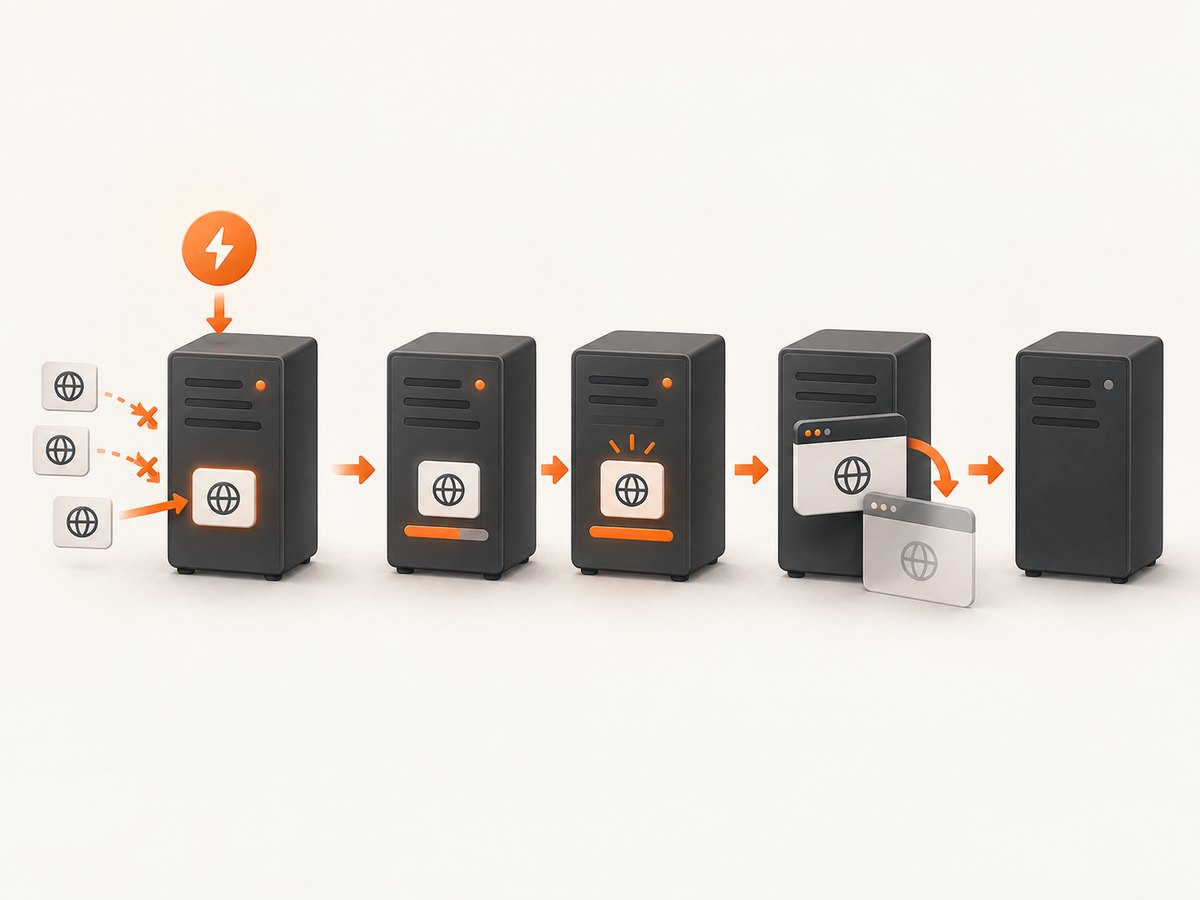
- Process shutdown: the application must stop taking new jobs, finish or cancel active jobs, close browsers, and exit before Heroku’s shutdown deadline.
Heroku deployment setup can affect whether Chromium launches. Puppeteer’s Heroku troubleshooting guidance recommends its Heroku buildpack for missing system dependencies and discusses --no-sandbox in that deployment context. Those steps solve launch compatibility; they do not replace browser.close(). Check the buildpack and browser versions against the Puppeteer version installed by your application.
A safe request lifecycle
The smallest reliable pattern is:
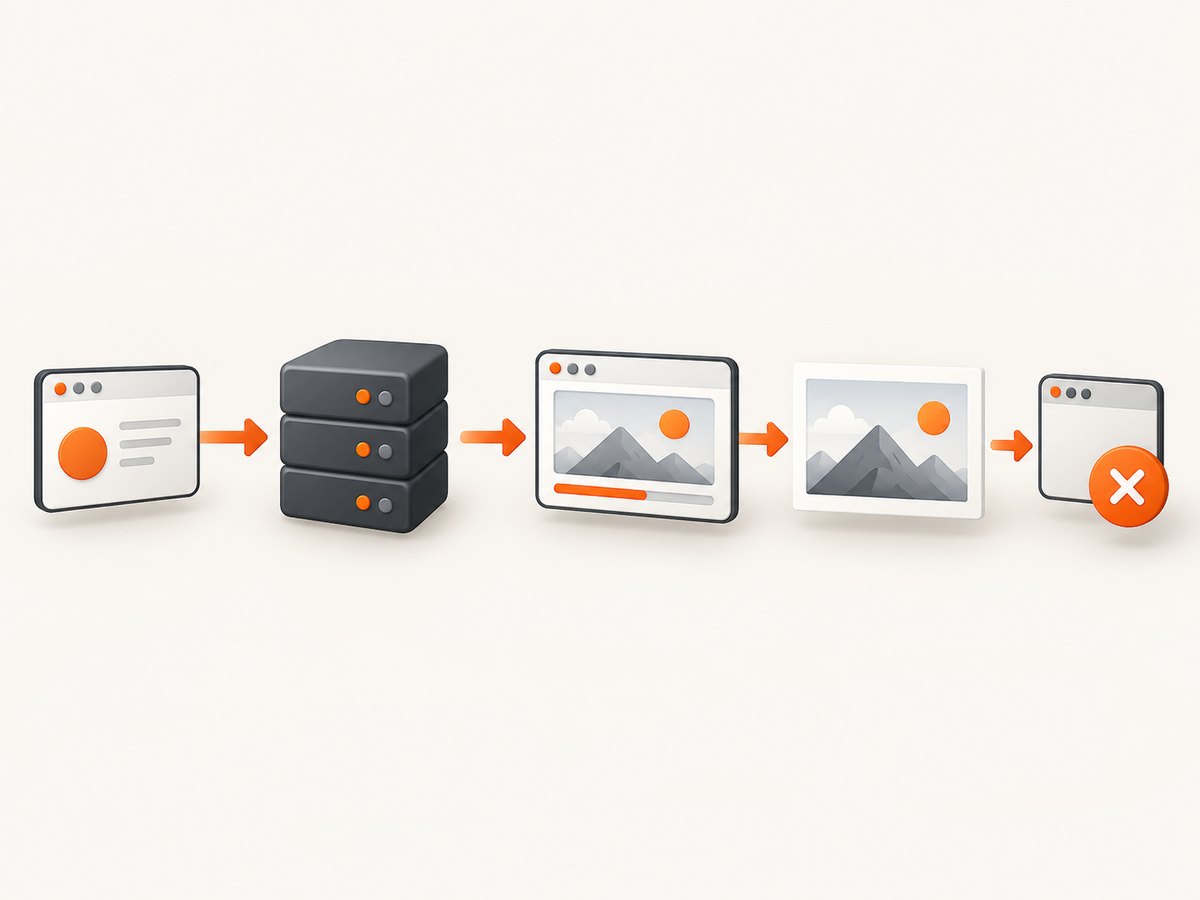
const browser = await puppeteer.launch();
try {
  const page = await browser.newPage();
  // Bounded page work goes here.
} finally {
  await browser.close();
}
Put the launch call outside the try only when you want to distinguish launch failures from page-work failures. If launch succeeds, the finally block must own closure. Never return from the job before it runs.
Complete Express example with bounded work
This example launches one browser per request, applies navigation and operation timeouts, and closes the browser on every path. It also handles Heroku shutdown for requests currently in progress.
import express from 'express';
import puppeteer from 'puppeteer';

const app = express();
const port = process.env.PORT || 3000;
const activeBrowsers = new Set();
let shuttingDown = false;
let activeRequests = 0;

app.get('/screenshot', async (req, res) => {
  if (shuttingDown) {
    res.status(503).json({ error: 'server_shutting_down' });
    return;
  }

  const target = typeof req.query.url === 'string' ? req.query.url : '';
  if (!target || !/^https?:\\/\\//i.test(target)) {
    res.status(400).json({ error: 'url_must_start_with_http_or_https' });
    return;
  }

  activeRequests += 1;
  let browser;
  try {
    browser = await puppeteer.launch({
      // Add only the arguments required by your Heroku runtime.
      args: ['--no-sandbox', '--disable-setuid-sandbox'],
      handleSIGHUP: true,
      handleSIGINT: true,
      handleSIGTERM: true,
    });
    activeBrowsers.add(browser);

    const page = await browser.newPage();
    page.setDefaultNavigationTimeout(20_000);
    page.setDefaultTimeout(10_000);

    await page.goto(target, {
      waitUntil: 'networkidle2',
      timeout: 20_000,
    });

    const png = await page.screenshot({ fullPage: true });
    res.type('png').send(png);
  } catch (error) {
    if (!res.headersSent) {
      res.status(502).json({
        error: 'capture_failed',
        message: error instanceof Error ? error.message : String(error),
      });
    }
  } finally {
    if (browser) {
      activeBrowsers.delete(browser);
      try {
        await browser.close();
      } catch (closeError) {
        console.error('browser_close_failed', closeError);
      }
    }
    activeRequests -= 1;
  }
});

const server = app.listen(port, () => {
  console.log(`listening on ${port}`);
});

async function shutdown(signal) {
  if (shuttingDown) return;
  shuttingDown = true;
  console.log(`received ${signal}; stopping new requests`);

  server.close(async () => {
    await Promise.allSettled(
      [...activeBrowsers].map((browser) => browser.close())
    );
    process.exit(0);
  });

  // Keep shutdown bounded so a stuck browser cannot hold the dyno forever.
  setTimeout(async () => {
    await Promise.allSettled(
      [...activeBrowsers].map((browser) => browser.close())
    );
    process.exit(1);
  }, 25_000).unref();
}

process.on('SIGTERM', () => { void shutdown('SIGTERM'); });
process.on('SIGINT', () => { void shutdown('SIGINT'); });
The timeout values are examples, not Heroku guarantees. Choose limits that fit the work your application performs and leave time for cleanup before the platform’s deadline. The shutdown handler first makes the server stop accepting requests. server.close() waits for existing connections to finish, while the final timer prevents an unresponsive browser from keeping the dyno alive indefinitely.
Designing shutdown for workers and queues
For a worker, the same sequence applies without an HTTP server:
- Set a shutdown flag when
SIGTERMorSIGINTarrives. - Stop polling the queue and reject new jobs.
- Allow active jobs to finish if they remain within the deadline.
- Cancel or abandon work that exceeds the deadline.
- Close every browser and exit.
let stopping = false;
const activeJobs = new Set();

process.on('SIGTERM', () => {
  stopping = true;
});

async function workerLoop() {
  while (!stopping) {
    const job = await nextJob();
    if (!job) continue;

    const promise = runJob(job);
    activeJobs.add(promise);
    promise.finally(() => activeJobs.delete(promise));
  }

  await Promise.race([
    Promise.allSettled(activeJobs),
    new Promise((resolve) => setTimeout(resolve, 25_000)),
  ]);
}
Make runJob own its browser in a try/finally. Do not rely on the worker loop to discover and close browsers later; a thrown promise or an early process exit can bypass that assumption.
Puppeteer options that affect process behavior
| Option or practice | Use | Failure it prevents |
|---|---|---|
handleSIGHUP, handleSIGINT, handleSIGTERM |
Keep enabled unless you intentionally manage signals yourself. | Browser processes surviving a normal process signal. |
timeout and AbortSignal |
Bound launch and long operations. | Promises that wait forever during shutdown. |
page.setDefaultNavigationTimeout() |
Set a navigation ceiling. | Slow or never-ending page loads. |
browser.close() in finally |
Run cleanup after success and exceptions. | Leaked browser processes from error paths. |
| Concurrency limit | Restrict simultaneous launches or pages. | Memory pressure and cascading failures. |
Puppeteer documents an AbortSignal launch option and signal-handling options in its API reference. Match the API to the Puppeteer version in your lockfile because these details can change between releases.
Heroku deployment checklist
- Pin Puppeteer and confirm which Chromium revision or system browser your build uses.
- Follow Puppeteer’s Heroku troubleshooting guidance for required dependencies and its recommended buildpack.
- Use the deployment arguments required by your runtime. Puppeteer’s Heroku section discusses
--no-sandbox; review the security implications for your application. - Set operation timeouts shorter than the shutdown window.
- Deploy a readiness path that returns failure while
shuttingDownis true if your routing setup uses health checks. - Log browser launch, page completion, cleanup start, cleanup failure, and shutdown signal.
- Exercise failure paths: invalid URLs, navigation timeout, browser launch failure, and termination during an active capture.
Puppeteer’s troubleshooting page also discusses --init and dumb-init for Docker PID 1 and zombie reaping. Apply that advice only when the application actually runs in a relevant Docker container; it is not a universal Heroku fix.
Diagnosing a lingering process
Start with logs around the same job:
heroku logs --tail
heroku ps
heroku ps:restart web
Correlate the timestamp of the browser launch with page completion and the cleanup log. If you see a shutdown or R12 exit timeout, ask:
- Did the process stop accepting new work?
- Was an asynchronous operation still waiting without a timeout?
- Did every browser reach its
finallyblock? - Were Puppeteer signal handlers disabled or replaced?
- Did shutdown wait on a queue poll, open socket, or unresolved promise?
A restart can restore service, but it does not correct a missing cleanup path. Fix the lifecycle code before treating restarts as recovery.
Performance, reliability, and cost considerations
Reuse versus isolation
Launching a browser per request makes ownership obvious but adds launch overhead. Reusing one browser can reduce startup work, yet requires careful page cleanup, limits on concurrent pages, and a policy for recycling the browser after errors. Whichever model you choose, retain per-job timeouts and a final browser close during shutdown.
Bound concurrency
Do not launch an unbounded Chromium process for every incoming request. Use a queue or semaphore, reject excess work with a clear response, and measure active jobs. The research sources do not establish a universal memory limit or safe concurrency number; determine yours from the selected dyno, browser version, page workload, and observed logs.
Keep waits finite
networkidle2 can take a long time on pages with persistent connections or analytics requests. Combine it with a navigation timeout and consider a more suitable wait condition for your page. Bound selector waits, screenshot work, queue polling, and shutdown waits as well.
Plan for daily cycling
Heroku says dynos restart at least once per day with randomized timing. Persist job state outside the dyno, make jobs retryable, and assume an in-memory browser, queue reservation, or cache can disappear during a restart.
Common errors and fixes
| Symptom | Likely cause | Fix |
|---|---|---|
| R12 exit timeout during deploy or restart | Active work or browser cleanup exceeded the shutdown period. | Stop new work immediately, add operation deadlines, close browsers in finally, and use a bounded shutdown timer. |
Failed to launch the browser process |
Missing Heroku dependencies, incompatible browser revision, or runtime arguments. | Use the Puppeteer Heroku buildpack guidance, verify versions, and review required launch arguments. |
| Chromium remains after request errors | An exception bypassed browser.close(). |
Move closure into finally; also close pages and contexts when your architecture creates them separately. |
| Navigation never returns | Page keeps connections open or a wait condition is unsuitable. | Set navigation and selector timeouts and choose a bounded wait strategy. |
| Shutdown handler runs but dyno still hangs | New jobs continue, a queue poll remains active, or an unresolved promise blocks exit. | Set a stopping flag, stop polling, await or cancel active jobs, then close browsers. |
| Zombie-process concerns in a container | PID 1 is not reaping child processes. | Use Docker-specific --init or dumb-init guidance only when actually deploying a Docker container. |
Or skip the browser setup
If your goal is dependable website screenshots rather than maintaining Chromium on a dyno, ScreenshotNeo provides a GET API and MCP server. It removes cookie and consent banners, newsletter popups, and chat widgets before capture. Bot checks, blank pages, timeouts, failed loads, and cache hits cost nothing, and each response reports its verdict and billing status in X-Page-Verdict and X-Billed headers. Its MCP server exposes take_screenshot, get_page_info, and capture_pdf for Claude, Cursor, and other MCP clients.
Use the API from your application without installing Chromium. The full option reference is in the ScreenshotNeo documentation.
curl -G "https://api.screenshotneo.com/v1/shot" -d access_key=YOUR_API_KEY --data-urlencode url=https://stripe.com -o shot.webpimport requests
r = requests.get("https://api.screenshotneo.com/v1/shot", params={"access_key": "YOUR_API_KEY", "url": "https://stripe.com"}, timeout=90)
open("shot.webp", "wb").write(r.content)const q = new URLSearchParams({ access_key: 'YOUR_API_KEY', url: 'https://stripe.com' });
const res = await fetch(`https://api.screenshotneo.com/v1/shot?${q}`);ScreenshotNeo includes full-page capture with lazy images loaded, CSS-element capture, dark mode, device presets and custom viewports, retina scale, PDF controls, custom CSS and JavaScript, clicks, selector waits, delays, network-idle waits, request blocking, headers, cookies, user agents, authorization, timezone, geolocation, transparent backgrounds, resizing, configurable caching, signed links, asynchronous jobs with signed webhooks, bulk capture for 100 URLs per call, a usage API, and an OpenAPI specification. Every feature is on every plan. The Free plan includes 1,000 shots per month with no card; paid plans start at $5 for 3,000 shots.
Create your free ScreenshotNeo account and get 1,000 screenshots each month with no card.
FAQ
Should I call browser.disconnect() or browser.close()?
Use browser.close() when the process owns the browser and should terminate it. A disconnect leaves Chromium running, so it is appropriate only when another supervisor intentionally owns that process.
Does Heroku restart explain every hanging process?
No. Restarts expose weak cleanup paths, but a request exception, missing timeout, or unbounded concurrency can leak a browser before any restart occurs.
Can I disable Puppeteer’s signal handling?
You can, but do so only when your application deliberately forwards signals and closes browsers itself. Otherwise keep the documented defaults enabled.
Is --no-sandbox required for every Heroku deployment?
Puppeteer’s Heroku troubleshooting guidance discusses it for that deployment environment. Verify the current runtime, buildpack, and security requirements instead of copying the argument blindly.
What should happen to a job interrupted during dyno shutdown?
Mark it retryable or failed in durable storage, stop taking new work, close the browser, and let a later worker retry it if the operation is safe to repeat.


