How to Prevent PhantomJS Capybara Failures on Never-Ending Assets
Find whether Capybara, PhantomJS, or an asset is waiting forever, then fix the correct layer without hiding real browser failures.
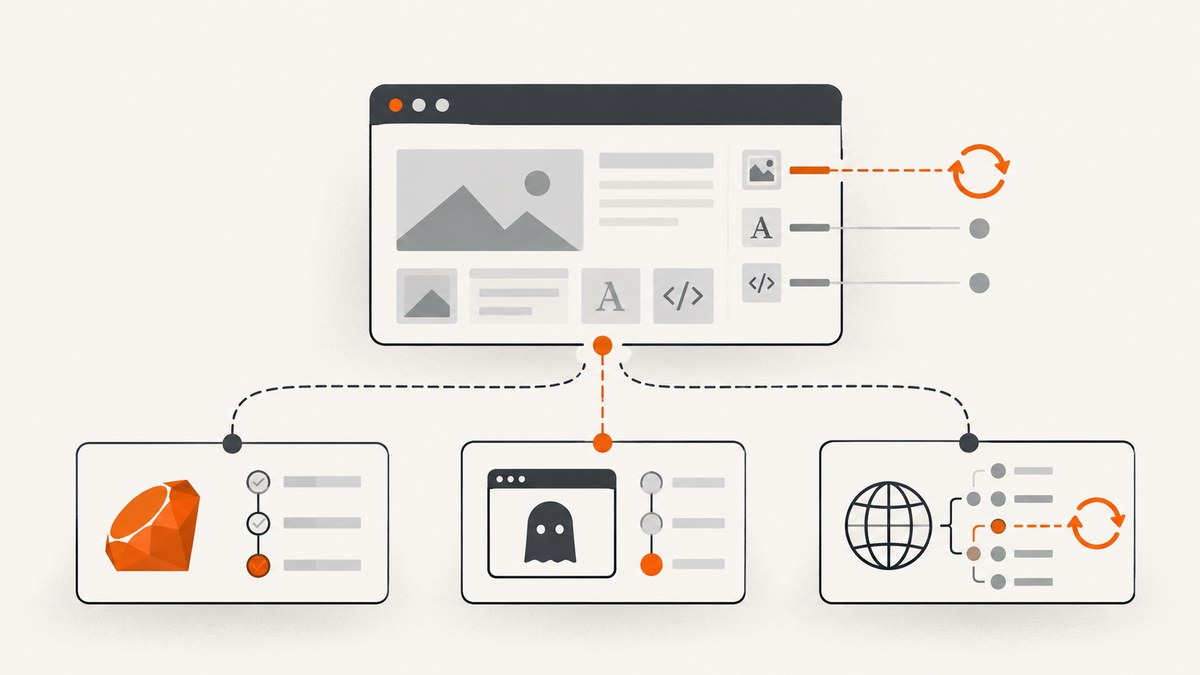
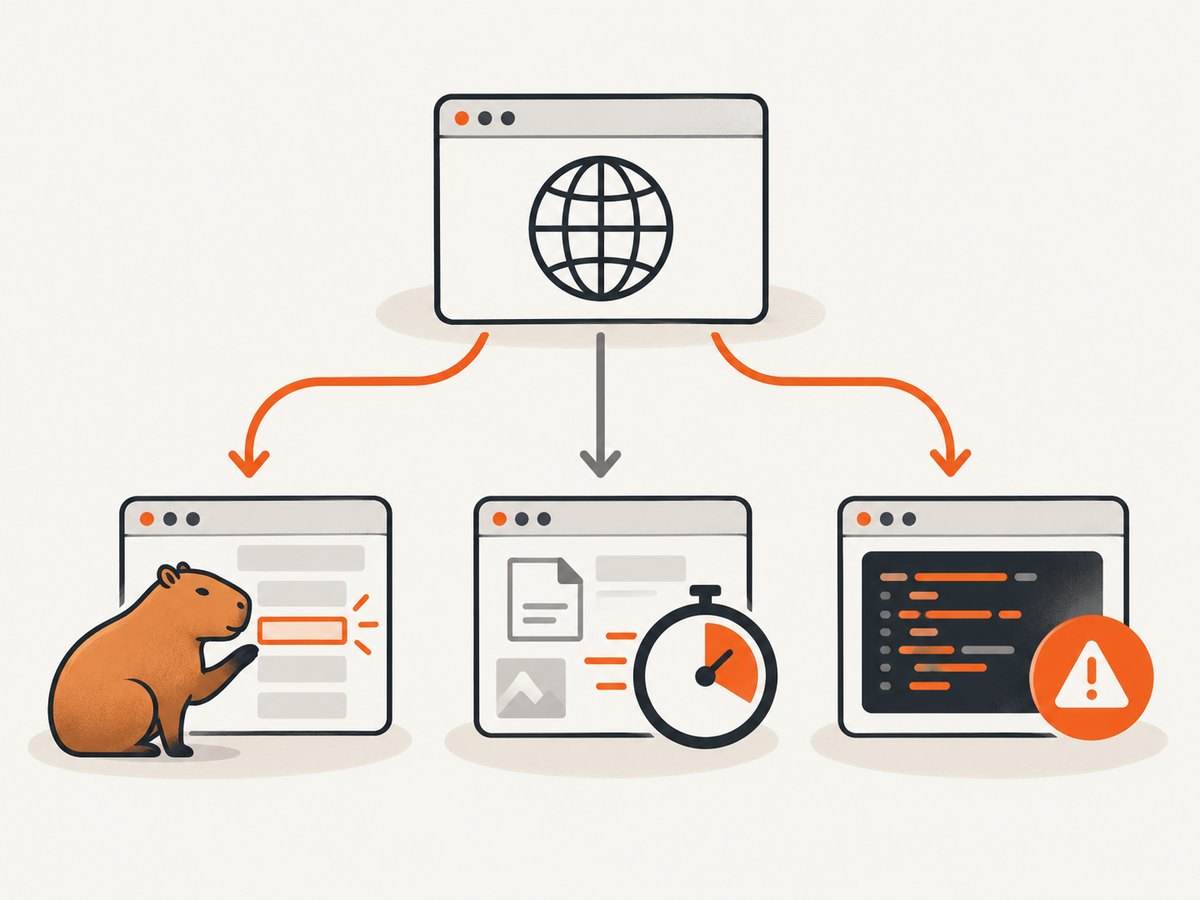
Short answer: first identify which layer is waiting. Capybara’s retry period controls element lookups and failed predicates after navigation. PhantomJS’s page.settings.resourceTimeout limits one resource request, in milliseconds, and must be set before the initial page.open. A driver or navigation wait is a different problem again. Increasing Capybara.default_max_wait_time will not repair a page that never finishes loading an image, font, script, or third-party request.
For a legacy PhantomJS suite, use this order:
- Record whether
visitis still waiting or a laterfind/assert_selectoris retrying. - Log requested resources, resource timeouts, and JavaScript exceptions.
- Check the exact PhantomJS binary, Capybara version, and adapter/driver gem in the lockfile.
- Set a per-resource timeout before the first page load only when the test can correctly proceed without that resource.
- Keep non-JavaScript tests on
rack_test; use a JavaScript driver only for behavior that needs a browser.
1. Identify the timeout layer
Capybara is waiting for an element or predicate
Capybara automatically retries element queries and failed predicates for a short configured period. The current guide documents a two-second default and exposes Capybara.default_max_wait_time. A successful predicate returns immediately; a failed predicate is retried until the wait expires. This applies after the driver has returned control for the page.
require "capybara/rspec"

RSpec.describe "checkout", type: :feature, js: true do
  it "shows the confirmation" do
    visit "/checkout"
    click_button "Pay"

    # This is an asynchronous UI wait, so a scoped wait can be appropriate.
    expect(page).to have_css("[data-test=confirmation]", wait: 5)
  end
end
Use a larger wait only when the application is expected to update asynchronously. Do not use it as a substitute for diagnosing a navigation that is still blocked by a resource.
PhantomJS is waiting for one resource
page.settings.resourceTimeout is measured in milliseconds and applies to an individual request. When it fires, PhantomJS stops waiting for that resource while other page work can continue. The setting must be present before the initial page.open; changing it after navigation has started does not change that load.
A timed-out image may be harmless for a form test. A timed-out application script, stylesheet, or API request may make the behavior under test invalid. Decide whether the asset is essential before filtering or timing it out.
The driver or navigation never completes
If visit itself never returns, Capybara’s element retry period is not the controlling timer. The adapter may be waiting for navigation completion, PhantomJS may be waiting on a resource, or page JavaScript may be preventing the expected completion state. The exact navigation option depends on the PhantomJS adapter and version, so inspect the installed driver documentation instead of copying a setting from an unrelated release.
2. Instrument PhantomJS before changing timeouts
Logging first tells you whether the problem is a stuck asset, a JavaScript exception, or a server response. PhantomJS exposes request metadata through onResourceTimeout, including the request id, method, URL, request time, headers, error code, and error string. Its troubleshooting guidance also demonstrates request logging and an onError handler.
Save this as diagnose.js and run it with the same PhantomJS binary used by the test process:
var page = require("webpage").create();
var system = require("system");
var target = system.args[1] || "http://127.0.0.1:3000/";

page.settings.resourceTimeout = 15000; // milliseconds; set before open

page.onResourceRequested = function (requestData) {
  console.log("REQUEST " + requestData.id + " " + requestData.method + " " + requestData.url);
};

page.onResourceTimeout = function (request) {
  console.log("RESOURCE_TIMEOUT " + JSON.stringify({
    id: request.id,
    method: request.method,
    url: request.url,
    time: request.time,
    errorCode: request.errorCode,
    errorString: request.errorString
  }));
};

page.onResourceReceived = function (response) {
  if (response.stage === "end") {
    console.log("RESPONSE " + response.status + " " + response.url);
  }
};

page.onError = function (message, trace) {
  console.log("PAGE_ERROR " + message);
  trace.forEach(function (frame) {
    console.log("  at " + frame.file + ":" + frame.line + (frame.function ? " in " + frame.function : ""));
  });
};

page.open(target, function (status) {
  console.log("OPEN_STATUS " + status);
  phantom.exit(status === "success" ? 0 : 1);
});
Run it with:
phantomjs diagnose.js http://127.0.0.1:3000/checkoutLook for the last request before the stall, repeated requests, a timeout record, or a page exception. An image, web font, analytics script, third-party iframe, and application API call have different fixes.
3. Make the Ruby test reproducible
Keep the failing URL and action as small as possible. This example separates navigation from the assertion and prints the URL when each phase starts:
require "capybara"
require "capybara/dsl"

Capybara.app = MyRackApp
Capybara.default_max_wait_time = 2

session = Capybara::Session.new(:rack_test, Capybara.app)

begin
  warn "visiting /checkout"
  session.visit "/checkout"
  warn "visit returned: #{session.current_url}"

  # Use a JavaScript-capable driver for this part only if the test needs JS.
  session.assert_selector("form[data-test=checkout]")
rescue StandardError => e
  warn "#{e.class}: #{e.message}"
  warn e.backtrace.join("\n")
  raise
end
For a JavaScript scenario, configure the driver used by your project and retain the same phase logging. Do not assume every PhantomJS-backed adapter exposes the same browser object or timeout option. Check the adapter source and lockfile for the exact version in use.
4. Choose the smallest effective fix
| Observed symptom | Likely layer | First action |
|---|---|---|
visit never returns |
Navigation, driver, or resource loading | Enable request and timeout logging; inspect the final request. |
visit returns, then find or a predicate expires |
Capybara asynchronous wait | Verify the selector and application state; use a scoped wait only if the update is expected. |
| One image/font/third-party request times out | PhantomJS resource request | Fix or remove the dependency, or set a pre-navigation resource timeout if it is nonessential. |
| Page error appears before the stall | JavaScript exception | Fix the exception or provide the missing browser capability/configuration. |
| Only browser-backed tests fail | Driver or browser compatibility | Confirm binary and adapter versions; consider a maintained JavaScript driver. |
Fix the server or dependency when the resource is required
If the failing request is an application bundle, stylesheet, API response, or image required by the behavior under test, repair the underlying response. Check server logs, DNS, TLS, redirects, authentication, cache headers, and whether the test environment can reach the host. A timeout can hide a broken dependency; it does not make the page correct.
Bound a nonessential resource
For a decorative image, analytics beacon, advertising script, or optional font, a resource timeout can keep the test from waiting forever. Set it before page.open, and verify that the assertion still tests the intended behavior without that asset. Do not describe this as a global page timeout or as proof that all network activity has finished.
Filter only what the test does not need
If your adapter supports request filtering, use it narrowly for known third-party resources. Record the URL pattern in the test rationale. Broad filtering can make a passing test diverge from production behavior and can accidentally remove an API request the test needs.
5. Reduce PhantomJS exposure in the suite
Capybara’s documented default driver is rack_test, which is appropriate for tests that do not require JavaScript. Select a JavaScript-capable driver only for scenarios that execute browser code. This keeps ordinary request and response coverage independent of browser asset loading.
# spec/support/capybara.rb
require "capybara/rspec"

Capybara.default_max_wait_time = 2
Capybara.javascript_driver = :selenium # or the driver selected by your project

RSpec.configure do |config|
  config.before(:each, type: :feature) do |example|
    driven_by(example.metadata[:js] ? Capybara.javascript_driver : :rack_test)
  end
end
The exact RSpec integration varies by Capybara version. Keep the principle: ordinary tests use rack_test; JavaScript tests use a browser driver whose versions you actively maintain.
6. Common errors and their fixes
“Increasing default_max_wait_time changed nothing”
Cause: navigation is still blocked, or the resource itself has a PhantomJS timeout.
Fix: determine whether the failure occurs inside visit. If it does, inspect resource logs and page errors. Change Capybara’s wait only for an element that appears after navigation.
“The timeout value is ignored”
Cause: resourceTimeout was set after the first page.open, or the adapter does not expose the setting in the way your code assumes.
Fix: set it during browser/page setup before navigation and confirm the adapter’s API for the installed version.
“The page passes locally but hangs in CI”
Cause: CI may have different DNS, TLS trust, proxy settings, network access, CPU timing, or asset hosts.
Fix: run the diagnostic script against the same URL from CI, compare the final request and error fields, and make required dependencies available inside the test environment.
“A stylesheet or font times out, but the assertion passes”
Cause: the asset may not affect the behavior being asserted.
Fix: decide whether visual fidelity matters for that test. If not, isolate the test from the asset or bound the request. If layout or font loading is part of the behavior, fix the asset instead.
“A JavaScript error is reported as a timeout”
Cause: an exception can prevent the code that resolves an application state from running.
Fix: capture onError output and fix the first exception before changing waits.
7. Performance and reliability checklist
- Log the exact URL, request method, status, timeout fields, and page error before tuning values.
- Use local fixtures or a test-owned host for assets required by the test.
- Keep third-party analytics, ads, chat, and external fonts out of tests that do not exercise them.
- Use a per-resource timeout instead of a large global wait when one optional request is responsible.
- Keep Capybara waits close to the assertion that needs them.
- Run the same PhantomJS binary and driver versions locally and in CI.
- Record every intentionally skipped or timed-out resource so future maintainers know why it is safe.
- Prefer a maintained JavaScript-capable driver for new browser tests; treat PhantomJS guidance as legacy maintenance because its runtime and documentation are old.
8. Or skip the browser setup
If the goal is to capture a page image or PDF rather than execute a Capybara scenario, ScreenshotNeo provides a single HTTP request. It accepts cookie and consent banners like a visitor, removes more than 60 known consent platforms plus newsletter popups and chat widgets before capture, and bills only clean shots. Bot checks, blank pages, timeouts, failed loads, and cache hits are not billed, and the response identifies the result with X-Page-Verdict and X-Billed headers. Its MCP server also lets Claude, Cursor, and other MCP clients call take_screenshot, get_page_info, and capture_pdf.

See the ScreenshotNeo API documentation for the full option list.
cURL
curl -G "https://api.screenshotneo.com/v1/shot" \
  -d access_key=YOUR_API_KEY \
  --data-urlencode url=https://stripe.com \
  -o shot.webp
Python
import requests

r = requests.get(
    "https://api.screenshotneo.com/v1/shot",
    params={"access_key": "YOUR_API_KEY", "url": "https://stripe.com"},
    timeout=90,
)
r.raise_for_status()
open("shot.webp", "wb").write(r.content)
Node.js
const q = new URLSearchParams({
  access_key: 'YOUR_API_KEY',
  url: 'https://stripe.com'
});
const res = await fetch(`https://api.screenshotneo.com/v1/shot?${q}`);
if (!res.ok) throw new Error(`Screenshot failed: ${res.status}`);
require('fs').writeFileSync('shot.webp', Buffer.from(await res.arrayBuffer()));
ScreenshotNeo supports full-page capture with lazy images loaded, CSS element capture, dark mode, device presets and custom viewports, retina scale, PDF settings, custom CSS and JavaScript, clicks, selector hiding, selector/delay/network-idle waits, request and resource blocking, headers, cookies, user agents, authorization, timezone, geolocation, transparent backgrounds, resizing, chosen cache TTLs, signed links, asynchronous jobs with signed webhooks, bulk capture for up to 100 URLs per call, a usage API, and an OpenAPI specification. Existing parameter names used by other screenshot APIs also work, which can simplify a migration.
The Free plan includes 1,000 screenshots each month with no card. Paid plans start at $5 for 3,000 screenshots; every feature is available on every plan. Create a free ScreenshotNeo account.
9. FAQ
Does a Capybara wait include page-load time?
Not automatically. Capybara’s retry behavior applies to element lookup and predicates. A driver can still be waiting for navigation or a resource before Capybara gets to that code.
What unit does PhantomJS use for resourceTimeout?
Milliseconds. Set it before the initial page.open for that load.
Should every asset be given a short timeout?
No. Shorten or filter only resources that are nonessential to the behavior under test. Required assets should be fixed or made deterministic.
Why is the exact PhantomJS workaround version-dependent?
The title does not identify the PhantomJS binary, adapter gem, or Capybara version. Their APIs and defaults can differ, so validate the setting against the dependency lockfile and driver documentation.
When should I replace PhantomJS?
For new JavaScript tests or suites needing current browser behavior, use a maintained JavaScript-capable driver. Keep PhantomJS-specific changes focused on maintaining legacy coverage while you plan that migration.


