How to Prevent Puppeteer and Chromium from Crashing Servers Due to Low RAM
Diagnose Puppeteer OOM crashes, size Docker memory, control concurrency, fix /dev/shm failures, and clean up Chromium processes reliably.

Puppeteer crashes on a low-RAM server when the combined memory used by Node.js, Chromium, renderer processes, native allocations, shared memory, caches, and other services exceeds an available limit. The failure may appear as an OOM kill, a disconnected browser, a renderer crash, BUS_ADRERR, a timeout, or a process that simply disappears.
The reliable fix is to treat every browser and page as a separately budgeted workload. Measure Node RSS and heap, Chromium child-process RSS, container usage, /dev/shm, and kernel OOM events. Then cap concurrency, reserve memory headroom, close every page and browser, make Chrome’s profile writable, and supervise child processes.
1. Find out what is actually running out of memory
Start with evidence rather than a universal “RAM per tab” estimate. No authoritative source provides one number that applies to every page: a JavaScript-heavy dashboard, a PDF render, and a mostly static document have different process and cache behavior.
Check for a kernel or cgroup OOM kill
Docker can enforce a hard memory limit and a softer reservation. When the hard limit is exhausted, the kernel can kill a process inside the container. Read the container state and host logs:
# Container state and configured limits
docker inspect <container> --format '{{json .State}}'
docker stats <container>

# Linux host: look for OOM-killer events
journalctl -k --since '30 minutes ago' | grep -i -E 'oom|out of memory|killed process'

dmesg -T | grep -i -E 'oom|out of memory|killed process'
A cgroup kill points to the container budget, even when the Node heap looks healthy. Docker documents that the kernel kills processes in a container when an out-of-memory error occurs (Docker resource constraints).
Separate V8 heap from total process memory
Node’s heap statistics cover V8’s managed JavaScript memory, not Chromium children or all native allocations. Log both:
import process from 'node:process';

setInterval(() => {
  const m = process.memoryUsage();
  console.log({
    rssMB: Math.round(m.rss / 1024 / 1024),
    heapUsedMB: Math.round(m.heapUsed / 1024 / 1024),
    heapTotalMB: Math.round(m.heapTotal / 1024 / 1024),
    externalMB: Math.round(m.external / 1024 / 1024),
    arrayBuffersMB: Math.round(m.arrayBuffers / 1024 / 1024)
  });
}, 10_000);
In a container, compare that RSS with the cgroup’s current usage and limit. On cgroup v2 systems these files are commonly available:
cat /sys/fs/cgroup/memory.current
cat /sys/fs/cgroup/memory.max
The Node option --max-old-space-size=SIZE sets V8’s old-generation limit; it does not add physical RAM. Node’s documentation shows a 1536 MiB example on a 2 GiB machine so other work still has room (Node CLI documentation).
Count Chromium processes
Chromium normally creates a browser process plus renderer, GPU, utility, network, and crash-handler processes. A count that rises after each request usually means pages, contexts, browsers, or queued jobs are not being released.
ps -eo pid,ppid,rss,cmd | grep -E '[c]hrome|[c]hromium' | sort -k3 -n
pgrep -af 'chrome|chromium'
Record the count and RSS before a job, during its largest page, and after cleanup. A healthy service returns near its baseline after the request finishes.
Inspect shared memory and writable paths
df -h /dev/shm /tmp
mount | grep shm
ls -ld /dev/shm /tmp
Docker’s default /dev/shm mount can be too small for large renders. A full shared-memory mount can produce renderer failures or BUS_ADRERR. Chrome also needs writable configuration, cache, and profile directories, especially in a read-only image.
2. Bound concurrency before changing Chrome flags
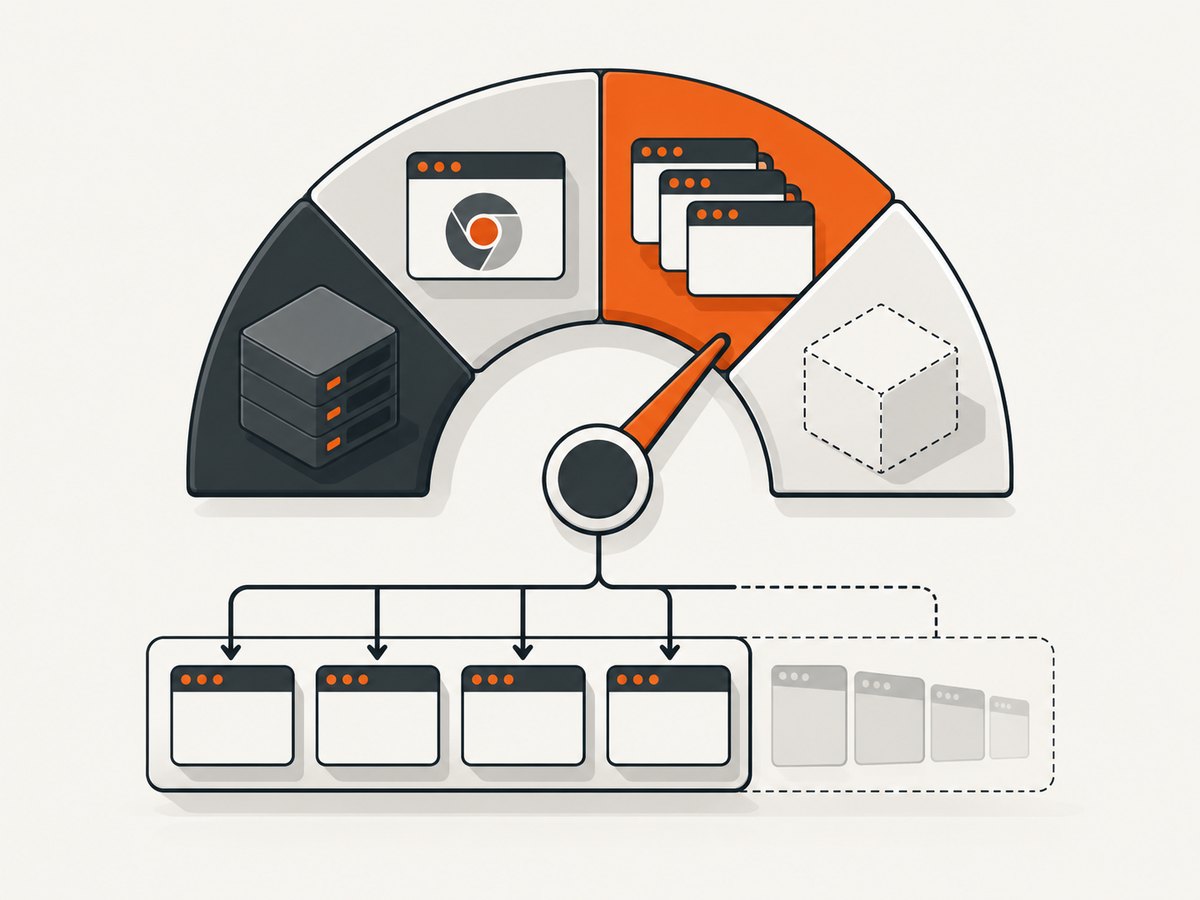
The most effective control is a queue. Give each worker a measured memory budget, reserve headroom for the operating system and other services, and cap simultaneous pages. Exact values depend on your pages and must come from RSS and cgroup measurements.
import puppeteer from 'puppeteer';

const MAX_CONCURRENT = 2;
const queue = [];
let active = 0;

function runLimited(task) {
  return new Promise((resolve, reject) => {
    queue.push({ task, resolve, reject });
    drain();
  });
}

async function drain() {
  if (active >= MAX_CONCURRENT || queue.length === 0) return;
  active++;
  const job = queue.shift();
  try { job.resolve(await job.task()); }
  catch (err) { job.reject(err); }
  finally { active--; drain(); }
}

const browser = await puppeteer.launch({
  headless: true,
  userDataDir: '/tmp/.puppeteer-profile'
});

async function capture(url) {
  const page = await browser.newPage();
  try {
    await page.goto(url, { waitUntil: 'networkidle2', timeout: 45_000 });
    return await page.screenshot({ type: 'png', fullPage: true });
  } finally {
    await page.close();
  }
}

try {
  const image = await runLimited(() => capture('https://example.com'));
  await import('node:fs/promises').then(fs => fs.writeFile('/tmp/example.png', image));
} finally {
  await browser.close();
}
Reuse one browser only when every page is closed in a finally block. For untrusted or unusually heavy workloads, recycle the browser after a bounded number of jobs. A queue prevents a traffic spike from starting dozens of renderers at once.
3. Set Docker memory limits with headroom
Use a hard ceiling and a softer reservation, and alert before the ceiling. The reservation helps Docker account for the service during contention; it does not create memory. For example:
docker run --init \
  --memory=1g \
  --memory-reservation=768m \
  --shm-size=256m \
  my-puppeteer-service
Choose these values from observed peak cgroup usage, then leave room for Node, Chromium, filesystem activity, and neighboring processes. Increasing the container size addresses capacity; a queue addresses concurrency. They solve different failure modes.
Do not use --oom-kill-disable as a sizing strategy. It changes default behavior and can leave a constrained service stuck while the host remains under pressure.
4. Fix /dev/shm failures deliberately
There are two valid approaches:
- Increase shared memory. Set Docker’s
--shm-sizeor the equivalent Kubernetes shared-memory volume when large pages or PDFs need it. - Move Chromium’s shared-memory files to /tmp. Launch with
--disable-dev-shm-usagewhen changing the mount is impractical.
const browser = await puppeteer.launch({
  args: ['--disable-dev-shm-usage'],
  userDataDir: '/tmp/.puppeteer-profile'
});
The flag trades shared-memory pressure for temporary-disk I/O, so monitor /tmp capacity and latency. Puppeteer’s troubleshooting guide documents both options (Puppeteer troubleshooting).
5. Make Chrome’s profile and cache writable
Read-only containers often fail before Puppeteer connects because Chrome cannot create a profile or cache. Set writable XDG directories and an explicit profile:
ENV XDG_CONFIG_HOME=/tmp/.chromium-config
ENV XDG_CACHE_HOME=/tmp/.chromium-cache

RUN mkdir -p /tmp/.chromium-config /tmp/.chromium-cache /tmp/.puppeteer-profile \
  && chmod 700 /tmp/.chromium-config /tmp/.chromium-cache /tmp/.puppeteer-profile
const browser = await puppeteer.launch({
userDataDir: '/tmp/.puppeteer-profile',
args: ['--disable-dev-shm-usage']
});In production, a writable temporary volume is preferable to silently filling a small layer filesystem. Clean old profiles if you create one per job.
6. Reap child processes and shut down cleanly
Run the container with an init process. Puppeteer’s Docker guide recommends --init or a custom entrypoint so child Chrome processes are reaped (Puppeteer Docker guide). Without it, orphaned processes can accumulate and consume memory.
const browser = await puppeteer.launch({
  handleSIGHUP: true,
  handleSIGINT: false,
  handleSIGTERM: false
});

async function shutdown(signal) {
  console.log(`received ${signal}`);
  try { await browser.close(); }
  finally { process.exit(0); }
}
process.on('SIGTERM', () => shutdown('SIGTERM'));
process.on('SIGINT', () => shutdown('SIGINT'));
Expose a health check that reports a disconnected browser and restart the worker rather than sending work to it:
if (!browser.connected) {
  throw new Error('Chromium disconnected; recycle worker');
}
7. Tune Node only after measuring
Raising --max-old-space-size can reduce JavaScript heap garbage-collection pressure, but it does not increase the container limit and leaves less room for Chromium if set too high. Set it below the cgroup limit with explicit allowance for browser RSS:
node --max-old-space-size=512 server.jsKeep this setting proportional to your measured workload. If the cgroup is killed while V8 heap is modest, increasing this value makes the failure more likely.
8. A production-ready cleanup pattern
import puppeteer from 'puppeteer';

export async function render(url) {
  const browser = await puppeteer.launch({
    headless: true,
    userDataDir: '/tmp/.puppeteer-profile'
  });
  let page;
  try {
    page = await browser.newPage();
    await page.setDefaultNavigationTimeout(45_000);
    await page.goto(url, { waitUntil: 'networkidle2' });
    return await page.pdf({ format: 'A4', printBackground: true });
  } finally {
    if (page) await page.close().catch(() => {});
    await browser.close().catch(() => {});
  }
}
For a long-lived service, move browser creation outside the request path, close pages per request, recycle the browser after a measured job count, and reject work when the queue is full. For a one-shot worker, closing the browser in finally is sufficient.
9. Troubleshooting checklist
| Symptom | Likely cause | Fix |
|---|---|---|
| Container exits with OOMKilled | Cgroup hard limit reached | Lower concurrency, reduce page workload, increase memory, and reserve headroom. |
| Node heap looks normal but service dies | Chromium child or native RSS | Measure total process and cgroup usage; do not rely on V8 heap alone. |
BUS_ADRERR or renderer crash |
/dev/shm is full |
Increase --shm-size or use --disable-dev-shm-usage. |
| Browser will not start in a read-only image | Profile or cache is not writable | Set XDG paths and userDataDir under /tmp or a writable volume. |
| Chromium count grows after every request | Missing page/browser cleanup or unbounded queue | Close in finally, cap concurrency, recycle workers, and run with --init. |
| Navigation timeouts under load | CPU or memory contention, slow page, or excessive concurrency | Measure peak RSS, lower parallelism, set a bounded timeout, and investigate the target page. |
| Disk fills after enabling the flag | /tmp now stores shared-memory files and caches |
Monitor and size temporary storage; clean profiles and use a larger writable volume. |
| Launch errors after upgrading Puppeteer | Supported Node or Linux package requirements changed | Pin a compatible release and review Puppeteer’s system requirements (system requirements). |
10. Performance, reliability, and cost considerations
- Concurrency: More pages can improve throughput until CPU, RSS, or shared memory saturates. Measure the knee of the curve and keep a safety margin.
- Browser reuse: Reuse reduces launch overhead, but long-lived processes can retain caches or extensions. Recycle after a bounded number of jobs.
- Navigation:
networkidle2can wait indefinitely on applications with persistent connections. Use a timeout and a workload-specific readiness selector when appropriate. - Images and PDFs: Full-page captures and print rendering often create more renderer work than a viewport screenshot. Queue them separately if their peaks differ.
- Reliability: Treat a disconnected browser as unhealthy, retry only idempotent jobs, and avoid retry storms that multiply memory pressure.
- Cost: Larger containers cost more, while a queue can increase latency. Compare infrastructure cost with the operational cost of maintaining Chromium dependencies and crash recovery.
11. Or skip the browser setup
If your goal is a reliable website screenshot rather than operating Chromium, ScreenshotNeo provides a single GET request that returns PNG, JPEG, WebP, or PDF. Cookie and consent banners are accepted and removed before capture, along with more than 60 known consent platforms, newsletter popups, and chat widgets. Bot checks, blank pages, timeouts, failed loads, and cache hits are not billed, and response headers identify the page verdict and billing status.

See the ScreenshotNeo API documentation for all options. A minimal request:
curl -G "https://api.screenshotneo.com/v1/shot" -d access_key=YOUR_API_KEY --data-urlencode url=https://stripe.com -o shot.webpimport requests
r = requests.get("https://api.screenshotneo.com/v1/shot", params={"access_key": "YOUR_API_KEY", "url": "https://stripe.com"}, timeout=90)
open("shot.webp", "wb").write(r.content)const q = new URLSearchParams({ access_key: 'YOUR_API_KEY', url: 'https://stripe.com' });
const res = await fetch(`https://api.screenshotneo.com/v1/shot?${q}`);
const bytes = new Uint8Array(await res.arrayBuffer());
await Bun.write('shot.webp', bytes);ScreenshotNeo also supports full-page and element captures, device presets and custom viewports, retina scale, dark mode, PDF settings, custom CSS and JavaScript, clicks, waits, request blocking, headers, cookies, user agents, authorization, timezone, geolocation, transparent backgrounds, resizing, TTL caching, signed links, asynchronous jobs, signed webhooks, bulk capture, usage data, an OpenAPI specification, and an MCP server with take_screenshot, get_page_info, and capture_pdf for AI clients.
There are 1,000 screenshots per month free with no card. Paid plans start at $5 for 3,000 shots, and every feature is included on every plan. Create a free ScreenshotNeo account.
12. FAQ
How much RAM does one Puppeteer page need?
There is no universal reliable number. Measure the complete process tree and cgroup usage for your pages, then derive a worker budget and concurrency limit.
Should I always use --disable-dev-shm-usage?
No. Increase /dev/shm when practical. Use the flag when the mount is the bottleneck and accept the possible temporary-disk I/O cost.
Will increasing Node’s old-space limit stop Chromium OOM kills?
No. That option only changes V8’s old-generation limit. Chromium’s native and child-process memory still counts against the container.
Is closing a page enough?
Close every page in a finally block and close the browser during shutdown. Also use a bounded queue and an init process so orphaned children do not accumulate.
When should I use an external screenshot API?
Use one when you want captures without packaging, sizing, supervising, and upgrading a Chromium fleet. ScreenshotNeo is designed for that one-call workflow and includes an MCP server for AI agents.


