How to Prevent Puppeteer Headless Browser Out-of-Memory Crashes
Diagnose whether Node, Chrome, Docker memory, or /dev/shm is causing Puppeteer crashes, then bound concurrency and clean up browser resources.
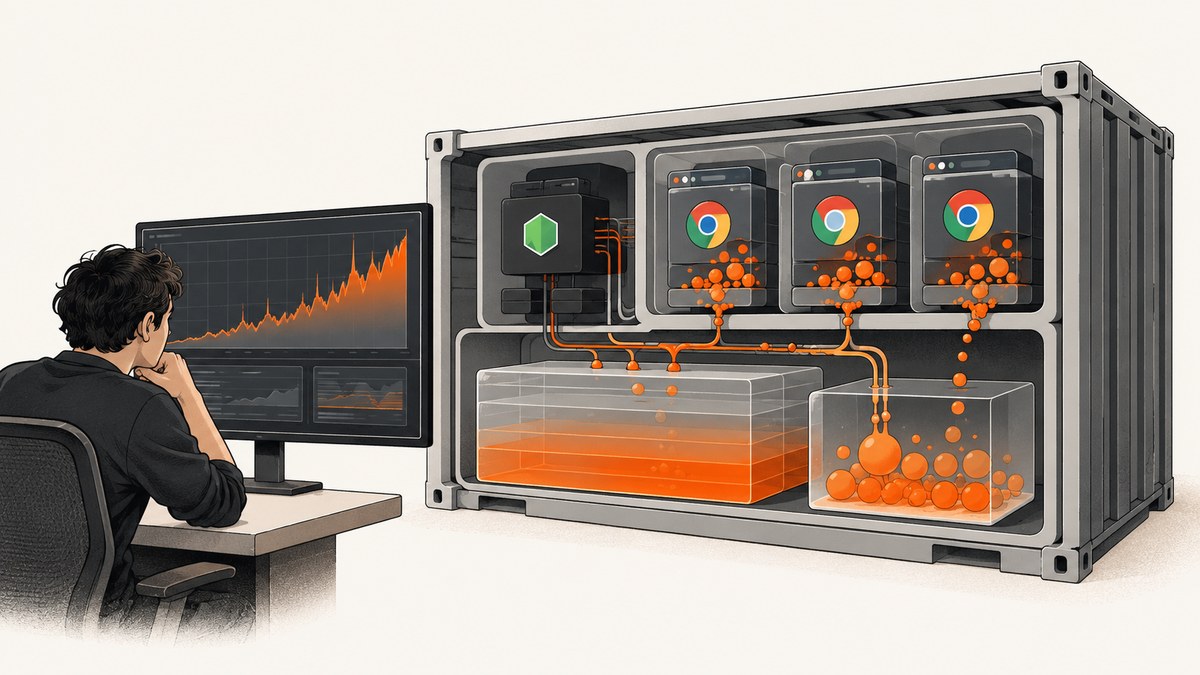
Puppeteer out-of-memory crashes have several possible causes: Node.js can hit its V8 heap limit, Chrome can exhaust renderer or process memory, a container can hit its cgroup limit, or Chrome can run out of Docker shared memory at /dev/shm. These are separate budgets. First identify which process and limit failed; then cap concurrent work, close every page and browser context, and size the container for the workload. Increasing Node’s heap alone will not fix a Chrome renderer crash or a container OOM kill.
This guide walks through a reproducible diagnostic process, gives a bounded Puppeteer worker pattern, and covers Docker, Jest, browser versions, performance, and failure recovery. For official details, see Puppeteer’s troubleshooting guide and Docker guide.
1. Identify which memory limit failed
Start with the exact error and its source. “Out of memory” is not a single failure mode. Record the timestamp, job URL or test name, active job count, browser/page count, and the process that emitted the error.
| Symptom | Likely resource | First check |
|---|---|---|
JavaScript heap out of memory |
Node/V8 heap | Node heap usage and retained application objects |
ENOMEM, failed process or file operation |
Process, memory, filesystem, or container limits | Container events, process limits, writable paths, and worker count |
| Renderer crash or tab closes while Node stays alive | Chrome renderer/process memory or shared memory | Chrome child processes, page workload, and /dev/shm |
| Container exits with OOM status or OOM-kill event | Container cgroup limit | memory.current, memory.events, and orchestrator/container limits |
| Browser disconnects, hangs, then fails | Could be a prior crash, wedged page, or process management issue | Browser logs, child processes, timeouts, and cleanup path |
Log Node’s RSS and heap, but do not treat them as Chrome’s total. Chrome normally uses separate browser and renderer processes. Sample the process tree as well as container memory and shared-memory use while a reproducer is running. On Linux containers, cgroup v2 exposes memory.current and memory.events beneath the container’s cgroup; the exact mount path depends on the runtime. Use your container or orchestration tooling if those files are not directly visible.
node -e "const v8=require('node:v8'); setInterval(()=>{const m=process.memoryUsage(); console.log(JSON.stringify({rss:m.rss,heapUsed:m.heapUsed,heapTotal:m.heapTotal,heapLimit:v8.getHeapStatistics().heap_size_limit}));},5000)"In production, attach this information to job-level logs and correlate it with Chrome process RSS and the container’s peak memory. Measure during the heaviest representative pages, not only an empty page. Screenshots, PDFs, large images, and pages with many frames can change the peak substantially.
2. Bound concurrency before tuning flags
Concurrency is one of the first variables to control. A browser job can involve a browser process, renderer processes, network buffers, page data, and image or PDF buffers. Running more pages at once multiplies some of that usage. There is no safe universal number of pages per gigabyte: page content, browser configuration, and workload vary.
Set an explicit limit based on observed peak memory under a representative workload, leaving headroom for spikes and the rest of the application. Apply the limit at every layer: queue consumers, application jobs, browser pages, and test workers. Avoid starting one browser job per incoming request without backpressure.
Bounded Node.js worker example
This example uses a fixed number of workers, one browser per worker, and one page at a time per worker. It closes each page in finally, closes the browser when the worker ends, and records failures without leaving a page open. Replace the sample URL list with your own jobs. Increase WORKERS only after measuring peak memory in the target environment.
const puppeteer = require('puppeteer');

const urls = [
  'https://example.com/',
  'https://pptr.dev/',
];
const WORKERS = Math.max(1, Number(process.env.WORKERS || 2));
let next = 0;

async function worker(workerId) {
  const browser = await puppeteer.launch({ headless: true });
  try {
    while (true) {
      const index = next++;
      if (index >= urls.length) return;
      const url = urls[index];
      let page;
      try {
        page = await browser.newPage();
        page.setDefaultNavigationTimeout(30_000);
        await page.goto(url, { waitUntil: 'domcontentloaded' });
        await page.screenshot({ path: `shot-${index}.png` });
        console.log(JSON.stringify({ workerId, url, status: 'ok' }));
      } catch (error) {
        console.error(JSON.stringify({ workerId, url, status: 'failed', error: String(error) }));
      } finally {
        if (page) await page.close().catch(() => {});
      }
    }
  } finally {
    await browser.close().catch(() => {});
  }
}

Promise.all(Array.from({ length: WORKERS }, (_, i) => worker(i)))
  .catch(error => { console.error(error); process.exitCode = 1; });
The shared counter works here because JavaScript runs each increment synchronously between awaits in a single Node process. For distributed workers, use a real queue with an explicit concurrency setting instead. If a browser becomes unhealthy after repeated crashes, recycle it and retry only within a bounded policy. Avoid infinite retries: they can turn a memory failure into an expanding backlog.
Jest and test-runner workers
Test runners may infer worker counts from the host rather than the CPU or memory allowance visible to a container. Puppeteer documents a case where Jest detected 36 machine processes despite the container allowing 2; its troubleshooting page recommends limiting workers, for example jest --maxWorkers=2. Choose the cap that fits the actual container budget and tests. A lower worker count can improve completion reliability even if it reduces parallel throughput.
3. Close every browser resource on every path
Use try/finally around pages, contexts, and browsers. Closing a page frees its associated renderer work sooner; closing a browser context releases its isolated session; closing the browser reaps its process tree through Puppeteer. A cleanup path must run on navigation timeout, screenshot failure, thrown application error, and cancellation where possible.
For isolated sessions, create a context per job and close it in a finally block. For a small, bounded pool, reusing a browser reduces startup cost, while periodic recycling can contain leaks or fragmentation. Track active jobs and resources. If memory rises continuously after all jobs complete, investigate retained Node objects, event listeners, unclosed contexts, page interception handlers, or the page workload itself.
Set navigation and operation timeouts, and have a supervisor terminate and replace a browser that is wedged. A timeout without cleanup only abandons the caller while work may continue in Chrome. During graceful shutdown, stop accepting jobs, allow a short drain period, close pages and browsers, then exit.
4. Treat Docker memory and shared memory as separate budgets
Containers add limits that may not match the host. Check the configured memory limit and observed cgroup usage; a container OOM kill can terminate Chrome or Node even when the host still has free memory. Also inspect /dev/shm, which Chrome uses for shared-memory work. A small shared-memory mount can cause browser failures that look unrelated to Node heap.
Puppeteer’s Docker guide recommends an init process so child processes are managed properly. Run with --init or an equivalent init process, and check that profile and cache directories are writable. Use the official Puppeteer image or install the required browser dependencies according to the guide. When running sandboxed Chrome, provide the required sandbox capability described in the official Docker documentation.
docker run --init --shm-size=1g --memory=4g your-imageThe figures above are example settings, not universal sizing recommendations. Choose the memory and shared-memory sizes from measurements of your own peak workload and the limits of your runtime. If you cannot increase shared memory, consult the Puppeteer Docker guide for its documented alternative configuration and understand the trade-off before using it. Do not disable browser safety features as a first-line response to a memory symptom.
Check available space and mount capacity with df -h /dev/shm inside the container. Check cgroup events during the test. For cgroup v2, memory.events can show whether the OOM counter changed; where unavailable, use runtime and orchestrator events. Verify writable temp, profile, and cache paths, because process or filesystem failures can also surface as ENOMEM.
5. Keep Puppeteer and Chrome compatible
Puppeteer downloads a compatible Chrome for Testing build by default. That pairing is the simplest baseline when diagnosing crashes. If you set executablePath to a system Chrome or Chromium, pin and test that browser with the installed Puppeteer release; a mismatch creates compatibility risk and adds another variable to the investigation. The installation guide describes browser installation and configuration.
Chrome for Testing downloads are substantial: Puppeteer’s current installation documentation lists approximately 170 MB for macOS, 282 MB for Linux, and 280 MB for Windows. In CI, account for download time and cache the intended browser version where appropriate. Keep browser upgrades deliberate so a changed binary does not coincide with unrelated memory tuning.
6. Change one limit at a time
When increasing Node’s heap can help
If Node itself reports JavaScript heap out of memory, inspect heap growth and retained objects. A larger V8 heap can be appropriate when the application genuinely needs more JavaScript memory and the host/container has capacity. It does not raise Chrome’s renderer limit, container memory, or /dev/shm. In a constrained container, a higher heap can make the process more likely to push the whole container over its cgroup limit.
When increasing container memory can help
If cgroup usage reaches its limit and OOM events rise, reduce concurrency or allocate more container memory, then repeat the same workload. More memory can be a valid capacity change, but first verify that resources are closed and concurrency is intentional. Otherwise the application may simply consume the larger limit before failing again.
When increasing /dev/shm can help
If failures coincide with a full or undersized shared-memory mount, increase its capacity within the runtime’s constraints or use the alternative documented by Puppeteer. This is distinct from raising Node’s heap or container memory. Monitor the mount while reproducing the failure so the change addresses the observed limit.
7. Performance, reliability, and cost notes
More workers can increase throughput only while CPU, memory, shared memory, and target-site capacity remain available. Measure completed jobs per minute alongside peak RSS, cgroup memory, renderer crashes, and queue wait time. Choose a concurrency limit that avoids repeated retries and OOM recovery; a stable queue is often more useful than maximizing simultaneous tabs.
One long-lived browser has lower repeated startup overhead, but can accumulate fragmentation or state if jobs do not clean up. Recycled browsers cost startup time and browser downloads or image pulls, but limit how long a damaged process survives. Pages sharing a browser are generally more resource-efficient than separate browser processes, while separate contexts provide session isolation without necessarily requiring a separate browser process. Choose isolation based on the failure boundary and resource budget you need.
In CI, include browser installation/cache time, container memory, shared-memory allocation, and retries in the job budget. Avoid retrying every crash automatically; capture the first failure metrics and retry a bounded number of times after recycling the browser. A reproducible workload and resource record reduce time spent tuning arbitrary flags.
8. Troubleshooting checklist
| Problem | Cause to check | Fix |
|---|---|---|
| Node prints heap OOM | Retained JS objects, unbounded result buffers, or genuinely insufficient Node heap | Inspect heap and retention; stream or release large results; raise heap only if container headroom supports it |
| Chrome renderer exits; Node remains alive | Large page, concurrent renderers, shared-memory pressure, or renderer crash | Lower concurrency; measure Chrome processes and /dev/shm; isolate the page features |
| Container is killed | cgroup memory limit reached, potentially by Node and Chrome combined | Read memory events; lower worker count or size the container from measured peak usage |
ENOMEM in Jest or CI |
Worker autodetection exceeds the container allowance | Set explicit --maxWorkers; Puppeteer gives --maxWorkers=2 as an example |
| Browser disconnects after a job timeout | Cleanup did not close the page or browser; Chrome may be wedged | Use finally, enforce timeouts, and recycle an unhealthy browser |
| Fails only in Docker | Small /dev/shm, missing dependencies/capability, process reaping, or unwritable paths |
Follow the Puppeteer Docker guide; use --init; check shared memory and writable directories |
| Fails after changing system Chrome | Puppeteer/browser compatibility mismatch | Use the bundled compatible browser or pin and test the pair |
- Save the precise error and identify which process emitted it.
- Log active jobs, browsers, contexts, and pages; reduce concurrency to a small fixed value.
- Sample Node RSS/heap, Chrome process RSS, cgroup memory/events, and
/dev/shmduring the same reproducer. - Audit cleanup on success, exceptions, timeouts, and shutdown.
- Verify Docker init, filesystem permissions, dependencies, sandbox configuration, and browser version pairing.
- Retry at lower concurrency. If usage still climbs after all resources close, simplify the page workload and inspect interception, screenshots/PDF buffers, extensions, and retained application objects.
9. Or skip the browser setup
If your task is to produce screenshots rather than operate Chrome, ScreenshotNeo provides a website screenshot API. One GET request returns an image or PDF, and its API documentation describes the options.
curl -G "https://api.screenshotneo.com/v1/shot" -d access_key=YOUR_API_KEY --data-urlencode url=https://stripe.com -o shot.webpimport requests
r = requests.get(
"https://api.screenshotneo.com/v1/shot",
params={"access_key": "YOUR_API_KEY", "url": "https://stripe.com"},
timeout=90,
)
open("shot.webp", "wb").write(r.content)const q = new URLSearchParams({ access_key: 'YOUR_API_KEY', url: 'https://stripe.com' });
const res = await fetch(`https://api.screenshotneo.com/v1/shot?${q}`);
if (!res.ok) throw new Error(`Screenshot request failed: ${res.status}`);
await require('node:fs/promises').writeFile('shot.webp', Buffer.from(await res.arrayBuffer()));Cookie banners, popups, and chat widgets are removed before the shot; each step can be turned off. Bot checks, blank pages, and failed loads are never billed. An MCP server provides screenshot tools for AI agents. The free plan includes 1,000 screenshots a month with no card; paid plans start at $5 for 3,000. Get 1,000 free screenshots a month with no card.
10. FAQ
How many Puppeteer pages can run safely in one container?
There is no fixed safe count. Establish a limit by measuring the peak memory of representative pages under the container’s actual CPU, memory, and shared-memory limits, then leave headroom.
Will --max-old-space-size fix a Chrome crash?
No. It changes Node’s V8 heap ceiling. It does not increase Chrome renderer memory, container memory, or shared memory.
Should I use one browser per page?
Usually start with a bounded browser pool and pages or contexts within each browser. Separate browser processes can provide stronger process isolation but consume additional resources.
Is --no-sandbox an out-of-memory fix?
No. It changes Chrome’s security configuration and does not diagnose or resolve a memory limit. Follow the Puppeteer Docker guidance for the sandbox capability required by your environment.
When should I restart a browser?
Recycle after repeated crashes, a wedged job, or measured memory growth that persists after pages and contexts are closed. Keep the recycle policy bounded and log the reason.


