How to Get Full Page HTML Including Shadow Roots with Puppeteer
Learn how to extract complete page HTML with Puppeteer, recursively serialize open Shadow DOM, handle closed roots, and avoid common DOM snapshot traps.
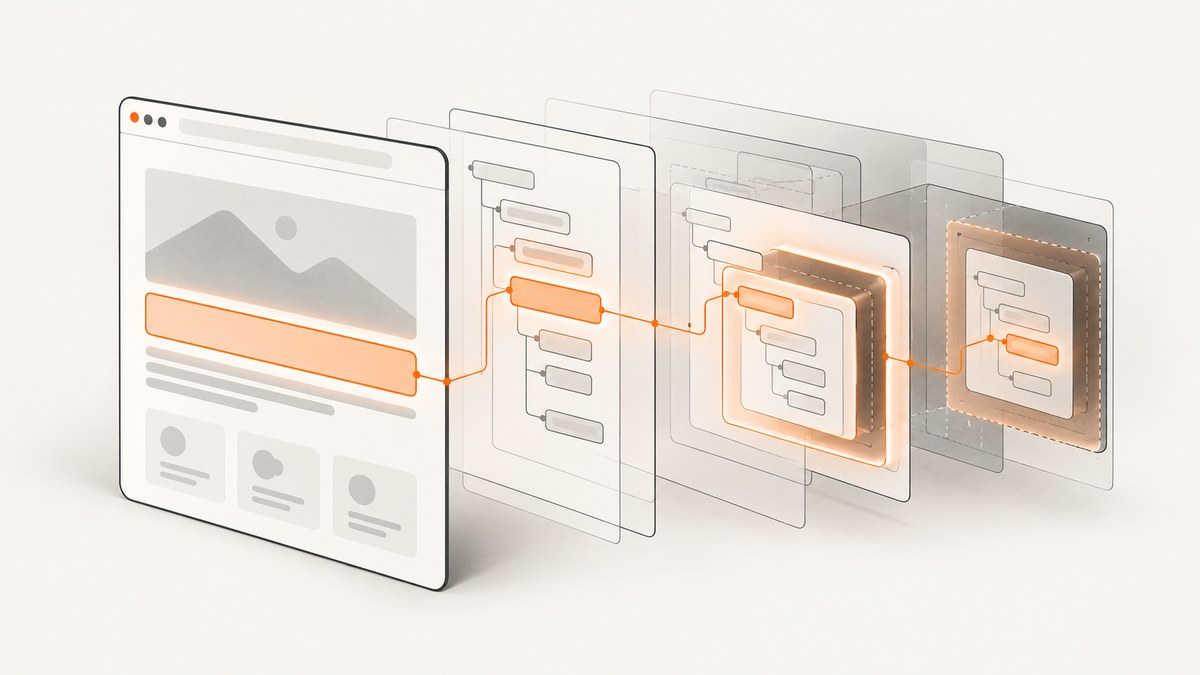
To get a page’s ordinary HTML in Puppeteer, call await page.content(). It returns the document’s current HTML, including the DOCTYPE. That API does not promise a recursive dump of runtime-created Shadow DOM. To include accessible open shadow roots, run a recursive serializer inside the page with page.evaluate(). The serializer walks light-DOM children, visits each non-null element.shadowRoot, and places the shadow markup inside a boundary marker such as <template shadowrootmode="open">.
This produces a custom HTML-like snapshot. It is useful for inspection, archiving, debugging and downstream parsing, but it is not automatically a complete rendering snapshot: computed styles, canvas pixels, iframe documents, closed roots and every piece of runtime state require separate handling.
What Puppeteer returns by default
page.content() serializes the current document and includes the DOCTYPE. See the Puppeteer API reference. It serializes the document’s ordinary DOM tree; it should not be described as a guaranteed recursive Shadow DOM export.
import puppeteer from 'puppeteer';

const browser = await puppeteer.launch();
const page = await browser.newPage();
await page.goto('https://example.com', { waitUntil: 'domcontentloaded' });

const html = await page.content();
console.log(html);

await browser.close();
Use this simple form when light DOM is all you need. If a custom element renders its meaningful content into an open shadow root, that content will not be represented by a normal light-DOM traversal. The browser still displays it, but the host’s children do not contain the shadow tree.
Serialize open Shadow DOM recursively
The following complete example returns a string containing the DOCTYPE, ordinary elements and every open shadow root reachable from the document. It escapes text and attribute values, preserves comments and document types, handles void elements, and marks each shadow boundary with a declarative-shadow-root-style template.
import puppeteer from 'puppeteer';
const browser = await puppeteer.launch();
const page = await browser.newPage();
await page.goto('https://example.com', {
waitUntil: 'networkidle2',
timeout: 60_000
});
const htmlWithOpenRoots = await page.evaluate(() => {
const escapeText = (text) => text
.replaceAll('&', '&')
.replaceAll('<', '<')
.replaceAll('>', '>');
const escapeAttr = (text) =>
escapeText(text).replaceAll('"', '"');
const voidTags = new Set([
'area', 'base', 'br', 'col', 'embed', 'hr', 'img',
'input', 'link', 'meta', 'param', 'source', 'track', 'wbr'
]);
function serialize(node) {
if (node.nodeType === Node.TEXT_NODE) {
return escapeText(node.nodeValue ?? '');
}
if (node.nodeType === Node.COMMENT_NODE) {
return `<!--${node.nodeValue ?? ''}-->`;
}
if (node.nodeType === Node.DOCUMENT_TYPE_NODE) {
return `<!DOCTYPE ${node.name}>`;
}
if (node.nodeType === Node.DOCUMENT_NODE ||
node.nodeType === Node.DOCUMENT_FRAGMENT_NODE) {
return [...node.childNodes].map(serialize).join('');
}
if (node.nodeType !== Node.ELEMENT_NODE) return '';
const tag = node.localName;
const attrs = [...node.attributes]
.map(({ name, value }) =>
` ${name}="${escapeAttr(value)}"`).join('');
if (voidTags.has(tag)) return `<${tag}${attrs}>`;
const light = [...node.childNodes].map(serialize).join('');
const shadow = node.shadowRoot
? `<template shadowrootmode="open">${serialize(node.shadowRoot)}</template>`
: '';
return `<${tag}${attrs}>${light}${shadow}</${tag}>`;
}
return '<!DOCTYPE html>' + serialize(document.documentElement);
});
console.log(htmlWithOpenRoots);
await browser.close();The function passed to page.evaluate() executes in the page context, so Node, document, Element.shadowRoot and the live component tree refer to the browser page rather than your Node.js process. Puppeteer documents this page-context evaluation model in its page.evaluate() reference.
Why the serializer uses a template marker
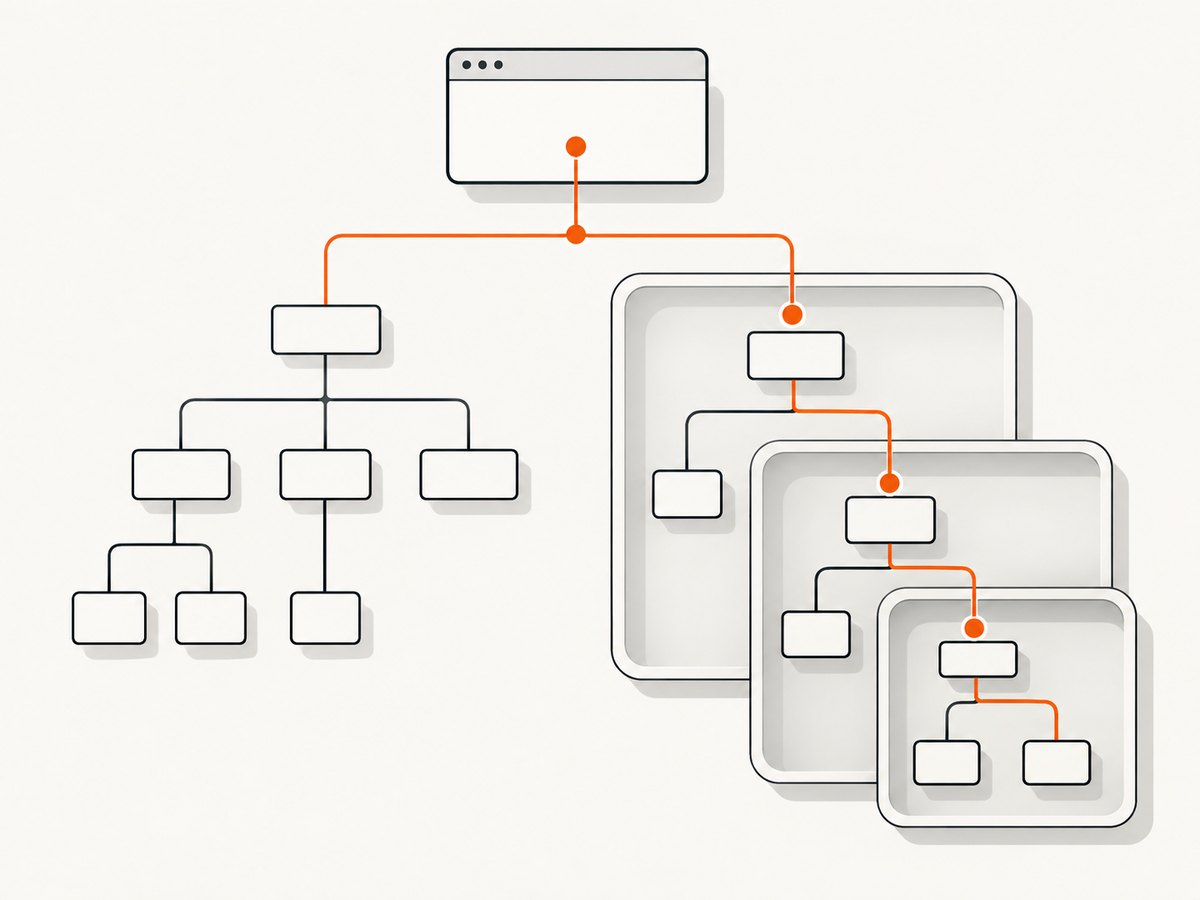
A shadow root is a separate tree boundary. Concatenating its children directly into the host would lose that boundary and could make the result misleading to a parser. Wrapping it in <template shadowrootmode="open"> makes the representation explicit. This is a representation choice made by your extractor; Puppeteer’s page.content() documentation does not promise that runtime-created roots will be emitted in this format.
Nested roots are handled
Because serialize() calls itself on every shadowRoot, a component inside another component’s shadow tree is visited too, provided its root is open. The traversal also visits ordinary descendants inside the shadow tree, so nested custom elements are not skipped.
Make sure the page is ready before extraction
The returned string is a snapshot taken at the instant page.evaluate() runs. Navigation completion does not prove that an application has finished rendering. Select a readiness condition for the page you are extracting.
await page.goto('https://app.example.test', {
  waitUntil: 'domcontentloaded',
  timeout: 60_000
});

await page.waitForSelector('main[data-ready="true"]', {
  timeout: 30_000
});

await page.waitForFunction(() => {
  const host = document.querySelector('checkout-shell');
  return host?.shadowRoot?.querySelector('[data-loaded="true"]');
});

const html = await page.evaluate(/* serializer above */);
Use a selector, an application-specific flag or a page function that checks the component state. A generic load event can run before client-side rendering, lazy data requests or custom elements have completed. If content appears after scrolling, scroll before extraction and wait for the resulting nodes.
Open and closed shadow roots
An open root is available as host.shadowRoot. A closed root returns null to outside code, so a late-running serializer ordinarily cannot discover it. This is a platform access boundary, not a Puppeteer option.
If you control the page, install instrumentation before application code creates components. For example, you can record references when attachShadow() is called, then serialize those references later. This must run before the component scripts and should be limited to pages you own or are authorized to inspect.
await page.evaluateOnNewDocument(() => {
  window.__capturedShadowRoots = [];
  const original = Element.prototype.attachShadow;

  Element.prototype.attachShadow = function (init) {
    const root = original.call(this, init);
    window.__capturedShadowRoots.push({ host: this, root });
    return root;
  };
});
This hook gives your page-context code a reference to roots created afterward, including closed roots. It does not retroactively recover roots created before the hook, and your output format must define how those references map back to hosts. Do not claim that an external traversal can always include “all shadow roots.”
What this HTML does not include automatically
Iframes
An iframe has its own document. The parent serializer sees the iframe element, not the child document’s HTML. If same-origin policy permits access, obtain the frame with Puppeteer’s frame APIs and run the serializer inside that frame. Cross-origin frame documents cannot be read by ordinary page JavaScript.
Styles and computed appearance
The string contains markup and attributes. It does not contain the final computed-style map, painted pixels, external stylesheet contents or layout information. Inline styles are preserved because they are attributes; stylesheet rules are not inlined by this function.
Forms and live properties
Some controls have live properties that are not reflected in their original attributes. If you need the current value, checked state or selected option, add explicit extraction logic that reads those properties and writes them into your chosen representation.
Canvas, video and other rendering state
A canvas’s pixels are not represented by its HTML element. Video playback position, WebGL buffers and other browser state require separate APIs or a screenshot. A DOM string should therefore be described as a structural snapshot.
Slots
Slotted light-DOM nodes remain children of the host in the light tree, while their rendered position is controlled by the shadow tree’s <slot> elements. If your consumer needs the composed visual order, define a slot-aware representation rather than assuming serialized source order equals painted order.
Alternative: use Puppeteer’s deep selectors for targeted queries
Puppeteer’s deep selector syntax can search through open shadow roots. That is useful when you need one element, not a complete document. Querying and serialization solve different problems: a selector finds a target; the recursive function above creates a combined representation.
const button = await page.waitForSelector(
  'checkout-shell >>> button.submit'
);
await button.click();
For a full export, keep the traversal explicit so you can control escaping, boundaries, void elements and any application-specific state.
Troubleshooting
“The shadow markup is missing”
Check whether the root is open and whether extraction ran after the component rendered. Log Boolean(host.shadowRoot) in the page context. If it is false, the root may be closed, the host may not yet be upgraded, or the selector may identify the wrong element.
“The output is empty or incomplete”
Verify navigation succeeded and wait for a page-specific readiness signal. Increase the navigation or selector timeout only after confirming that the page really needs more time. A longer timeout cannot fix a selector that never becomes true.
“Special characters broke the result”
Escape text and attribute values separately. Text needs at least ampersand, less-than and greater-than escaping. Attribute values also need quote escaping. If you extend the serializer to handle raw script or style text, test those contexts separately because their escaping rules differ.
“The DOCTYPE appears twice”
Choose one source of the document type. The example returns a literal HTML DOCTYPE and then serializes the document element, so it does not serialize the document node’s doctype a second time. If you serialize the whole document node instead, remove the extra literal prefix.
“An iframe’s content is absent”
That is expected for a separate browsing context. Iterate through page.frames(), identify the frame, and run the function there when same-origin access is available. Treat cross-origin content as inaccessible unless the page exposes an authorized data path.
“Closed roots cannot be found”
A late traversal cannot obtain a closed root from its host. Install an early attachShadow() hook on pages you control, or change the component to expose an authorized inspection interface.
Performance, reliability and storage
Traversal is proportional to the number of nodes and attributes visited. Large applications can produce multi-megabyte strings, especially when repeated component markup, inline SVG or long text nodes are present. Extract only the subtree you need when a complete document is unnecessary.
Run extraction after the page reaches a stable state, but avoid waiting for an arbitrary long delay. A selector or application readiness flag is more repeatable than a fixed sleep. If the application changes continuously, capture a timestamp and rerun the extraction when you need a later state.
Keep the browser page alive while reading the returned value, then close it in a finally block in production. Consider writing the result as UTF-8, recording the target URL and capture time, and applying a size limit before sending it to another service. Never treat extracted HTML as trusted input: sanitize it before rendering it in an administrative interface, and do not execute scripts from the snapshot.
For repeated jobs, reuse a browser process while creating isolated pages, but clean up pages and listeners after each job. Limit concurrent navigations according to available memory and the target site’s rate limits. Retries should distinguish navigation failures from successful captures whose content simply is not ready; retrying without a readiness check can preserve the same incomplete snapshot.
Or skip the browser setup
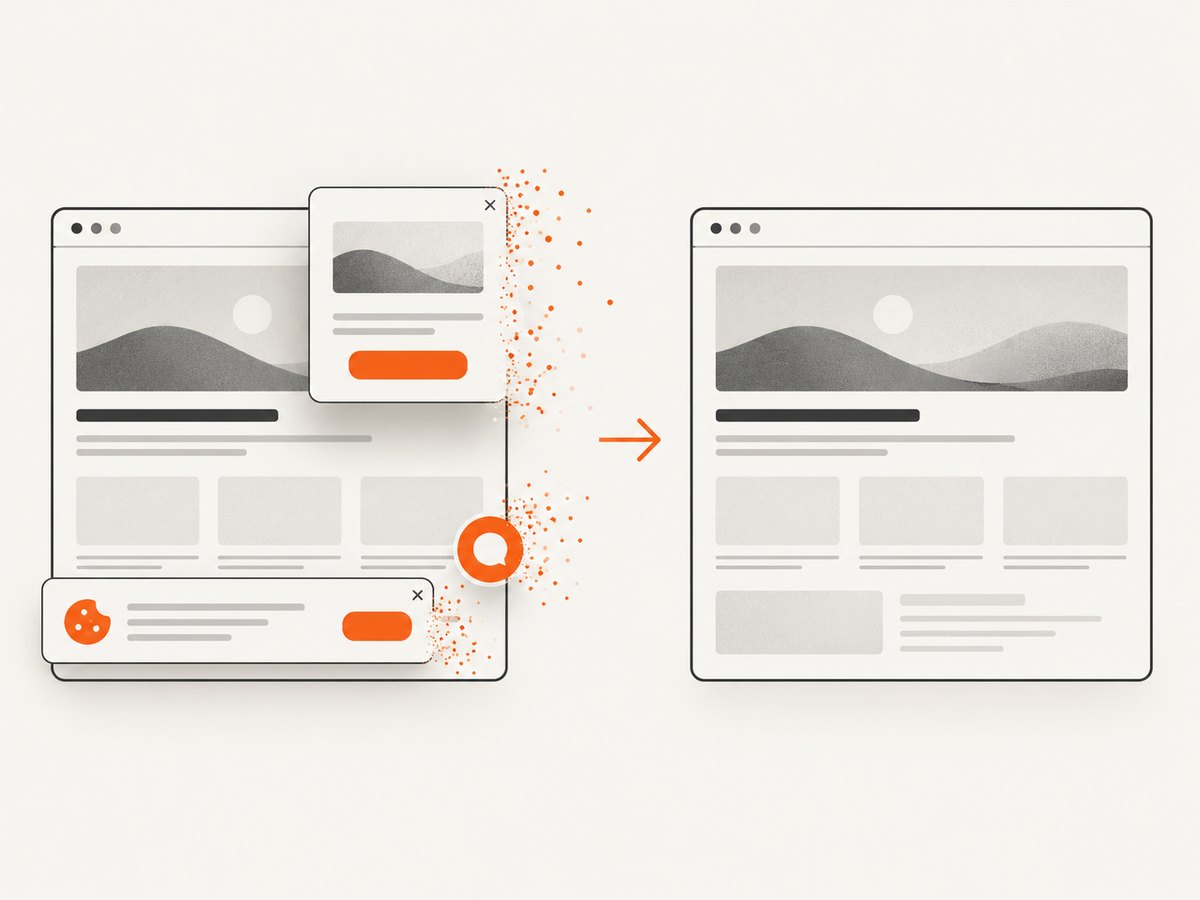
If your goal is a clean image or PDF of a page rather than an HTML DOM archive, ScreenshotNeo provides a single request to its screenshot API. It accepts options for full-page capture, element selectors, waits, custom headers and cookies, user agents, JavaScript, CSS, device presets, dark mode, PDFs and more. Cookie and consent banners, newsletter popups and chat widgets are removed before capture. Bot checks, blank pages, failed loads, timeouts and cache hits are not billed, and the response identifies the page verdict and billing status in headers.
Read the ScreenshotNeo API documentation for parameter details.
curl -G "https://api.screenshotneo.com/v1/shot" \
  -d access_key=YOUR_API_KEY \
  --data-urlencode url=https://stripe.com \
  -o shot.webp
import requests
r = requests.get(
"https://api.screenshotneo.com/v1/shot",
params={"access_key": "YOUR_API_KEY", "url": "https://stripe.com"},
timeout=90,
)
r.raise_for_status()
open("shot.webp", "wb").write(r.content)const q = new URLSearchParams({
access_key: 'YOUR_API_KEY',
url: 'https://stripe.com'
});
const res = await fetch(`https://api.screenshotneo.com/v1/shot?${q}`);
if (!res.ok) throw new Error(`HTTP ${res.status}`);
const bytes = new Uint8Array(await res.arrayBuffer());ScreenshotNeo also has an MCP server with take_screenshot, get_page_info and capture_pdf tools for Claude, Cursor and other MCP clients. The free plan includes 1,000 screenshots per month with no card; paid plans start at $5 for 3,000. Create a free ScreenshotNeo account.
FAQ
Does page.content() include Shadow DOM?
It returns page HTML and the DOCTYPE, but its documented API does not promise a recursive Shadow DOM dump. Use a page-context traversal for open roots.
Can Puppeteer serialize a closed root?
Not from the host after the fact. Instrument attachShadow() before the component creates the root, when you control and are authorized to instrument the page.
Is this equivalent to a screenshot?
No. It is a structural DOM snapshot. It does not capture computed styles, canvas pixels, iframe documents or all runtime state.
Should I serialize the whole document or one component?
Serialize the smallest scope that satisfies the job. A component subtree is faster, smaller and easier to validate than a complete application document.
How do I preserve the original HTML exactly?
You cannot assume byte-for-byte fidelity from a custom serializer. Define the output format, validate it against representative pages and document how you handle scripts, styles, slots, forms and shadow boundaries.


