Why Puppeteer Needs –no-sandbox in Cloud Functions
Understand why Puppeteer fails to start in Cloud Functions, when --no-sandbox is unsafe, and how to deploy Chrome with a working sandbox.

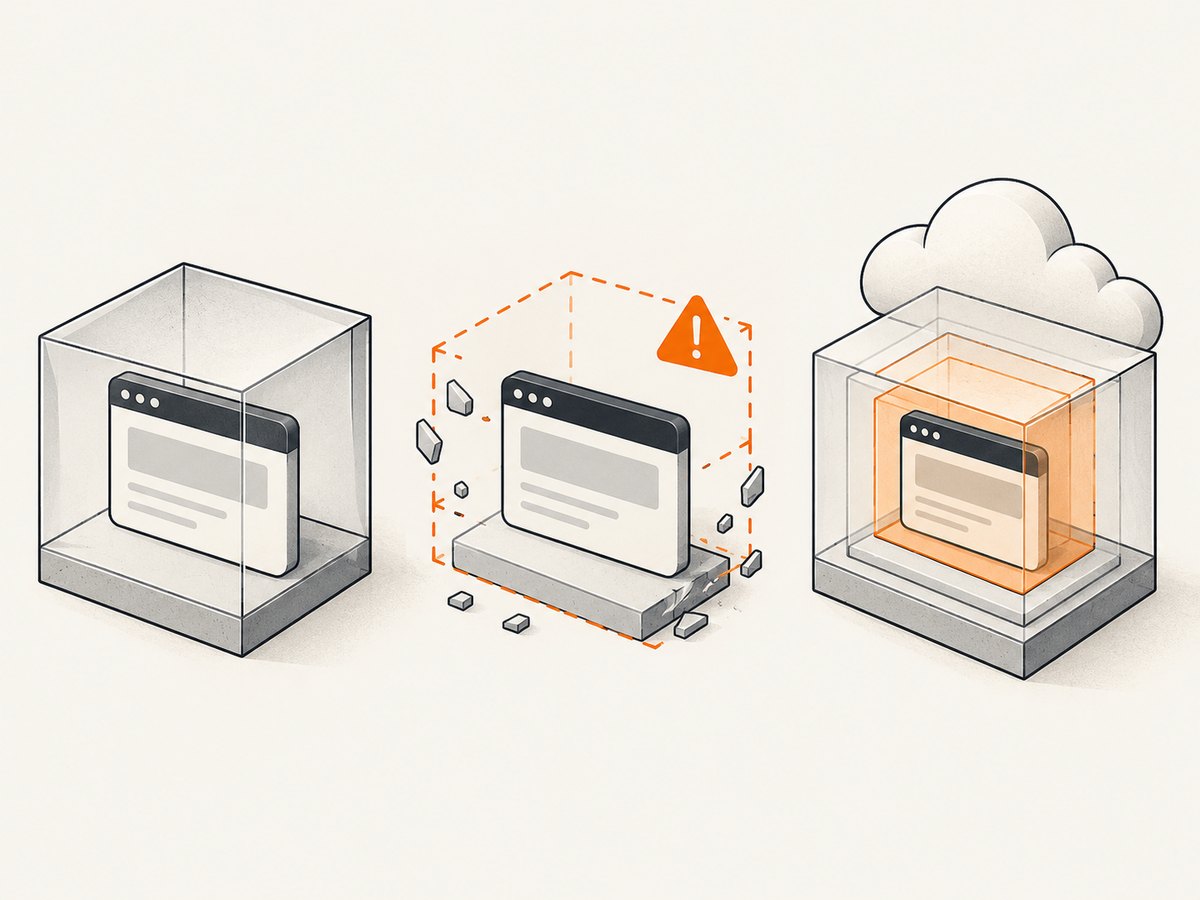
Short answer: Puppeteer does not universally require --no-sandbox in Google Cloud Functions. Developers add the flag when Chrome cannot initialize its Linux sandbox in the restricted function runtime and exits with an error such as No usable sandbox!. The flag lets Chrome start by disabling a major process-isolation layer, so it is a compatibility workaround and a security exception, not a normal Cloud Functions requirement.
Puppeteer’s own guidance says that running without a sandbox is strongly discouraged and recommends configuring a sandbox instead. Use --no-sandbox only when you have confirmed a sandbox initialization failure, the pages and browser inputs are trusted, and you have reviewed the function’s permissions and network access.
What the Chrome sandbox does
Chrome uses several Linux sandbox layers to isolate renderer and utility processes from the rest of the operating system. A renderer handles web content, JavaScript, images and other data that may be hostile. The sandbox limits what that renderer can do if a browser vulnerability or malicious page is encountered.
On a normal Linux host, Chrome can use a user-namespace sandbox or a setuid sandbox helper, depending on the distribution and browser build. A serverless function hides most of the host kernel and process configuration. The runtime may not expose the user namespaces, privileges or helper binary that the browser expects. If Chrome cannot find any usable sandbox, it aborts before opening a page.
Error: Failed to launch the browser process!
No usable sandbox!
Update your kernel or see https://chromium.googlesource.com/chromium/src/+/main/docs/linux/sandboxing.md for more information.
Adding --no-sandbox removes the startup dependency, which explains why many Cloud Functions examples appear to require it. The examples reflect a particular runtime image, Chromium build or privilege configuration; they do not prove that every function needs the flag.
Diagnose the failure before changing launch flags
- Capture the complete launch log. Confirm that the failure is
No usable sandbox!or an equivalent sandbox initialization message. Errors about missing shared libraries, an incompatible browser revision, insufficient memory or a bad executable path need different fixes. - Record your runtime and browser versions. Note the Cloud Functions generation, Node.js runtime, Puppeteer version and the browser revision installed during the build. A dependency update can change the browser binary or its launch requirements.
- Check whether the process is privileged. Running Chrome as root commonly prevents the normal sandbox from being used. A non-root, non-privileged process is the safer baseline.
- Verify the browser actually exists. Cloud Functions’ Node.js runtime includes system packages needed for Headless Chrome, but Puppeteer still needs its browser download or a correctly configured executable path.
Do not hide the error with a broad list of flags. Start with the smallest change that restores a functioning sandbox.

A sandboxed Puppeteer function
The following Node.js HTTP function attempts a normal launch. It does not disable the sandbox. Use this pattern first, then adapt the browser path and runtime settings for your deployment.
const functions = require('@google-cloud/functions-framework');
const puppeteer = require('puppeteer');

functions.http('screenshot', async (req, res) => {
  let browser;
  try {
    browser = await puppeteer.launch({
      headless: true,
      args: [
        '--disable-dev-shm-usage'
      ]
    });

    const page = await browser.newPage();
    await page.goto('https://example.com', {
      waitUntil: 'networkidle2',
      timeout: 30000
    });
    const image = await page.screenshot({ type: 'png', fullPage: true });

    res.set('Content-Type', 'image/png');
    res.send(image);
  } catch (error) {
    console.error(error);
    res.status(500).json({ error: error.message });
  } finally {
    if (browser) await browser.close();
  }
});
--disable-dev-shm-usage addresses small shared-memory mounts that can crash Chromium in containers. It does not disable the sandbox. Keep it separate from security decisions so you can tell which setting fixed a problem.
package.json
{
  "dependencies": {
    "@google-cloud/functions-framework": "^3.0.0",
    "puppeteer": "^24.0.0"
  },
  "scripts": {
    "start": "functions-framework --target=screenshot"
  }
}
Puppeteer’s Cloud Functions guidance recommends keeping its browser cache under node_modules. Cloud Functions can cache node_modules between builds; if the cache is reused, an install step that normally downloads the browser may not run. Configure the cache directory during the build when your Puppeteer version supports that setting, and verify the browser file is present in the deployed artifact.
When --no-sandbox is justified
If a trusted workload still cannot provide a usable sandbox, you can make the exception explicit:
const browser = await puppeteer.launch({
  headless: true,
  args: [
    '--no-sandbox',
    '--disable-setuid-sandbox',
    '--disable-dev-shm-usage'
  ]
});
The two sandbox flags are often shown together because they prevent Chrome from trying either the user-namespace or setuid path. They do not create a replacement security boundary. The browser process is simply running without those Chrome sandbox layers.
Use this configuration only when all of the following are true:
- You reproduced the sandbox startup error in the deployed runtime.
- You attempted a non-root process and a supported browser/runtime combination.
- The URLs, HTML, JavaScript and files supplied to the browser are trusted or tightly constrained.
- The function has minimal IAM permissions, no unnecessary secrets, and restricted egress where possible.
- The exception is documented and monitored so a future runtime upgrade does not silently expand its scope.
Never treat the flag as a way to make arbitrary user URLs safe. An unsandboxed browser has less process isolation if a page exploits a browser or operating-system vulnerability.
Cloud Functions deployment details
Keep browser dependencies reproducible
Pin Puppeteer and deploy the browser version it expects. Avoid mixing a system Chromium binary from one release with a Puppeteer package tested against another unless you have verified compatibility. Log the browser version at startup and fail clearly when the executable is missing.
Memory, timeout and concurrency
Headless Chrome uses substantially more memory than a typical HTTP handler. Set a timeout longer than the page’s worst-case load, but keep navigation timeouts finite. Close every page and browser in a finally block. If one invocation processes several URLs, reuse one browser and create separate pages; launching a new browser for each URL increases cold-start time and memory pressure.
Start with conservative concurrency. Multiple simultaneous Chromium processes can exhaust memory and cause apparently unrelated navigation failures. Measure your own pages because resource use depends on scripts, fonts, images and PDF generation.
Runtime updates
Cloud Run functions use versioned runtime images and can receive automatic security updates by default for deployments made with the gcloud functions command or the Cloud Functions v2 API. A runtime update can alter kernel features, system libraries or browser compatibility. After an update, recheck sandbox startup, browser installation and navigation behavior.
Security model and safer alternatives
Google describes Cloud Run sandboxes as isolated environments for code execution and browser automation. By default, a sandbox cannot access the parent workload, its environment variables, secrets or the Google Cloud metadata server. This can be a better fit when you need stronger isolation or custom browser dependencies.
| Option | Sandbox posture | Dependency control | Operational cost |
|---|---|---|---|
| Cloud Functions with normal Chrome sandbox | Best available when runtime permits it | Moderate; runtime supplies system packages | Lowest setup effort |
Cloud Functions with --no-sandbox |
Chrome isolation layer removed | Moderate | Simple, but requires strict input and IAM controls |
| Cloud Run or a Cloud Run sandbox | Explicit isolated execution boundary | High; you control image and browser | More container and operations work |
Choose based on sandbox availability, privilege level, isolation from secrets and metadata, browser dependency control, runtime update policy and operational complexity. A serverless function is not automatically a safe browser boundary just because it is managed.
Common errors and fixes
| Error or symptom | Likely cause | Fix |
|---|---|---|
No usable sandbox! |
Chrome cannot access user namespaces or its setuid helper | Run as non-root and restore a supported sandbox; only for trusted pages, use --no-sandbox as a documented exception |
Failed to launch the browser process with missing library text |
Browser binary or shared libraries are absent | Use a supported Puppeteer package, verify the deployed browser cache, and inspect the build artifact |
| Browser revision cannot be found | Install cache was reused without the browser download | Keep Puppeteer’s cache under node_modules and ensure the install step runs on clean builds |
| Renderer crashes or pages return 502 | Memory pressure or a small /dev/shm |
Increase memory, reduce concurrency, reuse a browser, and try --disable-dev-shm-usage |
| Navigation timeout | Slow page, blocked third-party request or waiting condition that never completes | Set a finite timeout, use an appropriate waitUntil, block unnecessary resources, and log the URL and phase that timed out |
| Works locally but fails after deployment | Different user, kernel features, browser path or runtime image | Log versions and executable paths in both environments; reproduce with the deployed runtime image |
| Unexpected access to private data | Unrestricted user-supplied URLs in an unsandboxed browser | Allowlist hosts, reject private IP ranges, limit redirects, remove secrets from the environment and use an isolated execution boundary |
Reliability and performance checklist
- Use one browser per invocation when practical, with a fresh page for each target.
- Set navigation and overall function timeouts; never wait forever for network idle.
- Close pages and browsers in
finally, including error paths. - Limit URL count and page size per request.
- Log browser launch time, navigation time, screenshot time, exit status and memory-related errors.
- Retry only transient failures. Do not blindly retry deterministic sandbox or missing-binary errors.
- Keep IAM permissions and egress narrow, especially when the sandbox is disabled.
- After runtime or Puppeteer upgrades, run a canary capture against representative pages.
Cloud Functions pricing depends on invocations, compute, memory and network usage. Puppeteer’s browser startup and page rendering determine most of the compute time. Reusing a browser within one invocation can reduce overhead, while excessive concurrency can increase failures and force retries. Measure with your own workload rather than relying on a generic benchmark.
Or skip the browser setup
If your goal is a reliable website image or PDF rather than operating Chrome yourself, ScreenshotNeo provides a single HTTP endpoint. It accepts options for full-page or element capture, lazy images, device presets, dark mode, custom CSS and JavaScript, waits, blocked resources, headers, cookies, user agents, timezone, geolocation, transparent backgrounds, resizing, caching, signed links, asynchronous jobs, webhooks and bulk capture.
Cookie and consent banners, newsletter popups and chat widgets are removed before the shot. Bot checks, blank pages, timeouts, failed loads and cache hits are not billed, and each response reports the page verdict and billing status in X-Page-Verdict and X-Billed headers. An MCP server lets Claude, Cursor and other MCP clients call take_screenshot, get_page_info and capture_pdf.
See the ScreenshotNeo API documentation for all options. A basic call is:
curl -G "https://api.screenshotneo.com/v1/shot" -d access_key=YOUR_API_KEY --data-urlencode url=https://stripe.com -o shot.webpimport requests
r = requests.get("https://api.screenshotneo.com/v1/shot", params={"access_key": "YOUR_API_KEY", "url": "https://stripe.com"}, timeout=90)
open("shot.webp", "wb").write(r.content)const q = new URLSearchParams({ access_key: 'YOUR_API_KEY', url: 'https://stripe.com' });
const res = await fetch(`https://api.screenshotneo.com/v1/shot?${q}`);ScreenshotNeo includes 1,000 screenshots a month free with no card. Paid plans start at $5 for 3,000 shots, and every feature is available on every plan. Create a free ScreenshotNeo account.
FAQ
Is --no-sandbox required in Firebase Functions?
No. Firebase and Cloud Functions deployments can differ by runtime, browser build and privileges. Confirm the actual launch error and try a functioning sandbox first.
Does headless mode disable the sandbox?
No. headless: true controls display mode. Sandbox behavior is controlled by the operating environment and launch arguments.
Can I make only one page unsandboxed?
No. The flag applies to the Chrome process. Run a separate, tightly isolated workload if one class of content requires a different security policy.
Why does the same code work on my laptop?
Your laptop likely provides user namespaces, a setuid helper and a non-root user. The function runtime may not provide the same kernel and privilege conditions.
Should I use a system Chrome package instead of Puppeteer’s browser?
Either can work when versions and libraries are aligned. Puppeteer’s managed browser is usually easier to reproduce; a system package gives you more image-level control and more responsibility for updates.


