What Is the Maximum URL Length for Puppeteer page.goto()?
Puppeteer sets no documented URL limit, but Chromium caps URLs at 2 MB. Learn what that means, why long navigations fail, and how to troubleshoot them.

Direct answer: Puppeteer’s page.goto() API does not publish a maximum URL length. The practical browser limit comes from Chrome/Chromium: Chromium documents a maximum URL length of 2 MB. A valid URL longer than 2 MB can be replaced with an invalid URL when it crosses browser process boundaries. That is a Chromium implementation limit, not a byte-count guarantee supplied by Puppeteer.
A URL below 2 MB can still fail. Your web server, reverse proxy, gateway, authentication layer, redirect chain, or application framework may enforce a smaller request-target limit. Puppeteer also reports failures for invalid URLs, SSL problems, navigation timeouts, and main-resource failures. Treat 2 MB as an upper browser boundary, then diagnose the complete request path.
What page.goto() actually guarantees
The Puppeteer page.goto() documentation describes the method as navigating a frame or page to the supplied URL. It requires a URL string with a scheme such as https://, but it does not specify a maximum number of bytes or characters.
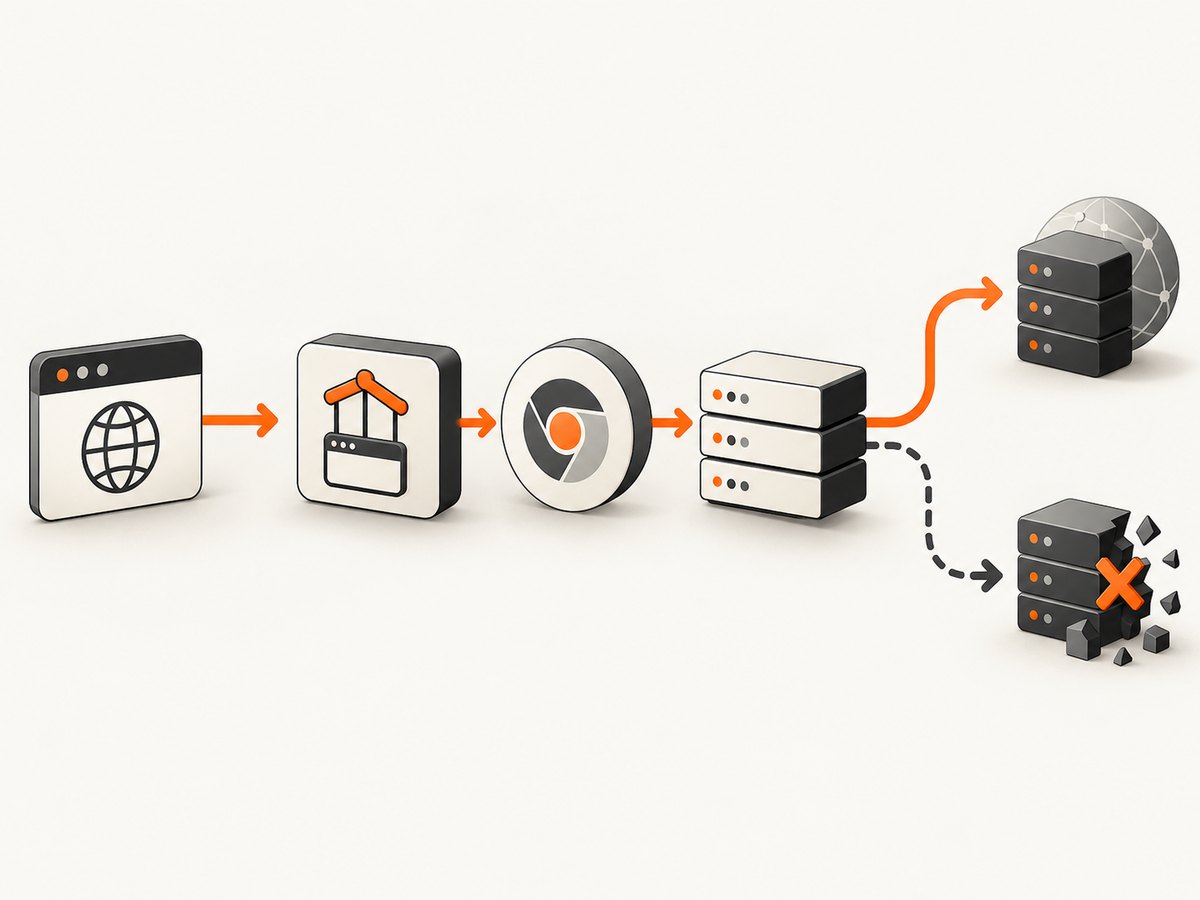
That distinction matters when someone asks, “Does Puppeteer have a URL length limit?” The answer at the API-contract level is no documented limit. Puppeteer passes navigation to the browser; Chrome and Chromium then parse, validate, serialize, and move the URL through browser processes. Those lower layers impose practical constraints.
Chromium’s URL display guidelines state that Chrome limits URLs to a maximum length of 2 MB for practical reasons and to reduce denial-of-service risk in inter-process communication. A related Chromium code change warns that GURL itself has no length limit, but a valid GURL longer than 2 MB can be replaced with an invalid URL when passed between processes.
Three limits that developers often confuse
| Limit | What it means | Does it limit page.goto()? |
|---|---|---|
| Puppeteer API | The documented contract for the URL argument. | No published byte or character maximum. |
| Chromium navigation | Chrome’s practical browser-side ceiling. | Yes, approximately 2 MB. |
| Omnibox display | How much of a URL Chrome displays in the address bar. | No. It is only a display threshold. |
| Server or proxy | Request-target policy at your infrastructure. | Often, but the value depends on the product and configuration. |
Chromium documents an omnibox display threshold of 32 kB on most platforms and 1 kB on VR platforms. Those values describe display behavior, not navigation. A clipped address bar does not prove that page.goto() reached a navigation limit.
Measure bytes, not JavaScript characters
When you investigate a long URL, measure its UTF-8 byte length. JavaScript’s string.length counts UTF-16 code units, so non-ASCII characters can occupy more bytes than the count suggests. Percent-encoding can also expand a short-looking value substantially.
const url = new URL('https://example.test/search');
url.searchParams.set('q', 'café');
url.searchParams.set('payload', 'x'.repeat(1000));

const byteLength = Buffer.byteLength(url.href, 'utf8');
console.log({ url: url.href, bytes: byteLength, megabytes: byteLength / (1024 * 1024) });
Use the final URL you actually pass to Puppeteer, including its scheme, path, query string, and fragment. Fragments are not sent to the server, but they still form part of the browser URL and can affect browser-side handling.
A complete Puppeteer diagnostic example
The following script records the exact URL size, catches navigation failures, logs redirects, and separates HTTP responses from thrown navigation errors.
import puppeteer from 'puppeteer';

const target = new URL('https://example.test/search');
target.searchParams.set('q', 'a'.repeat(10000));

const url = target.href;
console.log(`URL bytes: ${Buffer.byteLength(url, 'utf8')}`);

const browser = await puppeteer.launch({headless: true});
const page = await browser.newPage();

page.on('request', request => {
  if (request.isNavigationRequest()) {
    console.log('navigation request:', request.url());
  }
});

page.on('requestfailed', request => {
  console.error('request failed:', request.url(), request.failure());
});

page.on('response', response => {
  if (response.request().isNavigationRequest()) {
    console.log('navigation response:', response.status(), response.url());
  }
});

try {
  const response = await page.goto(url, {
    waitUntil: 'domcontentloaded',
    timeout: 30_000
  });

  console.log({
    finalUrl: page.url(),
    status: response?.status() ?? null,
    bytes: Buffer.byteLength(url, 'utf8')
  });
} catch (error) {
  console.error('page.goto() threw:', error.message);
} finally {
  await browser.close();
}
A 404 or 503 is still an HTTP response. Puppeteer’s navigation can return that response even though the application considers it an error. A DNS failure, SSL error, timeout, invalid URL, or failed main resource generally appears as a thrown error or failed request. Check both paths.
Runnable ways to test progressively longer URLs
Do not jump directly to a 2 MB string. Generate a sequence and record the first size at which your own path fails. This identifies an infrastructure threshold without claiming that it is universal.
import puppeteer from 'puppeteer';

const browser = await puppeteer.launch({headless: true});
const page = await browser.newPage();

for (const size of [1_000, 8_000, 32_000, 64_000, 128_000, 256_000, 512_000, 1_048_576, 2_000_000]) {
  const url = `https://example.test/echo?data=${'x'.repeat(size)}`;
  const bytes = Buffer.byteLength(url, 'utf8');
  const started = Date.now();
  try {
    const response = await page.goto(url, {waitUntil: 'domcontentloaded', timeout: 30_000});
    console.log({bytes, status: response?.status() ?? null, elapsedMs: Date.now() - started, finalUrl: page.url()});
  } catch (error) {
    console.log({bytes, error: error.message, elapsedMs: Date.now() - started});
  }
}

await browser.close();
Run this against an endpoint you control that echoes the request target. A third-party site may reject large requests for security reasons, and that result does not establish a Puppeteer or Chrome limit.
Why a long page.goto() fails
1. The target is not a valid URL
Pass an absolute URL with a scheme. Relative paths, unescaped spaces, malformed percent escapes, and accidental line breaks can fail before a network request is made.
const value = 'hello world';
const url = new URL('https://example.test/search');
url.searchParams.set('q', value); // encodes the space safely
await page.goto(url.href);
2. Chromium crosses its practical ceiling
Near or above 2 MB, browser process serialization can turn a valid GURL into an invalid URL. Reduce the URL, move data into a request body, or replace the data with a short server-side token.
3. A proxy or gateway rejects the request target
Reverse proxies and load balancers commonly have their own request-line or header policies. The research sources do not establish one universal cross-vendor number. Identify the exact intermediary and version, then inspect its logs and configuration.
4. The server application rejects it
Framework routers, WAF rules, authentication middleware, and application code may reject long query strings with a 4xx response. That is different from Puppeteer failing to navigate. Log the status and response headers.
5. A redirect creates a longer URL
The Puppeteer HTTPRequest documentation explains that a redirect creates a new request to the redirected URL. Your original URL may be short while a tracking or authentication redirect expands it beyond a downstream limit. Log every navigation request and compare the final URL.
6. The page loads too slowly
A large URL can increase parsing, validation, logging, and application work, but a timeout does not prove a length problem. Test with a larger timeout, use an appropriate waitUntil value, and inspect request timing. The Page API documentation lists navigation timeout and main-resource failure among possible outcomes.
Better designs for large parameter sets
- Use a POST body. If the destination supports it, send structured data in the request body instead of encoding everything into a query string.
- Store the payload server-side. Save the data and navigate with a short opaque identifier such as
?job=abc123. Set an expiration time and authorize access. - Compress before transport. Only do this when the receiving application explicitly supports the encoding. Compression without a matching decoder just changes the failure mode.
- Remove redundant fields. Repeated tracking parameters, duplicated JSON keys, and unneeded whitespace add bytes without changing the result.
- Keep secrets out of URLs. URLs are commonly logged by browsers, proxies, analytics systems, and servers. Use headers or request bodies for credentials and sensitive data.
Or skip the browser setup
If your goal is a screenshot rather than browser automation, ScreenshotNeo accepts one GET request and returns a PNG, JPEG, WebP, or PDF. You still provide the target URL, but you do not maintain Puppeteer launch code, waits, or capture plumbing.

ScreenshotNeo removes cookie and consent banners, newsletter popups, and chat widgets before capture. Each cleanup step can be disabled. Bot checks, CAPTCHAs, blank pages, timeouts, failed loads, and cache hits are not billed, and response headers identify the page verdict and billing result. It also provides an MCP server with take_screenshot, get_page_info, and capture_pdf tools for Claude, Cursor, and other MCP clients.
cURL:
curl -G "https://api.screenshotneo.com/v1/shot" -d access_key=YOUR_API_KEY --data-urlencode url=https://stripe.com -o shot.webpPython: see the ScreenshotNeo API documentation for all options.
import requests
r = requests.get("https://api.screenshotneo.com/v1/shot", params={"access_key": "YOUR_API_KEY", "url": "https://stripe.com"}, timeout=90)
open("shot.webp", "wb").write(r.content)
Node.js:
const q = new URLSearchParams({ access_key: 'YOUR_API_KEY', url: 'https://stripe.com' });
const res = await fetch(`https://api.screenshotneo.com/v1/shot?${q}`);
The API supports full-page and element captures, device presets, custom viewports, retina scale, dark mode, custom CSS and JavaScript, waits, blocked resource types, headers, cookies, user agents, authorization, timezone, geolocation, transparent backgrounds, resizing, caching, signed links, asynchronous jobs, webhooks, bulk capture, and usage reporting. Free accounts include 1,000 screenshots per month with no card; paid plans start at $5 for 3,000. Create a free ScreenshotNeo account.
Performance, reliability, and cost considerations
- Performance: URL parsing and server-side query processing grow with URL size. Keep navigation URLs small and move large payloads to bodies or stored records.
- Reliability: Test the complete chain: Puppeteer, Chromium, proxy, gateway, web server, redirects, and application router. Record the original and final URL, byte length, status, and thrown error.
- Observability: Avoid logging sensitive query values. Log byte counts, parameter names, status codes, and request IDs instead.
- Cost: Large URLs can increase logging and processing overhead even when a request fails. ScreenshotNeo’s billing headers make clean-shot, failed-load, bot-check, and cache outcomes explicit.
Troubleshooting checklist
- Print the exact string passed to
page.goto(). - Validate it with the
URLconstructor and confirm anhttp:orhttps:scheme. - Measure UTF-8 bytes with
Buffer.byteLength(url, 'utf8'). - Capture
requestfailed, navigation responses, redirects, and the final URL. - Compare a short URL and a progressively expanded URL against the same endpoint.
- Inspect proxy, gateway, WAF, and server logs for request-target rejection.
- Check whether a redirect or authentication step expands the URL.
- Move large data to a POST body or server-side token.
- Set a timeout appropriate to the page, but do not treat a timeout as proof of a length limit.
FAQ
Does Puppeteer have a URL length limit?
Its page.goto() API documentation does not publish one. Chromium, which Puppeteer controls, documents a practical maximum of 2 MB.
Is 2 MB measured in characters?
Chromium’s statement is a size limit; measure the serialized URL in bytes. UTF-8 encoding and percent-encoding mean character counts are not interchangeable with byte counts.
Does the 32 kB Chrome address-bar limit apply to page.goto()?
No. The 32 kB and 1 kB VR figures are omnibox display thresholds, not navigation limits.
Will a 1.5 MB URL always work?
No. It may be accepted by Chromium and rejected by a proxy, server, framework, WAF, or redirect target. There is no universal end-to-end limit established by the cited sources.
What should I do with very large query data?
Prefer a request body or a short server-side token. This reduces browser and infrastructure risk and keeps secrets out of URLs.
Can ScreenshotNeo capture a page with a long URL?
ScreenshotNeo captures a URL through its screenshot API. The same browser and destination constraints still apply, so shorten oversized URLs or use a server-side token when possible.


