Why Puppeteer POST Requests Return Unexpected Results and How to Fix Them
Fix Puppeteer POST bugs caused by stalled interception, wrong request objects, redirects, encoding, and navigation races with runnable examples.

Puppeteer POST requests usually return unexpected results for three reasons: request interception was enabled but a request was never resolved, the code inspected an associated request object rather than the outgoing request, or the script raced a navigation or asynchronous response. Fix the lifecycle first, then verify the actual method, URL, body, headers, status, final URL, and response content.
This guide shows how to diagnose and fix the common cases: a POST that appears to become a GET, an empty or incorrect body, request.continue() hanging, “Request is already handled,” and form submissions that produce an unexpected response.
1. Understand Puppeteer request interception
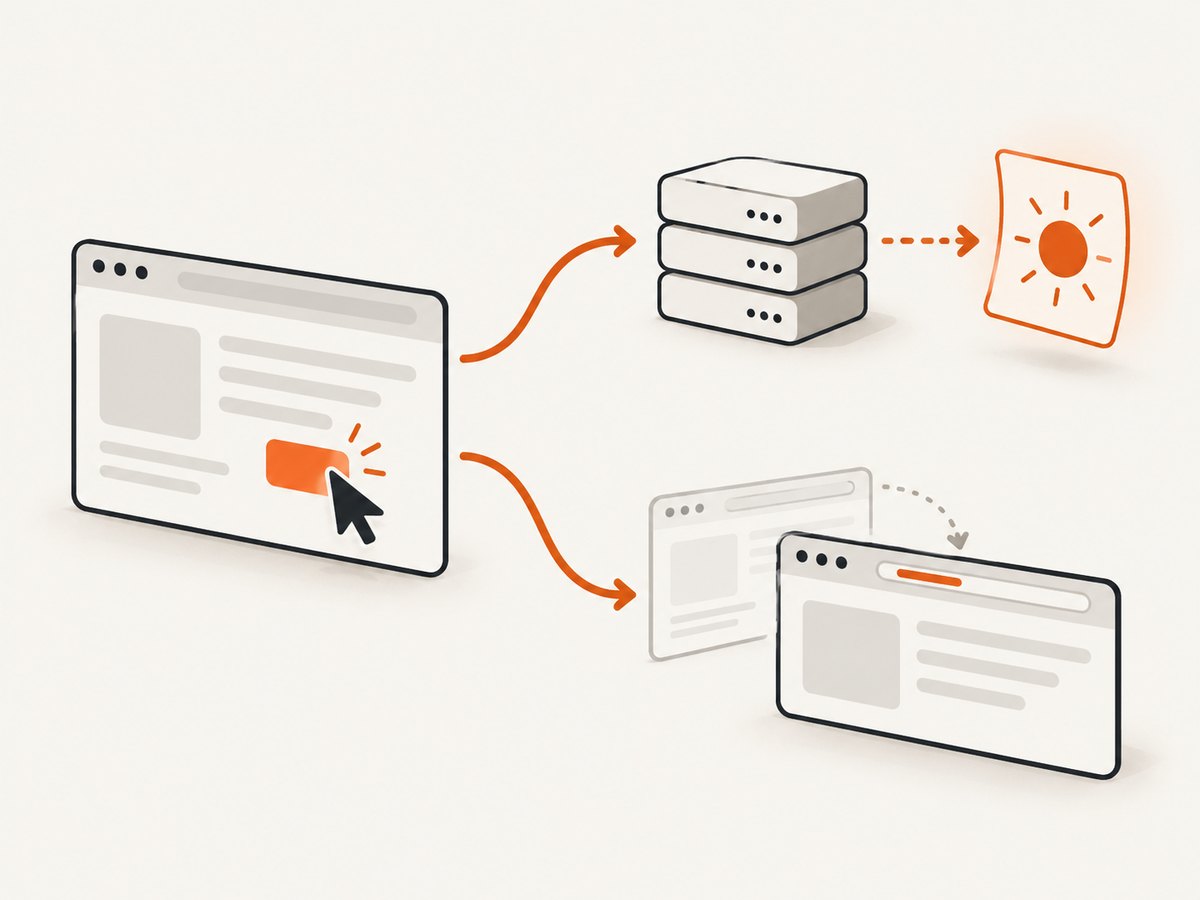
When interception is enabled, every request pauses until it is continued, fulfilled, or aborted. Puppeteer’s documentation states: “Once request interception is enabled, every request will stall unless it’s continued, responded or aborted.” The practical rule is simple: every intercepted request must receive exactly one resolution.
const browser = await puppeteer.launch({headless: true});
const page = await browser.newPage();

await page.setRequestInterception(true);

page.on('request', request => {
  // Every request must be resolved.
  request.continue();
});

await page.goto('https://example.com', {waitUntil: 'networkidle2'});
Install the listener and enable interception before goto(), clicking a submit button, or submitting a form. If interception starts after the request has already begun, that request cannot be reliably changed or observed through the interception handler.
Resolve each request once
A request can be seen by more than one listener. It can also be resolved by asynchronous code after another listener has already handled it. Calling continue(), respond(), or abort() twice causes the “Request is already handled” error.
page.on('request', request => {
  if (request.isInterceptResolutionHandled()) return;

  if (request.url().includes('/checkout')) {
    request.continue();
    return;
  }

  request.continue();
});
Check isInterceptResolutionHandled() synchronously immediately before resolving. Do not check it, await a promise, and then assume the state is unchanged; another handler can resolve the request during that await.
2. Observe requests before mutating them
If the goal is diagnosis, request and response listeners are safer than interception overrides. Start by logging the outgoing request and its matching response without changing anything.
const pending = new Map();

page.on('request', request => {
  if (request.method() === 'POST') {
    pending.set(request.url(), {
      method: request.method(),
      url: request.url(),
      postData: request.postData(),
      headers: request.headers()
    });
    console.log('OUTGOING', pending.get(request.url()));
  }

  if (!request.isInterceptResolutionHandled()) request.continue();
});

page.on('response', async response => {
  const request = response.request();
  if (request.method() !== 'POST') return;

  console.log('RESPONSE', {
    status: response.status(),
    responseUrl: response.url(),
    requestUrl: request.url(),
    requestMethod: request.method(),
    headers: response.headers()
  });

  try {
    console.log('BODY', (await response.text()).slice(0, 2000));
  } catch (error) {
    console.log('Could not read response body', error.message);
  }
});
Log the request’s method, URL, postData(), and headers. For the response, log status, response URL, headers, and body. This separates a browser-network problem from an application response such as a CSRF failure, authentication redirect, validation error, or server-side exception.
3. Why a POST can appear to become a GET
A response’s associated request can represent the original browser request. In Puppeteer issue #5221, an interception experiment reported a 404 while response.request().method() was GET. The maintainer clarified that response.request contains the original request and that request.continue() does not alter the requests array. Do not infer the complete redirect history from one request object.
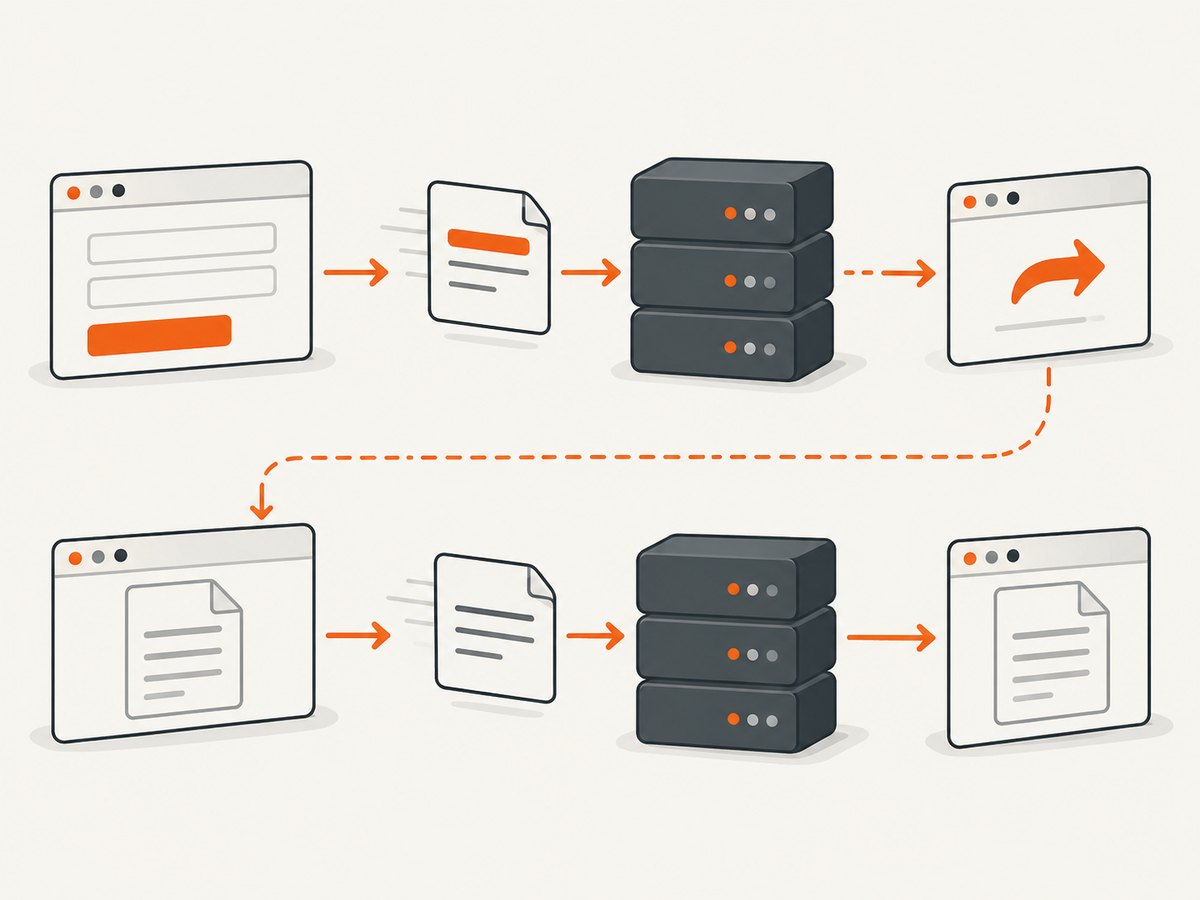
There are several legitimate reasons a POST is followed by a GET:
- The server returns a redirect, often after a form submission. The browser follows it and loads the destination with GET.
- The application submits with fetch or XHR, then performs a separate document navigation.
- The page uses a form method other than the one you expected, or JavaScript intercepts the form and sends a different request.
- Your logging code observes the final document request instead of the POST API request.
Capture all matching requests and responses, including redirects:
page.on('request', request => {
  console.log('REQUEST', request.method(), request.url(), request.postData() || '');
  if (!request.isInterceptResolutionHandled()) request.continue();
});

page.on('response', response => {
  console.log('RESPONSE', response.status(), response.url(), response.request().method());
});
Compare the POST’s status and Location header with the final URL. A redirect is an application behavior, not evidence that Puppeteer silently changed the method.
4. Deliberately override method, body, or headers
HTTPRequest.continue() accepts optional overrides, but interception must be enabled first. If you replace the body, encode it exactly as the server expects and provide a matching content type.
await page.setRequestInterception(true);

page.on('request', request => {
  if (request.isInterceptResolutionHandled()) return;

  if (request.url() === 'https://api.example.com/items') {
    const body = JSON.stringify({name: 'example', enabled: true});
    request.continue({
      method: 'POST',
      postData: body,
      headers: {
        ...request.headers(),
        'content-type': 'application/json',
        'content-length': String(Buffer.byteLength(body))
      }
    });
    return;
  }

  request.continue();
});
Preserve required headers unless you intentionally change them. Commonly required values include cookies, authorization, an anti-CSRF token, an origin or referer, and the correct content type. A JSON body sent with application/x-www-form-urlencoded is not equivalent to the same bytes sent as JSON.
Form encoding versus JSON
HTML forms commonly send URL-encoded or multipart data. APIs commonly require JSON. Inspect the original postData() and request headers before replacing either. If the server validates a CSRF token in a cookie and a form field, preserve both. If the application obtains a token asynchronously, wait for that token before submitting.
5. Prevent navigation timing races
If a click or submit causes document navigation, arm the navigation wait before the action. Puppeteer warns that calling click() and then independently starting waitForNavigation() can race: the navigation may begin before the wait is installed.
await Promise.all([
  page.waitForNavigation({waitUntil: 'networkidle2'}),
  page.click('button[type="submit"]')
]);

console.log('final URL:', page.url());
console.log('title:', await page.title());
Use a different wait when the submit uses fetch or XHR and does not navigate:
const apiResponse = page.waitForResponse(response =>
  response.url().includes('/api/submit') &&
  response.request().method() === 'POST'
);

await page.click('#submit');
const response = await apiResponse;
console.log(response.status(), await response.text());
For applications that update the DOM after the API call, wait for a specific result selector as well. A generic timeout can hide a race and makes slow or fast runs behave differently.
6. Complete diagnostic example
The following script submits a form, logs the outgoing POST, resolves every other request, captures the response, and handles both navigation and in-page requests.
const puppeteer = require('puppeteer');

(async () => {
  const browser = await puppeteer.launch({headless: true});
  const page = await browser.newPage();
  const targetUrl = 'https://example.com/form';

  await page.setRequestInterception(true);

  page.on('request', request => {
    if (request.isInterceptResolutionHandled()) return;

    console.log('REQUEST', {
      method: request.method(),
      url: request.url(),
      postData: request.postData(),
      headers: request.headers()
    });

    request.continue();
  });

  page.on('response', async response => {
    const request = response.request();
    if (request.method() !== 'POST') return;

    console.log('POST RESPONSE', response.status(), response.url());
    console.log((await response.text()).slice(0, 4000));
  });

  await page.goto(targetUrl, {waitUntil: 'domcontentloaded'});

  await Promise.all([
    page.waitForNavigation({waitUntil: 'networkidle2'}).catch(() => null),
    page.click('button[type="submit"]')
  ]);

  console.log('FINAL URL', page.url());
  await browser.close();
})();
7. Troubleshooting checklist
| Symptom | Likely cause | Fix |
|---|---|---|
continue() hangs |
An intercepted request was never resolved. | Call continue(), respond(), or abort() for every request, including images, scripts, redirects, and preflights. |
| Request is already handled | Multiple listeners or delayed asynchronous logic resolved it twice. | Use one handler where possible and check isInterceptResolutionHandled() immediately before resolution. |
| POST body is empty | You inspected a GET navigation, the request is a browser-generated request without a body, or the body was replaced incorrectly. | Log every request method and URL; inspect the target POST’s postData(); verify form encoding. |
| POST appears as GET | A redirect or separate navigation was logged. | Record request and response URL, status, and redirect headers; use response predicates for API calls. |
| 401 or 403 | Missing cookies, authorization, CSRF token, origin, or referer. | Preserve required headers and cookies; obtain tokens in the same browser context. |
| 415 Unsupported Media Type | Body and Content-Type disagree. |
Send valid JSON, URL-encoded, or multipart bytes with the matching header. |
| 404 after submit | Wrong endpoint, redirect destination, or application routing. | Log the final response URL and body; verify server routes independently. |
| Navigation timeout | The action triggers XHR only, the page remains busy, or the wait began too late. | Use Promise.all for navigation, or wait for the API response and a result selector. |
| Unexpected HTML instead of JSON | Authentication redirect, error page, or content negotiation. | Inspect status, headers, final URL, and response text before parsing JSON. |
8. Reliability and performance practices
- Keep the interception handler synchronous. Decide what to do from the request fields, then resolve immediately.
- Filter logs by endpoint or method in production; request-heavy pages can generate hundreds of events.
- Use a dedicated browser context per account or cookie set to avoid cross-test authentication.
- Set explicit navigation and response timeouts. Record the endpoint, status, duration, and final URL for failed runs.
- Retry only transient failures. Repeating a POST can duplicate a purchase or mutation unless the application supports idempotency keys.
- Wait for the condition that represents success, such as a response predicate or confirmation selector, instead of relying only on a fixed delay.
- Close pages and browsers in a
finallyblock so a failed request does not leak processes.
Interception adds work to every network request. If you only need to observe an API response, prefer page.waitForResponse() and ordinary request or response listeners. Enable interception when you actually need to modify, block, fulfill, or abort traffic.
9. Cost and operational trade-offs
A local Puppeteer workflow gives full browser control, but you maintain Chromium installation, sandbox settings, cookies, JavaScript execution, waits, retries, and cleanup. It is appropriate when the POST depends on a logged-in interactive session or when you need to reproduce browser behavior exactly.
10. Or skip the browser setup
For a straightforward website screenshot, ScreenshotNeo provides a single GET request that returns PNG, JPEG, WebP, or PDF. It accepts cookie and consent banners like a visitor and removes more than 60 known consent platforms, newsletter popups, and chat widgets before capture; each step can be turned off. Bot checks or CAPTCHAs, blank pages, timeouts, failed loads, and cache hits are not billed, and response headers identify the page verdict and billing status.
See the ScreenshotNeo API documentation for all options. A minimal call is:
curl -G "https://api.screenshotneo.com/v1/shot" -d access_key=YOUR_API_KEY --data-urlencode url=https://stripe.com -o shot.webpimport requests
r = requests.get("https://api.screenshotneo.com/v1/shot", params={"access_key": "YOUR_API_KEY", "url": "https://stripe.com"}, timeout=90)
open("shot.webp", "wb").write(r.content)const q = new URLSearchParams({ access_key: 'YOUR_API_KEY', url: 'https://stripe.com' });
const res = await fetch(`https://api.screenshotneo.com/v1/shot?${q}`);It also supports full-page capture with lazy images loaded, CSS element capture, dark mode, device presets, custom viewports, retina scale, PDFs, custom CSS and JavaScript, clicks, selector or network-idle waits, request blocking, headers, cookies, user agents, authorization, timezone, geolocation, transparent backgrounds, resizing, TTL caching, signed links, asynchronous jobs with signed webhooks, bulk capture of up to 100 URLs per call, a usage API, and an OpenAPI specification. An MCP server provides take_screenshot, get_page_info, and capture_pdf for Claude, Cursor, and other MCP clients.
There is no browser setup to maintain for this capture path. The free plan includes 1,000 screenshots per month with no card; paid plans start at $5 for 3,000 shots. Create a free ScreenshotNeo account.
11. FAQ
Should I call continue() for a request I do not care about?
Yes. Every intercepted request must be continued, fulfilled, or aborted, or it remains stalled.
Can I change a response’s request method after it is received?
No. Use interception overrides before the request is sent. Treat response-associated request data as evidence of the original request, and inspect the full redirect chain separately.
Why does my form submit work manually but fail in Puppeteer?
Compare cookies, CSRF fields, authorization, origin, referer, content type, and the exact encoded body. Also verify whether manual submission navigates while the automated page uses fetch.
Is a fixed timeout enough after a POST?
No. Prefer a response predicate, navigation wait, or confirmation selector that represents the operation’s actual completion.
When should I avoid interception?
Avoid it when you only need to observe a response. Listeners and waitForResponse() add less lifecycle risk than resolving every intercepted request.


